
Video Conference Lighting
4.1Editor score
Plug-and-play USB panel
Three color modes
Affordable professional look
Working long hours at a computer requires proper lighting to prevent eye strain and fatigue. Internal PC work lights sit directly on your monitor to illuminate your desk without taking up valuable space. These specialized lamps provide focused, even light that reduces glare and shadows on your keyboard and documents.
We evaluated ten highly rated options based on brightness, adjustability, color temperature range, and ease of installation. Each product was assessed for its ability to reduce eye fatigue during extended work sessions. Our list includes clip-on bars, adjustable goosenecks, and dedicated webcam lights for remote professionals.
Each pick shows detailed specs, pros, cons, and real-world usage scenarios to help you decide. Prices fluctuate daily based on sales and availability so check the links for current deals. We aim to provide honest insights so you can invest in a lighting solution that truly enhances your workspace.
4.1Editor score

4.2Editor score

4.5Editor score
As an Amazon Associate we earn from qualifying purchases.
Below you will find a detailed side-by-side comparison of all ten products featured in this guide. We have extracted key specifications from each listing to highlight differences in power sources, mounting styles, and lighting capabilities. This table helps you quickly identify which model fits your specific desk setup and budget requirements.




The Monitor Light Bar by this brand stands out as a highly effective solution for desktop illumination. With a rating of 4.2 stars from numerous users it proves its value for daily work environments. Its standout quality lies in its ability to provide wide even lighting without taking up any desk real estate.
We may earn a commission when you buy through this link, at no additional cost to you.
This light bar delivers up to 800 lux of central brightness covering a 30 by 20 inch area. It uses a 45 degree beam angle to illuminate only your screen and desk rather than shining into your eyes. This design minimizes reflections and reduces digital eye strain during long sessions. The mechanical switch on the side allows you to control power color temperature and brightness levels seamlessly.
While the brightness is sufficient for most tasks some users may find it dimmer than high-end architectural lamps. It lacks a remote control which means you have to reach the monitor to adjust settings. However these trade-offs are acceptable given its space-saving design and ease of use for standard office setups.
Anyone looking for a simple plug-and-play monitor light should consider this model. It works well for writers programmers and casual gamers who need consistent desk lighting. The counterweight clip ensures it stays secure on most monitor sizes without tools. We recommend it for those prioritizing desk clarity over advanced features.
The 45 degree angle ensures light hits your workspace directly without glare on your eyes.
The patented counterweight clip installs instantly and fits thin to thick screens without tools.
We may earn a commission when you buy through this link, at no additional cost to you.
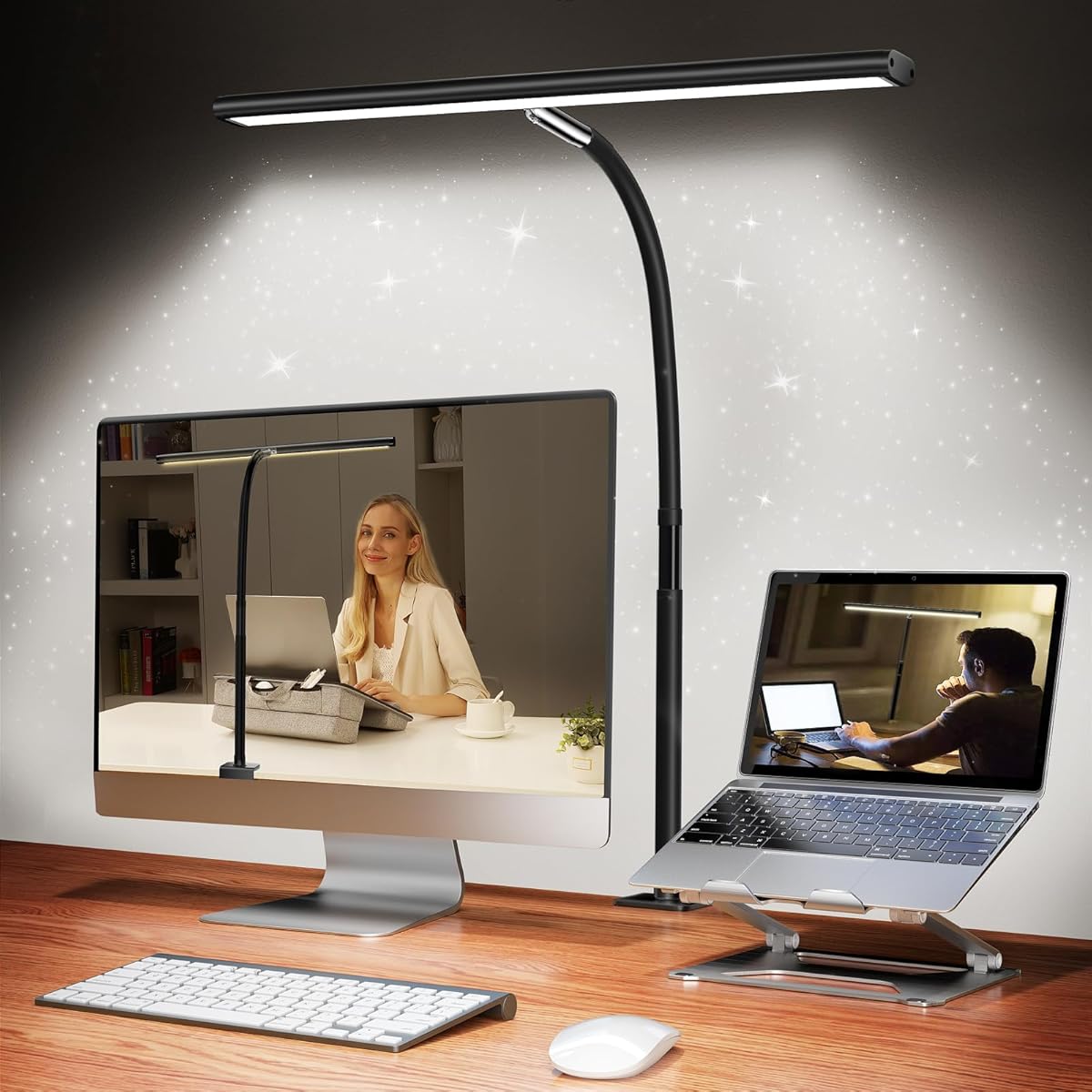
The Airlonv LED Desk Lamp offers exceptional flexibility with its 360 degree adjustable gooseneck and 17 inch wide bar. It holds a strong 4.5 star rating reflecting user satisfaction with its build quality and illumination capabilities. This model is ideal for users who need to direct light to specific spots on a large workspace.
We may earn a commission when you buy through this link, at no additional cost to you.
It features stepless dimming from 1 to 100 percent allowing precise control over brightness levels. The aluminum and ABS construction ensures excellent heat dissipation and a lifespan of up to 60,000 hours. A built-in wire management feature helps keep cables neat while the sturdy metal clamp supports desks up to 2.36 inches thick.
The clamp design limits placement to desks with an accessible edge which might not suit all setups. It is heavier than simple clip-on bars so stability depends on your desk structure. These limitations are minor for those needing adjustable reach but might deter users wanting instant mounting.
This lamp suits professionals who draft sew or work on large monitors needing targeted light. The included adapter ensures you have everything needed right out of the box. If you value adjustability and wide coverage this model delivers consistent performance for varied tasks.
Adjust brightness from 1 to 100 percent for perfect lighting in any environment.
Made of aluminum and ABS for heat dissipation and a 60,000 hour lifespan.
We may earn a commission when you buy through this link, at no additional cost to you.
The Logitech Litra Glow is designed specifically for content creators and remote workers needing flattering video lighting. With a 4.5 star rating it excels in delivering natural skin tones and reducing shadows during calls. Its TrueSoft technology ensures cinematic color accuracy making it a favorite for Zoom and streaming sessions.
We may earn a commission when you buy through this link, at no additional cost to you.
A frameless diffuser radiates soft wide light that eliminates harsh shadows on your face. You can adjust brightness and color temperature manually or use the G HUB desktop app to save presets. The 3-way monitor mount allows precise positioning with adjustable height tilt and rotation for optimal angles.
It is more expensive than standard desk bars which might be a barrier for casual users. Relying on the G HUB app for advanced features adds a layer of complexity. However for those focused on video quality these costs are justified by the superior light output.
Streamers podcasters and remote professionals will appreciate the optimized look this light provides. It is portable and lightweight making it easy to transport between locations. If your primary goal is to look professional on camera this is a top-tier choice for webcam lighting.
Delivers balanced full spectrum LED light with cinematic color accuracy for video.
3-way monitor mount with adjustable height tilt and rotation for precise positioning.
We may earn a commission when you buy through this link, at no additional cost to you.
The Pzloz Architect Lamp provides versatile lighting for dual monitors and drafting tasks with its adjustable swing arms. While it holds a rating of 4.3 stars users appreciate its high power and remote convenience. This model stands out for its ability to adapt to multiple work angles and modes.
We may earn a commission when you buy through this link, at no additional cost to you.
It offers 25 light combination modes with 5 color temperatures and 5 brightness levels to suit any task. The wireless remote allows you to switch modes without touching the lamp directly. Foldable swing arms and a rotatable lamp head enable you to direct light exactly where you need it.
Assembly can be slightly more involved compared to clip-on bars due to the arm structure. Occasionally the remote might lose sync requiring re-pairing which can be frustrating. These issues are minor but worth noting if you prefer simple setups without extra components.
This lamp is ideal for designers architects or students who need flexible task lighting. The eye-friendly technology reduces glare during detailed work sessions. If you value adjustability and a remote interface this lamp offers significant functionality for its price.
Choose from 25 combinations including night light and reading modes for every need.
The included wireless remote allows easy switching of modes and brightness levels.
We may earn a commission when you buy through this link, at no additional cost to you.
The RGB Monitor Light Bar combines task lighting with ambient mood lighting for a unique desk experience. With a 4.1 star rating it appeals to gamers and home office users wanting style and function. This model stands out for its dual mode capability that addresses both focus and atmosphere.
We may earn a commission when you buy through this link, at no additional cost to you.
It features a front light to eliminate screen glare and protect your eyes during work. Simultaneously the 9 mode RGB backlight casts vibrant colors behind the screen for gaming or movies. Dual tactile buttons let you control both lights independently with a memory function that saves your settings.
The RGB feature may distract during intense work sessions where focus is paramount. The USB-C cable provided is sometimes short requiring extension for certain monitor setups. These factors are acceptable if you value the aesthetic appeal alongside standard task lighting needs.
Gamers and content creators will enjoy the dynamic lighting this bar provides. It fits thin thick flat and curved monitors easily with a retractable clip. If you want one light for work and ambiance this dual mode option is a practical choice.
Front light reduces glare while RGB backlight creates a vibrant gaming atmosphere.
Dual buttons allow separate control of front light and RGB modes independently.
We may earn a commission when you buy through this link, at no additional cost to you.
The ShineTech LED Desk Lamp offers an ultra-wide 31.5 inch double head design for large workspaces. It holds a 4.5 star rating reflecting its reliability and even illumination across dual monitors. This model is built to handle extensive coverage without shadows or dark spots.
We may earn a commission when you buy through this link, at no additional cost to you.
It includes 50 customizable lighting modes with 5 color temperatures and 10 brightness levels each. The auto-off timer allows you to read or work at night without worrying about power. A 360 degree gooseneck arm and 180 degree adjustable heads provide accurate task lighting anywhere on your desk.
The 31.5 inch span might be too wide for compact desks limiting its versatility. It requires a clamp mount which needs a clear desk edge to function properly. These constraints are minor for users with large desks who need broad coverage over monitors.
Professionals with dual setups or drafting needs will find this lamp highly effective. The durable build ensures long-term performance for daily work. If you prioritize wide coverage and flexible angles this model delivers exceptional value for professional environments.
The 31.5 inch double head spans large desks to eliminate shadows on dual monitors.
10 or 45 minute timers help save energy when you finish your work session.
We may earn a commission when you buy through this link, at no additional cost to you.
The 2 Pack Zoom Lighting offers excellent value for remote workers needing reliable video call illumination. With a 4.3 star rating this set ensures you have a backup or shared device for multiple users. It focuses on high color accuracy to make your appearance natural on camera.
We may earn a commission when you buy through this link, at no additional cost to you.
Each unit uses edge-lit technology with 84 LEDs to provide 450 lumens of even light. The high CRI of 97.8 ensures natural true color accuracy without harsh glare. You can adjust brightness and color temperature across 50 dimmable modes to suit any room.
Assembly requires attaching brackets which may take more time than plug-and-play bars. The lower power output might be less effective for large rooms compared to brighter bars. These factors are acceptable given the price and the inclusion of two units in the pack.
Teams or individuals with laptops and desktops will appreciate having two lights. It folds easily for travel making it suitable for remote work. If you need budget friendly reliable lighting for Zoom meetings this pack is a smart investment.
CRI over 97.8 ensures natural true color for professional and vivid video calls.
The bracket folds 90 degrees making it easy to carry in bags.
We may earn a commission when you buy through this link, at no additional cost to you.
The Xiaomi Mi Computer Monitor Light Bar stands out for its asymmetric design that prevents screen reflection. With a 4.4 star rating users value its ability to provide extra lighting without taking up desktop space. It is a premium choice for those seeking a clean minimalist desk setup.
We may earn a commission when you buy through this link, at no additional cost to you.
Its custom optical glass and textured hood ensure no glare during extended work periods. The high Ra95 color rendering index reveals true natural colors and details on your desk. You can adjust brightness and color temperature using a 2.4GHz wireless remote for effortless control.
The premium price may be higher than other options available in the market. Remote connectivity requires line-of-sight which can limit usage angles. However these are minor trade-offs for the superior build quality and unique design it offers.
Minimalists and design focused professionals will appreciate the sleek look and functionality. The USB-C auto-on feature adds convenience when starting work. If you want a reflection free light with premium accuracy this model is worth the investment.
Custom optical glass ensures no screen reflection for a comfortable extended work experience.
The 2.4GHz remote lets you adjust settings without reaching for the monitor.
We may earn a commission when you buy through this link, at no additional cost to you.
The Logitech G Litra Beam is the ultimate desktop fit for gamers wanting professional lighting effects. With a 4.5 star rating it delivers cinematic color accuracy through TrueSoft technology. This model is designed to elevate your gameplay look and streaming quality effortlessly.
We may earn a commission when you buy through this link, at no additional cost to you.
You can shape and direct light precisely using the innovative adjustable stand and three mount points. Brightness and color temperature settings allow customization to your liking via on-board controls or the G HUB app. It is UL tested safe for all day streaming and gaming sessions.
The high price point limits it to enthusiasts with larger budgets. Using the G HUB app for presets adds complexity for casual users. However these constraints are acceptable if you demand top-tier lighting control and professional quality.
Gamers streamers and content creators will find this light elevates their visual output. It is a premium tool for those prioritizing aesthetics and precise control. If you want the best for your setup this is the top choice for gaming.
Delivers balanced full spectrum LED light with cinematic color accuracy for your game.
3-way adjustable stand and three mount points offer flexible placement angles.
We may earn a commission when you buy through this link, at no additional cost to you.
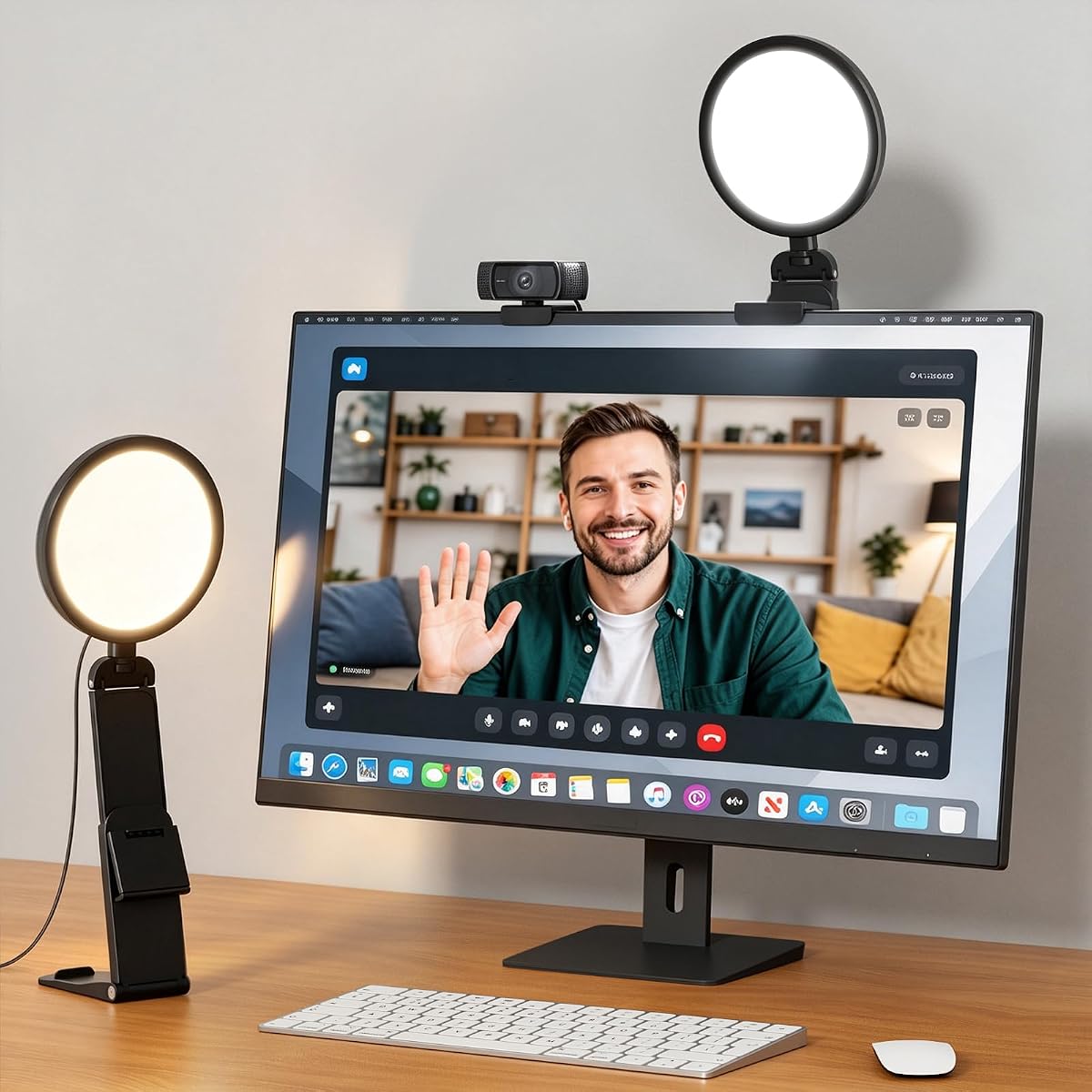
The Video Conference Lighting panel provides a straightforward solution for improving webcam appearance. With a 4.1 star rating it offers reliable illumination for remote work and online classes. This model focuses on simplicity and affordability to meet essential lighting needs.
We may earn a commission when you buy through this link, at no additional cost to you.
It delivers flicker-free natural illumination through a USB LED panel design. You can choose from 3 color modes and 10 brightness levels to customize your look. The clip and magnetic mount options allow attachment to monitors or webcams easily without drivers.
The brightness range is limited compared to full desk bars which may not suit all tasks. The build quality is basic but functional for the price point. These trade-offs are acceptable if you need a budget friendly tool for video calls only.
Students remote professionals and budget users will appreciate its plug-and-play convenience. It works seamlessly with Zoom Teams and other conferencing software. If you need an affordable light to enhance your video presence this is a solid entry-level choice.
Flicker-free natural illumination ensures you look your best on camera every time.
Attach easily via clip or magnetic base for a cleaner professional setup.
We may earn a commission when you buy through this link, at no additional cost to you.
Choosing the right internal PC work light requires evaluating several factors to ensure comfort and productivity. This section details what to look for when comparing options for your desk setup.
Brightness determines how well your desk is illuminated without harsh glare. Look for models offering 800 lux or more for adequate task lighting across large workspaces. Wider bars cover more area ensuring consistent light on dual monitors or drafting tables.
Select a bar that matches your monitor size to avoid dark spots on your workspace.
Color temperature affects your focus and eye comfort throughout the day. Adjustable ranges from 2700K warm to 6500K cool allow you to switch from reading to evening modes. This flexibility helps reduce eye strain during late night work sessions.
Choose a light with multiple temperature settings to suit different times of the day.
Installation method defines how easily you can attach the light to your desk. Clip-on designs are quick and portable while clamps offer stability for heavier bars. Ensure the mount fits your monitor thickness to prevent damage or slipping.
Pick a mounting style that secures firmly without requiring permanent changes to your desk.
Power source impacts where you can place the light on your desk. USB powered models draw power from your PC or adapter offering flexibility without extra outlets. Some premium lights use dedicated adapters for consistent brightness and output stability.
Verify that your chosen power source matches your available USB ports or outlets.
Adjustability allows you to direct light exactly where you need it on your workspace. Goosenecks and adjustable heads provide precision for tasks like drafting or reading. Fixed bars are simpler but may limit positioning for specific activities.
Look for 360 degree rotation if you need to move light frequently during work.
Control methods determine how easy it is to change settings during use. Touch controls are sleek while remotes offer convenience without reaching the monitor. Some lights include memory functions to recall your preferred settings automatically.
Prioritize controls that match your workflow to avoid interruptions during focused work.
Build quality ensures the light withstands daily use over time. Aluminum or ABS materials dissipate heat efficiently and extend the lifespan. Long ratings like 50,000 hours indicate reliable performance for years.
Invest in sturdy materials to avoid replacement costs from wear and tear.
Price varies widely depending on features and brand reputation. Budget options provide basic illumination while premium models offer app control and high CRI. Consider your specific needs to find the best balance of cost and functionality.
Evaluate if extra features justify the cost based on your usage requirements.
Install your light by securing the clip or clamp firmly to the top of your monitor. Ensure the mount is stable so the bar does not slip or scratch the screen. Connect the USB cable or adapter to a power source and turn it on.
Adjust the height and angle to direct light evenly across your keyboard and desk. Set the color temperature to cool white for focus or warm white for relaxation. Use the memory function if available to save your preferred settings for future sessions.
Clean the light surface gently with a dry cloth to remove dust and fingerprints. Check cables regularly for wear and ensure the mount remains secure over time. Turn off the light when not in use to save energy and extend its lifespan.
No, these lights are designed to illuminate your workspace without reflecting on the screen. They use asymmetric or angled beams to avoid glare on your monitor surface. Proper positioning ensures they light your desk while keeping the display clear.
USB powered lights can be bright enough depending on the model. High wattage bars provide sufficient brightness for standard desks but may struggle on very large setups. Check the lux rating to ensure it matches your space needs.
Yes, many internal PC work lights improve video call quality by reducing shadows on your face. Models with adjustable color temperature help you look natural on camera. Dedicated webcam lights offer even better results for remote work.
Most lights work without software using physical buttons or remotes for control. Only premium gaming models may require apps like G HUB for advanced presets. Basic tasks like brightness adjustment do not need extra installations.
Choose a bar if you want a sleek look that sits on top of the monitor. Select a clamp light if you need flexibility to direct light at angles or over larger spaces. Bars save desk space while clamps offer more reach.
Yes, LED internal PC work lights are safe for long term use and produce minimal heat. They reduce eye strain with flicker-free and blue light filters. Ensure proper ventilation to maintain performance over years.
Many models come with flexible clips that fit curved monitors securely. Check the product specs to confirm compatibility with your monitor thickness and shape. Some brands specify support for curved screens in their design.
We have reviewed ten top internal PC work lights that offer a range of features for different needs. From budget panels to premium streaming lights each model provides unique benefits for desk illumination. The Monitor Light Bar and Logitech Litra Glow stand out for general and video use respectively.
When choosing prioritize brightness adjustability and mounting style based on your desk setup. If you need wide coverage for dual monitors go for models with wider bars. For minimal setups select compact bars that do not take up space.
Remember that prices and availability change frequently so check the current listings for deals. We hope this guide helps you find the perfect light to enhance your workspace. Invest in a solution that reduces eye strain and improves your work environment today.