
HS Programmable Scrolling LED Sign
4.4Editor score
Outdoor waterproof rating
1000 character storage
Low power consumption
Digital marquees for schools offer a modern way to communicate announcements, events, and safety information across campuses. These programmable LED displays capture attention effectively and allow administrators to update content remotely without printing materials.
We evaluated ten top-rated models based on brightness, control interfaces, weather resistance, and ease of programming. Our analysis focuses on features that matter most to educational institutions, including security, durability, and flexibility for various indoor and outdoor settings.
Each pick in this list highlights specific strengths and ideal use cases for school environments. Please note that pricing and availability can change frequently, so verify current details before making a purchase decision for your district or facility.
4.4Editor score
4.3Editor score
4.4Editor score
As an Amazon Associate we earn from qualifying purchases.
The following table provides a side-by-side comparison of all ten selected digital marquee models. Use this overview to quickly identify key specifications like size, connectivity, and display type before diving into detailed reviews.


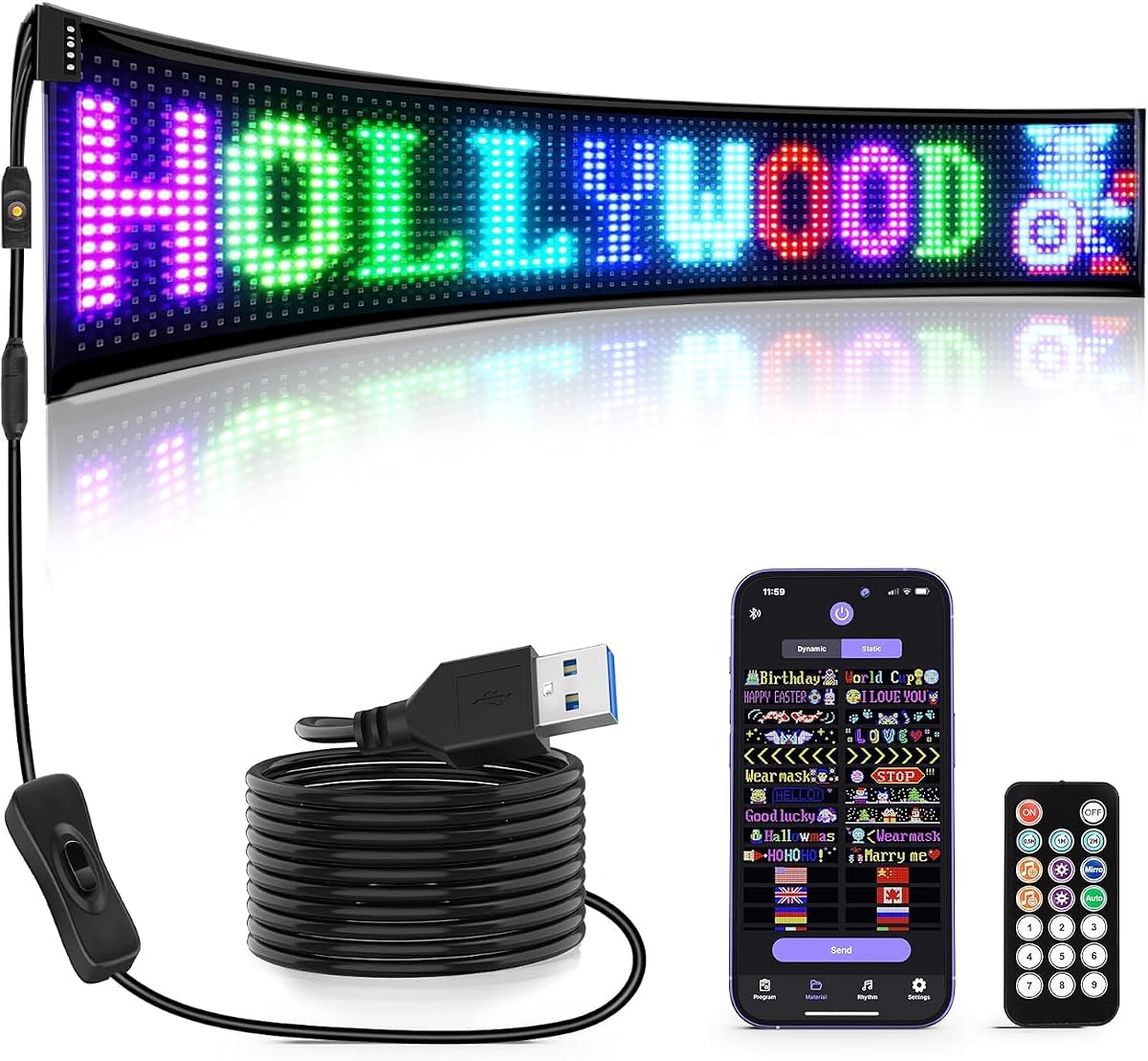
This Rayhome LED sign stands out as a versatile option for school hallways and lobbies. With a 4.3 rating, users appreciate its straightforward app control and ability to display custom text and animations easily.
We may earn a commission when you buy through this link, at no additional cost to you.
The Bluetooth connectivity allows staff to update messages from a smartphone without needing a computer. The password protection feature ensures that only authorized personnel can change the content, which is crucial for maintaining security in busy school environments.
While the display is bright and clear, it is designed primarily for indoor use. The flexible panel can be bent slightly, but it is not rated for extreme weather conditions. This makes it ideal for indoor signage but not for outdoor sports fields.
Schools looking for an easy-to-use indoor marquee will find this model highly effective. Its combination of security, ease of use, and visual clarity makes it a top recommendation for communication boards.
The password setting prevents unauthorized changes, ensuring school announcements remain accurate and appropriate at all times.
Custom animations and multiple playback modes allow schools to create engaging visuals for events and activities.
We may earn a commission when you buy through this link, at no additional cost to you.
The KJOY model offers an impressively wide 77-inch display, making it suitable for large school entrances or gymnasiums. Its high brightness ensures visibility even in well-lit indoor areas.
We may earn a commission when you buy through this link, at no additional cost to you.
One unique feature is the built-in microphone, which can make the sign respond to audio cues. This interactive element can be fun for school events or alerts. The flexible panel allows for easy mounting on curved surfaces.
However, the unit requires a stable power source and is primarily designed for indoor environments. While the brightness is strong, the color range may be limited compared to full-color models. It is best used for text and simple graphics.
For schools needing a wide-format sign for major announcements, this model provides excellent value. Its size and brightness make it a strong candidate for high-traffic indoor areas.
The built-in microphone adds a unique interactive layer to school displays, allowing for dynamic responses during events.
Despite its wide size, the flexible and thin profile makes it easy to install without obstructing walkways.
We may earn a commission when you buy through this link, at no additional cost to you.
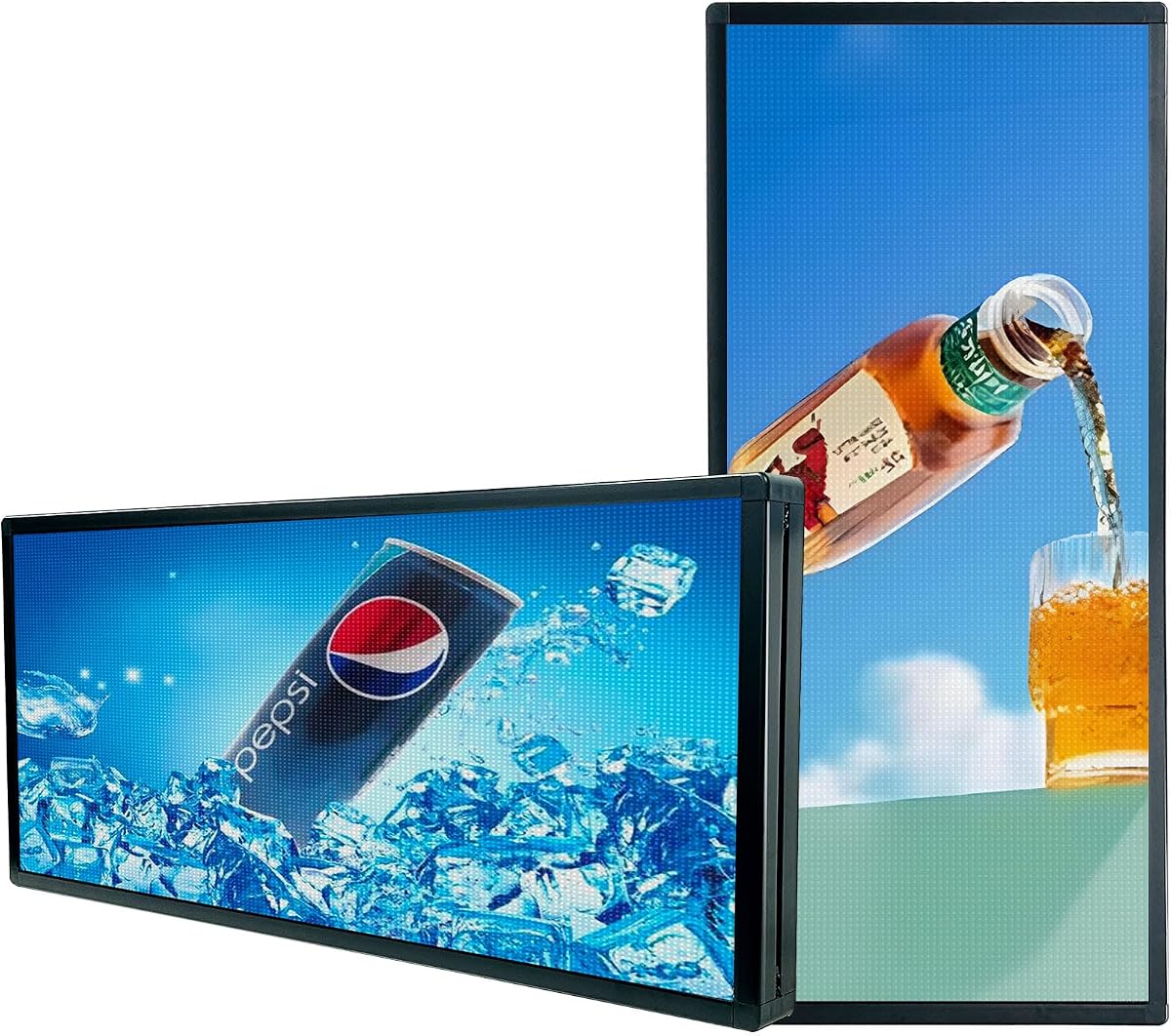
This P6 model is engineered for outdoor use, featuring an IP65 waterproof rating that protects against rain and snow. It is ideal for school exteriors or parking lot signage where weather resistance is critical.
We may earn a commission when you buy through this link, at no additional cost to you.
The full-color display supports high-definition animation and video, allowing schools to show promotional content or event highlights. Its brightness ensures visibility from long distances, even in direct sunlight.
While excellent for distant viewing, images may appear grainy when seen up close. This is typical for outdoor pixel pitches but limits its use for detailed indoor text. The higher cost reflects its rugged construction and outdoor capabilities.
Schools with outdoor communication needs will benefit significantly from this model. Its durability and visual impact make it a premium choice for exterior signage.
The IP65 rating ensures the sign continues to operate through various weather conditions, minimizing maintenance downtime.
Full color capabilities allow for rich media displays that capture attention from a distance.
We may earn a commission when you buy through this link, at no additional cost to you.
The dual row structure of this Rayhome sign allows schools to display two separate messages simultaneously. This is particularly useful for showing different announcements for different zones or grades at once.
We may earn a commission when you buy through this link, at no additional cost to you.
It features full-color LEDs that create vibrant visuals and animations. The Bluetooth app makes updates quick, and the USB option provides a backup connection method. Users rate it highly for brightness and ease of use.
The panel is thin and flexible but designed for indoor use. It may not withstand harsh outdoor conditions without protection. However, for indoor hallways or cafeterias, it provides clear visibility and creative flexibility.
For schools needing to maximize information density in limited space, this dual-row design is ideal. Its high user satisfaction indicates reliable performance for everyday communication.
Displaying two messages at once allows for better communication of diverse information without cluttering a single screen.
Full-color LEDs enhance the appeal of school events and announcements, drawing student attention effectively.
We may earn a commission when you buy through this link, at no additional cost to you.
This HS model offers a balance of features and affordability, making it accessible for smaller schools or budget-conscious districts. It delivers clear visibility with 5000 nits brightness suitable for outdoor or semi-outdoor settings.
We may earn a commission when you buy through this link, at no additional cost to you.
The sign can store up to 1000 characters, allowing for extensive messages without frequent updates. WiFi connectivity enables remote updates via phone or computer. The energy-saving design reduces electricity costs significantly over time.
One limitation is the lack of MacOS support for the control software, which may affect Mac-heavy IT departments. However, the straightforward interface is easy for non-technical staff to manage. It is a solid choice for general announcements.
Schools seeking a reliable, low-cost digital marquee will find this unit practical. Its high brightness and storage capacity make it a strong contender in the budget category.
Low power consumption ensures long-term savings on operational costs, aligning with school sustainability goals.
Storing 1000 characters allows for detailed messages without needing constant reprogramming.
We may earn a commission when you buy through this link, at no additional cost to you.
This board is designed to be visible from up to 100 feet away, making it effective for school perimeter signage. It features a built-in WiFi hotspot, allowing connection without needing a separate router.
We may earn a commission when you buy through this link, at no additional cost to you.
The waterproof nano-coating ensures stability in wind and rain. Users can set timers to control power usage automatically. The control software is currently limited to Windows PCs, which may restrict some school IT setups.
While the rating is average, the unit provides functional reliability for outdoor announcements. It is a practical choice for schools needing durable, high-visibility signage without advanced multimedia capabilities.
For basic outdoor communication tasks, this model delivers consistent performance. Its visibility features make it suitable for traffic or safety announcements around campus.
The built-in hotspot eliminates dependency on existing school Wi-Fi networks for updates, simplifying setup.
Sunproof coating and waterproofing ensure the sign withstands various weather conditions reliably.
We may earn a commission when you buy through this link, at no additional cost to you.
This P6 sign supports video and images alongside text, allowing schools to show promotional clips or event photos. It can be mounted in portrait or landscape modes for flexible layout options.
We may earn a commission when you buy through this link, at no additional cost to you.
The high brightness of 5000 nits ensures visibility outdoors, while the timed power functions help save energy. Users can schedule content playback to match school hours automatically. It is a versatile tool for dynamic communication.
However, viewing close to the screen may reveal graininess in images, and it supports Windows computers primarily. For distant outdoor viewing, these are acceptable trade-offs. The sign is robust enough for exterior installations.
Schools wanting to move beyond text-only announcements will appreciate the multimedia features. Its ability to play video makes it stand out for event promotion.
Switching between portrait and landscape allows the sign to fit various architectural or signage needs.
Timed playback features automate content delivery, reducing manual management workload.
We may earn a commission when you buy through this link, at no additional cost to you.
At 77 inches wide, this sign makes a bold statement for main school entrances. It is designed to withstand direct sunlight with vibrant colors that remain clear even at high brightness levels.
We may earn a commission when you buy through this link, at no additional cost to you.
The modular design facilitates easier transport and assembly, though it still requires following instructions carefully. It supports 100 stored messages for long-term content planning. FCC certification ensures reliable signal transmission within the US.
Assembly is straightforward but involves several screws. Software updates require a Windows device. Despite these minor drawbacks, the visual impact is significant for large-scale campus communications.
For schools wanting a flagship sign at a main entrance, this model delivers impressive scale and clarity. It serves as a centerpiece for school branding and major announcements.
The large format ensures the sign is visible from a distance, enhancing school presence and visibility.
FCC certification guarantees stable connectivity for remote content updates across campus distances.
We may earn a commission when you buy through this link, at no additional cost to you.
This compact sign is ideal for tight spaces like office doors or notice boards. Its flexible silicone design allows it to wrap around columns or fit into awkward corners where rigid signs fail.
We may earn a commission when you buy through this link, at no additional cost to you.
It features Bluetooth 5.0 for stable connections and IP65 waterproofing for light outdoor use. The small size makes it easy to install without drilling extensive mounting hardware. It is a cost-effective solution for localized updates.
Due to its height, long messages are not practical. It works best for short greetings or quick updates. Schools can use these for department-specific notices or event markers around campus.
For schools needing small, flexible signage, this model offers unique mounting options. Its affordability allows for multiple units across a campus.
The flexible material allows installation in non-standard locations, maximizing space utility.
Compact size is perfect for targeted announcements in specific departments or hallways.
We may earn a commission when you buy through this link, at no additional cost to you.
This P10 sign supports both WiFi and USB programming, offering flexibility for different technical setups. It works well indoors or outdoors, handling basic text and simple images effectively.
We may earn a commission when you buy through this link, at no additional cost to you.
The adjustable brightness helps manage energy use and visibility in different lighting conditions. It is straightforward to operate, requiring minimal training for staff. While ratings are lower, it provides consistent performance for basic needs.
Some users may find the feature set limited compared to higher-end models. However, for districts seeking a no-frills solution, it remains a viable option. Regular maintenance ensures longer lifespan.
Schools needing a simple, dual-connectivity sign will find this model adequate. Its straightforward operation makes it accessible for staff with limited technical skills.
Supporting both WiFi and USB ensures schools can choose the most convenient update method available.
The simple operation requires minimal training, allowing quick adoption by school staff.
We may earn a commission when you buy through this link, at no additional cost to you.
Selecting the right digital marquee involves considering environment, connectivity, content needs, and maintenance factors. This guide breaks down key elements to help administrators make informed choices.
Outdoor signs must have waterproof ratings like IP65 to withstand rain and temperature fluctuations. Indoor signs can be less rugged but should still resist dust and minor spills.
Choose weather-rated models for exterior walls and standard indoor models for hallways to maximize longevity.
WiFi and Bluetooth allow remote updates, while USB offers a backup for areas without reliable internet. Consider your network stability when selecting connection types.
Multiple connectivity options ensure flexibility if one method fails or is restricted by school IT policies.
Larger signs are better for main entrances, while smaller ones suit hallways. Brightness levels should match the ambient light where the sign will be placed.
Ensure the size fits your mounting space and brightness is sufficient for daylight or nighttime visibility.
Password protection prevents unauthorized changes to messages. Some systems offer multi-user accounts for different roles like teachers or admins.
Security features ensure only authorized staff can update content, reducing risk of accidental or malicious changes.
LED displays are generally energy-efficient, but wattage varies by model. Energy-saving features like timers help manage costs.
Check power ratings to estimate electricity costs and select models with timers for auto-shutoff when not needed.
Software should be intuitive for non-technical staff. Mobile apps are often easier than desktop programs for quick updates.
Prioritize systems with user-friendly interfaces to reduce training time and ensure regular content updates.
Look for at least a one-year warranty and responsive customer service. Access to manuals or tutorials helps troubleshoot issues independently.
Strong support ensures quick resolution of technical problems, minimizing downtime for school communications.
Some models support video and images, while others are text-only. Decide if you need dynamic media for events.
Video support adds engagement but may require higher processing power and storage capacity.
Install the sign in a secure location where it is visible but protected from direct impact. Follow manufacturer mounting instructions to ensure stability, especially for outdoor units exposed to wind.
Update content regularly to keep information relevant. Use the scheduling features if available to automate daily messages, reducing manual workload for staff.
Clean the display gently with a dry cloth to avoid scratches. Avoid harsh chemicals, especially on flexible panels, to maintain the integrity of the LED beads.
Yes, many models are designed specifically for outdoor use with IP65 waterproof ratings. These units can withstand rain and varying temperatures without damage. Ensure the selected model explicitly states outdoor compatibility before installation.
Many modern digital marquees support mobile app control via Bluetooth or WiFi. This allows staff to update content directly from a smartphone or tablet, eliminating the need for a dedicated computer in every location.
Most control software currently supports Windows systems. Some models may have limited Mac compatibility, so verify software requirements before purchasing if your school relies on Apple devices.
Outdoor models typically feature high brightness ranging from 3000 to 5000 nits. This ensures text remains legible even in direct sunlight. Indoor models have lower brightness to prevent eye strain.
Most digital marquees store content in memory, so messages return once power is restored. However, the sign will not display during the outage unless connected to a backup battery or generator.
Many models include password protection to prevent unauthorized changes. This is essential for schools to ensure messages remain accurate and appropriate. Check for multi-user support if multiple staff need access.
LED digital marquees are generally energy efficient, often using less power than traditional lighting. Many include power-saving modes or timers to reduce consumption during off-hours.
Advanced models support full-color images and video playback. Basic text-only signs may not support this, so confirm multimedia capabilities if you plan to show visual content.
We recommend the Rayhome Large Programmable LED Sign for indoor general use due to its balance of features and ease of use. For outdoor needs, the P6 Programmable Led Sign Outdoor offers superior durability and visibility.
When selecting a model, prioritize connectivity options that match your IT infrastructure and ensure durability suits the installation environment. Security features like password protection are essential for maintaining content integrity.
Always verify current pricing and availability before purchasing, as these details can change frequently. Investing in the right digital marquee will enhance campus communication and engage your school community effectively.