
NOYAFA NF-488 POE Cable Tester
4.5Editor score
Continuity checking
PoE detection
Backlit screen
This guide compares the top inline POE testers for network professionals evaluating power standards voltage current and compatibility across various Ethernet
Inline POE testers are essential tools for network technicians who need to verify power delivery before connecting devices. They help prevent hardware damage and ensure stable connectivity during installation.
We evaluated ten top models based on testing accuracy display readability and ease of use. Each product offers unique features like OLED screens or battery-free operation for field work.
Our picks highlight key strengths and limitations so you can choose the right tool for your budget. Prices may vary so check current listings before purchasing your next tester.
4.5Editor score

4.1Editor score

4.1Editor score
Below is a side-by-side comparison of all ten testers including key specifications and capabilities to help you make an informed decision quickly.


The TRENDnet TC-NTP1 is a reliable inline POE tester designed for professionals needing NDAA compliance. It delivers accurate readings without batteries and supports high power standards.
We may earn a commission when you buy through this link, at no additional cost to you.
Its T, N, and I modes cover standard and passive PoE testing. The step button locks wattage readouts for real-time monitoring while troubleshooting live networks.
While the display lacks color, it cycles voltage amperage and wattage clearly. The unit is compact and ready to use out of the box.
Government contractors and network installers should buy this for its compliance and support. It stands as a top choice for secure and stable power testing.
NDAA compliance ensures this tester meets government requirements for network solutions in the US and Canada.
Battery-free design draws power from the line so you never run out of charge during critical field tasks.
We may earn a commission when you buy through this link, at no additional cost to you.
The PoE-T100 offers a bright OLED display that shows voltage current and power on one page. It supports multiple modes including PD simulation for advanced testing.
We may earn a commission when you buy through this link, at no additional cost to you.
Its self-powered design eliminates battery swaps. The OLED clarity helps technicians see data quickly in various lighting conditions.
The four modes add complexity but provide versatility for different scenarios. It may take time to master all functions compared to simpler testers.
Installers needing clear visuals and advanced mode support should buy this. It delivers premium diagnostics for modern network power setups.
The OLED screen provides high contrast readings so you can verify power levels without straining your eyes in low light.
PD mode simulates a device to test switches while inline mode allows pass-through testing between equipment.
We may earn a commission when you buy through this link, at no additional cost to you.
The NOYAFA NF-488 delivers essential PoE detection and continuity checking at an affordable price. It features a backlit LCD for visibility in dark server rooms.
We may earn a commission when you buy through this link, at no additional cost to you.
It identifies standard and non-standard PoE information including voltage and polarity. The loop-back test helps diagnose switch issues quickly.
While it lacks detailed wattage readouts the core functions meet most basic needs. The casing design ensures a secure grip.
Budget-conscious technicians should buy this for routine checks. It balances cost and functionality for daily cabling tasks.
Priced lower than many competitors this tester offers core PoE and continuity features without a steep financial investment.
The large backlit screen makes results easy to read even in dimly lit areas where network equipment is often located.
We may earn a commission when you buy through this link, at no additional cost to you.
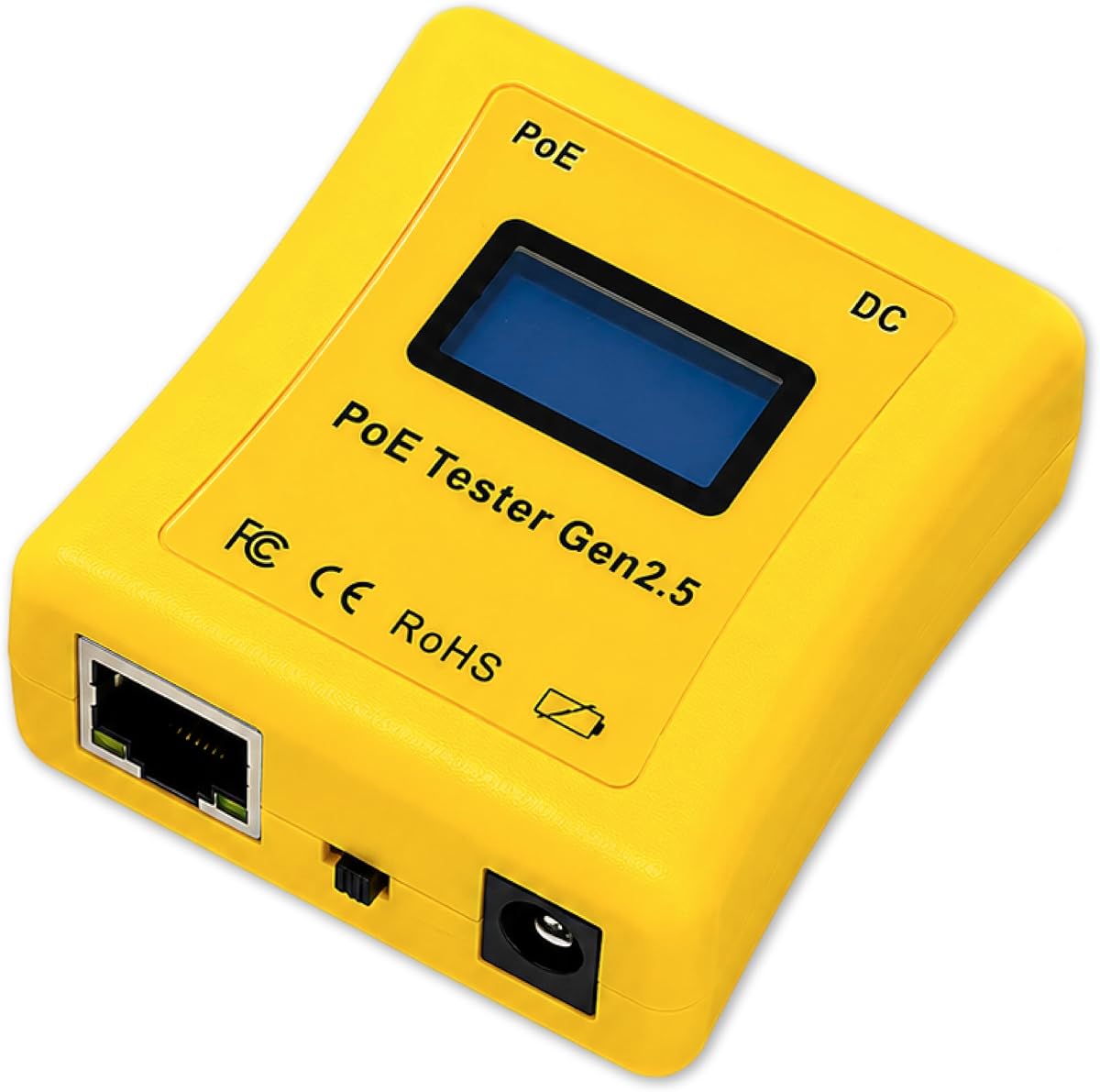
PoE Texas tester fits in a pocket and draws power from the line. It simulates devices to test switches and measures DC power supplies.
We may earn a commission when you buy through this link, at no additional cost to you.
The LCD cycles voltage current and power automatically. Its curved body design makes it easier to hold during long use.
Some users might find the screen small compared to larger models. But the portability offsets this for quick on-site checks.
Technicians who value size and device simulation should buy this. It simplifies switch testing without extra gear.
The compact form factor allows you to carry it easily in a tool kit or pocket for instant access.
Simulate a PoE device to activate managed ports on switches that require a load to negotiate power.
We may earn a commission when you buy through this link, at no additional cost to you.
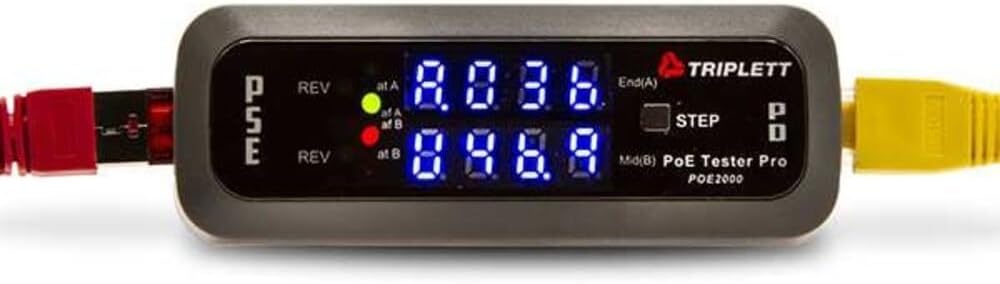
The Triplett POE2000 uses 7-digit LEDs to show power source and polarity. It identifies standard and non-standard PoE setups efficiently.
We may earn a commission when you buy through this link, at no additional cost to you.
Its step button cycles data for display. Yellow LEDs highlight reversed polarity which helps avoid wiring errors.
The design is older compared to modern testers. This may limit appeal for users seeking advanced screens.
Users preferring simple LED feedback should buy this. It provides reliable polarity and source detection.
Dual LEDs indicate End Span or Mid Span power sources clearly so you know the origin of the signal.
Yellow LEDs warn of reversed polarity quickly preventing potential damage to sensitive network devices.
We may earn a commission when you buy through this link, at no additional cost to you.
Triplett POE3000 helps speed up PoE system installation with simple visual indicators. It detects PSE type and power sources accurately.
We may earn a commission when you buy through this link, at no additional cost to you.
Four LEDs show IEEE standards while two yellow LEDs detect polarity. The step button allows selecting specific data display.
It lacks a numeric rating in available data. But the design remains robust for standard field tasks.
Users needing basic LED indicators should buy this. It offers reliable detection for general network setups.
Visual indicators align with IEEE802.3af/at/bt standards so you can verify compliance quickly.
Alternately displays Voltage Current and Power to give you a full picture of inline power levels.
We may earn a commission when you buy through this link, at no additional cost to you.
Jonard Tools POE-1 verifies PoE presence and cable continuity in one compact tool. It includes a belt clip for convenience.
We may earn a commission when you buy through this link, at no additional cost to you.
It measures voltage amperage and resistance for Cat5 to Cat6a cables. A battery handles unpowered cable checks.
The complete kit includes a remote and adapter. This adds value but lacks numeric ratings for reference.
Field professionals needing a kit should buy this. It covers power and cable checks efficiently.
Verify continuity for Cat5 to Cat6a cables to ensure data paths are clear before applying power.
The included remote female adapter and manual ensure you can start testing right away.
We may earn a commission when you buy through this link, at no additional cost to you.
This PoE tester measures cable lengths up to 300 meters. It includes port flash detection to locate active ports easily.
We may earn a commission when you buy through this link, at no additional cost to you.
Its rechargeable battery supports extended sessions. Auto-shutoff saves power during idle times.
The high rating reflects its comprehensive features. Users must charge it before use unlike battery-free options.
Installers needing cable length checks should buy this. It adds measurement utility to standard PoE testing.
Measure CAT5 to CAT6 cable lengths to verify installation compliance without extra tools.
Port flash detection helps you locate active ports quickly in complex rack setups.
We may earn a commission when you buy through this link, at no additional cost to you.
This tester focuses on DVM power and network PoE for CAT5/6 setups. It serves specialized network monitoring needs.
We may earn a commission when you buy through this link, at no additional cost to you.
Its design centers around panel integration. It fits roles requiring constant monitoring or fixed installation checks.
Specifications are limited in available data. But it serves niche users with DVM power requirements.
Specialized users needing DVM power should buy this. It supports specific panel configurations.
Designed with DVM power panel integration for specialized network monitoring scenarios.
Supports CAT5 and CAT6 cables for standard network verification tasks.
We may earn a commission when you buy through this link, at no additional cost to you.
The NF-488 network tester combines PoE with loop-back and DC detection. It includes an LED lamp for dark areas.
We may earn a commission when you buy through this link, at no additional cost to you.
It supports Cat5e/6 types and detects current and power. Lifetime service support adds value for long-term use.
The voltage range reaches 0-60V. The lamp helps visibility during under-cabinet checks.
Users needing a lamp and service should buy this. It ensures long-term support and lighting.
Built-in LED lamp helps you work in dark racks without needing a separate flashlight.
Lifetime friendly customer service ensures you get help if you face issues.
We may earn a commission when you buy through this link, at no additional cost to you.
Selecting the right inline POE tester depends on your specific testing needs and environment. Consider these factors before buying.
Look for testers that offer multiple modes like inline PD simulation and DC testing. These modes let you check switches without attaching devices.
Choose a model with modes that match your work frequency.
OLED and backlit LCDs improve readability in dark server rooms. Some testers cycle readings while others show all data at once.
Pick a display that you can read clearly without strain.
Most testers draw power from the line so you need no batteries. Some require AA batteries for unpowered cable checks.
Decide if you prefer fully battery-free options or have a spare battery handy.
Ensure the tester supports IEEE 802.3af/at/bt and non-standard passive PoE. Some devices also handle 4PPoE and DC supplies.
Check compatibility with your network power standards before buying.
Some testers verify continuity and length for Cat5 to Cat6a. This helps confirm cable quality before applying power.
Select a unit that checks your specific cable types.
Compact testers with clips fit easily in tool kits. Pocket-sized designs speed up checks in the field.
Choose a lightweight model that you can carry daily.
Anti-slip casings and robust builds protect against drops. Some units include warranties for extra protection.
Prioritize rugged designs for rough construction sites.
Manufacturers offering English tech support or lifetime service help resolve issues. Check their response times.
Select brands known for quick and helpful assistance.
Connect the tester between the PSE and PD to check voltage and polarity. Use inline mode to monitor power without disrupting the network.
For switch testing activate simulate PoE device mode to trigger negotiations. Check polarity LEDs to avoid reversed wiring damage.
Store the unit in a protective case and clean contacts regularly. Use auto-shutoff features to extend battery life for unpowered checks.
An inline POE tester verifies power delivery and polarity before connecting devices. It prevents hardware damage by confirming voltage and standard compliance.
Most draw power from the line so no batteries are needed. Some models include AA batteries for unpowered cable continuity checks.
Use PD simulation mode to activate ports and verify power settings. This lets you check negotiation without attaching actual devices.
Ensure support for IEEE 802.3af/at/bt plus passive PoE. This covers most IP cameras and access points in use today.
Some models include cable length measurement for Cat5 to Cat6. This helps confirm run compliance during installation.
Yellow LEDs typically signal reversed polarity so you can fix wiring. Standard polarity shows no warning lights on most units.
Yes NDAA compliance ensures adherence to government security requirements. Choose compliant testers for US and Canadian projects.
Clean contacts with a dry cloth and store in a case. Avoid dropping the unit to preserve accuracy and display function.
Our top picks cover budget OLED premium and compliance needs. Each model offers distinct strengths for different technician scenarios.
Prioritize display clarity and power modes for your routine tasks. Ensure the unit supports all PoE standards you encounter.
Check current prices before buying to get the best value. Our guide simplifies selection for reliable inline POE testing.