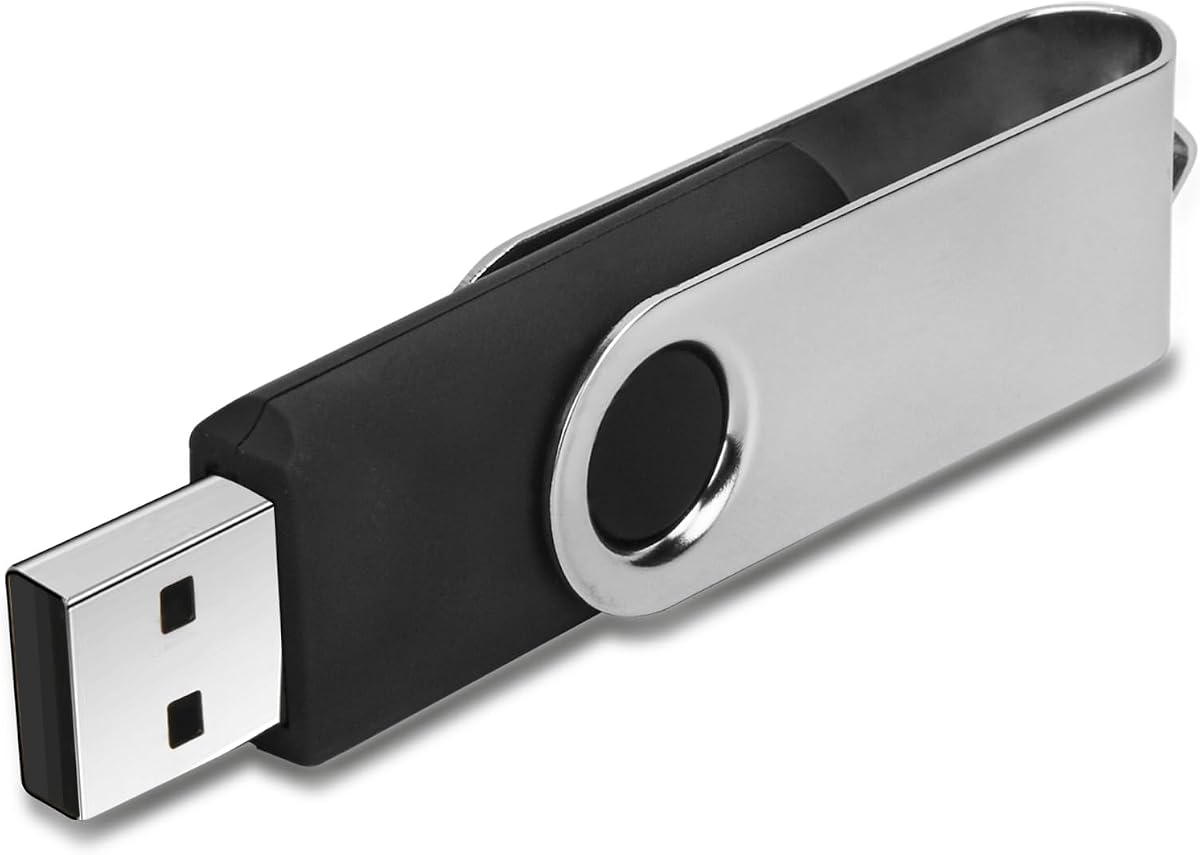
Swivel Design 16GB USB Flash Drive with Keychain
4.6Editor score
Metal swivel cap
FAT32 default format
Compact keychain design
This guide compares the top FAT32 USB Flash Drive options for reliable data storage across devices like cars and TVs with detailed reviews.
Finding the right storage solution often means looking for FAT32 USB Flash Drive options that work everywhere. These drives offer broad compatibility for older systems and modern devices alike without needing extra software or drivers.
We evaluated ten top-rated models based on speed, build quality, and format readiness. Our comparison focuses on drives that come preformatted or easily convert to FAT32 for immediate use in cars and TVs.
Each pick highlights key strengths and potential trade-offs for different users. Prices vary by seller and stock so verify current offers before buying to ensure you get the best deal available today.
4.6Editor score

4.5Editor score

4.6Editor score
The following table provides a side-by-side look at every model featured in this guide. Use these specs to quickly identify the drive that matches your specific storage and speed needs.


This drive stands out for offering modern USB 3.0 speeds while maintaining FAT32 compatibility. It works well across laptops cars and smart TVs without requiring extra formatting.
We may earn a commission when you buy through this link, at no additional cost to you.
Read speeds reaching up to ninety megabytes per second make file transfers quick. The metal design helps manage heat during heavy use ensuring stable performance over time.
While the included USB C adapter is handy it adds a small piece to keep track of. The keychain is functional but not as robust as the main unit.
Ideal for users needing fast reliable storage that works everywhere. This model balances speed and compatibility better than most options in its price range.
USB 3.0 interface delivers significant improvements over older USB 2.0 drives for faster data movement.
The FAT32 format ensures this drive is recognized by most devices including car stereos and older systems.
We may earn a commission when you buy through this link, at no additional cost to you.
This drive is a solid choice for basic data storage needs without high speed requirements. It comes ready to use in most environments right out of the package.
We may earn a commission when you buy through this link, at no additional cost to you.
The LED indicator provides clear visual feedback during file transfers helping you avoid accidental removal. Its simple design makes it easy to carry around daily.
Transfer speeds are slower compared to USB 3.0 models which might be noticeable with large files. The plastic body is lightweight but may not withstand heavy physical stress.
Great for users who need reliable storage for documents and photos. Its simplicity and low cost make it a practical choice for everyday tasks.
The red light flashes during data transfer letting you know the drive is actively working.
A string attachment slot and hang rope design allow easy attachment to keys or bags.
We may earn a commission when you buy through this link, at no additional cost to you.
This drive offers an excellent entry point for users needing basic storage at a low cost. The swivel design protects the connector effectively without separate caps.
We may earn a commission when you buy through this link, at no additional cost to you.
Metal construction adds durability while keeping the drive lightweight. The keychain attachment ensures you can easily carry it with your keys or bag.
Sixteen gigabytes is enough for documents and music but may limit video storage. USB 2.0 speeds are adequate for small files but slower for large transfers.
Perfect for students or casual users needing a portable backup solution. Its durable design and low price make it a smart budget pick.
The metal swivel cover protects the USB connector from damage when not in use.
Plug and play functionality means no software installation is required to access files.
We may earn a commission when you buy through this link, at no additional cost to you.
This model focuses on simplicity offering reliable storage for common file types. Its slim design fits easily into pockets or bags without adding bulk.
We may earn a commission when you buy through this link, at no additional cost to you.
The LED indicator lights up during data transfers providing clear status updates. A string slot allows for easy attachment to lanyards or keyrings for security.
Performance is standard for USB 2.0 so large file transfers take longer. The plastic body is lightweight but may show wear over time with heavy use.
Ideal for users who want a straightforward storage solution without extra features. Its portability and ease of use make it a practical everyday tool.
The sleek and slim design makes this drive easy to carry and store anywhere.
A top cap design protects the USB interface from oxidation and physical damage.
We may earn a commission when you buy through this link, at no additional cost to you.
Getting two drives in one package makes this an attractive option for organizing different file types. The color difference helps distinguish between work and personal data easily.
We may earn a commission when you buy through this link, at no additional cost to you.
The 360 degree rotating clip ensures the USB port stays protected while allowing easy access when needed. No cap means one less piece to lose or break.
While performance matches standard USB 2.0 levels having two drives adds versatility. The plastic body is durable enough for daily use but not built for extreme conditions.
Perfect for families or teams needing multiple storage solutions without high costs. The color coding and clip design make it a convenient choice for shared use.
Two different colors help you store different content types like photos and work files separately.
The metal clip rotates fully allowing you to attach it securely to bags or belts.
We may earn a commission when you buy through this link, at no additional cost to you.
This drive is designed for minimalism offering high speed in a very small form factor. The metal body provides durability despite its tiny dimensions.
We may earn a commission when you buy through this link, at no additional cost to you.
Included USB C adapter expands compatibility to modern laptops and tablets easily. Transfer speeds are fast enough for video editing and large file backups.
The compact size makes it easy to forget but also means less surface area for grip. The adapter is handy but requires careful handling to avoid loss.
Ideal for professionals needing fast portable storage that fits in tight spaces. Its speed and portability make it a strong contender for tech users.
At under one inch thick this drive remains connected to laptops without causing obstruction.
USB 3.0 interface supports read speeds up to eighty five megabytes per second.
We may earn a commission when you buy through this link, at no additional cost to you.
This drive features a robust clip that makes attaching it to bags or laptops secure. The USB 3.1 technology ensures fast data transfer for demanding tasks.
We may earn a commission when you buy through this link, at no additional cost to you.
The included USB C adapter covers both traditional and modern ports efficiently. It is built for frequent use with reliable performance across different systems.
The clip design adds a bit of bulk but enhances portability. Performance is solid though not the fastest on this list compared to premium models.
Great for students and workers who need a secure reliable drive for daily carry. Its balanced features make it a dependable choice for varied use cases.
The exclusive clip design allows the drive to be clipped to keychains or bags firmly.
Read speeds up to eighty five megabytes per second improve workflow efficiency significantly.
We may earn a commission when you buy through this link, at no additional cost to you.
This premium drive offers substantial storage space with impressive read speeds for large files. The metal casing provides excellent protection and a sleek professional look.
We may earn a commission when you buy through this link, at no additional cost to you.
SecureAccess software allows you to password protect sensitive files easily. Transfer speeds are among the fastest available ensuring quick backups and data retrieval.
The higher price point reflects the brand reputation and performance quality. Lack of USB C compatibility might limit use with newer mobile devices without adapters.
Ideal for users needing high capacity and speed for professional work. Its security features and build quality make it a top choice for demanding users.
Read speeds up to 150MB/s allow transferring full-length movies in under thirty seconds.
AES encryption protects private files using SecureAccess software included with the drive.
We may earn a commission when you buy through this link, at no additional cost to you.
Getting three drives in one package is excellent for group use or backups. The retractable design protects the connector without requiring a separate cap.
We may earn a commission when you buy through this link, at no additional cost to you.
DataShield software adds an extra layer of security with auto encryption features. This helps keep sensitive information safe from unauthorized access easily.
The retractable mechanism is durable but adds slightly to the drive size. Performance is fast enough for most daily storage needs and file transfers.
Perfect for organizations or teams needing multiple secure storage options. The security features and included quantity make it a smart investment for data safety.
Lexar DataShield protects files and creates password-protected safe zones with encryption.
A lanyard loop allows you to attach the drive to keys or bags for safe keeping.
We may earn a commission when you buy through this link, at no additional cost to you.
This drive is a trusted option for users prioritizing reliability and brand reputation. The five year warranty offers significant peace of mind for long-term use.
We may earn a commission when you buy through this link, at no additional cost to you.
USB 3.0 speeds ensure quick data transfers for common tasks. SecureAccess software helps protect private files from prying eyes easily.
The design is functional but basic compared to more modern sleek models. Plastic components may feel less premium than metal alternatives available elsewhere.
Ideal for those wanting a proven reliable drive with strong support. Its balance of performance and warranty makes it a solid choice for general use.
A five year limited warranty ensures reliable support if issues arise during the period.
SecureAccess software provides password protection to keep private files secure on the drive.
We may earn a commission when you buy through this link, at no additional cost to you.
Selecting the right drive involves looking at several key factors like capacity and interface compatibility.
USB 3.0 and above provide faster transfer speeds than older USB 2.0 models. If you move large files regularly opt for USB 3.0 or higher to save time.
Look for read and write speed ratings in the product specs to gauge performance.
Capacity ranges from 16GB to 128GB and beyond depending on your needs. Larger capacities store more data but may cost more.
Choose a size that fits your typical file volume without overpaying for unused space.
FAT32 ensures the drive works with many devices including cars and older systems. Some drives come preformatted saving you setup time.
Check product details to confirm the default format matches your usage requirements.
Metal bodies dissipate heat better than plastic and resist physical damage. This durability is crucial for drives used frequently or in harsh environments.
Invest in drives with robust housing if you need long term reliability.
Keychains, clips, and retractable designs help prevent loss and improve portability. Consider how you will carry the drive when choosing a model.
Secure attachment methods ensure the drive stays with your keys or bag safely.
Password protection and encryption software add layers of security to your data. This is essential if you store sensitive personal or work files.
Verify if the drive includes security software or if you need third party tools.
Longer warranties indicate manufacturer confidence in the product quality. Look for drives with at least a one to five year warranty for protection.
Ensure the warranty terms cover standard use cases to avoid unexpected costs.
Modern devices often use USB-C ports requiring adapters for USB-A drives. Some models include these adapters which simplifies compatibility.
Check if an adapter is included or if you need to buy one separately.
Always eject the drive safely before removing it to prevent data loss. Use the operating system's eject function to ensure all data is written.
Store drives in a cool dry place away from extreme temperatures and moisture. Physical protection like cases can help prevent scratches and breaks.
Avoid plugging and unplugging the drive excessively to minimize wear on the port. If using it in car stereos handle the drive carefully during insertion.
No FAT32 does not support individual files larger than 4GB which is a limitation. If you need to store larger files consider using exFAT or NTFS instead.
USB 3.0 offers significantly faster transfer speeds reducing the time needed to move large amounts of data. It is backward compatible but requires the port to realize full speed.
Most drives do but some may come with different formats depending on region. Always check product details or format the drive manually if needed.
Yes many car stereos are designed to read FAT32 formatted drives for audio playback. Ensure your files are in a supported format like MP3.
Use built-in encryption tools or software like SecureAccess to password protect sensitive files. Always backup important data elsewhere in case the drive fails.
Choose based on your storage needs with 32GB being sufficient for documents and 64GB better for media. Compare prices to get the best value per gigabyte.
Manufacturers calculate storage differently than operating systems so some space is reserved for formatting. Actual usable space is usually around 29 to 30GB for 32GB drives.
We reviewed ten top FAT32 USB Flash Drive models highlighting speed build and compatibility for various needs. Each offers unique strengths suited to different user priorities and budgets.
Prioritize speed and format readiness if you need seamless transfer across multiple devices. Security and warranty features are also key for professional or sensitive data.
Prices fluctuate so always check current listings before purchasing to ensure you get the best deal available today.