
Acer SB240Y G0bi
4.6Editor score
Zero frame design visible
Up to 120Hz refresh
FreeSync compatible support
Finding the right edge to edge monitor can transform your workspace by eliminating distracting bezels and maximizing screen real estate. These displays offer immersive viewing experiences ideal for gaming, creative work, or multitasking across multiple applications seamlessly.
We evaluated ten leading models based on panel technology, resolution clarity, refresh performance, and connectivity options. Each product was assessed for its ability to deliver crisp visuals and reliable performance in demanding professional or recreational environments.
Every pick highlights key strengths and potential trade-offs so you can decide based on your specific needs. Prices and availability may fluctuate, so check current listings before making your final purchase decision.
4.6Editor score

4.3Editor score

4.3Editor score
As an Amazon Associate we earn from qualifying purchases.
This side-by-side comparison highlights the critical specifications and unique features of each model to help you identify the best fit for your setup requirements.





The LG 45GX950A-B leads this roundup as the top edge to edge monitor due to its world-first 5K2K OLED panel. It offers unparalleled clarity and immersive visuals ideal for high-end gaming and creative workflows.
We may earn a commission when you buy through this link, at no additional cost to you.
Its dual-mode capability allows switching between 5K2K at 165Hz for cinematic quality or Full HD at 330Hz for competitive responsiveness. The 0.03ms response time ensures minimal ghosting and blur.
While the OLED panel delivers deep blacks and vivid colors, users should consider potential burn-in risks with static images. The high cost may also be prohibitive for budget-conscious buyers.
This monitor is best suited for enthusiasts seeking the ultimate in visual fidelity and performance. If you prioritize image quality above all else, it is the definitive choice.
This monitor brings unprecedented resolution to ultrawide displays delivering sharper text and finer detail than standard options.
Switch between high resolution visuals and ultra-fast refresh rates with a simple hotkey for versatile gameplay.
We may earn a commission when you buy through this link, at no additional cost to you.
The Samsung 57 Odyssey Neo G9 redefines ultrawide gaming with its Dual UHD resolution and stunning Quantum Matrix technology. It offers a level of immersion that rivals dual-monitor setups without the bezel interruption.
We may earn a commission when you buy through this link, at no additional cost to you.
Its 1000R curve matches the human field of view perfectly wrapping content around you for intense situational awareness. The 240Hz refresh rate ensures fluid motion even in fast-paced titles.
However, the sheer size requires a deep desk and ample space. The high-end features may also introduce setup complexities that casual users find daunting.
This model is ideal for dedicated gaming rooms where size and performance are paramount. If you want the widest, most detailed screen available, this is it.
The display acts as two UHD monitors combined delivering immense screen real estate for multitasking or immersive gaming.
Local dimming zones control brightness precisely enhancing contrast and depth for realistic visuals in dark scenes.
We may earn a commission when you buy through this link, at no additional cost to you.
The Acer SB240Y G0bi offers exceptional value with its edge-to-edge design and reliable IPS panel. It proves that bezel-free viewing doesn't require a premium budget making it accessible for many users.
We may earn a commission when you buy through this link, at no additional cost to you.
Its 120Hz refresh rate provides smooth motion suitable for casual gaming and daily tasks. The zero-frame design maximizes screen visibility without sacrificing build quality or reliability.
While Full HD resolution may feel limited compared to modern standards it remains clear enough for general use. The basic stand lacks height adjustment which might affect ergonomics over time.
Ideal for first-time buyers or students, this monitor delivers solid performance at a competitive price. It is a smart entry point into edge to edge technology.
The minimal bezel design ensures maximum screen visibility reducing visual distractions during multi-tasking sessions.
IPS technology ensures consistent colors and wide viewing angles so content looks great from any position.
We may earn a commission when you buy through this link, at no additional cost to you.
The Dell 34 Monitor S3425DW focuses on user comfort with its improved ComfortView Plus technology reducing blue light emissions significantly. This makes it ideal for long work hours without straining your eyes.
We may earn a commission when you buy through this link, at no additional cost to you.
Its VA panel delivers deep contrast and vivid colors enhancing readability and immersion in content consumption. USB-C connectivity simplifies desk clutter with single cable power delivery.
While great for office use, the VA panel response time may lag slightly in fast-paced gaming. Stand adjustments are somewhat limited compared to ergonomic premium alternatives.
This monitor suits professionals who prioritize eye health and connectivity. If you work long hours daily, its comfort features are worth the investment.
Reduces harmful blue light while maintaining color accuracy to reduce eye fatigue during long sessions.
Connect laptop and power with one USB-C cable reducing desk clutter and simplifying cable management.
We may earn a commission when you buy through this link, at no additional cost to you.
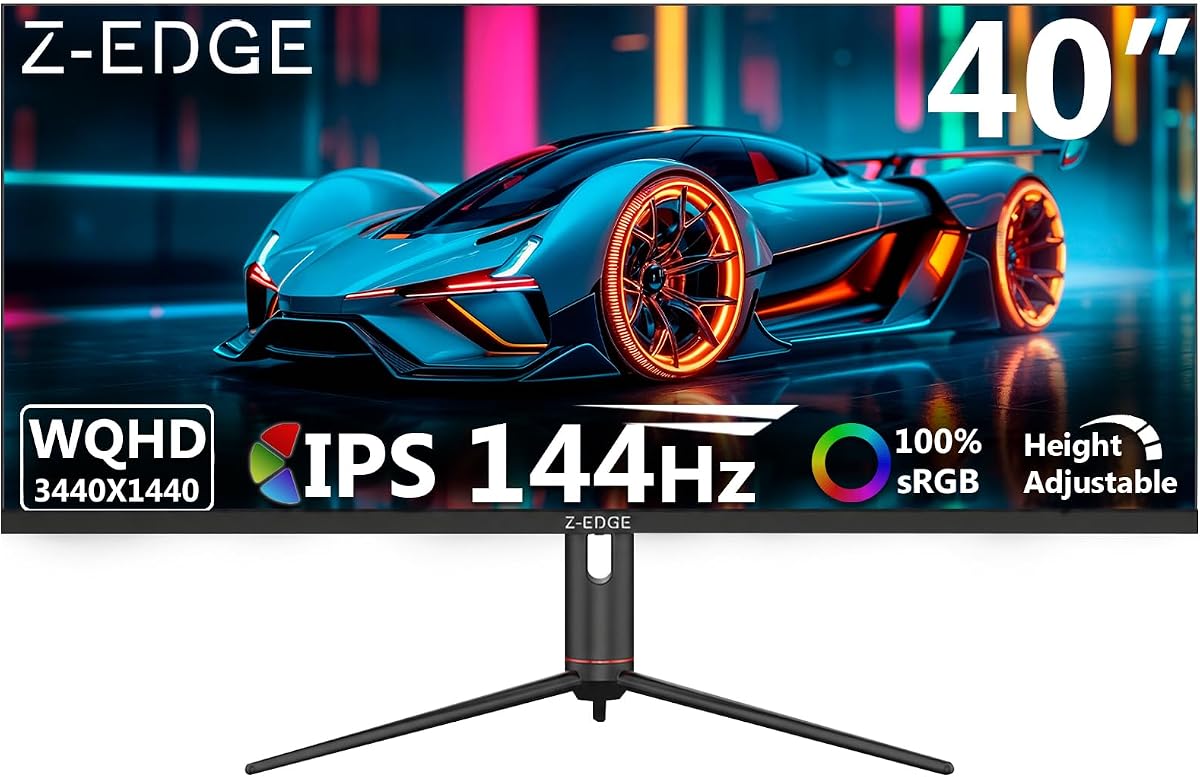
The Z-Edge 40 inch offers a balanced mix of size and speed with its WQHD resolution and 144Hz refresh. It is perfect for users who want more space than standard monitors without going fully ultrawide.
We may earn a commission when you buy through this link, at no additional cost to you.
IPS technology ensures wide viewing angles and color consistency crucial for creative work. The ergonomic stand supports tilt and height adjustments for a customized viewing position.
On-screen display menus are functional but not intuitive. Built-in speakers are adequate but external audio is recommended for immersive experiences.
Ideal for general multitasking and casual gaming this monitor offers good value. If you need 40 inches of clarity without compromising color, consider this.
Consistent color performance ensures visuals look great from any angle ideal for shared workspace collaboration.
Split screen capabilities let you view multiple devices simultaneously enhancing productivity without extra hardware.
We may earn a commission when you buy through this link, at no additional cost to you.
The Z-Edge 49 inch delivers an expansive DQHD workspace ideal for productivity and gaming alike. Its curved design wraps around you providing a cinematic feel without bezel distractions.
We may earn a commission when you buy through this link, at no additional cost to you.
Built-in KVM functionality allows control of two devices with one keyboard and mouse setup streamlining workflow. The 165Hz refresh ensures smooth motion in games and videos.
Desk space requirements are significant so measure your area before buying. OSD navigation could be more refined but the core features are robust.
Perfect for power users juggling multiple systems this screen is a productivity powerhouse. If you need massive space without multiple monitors, this is the pick.
Control two computers with one keyboard and mouse saving desk space and simplifying your setup.
The 32:9 aspect ratio offers the screen real estate to replace multiple monitors with seamless visuals.
We may earn a commission when you buy through this link, at no additional cost to you.
The Dell UltraSharp U4924DW combines professional reliability with massive ultrawide utility. Its Edge WLED backlight ensures smooth visuals suitable for detailed work and multimedia.
We may earn a commission when you buy through this link, at no additional cost to you.
USB Type-C connectivity offers efficient data transfer and display output for streamlined workstation setups. It stands out for durability and consistent performance over long-term use.
The 5ms response time is slower than gaming-focused panels making it less ideal for competitive play. It remains a strong choice for professional environments.
If you need a durable workhorse for productivity tasks this is the standard. Its reliability and clarity make it a solid investment for business users.
Delivers a clear and smooth display ensuring consistent brightness across the entire screen surface.
Centralizes data and power transfer simplifying cables and improving desk organization for professionals.
We may earn a commission when you buy through this link, at no additional cost to you.
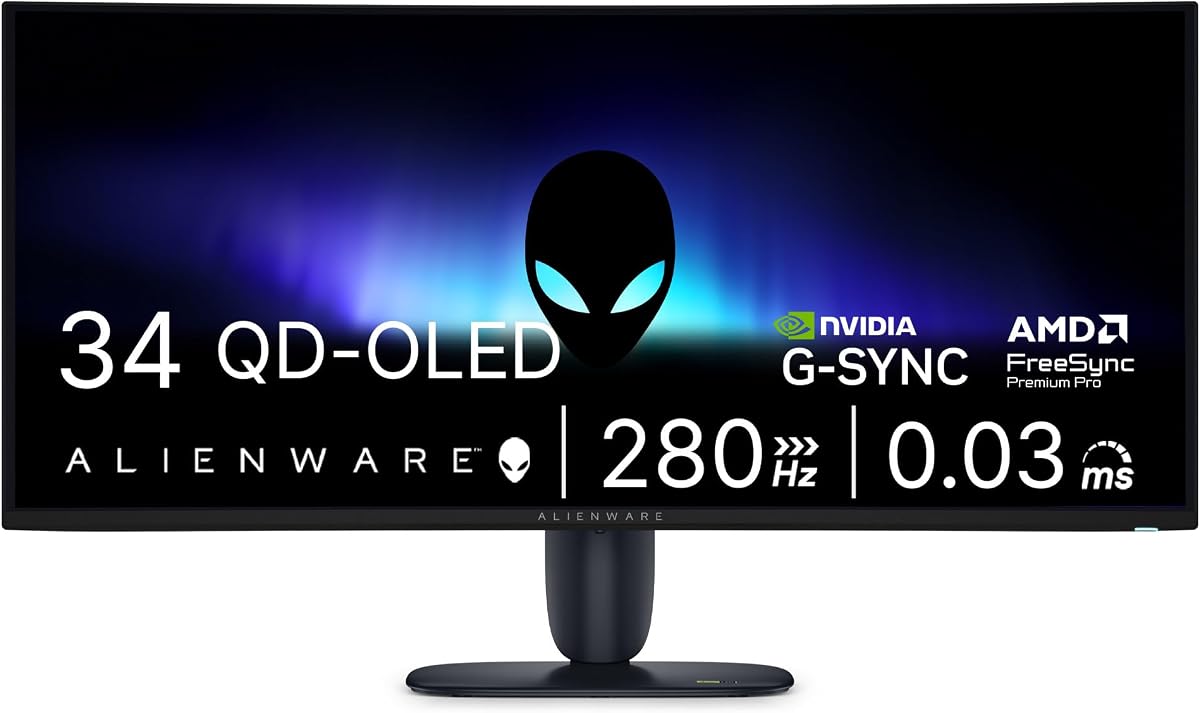
The Alienware 34 Gaming delivers elite performance with its QD-OLED panel and 280Hz refresh. It is built for competitive gamers who demand instant response and stunning visuals.
We may earn a commission when you buy through this link, at no additional cost to you.
G-SYNC compatibility ensures tear-free gameplay while the 0.03ms response time eliminates ghosting entirely. Its sleek design complements high-end gaming setups aesthetically.
The premium price and OLED burn-in risks are considerations. However for pure gaming performance it is hard to beat in this size class.
Best for enthusiasts prioritizing speed and color this monitor is a top choice. If you play competitively and want the best visuals, this fits the bill.
Combines quantum dot and OLED tech for vibrant colors and perfect blacks without compromise.
High refresh rate ensures ultra-smooth motion crucial for competitive FPS and racing games.
We may earn a commission when you buy through this link, at no additional cost to you.
The Corsair XENEON Edge is a unique portable display designed to fit inside a PC case or sit on a desk. It offers 2K resolution and touch support for secondary task monitoring.
We may earn a commission when you buy through this link, at no additional cost to you.
It is excellent for viewing system stats or streaming chats without blocking your main screen. Internal magnets allow secure placement inside cases fitting standard fan positions.
Its utility is niche compared to main monitors making it best as a companion device. 60Hz limits it for primary gaming but suffices for overlays.
Ideal for streamers or enthusiasts who want secondary data access this is a versatile tool. If you need a compact touch screen for metrics, it stands out.
Magnets and screws allow secure installation inside your PC case keeping your desk clean and organized.
Multi-touch support lets you interact directly with applications providing intuitive control on a small screen.
We may earn a commission when you buy through this link, at no additional cost to you.
The Sceptre Curved 34-inch brings high refresh gaming to budget-conscious buyers. It offers 240Hz performance in a curved design that enhances immersion without breaking the bank.
We may earn a commission when you buy through this link, at no additional cost to you.
Built-in speakers reduce the need for external audio making setup simpler. 100% sRGB ensures colors look good for multimedia and general tasks.
Build quality is functional but lacks the polish of premium brands. Stand ergonomics may require aftermarket solutions for optimal positioning.
If you want fast gaming at a lower price, this is a strong contender. It balances performance and value well for casual competitive gamers.
High refresh rate ensures ultra-smooth visuals reducing motion blur for competitive advantage in games.
1500R curvature wraps content around your view enhancing depth and focus during gameplay.
We may earn a commission when you buy through this link, at no additional cost to you.
Selecting the ideal edge to edge monitor requires weighing key factors to ensure it fits your specific workflow and environment.
Screen size determines how much workspace you have with common edge to edge monitors ranging from 34 to 57 inches. Aspect ratios like 21:9 or 32:9 affect multitasking capabilities and gaming immersion levels significantly.
Choose a size that fits your desk depth and viewing distance. Larger sizes offer better immersion but require more room and graphics power.
Panel types like IPS VA and OLED define color accuracy contrast and response time. IPS offers wide angles VA provides deep blacks and OLED delivers perfect contrast and speed.
Match the panel to your use case. Use IPS for work and OLED for high-end gaming or media consumption.
Higher resolutions like QHD or 5K2K provide sharper text and detailed visuals crucial for productivity and creative work. Lower resolutions save GPU power but may lack sharpness on large screens.
Prioritize resolution based on your graphics card capabilities and task demands. High resolution is key for professional tasks while moderate resolution suffices for casual use.
Refresh rates up to 240Hz ensure smooth motion while low response times reduce ghosting in gaming. For work and basic use standard rates are sufficient but high rates aid competitive play.
Select higher rates if you play fast-paced games. For office tasks moderate rates are cost-effective and adequate.
Connectivity like USB-C HDMI and DisplayPort determines how easily you can connect devices. USB-C is ideal for single-cable setups while DP and HDMI support high bandwidth.
Ensure the monitor matches your device ports. USB-C hubs can simplify workstation setups significantly.
Adjustable stands with height tilt and swivel options promote comfort during long sessions. VESA compatibility allows mounting on arms for flexible positioning.
Prioritize ergonomic features to prevent strain. Adjustable stands or mounts are essential for daily heavy use.
Features like KVM switching eye comfort tech and adaptive sync enhance productivity and viewing comfort. These tools can simplify workflows and reduce strain.
Look for features that align with your specific tasks. KVM is great for multi-device users while eye comfort helps long workers.
Build quality and warranty terms protect your investment over time. Reliable brands offer better customer support and longer coverage for peace of mind.
Check warranty length and what it covers. A solid warranty ensures long-term reliability and support.
Position your monitor at an arm's length with the top at eye level to maintain proper posture. Use the adjustable stand or VESA mount to fine-tune height and angle for comfort.
Adjust brightness and color settings to match your room lighting conditions. Use eye care modes during evening work to reduce strain and improve sleep hygiene.
Clean the screen with a soft dry microfiber cloth to avoid scratches. Avoid spraying cleaners directly on the glass and use gentle circular motions to wipe away dust.
The primary benefit is maximum screen real estate without distracting bezels. This design enhances immersion and productivity by allowing seamless multitasking and wider field of view across applications.
Yes they are excellent for gaming due to ultrawide aspect ratios and high refresh rates. Models with adaptive sync and low response times deliver smooth immersive gameplay without screen tearing.
For productivity WQHD or DQHD resolutions offer sharp text and ample space. Higher resolutions like 5K2K provide extreme detail but require powerful graphics hardware to drive efficiently.
Many models feature multiple HDMI and DisplayPort inputs along with USB-C hubs. KVM switching allows control of two devices with one keyboard and mouse enhancing productivity.
Clean with a soft dry microfiber cloth avoiding chemicals. Dust regularly and adjust brightness to prevent eye strain over long work sessions.
Curved screens reduce edge distortion and enhance immersion especially on larger sizes. Flat screens are better for collaborative viewing or tasks requiring precise geometry.
Most models support VESA mounts for wall or arm mounting. Check the specific VESA pattern compatibility before purchasing mounting hardware for secure installation.
Yes many offer high color accuracy and wide gamut coverage essential for photo and video editing. IPS and OLED panels provide the fidelity required for professional design tasks.
Whether you seek speed immersion or productivity the top picks like the LG 45GX950A-B and Samsung 57 Neo G9 deliver exceptional performance. For budget-conscious buyers the Acer SB240Y G0bi offers surprising value.
Prioritize your primary use case when choosing. Gamers benefit from fast response and high refresh rates while professionals need resolution color accuracy and ergonomic comfort.
Prices and stock vary often so verify current listings before finalizing your purchase. Your ideal edge to edge monitor awaits to transform your workspace forever.