
Alienware 24.5 Gaming Monitor AW2523HF
4.6Editor score
360Hz Refresh Rate
0.5ms Response Time
AMD FreeSync Premium
Choosing the right display can transform your gaming experience significantly. Alienware offers a range of monitors designed for speed color clarity, and immersive visuals. Each model targets different needs from competitive shooters to expansive open-world adventures.
We analyzed ten distinct models based on panel technology, refresh rates, and connectivity. Our comparison covers everything from high-speed IPS panels to stunning OLED displays. This ensures you see how each monitor performs across various gaming scenarios.
Every pick highlights unique strengths like ultra-fast response times or vibrant color accuracy. Prices may fluctuate so always verify the latest deal before buying. These reviews help you match a monitor to your specific setup and budget needs.
4.6Editor score

4.6Editor score

4.5Editor score
As an Amazon Associate we earn from qualifying purchases.
This side-by-side comparison highlights key specifications across all ten models to help you find the ideal match for your gaming rig.




This model stands out as a top choice for serious gamers seeking balanced performance. It features a sharp QHD resolution with Fast IPS technology for quick reactions and vivid colors. The 180Hz refresh rate ensures fluid motion which is ideal for competitive play.
We may earn a commission when you buy through this link, at no additional cost to you.
Its design includes iconic lighting and a sturdy stand that fits many desks. The console mode helps reduce eye strain during long sessions. This makes it a versatile choice for both gaming and casual media consumption without sacrificing visual fidelity.
While it lacks the peak brightness of OLED models the contrast is still strong for the price. Response times are impressively fast minimizing ghosting. This balance between speed and color makes it a reliable pick for most setups.
Gamers wanting a premium 27 inch display without extreme costs will love this monitor. It delivers smooth gameplay and sharp images that enhance any title. We recommend it for those prioritizing speed and clarity over sheer brightness.
The 180Hz refresh rate paired with 1ms response time creates a seamless gaming experience with minimal blur.
With 95% DCI-P3 coverage and HDR400 certification visuals remain vibrant and detailed across different game genres.
We may earn a commission when you buy through this link, at no additional cost to you.
This ultrawide OLED monitor delivers unmatched visual fidelity for immersive gaming. The QD-OLED panel offers deep blacks and bright highlights with a 240Hz refresh rate for smooth motion. Its curved design wraps around your view enhancing engagement.
We may earn a commission when you buy through this link, at no additional cost to you.
Color accuracy is exceptional with nearly full DCI-P3 coverage making scenes look lifelike. The response time is virtually instantaneous eliminating ghosting entirely. FreeSync and G-SYNC support ensures tear-free gameplay across different graphics cards.
While the price is steep the performance justifies the cost for enthusiasts. The design is sleek with effective cooling to prevent overheating. It remains a top-tier option for those seeking the best available visuals today.
Invest in this monitor if you prioritize picture quality and speed above all else. It transforms open worlds into breathtaking experiences. We suggest it for users who can invest in a premium display setup.
The 34 inch 1800R curve fills your peripheral vision creating a natural and engaging viewing environment.
QD-OLED technology provides infinite contrast and vibrant colors making dark scenes and bright highlights pop realistically.
We may earn a commission when you buy through this link, at no additional cost to you.
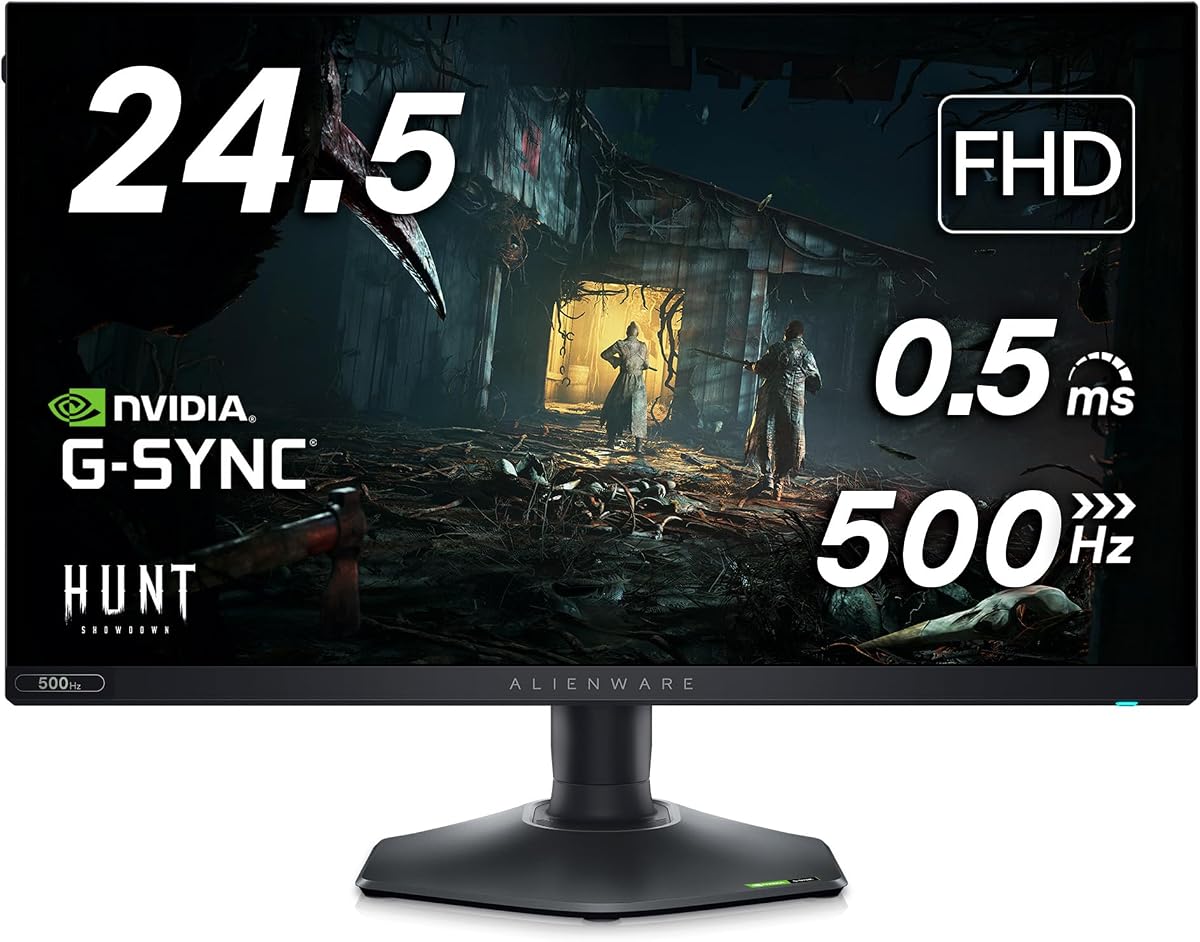
This monitor is built for speed with a 360Hz refresh rate ideal for competitive shooters. The 0.5ms response time ensures quick reactions without motion blur. It offers a solid budget option for those prioritizing performance over resolution.
We may earn a commission when you buy through this link, at no additional cost to you.
The hexagonal base saves desk space and allows easy access for peripherals. Height and tilt adjustments improve comfort during long sessions. AMD FreeSync Premium technology keeps gameplay smooth and tear-free on compatible systems.
While resolution is 1080p the clarity remains good for smaller screens. The color coverage is consistent across wide viewing angles. It serves as a strong entry point into high-speed gaming monitors.
Choose this if you play fast-paced games and want smooth visuals. It delivers professional-level speed at a manageable price. We recommend it for esports enthusiasts and budget-conscious gamers.
With a 360Hz refresh rate and 0.5ms response time you gain a decisive edge in reaction-based games.
The hexagonal base and adjustable stand provide a stable and comfortable setup for intensive gaming sessions.
We may earn a commission when you buy through this link, at no additional cost to you.
This curved OLED monitor offers a perfect blend of style and performance. The Quantum Dot technology enhances color vibrancy and brightness levels. Its 175Hz refresh rate keeps games smooth without excessive power consumption.
We may earn a commission when you buy through this link, at no additional cost to you.
The Creator Mode allows precise color calibration for work and play. G-SYNC ULTIMATE certification guarantees tear-free rendering on NVIDIA cards. The design includes customizable lighting for a cool desk setup.
While 175Hz is lower than newer models the experience remains fluid. The infinite contrast ratio makes HDR content pop vividly. It is a great choice for mixed-use enthusiasts.
Pick this if you want a versatile monitor for games and media. It delivers high fidelity visuals and reliable performance. We suggest it for users seeking a proven OLED display.
Creator Mode offers precise color-critical work options allowing you to switch between DCI-P3 and sRGB easily.
G-SYNC ULTIMATE certification ensures smooth gameplay with zero tearing across compatible hardware configurations.
We may earn a commission when you buy through this link, at no additional cost to you.
This monitor brings OLED speed to a 27 inch QHD format. The 240Hz refresh rate ensures smooth gameplay with minimal blur. Quantum Dot tech enhances color vibrancy making games look striking and clear.
We may earn a commission when you buy through this link, at no additional cost to you.
Its slim profile and advanced cooling maintain performance during long sessions. The design keeps cables organized and maintains a clean look. It serves as a powerful tool for modern gaming rigs.
While the price is high the visual quality justifies the investment. Contrast and brightness levels provide depth rarely seen elsewhere. It is a top option for performance-driven users.
Invest in this if you seek high-speed OLED performance. It delivers vivid visuals and fluid motion effectively. We recommend it for gamers needing premium speed and quality.
With a 240Hz refresh rate and OLED response times motion remains fluid and responsive in intense gameplay.
Quantum Dot technology expands color coverage ensuring vibrant and accurate visuals across all games.
We may earn a commission when you buy through this link, at no additional cost to you.
This renewed unit offers sharp 4K visuals with OLED contrast. The 240Hz refresh rate supports high-speed gaming without lag. Dolby Vision enhances HDR depth making scenes appear more realistic and dynamic.
We may earn a commission when you buy through this link, at no additional cost to you.
The pixel density ensures fine details are visible at close range. Ventilation design prevents overheating during heavy use. It is a great value for those needing high fidelity at a lower cost.
As a renewed product warranty terms vary but quality is vetted. It provides access to premium OLED technology affordably. It fits well in high-end workstation setups.
Choose this if you want 4K OLED without new prices. It delivers crisp visuals and smooth motion. We suggest it for users seeking value and high fidelity.
Super-dense 166 PPI density provides remarkable clarity and exceptionally rendered dark scenes in every game.
Dolby Vision and VESA TrueBlack 400 produce greater visual depth and stunning dark to light color ranges.
We may earn a commission when you buy through this link, at no additional cost to you.
This monitor pushes speed limits with a native 480Hz refresh rate. It is ideal for competitive shooters needing every millisecond. NVIDIA Reflex Latency Analyzer helps optimize your system for low latency.
We may earn a commission when you buy through this link, at no additional cost to you.
Anti-glare coating ensures visibility in bright environments. The stand offers full adjustability for comfort. It delivers smooth gameplay with minimal input delay.
Resolution is limited to 1080p but frame rates are high. This tradeoff suits esports gamers focused on performance. It remains a top tier speed choice.
Choose this if competitive speed is your priority. It provides ultra-smooth motion and precise control. We recommend it for tournament-level players.
NVIDIA Reflex Latency Analyzer allows players to optimize systems for the lowest possible latency.
With a 480Hz refresh rate fast-paced games look supremely fluid with reduced blur.
We may earn a commission when you buy through this link, at no additional cost to you.
This bundle includes a monitor and useful accessories like a USB hub. The 360Hz refresh rate keeps gameplay smooth and responsive. It supports AMD FreeSync for tear-free visuals on compatible cards.
We may earn a commission when you buy through this link, at no additional cost to you.
The stand allows height and tilt adjustments for comfort. Accessories add convenience to your desk setup. It offers a complete solution for a fast gaming environment.
Resolution is standard 1080p but performance is strong. The bundle makes upgrading easier with added tools. It suits gamers needing a full setup.
Select this if you want a monitor plus extras. It provides speed and utility together. We suggest it for builders looking for bundles.
HEX Accessories include a USB hub and LED light enhancing your gaming station functionality.
A 360Hz refresh rate ensures smooth gameplay with fast-moving graphics and minimal blur.
We may earn a commission when you buy through this link, at no additional cost to you.
This monitor offers an overclocked 280Hz refresh rate for fluid motion. Nano Color tech ensures vivid and accurate colors. Triple sync support ensures seamless compatibility across NVIDIA and AMD systems.
We may earn a commission when you buy through this link, at no additional cost to you.
VESA HDR600 certification brings brighter highlights for realism. The stand provides full ergonomic adjustments. It delivers a premium experience for both casual and competitive gamers.
Colors are precise with high gamut coverage. RGB lighting adds style to your desk. It is a versatile pick for many setups.
Choose this for speed and visual fidelity. It balances performance and style effectively. We suggest it for gamers wanting a complete package.
NVIDIA G-Sync Compatible and AMD FreeSync Premium Pro ensure stutter-free gaming on any GPU.
Customizable RGB lighting on the rear helps personalize your battlestation aesthetic.
We may earn a commission when you buy through this link, at no additional cost to you.
This model offers a classic 34 inch curved experience with G-SYNC. The 120Hz rate ensures smooth visuals for most games. Nano color technology delivers deep rich colors accurate to design.
We may earn a commission when you buy through this link, at no additional cost to you.
The curve maximizes your field of view for immersion. It supports wide viewing angles for shared viewing. This makes it a solid pick for single-player adventures.
Response time is standard for its class with minimal ghosting. It remains a dependable choice for general gaming. It balances performance and price well.
Pick this for immersive wide-screen fun. It provides reliable visuals and smooth motion. We suggest it for users seeking an entry-level ultrawide.
The 21:9 aspect ratio and 1900R curve maximize your field of view consistently.
98% DCI-P3 coverage ensures incredible accuracy and color depth as designed.
We may earn a commission when you buy through this link, at no additional cost to you.
Choosing a monitor involves balancing speed resolution and visual clarity. Here are key factors to consider for your next purchase.
A higher refresh rate like 240Hz or 360Hz ensures smoother motion and reduces blur during fast gameplay. This is vital for competitive shooters where every millisecond counts.
Prioritize higher refresh rates if you play fast-paced games.
OLED panels offer infinite contrast and deep blacks while IPS panels provide consistent color and wide viewing angles. Your choice depends on whether you prefer visual depth or color consistency.
Select OLED for depth or IPS for consistent viewing.
1080p offers speed while 4K provides sharpness. QHD balances both and is ideal for 27-inch screens. Ensure your GPU supports the chosen resolution to maintain frame rates.
Match resolution to your GPU capabilities for best results.
Response times under 1ms eliminate ghosting and ensure clear fast moving objects. This metric is critical for competitive play where image clarity matters.
Choose monitors with under 1ms response for sharp visuals.
G-SYNC and FreeSync synchronize the monitor with your GPU to prevent screen tearing. Look for certifications like FreeSync Premium Pro for the best compatibility.
Ensure your GPU supports your monitor's sync tech.
Adjustable stands with height and tilt help maintain comfort during long sessions. Fixed stands may lead to strain over time so check adjustability before buying.
Opt for adjustable stands to reduce physical strain.
Ports like HDMI 2.1 or DisplayPort 1.4 ensure high bandwidth for high refresh rates and resolutions. Verify your cables support these standards to avoid bottlenecks.
Use high bandwidth cables to maintain performance.
Prices vary widely from budget models to premium OLEDs. Determine your maximum spend and compare models within that range to get the best value.
Set a clear budget before shopping to narrow choices.
Set up your monitor on a stable surface with good ventilation to prevent overheating. Ensure it is connected via a high-speed cable to support full refresh rates.
Adjust the stand height and angle to eye level for ergonomic comfort. Use the OSD menu to calibrate colors and enable gaming modes for best performance.
Clean the screen with a soft microfiber cloth and avoid harsh chemicals. Turn it off before cleaning to prevent electrical issues and damage to the panel.
Many Alienware models support both G-SYNC and FreeSync. Check the specific product details for certification. This ensures smooth tear-free gaming on various GPUs.
Yes most models offer accurate color and ergonomics suitable for work. Creator modes are available on some screens. They blend well for creative and office tasks.
Rates above 240Hz are ideal for competitive shooters. Higher rates reduce motion blur and input lag. Match your GPU capability to the monitor for best results.
Most Alienware gaming monitors support HDR standards like HDR400 or HDR600. This enhances contrast and brightness in compatible games. Check specific model specs for details.
OLED panels provide superior contrast and speed. They are worth it for enthusiasts prioritizing visuals. However consider price and burn-in risks before deciding.
Use a dry microfiber cloth to wipe dust. Avoid harsh chemicals or wet wipes to protect the panel. Gentle cleaning ensures longevity and image quality.
QHD is the sweet spot for 27 inch screens. It balances sharpness and performance well. 4K is great if your GPU is powerful enough.
DisplayPort 1.4 or HDMI 2.1 are recommended. These support higher bandwidth for refresh rates above 144Hz. Check your GPU ports before connecting.
We covered ten top models ranging from budget-friendly to premium OLEDs. Each offers unique strengths in speed resolution and color. Pick the one that matches your gameplay needs.
Prioritize refresh rate and panel type based on your favorite genres. Comfort and ergonomics also matter for long sessions. A good monitor elevates your entire setup.
Always check current pricing as deals change often. Use this guide to find the best value today. Happy gaming with your new display.