
15.6 Inch Privacy Screen Filter for 16:9 Monitor
4.2Editor score
Affordable protective privacy solution
60 degree side view blocking
Easy slide on installation method
This guide compares the top laptop privacy screen filters for 2026, evaluating privacy, clarity, and installation features across ten leading models for
Protecting sensitive data on the go is essential for modern professionals. A high quality laptop privacy screen filter blocks side views while maintaining front clarity for secure work anywhere.
We evaluated ten leading models based on privacy technology, screen compatibility, and ease of use. Each product was assessed for optical quality, durability, and real world performance in public settings.
Every selection highlights key features, pros, and cons to help you choose confidently. Note that specific model availability and retailer pricing may fluctuate over time for your best deal.
4.2Editor score
4.4Editor score

4.4Editor score
The following table presents a side by side comparison of all ten reviewed privacy screen filters. It highlights key specifications and unique features to streamline your selection process based on specific device needs.


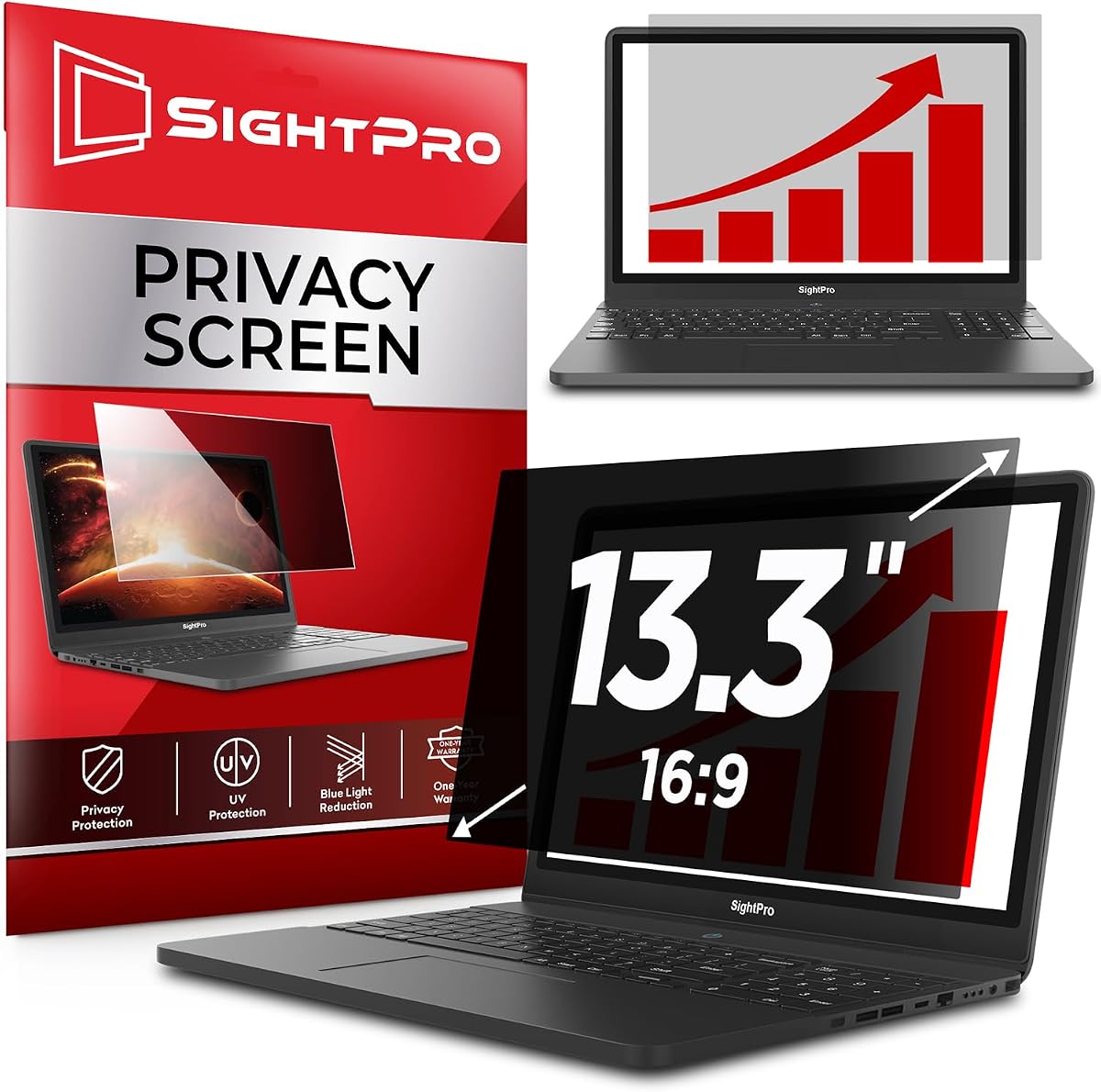
This SightPro privacy screen is designed for 13.3 inch laptops with a 16:9 aspect ratio. It holds a strong 4.4 rating due to its high clarity performance and effective privacy features that users appreciate.
We may earn a commission when you buy through this link, at no additional cost to you.
The advanced multi-layered film ensures a crystal clear view from the front while blocking side views effectively. It also protects eyes by reducing glare, UV, and blue light which is vital for long work sessions.
While the filter offers two attachment options for flexibility, users must note it is not optimized for touchscreens. Precise measurement of width and height is required rather than relying solely on diagonal size.
Ideal for healthcare providers, students, and travelers needing to safeguard sensitive information in public spaces. The included cleaning cloth and versatile mounting make it a top choice for secure mobile computing.
The filter blacks out the screen when viewed from the side, protecting data from prying eyes in open environments.
By filtering harmful UV and blue light, this model helps reduce eye strain during extended usage periods.
We may earn a commission when you buy through this link, at no additional cost to you.
This privacy filter targets 15.6 inch widescreen laptops with a 16:9 aspect ratio. It provides a cost effective way to protect sensitive business secrets and personal privacy in public spaces.
We may earn a commission when you buy through this link, at no additional cost to you.
The filter offers effective blackout privacy from side views outside a 60-degree angle. It also blocks 30% of blue light to help relieve eye strain while keeping the screen safe from dust and scratches.
Users must ensure their screen dimensions match the specified width and height exactly as the product is not compatible with 16:10 screens or touchscreens. Customer support is available to help verify size compatibility.
Best for commuters and office workers needing a basic privacy tool without spending much. The simple installation and reliable privacy protection make it a solid pick for budget conscious buyers.
Designed to black out side views, ensuring confidential data remains hidden from onlookers in airports or cafes.
Filters harmful blue light to help reduce eye fatigue during prolonged laptop usage in various lighting conditions.
We may earn a commission when you buy through this link, at no additional cost to you.
This 3M Bright Screen filter for 13.3 inch 16:9 laptops uses proprietary Advanced Nanolouver technology for superior light transmission and clarity. It is rated 4.4 for its balance of privacy brightness and performance.
We may earn a commission when you buy through this link, at no additional cost to you.
Up to 25% brighter than standard black filters it ensures the display remains vivid while blacking out side views. The reversible glossy and matte options help reduce glare and fingerprints depending on user preference.
The COMPLY Flip Attach allows easy switching between privacy and screen sharing without removing the filter. However it is 100% hand inspected for quality assurance and lacks touchscreen optimization which is a trade-off.
Ideal for business travelers and professionals needing premium display quality alongside robust privacy features. The advanced technology and convenient flipping system justify the investment for those seeking top tier protection.
Advanced technology transmits up to 85% of screen light for a vibrant viewing experience without compromising privacy.
The Flip Attach system lets users toggle between privacy and sharing modes instantly with a simple flip motion.
We may earn a commission when you buy through this link, at no additional cost to you.
This SightPro magnetic filter fits 14 inch 16:10 laptops like Lenovo HP Dell and others. It uses patented magnetic attachment for a mess free installation that is easy to remove or reattach as needed.
We may earn a commission when you buy through this link, at no additional cost to you.
The advanced multi-layered film blacks out side views while keeping the front view crystal clear. It also protects eyes from UV and blue light and includes a webcam cover and storage folder for added security.
Users should verify width and height before ordering as diagonal size alone is not reliable. Not optimized for touchscreens it is best for mobile workers who need quick privacy solutions in public areas.
Best for healthcare and business travelers needing a versatile and easy to use privacy shield. The magnetic feature and included accessories make it a convenient choice for frequent commuters.
Snap on magnets attach along the top of the screen allowing instant privacy without sticky adhesive or tape.
Package includes webcam cover and cleaning cloth offering a comprehensive solution for overall device security.
We may earn a commission when you buy through this link, at no additional cost to you.
This ZOEGAA privacy screen offers 360 degree protection covering up down left and right views. It fits 14 inch 16:10 laptops including HP Dell Asus and others excluding Surface and MacBook series.
We may earn a commission when you buy through this link, at no additional cost to you.
It features glossy and matte options for better privacy and glare prevention. The screen blocks blue and UV light to reduce eye fatigue while preventing reflections and enhancing comfort during travel.
Installation can be done via slide mount tabs or double sided adhesive for secure attachment. Users must confirm screen size carefully as it is not compatible with Surface or MacBook devices.
Ideal for frequent travelers needing comprehensive privacy from all angles. The 360 coverage and anti glare options make it a strong choice for open workspaces and public transportation.
Offers 360 degree protection ensuring no side view is exposed even from above or below the screen.
Glossy and matte finishes allow users to choose between enhanced privacy or reduced glare based on needs.
We may earn a commission when you buy through this link, at no additional cost to you.
Designed for 15.6 inch 16:9 laptops this filter provides anti glare protection and privacy in one package. It maintains a clear front view while blocking side views to protect sensitive information effectively.
We may earn a commission when you buy through this link, at no additional cost to you.
The advanced multi-layered film blocks glare UV and blue light to reduce eye strain during work. It includes both clear adhesive strips and slide mount tabs for flexible installation on various laptop models.
Users should measure width and height carefully as the product is not optimized for touchscreens. It is compliant with Section 889 and TAA standards which may be important for government or corporate procurement.
Perfect for office workers who deal with bright office lighting and need privacy on the go. The anti glare features and compliant status make it a reliable choice for professional environments.
Effectively reduces reflections and glare to ensure a clear and comfortable viewing experience in bright spaces.
Includes both adhesive strips and slide mount options to suit different attachment preferences and needs.
We may earn a commission when you buy through this link, at no additional cost to you.
This Protescreen 14 inch filter uses micro louver technology to limit viewing angles while offering clear front vision. It includes adhesive strips and alcohol wipes for installation and cleaning with a lifetime support warranty.
We may earn a commission when you buy through this link, at no additional cost to you.
The filter reduces 92% of blue light and 98% of UV light to protect eyes and the screen. It is reversible with matte for glare prevention and glossy for better privacy to suit different needs.
Installation offers permanent adhesive or removable slide mount options depending on user preference. However it is rated 4.0 so users should verify screen dimensions carefully before ordering to ensure a perfect fit.
Best for those wanting a comprehensive kit with lifetime support and strong eye protection features. The blue light reduction and reusable options make it a practical choice for daily laptop use.
Imported optical materials significantly reduce blue and UV light to minimize eye damage during long work hours.
Factory offers lifetime policy and replacements for any issues ensuring customers buy with total confidence.
We may earn a commission when you buy through this link, at no additional cost to you.
This 3M filter is for 13.3 inch 16:10 laptops and uses Advanced Nanolouver technology to transmit up to 85% of screen light. It is rated 4.2 for maintaining clarity while blocking side views effectively.
We may earn a commission when you buy through this link, at no additional cost to you.
It is up to 25% brighter than standard privacy filters so the display stays vivid. The reversible glossy and matte sides help reduce glare and fingerprints while offering flexible visual options for users.
The COMPLY Flip Attach allows easy switching between privacy and screen sharing modes without removal. Hand inspection ensures high quality but users must note it is not optimized for touchscreens.
Best for users needing 16:10 compatibility with high brightness and easy sharing capabilities. The advanced features and convenient switching make it a strong choice for collaborative professionals.
Advanced Nanolouver technology ensures the screen remains bright and clear while maintaining strong privacy protection.
Glossy and matte finishes allow users to switch based on glare or privacy needs for better usability.
We may earn a commission when you buy through this link, at no additional cost to you.
Designed for 14 inch full screen laptops this filter offers Nanolouver technology for enhanced brightness and privacy. It blocks side views effectively while maintaining up to 85% light transmission for a vibrant display.
We may earn a commission when you buy through this link, at no additional cost to you.
It is up to 25% brighter than other privacy filters ensuring the screen looks good in different lighting. The reversible glossy and matte options help reduce glare and fingerprints based on specific user preference.
The COMPLY Flip Attach allows easy switching between privacy and sharing modes without removal. Hand inspection ensures quality but it is not optimized for touchscreens which may limit use on certain devices.
Ideal for travelers needing full screen protection with advanced brightness features. The flip system and Nanolouver tech make it a top pick for those prioritizing display quality and sharing flexibility.
Superior brightness ensures the display remains vibrant even with privacy features active for better visibility.
Flip Attach technology makes switching between privacy and sharing fast and easy for productive work sessions.
We may earn a commission when you buy through this link, at no additional cost to you.
This 3M Privacy Filter is for 13.3 inch 16:9 laptops and uses Microlouver technology for effective black out privacy. It includes the COMPLY attachment system to switch between privacy and sharing modes with one simple flip.
We may earn a commission when you buy through this link, at no additional cost to you.
It reduces 35% of blue light to help protect eyes during daily use. The reversible glossy and matte sides allow users to choose between better visibility or reduced glare depending on their environment.
The proprietary hinge design withstands the rigors of daily use making it a durable choice for frequent travelers. Users should note it is not optimized for touchscreens and requires precise screen measurements for fit.
Best for those needing a reliable flip share solution for collaborative work. The Microlouver tech and durable hinge make it a solid long term choice for professionals seeking versatile privacy control.
Comply attachment system allows users to switch instantly between privacy and screen sharing modes without removing the filter.
Reduces 35% of blue light to help minimize eye strain and discomfort during extended screen usage.
We may earn a commission when you buy through this link, at no additional cost to you.
Selecting the right privacy screen involves considering size aspect ratio installation method and eye protection features. This guide breaks down the critical factors to help you make an informed decision for your device.
Always verify your screen's width and height in millimeters or inches. Aspect ratios like 16:9 and 16:10 differ significantly and filters are not interchangeable even for the same diagonal size.
Measure the visible area excluding bezels to ensure a precise fit. Relying only on the diagonal measurement can lead to incorrect purchases.
Look for filters that block side views typically outside a 60-degree angle while keeping the front view clear. Advanced technologies like Microlouver or Nanolouver improve both privacy and brightness.
Higher quality filters maintain better clarity for the user. Cheap options may darken the screen too much making it hard to read even from the front.
Choose between permanent adhesive mounts or removable slide-on systems. Adhesive strips offer a stable fit but may leave residue when removed while slide mounts allow quick privacy on and off.
Consider if you need to switch devices often. Removable options are better for users who share laptops or need flexibility in their setup.
Most standard privacy filters are not optimized for touchscreens. Touch sensitivity may be lost or reduced if the screen is covered by a rigid filter.
Check product details carefully for touch compatibility claims. Specialized touchscreen filters exist but are less common and may cost more.
Many modern filters include blue light reduction and glare protection to reduce eye strain. This is especially important for users who work long hours on laptops.
Filters with matte finishes are better for reducing glare in bright environments. Glossy finishes often offer better privacy but may reflect more light.
Look for multi-layered films that resist scratches and wear. High quality materials ensure the filter lasts longer without peeling or yellowing over time.
Some models come with cleaning cloths or storage folders to protect the filter when not in use. These extras add value and help maintain the filter's performance.
Choose reputable brands with clear customer support and return policies. Established companies often provide better quality control and responsive service for size issues.
Check if the product includes a warranty or replacement policy. Lifetime support or free replacement options can save money if the filter does not fit.
For government or corporate use, verify if the filter meets compliance standards like TAA or Section 889. These certifications ensure the product meets specific procurement requirements.
Compliance may not matter for personal use but can be critical for business procurement. Always check product descriptions for relevant certifications.
Clean your laptop screen thoroughly before applying the filter to remove dust and oils. Use a soft microfiber cloth to wipe the surface gently ensuring no residue remains.
Apply the filter using the provided adhesive strips or slide mounts. Align the filter carefully with the screen edges to avoid air bubbles or misalignment.
To maintain the filter, clean it regularly with a dry microfiber cloth. Avoid using harsh chemicals or abrasive materials that could scratch the surface or reduce clarity.
Measure the visible screen area excluding bezels in width and height. Do not rely on the diagonal size alone as aspect ratios like 16:9 and 16:10 differ. Check the product specs to confirm compatibility with your specific model.
Most privacy filters are not optimized for touchscreens and may reduce sensitivity. Look for specific touchscreen compatible models if you need touch functionality. Standard filters are best suited for non-touch displays.
Privacy filters use micro-louver technology to block light from side angles while allowing clear view from the front. This prevents others from seeing your screen when viewing from the side or behind.
All filters slightly reduce brightness but higher quality models use technologies like Nanolouver to maintain clarity. Advanced filters are brighter than standard ones ensuring the display remains readable.
Removable slide-on filters allow you to take the screen on and off easily. Adhesive filters are more permanent but some adhesive strips can be removed without damage. Choose removable options if you switch devices often.
Many modern filters include blue light reduction features to help reduce eye strain. Check the product details to see the percentage of blue light blocked. This feature is useful for long working sessions.
Use a soft microfiber cloth to gently wipe the filter surface. Avoid harsh chemicals or abrasive materials that could scratch or damage the coating. Cleaning helps maintain clarity and prolongs the filter's life.
Most manufacturers do not cover third-party accessories like privacy filters under their warranty. However, reputable filter brands often offer their own warranty or replacement policies for defective products.
We reviewed ten top laptop privacy screen filters ranging from budget to premium options. SightPro models lead in optical clarity while 3M filters excel in brightness and advanced Nanolouver technology.
Consider your specific needs including aspect ratio touchscreen compatibility and installation method. Choosing the right filter ensures both data security and eye comfort for your daily work.
Prices and availability may change so always verify current details before purchasing. Check compatibility with your laptop model carefully to ensure a perfect fit for optimal privacy protection.