
ASUS Vivobook Go 15
4.3Editor score
AMD Ryzen 3
8GB DDR5 RAM
128GB SSD
Finding a lightweight ASUS laptop that balances portability with performance is essential for students and professionals on the go. These devices offer slim designs without sacrificing the power needed for everyday tasks like browsing, writing, and streaming content efficiently.
We compared ten real models based on processor speed, memory capacity, storage options, and build quality. Our analysis focuses on how each laptop handles multitasking, connectivity, and battery endurance to ensure you get reliable value for your specific needs.
Each pick highlights key strengths and weaknesses so you can choose confidently. Prices and stock levels change frequently, so verify the latest details before purchasing. This guide serves as your roadmap to the best portable computing options available right now.
4.3Editor score

4.8Editor score
3.7Editor score
As an Amazon Associate we earn from qualifying purchases.
This side-by-side comparison highlights the key specifications and features of ten distinct ASUS laptop models. We examine processors, memory, storage, screen sizes, and unique selling points to help you differentiate between similar options quickly.





This ASUS Vivobook 14 stands out as a top contender for lightweight computing needs. With a rating of 4.8, it delivers reliable performance for daily tasks. The Snapdragon X processor ensures efficient computing while maintaining a slim profile that is easy to carry.
We may earn a commission when you buy through this link, at no additional cost to you.
The 16GB RAM allows for smooth multitasking across multiple browser tabs and applications simultaneously. Users will appreciate the 512GB SSD for fast boot times and quick file access. The 14-inch FHD+ screen provides crisp visuals for both work and entertainment purposes.
While the Snapdragon processor is powerful, some users may need time to adapt to its architecture compared to traditional Intel chips. However, the benefits in battery life and AI capabilities outweigh this minor adjustment period for most consumers.
Anyone looking for a balanced laptop that offers modern features without heavy weight should consider this model. It is ideal for students and professionals who value efficiency and portability in their daily workflow.
The integrated Hexagon NPU supports advanced AI tasks like real-time captions and image generation seamlessly.
The 1920 x 1200 resolution ensures text is sharp and colors are vibrant for extended viewing sessions.
We may earn a commission when you buy through this link, at no additional cost to you.
This model offers exceptional value for those seeking a budget-friendly ASUS laptop. With a rating of 4.3, it covers essential needs like browsing and document editing efficiently. The AMD Ryzen 3 processor provides adequate power for entry-level computing tasks.
We may earn a commission when you buy through this link, at no additional cost to you.
The inclusion of 8GB DDR5 RAM ensures smoother performance compared to older DDR4 models in this price range. The 15.6-inch display with narrow bezels offers a modern look. Users also benefit from military-grade durability testing for added peace of mind.
The primary trade-off is the limited 128GB storage space which may require external drives for large media libraries. Additionally, the 45% NTSC color gamut might not satisfy professional photographers needing precise color accuracy.
Students or casual users needing a reliable second device will find this laptop suitable. It balances cost and functionality well, making it a strong choice for basic productivity needs without breaking the bank.
Weighing only 3.59 lbs, it fits easily into backpacks while maintaining structural integrity through rigorous testing.
Ports include USB-C, USB-A, and HDMI allowing flexible connections to external monitors and peripherals.
We may earn a commission when you buy through this link, at no additional cost to you.
The Zenbook A14 redefines portability with its incredibly light 980g weight. Despite being ultra-light, it offers robust performance for multitasking enthusiasts. The OLED display delivers stunning visuals that make media consumption a pleasure.
We may earn a commission when you buy through this link, at no additional cost to you.
Crafted with Ceraluminum, the chassis offers superior strength and scratch resistance compared to standard aluminum. This material choice also reduces overall weight significantly. The Snapdragon X processor ensures efficient power usage for long unplugged sessions.
While the price is higher than average, the build quality and display technology justify the investment for premium users. Some may find the weight distribution slightly different due to the ultra-light form factor requiring careful handling.
Travelers and professionals who prioritize weight above all else should consider this device. It is a standout choice for those wanting a laptop that feels almost weightless while still delivering top-tier performance.
The Ceraluminum fusion is 30% lighter and three times stronger than traditional anodized aluminum.
With up to 32 hours of offline video playback, it supports extended travel without finding a power outlet.
We may earn a commission when you buy through this link, at no additional cost to you.
This laptop offers a spacious 16-inch display for enhanced productivity. The WUXGA resolution provides crisp visuals for creative tasks. Users rating a larger workspace will appreciate the ability to have multiple windows open simultaneously.
We may earn a commission when you buy through this link, at no additional cost to you.
Powered by the Snapdragon X processor, it delivers efficient performance with advanced AI capabilities. The 16GB RAM ensures smooth operation even with heavy applications. The Adreno GPU supports graphical tasks better than basic integrated options.
The trade-off is a slightly larger chassis which reduces portability compared to 14-inch models. It may not fit into smaller bags easily. However, the benefit of screen real estate often outweighs this for desk-based work.
Ideal for users who spend most of their time stationary or need a desktop replacement. The large screen makes it excellent for spreadsheets, video editing, or any task requiring detailed visual work.
The 16010 aspect ratio offers more vertical space for scrolling through documents and web pages.
Hexagon NPU accelerates AI workloads to speed up image generation and text summarization.
We may earn a commission when you buy through this link, at no additional cost to you.
This entry-level model is designed for fundamental computing needs. It works well for web browsing, email, and light document editing. The Windows 11 Home in S Mode provides a secure environment for educational settings.
We may earn a commission when you buy through this link, at no additional cost to you.
The Intel Celeron processor is efficient for basic tasks but struggles with heavy multitasking. The 4GB RAM limits the number of tabs you can keep open. However, the fast charge feature ensures you can power up quickly when needed.
Users needing a cheap backup or secondary device will find this adequate. It is not suitable for demanding software or extensive creative work. The limited RAM and storage mean you may need external cloud solutions.
Best for young students or first-time laptop buyers on a tight budget. It provides the essential experience of modern computing without a significant financial investment.
Windows 11 S Mode restricts app installation to trusted sources for enhanced security.
The 42Wh battery supports all-day use for light users with quick recharge capability.
We may earn a commission when you buy through this link, at no additional cost to you.
This model offers strong productivity capabilities with generous memory and storage. The Intel i3 processor handles daily workloads efficiently. Users will find the 16GB RAM excellent for keeping multiple applications running without slowdowns.
We may earn a commission when you buy through this link, at no additional cost to you.
The 512GB SSD provides ample space for documents, photos, and software. Wi-Fi 6 ensures fast and stable internet connections. The 14-inch display is suitable for general use though brightness levels may be limited in bright environments.
While the display is standard, the performance specs make it a reliable workhorse for office tasks. It does not have premium graphics features but is perfectly capable for business and administrative work.
Office workers or remote employees needing a reliable machine for video calls and documents will appreciate this. It balances modern connectivity with sufficient power for professional requirements.
Wi-Fi 6 and multiple USB ports allow seamless connection to networks and peripherals.
PCIe NVMe M.2 SSD enables rapid boot times and instant access to large files.
We may earn a commission when you buy through this link, at no additional cost to you.
This laptop is built for the next generation of AI-assisted computing. The Snapdragon X processor unlocks features like live captions and recall. Users can enjoy a smooth experience with the 14-inch WUXGA display.
We may earn a commission when you buy through this link, at no additional cost to you.
The 16GB RAM ensures that AI tools run smoothly alongside other programs. The Adreno GPU delivers decent graphical performance for a light content creation. It supports a modern workflow with high efficiency.
Some users may need to verify software compatibility with the new processor architecture. However, the long battery life and fast performance make these adjustments worthwhile for most daily tasks.
Tech enthusiasts and power users looking to explore AI features will find this compelling. It is a forward-looking choice that adapts well to evolving software trends.
Integrated NPU supports native AI features in Windows 11 for enhanced productivity.
300-nit brightness ensures visibility even in moderately lit office environments.
We may earn a commission when you buy through this link, at no additional cost to you.
This 2026 edition brings the latest Intel technology to a slim form factor. The 13th Gen processor offers significant speed improvements over previous generations. It handles everyday computing with ease and responsiveness.
We may earn a commission when you buy through this link, at no additional cost to you.
The 16GB RAM ensures smooth performance for multitasking. The 14-inch display is perfect for portability. Users appreciate the versatile port selection including USB-C and HDMI for connectivity.
Storage is limited to 256GB which may require external drives for large media. However, for cloud-based workloads, this is sufficient. The fast processor compensates for the smaller drive size in speed.
Business professionals and students needing a modern Intel machine will like this option. It delivers solid performance in a package that is easy to carry daily.
Up to 4.5GHz turbo frequency ensures fast response times for intensive tasks.
Wi-Fi 6E provides faster wireless speeds for streaming and video conferencing.
We may earn a commission when you buy through this link, at no additional cost to you.
This laptop impresses with its impressive battery longevity and durability. It is designed for users who need to stay powered throughout the day. The AMD processor balances performance with efficiency effectively.
We may earn a commission when you buy through this link, at no additional cost to you.
The inclusion of a numeric keypad makes data entry easier for accountants or researchers. The 15.6-inch screen provides a comfortable viewing area. Military-grade testing ensures it can withstand daily wear and tear.
The weight is higher than ultrabooks but acceptable for a 15-inch model. Users should be aware it is less compact than smaller 14-inch options. The trade-off is the larger screen and keyboard comfort.
Ideal for users who need a reliable workhorse with good battery backup. It is a practical choice for those prioritizing endurance over extreme portability.
Optimized power management allows up to 11 hours of typical usage on one charge.
Full-sized numeric keypad enables quick entry of numbers for spreadsheets and invoices.
We may earn a commission when you buy through this link, at no additional cost to you.
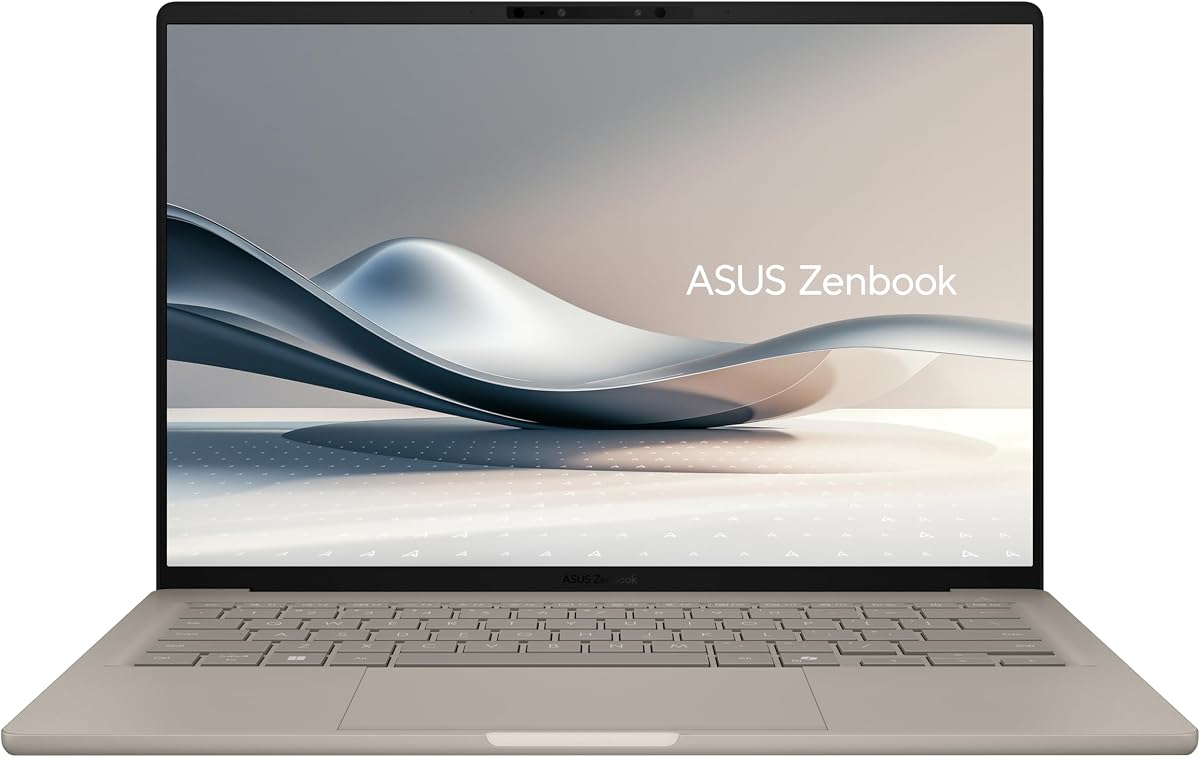
The Zenbook A14 offers a unique aesthetic with its distinctive Zabriskie Beige color. It combines style with substance through its premium materials and advanced specs. The OLED display adds a touch of luxury to daily viewing.
We may earn a commission when you buy through this link, at no additional cost to you.
The Snapdragon X processor ensures smooth operation for modern workloads. The 512GB SSD provides quick access to files. Wi-Fi 6E keeps you connected at high speeds wherever you go.
While the price is high, the design elements and build quality are top-tier. Some users may prefer different color options. The premium nature means it is best for those who value design heavily.
Fashion-conscious professionals or design lovers will appreciate the look and feel. It is a statement device that performs well while standing out from the crowd.
The unique beige finish is smudge resistant and maintains a clean look over time.
OLED technology delivers deep blacks and vibrant colors for an immersive viewing experience.
We may earn a commission when you buy through this link, at no additional cost to you.
Choosing the right lightweight laptop requires balancing performance with portability. This guide breaks down the key factors to consider before making your purchase.
The processor determines how fast your laptop runs. Look for modern chips like Intel Core i3 or newer, or AMD Ryzen 3 and above. These provide enough power for browsing and office work.
For AI tasks or heavy multitasking, consider newer Snapdragon X processors that offer efficient performance.
8GB RAM is the minimum for smooth operation today. 16GB allows you to keep more apps open without slowdowns. SSDs are much faster than older HDDs for boot times.
Ensure you have enough storage for your files or consider using cloud storage options effectively.
A higher resolution screen makes text easier to read. FHD 1920×1080 is standard for most models. OLED screens offer better color but cost more.
Choose a screen size that fits your needs. 14 inches is very portable while 15 or 16 offers more workspace.
Long battery life is crucial for portability. Look for models promising 10 hours or more. Fast charging is a nice bonus to get back to work quickly.
Actual usage varies based on brightness and apps used. Expect slightly less than advertised times in real use.
Military-grade testing ensures the laptop can handle drops and shocks. This is vital if you carry your device frequently. Materials like aluminum add strength without weight.
A sturdy chassis protects your investment over years of daily use effectively.
Wi-Fi 6 or 6E provides fast internet speeds. Ensure the laptop has the ports you need like USB-C or HDMI. A webcam is standard for remote calls.
Bluetooth 5.1 or newer ensures stable connections to your mouse and headphones easily.
Windows 11 Home offers the latest features and security updates. Copilot+ PCs support advanced AI features. Make sure the system matches your software needs.
Check if the device comes with essential software pre-installed for immediate use.
Budget models offer basic performance at low cost. Premium models have better materials and screens. Find the balance that fits your specific budget.
Remember to factor in accessories like cases or mice for total cost.
Always keep your laptop in a padded bag to protect it from bumps during travel. This simple step prevents internal damage from sudden jolts while you are commuting.
Avoid eating or drinking near the keyboard to prevent crumbs and spills from damaging the components. Use a screen protector if you are in a dusty environment to keep the display clear.
Update your Windows system regularly to ensure you have the latest security patches and performance fixes. These updates help maintain stability and speed over the lifetime of the device.
Yes, they are excellent for school due to their portability and battery life. They handle documents and web research easily. The durability ensures they survive the daily commute.
Both are good depending on the specific model. AMD often offers better battery efficiency. Intel provides strong compatibility. Choose based on your specific performance needs.
Many modern ultrabooks have soldered RAM. Check the specs before buying. Some models allow upgrades while others do not. It is better to buy enough RAM upfront.
Yes, it adds an extra layer of privacy. You can physically block the lens when not in use. This is great for peace of mind during meetings at home.
Most models weigh between 3 to 3.6 pounds. Some ultralight options go under 2.2 pounds. This makes them easy to carry in a backpack daily.
Yes, most have HDMI or USB-C ports for external displays. You can connect to a TV or larger monitor. This is useful for presentations or home office setups.
Standard warranties are usually one year. Some models include manufacturer warranties for parts and labor. Check the listing for specific coverage details.
Basic editing is possible on most models. High-end editing requires more power and GPU. For light tasks like trimming clips, these laptops work well enough.
We have reviewed ten excellent ASUS models ranging from budget-friendly to premium options. The Vivobook 14 stands out for its balanced performance while the Zenbook A14 offers unmatched portability.
Prioritize battery life and build quality if you travel often. Students should look for durability and student-friendly pricing. Ensure the processor meets your multitasking needs.
Prices and availability change frequently so verify the current details before buying. We hope this guide helps you find the perfect device for your daily tasks.