
Epson Workforce Pro WF-7840
3.9Editor score
13 by 19 inch prints
Built in wireless connectivity
500 sheet capacity
Finding the right large format printer for Mac requires balancing seamless integration with powerful performance. Users need devices that support AirPrint and handle wide media sizes without frustrating driver issues or compatibility errors.
We compared ten top models based on connectivity options print quality and software support for macOS. Our analysis focuses on real-world usability for designers architects and creative professionals who demand reliable results.
Each pick shows key strengths and ideal use cases along with detailed specifications. Please note that pricing and availability can change frequently so verify current details before making your final purchase decision.
3.9Editor score

4.4Editor score

4.1Editor score
As an Amazon Associate we earn from qualifying purchases.
This side-by-side comparison highlights key specifications and capabilities across all ten models to help you identify the best fit for your specific needs and workspace requirements.


The Canon imagePROGRAF TC-21M stands out as a top choice for professionals needing true large format output on Mac systems. It handles 24 inch wide prints effortlessly and integrates well with modern workflows through cloud services.
We may earn a commission when you buy through this link, at no additional cost to you.
Its ability to enlarge copies directly from the scanner and print via USB flash drive makes it incredibly versatile for quick jobs. The auto sheet feeder supports up to 100 letter size sheets ensuring smooth operation for batch tasks.
While the price point is higher than consumer models the investment pays off in reliability and print quality. Mac users will appreciate the straightforward setup and minimal driver headaches compared to other legacy brands.
This printer is ideal for architects and designers who need occasional wide format prints without managing complex plotter networks. Its blend of size and usability makes it our top pick for most Mac environments.
Mac users can rely on standard printing protocols to send jobs directly without needing proprietary software installations.
Cloud printing capabilities allow you to send documents from remote devices directly to the printer for immediate output.
We may earn a commission when you buy through this link, at no additional cost to you.
For users seeking an affordable entry into wide format printing the Epson Workforce Pro WF-7840 delivers impressive value. It supports prints up to 13 by 19 inches which covers many common project sizes for small teams.
We may earn a commission when you buy through this link, at no additional cost to you.
The 500 sheet capacity minimizes refills while PrecisionCore technology ensures fast throughput. Apple AirPrint support means Mac users can print wirelessly without installing extra drivers on their desktops or laptops.
Some users report minor network hiccups but overall reliability remains solid for daily office use. The DURABrite Ultra ink dries quickly reducing smudges even when handling heavy documents.
We recommend this model for startups and small offices needing cost-effective wide format capabilities without complex setup. It balances performance and price better than most competitors in this range.
The low initial cost combined with reasonable ink usage makes this a financially smart choice for growing teams.
Large paper trays reduce downtime allowing teams to focus on creative work rather than constant refilling.
We may earn a commission when you buy through this link, at no additional cost to you.
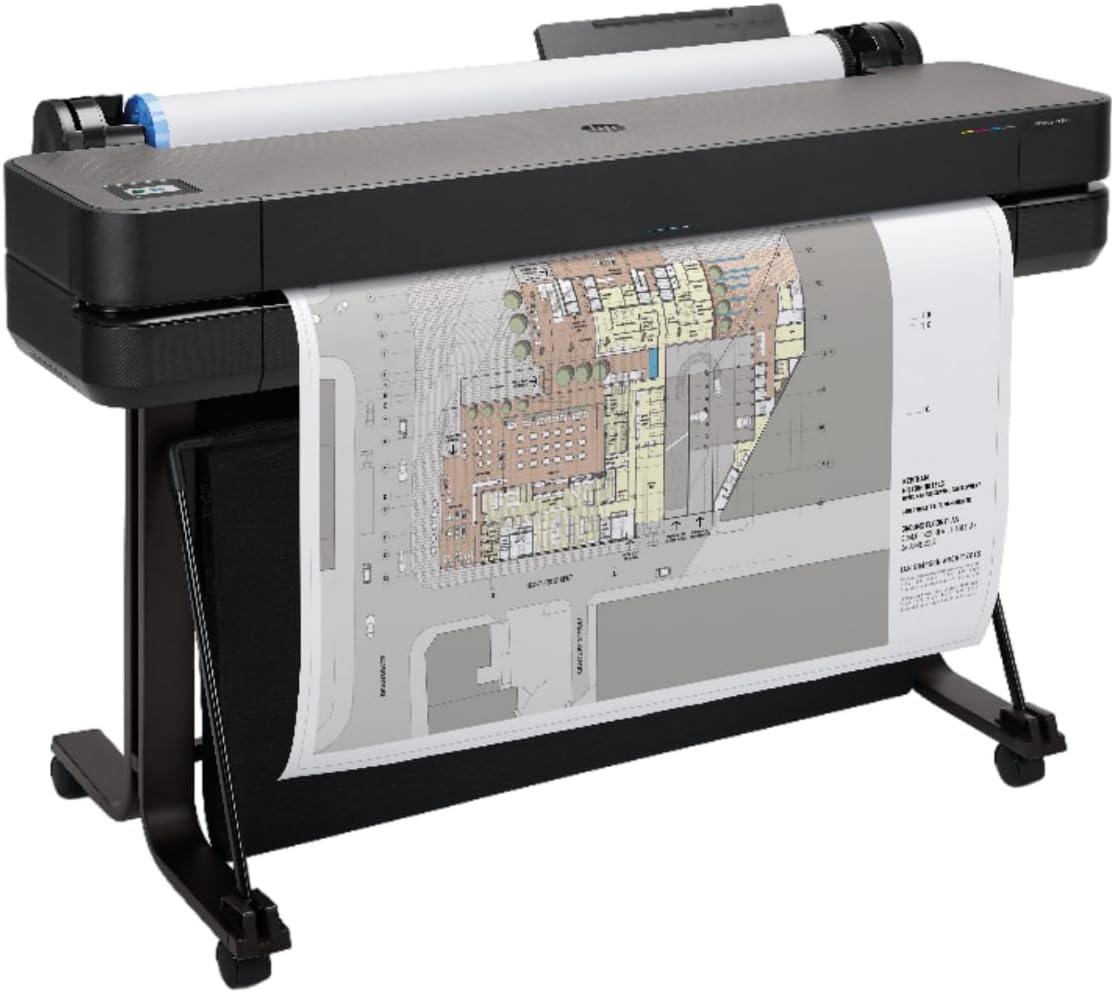
The HP DesignJet T650 is a powerhouse for professionals needing true large format output up to 36 inches wide. It excels in technical drawings and architectural plans where precision and speed are critical for project success.
We may earn a commission when you buy through this link, at no additional cost to you.
Included 2 year onsite warranty ensures minimal downtime for mission-critical workflows. Gigabit Ethernet connectivity provides stable high-speed data transfer essential for large design files common in professional environments.
While the cost is significant it offers unmatched reliability and support for enterprise needs. Mac users with CAD workflows will appreciate the seamless integration with HP software tools for file preparation.
This printer is best suited for design firms and engineering departments requiring consistent high-quality output. The investment ensures peace of mind through its robust warranty and professional-grade performance.
Onsite warranty coverage means rapid technician response to keep your projects on schedule without delay.
Engineered specifically for CAD and technical drawings to ensure lines remain sharp and accurate throughout.
We may earn a commission when you buy through this link, at no additional cost to you.
The Epson EcoTank ET-15000 combines wide format capability with the convenience of refillable ink tanks. This makes it highly efficient for users who print frequently without wanting to constantly replace cartridges.
We may earn a commission when you buy through this link, at no additional cost to you.
Resolution up to 4800 by 2400 dpi ensures excellent readability for detailed documents. Wireless and LAN connectivity options provide flexibility for network setups in small offices or home studios.
While color speeds are moderate the high duty cycle supports heavy usage. Mac users benefit from reliable drivers and straightforward app integration for managing print queues effectively.
We recommend this for creative professionals needing cost-effective high-quality printing over time. The ink savings alone justify the investment for anyone producing volume wide format output regularly.
Refillable bottles reduce plastic waste significantly while lowering ongoing operational costs for your workspace.
Exceptional DPI ensures sharp text and graphics that meet professional standards for client deliverables.
We may earn a commission when you buy through this link, at no additional cost to you.
The Epson EcoTank Photo ET-8550 targets photographers and artists needing vibrant wide format prints. Its six-color Claria ink system delivers rich tones that stand out against standard two-ink consumer models effectively.
We may earn a commission when you buy through this link, at no additional cost to you.
Borderless printing up to 13 by 19 inches ensures professional finishes for photos and art prints. Users can save up to two years of ink supply in the box reducing long-term costs significantly.
While slower than standard office printers it excels in quality. Mac users benefit from seamless AirPrint support and dedicated photo editing app integration for precise color management.
This printer is perfect for photographers wanting lab-quality results at home. The investment is worthwhile for those producing frequent art prints or portfolio materials with high color accuracy.
Six-color ink system provides a wider gamut to capture subtle nuances in professional photography work.
Ink supply lasts up to two years which dramatically reduces operational expenses for frequent printing needs.
We may earn a commission when you buy through this link, at no additional cost to you.
The Epson Expression Photo HD XP-15000 offers wide format capabilities in a remarkably compact design. It fits easily on desktops while still supporting 13 by 19 inch prints for creative projects.
We may earn a commission when you buy through this link, at no additional cost to you.
Six-color Claria HD ink ensures vibrant photos with dedicated gray and red inks for accuracy. Mac users will appreciate AirPrint support allowing quick jobs from laptops or mobile devices directly.
The rear tray accommodates specialty media like cardstock for varied project needs. While input capacity is lower than office models it suits creative professionals printing high-value items occasionally.
Ideal for designers needing occasional wide format output without taking up office space. Its color quality and small footprint make it a strong choice for home studios.
Saves valuable workspace while still delivering professional wide format results for creative projects easily.
Rear tray allows flexible media handling including cardstock and specialty papers for diverse creative outputs.
We may earn a commission when you buy through this link, at no additional cost to you.
The Brother INKvestment 6960 provides reliable wide format capabilities for small business needs. Its support for 11×17 printing covers common marketing materials while maintaining high productivity levels.
We may earn a commission when you buy through this link, at no additional cost to you.
With 500 sheet capacity and auto duplex scanning it handles volume tasks efficiently. Wi-Fi Direct connectivity ensures stable printing from Mac devices without complex network configuration required.
While color range is standard the speed makes it ideal for business documents. Mac users benefit from basic driver support though advanced color management tools may require third-party solutions.
This printer is recommended for businesses prioritizing speed and volume over fine art color. Its robust design ensures consistent output for daily operational demands and reports.
Fast print rates minimize wait times allowing teams to stay productive throughout the busy work day.
Wi-Fi Direct allows quick connections from Mac devices even without accessing office network infrastructure.
We may earn a commission when you buy through this link, at no additional cost to you.
The HP DesignJet T210 is built specifically for technical drawings and CAD work on Mac. It supports 24 inch rolls ensuring accurate line quality for engineering and architectural plans.
We may earn a commission when you buy through this link, at no additional cost to you.
HP Click software optimizes print settings and nesting for maximum efficiency. Gigabit Ethernet ensures stable transfer of large design files without interruption or data loss during processing.
While not ideal for photos it excels at text and line work. Mac users with technical workflows will find seamless integration with industry design tools and applications easily.
We recommend this for engineering firms needing precise technical output. Its specialized capabilities make it a superior choice over general-purpose printers for CAD projects.
Specialized firmware ensures crisp lines and text essential for technical drawings and detailed architectural plans.
Automatic cutter and roll feed allow seamless transitions between large format projects without manual adjustments.
We may earn a commission when you buy through this link, at no additional cost to you.
The HP DesignJet T630 extends wide format capability to 36 inches for large-scale engineering and construction needs. It handles rolls and sheets with consistent precision for professional deliverables.
We may earn a commission when you buy through this link, at no additional cost to you.
Included media bin and stand simplify organization in busy environments. Mac users benefit from stable Ethernet connectivity ensuring large CAD files transfer reliably without interruption.
While it requires significant space and power it delivers unmatched speed for technical prints. The automatic cutter ensures clean edges for maps and blueprints effortlessly.
This printer is ideal for enterprise design teams managing complex layouts. Its performance justifies the footprint for organizations needing frequent high-quality technical output.
Designed to handle the rigorous demands of engineering firms requiring large scale precise technical drawings.
Automatic cutter and media bin reduce manual labor ensuring clean finished prints ready for distribution.
We may earn a commission when you buy through this link, at no additional cost to you.
The HP OfficeJet Pro 9730 brings wide format color precision to office environments. It supports up to 11×17 inch documents with accurate color reproduction for marketing materials.
We may earn a commission when you buy through this link, at no additional cost to you.
Dual-band Wi-Fi ensures reliable connection from Mac devices even in crowded networks. HP Wolf Pro Security bolsters data protection which is essential for sensitive office transactions.
While Instant Ink can be costly it simplifies ink management for busy teams. Mac users benefit from intuitive touchscreen controls and mobile app integration.
This printer suits offices needing professional color documents regularly. Its balance of features makes it a strong contender for business environments requiring wide format.
P3 color gamut support ensures vibrant prints that match screen designs for marketing deliverables.
Advanced security features protect sensitive data ensuring safe printing for corporate environments effectively.
We may earn a commission when you buy through this link, at no additional cost to you.
Selecting the right large format printer for Mac requires understanding your workflow needs and compatibility requirements.
Ensure the printer supports native macOS drivers and AirPrint to avoid driver installation hassles. Check manufacturer sites for specific Mac OS version support before purchase.
Look for manufacturers with dedicated Mac software tools for managing print queues and color profiles efficiently.
Determine the maximum paper width needed for your projects. Models range from 13 inches for posters to 36 inches for engineering blueprints.
Choosing the right width ensures you avoid unnecessary costs on oversized units that exceed actual project needs.
Wi-Fi and Ethernet connectivity are crucial for integrating into existing office networks. Dual-band Wi-Fi reduces interference in environments with many devices.
USB options provide reliable direct connections for Macs without network access or for secure printing needs.
Consider tank systems for high-volume users to reduce per-page costs significantly over time. Cartridge systems offer convenience for low-volume users needing simplicity.
Evaluating ink yield ensures you select a system that matches your printing frequency and budget constraints.
Check paper tray capacity and feeder options for your typical batch sizes. Larger trays reduce downtime and refills during heavy work.
Automatic feeders support continuous output for professional environments requiring high throughput daily.
Match print speeds to your workflow demands to avoid bottlenecks in production environments. Duty cycles indicate how much the printer can handle monthly without strain.
Selecting models with adequate speed ensures your team stays productive without waiting on output.
Look for mobile apps and cloud printing features that enhance Mac usability. Features like auto-nesting optimize ink usage and reduce waste.
Advanced color management tools ensure professional results for designers needing precise output.
Review warranty terms and on-site service availability for critical business needs. Good support minimizes downtime when issues arise unexpectedly.
Selecting brands with strong service networks ensures quick resolutions for complex technical problems.
Connect your Mac to the printer via Wi-Fi or Ethernet and install the manufacturer's software tools. Use AirPrint for quick jobs or the dedicated app for advanced settings.
Regularly run nozzle checks and head cleaning cycles to maintain print quality. Use high-quality paper to prevent jams and ensure sharp ink adhesion.
Turn off the printer properly after each session to protect internal components. Keep the workspace dry and dust-free to extend the device lifespan significantly.
Many modern large format printers support macOS natively via AirPrint and dedicated drivers. Always verify compatibility on the manufacturer's website before purchase.
For home offices 13 by 19 inch models offer a balance of size and desk footprint. These handle most poster and art print needs effectively.
Run nozzle checks weekly and keep firmware updated via the manufacturer's Mac utility. Using original ink ensures consistent color performance.
Yes tank systems significantly reduce per-page costs for high-volume printing. They eliminate frequent cartridge changes and waste management issues.
It is best to use original ink to maintain warranty coverage. Third-party inks may cause clogs and affect print quality negatively.
PDFs are ideal for large format printing as they preserve vector quality. Most Mac software exports directly to PDF for print jobs.
Our top pick the Canon imagePROGRAF TC-21M delivers exceptional width and ease of use for most Mac users. For budget needs the Epson Workforce Pro WF-7840 offers strong value.
Prioritize compatibility and paper capacity to avoid workflow bottlenecks. Consider tank systems if you print frequently to reduce long-term ink costs significantly.
Always check current pricing and availability before purchasing to ensure you get the best deal. Investing in the right printer ensures smooth creative and professional output.