
Mount-It! Standing Keyboard Tray
4.4Editor score
1.7 to 15.6 inch height
Lifetime warranty included
No assembly required
Finding the right keyboard tray for standing desk setups is crucial for maintaining proper posture and reducing strain during long work sessions. A good tray should offer smooth adjustments and sturdy mounting options that fit various desk types without causing damage.
We have evaluated ten leading models based on their build quality, ease of installation, and ergonomic benefits. Each product was assessed for compatibility with standing desks, range of motion, and overall value for money in the current market.
Each pick highlights specific strengths like wide surface area or advanced height adjustment. Please note that product availability and pricing can change frequently, so verifying current details before purchasing is always recommended for the best experience.
4.4Editor score

4.3Editor score

4.4Editor score
As an Amazon Associate we earn from qualifying purchases.
This table provides a side-by-side overview of all ten products to help you compare key specifications and features quickly before making your final selection.
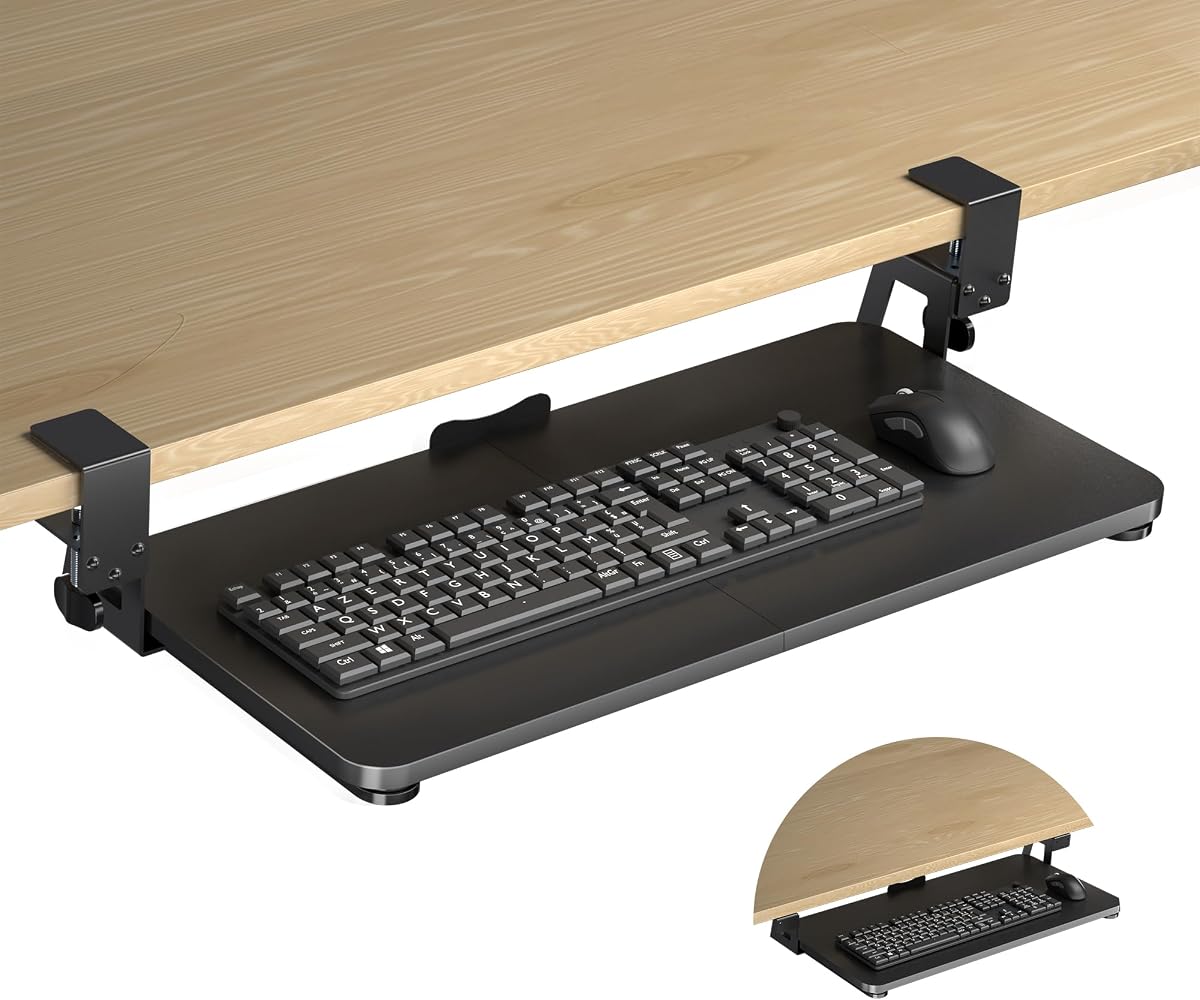


The HUANUO Under Desk Keyboard Tray stands out for its ability to fit both flat and cross beam desks. It holds a strong rating for its smooth metal roller track system that ensures durability.
We may earn a commission when you buy through this link, at no additional cost to you.
Its design allows for a 180 degree swivel and significant height adjustment making it ideal for standing desk users. The installation process is simplified by a hanging mechanism that does not require holding the entire tray.
While it offers great flexibility users must ensure their desk has the necessary width for full swivel functionality. The required depth and thickness are also key factors to check before buying.
This tray is perfect for anyone needing a reliable solution for electric standing desks or those with structural beams. It balances performance and ease of use effectively for daily work.
Special brackets allow this tray to attach securely to desks with cross beams up to two inches in height.
With over six inches of height adjustment users can easily switch between sitting and standing positions comfortably.
We may earn a commission when you buy through this link, at no additional cost to you.
The Mount-It! Standing Keyboard Tray offers an impressive height range extending from 1.7 inches to 15.6 inches. This makes it suitable for both seated and standing typing without needing a full desk conversion.
We may earn a commission when you buy through this link, at no additional cost to you.
It comes fully assembled which saves time and effort for users. The solid frame and rubber feet provide stability ensuring the platform does not wobble during typing.
The main limitation is that it sits on the desk rather than mounting underneath which may limit space for larger setups. However the lifetime warranty adds significant value to the purchase.
This model is ideal for office managers or home users wanting quick ergonomic improvements. It positions the keyboard at eye level for better posture during long sessions.
Unlike many risers this tray lowers enough for comfortable seated typing making it versatile for different work modes.
Backed by a lifetime warranty and US-based support this product offers long-term reliability for daily use.
We may earn a commission when you buy through this link, at no additional cost to you.
The BONTEC Under Desk Keyboard Tray provides excellent value with its no-drill installation and large platform. It frees up desk space efficiently while supporting standard keyboards and mice.
We may earn a commission when you buy through this link, at no additional cost to you.
Its C-clamp system secures the tray to desks up to 1.97 inches thick without damage. Protective pads ensure the desk surface remains scratch-free during use.
Users should verify their desk has a flat unobstructed underside as it does not work with beveled or rounded edges. This constraint limits compatibility with some modern desk styles.
For those seeking a cost-effective way to improve ergonomics this tray is a strong choice. It keeps the workspace tidy and supports natural wrist positioning.
The no-drill C-clamp mount allows for quick setup without tools or permanent modifications to your desk.
Placing the keyboard and mouse below the desktop creates room for documents and other essential items.
We may earn a commission when you buy through this link, at no additional cost to you.
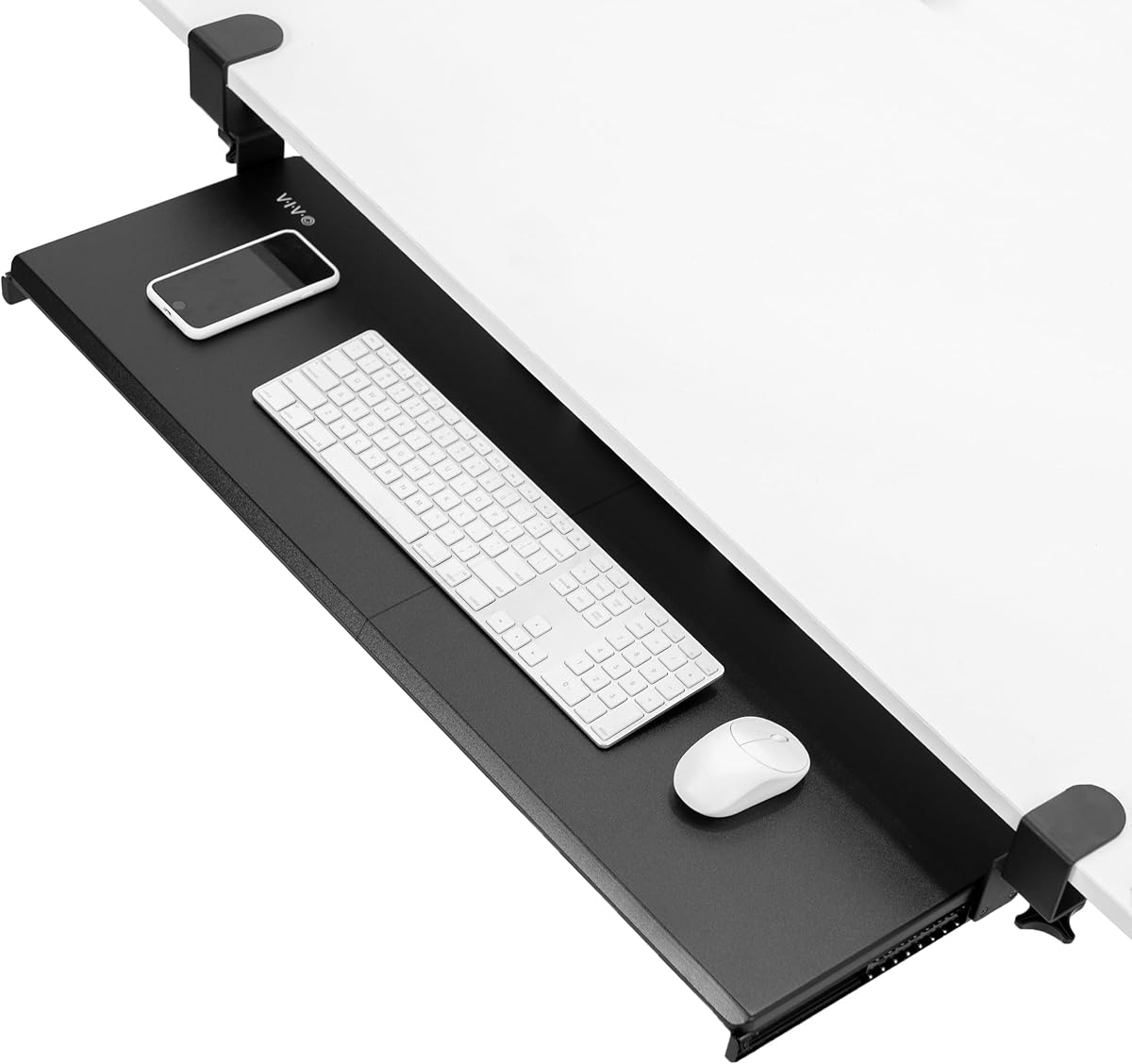
The VIVO Black Extra Large Clamp-on offers a generous 34 by 11 inch platform for extensive workspace needs. It is designed to hold keyboards mice and other accessories securely.
We may earn a commission when you buy through this link, at no additional cost to you.
Its C-clamps attach tightly to the desk allowing for smooth sliding without wobbling. The tray extends 8.5 inches providing ample room for typing and mouse use.
Note that the desk thickness must not exceed 1.25 inches for proper fit. Also it is not compatible with beveled edges which may limit some desk types.
This tray is best for users who prioritize surface area and stability. It provides a solid foundation for ergonomic typing while freeing up desktop space.
The wide 34 inch width accommodates large keyboards and extra peripherals without crowding.
Slide the tray in and out easily to adjust your typing distance and wrist angle.
We may earn a commission when you buy through this link, at no additional cost to you.
The XINLEI Keyboard Tray features high quality metal rails that ensure smooth and silent operation. It includes a back baffle design to prevent keyboards from sliding off during use.
We may earn a commission when you buy through this link, at no additional cost to you.
Its C-clamps support desks up to 1.63 inches thick which is more than some competitors. This makes it suitable for a wider variety of desktops.
While it lacks extensive tilt options it focuses on stability and ease of use. The compact size helps it fit well under standard desks without bulk.
This model is recommended for users needing a reliable tray without extra frills. It balances functionality and cost effectively for daily office tasks.
A back baffle prevents the keyboard from falling off when the tray is extended.
Accommodates desk thickness up to 1.63 inches offering more flexibility than standard models.
We may earn a commission when you buy through this link, at no additional cost to you.
The VIVO Black Clamp-on Adjustable offers significant width adjustability from 23 to 30 inches. It supports thick desks up to 3.4 inches making it versatile for different furniture.
We may earn a commission when you buy through this link, at no additional cost to you.
Its split design includes a keyboard section and a mouse area improving ergonomic positioning. A wrist pad is included to reduce strain on wrists.
The tray requires two parts to be installed separately which might take extra time. Users should also be aware of the beveled edge limitation for proper mounting.
This option is great for those needing customization in desk fit. It provides a stable platform for comfortable typing sessions at various heights.
Clamps securely to desks up to 3.4 inches thick handling robust office furniture.
A split layout allows independent positioning of keyboard and mouse for better comfort.
We may earn a commission when you buy through this link, at no additional cost to you.
The VIVO Black Under Desk 25×10 provides a straightforward solution for ergonomic typing. It features a universal design that fits most keyboards and mice easily.
We may earn a commission when you buy through this link, at no additional cost to you.
It allows five inches of height adjustment and full side to side rotations. This helps users find a comfortable angle for their setup.
For desks with crossbars a spacer bracket is needed and sold separately. This might add to the cost and time required for installation.
This tray is best for users wanting a no-fuss upgrade. It enhances posture and reduces wrist soreness without complex features.
Full side to side rotations help position the mouse comfortably for right or left-handed users.
Supportive rubber padding reduces pressure on wrists during long typing sessions.
We may earn a commission when you buy through this link, at no additional cost to you.
The HUANUO Under Desk Keyboard Tray focuses on mouse movement with a 180 degree swivel feature. It measures 25 by 9.84 inches offering space for keyboards and mice.
We may earn a commission when you buy through this link, at no additional cost to you.
Users can adjust the height and tilt the tray for better ergonomics. An included wrist rest adds comfort for daily use.
The tray requires significant width clearance for rotation and specific desk thickness. Smaller keyboards are recommended to allow space for the mouse.
This model suits users who want dynamic mouse positioning. It improves comfort and saves desk space effectively for home offices.
The platform swivels left and right to optimize mouse positioning for different tasks.
Adjust the height and tilt to find the perfect angle for seated or standing work.
We may earn a commission when you buy through this link, at no additional cost to you.
The Klearlook Upgraded Adjustable Tray offers dual installation options for above and under desk use. It includes a drawer and phone slot to keep the workspace organized.
We may earn a commission when you buy through this link, at no additional cost to you.
With 360 degree horizontal rotation and tilt capabilities it provides versatile positioning. A headphone hanger ensures easy access during work.
The added features make the installation more complex than simple trays. Users should expect a higher price for these organizational benefits.
This tray is ideal for users wanting an all-in-one workspace solution. It enhances organization and comfort for gaming and office tasks.
Use above or under the desk to adapt to your specific workflow and space needs.
Include a drawer and phone slot to keep small items tidy within reach.
We may earn a commission when you buy through this link, at no additional cost to you.
The Mount-It! Keyboard Tray Under Desk offers an extra wide 30 inch surface with a lifetime warranty. It supports desks up to 1.77 inches thick which is broader than many competitors.
We may earn a commission when you buy through this link, at no additional cost to you.
Premium steel gliding rails ensure a smooth wobble-free pull-out. The no-drill installation makes it easy to set up quickly.
The rating is slightly lower which may indicate some user concerns. However the warranty and width make it a competitive option.
This tray is best for those needing extra width and durability. It promotes neutral wrist angles and fits various desk types.
At 30 inches wide it holds full-size keyboards and mice with room to spare.
Backed by a lifetime warranty and US-based support for long-term reliability.
We may earn a commission when you buy through this link, at no additional cost to you.
Choosing the right keyboard tray involves assessing compatibility dimensions and ergonomic features. This guide breaks down the key factors to consider for an informed purchase.
Ensure the tray fits your desk type especially if it has cross beams or beveled edges. Some trays need spacers for standing desk frames while others clamp directly to flat surfaces.
Check the thickness limits to avoid installation issues and ensure secure mounting.
Measure the available width and depth under your desk to accommodate the tray size. A surface that is too small may not support your keyboard and mouse comfortably.
Larger trays provide more space but require sufficient clearance for extension and rotation.
Look for trays with significant height ranges to support both seated and standing positions. Proper height reduces strain on wrists and shoulders during long sessions.
Adjustable mechanisms should lock securely to prevent movement while typing.
Smooth gliding rails are essential for easy retraction and extension. Metal tracks often provide better durability compared to plastic alternatives.
Ensure the slide action is quiet to maintain a focused work environment.
Features like tilt and swivel help customize the typing angle for better posture. Wrist rests included on some models add extra comfort.
Prioritize trays that promote a neutral wrist position to prevent strain.
Confirm the tray supports the weight of your keyboard mouse and any accessories. Most trays hold around 11 lbs which is sufficient for standard setups.
Exceeding capacity may cause sagging or instability over time.
Trays with no-drill C-clamps simplify setup without damaging the desk. Clear instructions and included hardware save time and effort.
Simple installations make it easier to adjust or remove the tray later.
A strong warranty indicates manufacturer confidence in product quality. Look for solid steel frames that resist wobble and wear.
Durability ensures the tray lasts through years of daily use without issues.
Install the tray following the manual instructions to ensure it is level and secure. Adjust the height so your elbows are at a 90 degree angle while typing.
Use the slide mechanism gently to avoid stressing the rails. Keep the tray clean by wiping it with a soft cloth to prevent dust buildup.
Periodically check the clamps and screws to ensure they remain tight. Proper care extends the life and performance of your ergonomic setup.
Many trays require a spacer bracket to fit the crossbars of electric desks. Verify if your model supports this or if a specific adapter is needed.
You should allow at least 12 inches of depth and sufficient width for the tray to extend fully. Check your desk dimensions before purchasing.
Most clamp-on trays are not compatible with beveled edges as they need a flat surface for secure attachment. Look for models designed for thick flat desktops.
Most trays support up to 11 lbs which is enough for standard keyboards and mice. Ensure your setup does not exceed this limit.
Adjust the height so your wrists are straight and not bent up or down. The tray should be slightly below elbow level when seated.
Most use no-drill clamps and include all hardware for simple installation. Follow the steps carefully to avoid damaging your desk.
Some models offer 180 or 360 degree rotation for the mouse platform. This feature improves flexibility for different tasks and hand positions.
Yes a tray positions the keyboard at an optimal height reducing neck and shoulder strain while standing. It promotes a neutral posture for better comfort.
The top picks offer versatile solutions for various desk setups and ergonomic needs. Whether you prioritize width adjustability or budget value there is a suitable option here.
Consider your desk compatibility and specific workspace requirements before deciding. Features like height adjustment and smooth sliding enhance daily comfort significantly.
Prices and availability change so check current listings to confirm details. Investing in a quality tray can greatly improve your work experience over time.