
ATTACK SHARK RS3
4.6Editor score
52000 DPI Sensor
Carbon Fiber Shell
800 Hour Battery
Discover the top high DPI mice for 4K gaming precision with detailed comparisons of sensors, polling rates, and ergonomics for competitive players.
Finding the right high DPI mouse for 4K gaming precision is crucial for competitive players who demand accuracy. Modern sensors now track flawlessly on various surfaces, ensuring your movements translate directly to on screen action without lag or jitter.
We compared ten leading models based on sensor quality, polling rates, build materials, and ergonomic design. Our analysis focuses on devices that offer granular DPI adjustments and reliable wireless performance for seamless gameplay experiences.
Each pick highlights specific strengths like battery life or lightweight designs to help you choose. Remember that prices change frequently so check current listings before purchasing your next gaming peripheral today.
4.6Editor score

4.4Editor score
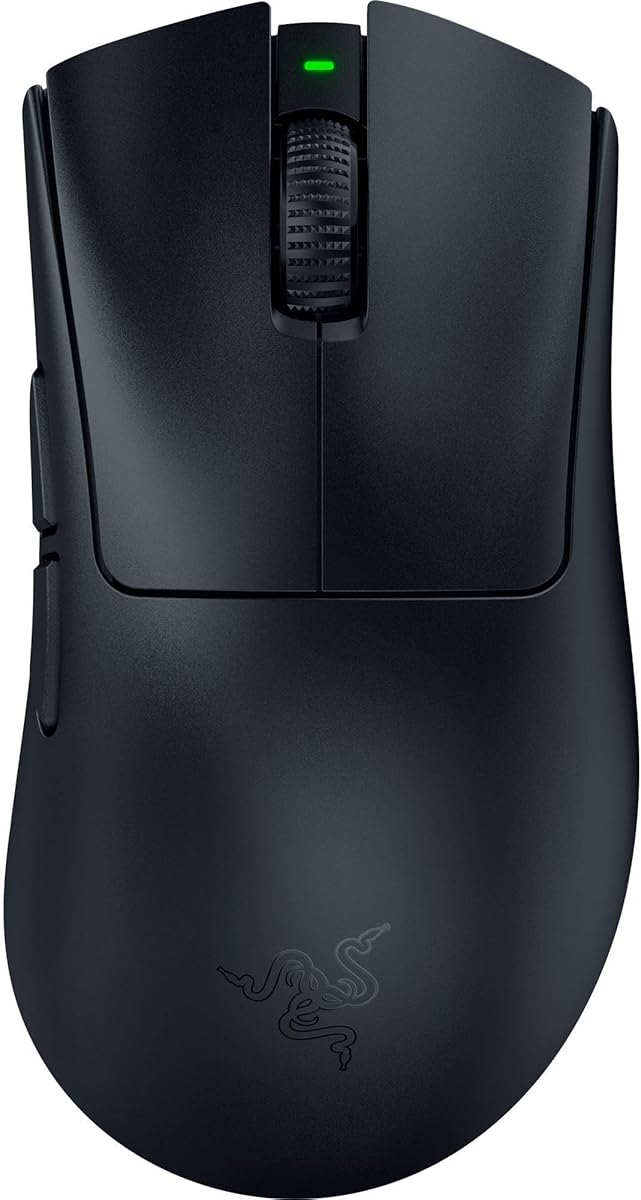
4.4Editor score
This table provides a side-by-side comparison of all ten featured mice to help you quickly identify key specifications and features that match your specific gaming needs.
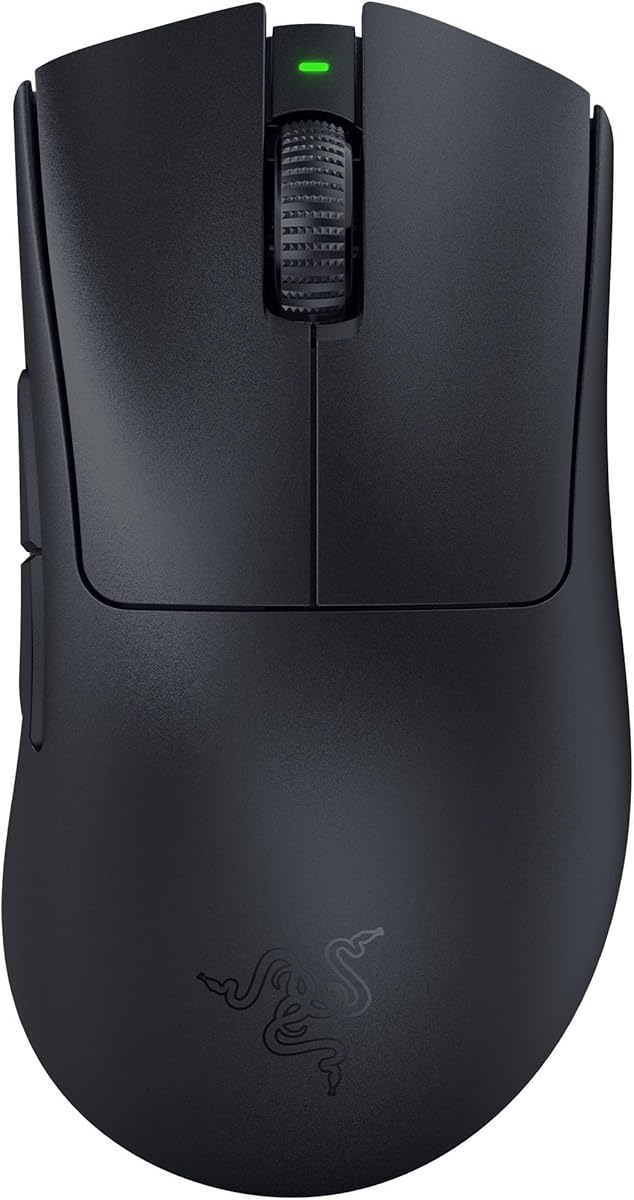




The Razer Basilisk V3 Pro stands out as a top tier choice for high DPI precision with its Focus Pro 35K sensor. It offers exceptional tracking performance on glass surfaces and supports granular DPI adjustments for fine tuned aiming.
We may earn a commission when you buy through this link, at no additional cost to you.
Its HyperScroll tilt wheel allows users to switch between tactile and free spin modes seamlessly which enhances navigation during gameplay. The optical switches ensure zero double clicking and provide lightning fast actuation for responsive inputs.
While it is heavier than some competitors the ergonomic form factor provides comfort for extended sessions. The battery life is impressive allowing for long periods of use without frequent recharging interruptions.
Gamers who prioritize customization and sensor accuracy will find this mouse invaluable for 4K gaming setups. It balances performance features with reliability to deliver a premium experience for serious players.
The sensor tracks flawlessly on glass and textured surfaces ensuring no loss of accuracy during critical moments.
Thirteen programmable buttons allow for complex macros and commands tailored to specific game mechanics.
We may earn a commission when you buy through this link, at no additional cost to you.
The Razer DeathAdder V3 Pro is designed for speed and control with an ultra lightweight 63 gram frame. It retains the iconic shape that gamers love while reducing weight for faster flicks and precise movements.
We may earn a commission when you buy through this link, at no additional cost to you.
Equipped with the Focus Pro 30K sensor it ensures flawless tracking across various surfaces. The optical switches provide immediate actuation and improved durability which is critical for competitive gaming scenarios.
Battery life is solid though not the longest in its class. The wireless connection remains stable even in noisy environments which prevents disconnections during intense matches or tournaments.
This mouse is ideal for players who prefer ergonomic shapes and light weights over extensive button layouts. It delivers performance and comfort without compromising on reliability or build quality standards.
The shape is refined for top players ensuring comfort during extended competitive sessions.
HyperSpeed Wireless offers low latency connections faster than other available wireless technologies.
We may earn a commission when you buy through this link, at no additional cost to you.
The Razer Basilisk V3 Pro Custom offers extensive RGB lighting options to match your setup with over 16 million colors. It includes the same high end sensor and scroll wheel features as the main model.
We may earn a commission when you buy through this link, at no additional cost to you.
Its optical switches and intelligent tracking functions ensure smooth performance during gameplay. The HyperScroll wheel allows for quick content navigation or precise adjustments depending on user preference.
Battery life varies by connection mode but remains competitive for wireless use. Chroma integration adds immersion by reacting to in game events which enhances the visual experience.
Users seeking both high DPI precision and strong aesthetic customization will appreciate this model. It combines functionality with style to create a visually striking and capable gaming peripheral.
RGB lighting reacts dynamically with over 150 games for deeper immersion.
Bluetooth and HyperSpeed wireless modes offer flexibility for different devices.
We may earn a commission when you buy through this link, at no additional cost to you.
The Razer DeathAdder V4 Pro pushes performance limits with an 8K polling rate and a Focus Pro 45K optical sensor. This ensures maximum aim precision and tracking for competitive gamers needing the fastest input possible.
We may earn a commission when you buy through this link, at no additional cost to you.
Weighing only 56 grams it enables faster swipes and precise tracking for esports tournaments. The optical scroll and switches provide tactile feedback and durability up to 100 million clicks.
Battery life is optimized to allow long sessions without interruptions. Dual wired and wireless flexibility lets you switch modes while maintaining high polling rates for different setups.
This mouse is best for pros and enthusiasts who demand top tier speed and sensor capabilities. It justifies its premium price with cutting edge technology and superior build quality standards.
8K polling ensures zero latency and instant response during high stakes gaming.
Optical components are rated for high click counts to ensure consistent control.
We may earn a commission when you buy through this link, at no additional cost to you.
The GravaStar Mercury M1 Pro stands out with a magnesium alloy shell that offers a unique premium feel. It delivers high precision tracking with a 26K sensor and 4K polling rate.
We may earn a commission when you buy through this link, at no additional cost to you.
Designed to fit the hand naturally it reduces fatigue during marathon gaming sessions. The tri mode connectivity allows switching between 2.4G Bluetooth and wired modes instantly for flexibility.
Battery life reaches up to 200 hours which is exceptional for daily use. GLOWSYNC RGB zones let you customize lighting to match your setup or game themes.
This mouse suits gamers who value distinctive design alongside solid performance specs. Its sturdy build and responsive software make it a compelling choice for custom setups.
Magnesium alloy provides structural strength and a premium aesthetic compared to plastic.
Intuitive software allows full remapping and performance tuning for any game.
We may earn a commission when you buy through this link, at no additional cost to you.
The ATTACK SHARK RS3 offers incredible value with a 52K sensor and 8K polling rate at an affordable price. Its carbon fiber shell provides structural strength and refined texture for stable handling.
We may earn a commission when you buy through this link, at no additional cost to you.
Battery life is a standout feature reaching up to 800 hours on standard settings. The Nordic chip and custom receiver ensure latency as low as 0.168ms under supported settings.
Web driver customization avoids desktop software installation for easier setup. Dual layer skates ensure smooth gliding for precise control during fast flicks and tracking.
Budget conscious players can get top tier specs with this model. It balances performance features and reliability to offer a competitive edge without breaking the bank.
Browser based driver allows changes without installing desktop software.
Receiver technology maintains stable connectivity even in wireless environments.
We may earn a commission when you buy through this link, at no additional cost to you.
The Logitech G502 Hero continues to be a favorite for its HERO sensor and customizable weight system. It delivers precision tracking up to 25600 DPI with zero smoothing or acceleration.
We may earn a commission when you buy through this link, at no additional cost to you.
Its mechanical switch button tensioning provides a crisp clean click feel. The dual mode hyper-fast scroll wheel allows users to switch between tactile and free spin modes.
Weight configuration lets you arrange weights for a personalized balance that suits your style. RGB lighting syncs with games to enhance immersion during gameplay sessions.
This mouse is ideal for those who prefer wired reliability and extensive button layouts. It offers robust performance and comfort for long gaming sessions without wireless interference.
Up to five weights can be arranged to match your preferred weight and balance.
Dual mode scroll wheel offers rapid navigation or precise control.
We may earn a commission when you buy through this link, at no additional cost to you.
The Redragon M916 is the lightest Redragon mouse available with 49 grams of weight for fast controlled movement. It features a 26K sensor and Nordic chip for precise tracking and low consumption.
We may earn a commission when you buy through this link, at no additional cost to you.
With 4K report rate it ensures fast moving and precise inputs during games. Three connection modes include BT and 2.4Ghz nano receiver for purest mouse moving experience.
DPI levels are easily switchable between five preset options or customized via software. The ergonomic shape fits the natural structure of the hand for long-lasting use.
This model offers excellent performance for budget users seeking ultra light designs. Its driver support and remappable buttons provide necessary control for tactical gaming.
4K transmission tech ensures fastest moving and lowest consumption performance.
Shaped to reduce fatigue during long lasting use for all day gaming.
We may earn a commission when you buy through this link, at no additional cost to you.
The Razer Basilisk V3 Wired provides essential features without battery concerns and with excellent ergonomics. It includes the Focus Plus 26K sensor and optical switches for reliable speed and tracking.
We may earn a commission when you buy through this link, at no additional cost to you.
With 11 Chroma RGB lighting zones you can customize colors and effects to react dynamically with games. The HyperScroll tilt wheel allows for smooth free spin or tactile feedback.
Its ergonomic design supports the hand comfortably during extended sessions. The thumb rest ensures optimal positioning for quick and easy access to buttons.
This mouse is perfect for players who prefer wired stability and ergonomic comfort. It offers high performance precision with extensive RGB customization options at a competitive price.
Eliminates battery issues for consistent performance during long sessions.
Optical switches provide blistering 0.2ms actuation speed for fast clicks.
We may earn a commission when you buy through this link, at no additional cost to you.
The Logitech G703 Lightspeed combines pro-level responsiveness with a comfortable design. Its HERO 25K sensor delivers 1:1 tracking with zero smoothing for precise movement.
We may earn a commission when you buy through this link, at no additional cost to you.
LIGHTSPEED wireless ensures long lasting high performance gameplay with minimal latency. The POWERPLAY compatible charging system keeps the mouse charged while at rest or play.
Button technology uses metal-spring tensioning for exceptional response and consistency. Lighting responds to in-game action and audio to enhance your overall gaming environment.
This mouse is great for users prioritizing comfort and wireless features. It offers reliable performance with advanced button tech and customizable lighting for a full experience.
Never worry about battery life with POWERPLAY wireless charging system.
Metal-spring tensioning keeps primary buttons poised to trigger with less force.
We may earn a commission when you buy through this link, at no additional cost to you.
Selecting the right mouse requires evaluating several factors to ensure compatibility with your specific gaming needs.
High DPI mice for 4K gaming rely on advanced optical sensors that track precisely across various surfaces. Look for models offering at least 25K DPI with zero smoothing to ensure pixel perfect accuracy.
Prioritize sensors with high IPS ratings to maintain tracking during fast movements without acceleration or jitter.
Polling rate determines how often the mouse reports its position to the PC. Higher rates like 8K ensure faster response times crucial for competitive play.
Check latency specs to ensure inputs are registered instantly which helps during high-stakes moments.
Materials like carbon fiber or magnesium alloys provide durability and a premium feel while keeping weight low. Lightweight mice reduce fatigue and enable quicker flicks.
Balance weight preferences with ergonomic designs to suit your grip style for better comfort.
Modern wireless tech offers low latency comparable to wired connections. However wired options eliminate battery concerns and can be more cost effective.
Choose based on your setup needs and whether mobility is more important than consistent power.
Optical switches prevent double clicking and offer faster actuation than mechanical ones. Look for switches rated for at least 50 million clicks for longevity.
Ensure the tactile feedback matches your preference for responsiveness and feel.
Long battery life is essential for uninterrupted gaming sessions. Wireless mice should ideally last over 50 hours on a single charge.
Consider models supporting fast charging or wireless charging pads for convenience and reliability.
Good software allows you to remap buttons and adjust DPI settings easily. Look for apps that offer macros and lighting customization for personalization.
Check for web driver options if you prefer installing less software on your system.
Comfort is vital for long gaming sessions. Ergonomic shapes reduce strain on your hand and wrist during extended use.
Ensure the grip style matches your natural hand position to prevent fatigue and improve precision.
Adjust DPI settings to match your monitor resolution for precise cursor control. Use software to map buttons for specific commands to streamline your gameplay experience.
Clean the mouse feet regularly with a soft cloth to prevent debris buildup that affects smooth movement. Wipe the shell gently to remove oils and dirt.
Keep the sensor lens clean for accurate tracking by using compressed air if needed. Update firmware through manufacturer software to maintain optimal performance.
For 4K displays, a DPI range between 1000 and 4000 is ideal to balance cursor speed and accuracy. Higher DPI settings allow for faster movement across large screens but require precise hand control to avoid overshooting.
Modern high-end wireless mice use advanced technology like 8K polling rates to achieve latency below 1 millisecond. This ensures performance identical to wired connections without noticeable delay or lag during competitive gaming.
Use a soft lint-free cloth or compressed air to gently remove dust from the sensor lens. Avoid harsh chemicals or excessive force to prevent damage to the optical components inside the housing.
Optical switches offer faster actuation and prevent double clicking issues by using light beams to trigger. They generally provide a longer lifespan and more consistent feel for competitive gaming applications.
A higher polling rate means the mouse reports its position more frequently to the computer. This reduces the delay between movement and on-screen action resulting in smoother tracking and faster response times.
Disable Enhance Pointer Precision in Windows settings to ensure raw input without acceleration. Use manufacturer software to adjust sensitivity and DPI steps for consistent performance across all games.
While some mice track on glass a quality mouse pad provides consistent friction and protection. It enhances sensor tracking and reduces wear on the mouse feet for better longevity and performance.
Gaming mice typically last 3 to 5 years depending on usage intensity. Replace it if switches become unresponsive or the sensor begins to skip during movements affecting your gameplay.
We have reviewed the top ten high DPI mice offering exceptional precision for 4K gaming. From the versatile Razer Basilisk V3 Pro to the lightweight ATTACK SHARK RS3 each choice suits different needs.
Prioritize sensor quality and ergonomic comfort to ensure long sessions remain comfortable. Balance your budget with premium features like high polling rates and wireless connectivity.
Always verify current prices and stock levels before purchasing your new gaming peripheral. Regular checks ensure you get the best value for your investment.