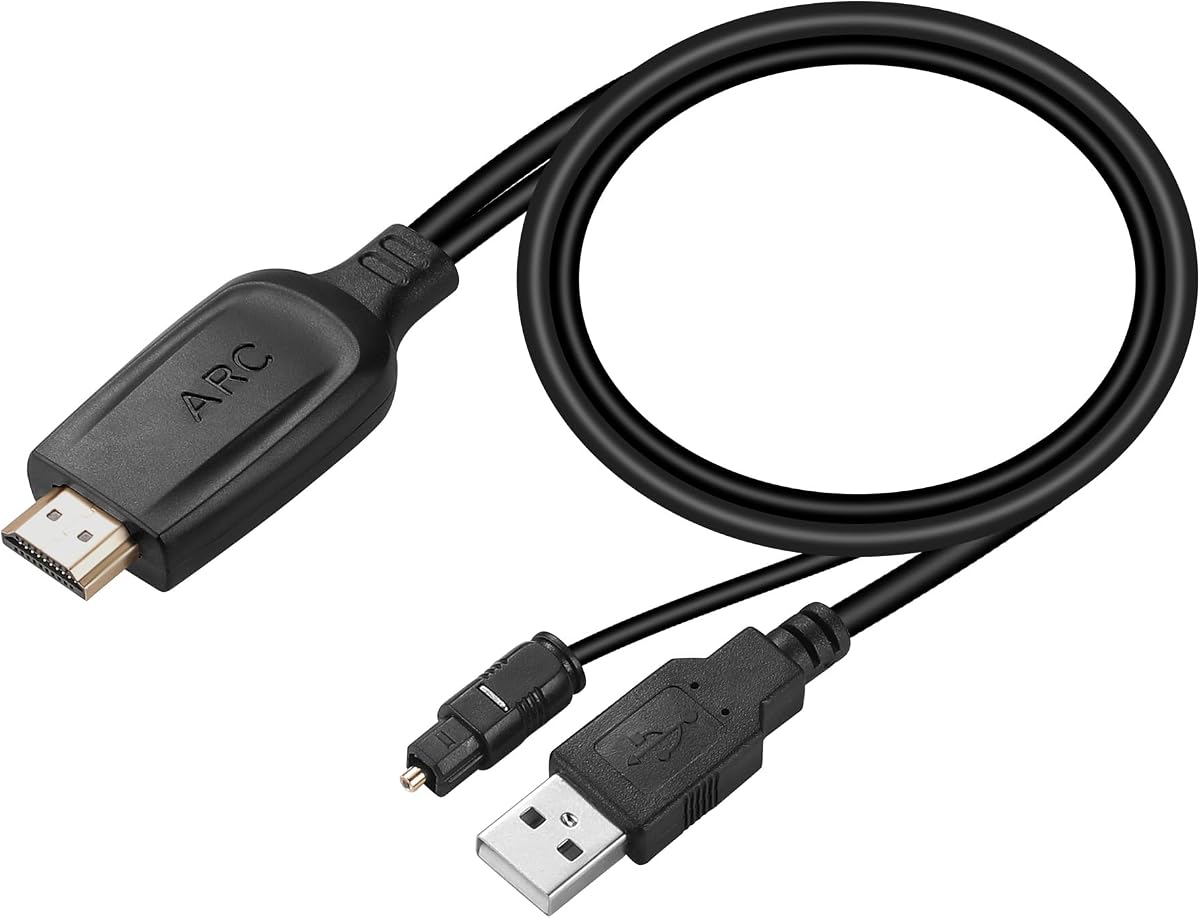
Unstincer 192KHz HDMI ARC to Optical Audio Converter for TV to Soundbar
4.2Editor score
Plug and play setup
Includes optical cable
Compact design
Discover the best HDMI Arc Adapter for Soundbar options to connect your TV to external audio systems with high-quality digital sound conversion.
Connecting your television to a soundbar can be challenging when older models lack digital audio outputs. An HDMI Arc Adapter for Soundbar bridges this gap, allowing seamless audio transmission from your TV to external speakers. This guide explores top-rated solutions that ensure compatibility and high fidelity.
We evaluated ten distinct adapters based on audio quality, ease of setup, and feature sets. Our analysis focuses on devices that support both ARC and eARC standards where applicable. We also consider build quality, included cables, and customer feedback to provide a comprehensive comparison.
Each selection highlights specific strengths like optical extraction or multi-output capabilities. Prices may fluctuate due to market demand and promotions. Always verify your TV's port labels before purchasing to ensure the adapter meets your specific connectivity needs.
4.2Editor score

4.9Editor score

4.1Editor score
The following table provides a side-by-side look at the core specifications of each adapter to help you find the right fit.


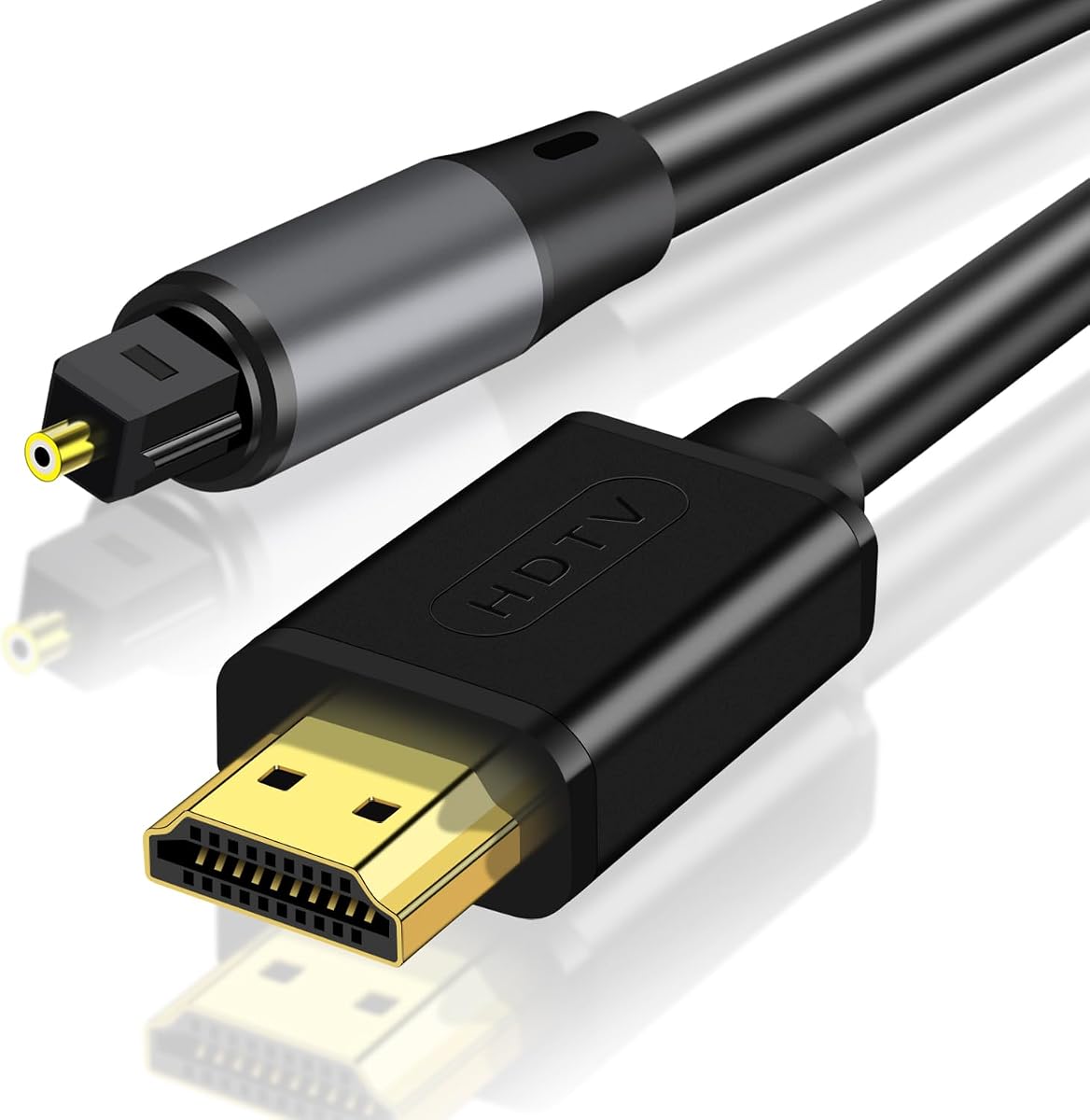
This adapter stands out as the top choice due to its impressive 4.9-star rating and robust build quality. It converts HDMI ARC signals to optical Toslink perfectly for TVs that lack optical ports. The included 4.9-foot cable offers flexibility in placement while maintaining signal integrity.
We may earn a commission when you buy through this link, at no additional cost to you.
Its 24-bit 192KHz sampling rate ensures that every audio detail is preserved during conversion. The gold-plated connectors resist corrosion which helps maintain a clean signal over years of use. Users consistently praise the zero lag performance which is critical for watching movies.
The primary trade-off is that it does not support HDMI eARC which limits its use with the newest TVs. Additionally like most optical adapters it does not carry CEC volume control signals. These limitations are acceptable given the high audio quality and price point.
If you have a standard ARC TV and want reliable soundbar connectivity this is the definitive choice. It handles PCM and DTS formats well without requiring complex settings. The slim design also ensures it tucks away neatly behind any stand.
The high sampling rate ensures no loss of audio quality during the conversion process from HDMI to optical.
Gold-plated ports prevent oxidation and maintain a strong connection which extends the lifespan of the adapter.
We may earn a commission when you buy through this link, at no additional cost to you.
This converter offers an affordable entry point for users needing ARC to optical conversion. It supports high-quality audio formats like PCM 5.1 and DTS 5.1 effectively. The included 1.05-meter cable is sufficient for most small setups where the soundbar is near the TV.
We may earn a commission when you buy through this link, at no additional cost to you.
Its compact design fits easily into tight spaces behind entertainment centers. The LED indicator light provides clear visual feedback regarding connection status which reduces setup anxiety. Users appreciate the straightforward interface that requires no drivers or software updates.
The main drawback is the shorter cable which may not reach soundbars placed across a room. The housing is less premium than higher end models but serves the purpose well. It is an ideal solution for temporary setups or secondary rooms.
For budget-conscious buyers this device delivers reliable performance without unnecessary features. It solves the common issue of missing optical ports on modern TVs effectively. Ensure your TV is set to ARC mode for optimal results.
Priced lower than many competitors this adapter delivers essential features without compromising on audio quality.
The LED light helps users confirm signal presence instantly which simplifies the troubleshooting process.
We may earn a commission when you buy through this link, at no additional cost to you.
This extractor is designed for users needing advanced connectivity including support for the newer eARC standard. It provides both optical and coaxial digital outputs which offers significant flexibility for complex audio systems. The chip supports high-resolution audio that maintains surround sound integrity.
We may earn a commission when you buy through this link, at no additional cost to you.
The independent status indicator helps users verify the active mode at a glance. It includes a Type-C power cable which aligns with modern standards for power delivery. The comprehensive manual guides users through setup steps to avoid common issues.
Despite its premium features it does not support volume control via TV remote due to optical limitations. The higher price reflects the added capability of eARC support and dual outputs. It is best suited for serious home theater enthusiasts.
If you need to split audio or connect to devices with coaxial inputs this is the strongest option. It bridges the gap between modern TVs and legacy equipment efficiently. Ensure your TV supports eARC to unlock its full potential.
This adapter supports the newer eARC standard allowing for higher bandwidth audio transmission compared to standard ARC.
Having both optical and coaxial outputs lets you connect to a wider range of receivers and amplifiers.
We may earn a commission when you buy through this link, at no additional cost to you.
This extractor focuses on delivering a clean optical signal without extra coaxial or analog ports. It supports 192KHz sampling which ensures high fidelity for music and movies. The device is designed to be minimal reducing cable clutter around your entertainment center.
We may earn a commission when you buy through this link, at no additional cost to you.
The package includes a high-quality HDMI cable which helps with initial setup. It requires power via USB which is standard for these types of converters. Users find the LED status light helpful for confirming that the signal is passing through.
The lack of analog outputs limits its use if you need to connect to older analog equipment. However for optical soundbars this limitation is often acceptable. The focus on optical ensures better isolation from electrical interference.
For users who prefer a dedicated optical path this is a solid choice. It eliminates confusion by offering only one output path. Verify your TV settings match the ARC protocol to ensure stable audio playback.
By focusing solely on optical output this adapter avoids signal degradation that can occur with mixed ports.
Including a high-quality HDMI cable in the box saves you from buying one separately.
We may earn a commission when you buy through this link, at no additional cost to you.
This adapter is unique because it offers analog outputs like L/R and 3.5mm alongside digital processing. It allows you to connect to older amplifiers or headphones without needing an optical cable. The simultaneous output feature is useful for multi-room audio setups.
We may earn a commission when you buy through this link, at no additional cost to you.
It supports 4K60Hz video pass-through which ensures your display isn't limited by the adapter. The metal housing helps with heat dissipation which maintains stability during long viewing sessions. Users appreciate the flexibility to use headphones for late night watching.
The lack of an optical output limits its use with soundbars that only have Toslink inputs. The analog outputs are best suited for devices with RCA or headphone jacks. This makes it a niche choice for specific legacy equipment.
If your primary need is connecting to non-optical audio gear this adapter is ideal. It bridges the gap between modern HDMI ARC and older analog inputs. It is best used when optical conversion isn't strictly required.
The inclusion of 3.5mm and L/R outputs allows connection to devices that do not support digital optical.
The metal housing helps keep the device cool which prevents signal loss during extended use.
We may earn a commission when you buy through this link, at no additional cost to you.
This converter is built to work with a wide range of TV brands including Samsung LG and Sony. It supports high-resolution audio sampling which maintains detail during conversion. The setup process is straightforward requiring minimal configuration on your device.
We may earn a commission when you buy through this link, at no additional cost to you.
The package includes a USB power cable and input connector which simplifies the initial installation. Users report consistent performance with various soundbars and amplifiers. It is designed to be unobtrusive with a small footprint that fits anywhere.
The primary limitation is that volume control must be handled on the soundbar itself. This is standard for optical adapters but requires an extra remote. However the audio quality justifies this trade-off for most users.
For a versatile solution that works across different TV brands this is a strong contender. It handles both ARC and eARC signals effectively. Ensure your TV audio output is set correctly to avoid silence.
This converter is tested with major TV brands which ensures it will work with most modern setups.
The 24-bit sampling rate ensures high-fidelity sound for music and movies.
We may earn a commission when you buy through this link, at no additional cost to you.
A key benefit of this adapter is the included 6.6-foot optical cable which offers excellent placement flexibility. It supports high-resolution audio transmission which ensures your sound system performs at its peak. The setup is effortless with no software installation required.
We may earn a commission when you buy through this link, at no additional cost to you.
The adapter is designed to overcome the limitations of built-in TV speakers effectively. It supports both ARC and eARC standards allowing for modern audio transmission. Users appreciate the ability to place their soundbar further away from the TV.
Like most optical adapters it does not support volume control through the TV remote. This requires using the soundbar remote but ensures a clean digital signal path. The cable quality is robust which reduces the need for extra purchases.
If you need to place your audio equipment further from the TV this is the ideal choice. The long cable solves the common problem of short included wires. It is a reliable solution for long-range audio setups.
The 6.6-foot cable allows you to place your soundbar on a separate stand or across the room.
The 24-bit 192kHz rate ensures you get the best sound from your external speakers.
We may earn a commission when you buy through this link, at no additional cost to you.
This converter excels at supporting Dolby and DTS surround formats which is essential for movie lovers. It provides a clear channel indicator which helps you verify the audio mode. The advanced processing chip eliminates delay and interference effectively.
We may earn a commission when you buy through this link, at no additional cost to you.
It supports 192kHz high-resolution audio which is perfect for music streaming. The setup is user-friendly with no drivers required for operation. Users find it works well for sports and gaming audio synchronization.
The device does not support volume control via TV remote which is a common limitation. It is also limited in its support for multi-channel PCM formats. However for standard surround sound it performs excellently.
For users who prioritize surround sound formats this is a strong option. It delivers immersive audio for home theaters effectively. Ensure your soundbar supports the audio formats you choose to use.
Support for Dolby and DTS ensures you get the full surround sound experience.
Advanced processing ensures the audio stays synced with the video during fast scenes.
We may earn a commission when you buy through this link, at no additional cost to you.
This converter offers both optical and 3.5mm outputs which provides flexibility for different speaker types. It includes a free HDMI cable and USB power cable which adds value to the purchase. The adapter supports 5.1 channel surround sound on coaxial and optical outputs.
We may earn a commission when you buy through this link, at no additional cost to you.
Setup involves setting the TV audio output to ARC which is standard for this category. Users appreciate the bonus cables which save time and money. It works well with legacy devices and modern soundbars alike.
The main limitation is that volume control cannot be managed from the TV remote. You will need to adjust volume on the connected device manually. This is a standard trade-off for optical conversion devices.
For those wanting multiple connectivity options this adapter is a great choice. It solves the issue of connecting diverse audio equipment to your TV. The included accessories make it a complete package out of the box.
The inclusion of HDMI and power cables makes this a ready-to-use package.
Having both optical and AUX allows you to connect to both digital and analog speakers.
We may earn a commission when you buy through this link, at no additional cost to you.
This adapter provides a standard solution with a long 6.6-foot optical cable for placement freedom. It supports high-resolution audio which helps unleash the potential of your speakers. The setup is straightforward with minimal configuration required for operation.
We may earn a commission when you buy through this link, at no additional cost to you.
It is compatible with most TVs that support ARC and eARC standards effectively. Users report it delivers cinematic sound quality that overcomes TV limitations. The package includes necessary cables to get started immediately.
The volume control limitation means you must use the soundbar remote which is typical. Ensure your TV audio settings are correct to avoid silence issues. Restarting devices can help resolve initial signal problems.
If you need a reliable standard adapter with a long cable this is a good fit. It handles high-quality audio transmission well. It is best suited for users who prioritize audio fidelity.
True plug-and-play simplicity ensures you can start listening to sound immediately without complex menus.
The 6.6-foot optical cable allows for flexible placement of your soundbar system.
We may earn a commission when you buy through this link, at no additional cost to you.
Selecting the right adapter requires understanding your TV's ports and audio needs to ensure perfect compatibility.
Check if your TV has ARC or eARC. Newer TVs use eARC for higher bandwidth audio like Dolby TrueHD. Older TVs use ARC which supports basic Dolby Digital. Ensure the adapter supports your specific standard.
Choose eARC if you have a high-end soundbar. ARC is sufficient for basic setups.
Verify the adapter supports formats like PCM DTS and Dolby. Some devices only support stereo PCM. If you want surround sound ensure it handles 5.1 channels.
Look for adapters supporting 192KHz for best audio fidelity in music.
Most adapters convert to optical (Toslink). Some also offer coaxial or analog 3.5mm outputs. Check what your soundbar or receiver accepts for connection.
Optical is standard for most modern soundbars. Coaxial works well with older receivers.
The included optical cable length varies. Some offer 1.5m while others offer 6.6ft. Measure your setup space before buying to avoid extra costs.
Long cables are crucial for placing soundbars far from the TV.
Optical outputs generally do not support CEC volume control. You will need to adjust volume on the soundbar itself. Be prepared to use a second remote for volume adjustments.
This is a standard limitation. Choose an adapter with clear LED indicators instead.
Most adapters require USB power from the TV or a wall outlet. Ensure your TV has a free USB port or use a wall adapter for stability.
A stable power source prevents audio dropouts during playback.
Metal housings offer better heat dissipation than plastic. Gold-plated connectors resist corrosion and improve signal stability. Choose durable models for long-term use.
High-quality materials ensure consistent performance over time.
Look for adapters that require no drivers or software. Setup should be just connecting cables and setting TV audio to ARC. This saves time and technical effort.
Avoid units requiring complex configuration menus for basic use.
Start by connecting the HDMI cable to your TV's ARC or eARC port. Plug the other end into the adapter's input. Ensure the TV port matches the adapter's supported standard for optimal performance.
Connect the optical cable to the adapter's output port and then to your soundbar. Connect the USB power cable to the adapter and plug it into a power source. Power on the adapter to activate the connection.
Access your TV settings and set the audio output to ARC or PCM. This ensures the signal passes through correctly. Check the LED indicator to confirm the signal is active and working.
No, this adapter requires an ARC or eARC port on the TV. If your TV lacks these ports you will need to check other outputs. The device extracts audio from the HDMI port specifically.
Optical connections do not support CEC volume signals. You must adjust volume on the soundbar or device directly. This is a standard limitation of optical audio cables.
Yes most adapters support 5.1 surround sound like Dolby Digital and DTS. Ensure your TV and soundbar are configured to use these formats. The adapter transmits the digital audio signal.
No, these devices are plug and play without driver installation. They operate via standard digital signals. Just connect the cables and configure your TV settings.
Check that the TV audio output is set to ARC. Ensure the power cable is connected securely. Verify that the optical cable is inserted fully on both ends.
These adapters typically handle one audio stream at a time. You can connect a TV via HDMI to extract audio. For multiple devices a switch is needed first.
The HDMI ARC to Optical Audio Adapter for TV Soundbar stands out as the top pick with its high rating and gold connectors. It delivers reliable audio quality for most standard TV setups efficiently.
For budget buyers the Unstincer converter offers great value with essential features. Premium users should consider the VPFET extractor for eARC support and dual outputs.
Always verify current prices and availability before purchasing. Check that your TV settings match the adapter requirements for smooth installation.