
Seagate BarraCuda 8TB
4.7Editor score
Proven reliability for PC applications
190MB/s sustained transfer rate
Frustration Free Packaging
Finding the right hard drive for RAID 0 is crucial for maximizing performance in demanding workloads. You need drives that can sustain high transfer rates without bottlenecks to ensure smooth operations across your storage array.
We evaluated ten top-rated models based on speed, reliability, and compatibility with RAID setups. Our analysis focuses on enterprise-grade and NAS-optimized drives designed to handle the constant read and write cycles inherent in striped configurations.
Each selection highlights key specifications and real-world performance traits to guide your purchase. Prices fluctuate frequently due to market demand and promotions, so verify current costs before finalizing your build to ensure value.
4.7Editor score

4.0Editor score

4.6Editor score
As an Amazon Associate we earn from qualifying purchases.
The following table provides a side-by-side comparison of all ten selected hard drives. It highlights essential specifications such as capacity, cache size, rotational speed, and warranty details to help you differentiate between models quickly.






The Seagate IronWolf Pro 16TB stands out as a top contender for RAID 0 configurations due to its robust enterprise-grade build. With a rating of 4.0 stars, users appreciate its ability to handle continuous operation without degradation over time. This drive is engineered specifically for high-performance NAS systems where reliability is paramount.
We may earn a commission when you buy through this link, at no additional cost to you.
Its All-CMR portfolio ensures consistent performance across 24×7 workloads which is essential for striped arrays that demand rapid access. The 256 MB cache helps buffer data effectively reducing latency during intensive read and write operations. Additionally the IronWolf Health Management system provides proactive monitoring to prevent data loss before issues occur.
While the price reflects its premium status the included Rescue Data Recovery Services add significant value for peace of mind. The 5-year warranty further supports long-term deployment in professional environments where downtime costs money. Users should ensure their controller supports the capacity and interface requirements before installation.
This drive is ideal for users who prioritize data integrity and speed in a multi-bay NAS setup. Whether for video editing or large-scale data processing the IronWolf Pro delivers the stability needed for critical applications. It represents a solid investment for those building a serious storage infrastructure.
The All-CMR design ensures that write speeds remain stable even under heavy continuous loads typical in RAID 0 setups.
Complimentary 3-year Rescue Data Recovery Services offer a safety net against hardware failures without additional cost to the user.
We may earn a commission when you buy through this link, at no additional cost to you.
The Seagate BarraCuda 8TB offers an accessible entry point for those needing large storage volumes at a lower cost. With a high user rating of 4.7 stars it is a popular choice for desktop setups that require expanded capacity. While not a dedicated NAS drive it can function in RAID configurations for less demanding applications.
We may earn a commission when you buy through this link, at no additional cost to you.
Its sustained transfer rate of 190MB/s provides decent speed for file transfers and media storage. The drive is backed by twenty years of innovation ensuring that the technology is mature and reliable. Users benefit from frustration-free packaging which simplifies the unboxing and setup process significantly.
However this model lacks the specific optimizations found in NAS drives like vibration sensors or high workload ratings. It may not sustain the same level of continuous activity as enterprise options without potential thermal throttling. Budget-conscious builders should consider if their usage patterns fit within these limitations.
Ideal for home users or light office environments this drive delivers value without breaking the bank. It is a practical solution for those who need bulk storage for media archives or backup files. Ensure proper cooling is available to maintain longevity when used in an array.
Getting eight terabytes of storage at a competitive price makes this drive an attractive option for expanding local storage quickly.
Backed by two decades of innovation the BarraCuda line has a track record of dependable performance across various PC applications.
We may earn a commission when you buy through this link, at no additional cost to you.
The Western Digital Ultrastar DC HC580 brings immense capacity and reliability to the table for serious storage projects. With a 24TB drive it caters to hyperscale environments or massive data centers needing extreme density. The rating of 4.6 suggests high satisfaction even in renewed conditions due to rigorous testing standards.
We may earn a commission when you buy through this link, at no additional cost to you.
Performance is predictable with a 7200 RPM speed and a large 512MB cache that handles heavy data throughput efficiently. Designed for 24/7 operation it boasts a 2.5 million hours MTBF ensuring durability in always-on scenarios. Conventional Magnetic Recording guarantees consistent speeds without the complexities of SMR technology.
As a renewed product buyers should verify the specific refurbishment standards to ensure expectations are met. It may require specific airflow conditions found in rack-mounted enclosures which adds to the overall system requirements. Still for those needing maximum storage per bay the value proposition is strong.
This drive is best suited for professionals managing big data applications or large media libraries. It provides the raw power and space needed to grow an array significantly without adding more physical units. Consider your infrastructure capabilities before integrating such a high-density drive into a RAID 0 setup.
Engineered for massive scale-out data centers this drive supports the density and speed requirements of modern cloud storage.
A mean time between failures rating of 2.5 million hours ensures long-term reliability for critical enterprise workloads.
We may earn a commission when you buy through this link, at no additional cost to you.
The Seagate IronWolf Pro 4TB delivers powerhouse performance in a compact form factor ideal for smaller NAS bays. Its 214MB/s speed ensures that data moves quickly across the array which is vital for multi-user environments. With a strong 4.5 star rating users confirm its reliability for continuous operation without lag.
We may earn a commission when you buy through this link, at no additional cost to you.
Specifically built for less wear and tear this drive includes features like reduced vibration and noise for a quieter setup. The Rescue Data Recovery Services provide an extra layer of security against unexpected data loss events. This makes it a safe choice for storing important files where backups might be complex.
While the capacity is lower than other models it excels in applications requiring high speed and frequent access. The 128MB cache helps smooth out bursts of data transfer improving overall system responsiveness. Users should note that capacity may vary slightly due to formatting overhead in certain operating systems.
Best for small business or home lab setups this drive balances performance and safety well. It is particularly useful for those who need immediate access to data without waiting for slow seek times. Ensure your RAID controller supports the specific model features for optimal compatibility.
Built to handle the rigorous demands of RAID environments the IronWolf Pro minimizes downtime through enhanced error recovery.
Integrated IronWolf Health Management allows users to monitor drive status proactively to prevent potential failures before they happen.
We may earn a commission when you buy through this link, at no additional cost to you.
The Western Digital WD Red Plus 12TB provides substantial storage space for growing data needs. It is designed specifically for small or medium business NAS systems ensuring compatibility with various enclosures. The CMR technology ensures that data is written efficiently without the overhead of shingled magnetic recording methods.
We may earn a commission when you buy through this link, at no additional cost to you.
Its 7200 RPM speed delivers fast access times which is beneficial for file sharing and remote access scenarios. The 512 MB cache helps buffer data to reduce latency during peak usage periods. NASware firmware further enhances integration with different NAS platforms for seamless operation.
However some users report mixed experiences regarding initial setup or drive recognition which might lower overall satisfaction scores. It is important to confirm that your specific NAS vendor supports this model fully before purchase. The 3-year warranty offers basic protection for the initial years of operation.
This drive is a solid choice for those needing a balance of capacity and speed in a business setting. It is well-suited for environments where reliability and compatibility are key considerations. Proper ventilation and power supply conditions will help maintain its performance over time.
NASware firmware is designed to optimize compatibility and performance across a wide range of network attached storage enclosures.
Supporting up to 180 TB per year workload rates ensures this drive can handle significant data transfer activities annually.
We may earn a commission when you buy through this link, at no additional cost to you.
The WD Red Pro 16TB is built for high-intensity 24×7 multi-user NAS environments requiring robust storage capabilities. With an unlimited number of bays support it scales effectively for larger array configurations without limitations. Its workload rating of 550TB per year makes it suitable for heavy data transfer operations.
We may earn a commission when you buy through this link, at no additional cost to you.
Performance is enhanced by a 512 MB cache and 7200 RPM speed ensuring quick data access. Western Digital partners with various NAS vendors to ensure compatibility across most enclosures reducing potential integration issues. This drive is a top choice for businesses that need reliable and scalable storage solutions.
While highly capable the drive may be overkill for light home use due to its cost and design. Users should ensure their enclosure can handle the thermal output during extended operation to prevent overheating. Proper airflow in the NAS chassis is essential for maintaining drive health and longevity.
Ideal for professional environments this drive offers the power needed for demanding workloads. It is particularly valuable for users who require large storage capacities with consistent performance. Verify your system requirements to match the drive capabilities for the best experience.
With a rating of 550TB per year this drive is engineered to withstand intense daily data transfer activities.
Western Digital partners with a wide range of NAS system vendors to ensure compatibility and reliability in various setups.
We may earn a commission when you buy through this link, at no additional cost to you.
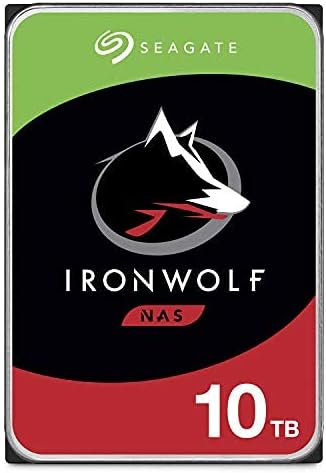
The Seagate IronWolf 10TB is optimized with AgileArray for RAID performance ensuring stable operation in multi-bay systems. Its 7200 RPM speed and 256MB cache deliver consistent high performance for daily NAS tasks. With a strong 4.7 star rating users trust its reliability for continuous data storage and access.
We may earn a commission when you buy through this link, at no additional cost to you.
Enhanced reliability comes from features like rotational vibration sensors that protect data during high-speed operation. The drive is built for 24×7 NAS usage minimizing lags and downtime for multiple users. Rescue Data Recovery Service included provides industry-leading recovery success rates for peace of mind.
While it lacks some enterprise features it is a reliable choice for home or office NAS setups. The high workload rating of 180TB per year supports sustained data transfer without compromising drive health. Users should pair it with a compatible controller to maximize its performance potential.
This drive is perfect for those who need a balance of speed and reliability for general NAS tasks. It is easy to integrate into existing systems with standard SATA interfaces. Proper cooling and setup will ensure it performs well over its intended lifespan.
AgileArray technology optimizes performance for RAID configurations by balancing loads and improving error recovery.
Included data recovery services offer a safety net against accidental data loss ensuring you can recover important files.
We may earn a commission when you buy through this link, at no additional cost to you.
The Seagate IronWolf 10TB is an ideal solution for multi-user NAS environments up to 8-bays. It provides ultra-high capacity storage paired with high performance for seamless file sharing across networks. The drive is purpose-built to minimize wear and tear ensuring long-term reliability in active setups.
We may earn a commission when you buy through this link, at no additional cost to you.
Users benefit from reduced noise and vibration levels compared to standard desktop drives. The integrated IronWolf Health Management system allows for easy monitoring of drive status to prevent unexpected issues. Its design ensures little to no lags during peak usage times for all connected clients.
While capacity can vary slightly due to formatting it remains a robust option for storing large media libraries. The drive works best in environments that support its specific power and interface requirements. Proper maintenance and monitoring are key to maximizing its performance and lifespan.
This drive is best suited for small offices or creative teams needing shared storage. It offers a balance of capacity and performance that fits well in growing NAS deployments. Ensure your system firmware is up to date for optimal compatibility with this model.
Purpose built for NAS enclosures this drive increases file-sharing performance and reduces downtime for users.
The integrated health management system provides easy monitoring to ensure long-term reliability and prevent potential drive failures.
We may earn a commission when you buy through this link, at no additional cost to you.
The Seagate IronWolf 10TB V8 delivers consistent performance for NAS environments with CMR technology. Its 7200 RPM speed and 256MB cache ensure fast access times for multiple users sharing files efficiently. The drive is designed to reduce wear and tear extending its operational life in active setups.
We may earn a commission when you buy through this link, at no additional cost to you.
With 600,000 load/unload cycles it handles frequent power cycles better than standard desktop drives. Users can easily monitor health through the integrated management system to catch issues early. This model is tailored for environments requiring stable data access without interruptions or lags.
The 3-year warranty provides basic protection against defects but is suitable for general home or office use. It works best in setups that support standard NAS protocols and power configurations. Adequate cooling and power stability are essential to maintain the high reliability this drive is known for.
This is a reliable choice for those prioritizing data integrity and uptime in a shared storage system. It balances capacity with speed well for daily backup and media serving tasks. Proper installation and firmware updates will help keep performance at its peak levels.
CMR technology provides consistent write speeds and reliable performance for RAID environments compared to SMR alternatives.
Integrated health monitoring allows users to track drive status and take preventive actions before failures occur.
We may earn a commission when you buy through this link, at no additional cost to you.
The Western Digital WD Red Plus 14TB offers a great balance of capacity and power efficiency for storage needs. Running at 5400 RPM it consumes less energy while still providing reliable storage for 24×7 environments. The CMR technology ensures that data is written safely and efficiently without SMR limitations.
We may earn a commission when you buy through this link, at no additional cost to you.
This drive is designed for small or medium business NAS systems where power consumption matters. The 512 MB cache helps manage data flow effectively to maintain reasonable transfer speeds. Its support for up to 180 TB/yr workload rates makes it suitable for moderate data transfer tasks.
While the slower RPM reduces power usage it may result in longer seek times compared to higher speed drives. This makes it better for archival or backup tasks than high-speed streaming or transactional workloads. Ensure your NAS enclosure supports the physical dimensions of this drive.
This drive is ideal for users prioritizing energy savings and large storage capacity. It is a solid choice for home labs or small offices needing bulk storage without excessive power draw. Proper ventilation is still required to keep the drive cool during extended operation periods.
Designed with a 5400 RPM performance class this drive offers energy efficiency for continuous operation in NAS systems.
The drive uses CMR technology to distinguish it from SMR models ensuring reliable performance for RAID configurations.
We may earn a commission when you buy through this link, at no additional cost to you.
Selecting the right hard drive for RAID 0 involves several factors that impact performance and reliability. Understanding these elements will help you make an informed decision for your specific storage needs.
Capacity is the most obvious factor as it determines how much data you can store across your RAID array. For RAID 0 you need multiple drives and the total usable space will be the sum of all drives in the array. Choose a capacity that matches your current and future growth projections to avoid frequent upgrades.
Focus on selecting capacities that match your workload requirements without exceeding budget constraints.
Performance metrics like transfer rates and cache size are critical for RAID 0 arrays that rely on speed. Look for drives with high sustained transfer rates and larger caches to minimize bottlenecks during data access. Faster drives will ensure that the RAID controller can stripe data efficiently without delays.
Prioritize models with high RPM and large cache sizes to maximize throughput and reduce latency.
Reliability is key since RAID 0 offers no redundancy and failure of any drive means data loss. Check the Mean Time Between Failures (MTBF) rating and look for drives with robust warranties for protection. Higher quality drives usually have better error recovery features and longer warranty periods.
Always choose drives with strong warranties and high MTBF ratings to ensure long-term stability and protection.
Ensure the drive interface matches your RAID controller and motherboard ports for seamless integration. Most modern systems use SATA 6 Gb/s but some may support SAS or NVMe for higher speeds. Verify that the connectors and form factors fit your chassis before purchasing any drive.
Verify that the drive interface matches your controller and motherboard ports for seamless integration.
Power consumption affects your overall energy bill and heat generation within your system enclosure. For always-on setups consider drives with lower power ratings to reduce heat and electrical costs. Energy efficient drives contribute to a quieter and more stable computing environment.
Consider drives with lower power ratings to reduce heat and electrical costs in always-on setups.
Workload rating indicates how much data can be transferred safely per year without degrading the drive. High workload drives are better for RAID arrays that handle constant read and write operations. Match the workload rating to your usage intensity to prevent premature wear and failure.
Match the workload rating to your usage intensity to prevent premature wear and failure of the drives.
A larger cache allows the drive to buffer data more effectively which improves overall performance. For RAID 0 arrays where data is striped across multiple drives a large cache helps smooth out bursts. This reduces the chance of stalling during heavy data transfers.
Look for drives with larger cache sizes to improve buffering and smooth out heavy data transfer bursts.
Vibration management sensors are essential for multi-bay enclosures to prevent interference between drives. These sensors help maintain performance and protect data by adjusting for physical vibrations in the chassis. This feature is especially important in RAID arrays with multiple high-speed drives.
Ensure the drive has vibration sensors to maintain performance in multi-bay enclosures with multiple high-speed drives.
Start by ensuring all drives in your array are from the same batch to avoid compatibility issues. Connect them to your RAID controller using proper cables and secure the mounting to prevent vibration.
Regularly monitor drive health using built-in tools to catch potential failures early. Keep firmware updated to ensure optimal performance and compatibility with your controller software.
Maintain adequate cooling within your chassis to prevent overheating which can damage drive components. Ensure air flow is unrestricted and clean dust filters periodically for best results.
It is highly recommended to use identical drives in a RAID 0 array to ensure consistent performance. Mixing drives with different speeds or capacities can lead to bottlenecks and reduced reliability. Always choose drives from the same model and batch for the best results.
In RAID 0 if one drive fails you lose all data across the entire array since there is no redundancy. It is crucial to maintain regular backups of your data to protect against such hardware failures. Consider using RAID 1 or 5 if data redundancy is a priority.
NAS drives are optimized for continuous operation and multi-bay environments making them suitable for RAID arrays. They often include features like vibration sensors and better error recovery that desktop drives lack. Choosing NAS drives can improve longevity and stability in your setup.
Most RAID controllers and NAS systems include software tools to monitor drive health and temperature. Use features like IronWolf Health Management or WD Dashboard to track status and receive alerts. Regular checks help prevent unexpected failures and ensure smooth operation.
RAID 0 improves both read and write speeds by distributing data across multiple drives simultaneously. This striping process allows parallel access which significantly boosts performance for large file transfers. It is ideal for applications requiring high throughput and low latency.
Higher RPM drives generally offer faster access times which is beneficial for RAID 0 performance. However you should also consider other factors like cache size and workload rating. Balance speed with reliability to find the best drive for your specific needs.
Upgrading a RAID 0 array usually requires rebuilding the array with larger drives which means data loss. Plan your capacity needs carefully before starting to avoid frequent rebuilds. Always back up data before making changes to the RAID configuration.
Selecting the right hard drive for RAID 0 requires balancing speed capacity and reliability for your specific needs. The models covered in this guide offer a range of options from budget-friendly to enterprise-grade solutions.
Prioritize drives with high workload ratings and strong warranties to ensure your data remains safe and accessible. Remember that the best choice depends on your usage patterns and system capabilities.
Always verify current prices and availability before purchasing as market conditions change frequently. Checking the latest specs ensures you get the best value for your investment in storage performance.