
ASRock H270 PRO4
4.2Editor score
Affordable price for reliable performance
Supports Dual Channel DDR4 memory
Includes Ultra M.2 slot
This guide compares the top 10 H270 Motherboards for 2026, highlighting features like DDR4 support, M.2 slots, and gaming performance to help you choose the
Finding the right motherboard is crucial for any PC build. The H270 chipset offers a solid balance of features for mainstream users and gamers alike. It supports modern Intel processors and provides essential connectivity options for everyday computing tasks.
We compared ten different H270 motherboards based on their specifications, user ratings, and unique features. Our analysis focuses on build quality, expansion slots, and compatibility with various components to ensure a reliable system foundation.
Each pick in this list showcases different strengths like budget friendliness or advanced gaming features. Prices can change frequently so please check current listings before making your final purchase decision for your build.
4.2Editor score
4.3Editor score

4.2Editor score
This table provides a side-by-side view of all ten motherboards including key specs and links to detailed product pages for your review.


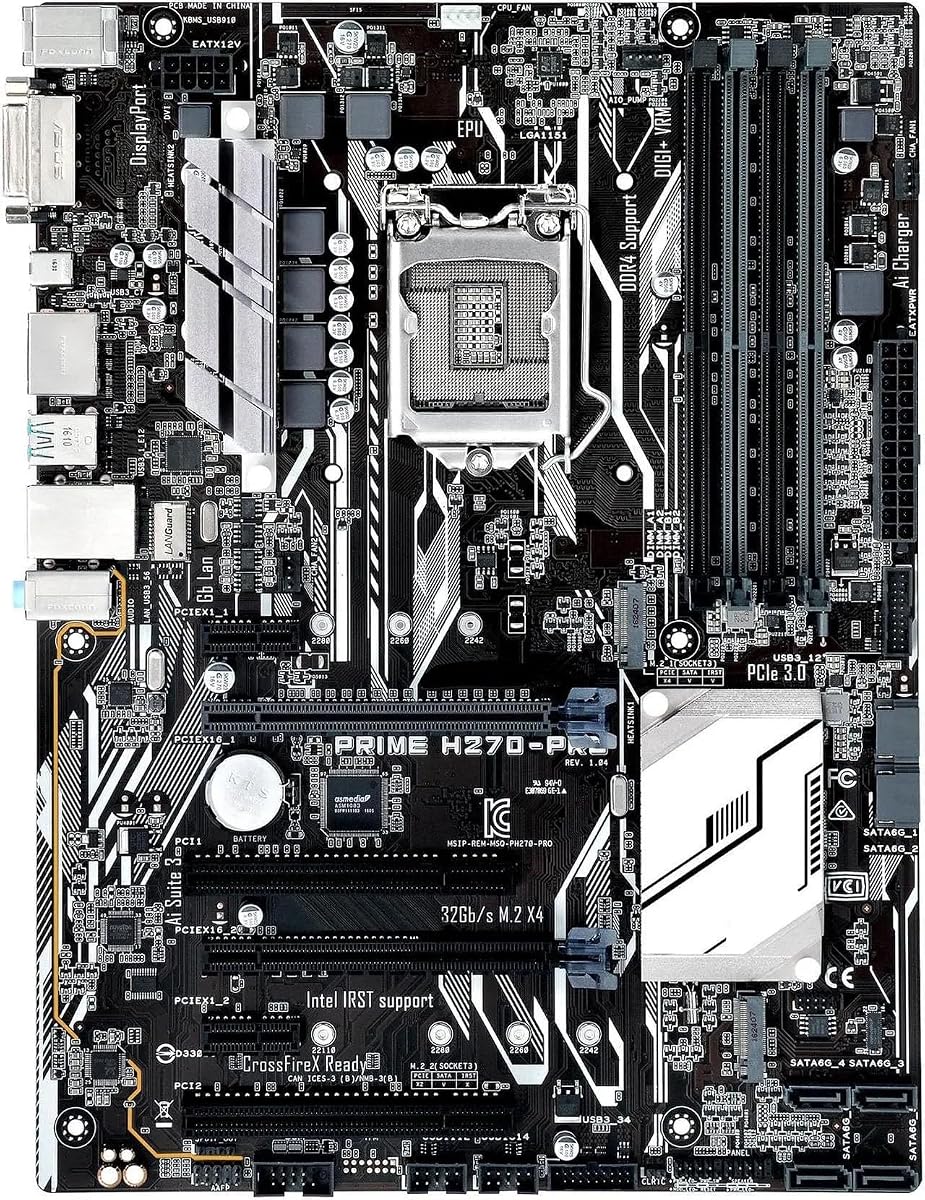


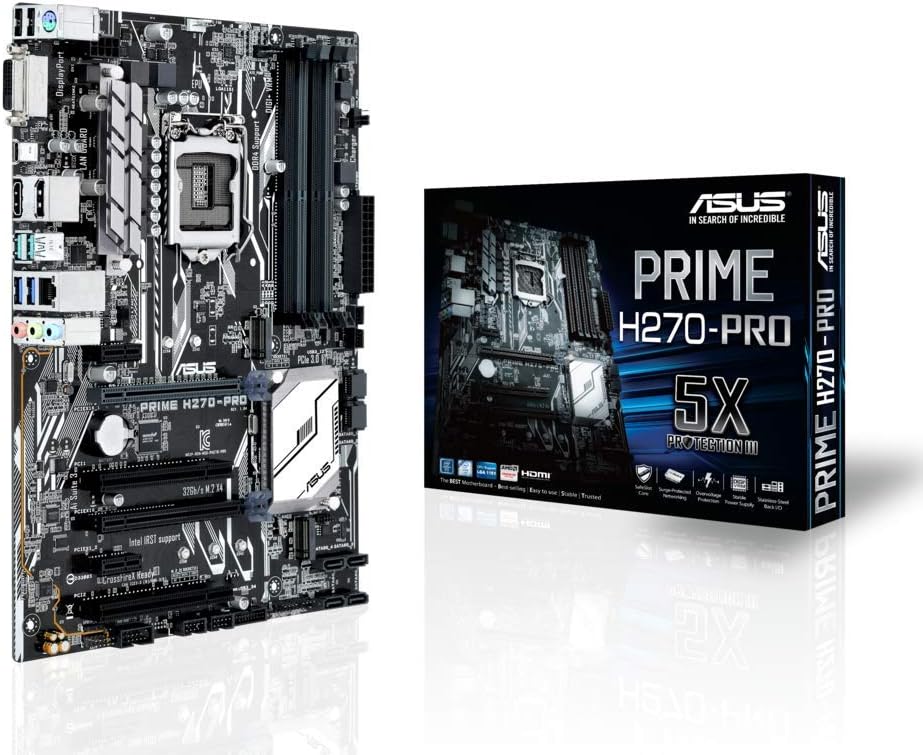
The ASUS Prime H270-PRO stands out as a top choice for users seeking reliability and features. With a strong rating and solid specs it offers great value for mainstream builders.
We may earn a commission when you buy through this link, at no additional cost to you.
It includes dual M.2 slots which allow for fast storage configuration. The 5X Protection III hardware safeguards ensure your components are safe from power surges.
While it lacks RGB lighting its focus is on stability and functionality. The USB 3.1 Type-C port is a modern addition that many competitors miss.
Buy this if you need a dependable board for a home or office PC. It balances performance and durability very well.
The power delivery system ensures stable operation for your CPU and memory under load.
USB 3.1 Type-C and dual M.2 slots provide fast data transfer for future storage devices.
We may earn a commission when you buy through this link, at no additional cost to you.
The ASRock H270 PRO4 is an excellent budget option for those who want core features without overspending. It holds a strong rating and covers all the basics well.
We may earn a commission when you buy through this link, at no additional cost to you.
It supports 6th generation Intel Core processors and provides six SATA ports for multiple drives. The inclusion of an Ultra M.2 slot adds value for fast storage.
While it does not have high-end bells and whistles it is perfect for a simple build. The dual channel DDR4 support ensures good memory performance.
Choose this board if you are building on a tight budget but still want quality. It gets the job done efficiently.
You get essential connectivity and stability without paying for unnecessary extras.
The six SATA ports plus an M.2 slot offer flexibility for your storage needs.
We may earn a commission when you buy through this link, at no additional cost to you.
The ASUS ROG Strix H270-F Gaming is a top tier choice for gamers wanting style and performance. Its features are designed to enhance the gaming experience significantly.
We may earn a commission when you buy through this link, at no additional cost to you.
AURA Sync RGB allows you to customize your build look while the SupremeFX audio provides clear sound. Dual M.2 slots ensure fast system and game load times.
The Safe Slot PCIe prevents damage from heavy graphics cards making it durable for gaming rigs. FanXpert 4 helps keep temperatures low during intense sessions.
Buy this if you want a board that looks good and performs well for gaming. It is a solid investment for enthusiasts.
Optimized cooling and audio ensure you stay comfortable and hear all the game sounds.
RGB headers and 3D printing mounts let you personalize your setup uniquely.
We may earn a commission when you buy through this link, at no additional cost to you.
The MSI H270 Gaming PRO Carbon is designed for gamers who want solid performance and RGB lighting. It supports Intel 7th and 6th Gen processors well.
We may earn a commission when you buy through this link, at no additional cost to you.
Features like Mystic Light and Gaming LAN Protect show its focus on stability and aesthetics. The Audio Boost 4 ensures immersive sound for your games.
While the design is straightforward it includes necessary slots for expansion and memory. DDR4 Boost helps optimize your memory speed for better performance.
Consider this if you need a gaming focused board with decent extras. It offers good value for the price point.
LAN Protect ensures your connection stays stable even during heavy network usage.
DDR4 Boost tunes memory speeds automatically to improve overall system responsiveness.
We may earn a commission when you buy through this link, at no additional cost to you.
The ASUS Prime H270-PLUS has a high rating indicating strong user satisfaction. It is a robust option for those needing reliability and storage options.
We may earn a commission when you buy through this link, at no additional cost to you.
With dual M.2 slots and Optane Memory compatibility it handles fast storage well. The 3D printing mounts add a creative touch for case customization.
Safe Slot Core protects your GPU from heavy loads ensuring long term durability. FanXpert 2 PLUS provides advanced control over your system fans.
Buy this if you need a dependable board with plenty of storage connectivity. It is great for general purpose builds.
Dual M.2 slots allow you to configure fast drives easily.
3D printing mounts let you design custom looks for your PC case.
We may earn a commission when you buy through this link, at no additional cost to you.
The GIGABYTE GA-H270-Gaming 3 is a solid board for gamers who want multi-GPU capabilities. It supports 7th and 6th Gen Intel Core processors effectively.
We may earn a commission when you buy through this link, at no additional cost to you.
Killer E2500 Gaming Networks ensures low latency for online gaming. The USB 3.1 Type-C port adds modern connectivity options for peripherals.
With four DIMM slots you can upgrade your memory easily up to 64GB. The 2-Way Crossfire graphics support allows for dual GPU setups.
Choose this if you plan to use multiple graphics cards. It offers good networking and memory support.
Killer networking hardware helps prioritize game traffic for smoother online play.
Crossfire support enables dual GPU setups for higher rendering power.
We may earn a commission when you buy through this link, at no additional cost to you.
This motherboard is designed specifically for replacement needs when original boards fail. It addresses issues like poor contact or damage from dust and static.
We may earn a commission when you buy through this link, at no additional cost to you.
The power design is optimized for multi-core processors which boosts overall performance. An advanced heatsink increases heat dissipation area for better thermal management.
If you face issues with older boards this can restore system stability. It is a practical solution for extending your build life.
Consider this if you need a replacement part to fix your system. It aims to deliver reliable performance again.
Designed to replace damaged components and restore normal system operation.
Advanced heatsink ensures the board stays cool under heavy load conditions.
We may earn a commission when you buy through this link, at no additional cost to you.
This board supports a range of Intel Core i5 and i3 processors. It features standard ATX layout and supports up to 64GB of DDR4 memory.
We may earn a commission when you buy through this link, at no additional cost to you.
The M.2 slot allows for faster storage compared to traditional SATA drives. It is suitable for general computing tasks and gaming.
While specific features vary it provides the essential components needed for a functional PC. Check specifications before purchase to ensure compatibility.
Buy this if you need a basic board with memory flexibility. It fits standard cases and supports common CPUs.
Support for 64GB RAM helps with heavy multitasking and editing.
M.2 slot provides faster data access for operating systems and apps.
We may earn a commission when you buy through this link, at no additional cost to you.
This motherboard offers a budget friendly solution for basic PC builds. It supports DDR4 memory and provides the necessary connections for standard use.
We may earn a commission when you buy through this link, at no additional cost to you.
With support for 64GB memory it can handle tasks that require more RAM. It is designed for everyday computing needs.
While specific features are not detailed it meets the core requirements for a functional system. Always verify compatibility with your chosen CPU.
Consider this for simple home or office builds. It provides essential support at a lower cost.
Support for 64GB RAM helps handle larger applications efficiently.
Designed for essential computing tasks without unnecessary extras.
We may earn a commission when you buy through this link, at no additional cost to you.
This board supports a wide range of Intel processors from i3 to i7. It includes an M.2 slot and supports up to 64GB of DDR4 memory.
We may earn a commission when you buy through this link, at no additional cost to you.
The ATX layout ensures compatibility with many standard PC cases. It is suitable for users looking to upgrade existing systems.
With affordable pricing it offers a practical option for building a PC. Check specs to ensure it fits your specific needs.
Buy this if you need a versatile board with CPU flexibility. It offers solid support for general usage.
Supports multiple Intel generations allowing for flexible CPU choices.
M.2 support adds fast storage capabilities to your build.
We may earn a commission when you buy through this link, at no additional cost to you.
Choosing the right H270 motherboard depends on your specific needs and budget. This guide covers key factors to help you make an informed decision.
Ensure the motherboard supports your specific Intel processor generation. The H270 chipset typically supports 6th and 7th Gen Core processors.
Always check the official CPU support list before purchasing to avoid compatibility issues.
Look for DDR4 memory support and the maximum capacity the board can handle. Most H270 boards support up to 64GB of RAM.
Select a board with enough DIMM slots to meet your future upgrade plans.
Check for M.2 slots which offer faster data transfer speeds than standard SATA ports. Some boards include dual M.2 slots for better storage flexibility.
Ensure there are enough SATA ports for all your hard drives and SSDs.
PCIe slots are needed for graphics cards and other expansion cards. Consider if you need support for multi-GPU setups like CrossFire.
Select a board with enough slots for your intended components.
ATX motherboards are standard and fit most cases. Ensure your PC case supports the board size you choose.
Measure your case dimensions to confirm fit before buying.
Look for USB 3.0 and USB 3.1 ports for fast data transfer. USB-C ports are becoming more common for modern peripherals.
Check rear I/O panel to ensure all necessary ports are available.
Effective cooling prevents overheating during heavy use. Look for adequate heatsinks on VRMs and chipsets.
Consider boards with advanced fan control options for better thermal management.
Set a budget and compare features to ensure you get the best value. Higher priced boards often offer better build quality and features.
Avoid overspending on features you do not need for your specific use case.
Install the motherboard in a case with proper standoffs to prevent short circuits. Secure it with screws and connect all power and data cables carefully.
Update the BIOS to the latest version to ensure system stability and support for newer CPUs.
Keep your PC clean by periodically dusting the motherboard and fans to prevent overheating.
H270 motherboards are compatible with Intel 6th and 7th Gen Core processors using the LGA 1151 socket. Check the specific board support list for detailed compatibility.
No H270 chipsets generally do not support CPU overclocking. You would need a Z270 board for that feature.
Yes most H270 motherboards support DDR4 RAM. Some models may also support DDR3 depending on the specific design.
Most H270 boards have at least one M.2 slot. Some higher end models may include two slots for additional storage options.
H270 often offers more features like USB 3.1 support and better connectivity options than B250. It is generally the better choice for mainstream use.
ATX is the most common form factor for H270 motherboards. Micro ATX and Mini ITX variants are also available for smaller cases.
The ASUS Prime H270-PRO and ASRock H270 PRO4 stand out as top choices for reliability and budget value respectively. The ASUS ROG Strix H270-F Gaming is ideal for those wanting premium features.
Prioritize features that match your needs such as M.2 slots and USB-C connectivity. Ensure your chosen board fits your case and supports your CPU.
Prices can change frequently so check current listings before purchasing. These boards offer solid performance for mainstream PC builds.