
Anker Prime Charging Station
4.6Editor score
250W High Capacity Output
Six Ports Total Configuration
LCD Display with Control Dial
This guide compares the top Gan Charger with Display models for power, size, and smart features to help you choose the right charging solution today.
Finding the right power source for your modern devices can be challenging with so many options available on the market today. A Gan Charger with Display offers a unique combination of high wattage efficiency and real-time monitoring capabilities for informed charging decisions.
We have evaluated ten leading models based on their charging speed, port configuration, display clarity, and overall build quality. Our comparison focuses on how well these chargers handle multiple devices simultaneously while maintaining safe operating temperatures during extended use.
Each pick in this list showcases specific strengths for different user needs ranging from travel portability to desktop power hub requirements. Please note that availability and specific model features may change over time so checking current listings is always recommended before purchase.
4.6Editor score

4.7Editor score
4.5Editor score
The following table provides a side-by-side overview of the key specifications and features for each of the ten chargers evaluated in this guide to help you compare them quickly.



The UGREEN Nexode Pro Charger stands out as a top contender with its impressive 160W total output and user-friendly touch display interface. It delivers high-speed charging for laptops and mobile devices simultaneously while keeping users informed about power usage.
We may earn a commission when you buy through this link, at no additional cost to you.
Its five port configuration allows for versatile setups where you can charge a laptop phone and tablet all at once. The rotatable screen provides immediate feedback on temperature and wattage which helps prevent overheating during intense charging sessions.
While it comes at a premium price compared to simpler blocks the build quality and feature set justify the investment for power users. The only minor trade off is a bit more weight which is expected given the high capacity internal components.
This model is ideal for professionals or content creators who need reliable fast charging for multiple high wattage devices without carrying a messy bag of adapters. We recommend it as the best overall choice for its balance of power and usability.
The touch display shows per-port power data and active charging protocols so you know exactly how much energy each device is drawing right now.
Foldable AC plug and compact GaN construction make it easy to pack in luggage without taking up excessive space in your bag.
We may earn a commission when you buy through this link, at no additional cost to you.
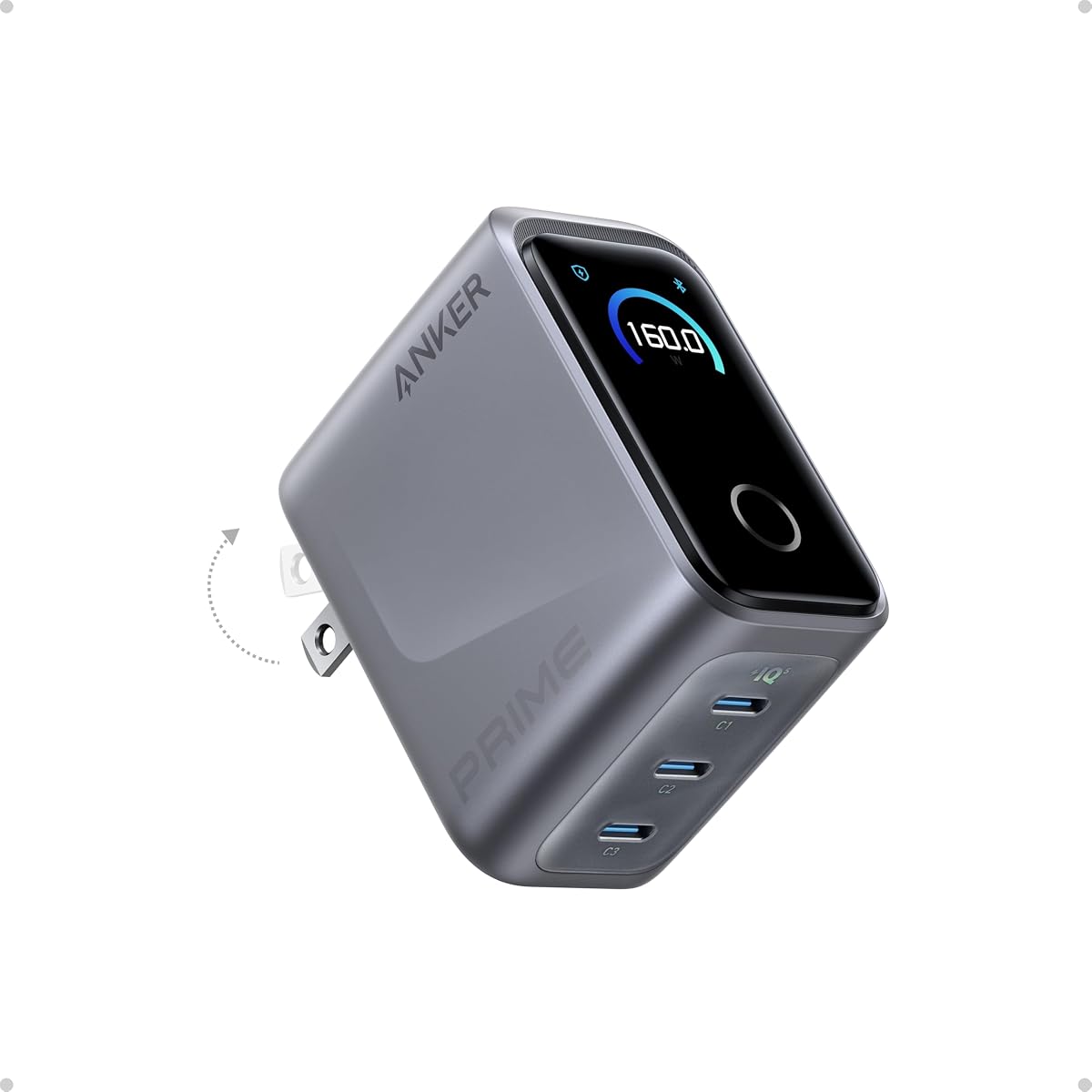
The Anker Prime Charger delivers exceptional power in a form factor as small as an AirPods case making it a standout for travelers who need serious speed. It supports up to 140W on a single port which is sufficient for most high performance laptops.
We may earn a commission when you buy through this link, at no additional cost to you.
Its smart power distribution ensures that when multiple devices are connected the power is allocated efficiently without significant slow downs. The AnkerSense View feature allows monitoring via Bluetooth which adds a layer of control not found in standard chargers.
The main limitation is the three port count which might not suffice for households with many gadgets needing simultaneous charging. Additionally relying on an app for custom modes adds a step for users who prefer simple physical controls.
If you prioritize portability and raw single-device speed this charger is a fantastic premium option. It is particularly well suited for business travelers or students who need to charge a laptop and phone quickly without bulk.
Despite its tiny footprint the charger maintains full 160W capability allowing for rapid charging of even the largest laptops on the go.
Connect via Bluetooth to switch modes instantly and unlock custom charging settings through the companion mobile application for tailored performance.
We may earn a commission when you buy through this link, at no additional cost to you.
The Anker 140W Max offers a solid middle ground with four ports and a clear color display that keeps you informed during charging sessions. It provides enough power to run a laptop and several smaller devices at once without compromising on speed.
We may earn a commission when you buy through this link, at no additional cost to you.
Its Active Shield 4.0 system monitors temperature millions of times a day to ensure safety and longevity for your devices. The high-definition display shows port details and temperature data which helps users manage heat sensitive electronics effectively.
The size is a bit bulkier than some travel focused models which might make it less ideal for tight luggage slots. Also the display is fixed so you cannot rotate it to find a better viewing angle like on other models.
For home or office desks where port count matters more than extreme portability this is a very practical choice. The included cable adds value and simplifies the setup process right out of the box.
With four ports you can connect multiple laptops or a mix of phones tablets and accessories without needing additional adapters.
Real-time temperature monitoring protects against overheating and extends the life of your battery powered devices during long charging periods.
We may earn a commission when you buy through this link, at no additional cost to you.
The Anker 100W Max is designed for those who need a smaller footprint without sacrificing too much power. It delivers 100W to any USB-C port which covers most modern laptops and is perfect for dual device setups with phones.
We may earn a commission when you buy through this link, at no additional cost to you.
Its smart display gives instant visibility into charging status and temperature which is reassuring for users concerned about device safety. The low current mode automatically switches to protect sensitive accessories like earbuds from overcharging risks.
While 100W is great for many devices some high-end laptops may require the full 140W found in other models. The fixed display orientation might also limit viewing angles depending on how you position the charger on your desk.
This model is an excellent fit for daily commuters who want a balance of size and performance in a backpack pocket. It is reliable efficient and offers all the core features needed for everyday charging tasks.
The charger adjusts power distribution automatically between three ports ensuring each device gets the optimal amount of energy for efficient charging.
With foldable plugs and a smaller frame it fits easily into carry-on bags without adding bulk to your essential travel gear.
We may earn a commission when you buy through this link, at no additional cost to you.
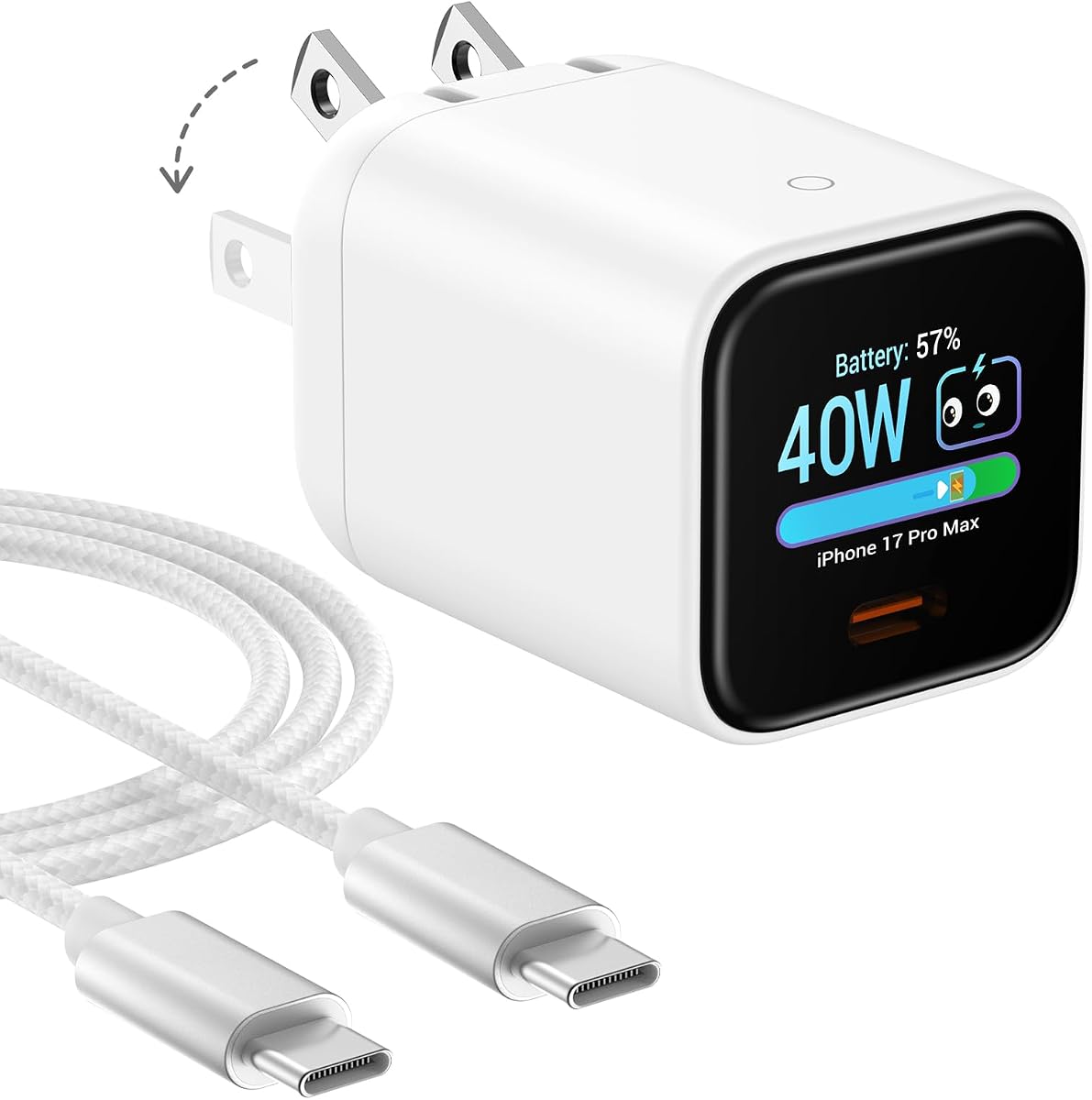
The Smart Charging Butler brings advanced battery care features to the budget market making it accessible for users who want smart tech without a high cost. It focuses on extending battery lifespan through intelligent temperature control and power adjustments.
We may earn a commission when you buy through this link, at no additional cost to you.
Its display allows you to tap and rotate to view charging speed and device model which adds a layer of customization often missing in cheap chargers. The included braided cable is a nice bonus that saves you from buying a separate one.
Since it only offers 45W it is not suitable for fast charging large laptops but works perfectly for phones and tablets. The single port design limits how many devices you can charge at once compared to multi port competitors.
For students or casual users who primarily charge phones this charger offers great value and smart protection features. It is an affordable entry point into the world of display equipped GaN charging technology.
AI monitoring adjusts charging speed based on battery health to reduce heat and extend the overall life of your device battery.
Simple tap gestures let you switch display modes and rotate the screen so you can customize your view easily.
We may earn a commission when you buy through this link, at no additional cost to you.
The Anker Prime Charging Station is a powerhouse designed for desks that need to feed a whole ecosystem of devices. With 250W total output it can handle multiple laptops monitors and peripherals without any drops in performance.
We may earn a commission when you buy through this link, at no additional cost to you.
The 2.26 inch LCD display provides clear updates on speed and status while the control dial lets you tweak energy output for specific devices. This level of control is rare and makes it a favorite for power users.
Due to its size and weight it is not intended for travel but sits perfectly on an office desk. The price is higher than average but the capacity and precision it offers justify the cost for professional environments.
If you need a single solution to power all your home office gear this station is the ultimate choice. It simplifies cable management and ensures everything stays topped up throughout your workday.
Use the physical dial to adjust energy output instantly ensuring each device charges at its optimal speed without manual app navigation.
Supports up to six devices simultaneously making it ideal for complex setups involving laptops phones and smart home hubs.
We may earn a commission when you buy through this link, at no additional cost to you.
The MOKiN 70W offers a neat compromise between size and power with a mini design that fits easily in any bag. It supports three ports and includes a touch screen that allows you to view detailed charging information in real time.
We may earn a commission when you buy through this link, at no additional cost to you.
Its interactive display lets you rotate and switch views to see temperature and port details which is helpful for monitoring device health. The foldable prongs make it ready for travel and its price is very competitive.
However the 70W limit means it might not charge some high performance laptops at full speed. You also need to provide your own cable which is a minor inconvenience compared to packages that include one.
This is a great pick for travelers who want display features without spending a fortune. It works well for phones and light laptops and its small size keeps your luggage organized.
Tap and press gestures let you control the display orientation and view different data sets for a personalized charging experience.
Advanced GaN technology ensures heat is minimized so you can charge safely without worrying about overheating the device.
We may earn a commission when you buy through this link, at no additional cost to you.
The MOKiN 140W delivers impressive speed at a reasonable price point making it a strong contender for fast charging needs. It features four ports so you can charge a laptop and several accessories simultaneously without needing extra blocks.
We may earn a commission when you buy through this link, at no additional cost to you.
A live screen provides instant details on power output and temperature helping you stay informed during charging sessions. The safety system monitors temperatures frequently to protect your devices from potential damage over time.
The display is not a touchscreen which means you might need to rely on default views rather than customizing the layout. While it is compact for its power level it is still a bit heavy for long hikes.
This charger is a great value for users who need high wattage and multiple ports without paying for top tier brands. It is reliable and efficient for daily use at home or in the office.
Four ports allow you to connect multiple devices at once making it easy to keep all your tech powered up together.
Active monitoring checks temperatures regularly to ensure safe operation and protect your valuable electronics from heat damage.
We may earn a commission when you buy through this link, at no additional cost to you.
The DJI Power 140W stands out because of its digital display cable that shows charging status instantly without needing a screen on the block itself. It offers 140W output and supports multiple devices simultaneously for diverse charging needs.
We may earn a commission when you buy through this link, at no additional cost to you.
This solution is particularly useful for drone pilots who need to monitor battery levels while on the go. The cable is braided and durable ensuring longevity during field use and connects directly to a variety of devices.
Since the display is on the cable rather than the charger it may not look as sleek on a desktop but serves its function well. The high current support ensures fast charging speeds even for demanding equipment.
If you use DJI gear or simply want to see power data on the cable itself this is a unique and practical choice. It combines utility with speed making it a great addition to a travel toolkit.
The included cable has a built-in screen that shows real-time power flow so you can monitor charging without touching the charger.
High-density braided materials resist wear and tangling ensuring the cable lasts through many daily trips and heavy use.
We may earn a commission when you buy through this link, at no additional cost to you.
The Anker Nano Smart is designed to be the smallest charger on the list fitting comfortably in your pocket without taking up space. It includes a smart display that lets you check status with simple taps and double taps for mode changes.
We may earn a commission when you buy through this link, at no additional cost to you.
It features special care modes for iPhones that optimize charging to extend battery life while providing 45W of power. The dual foldable prongs make it versatile for use in tight outlets or different regions.
Because it is single port and capped at 45W it is not for laptops but perfect for phones and small tablets. The size is truly impressive for a device with display capabilities making it great for daily carry.
This is the ideal choice for anyone who wants a tiny charger with smart feedback features for their phone. It is easy to use and provides peace of mind with its battery care technology.
With dual foldable prongs and a small frame it fits anywhere in your bag or pocket for ready access on the go.
Simple taps control the display modes so you can view charging stats without needing complex menus or apps.
We may earn a commission when you buy through this link, at no additional cost to you.
Choosing the right charger involves looking beyond basic power numbers to consider features like port counts display types and safety systems. This guide helps you identify what matters most for your specific usage needs.
The total wattage determines how many devices you can charge simultaneously without slowdowns. A 100W charger might suit a laptop and phone but 160W is better for two laptops and accessories.
Select a wattage that covers your heaviest use case to ensure full speed charging even when multiple devices are plugged in.
Look at how many USB-C and USB-A ports are included to match your device ecosystem. Some models offer two C and one A while others have four or more for complete desktop setups.
Ensure you have enough ports to avoid using extra adapters which adds clutter and reduces efficiency during daily use.
Displays vary from simple LED icons to interactive touchscreens that show temperature and power distribution. Choose one that gives you useful data without complicating the user experience too much.
A clear display helps you verify that devices are charging correctly and prevents overheating issues during long sessions.
Travel chargers should be compact with foldable prongs to fit easily into bags. Desktop hubs can be larger but still aim for a footprint that does not overwhelm your workspace surface.
Balance the need for high power with physical size to ensure the charger is practical for where you intend to use it.
Certified chargers include protections like overheat overvoltage and short-circuit prevention which safeguard your expensive electronics. Active monitoring systems add extra security by adjusting power dynamically.
Prioritize brands that offer robust safety certifications to ensure your devices are protected from electrical surges or heat damage.
High quality materials like braided cables and sturdy casing extend the life of the charger in daily use. Check for foldable mechanisms that are robust enough to survive repeated travel.
A durable build ensures that your investment lasts longer and provides reliable service over several years of charging.
Ensure the charger supports the specific protocols required by your devices such as PD or PPS. Some models optimize for specific brands like iPhones or DJI products for better efficiency.
Verify compatibility before buying to avoid slow charging rates or connection issues with your current tech.
Start by connecting the charger to a stable power source and plug in your devices to the appropriate ports. Watch the display to confirm that power is being allocated correctly before leaving it unattended.
Keep the charger in a well-ventilated area to prevent heat buildup during long charging sessions. Avoid covering it with blankets or placing it on soft surfaces that might trap warmth.
Regularly inspect the cables and charger for any signs of wear or damage to ensure safe operation. If the display stops responding or shows errors reset the unit by unplugging it briefly before restarting.
Generally they run as hot as standard GaN units because the display uses minimal power. Most models include active cooling or monitoring to keep temperatures safe during heavy use.
Many include universal voltage support but you should check the label for specific regional plug types. You may still need a simple adapter to fit foreign wall sockets.
The number depends on the total wattage and port count. A 160W unit might power two laptops and a phone while 250W handles even more simultaneously.
Some models have touch screens while others use physical buttons or are fixed. Review the product details to see if touch control is available for your specific unit.
They work with most USB-C laptops but high wattage ones may require specific power limits. Always check if your laptop needs more than the charger can provide.
Most displays turn off after a period of inactivity to save power. They usually light up again when a device is connected or touched.
The UGREEN Nexode Pro and Anker Prime options stand out for balancing power with smart features. They offer robust performance for users who need to keep multiple devices powered efficiently.
Consider your primary use case whether travel or desk use when selecting a model. The display adds value by giving you control and insight into how your devices are charging.
Check current availability to ensure you get the latest features and support from the manufacturer. With the right choice you can simplify your charging setup and protect your devices.