
KTRIO Large Gaming Mouse Pad Desk Mat
4.7Editor score
Extended size for keyboard
Anti-fray stitched edges
Water-resistant surface coating
Finding the right gaming pad for desks can transform your setup. It provides a smooth surface for precise mouse tracking and protects your desk from wear. A good pad balances speed and control while offering enough space for your keyboard and peripherals.
We evaluated ten top-rated options based on surface texture, base stability, and size. Each product offers unique benefits for different play styles and desk layouts. Our comparison focuses on real-world performance and long-term durability for daily use.
Each pick highlights key strengths and potential trade-offs. Whether you need extra space or a specialized surface, these choices cover varied needs. Prices and availability may change, so check current listings before purchasing your next gaming pad.
4.7Editor score

4.7Editor score

4.7Editor score
As an Amazon Associate we earn from qualifying purchases.
This side-by-side comparison highlights key specifications and standout features for each gaming pad for desks. Use this table to quickly identify which model best fits your specific needs and budget requirements.




The SteelSeries QcK XXL is a top-rated gaming pad for desks known for its ultra-durable micro-woven cloth and complete desktop coverage. It is tested by top sensor manufacturers for precision.
We may earn a commission when you buy through this link, at no additional cost to you.
Its high thread count optimizes tracking for optical and laser sensors, providing pinpoint mouse accuracy. The durable non-slip rubber base eliminates unwanted movement during intense gaming sessions.
While it is slightly more expensive than budget options, the longevity and performance justify the cost. The design is simple but functional, fitting any setup without distraction.
If you want a reliable pad that offers space and stability for your keyboard and mouse, this is an excellent choice for daily gaming and work.
With dimensions of 35 by 16 inches, it encompasses your entire battlestation for a sleek setup.
For over 15 years, esports professionals have trusted this pad to win more prize money than any other brand.
We may earn a commission when you buy through this link, at no additional cost to you.
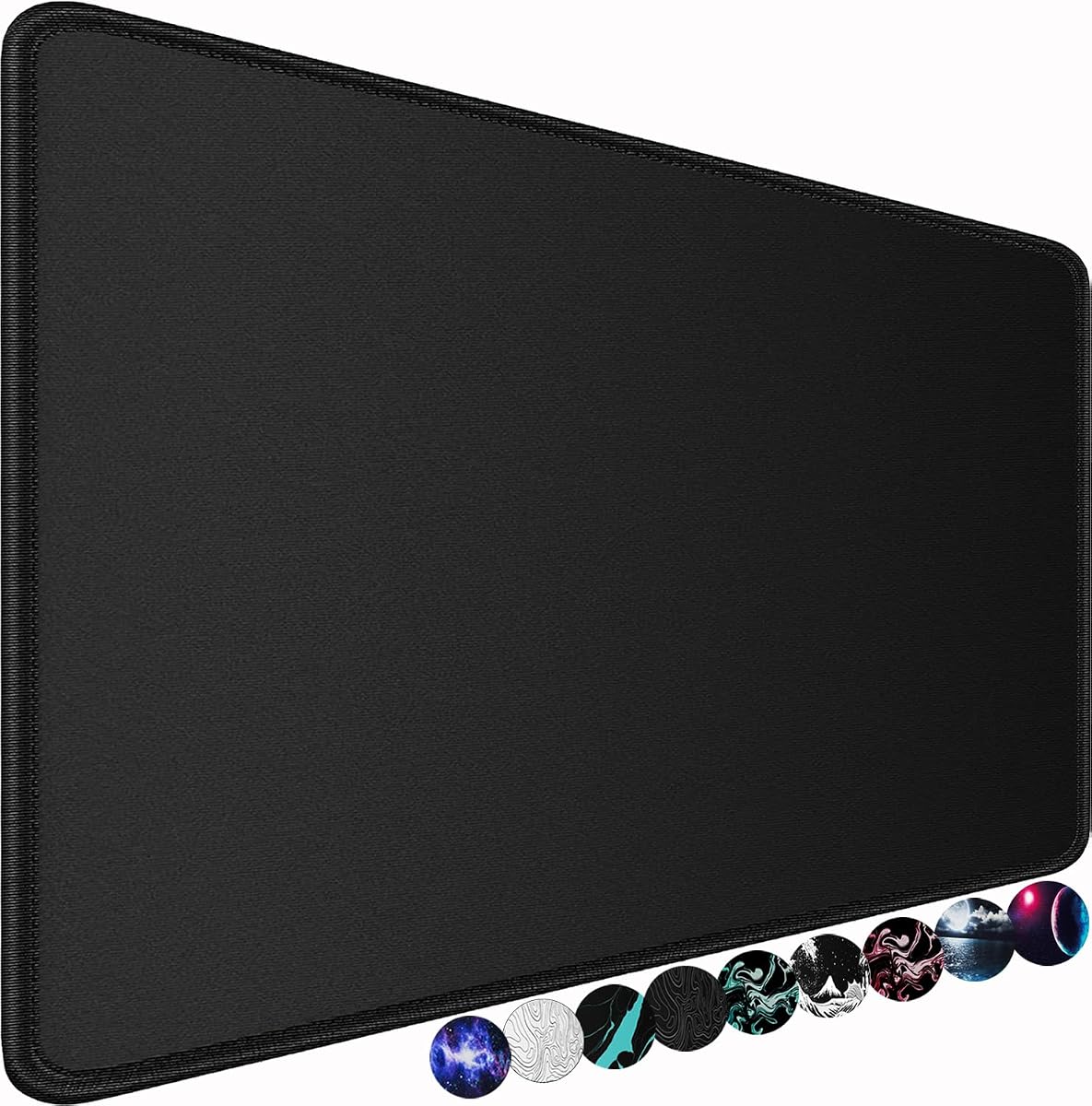
This KTRIO pad offers an extended size that provides ample space for a full-size mechanical keyboard and mouse. It features a durable design with anti-fray stitched edges for long-term use.
We may earn a commission when you buy through this link, at no additional cost to you.
The micro-weave cloth surface delivers an excellent balance between smooth glide and controlled stopping power. The soft natural rubber backing keeps the pad firmly in place on uneven surfaces.
A water-resistant coating allows for easy cleanup of spills, which is practical for daily use. While the width is less than XXL options, it remains a solid value for most desks.
Ideal for budget-conscious gamers or office users who need a reliable, spacious surface without breaking the bank.
Reinforced stitching along the edges prevents fraying and peeling over time ensuring consistent performance.
Spill-resistant coating causes liquids to bead up for easy cleanup with a damp cloth.
We may earn a commission when you buy through this link, at no additional cost to you.
This pad measures 31.5 by 15.75 inches, offering a larger area to fit your keyboard and mouse while keeping the desk uncluttered. It features an ultra-smooth lycra surface for accurate tracking.
We may earn a commission when you buy through this link, at no additional cost to you.
Professional edge stitching combined with waterproof material prevents fraying from spills. The anti-slip rubber base provides heavy grip to prevent sliding during movement.
The thick material feels soft in the hand and can muffle noise when typing heavily. Its water-resistant coating ensures spills slide off easily without delaying your work.
A practical choice for those seeking a larger surface area than standard mats at an affordable price point.
Offers a smooth tracking surface optimized for fast moving while maintaining excellent speed and control.
Thick and soft material helps muffle noise when typing heavily on the pad.
We may earn a commission when you buy through this link, at no additional cost to you.
The Logitech G840 XL offers consistent height across the desktop for optimal keyboard positioning. It provides moderate surface friction for rapid movement common to low DPI gaming.
We may earn a commission when you buy through this link, at no additional cost to you.
Its consistent surface texture gives optimal imagery for sensors to translate movement accurately. The no-slip base prevents bunching during sweeping movements.
Soft material provides comfort during wrist movements back and forth across the edge. While pricier, it delivers reliability and a texture close to optimal testing environments.
Best for Logitech G sensor users seeking a performance-grade surface for competitive play.
Gives the right amount of resistance to the mouse feet for starting or stopping rapid movements.
Provides players access to the fullest Logitech G Mouse sensor accuracy and precision.
We may earn a commission when you buy through this link, at no additional cost to you.
This extended pad fits desktops perfectly with dimensions of 31.5 by 15.7 inches. It is made of non-toxic high elasticity natural rubber for safe use.
We may earn a commission when you buy through this link, at no additional cost to you.
Nylon stitched edges make the pad more durable and longer lasting. A waterproof coating prevents damage from spills, allowing easy cleaning.
It is ideal for all types of mice and suitable for various surfaces due to its 3mm thickness. The smooth surface offers accurate control for gaming and work.
A great versatile option for daily use or as a thoughtful gift for friends and family.
Non-toxic natural rubber base can firmly grip your desktop while stitched edges ensure durability.
Effectively prevent damage from spilled drinks; liquids form into drops and slide down.
We may earn a commission when you buy through this link, at no additional cost to you.
DIGSOM offers a large pad with a minimalist pattern and smooth stitched edges using superior printing technology. It is water-resistant to prevent stains and scuffs.
We may earn a commission when you buy through this link, at no additional cost to you.
The smooth cloth cover allows the mouse to glide smoothly for accurate control. The non-slip rubber bottom provides strong grip on your desk.
Beyond utility, the vibrant pattern makes it a great decor for home tables or office desks. Service support ensures any quality issues are resolved quickly.
Perfect for users who want a visually appealing setup without sacrificing functionality.
Minimalist pattern ensures vibrant color in long times use and serves as home table decor.
3 MM thick soft fabric and fine spill-proof coating keep it clean and dry.
We may earn a commission when you buy through this link, at no additional cost to you.
This Kanagawa pad features a smooth soft fabric surface with a clear, vivid pattern. The bottom uses durable non-slip rubber base with precision stitching.
We may earn a commission when you buy through this link, at no additional cost to you.
Advanced printing technology keeps the pattern clear even after many washes. The ultra-smooth surface enhances precise control and speed during work or gaming.
It is multifunctional and easy to clean with a paper towel or wet wipes. The large size leaves plenty of room for work and gaming.
Ideal for those who appreciate Japanese-inspired art and want a decorative desktop mat.
Beautiful and vivid pattern is clearly printed on the gaming mousepad to remain clear after washing.
Allows you to enjoy a silky-smooth experience when sliding your mouse for precise control.
We may earn a commission when you buy through this link, at no additional cost to you.
This RGB mousepad features 14 lighting modes including dynamic breathing and monochrome static options. It offers a power-off memory function to remember your last selection.
We may earn a commission when you buy through this link, at no additional cost to you.
Control is simple with a button for changing color, brightness, or toggling on/off. Powered by USB with plug-and-play convenience.
Soft microfiber material makes the mouse move precise, while the surface is waterproof against spills. It fits desktops perfectly with ample space for movement.
A great choice for users wanting to enhance their gaming atmosphere with customizable lighting.
Colorful, dynamic breathing and monochrome static modes make your gaming atmosphere warmer.
Press once to change color, press twice for brightness, or hold for 3 seconds to toggle.
We may earn a commission when you buy through this link, at no additional cost to you.
This giant black pad offers an expansive surface area measuring 46 by 17 inches. With a thickness of 5mm, it provides a comfortable cushioned surface.
We may earn a commission when you buy through this link, at no additional cost to you.
The generous dimensions allow for lower sensitivity settings, enhancing precision and accuracy in gameplay. The non-slip base ensures it stays firmly in place.
It is versatile and serves as a practical desk mat for everyday tasks besides gaming. The thick material helps reduce wrist fatigue during long sessions.
Best for gamers with large desks who prioritize comfort and a massive workspace.
With a thickness of 5mm, this pad offers a comfortable and cushioned surface for extended gaming sessions.
Generous dimensions enable gamers to achieve enhanced precision and accuracy in their gameplay.
We may earn a commission when you buy through this link, at no additional cost to you.
Razer Gigantus V2 is calibrated with pixel-precise accuracy and total tracking responsiveness to reduce mouse lifting. It features a micro-weave surface for quick fluid swipes.
We may earn a commission when you buy through this link, at no additional cost to you.
High-density rubber foam keeps the mat uniformly flat even over imperfect surfaces. The anti-slip base provides stability crucial to competitive gaming.
Available in four different sizes including up to 3XL to fit various DPI uses and layouts. The thick base provides a sturdy foundation for consistent movements.
Ideal for competitive players seeking a reliable surface optimized for all modern mouse sensors.
Calibrated with pixel-precise accuracy to reduce the need to lift and reposition mice.
Glide the mouse with ease across the mat for quick, fluid swipes with both playstyles.
We may earn a commission when you buy through this link, at no additional cost to you.
Selecting the right gaming pad for desks depends on several factors including size, surface texture, base stability, and durability. Understanding these elements helps you find a pad that enhances your performance and protects your workspace.
The dimensions of your gaming pad for desks determine how much space you have for your keyboard and mouse. Larger pads like XXL or extended sizes allow you to keep your keyboard and mouse on a single flat surface, which improves ergonomics and reduces clutter. Consider your desk dimensions and mouse movement style; low DPI users typically need more space for larger movements.
Choose a size that leaves room for other desk items without overcrowding.
Surface texture affects tracking speed and control. Micro-woven cloth surfaces offer a balance of smooth glide and control, ideal for both fast and precise movements. Some pads use Lycra or similar fabrics for a softer feel and noise reduction when typing. The texture should be consistent to ensure predictable tracking across the entire mat.
Select a cloth surface optimized for your preferred mouse sensor and sensitivity settings.
A stable base is essential to prevent the pad from sliding during intense gaming sessions. Natural rubber or high-density rubber foam bases provide a strong grip on most desk materials. Look for non-slip bottoms that are also dense enough to stay flat even if your desk surface is uneven or textured.
Prioritize rubber bases that are dense and non-slip for maximum stability.
Durability depends on material quality and edge treatment. Stitched edges prevent fraying and peeling over time, extending the lifespan of the pad. Waterproof or water-resistant coatings help protect against spills and make cleaning easier. Thick mats may offer more cushioning but ensure they resist deformation under heavy use.
Look for stitched edges and waterproof materials for long-term use.
Comfort becomes important during long work or gaming sessions. Pads with thickness ranging from 3mm to 5mm provide cushioning that can reduce wrist fatigue. Thicker pads also stay flatter on uneven surfaces and may muffle typing noise. However, too much thickness can increase the gap between your mouse and desk.
Choose moderate thickness for comfort without compromising stability.
Design matters if you want your setup to look cohesive. While many pads come in basic black, some feature minimalist patterns or vibrant artwork like Japanese waves. Ensure any design elements do not interfere with your mouse movement or create uneven spots on the surface.
Pick a design that complements your desk decor and does not distract during gameplay.
Not all surfaces work equally well with every mouse sensor type. Most cloth pads work with optical and laser sensors, but specific textures may optimize tracking for certain models. High thread count surfaces generally offer better precision for sensors that rely on consistent texture feedback.
Verify compatibility with your mouse sensor type for best tracking performance.
A pad that is easy to clean will stay looking new longer. Water-resistant coatings allow you to wipe spills quickly with a damp cloth or wet wipe. Ensure the material does not absorb liquids and that the printed designs remain vibrant after cleaning.
Opt for spill-resistant coatings and smooth surfaces for effortless maintenance.
Place the pad on a clean flat surface to ensure the base adheres properly. Smooth out any wrinkles or curls before starting to maintain consistent tracking performance.
Clean the surface regularly with a damp cloth or mild soap solution if necessary. Allow it to air dry completely before use to prevent moisture buildup.
Store rolled or laid flat when not in use to avoid permanent creases. Avoid exposure to direct sunlight or extreme temperatures to prevent material degradation.
The ideal size depends on your desk dimensions and mouse style. For low DPI users, XXL sizes around 35 by 16 inches are recommended. For others, 31 by 15 inches offers sufficient space for a keyboard and mouse.
Cloth pads are generally preferred for their comfort and balance between speed and control. They are also softer on wrists and typically compatible with more mouse sensors. Hard pads offer speed but can feel harsh during long sessions.
Yes, a consistent surface improves accuracy by reducing tracking issues caused by uneven desks. High thread count micro-woven cloth optimizes sensor performance for smoother cursor movement.
Wipe the surface with a damp cloth and mild soap if needed. Avoid submerging it in water or using harsh chemicals. Let it air dry completely before using it again.
Sliding usually means the base lacks grip or the desk surface is uneven. Look for non-slip rubber bases and ensure the pad is placed on a clean, flat surface.
Absolutely. The smooth surface and large size can improve productivity by providing space for keyboards and peripherals. It also protects your desk from scratches and spills.
Most comfortable pads range from 3mm to 5mm thick. Thicker pads cushion your wrists and stay flat on uneven surfaces while providing noise reduction when typing.
No, most RGB pads are plug-and-play via USB. Use the built-in button to cycle through lighting modes without installing additional drivers or software.
Each of these gaming pads for desks brings unique benefits for different needs. From the reliable SteelSeries QcK XXL to the budget-friendly KTRIO mat, there is an option for every setup.
Prioritize surface texture and size based on your mouse sensitivity and desk space. A stable base and durability features will ensure your pad lasts through long work and play sessions.
Always check current product listings and customer reviews before buying. Your best choice will depend on your specific workflow and preferences.