
SANSUI 24 Inch Curved
4.4Editor score
160Hz refresh rate
1500R curve
FHD VA display
Finding a gaming monitor without PC needed means you can play on consoles or phones anywhere. These screens connect directly to devices like Switch or PS5 for instant fun.
We compared ten top models based on refresh rate, portability, and color accuracy. Each pick offers unique features for gamers who want flexibility without a tower.
Read our detailed reviews to see which screen fits your setup best. Remember that availability and offers change often, so check current stock before buying today.
4.4Editor score

4.4Editor score

4.4Editor score
As an Amazon Associate we earn from qualifying purchases.
This side-by-side comparison highlights key specs across all ten monitors to help you find the perfect screen for console or mobile gaming.



This monitor stands out as the top choice for gamers who need a high-performance screen without a PC. It offers a 180Hz refresh rate and QHD resolution for crisp visuals. The rating of 4.4 reflects strong user satisfaction with its performance and build quality.
We may earn a commission when you buy through this link, at no additional cost to you.
Its standout feature is the combination of speed and sharpness. The 180Hz rate ensures smooth motion during fast-paced games while the 2K resolution brings out fine details. FreeSync technology eliminates tearing which is vital for console play on PS5 or Xbox.
While it needs an external power source for best results this trade-off ensures stable performance without flickering. The stand allows easy angle adjustments making it versatile for different setups. Most users find this acceptable given the quality you get.
If you want a portable screen that rivals desktop monitors this is the pick. It connects easily to laptops or consoles via Type-C or HDMI. This makes it ideal for anyone who wants big screen gaming anywhere without complex setups.
The 180Hz rate delivers buttery smooth motion that reduces blur in fast games.
Sharp 2560×1440 resolution ensures text and game graphics look incredibly detailed.
We may earn a commission when you buy through this link, at no additional cost to you.
The EVICIV monitor is built for travelers who need gaming power on the go. It weighs little and comes with a protective sleeve case that makes packing safe and easy. Users rate it highly for its portability and solid performance.
We may earn a commission when you buy through this link, at no additional cost to you.
Its 1ms response time transforms lag into instinct for quicker reactions in games. The 120Hz rate supports smooth visuals while the 125% sRGB cover brings vibrant colors. These traits make it great for quick sessions in hotels or cafes.
The screen is smaller than desktop options which might limit immersion for some. However the trade-off allows it to fit in backpacks easily. This is a fair compromise for those who prioritize mobility over screen size.
For gamers who move often this monitor is a reliable companion. It connects to consoles or phones via Type-C or HDMI. Use it to extend your laptop or play directly from your device anywhere you need.
The included sleeve prevents scratches during transit and keeps the screen safe.
One millisecond response ensures your actions show instantly on screen.
We may earn a commission when you buy through this link, at no additional cost to you.
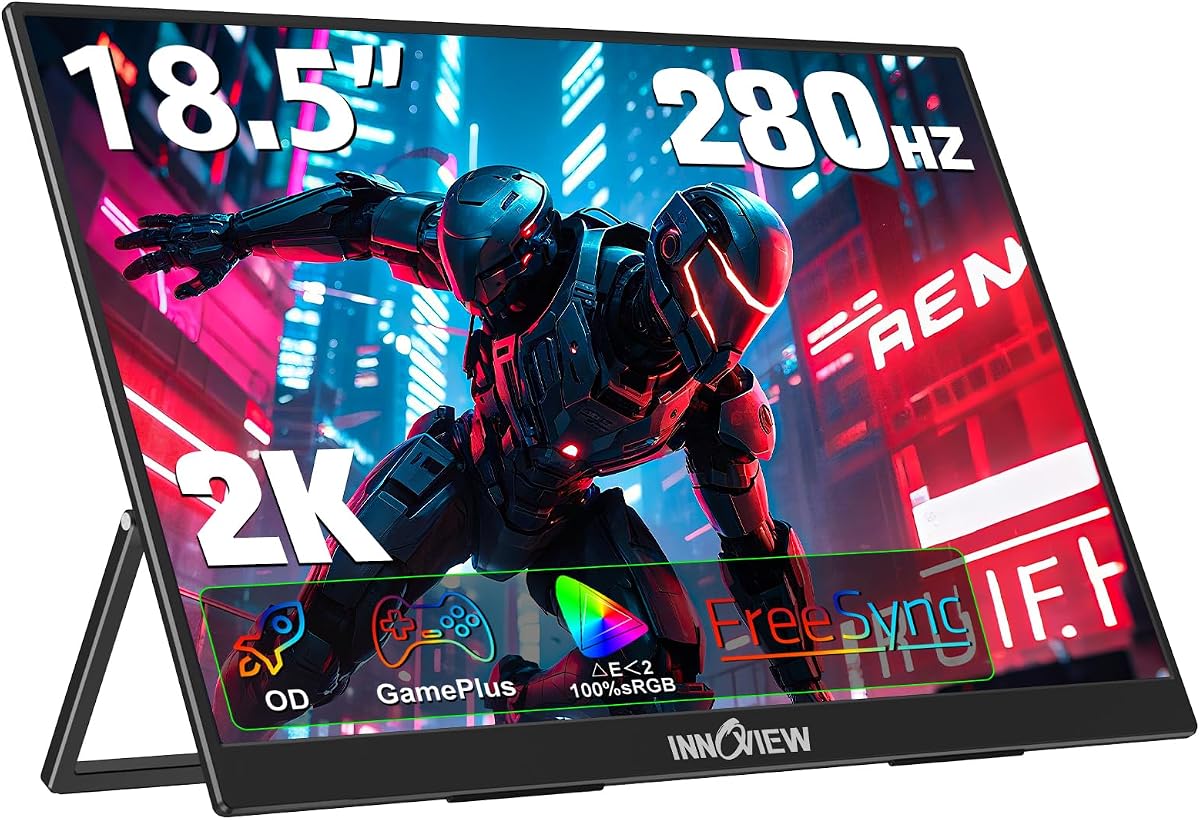
This InnoView model leads in speed with a 280Hz refresh rate that pushes motion clarity. It pairs this with QHD sharpness for a premium feel in a portable frame. Users praise its ability to keep up with demanding games.
We may earn a commission when you buy through this link, at no additional cost to you.
The GamePlus feature adds crosshairs and FPS modes to improve gameplay. The high refresh rate reduces blur and makes moving targets easier to track. This is a huge win for competitive gamers who need an edge.
Note that the device connecting must support the high rate to see full gains. If your console caps at 120Hz you will not reach 280Hz. Still it is a robust monitor for PC or high-end console users.
Pick this if you want the fastest response portable screen available. The multiple ports including DP give you flexibility for connections. It is ideal for those who play on laptops that can output high rates.
Customize your view with crosshairs and modes that suit game types.
280Hz rate ensures fluid movement even in the most intense action.
We may earn a commission when you buy through this link, at no additional cost to you.
The ViewSonic VX1654 is designed for maximum portability with a weight of only 1.5 pounds. Its slim profile fits into any backpack and it offers a smooth 144Hz refresh rate. This makes it perfect for business travelers who game on the side.
We may earn a commission when you buy through this link, at no additional cost to you.
It supports 60W USB-C power delivery which can charge your laptop while you use it. The IPS panel ensures accurate colors and wide viewing angles. This helps when you are sharing the screen or moving around a desk.
The 16 inch size is compact which may feel limiting for some gamers. However this trade-off allows you to carry it without strain. It is a solid choice for those who prioritize ease of transport above all.
Consider this monitor if you need a screen that is easy to carry anywhere. Connect it to your laptop or console via the available ports. Its reliability and brand reputation make it a safe pick for mobile use.
Use one cable to power the screen and charge your device at once.
At 0.7 inches thick it slips into sleeves without adding bulk.
We may earn a commission when you buy through this link, at no additional cost to you.
The ARZOPA Z1FC offers a strong balance of performance and cost. It brings a 144Hz refresh rate and a 106% sRGB gamut for vivid visuals. Users appreciate its affordability and solid performance for casual gaming sessions.
We may earn a commission when you buy through this link, at no additional cost to you.
Its built-in kickstand allows you to tilt the screen to your comfort. This avoids the need for extra mounts and keeps your setup simple. The multiple ports ensure it works with most laptops and game consoles easily.
It does not support adaptive sync which can lead to tearing in fast games. But for many users this is a minor issue compared to the price. It is a smart buy if budget is a main concern.
Choose this if you want a portable monitor that costs less without huge trade-offs. Connect it to your phone or laptop for a second screen. It is a great entry point into portable gaming for many.
Get a solid 144Hz monitor at a price that fits tight budgets.
The 106% sRGB range ensures images look bright and true.
We may earn a commission when you buy through this link, at no additional cost to you.
This SANSUI monitor brings a massive 32 inch curved screen for full immersion. The 240Hz rate ensures smooth motion while the curve wraps visuals around you. It is a rare find for portable high refresh rate gaming screens.
We may earn a commission when you buy through this link, at no additional cost to you.
The 1500R curve matches your natural field of view for a cozy feel. Combined with HDR and high brightness you get deep blacks and bright highlights. This makes games look dynamic and realistic without distortion.
It lacks built-in speakers so you must use headphones or external audio. This is a common trade-off for monitors focused on image quality. The VESA mount allows you to add arms for flexible positioning.
If you want a big screen experience for console play this is a pick. It works great with Xbox or PS5 for wide views. Just plan for external audio to complete your setup.
The curve draws you into the game with more peripheral vision.
240Hz rate keeps fast action smooth without motion blur.
We may earn a commission when you buy through this link, at no additional cost to you.
The SANSUI 24 inch model offers a curved screen at an affordable price. It delivers 160Hz refresh for smooth play and a 1500R curve for depth. This makes it a strong value pick for budget-conscious gamers.
We may earn a commission when you buy through this link, at no additional cost to you.
It includes game modes like FPS and RTS that tweak colors and settings. The VA panel gives deep contrast and good blacks. These features improve gameplay without needing extra software or complex setups.
It lacks built-in speakers which means you need separate audio. This is a minor issue for most. The VESA mount lets you add an arm if you need a custom setup.
Pick this if you want a curved screen that saves money. It is perfect for console gaming on a budget. The build and performance match its price for a great deal.
Get a 160Hz curved monitor without spending a fortune.
Pre-set modes adjust the display for different game types.
We may earn a commission when you buy through this link, at no additional cost to you.
The UPERFECT model uses QLED tech for vivid colors and deep blacks. Its 2K resolution brings sharpness while 100% DCI-P3 ensures wide color coverage. This creates a premium look that stands out from standard portable screens.
We may earn a commission when you buy through this link, at no additional cost to you.
With 400 nits brightness it can be used in brighter rooms without glare. The 144Hz refresh keeps motion smooth. These traits make it ideal for both gaming and creative work.
It requires a strong power adapter for peak performance which adds to bulk. But the visual quality justifies the effort. Most users find the extra power worth the improved picture.
Choose this if you want top color accuracy and brightness. It connects well to laptops and consoles. This is the best pick for those who prioritize visual fidelity in a portable size.
QLED tech delivers richer colors and better contrast than standard screens.
400 nits ensures clear visibility even in well lit areas.
We may earn a commission when you buy through this link, at no additional cost to you.
This Samsung monitor brings the trusted Odyssey brand to a curved portable design. Its 1000R curve is deep for full immersion while QHD gives sharp detail. Users value the brand quality and consistent performance.
We may earn a commission when you buy through this link, at no additional cost to you.
It includes Eye Saver Mode to reduce blue light during long play. The 165Hz refresh rate ensures smooth motion without tearing. These features make it suitable for long gaming sessions comfortably.
It often needs an external power source to function best which adds bulk. But the visual benefits are clear. Most users find the setup easy with the right power supply.
Pick this if you want a reputable brand for curved gaming. It connects to consoles and PCs easily. This is a solid choice for those who value brand trust and immersive views.
The 1000R radius matches your eye's natural shape.
Reduced blue light helps keep eyes relaxed during long use.
We may earn a commission when you buy through this link, at no additional cost to you.
This Dell monitor brings high reliability with a 4.7 user rating. It offers a 144Hz refresh rate and IPS panel for consistent colors. The TUV eye care makes it great for mixed office and gaming use.
We may earn a commission when you buy through this link, at no additional cost to you.
Its thin bezels maximize the screen area for a modern look. The tilt support lets you adjust the angle easily. It works well with laptops and consoles via dual HDMI inputs.
It is less portable than smaller screens due to size and stand. But this trade-off gives you a larger workspace. This suits those who want a bigger monitor for a desk.
Choose this if you want a stable screen with trusted support. It is a smart pick for hybrid work and play. The high rating confirms it is a solid long-term option.
The TUV certification reduces eye strain during long tasks.
Dell provides strong support and consistent build quality.
We may earn a commission when you buy through this link, at no additional cost to you.
Choosing the right monitor for console or mobile use depends on screen size, refresh rate, and portability.
Screen size affects how immersive your gaming experience is. Portable monitors typically range from 15 to 18 inches while desktop options go up to 32 inches. Larger screens offer more detail but take up more space.
Pick a size that fits your bag or desk while staying within your portability needs.
Refresh rate defines how many frames per second the monitor displays. Higher rates like 144Hz or 240Hz make fast games look smoother. Console games often cap at 60Hz or 120Hz so match your device.
Aim for at least 120Hz to ensure fluid motion in fast-paced games.
Portability matters if you plan to move the monitor often. Look for weight under three pounds and slim profiles. Some come with protective cases that make transport easier and safer.
Lighter monitors reduce travel weight so you can carry them anywhere.
Check that the monitor has the right inputs for your devices. Most support USB-C and HDMI which work with laptops and consoles. Some also offer DisplayPort for higher bandwidth connections.
Ensure the ports match your laptop or console output for a smooth setup.
Color accuracy ensures that images look natural and vibrant. Look for high sRGB or DCI-P3 coverage if you care about visuals. Better color gamuts make games look more realistic.
Choose a monitor with wide color support for better visual fidelity.
Many portable monitors need external power for full brightness. Some draw power from USB-C but may require a strong adapter. Check the power needs before travel to avoid issues.
Verify that you have a suitable power supply for the monitor.
Panel type influences color and viewing angles. IPS panels offer wide angles and accurate colors. VA panels provide better contrast which helps in dark scenes.
Select an IPS panel for color accuracy or VA for deeper blacks.
Adjustable stands let you set the screen at a comfortable angle. Some monitors support VESA mounts for arm or wall setups. This flexibility helps reduce strain during long sessions.
Look for a stand that allows tilt or VESA mounts for best ergonomics.
Connect your monitor to a console or laptop using HDMI or USB-C. Use a power adapter if required to ensure stable operation.
Clean the screen with a soft cloth and avoid harsh chemicals. Keep the screen dry to prevent damage to the electronics.
Store the monitor in a protective case when not in use to avoid scratches and impacts.
Yes many portable monitors work with consoles like PS5 and Xbox via HDMI. Ensure the console supports the monitor resolution and refresh rate.
No you can connect them to consoles phones or tablets directly. They function as external displays without a computer tower.
Look for HDMI and USB-C inputs to ensure compatibility. Some models also support DisplayPort for higher speed.
Yes with proper power and ergonomic setup. Many have eye care features to reduce strain during extended use.
Most use USB-C or an AC adapter. Ensure your power source can deliver enough watts for stable operation.
Many do with rates up to 240Hz. Confirm that your source device can output the same rate.
The top picks cover a wide range of needs from budget to premium. The InnoView offers great speed while the SANSUI brings value for many users.
Prioritize refresh rate and portability based on your play style. Larger screens suit home setups while smaller ones help travelers.
Check current availability and offers before buying to get the best deal. Prices and stock change often so act when you find the right fit.