
Duyasurs 3Pack Upgraded USB C to USB Adapter
4.6Editor score
Includes LED connection indicators
Fast data transfer speeds
Scratch resistant aluminum body
This guide compares the top ten female USB adapter options for connectivity and performance to help you choose the right model for your device needs.
Finding the right female USB adapter is essential for modern connectivity. These small devices bridge the gap between your USB C port and legacy USB A peripherals. A good adapter offers fast data transfer speeds and reliable physical connections. Durability and compatibility are key factors to consider before buying.
We evaluated ten top rated adapters based on performance and build quality. Each product was assessed for data transfer speeds and physical durability. We also considered compatibility across various devices like laptops and phones. Our goal is to help you find the most reliable solution for your setup.
Each pick shows specific strengths for different user scenarios and budgets. You will find options ranging from budget friendly to premium builds. We highlight key features like data speeds and connector materials. Please note that prices and availability can change frequently online.
4.6Editor score

4.8Editor score

4.7Editor score
The following table provides a side-by-side comparison of all ten selected female USB adapters to help you understand their core specifications at a glance.




The JSAUX USB C to USB 3.0 Adapter ranks as our top choice for overall performance. It features a strong aluminum body and nylon braided cable that resists wear. With a rating of 4.7 stars users appreciate its reliable connection and fast speeds. This adapter transforms your USB C port into a standard USB A port easily.
We may earn a commission when you buy through this link, at no additional cost to you.
Its standout quality is the USB 3.0 Super Speed transfer capability reaching up to 5Gbps. This allows you to move files and media in seconds rather than minutes. The tangle free design ensures the cable stays neat even with frequent use. The aluminum construction provides excellent heat dissipation and durability for daily tasks.
One trade-off is that it does not support video output which limits some use cases. However for data transfer and peripheral connections this limitation is rarely an issue. The compact design fits well on most laptops but users with tight port spacing should note the size. Overall the speed and build quality make this a solid investment.
This adapter is ideal for professionals who need to connect external drives or peripherals quickly. It works seamlessly with Macs and Samsung Galaxy devices. If you prioritize speed and durability over video support this is the best pick. You can rely on it for years of consistent performance in various environments.
The USB 3.0 Super Speed ensures you can move large files without waiting. This is crucial for professionals dealing with large video or data sets daily.
The combination of aluminum and nylon braiding prevents fraying and bending. This durability extends the lifespan of the adapter significantly.
We may earn a commission when you buy through this link, at no additional cost to you.
The Anker USB C Adapter is our premium choice due to its exceptional build quality. Rated at 4.8 stars it sets a high standard for reliability. The Space Gray aluminum finish matches MacBook Pro devices perfectly. It includes two adapters which is perfect for keeping one at home and one at work.
We may earn a commission when you buy through this link, at no additional cost to you.
Anker's focus on durability shines through with connectors tested for 10,000 cycles. This means you can plug and unplug without worrying about wear. The ultra-slim form factor ensures it does not block adjacent ports on your laptop. This design consideration is crucial for modern thin laptops with tight spacing.
While the price is higher than some competitors the quality justifies the cost. You are paying for superior materials and a trusted warranty. It lacks the latest 10Gbps speeds found in some newer models but 3.0 is sufficient for most users. If you want peace of mind this is the way to go.
This adapter is best for users who value aesthetics and long term reliability. It works well with Macs and various USB C devices. For professionals who travel frequently the slim design is a huge plus. You get a premium feel that matches high end devices without compromise.
The Space Gray finish blends seamlessly with Apple devices. This makes it look like an original accessory rather than an add-on.
The slim design ensures you can carry it in a bag without bulk. It is designed for on the go professionals specifically.
We may earn a commission when you buy through this link, at no additional cost to you.
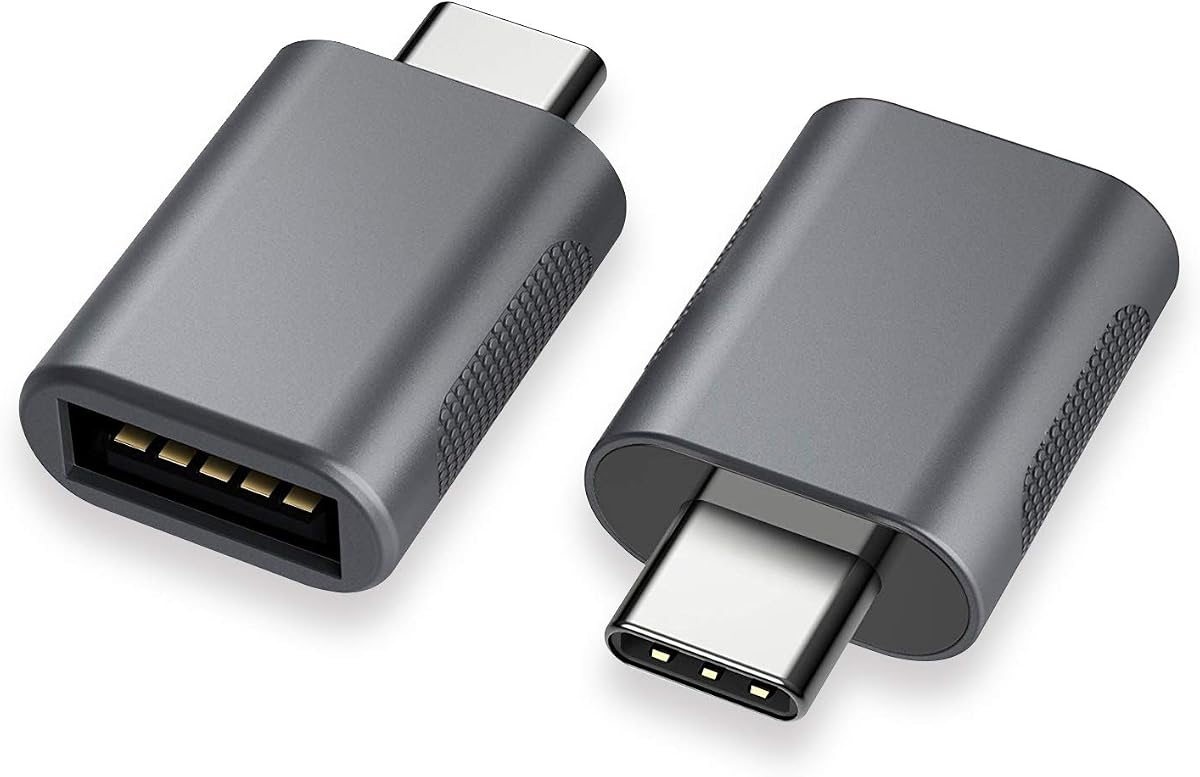
The Duyasurs 3Pack offers the best value for budget conscious shoppers. It comes with three adapters ensuring you always have a spare on hand. The rating of 4.6 indicates strong user satisfaction with performance. The inclusion of LED indicators is a unique feature that confirms successful connections instantly.
We may earn a commission when you buy through this link, at no additional cost to you.
These adapters use premium scratch resistant aluminum which is impressive for this price. The high-speed data transfer allows you to move files quickly without lag. The LED indicators light up when connected giving visual feedback. This simple addition reduces uncertainty especially when working in low light environments.
While the brand is not as famous as Anker the quality remains solid. The compact design makes it easy to carry in any bag. Some might find the LEDs unnecessary but they add functionality for a low cost. Overall the cost per adapter is hard to beat in the market.
This is the perfect choice for families or small offices needing multiple adapters. It works with iPhones and Samsung Galaxy devices seamlessly. If you need to equip several devices without breaking the bank this is ideal. You get reliable performance and enough adapters to cover multiple locations easily.
The mini LED indicators confirm the connection is active. This prevents issues where you might think you are not connected.
You get three units for a price comparable to single units elsewhere. This makes it the most economical option available today.
We may earn a commission when you buy through this link, at no additional cost to you.
The UGREEN 4 Pack stands out for its impressive 10Gbps data transfer speed. This is significantly faster than standard 3.0 adapters found elsewhere. The aluminum alloy housing ensures durability and heat dissipation. With four adapters included you can keep them in multiple places easily.
We may earn a commission when you buy through this link, at no additional cost to you.
The speed capability is a game changer for large file transfers. You can move gigabytes of data in just a few seconds. The thumb sized design makes it easy to carry in a purse or bag. It fits snugly next to other ports without blocking them. This is ideal for power users.
A note is that both the adapter and device must support 10Gbps for full speed. However it remains compatible with slower devices for basic use. The rigorous testing ensures it withstands over 10,000 plug cycles. This level of testing gives confidence in its longevity for daily use.
If you work with large datasets or video files this adapter is essential. It connects well with laptops and mobile phones. The pack size makes it great for teams or families. You get top tier speed with the convenience of multiple units included in the box.
The 10Gbps capability doubles the speed of standard adapters. This saves significant time when transferring large work files.
Its thumb sized design fits in a pocket or small pouch easily. This ensures you have it when you are traveling or commuting.
We may earn a commission when you buy through this link, at no additional cost to you.
The Pastall 4Pack is unique because it supports video signal transmission. Many adapters only handle data but this one handles video and audio. It features a metal alloy shell that provides strength and shielding. The pack includes four units which is great for versatile usage.
We may earn a commission when you buy through this link, at no additional cost to you.
Its ability to support video signal transmission makes it versatile for presentations. You can connect legacy displays to USB-C devices without a dongle. The fast charging capability ensures your device stays powered while transferring data. This multi-functionality is rare in standard adapters found on the market.
Be aware that video support depends on your host device capabilities. If your device supports video output this adapter unlocks that potential easily. The copper conductors ensure optimal signal clarity and minimize interference. The durable shell protects against physical damage during daily transport.
This is ideal for users who need to connect displays and transfer files. It works well with laptops and tablets for presentations. The warranty provides extra confidence in the purchase. If you need versatility beyond simple data transfer this adapter is the top choice.
Unlike standard adapters this one supports video signal transmission. This allows for direct connection to legacy monitors easily.
The adapter supports fast charging for your device while in use. This keeps your battery topped up during long transfers.
We may earn a commission when you buy through this link, at no additional cost to you.
This adapter is designed specifically with Thunderbolt and modern Macs in mind. It supports Thunderbolt 4 and 3 protocols for broad compatibility. The zinc alloy body prevents scratches and ensures a rugged build quality. With two adapters included you have options for home and office use.
We may earn a commission when you buy through this link, at no additional cost to you.
The plug and play nature means no drivers or software are needed. You simply connect it and start transferring files immediately. It works with 2025 models and older laptops easily. The 5Gbps speed is sufficient for standard data transfer tasks. The zinc alloy ensures it withstands wear better than plastic.
While it does not support video output it excels at data and charging. This is acceptable for most users who just need drive access. The connectors are tested for over 10,000 push and pull tests. This ensures long term reliability for daily professional use without issues.
If you use a MacBook or Thunderbolt device this adapter is a safe bet. It fits well and provides stable connections for peripherals. The compact size ensures it does not stick out awkwardly. You get a reliable tool for maintaining access to legacy USB devices easily.
The adapter works with Thunderbolt 4 and 3 ports seamlessly. This ensures it matches the capabilities of high end laptops.
The zinc alloy body resists scratches during daily carry and use. This keeps the adapter looking new for longer periods.
We may earn a commission when you buy through this link, at no additional cost to you.
The JXMOX adapter is designed primarily for charging and data transfer. It features a 3A power output which is great for charging devices. The double sided resistor ensures safe charging without damaging your phone. With four adapters included you have plenty for family members or backup use.
We may earn a commission when you buy through this link, at no additional cost to you.
This adapter works well with power banks that have standard USB ports. You can charge your iPhone or Samsung Galaxy via legacy power banks. The USB 2.0 speed is slower but sufficient for charging needs. The build quality includes high quality materials for reliability. It ensures safe charging with built-in resistors.
The limitation is lower data transfer speed compared to 3.0 adapters. This is acceptable for charging focused tasks where speed is not key. It connects to standard USB ports easily to charge modern devices. The pack size makes it easy to keep in car chargers or desks.
This is best for users who need to charge devices from older power banks. It works with a wide range of phones from iPhone to Pixel. If you need fast charging on the go this is an ideal solution. You get a safe way to use legacy charging accessories with new phones.
The built-in resistors ensure the power flow is safe for your device. This protects your phone's battery during charging cycles.
You can use standard USB power banks to charge USB-C phones. This extends your travel battery life without new cables.
We may earn a commission when you buy through this link, at no additional cost to you.
This pack offers three adapters for a practical and cost effective solution. It features a zinc alloy housing that ensures reliability and durability. The slim design means it will not block adjacent ports on laptops. This is a good middle ground for those who need multiple units.
We may earn a commission when you buy through this link, at no additional cost to you.
The adapters support USB 3.0 protocol for fast data transfer speeds. You can sync files and charge phones without issues. The slim design enhances usability when connecting multiple peripherals. The alloy coating is vibrant and matches various device aesthetics well. It withstands plug and unplug cycles effectively.
While the rating is slightly lower than top picks it remains a solid choice. The value of three units offsets minor inconsistencies in quality. The worry free guarantee adds a layer of protection for your purchase. It is a practical option for small teams or families needing spares.
If you need a versatile pack for home or office use this fits. It works with Macs and Samsung Galaxy devices easily. The slim design ensures you can keep them in a bag for travel. You get reliable connectivity at a reasonable price with multiple units included.
The slim design ensures the adapter does not stick out. This is crucial for keeping it in a bag without bending.
Three adapters allow you to leave one at home and one at work. This ensures you never have to carry them all.
We may earn a commission when you buy through this link, at no additional cost to you.
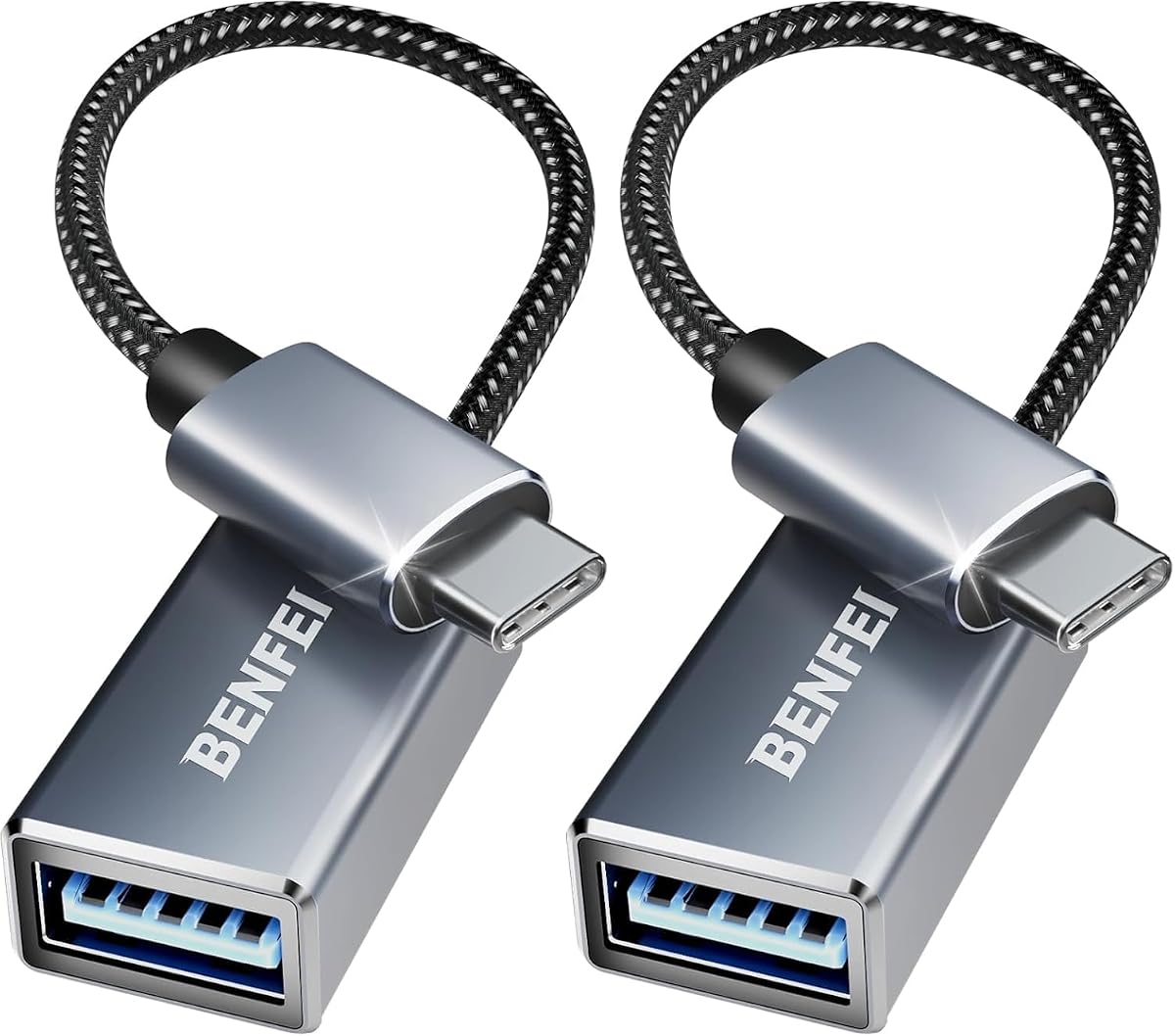
The BENFEI adapter is known for its premium build quality and design. It features a braided nylon cable that resists tangling and wear. The nickel-plated connectors resist corrosion and improve signal transmission. It includes a premium aluminium alloy casing for better heat insulation.
We may earn a commission when you buy through this link, at no additional cost to you.
The design ensures no interference when two USB-C slots are closed. This allows you to use adjacent ports simultaneously without issues. The braided nylon cable adds a layer of protection against bending. It is a strong option for those who handle cables frequently and roughly.
The eighteen month warranty provides excellent support for your purchase. Customer service is noted as friendly and responsive. While the speed is standard the durability is above average. This makes it a great choice for office environments with daily use. It ensures longevity for your data connections.
If you want an adapter that feels premium and lasts long this is ideal. The nylon braiding is a key feature for durability. It works with modern iPhones and laptops seamlessly. You can rely on this adapter for daily transfers without worry of breakage.
The compact design ensures it does not block adjacent ports. This allows simultaneous use of multiple USB-C slots.
The aluminium alloy casing insulates heat effectively during transfers. This prevents the adapter from getting hot to touch.
We may earn a commission when you buy through this link, at no additional cost to you.
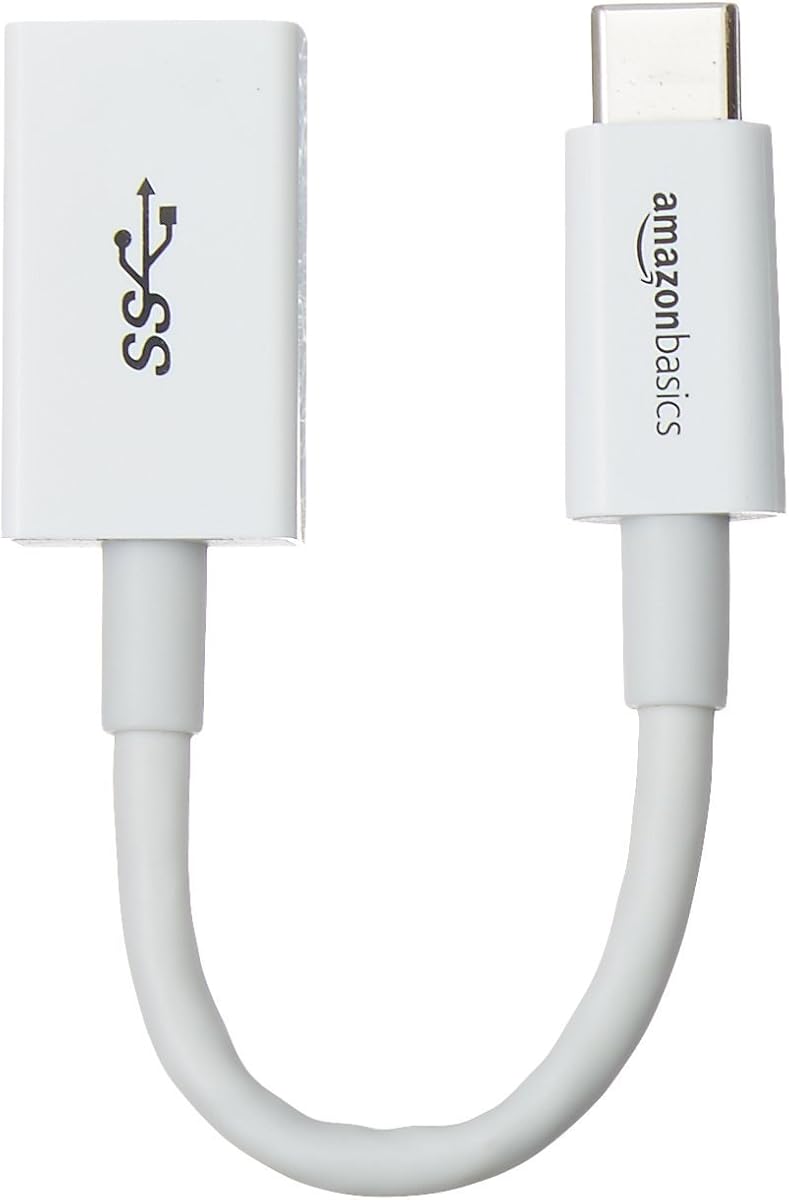
The Amazon Basics adapter is our final pick for its reliable certification. It is USB-IF Certified ensuring it meets official USB standards. It supports 15W fast charging and data transfer up to 5Gbps. The compact design is easy to carry and fits in any laptop bag.
We may earn a commission when you buy through this link, at no additional cost to you.
USB-IF Certification means it has been tested for compatibility and safety. This reduces the risk of damaging your device during use. It works with a wide range of laptops and tablets easily. The white color looks clean and matches modern device aesthetics well. It supports low power devices effectively.
The charging speed is capped at 15W which is standard for data. It works with wall chargers and power banks for sync. You get a reliable connection without worrying about non standard parts. The one year limited warranty ensures you have support if issues arise.
This is best for users who prioritize official certification and safety. It is a simple and reliable tool for data and charging. If you prefer a well known brand this is the ideal choice. You get a safe way to connect legacy accessories to modern devices.
USB-IF Certification ensures it meets official industry standards. This means it is safe and compatible with USB protocols.
It supports 15W charging for smartphones and power banks. This allows for decent charging speeds during transfer tasks.
We may earn a commission when you buy through this link, at no additional cost to you.
Choosing the right adapter requires considering speed materials and compatibility for your devices. We break down the essential factors to help you make an informed decision.
Data transfer speed determines how quickly you can move files between your computer and external drives. Most adapters support USB 3.0 speeds of 5Gbps but some newer models offer 10Gbps. If you work with large video files or databases you should look for the higher speed option. Standard 3.0 speeds are sufficient for documents and photos however.
Always check the adapter description for speed ratings to ensure they meet your needs.
The physical build quality of an adapter affects its longevity and reliability. Premium adapters use aluminum or zinc alloy housings that dissipate heat better than plastic. Look for nylon braided cables or sturdy connectors that resist bending and wear. A high quality build ensures the adapter withstands daily plugging and unplugging.
Metal housings are generally more durable and last longer than plastic alternatives.
Compatibility is critical to ensure the adapter works with your specific laptop or phone. Most modern devices use USB-C ports but older models may have different standards. Verify that the adapter supports Thunderbolt 3 or 4 if your laptop uses those protocols. Ensure the female end fits your USB-A devices without wobbling.
Verify your device's port type before purchasing to avoid compatibility issues.
Portability is key if you travel with your laptop frequently. Look for adapters with a slim design that do not block adjacent ports on your device. Some adapters are thumb sized which makes them easy to carry in a pocket. Bulky designs can stick out and risk breaking in a tight bag.
Choose a slim profile to ensure it fits comfortably with other accessories.
Certifications like USB-IF indicate the adapter has passed safety and compatibility tests. Non certified adapters may not regulate power properly which risks damaging your phone or laptop. Certified products ensure safe voltage levels for charging and data transfer. This is especially important if you connect external hard drives or power banks.
Always look for USB-IF or similar certifications for guaranteed safety.
Buying a multi pack is often more cost effective than buying single units. You can keep one adapter at home one at work and one in your car. This ensures you never get stuck without connectivity. Many options include two to four adapters in a single package.
Multi packs provide better value and convenience for daily use.
Most standard adapters only handle data transfer and charging. If you need to connect a monitor or projector you must find an adapter with video support. Verify if the adapter supports DisplayPort or HDMI output if you plan to present. Data only adapters are cheaper but limited in functionality.
Confirm video capabilities if you need to connect to external displays.
A good warranty protects your purchase against defects and manufacturing issues. Look for brands offering at least 18 months of support. Responsive customer service can help if you encounter connection issues. This peace of mind is valuable for professional equipment.
Check the warranty terms before buying to ensure adequate protection.
To use your adapter simply plug the male end into your device's USB-C port. Then connect your USB-A peripheral such as a flash drive or mouse to the female end. Your computer should recognize the device automatically without installing drivers. If using a drive wait for the light to indicate it is ready to use.
For charging connect your phone or tablet to a USB power source via the adapter. Ensure the adapter supports fast charging protocols for optimal battery refill speeds. It is safe to use this way as modern adapters regulate power efficiently. Always check the LED lights if available to confirm a successful connection.
Clean the adapter periodically by wiping it with a dry cloth to remove dust. Dust buildup can lead to connection issues or short circuits inside. Store the adapter in a dry place or case to prevent bending or damage. This simple care routine ensures long term reliability for your data connections.
A female USB adapter is a small device that converts a USB-C port on a laptop or phone into a standard USB-A port. This allows you to connect older USB-A peripherals like flash drives and mice to modern devices. It acts as a bridge between the two different connector types without requiring a full cable.
No most female USB adapters do not require any drivers or software installation. They are plug and play devices that your operating system recognizes automatically. Once plugged in your computer will detect the connected device immediately. This simplicity makes them very easy to use for everyone.
Yes many female USB adapters support charging capabilities for phones and tablets. They allow you to use standard USB chargers to charge your USB-C devices. However ensure the adapter supports fast charging protocols if you want quick battery refills. Check the product specs to confirm charging support before purchasing.
If your adapter is not transferring files check the connection on both ends first. Ensure the USB drive is not damaged and the port is clean from dust. Try a different adapter or device to isolate the issue. Sometimes the file system may need to be checked by the operating system.
Most standard female USB adapters do not support video output as they are designed for data. To output video you need an adapter that specifically supports DisplayPort or HDMI protocols. Check the product description carefully if you plan to connect to external monitors. Video support is a specialized feature.
Data transfer speed depends on the version of the adapter you use. Standard USB 3.0 adapters offer up to 5Gbps which is fast for most files. Some newer models support 10Gbps for even quicker transfers of large data. Always verify the speed rating on the product page before buying.
We have reviewed the top ten female USB adapters for connectivity and durability. The JSAUX Anker and UGREEN options stand out for performance and build quality. Each offers unique benefits depending on whether you prioritize speed or price.
Prioritize compatibility and certification to ensure safe and reliable connections. Look for metal housings and slim designs for longevity and portability. Avoid cheap plastic options that may break easily with heavy use.
Prices and availability change frequently so verify the current details before buying. Always check the return policy and warranty terms for peace of mind. Your right choice depends on your specific device setup and usage needs.