
Dell Wired Mouse MS116
4.6Editor score
Simple plug and play
Reliable wired connection
Compact lightweight design
This guide compares the top external mouse for Dell laptop users including wireless and wired options with ergonomic designs and precise tracking for productivi
Finding the right external mouse for Dell laptop users can significantly enhance your daily workflow and comfort levels during extended work sessions. Whether you need precision for creative work or comfort for long hours of typing and navigating spreadsheets choosing the correct device matters.
We have carefully evaluated ten top-rated models based on connectivity options battery life ergonomics and compatibility with Dell systems. Our comparison includes both wireless and wired solutions to ensure you find a reliable tool that meets your specific professional or personal needs.
Each pick in this list highlights unique features and strengths to help you make an informed decision without feeling overwhelmed by choices. Please note that availability and pricing may change over time so always check the current product page for the latest details before purchasing.
4.6Editor score

4.9Editor score

4.6Editor score
This side-by-side comparison highlights the key specifications and strengths of each top-rated mouse to help you quickly identify the best match for your Dell laptop setup and workflow needs.






The Dell Advanced Wireless Compact Mouse stands out as the top recommendation for users seeking reliability and performance with their Dell laptop. With a stellar rating of 4.9 out of 5 stars it delivers exceptional value through its robust feature set and long-term durability.
We may earn a commission when you buy through this link, at no additional cost to you.
Its dual-mode connectivity supports both 2.4GHz wireless and Bluetooth 5.0 allowing seamless switching between devices without frustrating reconfiguration. The 36-month battery life ensures you rarely need to replace batteries while the 1600 DPI sensor handles high-resolution screens effortlessly for precise cursor control.
While the need to replace AA batteries might seem minor compared to rechargeable models the trade-off is worth the extended runtime and convenience. The included Advanced Exchange Service further reduces downtime by providing a replacement unit if any faults occur within the first year.
This mouse is ideal for professionals who need consistent performance and minimal interruptions during critical work. Whether you are navigating complex spreadsheets or managing multiple monitors its ergonomic design and responsive tracking make it the best overall choice for Dell users.
Connect via Bluetooth 5.0 for a cable-free experience or use the 2.4GHz wireless adapter for maximum stability across different environments and devices.
The impressive 36-month battery life on a single set of AA batteries means you can focus on your tasks without frequent interruptions for recharging or replacement.
We may earn a commission when you buy through this link, at no additional cost to you.
The Dell Wireless Gaming Mouse MS5120W offers high-end performance with a 4000 DPI sensor that caters to users needing exceptional precision for detailed tasks or gaming. Its 7-button layout provides ample customization options through the Dell Peripheral Manager software for tailored productivity.
We may earn a commission when you buy through this link, at no additional cost to you.
Dual-mode connectivity ensures you can pair with any PC via Bluetooth or 2.4GHz wireless while compatibility extends across Windows Mac Linux and Android systems. The 36-month battery life matches the Advanced MS510 ensuring you stay productive without constant maintenance.
While the gaming-oriented design might feel slightly heavier than standard office mice the ergonomic shape supports extended use comfortably. The Advanced Exchange Service adds peace of mind by guaranteeing a quick replacement if hardware issues arise within the warranty period.
This mouse suits power users and gamers who demand high precision and customization without sacrificing battery longevity. Its versatility across operating systems and robust feature set make it a strong contender for Dell laptop owners seeking a premium wireless experience.
The 4000 DPI sensor allows for accurate cursor control on high-resolution displays ensuring that every click and movement translates exactly as intended.
Use the Dell Peripheral Manager to map functions to the seven buttons optimizing your workflow for specific applications and frequent tasks.
We may earn a commission when you buy through this link, at no additional cost to you.
The Dell Wired Mouse MS116 is the perfect budget-friendly solution for users who prioritize simplicity and reliability over wireless convenience. With a 4.6 rating it delivers consistent performance without the hassle of battery replacements or pairing issues that wireless mice often present.
We may earn a commission when you buy through this link, at no additional cost to you.
Its straightforward plug-and-play design works instantly with any USB port requiring no drivers or software setup. The wired connection ensures zero latency and uninterrupted tracking making it ideal for stable desktop environments where mobility is not a primary concern.
While it lacks the portability of wireless options the elimination of battery costs and charging downtime makes it a practical choice for fixed workstations. The compact black design blends seamlessly with Dell hardware maintaining a professional look without unnecessary embellishments.
This mouse is best suited for students or office workers who need a dependable pointing device without breaking the bank. Its straightforward functionality and durable construction ensure it remains a reliable tool for everyday navigation and document editing tasks.
Because it connects via USB cable you never need to worry about battery levels or recharging allowing uninterrupted focus on your work.
Simply plug the mouse into your laptop and start using it right away without installing any drivers or configuring settings.
We may earn a commission when you buy through this link, at no additional cost to you.
The VssoPlor Wireless Mouse combines style and functionality with its sleek black and gold design making it an attractive option for modern laptops. It features a slim profile that fits comfortably in laptop bags ensuring you can maintain productivity on the go without bulk.
We may earn a commission when you buy through this link, at no additional cost to you.
Its 2.4GHz wireless connection provides a stable link up to 10 meters while the intelligent sleep mode conserves battery life by activating after five minutes of inactivity. Quiet clicks ensure you can work silently in libraries or shared offices without disturbing others.
While it lacks advanced DPI settings or programmable buttons the mouse performs reliably for everyday browsing and document editing. The USB receiver stores conveniently inside the mouse body protecting it from loss and maintaining a clean portable setup for travelers.
This mouse is ideal for users who value aesthetics and portability alongside solid performance. Its compatibility with various operating systems and silent operation make it a versatile choice for students and professionals alike who need a quiet reliable pointing device.
The whisper-quiet clicks reduce noise significantly allowing you to work in shared spaces without the distraction of loud clicking sounds.
Automatic sleep mode kicks in when the mouse is unused saving battery power and extending the time between replacements.
We may earn a commission when you buy through this link, at no additional cost to you.
The Logitech M510 Full Size is a premium choice for users who prioritize ergonomics and productivity features over compactness. With a 4.6 rating its contoured shape and soft rubber grips provide exceptional comfort during long hours of work reducing wrist strain significantly.
We may earn a commission when you buy through this link, at no additional cost to you.
It features unique side-to-side scrolling which allows horizontal navigation through spreadsheets or timelines without awkward keyboard shortcuts. The tiny Logitech Unifying receiver stays in your laptop so you never lose it and can connect multiple devices to one receiver easily.
Battery life is exceptional with two years of runtime on a single set of AA batteries ensuring minimal interruption to your workflow. The on-off switch and smart sleep mode further optimize power consumption making it a reliable choice for frequent travelers or stationary users.
This mouse is best for power users who need comfortable support and advanced navigation tools. Its full-size design suits medium to large hands making it a premium option for professionals who spend significant time at their computers daily.
Effortlessly navigate wide spreadsheets or timelines with side-to-side scrolling reducing the need for awkward keyboard combinations.
Use one tiny receiver to connect multiple Logitech devices saving USB ports and simplifying your setup on laptops with limited connectivity.
We may earn a commission when you buy through this link, at no additional cost to you.
The Logitech M185 Compact offers a perfect balance of portability and reliability for users on the go. With a comfortable contoured shape it fits well in either hand and is significantly more productive than using a touchpad for detailed navigation tasks.
We may earn a commission when you buy through this link, at no additional cost to you.
Its compact size makes it ideal for tight workspaces or travel bags while the plug-and-play simplicity ensures you can start working immediately without any software setup. The USB nano receiver stays in your laptop preventing loss and maintaining a clean workspace.
Battery life is impressive with up to one year of use on a single AA battery thanks to smart sleep mode technology. The inclusion of certified post-consumer recycled plastic in its construction also appeals to environmentally conscious buyers without compromising durability.
This mouse is best for travelers or students who need a lightweight dependable companion. Its universal compatibility with Windows and Mac systems makes it a versatile option for anyone seeking a reliable wireless solution without unnecessary complexity.
Designed for both left and right-hand users the contoured shape provides natural comfort and control regardless of your dominant hand.
The use of recycled plastic in the build helps reduce environmental impact while maintaining the sturdy reliable quality expected from Logitech.
We may earn a commission when you buy through this link, at no additional cost to you.
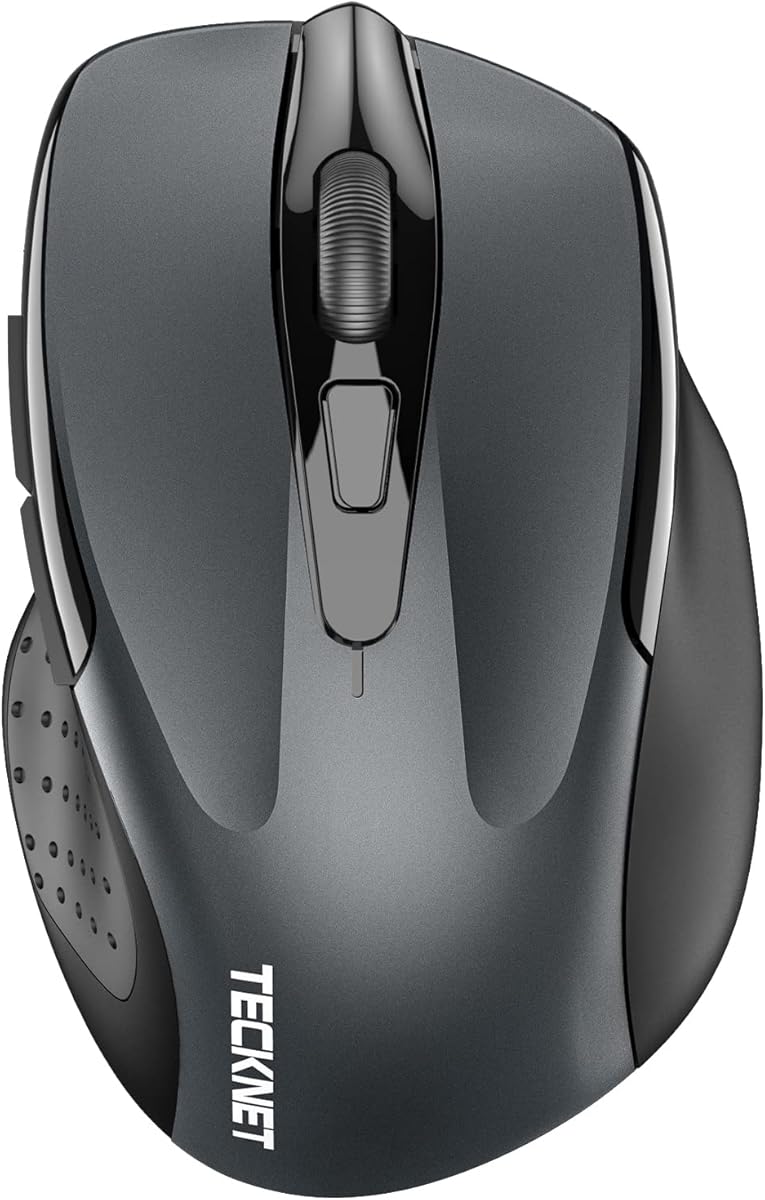
The TECKNET Compact Wireless Mouse in Mint Green brings a touch of personality to your workspace while delivering solid performance. Its vibrant color makes it stand out among generic office gear and its compact design suits users with small to medium hand sizes.
We may earn a commission when you buy through this link, at no additional cost to you.
It features a 2.4GHz wireless connection with a reliable range of up to 49 feet ensuring you can move freely around your workspace without dropouts. The soft-click buttons reduce noise significantly which is perfect for quiet environments like libraries or shared offices.
Three adjustable DPI levels allow you to customize cursor sensitivity based on your specific task needs whether browsing or detailed design work. The USB receiver stores inside the back compartment to prevent loss and maintain a tidy portable setup for daily travel.
This mouse is ideal for users who want an affordable stylish option without compromising on reliability. Its wide compatibility with various operating systems and long battery life make it a practical choice for students and casual users alike.
The special mint green color adds a fresh lively look to your setup making it easy to identify among other accessories.
Responsive buttons and scroll wheel provide very soft clicks with minimal noise ensuring you can work without disturbing others nearby.
We may earn a commission when you buy through this link, at no additional cost to you.
The Logitech M330 Silent Plus is engineered for those who value a quiet workspace with its SilentTouch Technology reducing clicking sounds by over 90 percent. This makes it an ideal companion for late-night work sessions or shared offices where noise can be disruptive.
We may earn a commission when you buy through this link, at no additional cost to you.
It features a contoured right-hand shape with natural plastic grips designed for long-lasting comfort and precision tracking. The advanced optical sensor ensures smooth cursor control on most surfaces while the 18-month battery life minimizes the need for frequent replacements.
Although it lacks additional programmable buttons the simple plug-and-play functionality and wide compatibility with Windows macOS ChromeOS and Linux make it versatile for diverse environments. The inclusion of recycled plastic also adds to its appeal as an eco-conscious choice for office use.
This mouse is best for professionals who need reliable silent operation without sacrificing comfort. Its durable construction and robust battery performance ensure it remains a consistent tool for productivity throughout long workdays.
Experience top performance while contributing to a quieter working environment thanks to clicks that are significantly quieter than standard mice.
The 18-month battery life ensures you can focus on your work without the hassle of frequent battery changes or unexpected power loss.
We may earn a commission when you buy through this link, at no additional cost to you.
The TECKNET Wireless BT Mouse offers exceptional versatility with dual device connectivity allowing you to switch between two devices instantly via Bluetooth or USB. This feature is perfect for users who frequently switch between a laptop and desktop or tablet setups.
We may earn a commission when you buy through this link, at no additional cost to you.
It boasts 6 adjustable DPI levels up to 4800 allowing precise customization for detailed work or quick browsing. The silent main clicks provide a quiet experience ideal for libraries and offices while the 6 programmable buttons enhance productivity for frequent shortcuts.
Although side buttons are not silent and the mouse is compact for smaller hands the long lifespan and ergonomic design provide comfortable use. The automatic sleep technology significantly extends battery life ensuring you stay productive without frequent interruptions for charging.
This mouse suits users needing a versatile affordable tool for multi-device workflows. Its compatibility with major operating systems and silent operation make it a practical choice for students and professionals seeking efficiency and quiet performance.
Effortlessly connect to two devices and switch between them with a slide of a button for a seamless multi-device experience.
Tailor sensitivity to your liking with six settings allowing precise control for detailed tasks or swift movement for browsing.
We may earn a commission when you buy through this link, at no additional cost to you.
The TECKNET Wireless Rechargeable eliminates the need for disposable batteries with a built-in rechargeable design that charges fully in under two hours. This eco-friendly feature ensures you avoid the recurring cost and waste of AA batteries while maintaining reliable performance.
We may earn a commission when you buy through this link, at no additional cost to you.
Dual device connectivity allows seamless switching between two systems via Bluetooth or USB making it ideal for multitasking across different computers. The silent operation ensures quiet clicks perfect for shared workspaces and libraries where noise discipline is valued.
Six adjustable DPI levels provide customizable sensitivity for various tasks ranging from precise work to casual browsing. The compact size suits small to medium hands though users with larger hands may need to adjust their grip for extended sessions comfortably.
This mouse is best for users who prioritize sustainability and multi-device convenience. Its affordable price point and versatile feature set make it a practical choice for students and professionals seeking an efficient silent pointing solution.
The rechargeable battery eliminates the need for disposable replacements ensuring long-term cost savings and reduced environmental waste.
Connect two devices simultaneously and switch seamlessly with a simple button slide for a smooth workflow across different systems.
We may earn a commission when you buy through this link, at no additional cost to you.
Selecting the right mouse involves balancing features battery life and comfort to match your daily usage patterns and workspace setup.
Decide between wireless and wired based on your need for mobility and stability. Wireless mice offer freedom of movement but require batteries or charging whereas wired mice provide consistent performance without power management concerns.
If you use your laptop on the go a wireless model with Bluetooth or USB receiver is best but for fixed desks a wired option reduces complexity and battery dependence.
Long battery life is essential for uninterrupted work whether you use AA batteries or rechargeable internal cells. Look for models with auto-sleep modes to extend runtime and minimize replacements during critical tasks.
Choose rechargeable models for eco-friendly cost savings over time but accept that batteries can offer more predictable runtime without needing charging downtime.
Comfort is paramount if you work for many hours daily so choose a mouse that fits your hand size and grip style naturally. Contoured shapes and rubber grips help reduce strain and improve control over extended sessions.
Measure your hand and consider if a compact or full-size model suits your needs ensuring the mouse feels comfortable during typical tasks like scrolling and clicking.
DPI affects how sensitive the mouse cursor is to physical movement so higher DPI is useful for high-resolution screens or detailed design work. Adjustable DPI settings let you switch between precision and speed depending on your current task.
Ensure the sensor tracks smoothly on different surfaces like cloth or wood to avoid frustration and maintain consistent performance across your workspace.
Confirm the mouse works seamlessly with your Dell laptop operating system whether Windows or Linux for Mac compatibility is also important for cross-platform users. Some models require proprietary software for customization which may not be needed for basic users.
Choose plug-and-play models if you prefer simplicity or opt for customizable ones if you want to program buttons for specific applications and shortcuts.
If you share your workspace or work in quiet environments choose a mouse with silent click technology to avoid distractions. Quiet mice are particularly useful in libraries offices or at night when sound can disturb others.
Consider whether silent buttons extend to all actions including side buttons or if only primary clicks are muted depending on your usage needs.
A reliable mouse should last for years with proper care so look for models offering extended warranties and positive long-term reviews. Brands like Dell and Logitech often provide advanced exchange services that ensure quick replacements if faults occur.
Check for build quality features like reinforced clicks and sturdy materials to ensure the device withstands daily wear without losing responsiveness.
Start by pairing your wireless mouse via Bluetooth or inserting the USB receiver into an available port on your Dell laptop. Allow the operating system a few moments to recognize the device before testing cursor movement on your screen.
Regularly clean the sensor under the mouse with a soft cloth to maintain precise tracking and prevent debris from interfering with movement. For rechargeable models keep an eye on battery indicators and charge fully to avoid sudden power loss during work.
If you use a mousepad choose a surface compatible with your sensor type to ensure smooth motion and accurate clicks. Adjust DPI settings through software if available to customize sensitivity for different tasks like gaming or document editing.
Yes most wireless mice work with any Dell laptop as long as it has USB ports or Bluetooth capability. The operating system usually recognizes the device automatically without needing special drivers for basic functionality.
Absolutely modern Dell laptops often include built-in Bluetooth so you can pair directly without needing a USB receiver. Ensure Bluetooth is enabled in your system settings before initiating the pairing process.
Most users find 1200 to 1600 DPI ideal for standard office tasks and web browsing. Higher DPI is better for detailed design work or high-resolution screens to allow precise control without moving your hand excessively.
Enable power saving modes and auto-sleep features if available in your mouse settings. Turn off the mouse when not in use and replace batteries immediately when power runs low to prevent performance degradation.
Silent mice use specialized switches that reduce noise without affecting the responsiveness or accuracy of the click. You can rely on them for precise work just like traditional mice without feeling a loss in feedback.
Choose rechargeable models to save money and reduce waste over time but accept that charging is required periodically. Battery-powered mice offer longer uninterrupted runtime and are better if you rarely access charging ports.
We hope this guide has clarified the strengths of each top mouse and helped you narrow down your choice to a model that fits your workflow needs. Whether you prioritize battery life silence or ergonomic comfort there is an option here for every Dell laptop user.
Keep in mind that while specs and features matter most your personal comfort and typical tasks should guide your final decision. A mouse that feels right in your hand will always outperform one with superior specs that causes discomfort over time.
Remember to check current product listings regularly for updated features or compatibility notes before making your purchase. Investing in the right mouse today ensures a smoother and more productive experience with your Dell laptop tomorrow.