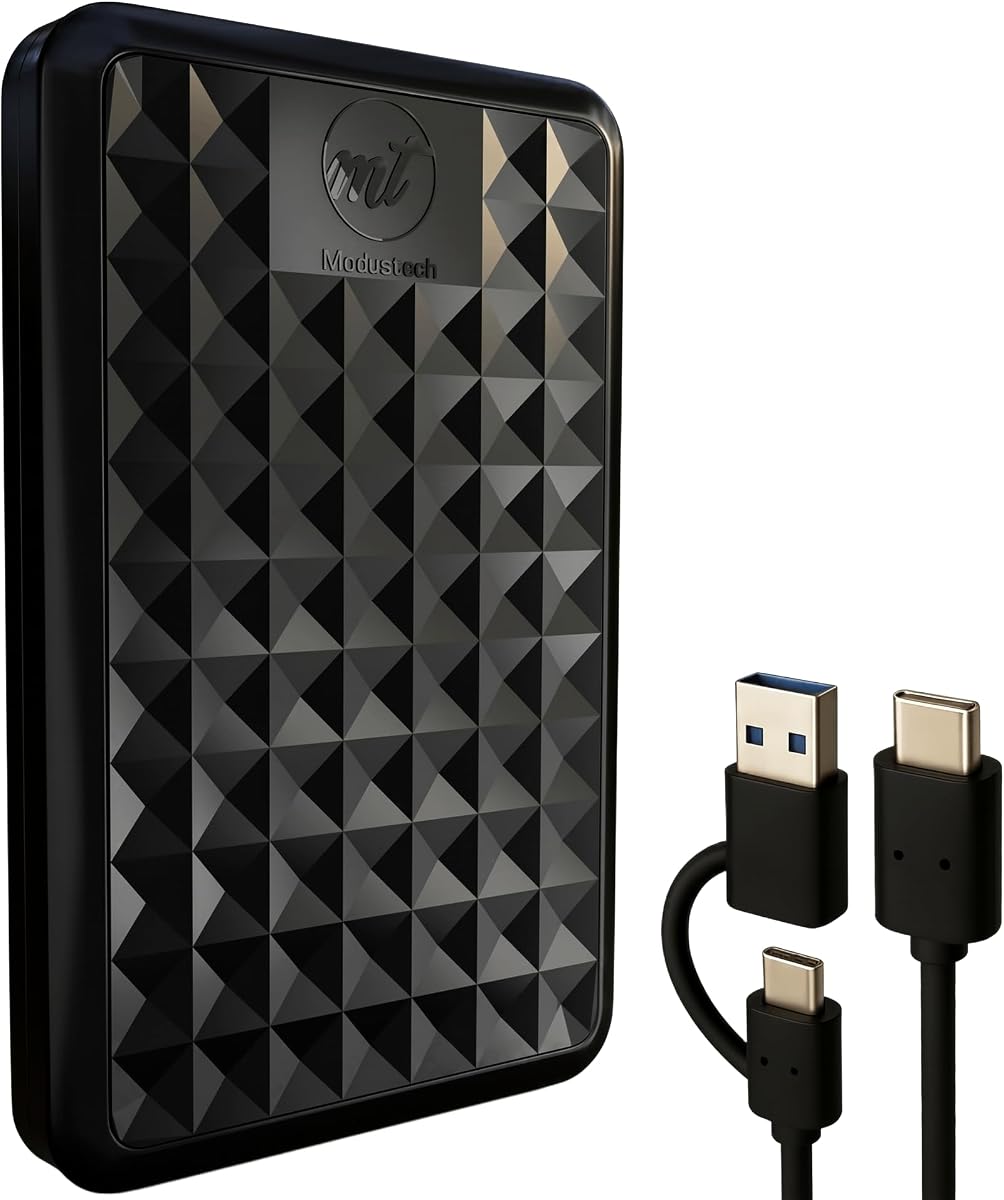
Facet 500GB External Hard Drive
4.1Editor score
USB-C and USB 3.1
Preformatted exFAT
Slim shock-resistant design
This guide compares the top external hard drives for Chromebook users, evaluating capacity, speed, and compatibility to help you choose the right portable
Chromebooks are lightweight and versatile, but their limited internal storage often requires expansion. An external hard drive provides the perfect solution for storing media, documents, and backups without compromising portability or performance.
We evaluated ten leading portable hard drives based on compatibility, transfer speeds, durability, and value. Each option was assessed for its ability to work seamlessly with Chrome OS and other major operating systems for universal use.
Our list includes picks for budget shoppers, power users, and travelers. Note that product availability and pricing fluctuate frequently, so check current listings before purchasing to ensure you get the best deal available today.
4.1Editor score

4.7Editor score

4.6Editor score
Below is a side-by-side comparison of all ten featured drives to help you quickly identify the best fit for your specific storage needs and budget constraints.


The WD Elements 2TB stands out as a top-tier option for Chromebook users needing reliable storage. With a 4.7 rating and vast capacity options, it offers high reliability for daily backups and media storage.
We may earn a commission when you buy through this link, at no additional cost to you.
Its SuperSpeed USB 3.2 Gen 1 interface ensures fast data transfers, making it ideal for large files like videos and projects. The small, lightweight enclosure makes it perfect for travel and fits easily into backpacks.
While it comes pre-formatted for Windows, reformatting is straightforward for Chrome OS compatibility. The lack of a USB-C cable means an adapter may be needed for newer Chromebooks with USB-C ports only.
If you want a trusted brand with expandable capacity up to 6TB, this drive delivers value and performance. It remains a versatile choice for students and professionals alike seeking durable external storage.
The enclosure is designed to be compact while supporting high capacities up to 6TB, ideal for those needing ample space for files.
Designed for immediate use without software installation, it offers a seamless experience across different devices and operating systems.
We may earn a commission when you buy through this link, at no additional cost to you.
The Facet 500GB is an excellent budget-friendly choice specifically tailored for modern laptops like Chromebooks. It ships with both USB-C and USB-A connectivity, ensuring compatibility without extra adapters.
We may earn a commission when you buy through this link, at no additional cost to you.
Preformatted in exFAT, it works seamlessly with Chrome OS and Windows right out of the box. The slim, shock-resistant design protects your data while fitting comfortably in a jacket pocket or laptop sleeve.
Although 500GB may not suffice for heavy media storage, it is perfect for documents, photos, and essential backups. The lightweight build keeps your portable setup minimal and easy to carry daily.
For users prioritizing USB-C connectivity on a tight budget, this drive offers immediate plug-and-play value. It simplifies the storage expansion process for Chromebook users with basic needs.
The included USB-C cable makes connecting to modern Chromebooks effortless, removing the need for additional dongles or hubs.
Formatted in exFAT, this drive is recognized by Windows, Mac, and Chrome OS without requiring immediate reformatting.
We may earn a commission when you buy through this link, at no additional cost to you.
Seagate is a renowned name in storage, and this 2TB portable drive delivers premium reliability. Its automatic recognition feature ensures it connects quickly to your Chromebook without complex setup steps.
We may earn a commission when you buy through this link, at no additional cost to you.
The included USB 3.0 cable supports fast transfers, and the durable housing protects the drive during transit. With 2TB, you gain significant space for large files, media libraries, and system backups.
While it works best with Windows, reformatting to exFAT is a simple process for Chrome OS. The drive remains bus-powered, requiring no external power source, which simplifies mobility and usage.
Choose this drive if you value brand reputation and robust storage. It serves well for professionals who need dependable access to large datasets on the go.
The drive connects automatically to your computer upon plugging in, eliminating the need for software installation.
With 2TB available, users can store thousands of photos, videos, and documents without worrying about running out of space.
We may earn a commission when you buy through this link, at no additional cost to you.
Maxone offers a sleek aluminum design that not only looks premium but also aids in heat dissipation for stable performance. The drive runs cool and quiet, which is appreciated in shared or quiet workspaces.
We may earn a commission when you buy through this link, at no additional cost to you.
With USB 3.0 support, it provides transfer speeds up to 5 Gbit/s, making file movement efficient. The slim profile at 0.4 inches makes it easy to slip into a laptop bag without adding bulk.
A three-year manufacturer warranty provides extra peace of mind, ensuring protection against defects. While optimized for Windows, it formats easily for use with Chrome OS devices.
This drive is a solid choice for those seeking durability and speed in a lightweight package. It balances aesthetics and function well for daily Chromebook tasks.
The all-aluminum casing offers strength and helps keep the drive cool during extended use.
A three-year warranty indicates confidence in product quality, offering long-term support for your purchase.
We may earn a commission when you buy through this link, at no additional cost to you.
This 500GB drive is an economical option for basic storage expansion needs. It weighs only 0.35 pounds, making it exceptionally easy to carry while traveling or commuting.
We may earn a commission when you buy through this link, at no additional cost to you.
Theoretical read speeds up to 133MB/s allow for quick access to files, improving workflow efficiency. It supports a wide range of systems including PC, Mac, and gaming consoles.
Though capacity is limited compared to 2TB models, it suffices for documents and media archives. The plug-and-play setup minimizes hassle for any new user.
Ideal for students or casual users, this drive offers value without unnecessary complexity. It provides essential storage functionality at a budget-friendly price.
Weighing just 0.35 lbs, this drive is designed to be carried effortlessly in any bag or pocket.
Compatible with multiple operating systems, it ensures flexibility across your devices and needs.
We may earn a commission when you buy through this link, at no additional cost to you.
Aiolo focuses on user experience with a noise-free motherboard solution, ensuring silent data operations. This makes it ideal for quiet environments like libraries or shared offices.
We may earn a commission when you buy through this link, at no additional cost to you.
The drive comes with a USB to Type-C adapter, enhancing compatibility with modern Chromebooks. The aluminum anti-interference layer protects data integrity and aids heat dissipation effectively.
With read speeds up to 133MB/s, file transfers remain swift and efficient. Its pocket-friendly form factor ensures it fits easily in any travel gear.
For those who value silence and connectivity options, this model delivers solid performance. It is a practical pick for daily use and data safety.
Adopting a specialized noise-free motherboard, this drive operates quietly to avoid distractions.
A USB to Type-C adapter ensures you can connect to modern devices without buying extras.
We may earn a commission when you buy through this link, at no additional cost to you.
This drive lists Chromebook compatibility explicitly, simplifying the choice for Chrome OS users. Its 1TB capacity balances portability with useful storage space for most individuals.
We may earn a commission when you buy through this link, at no additional cost to you.
Equipped with USB 3.0, it delivers up to 5 Gbit/s transfer rates for efficient backups. The included USB to Type-C adapter adds versatility for newer laptops.
The slim and durable case protects the drive in transit, and the three-year warranty supports long-term reliability. It is designed to work seamlessly without software installation.
A dependable and straightforward solution, this drive meets essential external storage needs. It suits users seeking a hassle-free experience with good coverage.
Manufacturers specifically note Chromebook compatibility, reducing setup concerns for Chrome OS owners.
With USB 3.0 technology, this drive offers transfer speeds ten times faster than USB 2.0.
We may earn a commission when you buy through this link, at no additional cost to you.
UnionSine features a unique heat dissipation design to maintain stable performance during data transfers. The non-slip striped pattern offers a secure grip and reduces accidental drops.
We may earn a commission when you buy through this link, at no additional cost to you.
Powered by the JMicron 578 solution, it supports read speeds up to 125MB/s, enhancing productivity for larger datasets. The aluminum wrap protects against interference and keeps the drive cool.
It fits easily into a pocket for portability, and setup is simple without needing extra software. A three-year warranty adds confidence in its build quality.
This drive combines performance features with practical design elements. It is a good option for users who prioritize speed and thermal management.
The JMicron 578 motherboard provides stable, fast transfers and quiet operation.
Strips on the shell aid in heat dissipation, ensuring consistent performance during use.
We may earn a commission when you buy through this link, at no additional cost to you.
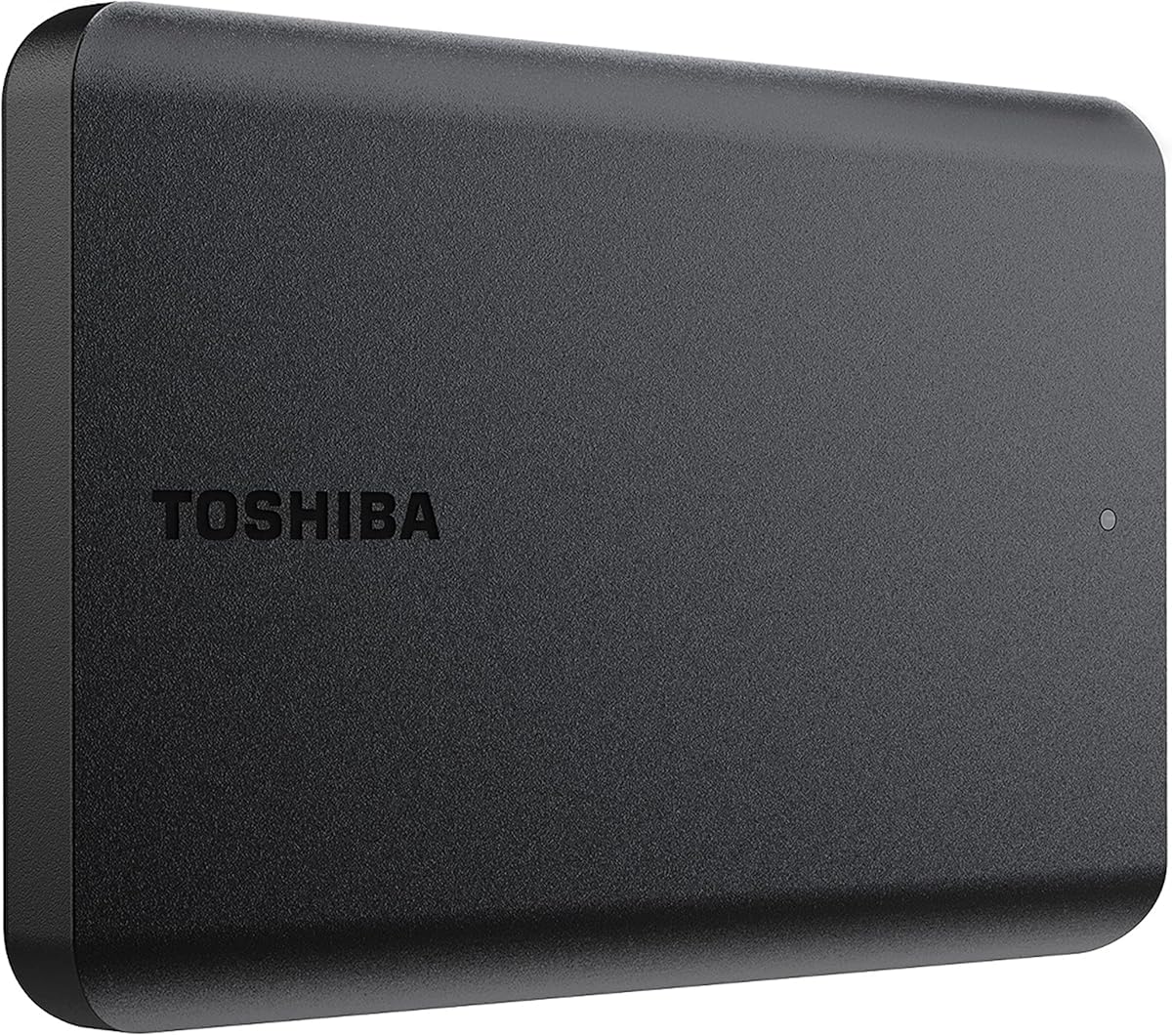
Toshiba combines style with function, featuring a textured finish that resists scratches and adds grip. This model includes useful software for automatic backups and password protection to secure your data.
We may earn a commission when you buy through this link, at no additional cost to you.
While the backup tools target Windows, the drive itself works universally across systems when formatted correctly. It supports USB 3.0 for fast transfers and connects easily to any device.
Its 4.6 rating reflects customer satisfaction with its reliability and design. The compact size ensures it remains portable without sacrificing storage capacity.
If you want added features like security software, this drive offers that value. It remains versatile enough for general Chromebook use after basic formatting.
Password protection software helps prevent unauthorized access to your personal files on Windows.
Automatic backup software simplifies keeping your content safe without manual intervention.
We may earn a commission when you buy through this link, at no additional cost to you.
The Canvio Basics delivers a no-frills approach with high 2TB capacity for serious storage needs. Its matte smudge-resistant finish keeps it looking clean during daily use.
We may earn a commission when you buy through this link, at no additional cost to you.
Designed for simplicity, it requires no software installation and connects instantly via USB 3.0. The drive is bus-powered, so no external power is needed, enhancing portability.
With a 4.6 rating, it stands as a reliable option for expanding your Chromebook storage. Formatting to exFAT ensures compatibility across systems like Mac and Chrome OS.
For users prioritizing capacity and simplicity, this is a solid investment. It provides essential storage capabilities without unnecessary complexity or setup steps.
The sleek profile design with a matte finish resists smudges, keeping the drive looking new.
It is easy to use with no software to install, just plug and play for immediate access.
We may earn a commission when you buy through this link, at no additional cost to you.
Selecting the right external hard drive involves evaluating compatibility, capacity, speed, and durability to match your specific workflow and storage requirements.
Chrome OS uses the ext4 file system for internal storage, so external drives are typically formatted as NTFS for Windows or exFAT for cross-platform use. When buying a drive, ensure it can be formatted to exFAT for seamless read/write access on Chromebook without special tools. While most drives listed work universally, checking for USB-C connectivity is wise since many modern Chromebooks lack USB-A ports.
Always verify that the drive supports plug-and-play functionality to avoid needing drivers. Drives like Facet come preformatted in exFAT, making them instantly compatible with Chrome OS, which simplifies the setup process for users who want immediate access without additional configuration steps.
Capacity is a critical factor depending on what you plan to store. Chromebook users needing space for photos, documents, and moderate media may find 500GB to 1TB sufficient. However, if you work with 4K video files or large datasets, 2TB offers better longevity and flexibility. Higher capacity drives like 2TB models ensure you won't run out of space quickly as your files grow.
Consider your future needs when choosing size. Investing in 2TB now may save you from upgrading later. For students storing lecture notes and media, 1TB is often a balanced sweet spot between cost and utility.
Modern Chromebooks primarily feature USB-C ports, so a drive with USB-C support is ideal. Some drives like Facet include a USB-C to USB-C cable, eliminating the need for extra adapters. For drives with USB-A, ensure you have a reliable USB-C to USB-A adapter to avoid connectivity issues when traveling or working on campus.
USB 3.0 and USB 3.1/3.2 interfaces offer sufficient speed for most tasks. The speed difference between USB 3.0 and 3.1 is minor for everyday file transfers, but newer interfaces may offer better stability with modern hardware and operating systems.
Since Chromebooks are designed for mobility, your external drive should be equally portable. Look for slim, lightweight designs that fit easily into bags or pockets. Drives under 100 grams are easiest to carry without adding bulk to your daily load. A rugged or shock-resistant casing adds durability against bumps during travel.
Metal builds can aid in heat dissipation and provide a premium feel. However, they might get warm during long transfers. Plastic models are lighter but less robust. Choose based on whether you prioritize weight or protection.
Transfer speed affects how quickly you can back up data or transfer media files. USB 3.0 drives typically offer speeds around 5 Gbit/s, which is fast enough for most users. Some models advertise read speeds up to 130MB/s, which helps reduce wait times when accessing large files directly from the external drive.
Real-world speeds may vary based on file type and system load. SSDs are faster but more expensive, so mechanical HDDs remain a budget choice. Ensure the drive does not throttle performance, as consistent speeds are key for smooth backups.
External drives suffer wear from frequent use. A sturdy build with anti-scratch surfaces protects data integrity. Some manufacturers include aluminum casings that double as heat sinks, keeping the drive cool during operation. Durability is crucial for students who carry their tech daily.
Look for drives with shock-resistant features if you travel often. While HDDs have moving parts and are more fragile than SSDs, good casing minimizes risk. Avoid placing drives near edges or dropping them to extend lifespan.
Warranties provide peace of mind against defects. Many brands offer 3-year warranties, covering replacement for hardware failures. Check the support reputation of the brand to ensure you can get help if needed. Some brands like Maxone explicitly list their warranty terms clearly.
A longer warranty suggests confidence in product quality. If a drive fails within warranty, you should receive a replacement without hassle. Keep your receipt and check the manufacturer's support site for claim procedures.
Price varies by capacity and brand. Budget options around $30 offer basic 500GB storage, while premium brands like WD or Seagate cost more but offer reliability. Calculate the cost per gigabyte to see which offers the best value for your needs.
Avoid overpaying for features you don't need, like encryption if you manage passwords yourself. Often, simple plug-and-play drives offer the best value for Chromebook users seeking expanded storage without extra complexity.
To begin using your external hard drive with a Chromebook, simply connect it via USB or USB-C. Wait for the device to appear in the Files app. If prompted to format, choose exFAT for best compatibility across devices.
Regular backups are essential. Schedule automatic backups if possible to avoid losing data. Organize your files into clear folders to keep your external storage tidy and easy to navigate whenever you access it.
To maintain your drive, eject it safely via the system settings before unplugging. Store it in a protective case to prevent physical damage. Avoid exposing the drive to extreme temperatures or direct sunlight to ensure longevity.
Yes, you can use an external hard drive on a Chromebook via USB or USB-C. Ensure the drive is formatted as exFAT for seamless read and write access. Most USB 3.0 drives are plug-and-play compatible.
Chrome OS works best with exFAT for external drives to allow read and write access across Windows and Mac. NTFS is read-only on Chrome OS unless special extensions are used.
If your drive uses USB-A and your Chromebook only has USB-C, you will need a USB-C to USB-A adapter. Some newer drives include both USB-C and USB-A cables for versatility.
No, always eject the drive safely via the Files app before unplugging to prevent data corruption. This ensures all pending writes are completed before disconnecting.
If you mainly store documents and photos, 500GB to 1TB is sufficient. For videos or large software backups, 2TB offers more headroom. Consider future needs before purchasing.
Most external drives work with Windows, Mac, and Chrome OS if formatted correctly. Universal formatting like exFAT ensures cross-platform compatibility for your devices.
Mechanical hard drives typically last 3 to 5 years with normal use. Proper handling, such as avoiding drops and heat, extends their lifespan significantly.
Yes, USB 3.0 drives offer speeds up to 130MB/s, which is fast enough for streaming and editing standard media files. For 4K or RAW video, SSDs are faster but pricier.
Choosing the right external hard drive enhances your Chromebook's utility significantly. Our top picks cover all major needs, from budget-friendly options like Facet to reliable brands like WD and Seagate.
Prioritize compatibility, capacity, and connection type when deciding. A well-chosen drive simplifies backups and keeps your media organized. Ensure your drive supports exFAT for the smoothest Chrome OS experience.
Remember that prices and availability change frequently. Always check current listings to secure the best deal available today for your storage requirements. With the right drive, your Chromebook becomes even more versatile and capable.