
Upgraded Watt Power Meter Plug
4.6Editor score
7 Display Modes
Adjustable Backlight Time
Overload Protection
Compare the best energy consumption monitors for PC to track power usage, reduce electricity bills, and optimize your setup with our expert guide.
Understanding how much power your computer consumes is essential for managing electricity bills and optimizing system efficiency. Energy consumption monitors for PC allow you to measure real-time wattage, voltage, and current usage with precision. These tools help identify energy hogs and ensure your hardware operates within safe limits without unnecessary waste.
We evaluated ten top-rated monitors based on accuracy, ease of use, display clarity, and additional features like cost tracking. Our selection includes plug-in meters for individual devices and whole-home systems for broader insights. Each product was assessed for reliability, safety certifications, and compatibility with standard electrical outlets.
This guide highlights the strengths and weaknesses of each monitor to help you choose the right tool for your needs. Whether you want simple wattage tracking or detailed circuit-level analysis, we have options for every budget. Keep in mind that pricing may vary over time, so check current listings before purchasing.
4.6Editor score

4.6Editor score

4.3Editor score
This comparison table provides a quick overview of the key specifications and features for each of the ten selected energy consumption monitors. Use this section to identify which device aligns best with your monitoring requirements and budget constraints.


The Emporia Vue 3 stands out as the top choice for comprehensive energy monitoring. With a 4.6 rating, it offers reliable data tracking for homeowners and tech enthusiasts alike. Its UL certification ensures safety during installation and operation.
We may earn a commission when you buy through this link, at no additional cost to you.
This monitor provides real-time energy data through a user-friendly app. You can track costs, view solar usage, and manage appliances efficiently. The included 16 branch sensors allow for detailed circuit-level insights without additional purchases.
While installation requires access to your circuit panel, the detailed is worth it for long-term savings. The need for an extra sensor for certain systems may increase costs slightly. However, the accuracy and features justify this investment.
Ideal for homeowners wanting detailed energy insights, this monitor helps reduce bills through informed usage. Its robust feature set makes it a standout choice. We recommend it for anyone serious about managing home electricity effectively.
Access live energy data to make immediate adjustments that lower costs and improve efficiency.
Track solar production and net metering to maximize renewable energy savings.
We may earn a commission when you buy through this link, at no additional cost to you.
This watt meter plug offers exceptional value for budget-conscious users. With a 4.6 rating, it delivers essential power monitoring without complex setup. Its plug-in design makes it instantly usable for any appliance.
We may earn a commission when you buy through this link, at no additional cost to you.
The display features seven modes to track watts, kWh, volts, and more. The adjustable backlight ensures readability in any lighting condition. Overload protection adds a layer of safety for high-draw devices.
Lack of app connectivity means you must manually record data over time. However, the memory function saves data between sessions. This trade-off is acceptable for those prioritizing simplicity and cost.
Perfect for monitoring individual PCs or gaming setups, this plug is simple to use. It helps identify energy usage patterns without technical hassle. We recommend it for renters or casual users needing quick insights.
Plug into any outlet to instantly measure appliance power consumption without tools.
Overload protection warns you when devices exceed safe power limits.
We may earn a commission when you buy through this link, at no additional cost to you.
The Meross Smart Home Monitor is a premium option for advanced users. Its 4.3 rating reflects strong performance in local data handling and smart home integration. Privacy enthusiasts will appreciate the lack of cloud dependency.
We may earn a commission when you buy through this link, at no additional cost to you.
This system integrates seamlessly with Home Assistant for automation. You can track energy for 16 branch circuits and optimize solar usage. Real-time alerts help manage costs and prevent unexpected spikes.
Installation is more involved than simple plug-in meters, requiring panel access. The lack of cloud services may limit remote access without additional setup. However, data privacy and local control are significant benefits.
Ideal for smart home owners and solar users, this monitor provides deep insights. It automates energy usage based on solar surplus. We recommend it for those prioritizing privacy and advanced automation.
Keep all energy data on your local network to ensure complete privacy and control.
Link with Home Assistant to automate high-power devices during off-peak times.
We may earn a commission when you buy through this link, at no additional cost to you.
This outlet watt meter is a versatile tool for measuring various voltages. With a 4.5 rating, it delivers accurate readings across a wide range. The backlit display ensures visibility in dark environments.
We may earn a commission when you buy through this link, at no additional cost to you.
It offers Class 1.0 accuracy for precise energy tracking. The 90-day memory retains data even during power outages. You can set cost rates to calculate electricity expenses automatically.
Without smart connectivity, you cannot access data remotely. The manual interface may require more effort for detailed logging. However, its reliability and accuracy make it a solid choice.
Best for users needing a simple yet accurate meter, this device works well for PCs. It helps track usage without unnecessary complexity. We recommend it for those prioritizing accuracy and data retention.
Supports voltages from 90 to 250V for diverse electrical systems.
Set your electricity rate to monitor expenses in real-time.
We may earn a commission when you buy through this link, at no additional cost to you.
This monitor is designed for shared living spaces with its rental billing tools. With a 4.4 rating, it provides detailed circuit-level tracking. The privacy mode allows local operation without cloud reliance.
We may earn a commission when you buy through this link, at no additional cost to you.
It supports 16 branch sensors for individual room monitoring. You can set electricity rate templates for fair cost allocation. The app offers historical data for usage trends.
Installation requires panel access, which may be challenging in some homes. Limited remote access compared to other smart options might be a drawback. However, its rental features are unmatched.
Ideal for landlords or roommates, this monitor simplifies cost sharing. It ensures transparency in utility usage. We recommend it for shared properties needing accurate billing solutions.
Track usage per room to allocate electricity costs fairly among residents.
Run devices locally to keep your data private and secure.
We may earn a commission when you buy through this link, at no additional cost to you.
This plug offers a user-friendly experience with nine display modes. With a 4.6 rating, it provides clear readings of various parameters. The backlight aids in reading data in low light.
We may earn a commission when you buy through this link, at no additional cost to you.
It tracks wattage, voltage, current, and more with simple button toggles. Data storage ensures you don't lose records during outages. The reset function clears data when needed.
The lack of smart features limits remote monitoring. You must read data directly from the device. However, its simplicity is perfect for quick checks.
Ideal for casual users, this plug helps monitor PC power usage easily. It provides necessary data without technical complexity. We recommend it for those needing a straightforward meter.
View detailed power metrics on a clear LCD screen at any angle.
Just plug in and press buttons to see your energy consumption.
We may earn a commission when you buy through this link, at no additional cost to you.
This watt meter is noted for its high accuracy and detailed tracking. With a 4.7 rating, it delivers reliable power analysis. The one-click switching allows quick access to different metrics.
We may earn a commission when you buy through this link, at no additional cost to you.
It includes overload protection to alert you of unsafe loads. Data storage retains records even after power failures. The upgraded LCD ensures visibility from any angle.
Smart features like app control are absent. This limits automation capabilities. However, for manual monitoring, it is highly effective.
Best for users needing precise local data, this meter helps manage PC usage. It provides safety features for high-power setups. We recommend it for those prioritizing accuracy.
Press one button to switch between different power parameters.
Overload protection warns you to prevent electrical hazards.
We may earn a commission when you buy through this link, at no additional cost to you.
This two-pack offers great value for monitoring multiple devices. With a 4.6 rating, it provides essential tracking for PCs and peripherals. The ABS material ensures durability and safety.
We may earn a commission when you buy through this link, at no additional cost to you.
Eight modes allow you to track watts, kWh, and costs. Backlight and memory features enhance usability. The auto-reset function simplifies data management.
Lack of smart connectivity limits advanced features. You must manually manage settings. However, it is cost-effective for basic needs.
Perfect for multiple room monitoring, this pack covers various outlets. It helps compare energy usage across devices. We recommend it for budget-conscious users needing multiple units.
Get two meters to monitor multiple devices simultaneously.
Simple controls and backlight make data easy to read.
We may earn a commission when you buy through this link, at no additional cost to you.
This classic monitor offers a simple approach to energy tracking. With a 4.5 rating, it is known for reliability. Its settings cover daily, weekly, and monthly usage.
We may earn a commission when you buy through this link, at no additional cost to you.
It counts kilowatt-hours and estimates costs. The inverter compatibility makes it suitable for various appliances. The large LCD screen ensures clear data.
While features are limited compared to modern smart meters, it provides essential data. It lacks app connectivity. However, its simplicity is its strength.
Ideal for basic monitoring needs, this device is easy to use. It helps track PC power without technical complexity. We recommend it for those preferring traditional tools.
View daily, weekly, and monthly consumption easily.
A trusted brand offering consistent power measurement.
We may earn a commission when you buy through this link, at no additional cost to you.
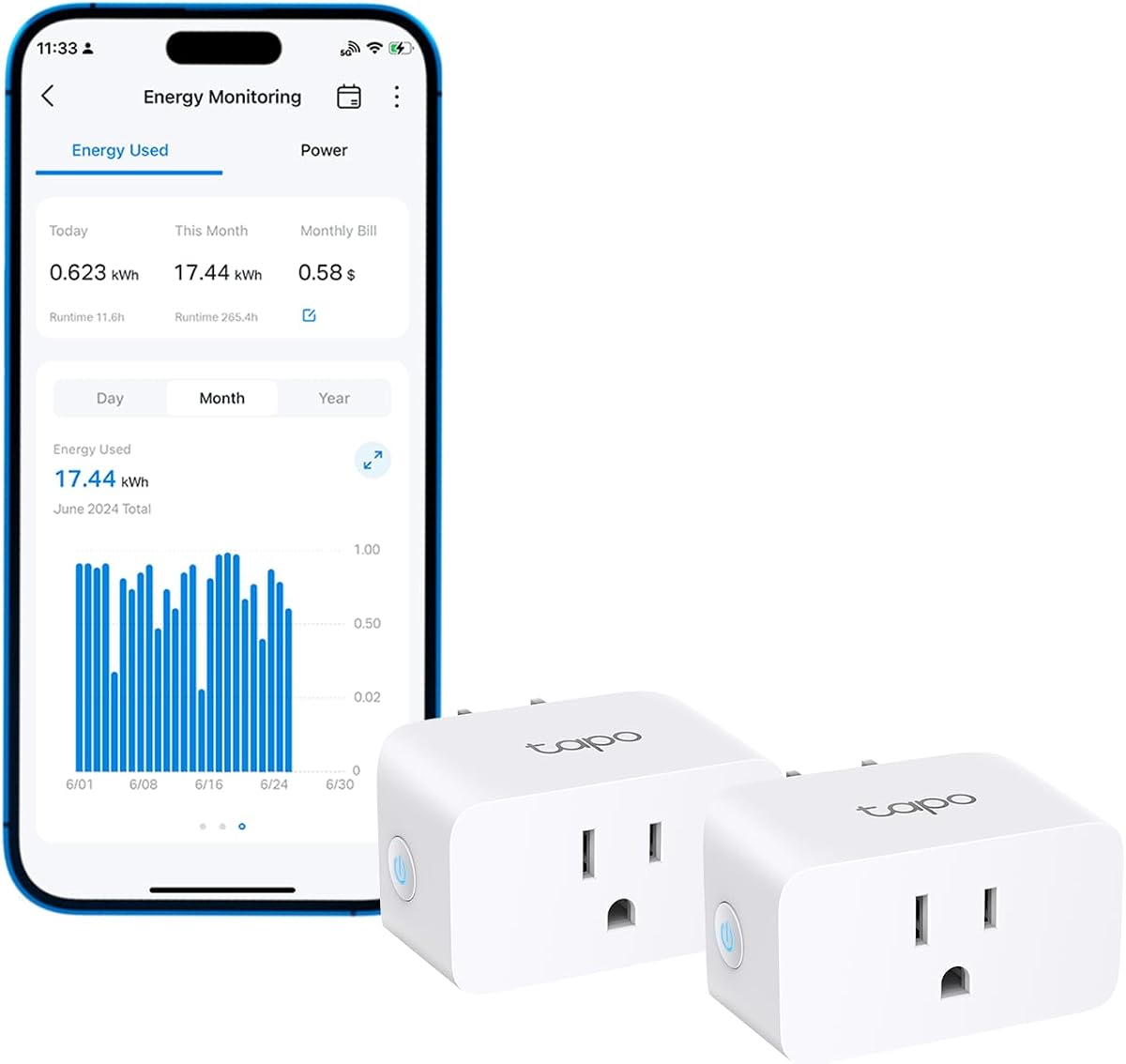
This smart plug offers Wi-Fi monitoring with app controls. With a 4.5 rating, it allows remote energy tracking. The charts visualize usage for better management.
We may earn a commission when you buy through this link, at no additional cost to you.
It supports voice control via Alexa and Google Assistant. Auto-shutoff prevents overloads. You can schedule devices to save costs during peak times.
Requires a stable Wi-Fi connection for full functionality. It is limited to devices using standard plugs. However, its convenience is unmatched.
Perfect for smart home users, this plug monitors PC peripherals easily. It adds automation to energy management. We recommend it for those wanting remote access.
Track and control energy usage from anywhere with Wi-Fi.
Schedule devices to turn off automatically during high-cost hours.
We may earn a commission when you buy through this link, at no additional cost to you.
Selecting the right energy monitor involves balancing features, budget, and specific needs. Consider accuracy, connectivity, and safety before making a decision.
High accuracy ensures you get reliable readings of power usage. Look for models rated to within 1-2% for precise tracking. Inaccurate data may lead to incorrect conclusions about energy savings.
Wi-Fi enabled models allow remote access and automation. Non-connected meters require manual recording. Consider if you need real-time alerts or app integration.
Certifications like UL or ETL indicate rigorous safety testing. They ensure the device is safe for continuous use. Avoid uncertified models to prevent fire hazards.
A clear display with backlight helps read data easily. Large screens reduce eye strain. Some models offer multiple modes for detailed tracking.
Memory retention ensures data is saved during outages. Look for models that store usage records. This feature is vital for long-term analysis.
Plug-in meters are easiest to set up. Whole-home systems require panel access. Choose based on your technical comfort level.
Models that calculate electricity costs help budget management. Set your rate to see expenses in real-time. This feature encourages energy-saving behavior.
Voice control and scheduling automate usage. These features can reduce bills by avoiding peak times. Consider compatibility with your existing smart home setup.
Start by plugging your device into the monitor. If using a circuit-level system, ensure proper installation by an electrician. Safety should always be a priority during setup.
Check the display or app to view real-time data. Reset cumulative data if you need to start fresh. Record measurements periodically for tracking purposes.
Regularly clean the unit to prevent dust buildup. Store in a dry place if not in use. Check for updates to maintain performance.
Energy monitors show exactly how much power devices use. This helps identify energy hogs like old appliances. With this data, you can reduce usage and lower bills.
Yes, plug-in monitors are safe when certified. They stay cool and protect against overloads. Ensure you follow instructions to avoid overheating.
Wi-Fi enabled models allow remote monitoring. You can track usage from your phone. Plug-in devices typically require manual checks.
Circuit monitors measure entire home circuits. Plug monitors only track specific devices. Choose based on the detail you need.
Most top models are accurate within 1-2%. They provide reliable data for tracking. Check specs for specific accuracy details.
Basic monitors work without Wi-Fi. Smart models need internet for app access. Consider connectivity needs before buying.
We reviewed ten monitors suitable for different needs. The Emporia Vue 3 offers comprehensive home tracking. Budget-friendly plugs are ideal for simple tasks.
Prioritize safety and accuracy when choosing. Smart features add convenience but may cost more. Match the device to your specific goals.
Always check current prices for the latest deals. This guide provides a solid starting point. Take action today to manage your energy usage wisely.