
Bodno Matica MC320
4.3Editor score
Affordable dual-sided option
Windows and Mac compatible
3-year warranty support
This guide compares the top dual sided card printer models for 2026 to help you choose the right device for ID badge and secure card printing needs.
Dual sided card printers are essential tools for organizations needing professional identification badges and secure access cards. These devices allow you to print high-quality images and text on both sides of a card in one efficient pass. Choosing the right model ensures durability, speed, and consistent output quality for your specific business requirements.
We evaluated the leading models based on print resolution, speed, software compatibility, and included supply packages. Our analysis covers direct-to-card dye sublimation technology which delivers vibrant colors and sharp details. We also considered warranty terms and support options to ensure long-term reliability for your printing operations.
Each pick below highlights key features, pros, and cons to help you make an informed decision for your environment. Prices and availability change frequently so check the linked product pages for current offers. These printers range from budget-friendly options to premium industrial solutions designed for high-volume usage.
4.3Editor score
4.6Editor score

4.2Editor score
The following table provides a side-by-side comparison of all ten models evaluated in this guide. Each entry highlights core specifications and key selling points to help you quickly identify the printer that matches your volume and feature requirements.


The Bodno Magicard 400X stands out as a top choice for organizations needing reliable dual-sided printing. With a strong rating of 4.6 stars it delivers vibrant colors and sharp text on both sides of cards efficiently. The complete package includes a 300-print ribbon and software to get you started immediately.
We may earn a commission when you buy through this link, at no additional cost to you.
Its standout feature is the all-inclusive nature which removes the hassle of sourcing separate ribbons and blank cards. The Bronze Edition software offers intuitive drag-and-drop design with pre-made templates. Compatibility with both Windows and Mac systems ensures flexibility for diverse IT environments.
While the upfront price is higher than some competitors the included supplies and extensive warranty offset the cost. The 4-year warranty provides significant peace of mind for business users. However the software license is specific to this edition so confirm your needs before purchasing.
This printer is ideal for small to medium businesses that want a turnkey solution without hidden costs. If you need professional ID cards with minimal setup time the 400X is a strong recommendation. The lifetime support option further enhances its value for long-term use.
The included 300-print ribbon and blank cards mean you can begin printing right after unboxing the device.
Bodno offers lifetime support for their software ensuring you can resolve design issues quickly without extra fees.
We may earn a commission when you buy through this link, at no additional cost to you.
The Bodno Seaory S28 impresses with a resolution of 300 x 1200 dpi ensuring crisp details on your cards. It supports dual-sided printing in one pass which boosts productivity significantly. The package includes necessary supplies so you can start printing professional ID cards immediately.
We may earn a commission when you buy through this link, at no additional cost to you.
A key strength is its compatibility with Linux systems which is rare in this category. This makes it suitable for organizations using open-source software environments. The software is user-friendly with templates that simplify the design process for non-technical staff.
While the hardware warranty is two years the software support lasts a lifetime which is a valuable trade-off. The single pass printing saves time compared to models that print sides separately. Ensure you have the correct ribbon type for your specific usage needs.
This model is excellent for businesses prioritizing print quality and cross-platform compatibility. If you need high-resolution images for photos or logos the S28 delivers well. The complete package reduces setup time allowing you to focus on card design.
Unlike many rivals the S28 works with Linux giving more flexibility for diverse operating system environments.
Printing both sides in one pass reduces mechanical wear and speeds up the production of large batches.
We may earn a commission when you buy through this link, at no additional cost to you.
The Evolis Primacy 2 is designed for efficiency delivering up to 280 full color cards per hour. This speed makes it ideal for offices issuing frequent access cards or event badges. The bundle includes ribbons and blank cards to streamline your initial setup process.
We may earn a commission when you buy through this link, at no additional cost to you.
It features direct to card dye sublimation technology which ensures long-lasting vibrant prints. The LED panel provides operational assistance making it easy to monitor status and resolve minor issues. Connectivity options include USB and Ethernet for flexible network integration.
While the price is higher the increased speed and reliability justify the investment for high-volume needs. The 3-year warranty offers protection against hardware failures during normal use. Note that the default feeder holds 100 cards but upgrades are available.
Choose this printer if speed and network connectivity are priorities for your workflow. It suits environments where many cards need to be printed regularly. The included software helps manage card designs efficiently for various applications.
Ethernet support allows multiple users to send print jobs from different computers across your office network.
At 280 cards per hour this model handles busy periods without causing bottlenecks in card issuance.
We may earn a commission when you buy through this link, at no additional cost to you.
The Magicard 300 offers a straightforward experience with clear LED messages guiding you through operations. It supports dual-sided printing and includes supplies to get you started without delays. The design software is intuitive making it accessible for users with limited technical skills.
We may earn a commission when you buy through this link, at no additional cost to you.
One of its strengths is the free technical support which helps with setup and troubleshooting. The LED panel displays easy to understand instructions reducing downtime when issues arise. It prints at 300 dpi which is sufficient for most ID card and badge needs.
While the speed is not the fastest on the market the reliability and support make it a solid choice. The 3-year warranty provides reasonable coverage for hardware protection. Users appreciate the bundled design software which simplifies the card creation process.
This printer is best for small offices or schools needing simple and reliable card printing. If you value user-friendly interfaces and support over raw speed the 300 is a good fit. The included supplies ensure you can begin printing immediately.
The LED panel provides simple instructions so you can resolve status issues without consulting manuals.
Free tech support helps with printer setup ensuring a smooth start to your card printing operations.
We may earn a commission when you buy through this link, at no additional cost to you.
The Fargo DTC4500e is robust printer with a 500-image ribbon capacity which reduces refill frequency. It features a smart LCD screen that provides access to simple and complex print commands easily. The supplies kit includes cards and software to help you get started quickly.
We may earn a commission when you buy through this link, at no additional cost to you.
Security is a focus with features that support secure print commands and data protection. The dual hopper option allows you to hold two different card types which adds versatility for mixed card types. This is useful for environments issuing both staff and visitor badges.
The interface is detailed which may require some learning but offers greater control over print jobs. The 3-year warranty supports the hardware investment against wear and tear. Ensure you have the necessary infrastructure to support its features fully.
Choose this model if you need higher capacity and security features for corporate use. It suits organizations that require precise control over card production and access levels. The included supplies provide a convenient starting point.
The optional dual hopper lets you store and switch between two card types without reloading manually.
The smart LCD screen gives you direct access to print commands for better management of card batches.
We may earn a commission when you buy through this link, at no additional cost to you.
The Fargo DTC4250e stands out with built-in erase and rewrite capabilities for specific card types. This feature allows you to update card information without reprinting entirely which saves material costs. The package includes cards and software to begin using these features immediately.
We may earn a commission when you buy through this link, at no additional cost to you.
Direct-to-card printing ensures high-quality results on the card surface. The smart LCD screen makes it easy to navigate commands and monitor print status. A rating of 5.0 suggests high satisfaction among users with its reliability and features.
While rewritable cards are a benefit they may require specific ribbon types that need tracking. The 3-year warranty provides hardware protection for your investment. Users appreciate the ability to reuse cards for temporary access or events.
This model is ideal for organizations using temporary badges or visitor cards frequently. If you need to update information often without printing new cards the rewrite feature is valuable. The supplies package ensures you can test this functionality right away.
Built-in erase and rewrite lets you update card data multiple times reducing long-term supply costs.
The smart LCD screen simplifies command access for both simple and complex print settings.
We may earn a commission when you buy through this link, at no additional cost to you.
The Bodno Magicard 300 offers a complete package with supplies and software to start printing right away. It supports dual-sided printing and works with both Windows and Mac systems efficiently. The Bronze Edition software provides pre-made templates for easy design creation.
We may earn a commission when you buy through this link, at no additional cost to you.
A one-time license for the software is convenient for budget-conscious buyers. The included 300-print ribbon ensures you can test print quality immediately. The 3-year warranty and lifetime support add significant value to the overall purchase.
While it lacks advanced features found in premium models it covers essential needs well. Users benefit from the comprehensive package that reduces the need for additional purchases. The intuitive software makes it accessible for non-technical staff members.
This printer is perfect for small teams needing reliable dual-sided printing without extra costs. If you prefer a straightforward solution with good support options the 300 is a solid choice. The package includes everything needed to begin printing cards.
The software comes with pre-made templates and drag-and-drop features for easy card design creation.
Supplies and software are included so you do not need to source additional items before starting.
We may earn a commission when you buy through this link, at no additional cost to you.
The Zebra ZC300 focuses on security with government-grade AES data encryption to protect sensitive data. It offers multiple encoding options including magnetic stripe and contactless cards. The graphical LCD interface allows users to navigate settings intuitively in their preferred language.
We may earn a commission when you buy through this link, at no additional cost to you.
Security features prevent unauthorized printing and protect data during the process. The redesigned hopper and saloon-style output doors make card handling easier. ZIP Pocket and SDKs enable integration with third-party contactless encoders for custom solutions.
The lower rating suggests some users may face challenges with setup or support. However for security-focused environments this model provides critical protections for data and access. Ensure you have technical expertise to fully utilize the encoding options.
This printer is best for organizations with strict security compliance requirements. If data protection is a priority over speed the ZC300 is a strong candidate. The interface simplifies access to security settings for operators.
Government-grade encryption keeps sensitive data safe during printing preventing unauthorized access to information.
Multiple encoding options allow you to create swipe-and-go or contactless cards for various security needs.
We may earn a commission when you buy through this link, at no additional cost to you.
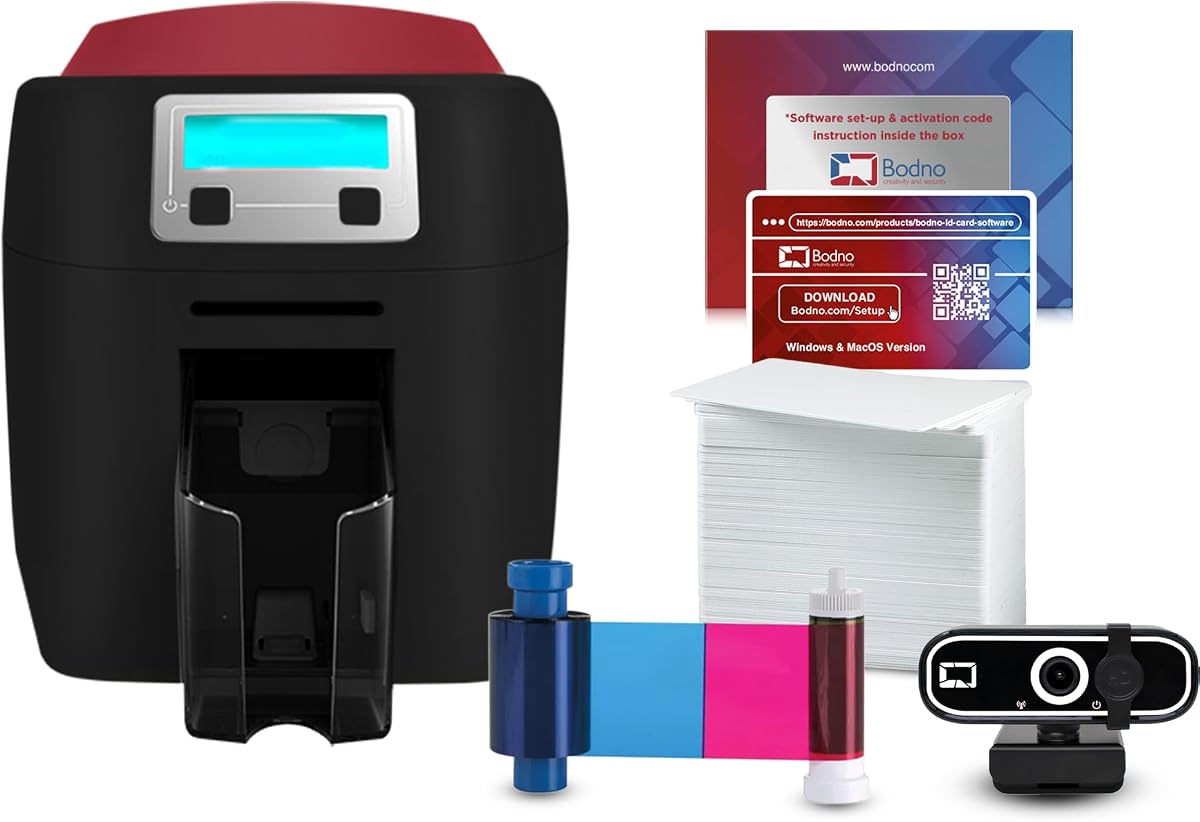
The Bodno Matica MC320 offers an affordable entry into dual-sided printing with necessary supplies included. It is ready to use with all supplies and supports both Windows and Mac platforms. The Bronze Edition software simplifies card design with templates and activation code.
We may earn a commission when you buy through this link, at no additional cost to you.
Cost-effectiveness is a primary advantage as it delivers quality results without high costs. Quick setup allows you to start printing almost immediately after unboxing. The 3-year warranty and dedicated support ensure long-term reliability for your printing tasks.
While the print count per ribbon is lower than other models the price compensates for this. Users appreciate the straightforward operation and lack of hidden costs. It is a solid option for organizations with moderate printing needs.
Choose this model if you need dual-sided printing on a budget. It suits small teams or event organizers needing quick reliable card issuance. The included software helps manage designs easily without extra software costs.
High-quality results are delivered without the high costs typically associated with dual-sided printers.
All necessary supplies are included so you can start printing right after unboxing the printer.
We may earn a commission when you buy through this link, at no additional cost to you.
The Zebra ZC350 delivers incredible printing speeds that surpass others in its class for high volume. It features a great visual interface with a touch screen to simplify printing and preview cards. The printer is easy to install and ready to use once plugged in.
We may earn a commission when you buy through this link, at no additional cost to you.
Its speed allows you to complete tasks quickly reducing downtime for staff issuing badges. The saloon-style output doors make loading and unloading cards simpler than traditional models. Customizable encoding offers flexibility for various card types and security needs.
The higher price reflects its premium features and speed capabilities. Users appreciate the ease of use and efficiency gains during busy periods. Ensure you have the budget to support the higher upfront investment for these benefits.
This model is ideal for organizations with high volume printing needs. If speed and interface usability are priorities the ZC350 is a strong choice. The preview feature helps eliminate test runs and saves time.
Incredible printing speeds ensure you get the job done quickly during busy periods or events.
The touch screen allows you to look at card designs before printing saving time and materials.
We may earn a commission when you buy through this link, at no additional cost to you.
Selecting the right dual sided card printer involves assessing your specific needs and constraints. This section outlines key factors to consider for a smart purchase decision.
Determine how many cards you need to print daily or weekly. High-volume environments require faster models like the Zebra ZC350 which can print up to 280 cards per hour or more. Lower volume offices may be fine with standard speed models.
Check the cards per hour rating to ensure the printer meets your workflow demands without bottlenecks.
Resolution impacts the clarity of photos and logos on your cards. Look for models with at least 300 x 1200 dpi for sharp details and professional results. Higher dpi ensures text and barcodes remain readable.
Prioritize high resolution if your cards include photos or detailed security features.
Ensure the printer works with your operating system such as Windows Mac or Linux. Some models like the Seaory S28 support Linux which is useful for diverse IT environments. Connectivity options like USB or Ethernet allow network sharing.
Choose models with connectivity options that match your existing infrastructure and team needs.
Consider if the printer comes with supplies like ribbons and blank cards. All-inclusive packages reduce initial setup costs and save time. Evaluate ribbon capacity as larger capacities mean fewer changes.
Look for bundles that include sufficient supplies to start printing immediately without extra purchases.
User-friendly software helps you design cards easily with templates and drag-and-drop features. Check if the license is one-time or subscription based to manage long-term costs. Software should support dual-sided design workflows.
Select models with intuitive software to reduce training time for staff creating card designs.
Warranty terms vary from 2 to 4 years depending on the model. Longer warranties protect your investment against hardware failures. Also check for lifetime software support options which can be valuable.
Prioritize models with strong warranty and support to ensure reliable long-term operation.
Security features like AES encryption protect sensitive data during printing. Some models offer dual hoppers or encoding options for secure cards. Ensure the printer meets compliance requirements for your industry.
Choose models with encryption if you handle sensitive employee or client data.
Compare the total cost including the printer ribbons and maintenance. Budget models like the Matica MC320 offer lower upfront costs but may have lower capacity. Premium models offer speed and features at a higher price.
Balance upfront costs with operational savings to find the best value for your needs.
Start by connecting the printer to your computer and installing the provided drivers and software. Ensure you have the correct ribbons and blank cards loaded into the designated slots. Follow the on-screen LED or touch instructions to complete setup.
Regularly clean the print head and rollers to maintain print quality and prevent jams. Use recommended cleaning kits and follow manufacturer guidelines for intervals. Check the hopper for dust and ensure cards are aligned properly.
Store ribbons and cards in a cool dry place away from direct sunlight. High heat or humidity can affect ribbon quality and card durability. Update software drivers periodically to benefit from security patches and features.
Many models in this guide support both Mac and Windows operating systems. Check the specific compatibility details for each product to ensure it matches your setup. Some options also support Linux for more flexibility in diverse environments.
With proper care a card printer can last several years. Regular cleaning and avoiding overloading the hopper extend its life. Warranty terms usually cover hardware failures during the initial period of ownership.
Most bundles include an initial ribbon so you can start immediately. However you will need to purchase replacement ribbons as you use up the included ones. Always check if the ribbon type matches your model.
Use a dedicated cleaning card and solution to clean the print head and rollers. Follow the manufacturer's instructions for frequency and method. Regular cleaning prevents poor print quality and extends component life.
Most printers work with standard PVC cards but check the manual for other materials. Some models support composite cards or special surfaces. Ensure the material is compatible with the dye sublimation process.
Most software provided is designed to be user-friendly with templates. Basic training helps you maximize features but it is generally intuitive. Support resources are available to guide you through design tasks.
Print time depends on the model and resolution settings. Standard prints may take a few seconds while high-quality prints may take longer. Check the cards per hour rating to estimate batch times.
Yes dual-sided printers allow you to print both sides in one pass or two. This saves time and ensures alignment between sides. Check the specific model for single pass capabilities.
We have reviewed ten top models including the Bodno Magicard 400X for overall value and the Zebra ZC350 for speed. Each option offers unique benefits depending on your budget and feature needs.
Prioritize factors like speed compatibility and supply costs when making your choice. A printer that matches your workflow will save time and resources in the long run.
Prices and availability change frequently so verify current offers before buying. Check the provided links for the most up-to-date information on each model.