
PUNEHOD A4 DTF Printer
3.4Editor score
Wide fabric application
Built-in cutter included
Ink and powder bundle
Finding the right Dtf Transfer Printer for Custom Shirts can transform your small business or hobby into a thriving creative venture. These machines offer vibrant colors and durability without the need for pre-treatment on most fabrics.
We analyzed ten leading models based on print quality, reliability, and ease of use. Our evaluation considered features like ink circulation systems, print speeds, and customer support to ensure you make an informed decision.
Each pick below highlights key strengths and potential drawbacks to match your specific requirements. Please note that availability and pricing may fluctuate, so always check the latest details before purchasing your equipment.
3.4Editor score

5.0Editor score
4.4Editor score
As an Amazon Associate we earn from qualifying purchases.
The following table provides a side-by-side comparison of all ten models to help you quickly identify the specifications that matter most for your printing workflow.





This multifunction machine stands out for its ability to handle a wide range of materials without pretreatment. Users report excellent restoration of picture effects and bright colors on various fabrics. The automatic flatbed design ensures consistent results across different garment types.
We may earn a commission when you buy through this link, at no additional cost to you.
The standard white ink stirring system with automatic timing significantly reduces the probability of print head clogging. Both the motherboard and printhead are easier to buy and replace, which lowers long-term maintenance concerns. The A3 format suction platform is robust and handles film securely.
While the initial investment is higher, the versatility eliminates the need for separate DTG and DTF setups. The elimination of pretreatment steps saves time and labor costs. However, the complexity might be challenging for absolute beginners.
This printer is ideal for businesses needing a unified solution for diverse custom apparel projects. The reliable performance and easy maintenance make it a strong contender for growing operations. If you need flexibility across material types, this model delivers.
This machine prints effectively on cotton, polyester, and mixed blends without special pretreatment steps.
Automatic stirring and timing systems keep the ink flowing smoothly to prevent clogs during idle periods.
We may earn a commission when you buy through this link, at no additional cost to you.
This printer features a high precision L1805 printhead capable of 2880×1440 dpi resolution. It produces vibrant colors, crisp details, and excellent saturation suitable for professional applications. The vacuum platform ensures materials stay securely in place during printing.
We may earn a commission when you buy through this link, at no additional cost to you.
The upgraded white ink circulation system and automatic cleaning function prevent clogging effectively. Users appreciate the 178-second photo mode speed which increases throughput. The package includes a clothes hanger and software to get you started immediately.
While it performs well, note that inks are not included in the initial box purchase. The semi-automatic cleaning requires some user intervention but maintains the head reliably. This is a robust choice for those needing high fidelity.
Ideal for creators needing sharp details and consistent results across fabric types. The vacuum platform adds precision that manual setups often lack. If quality is your priority, this model delivers exceptional clarity.
Achieve stunning detail and smooth gradients with the advanced six-color L1805 printhead technology.
The built-in vacuum platform holds film and paper tightly to prevent misalignment during operation.
We may earn a commission when you buy through this link, at no additional cost to you.
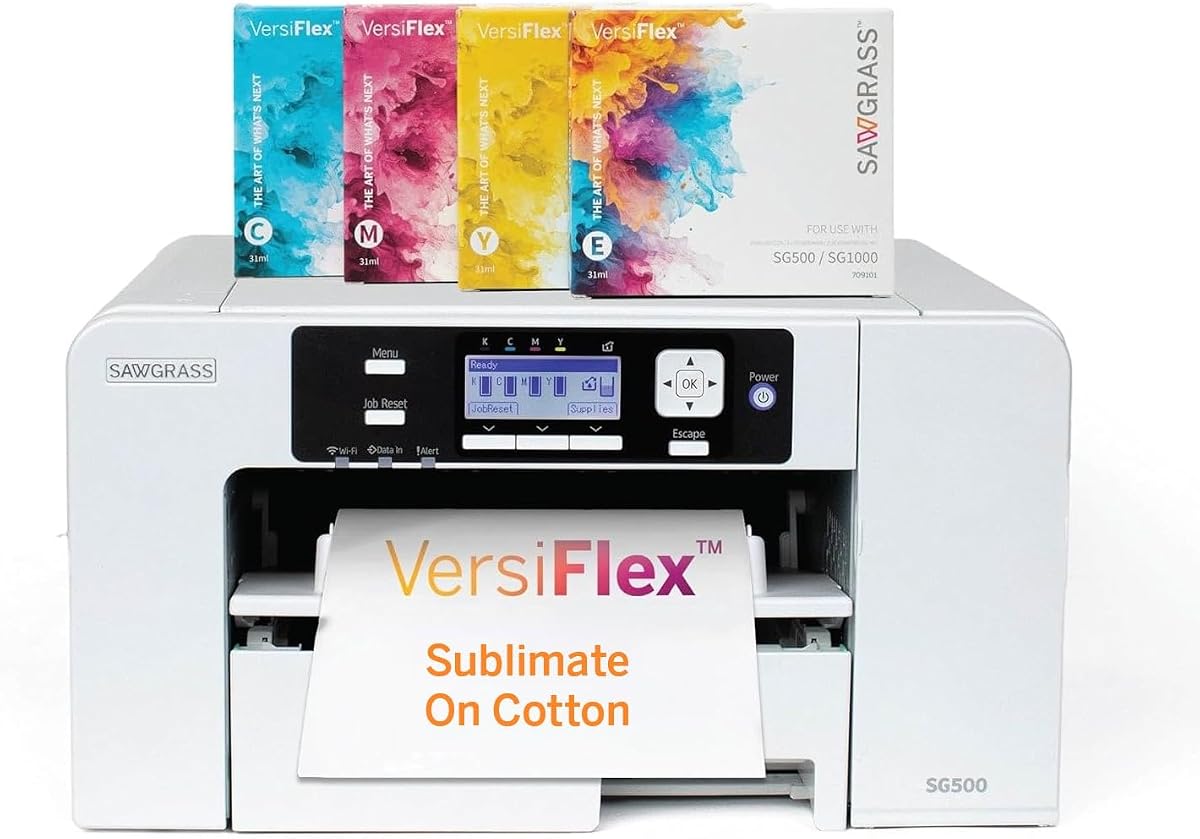
This bundle offers a simplified decoration solution for porous materials like natural fibers. It delivers high-quality prints without the need for pre-treatment which saves valuable setup time. The soft touch finish avoids the stiff transfers common with other methods.
We may earn a commission when you buy through this link, at no additional cost to you.
VersiFlex inks provide true-to-life colors that are certified for safety and environmental standards. The package includes ink cartridges and transfer paper to start your projects right away. It is designed for use with standard US electrical outlets.
Users report needing a separate heat press which is not included. Some reviewers have noted mixed experiences with reliability or support. However, the ease of use is a strong selling point for hobbyists.
If you prioritize a soft finish and simple workflow on natural fibers, this is a compelling option. It removes complex chemical steps typical in other systems. Just ensure you have the pressing equipment before purchasing.
Enjoy a professional finish that feels comfortable and flexible on the fabric rather than stiff.
Print effectively on porous surfaces like cotton, canvas, and untreated wood without pre-treatment.
We may earn a commission when you buy through this link, at no additional cost to you.
This printer is designed specifically for home studios and small custom apparel shops. It brings 13-inch DTF printing into a workflow that handles real customer work efficiently. The G7-certified color performance keeps colors close to the original design.
We may earn a commission when you buy through this link, at no additional cost to you.
Features like 12-hour auto cleaning and white ink circulation help limit clogs during downtime. The platen vacuum keeps film flatter which protects the printhead from strikes. Eligible replacement parts are provided at no additional cost during coverage.
While it requires routine maintenance, the simplified controls make daily functions easy to access. Technical assistance is available 24/7 to guide you through setup and printing. This support network is invaluable for new business owners.
It is an excellent choice for those starting a side business or home studio. The balance of cost and performance is strong for small-scale production. If you need reliable support, this model stands out.
Access lifetime technical assistance and setup videos to ensure your business runs smoothly from day one.
G7-certified color performance ensures that your prints match your digital designs accurately.
We may earn a commission when you buy through this link, at no additional cost to you.
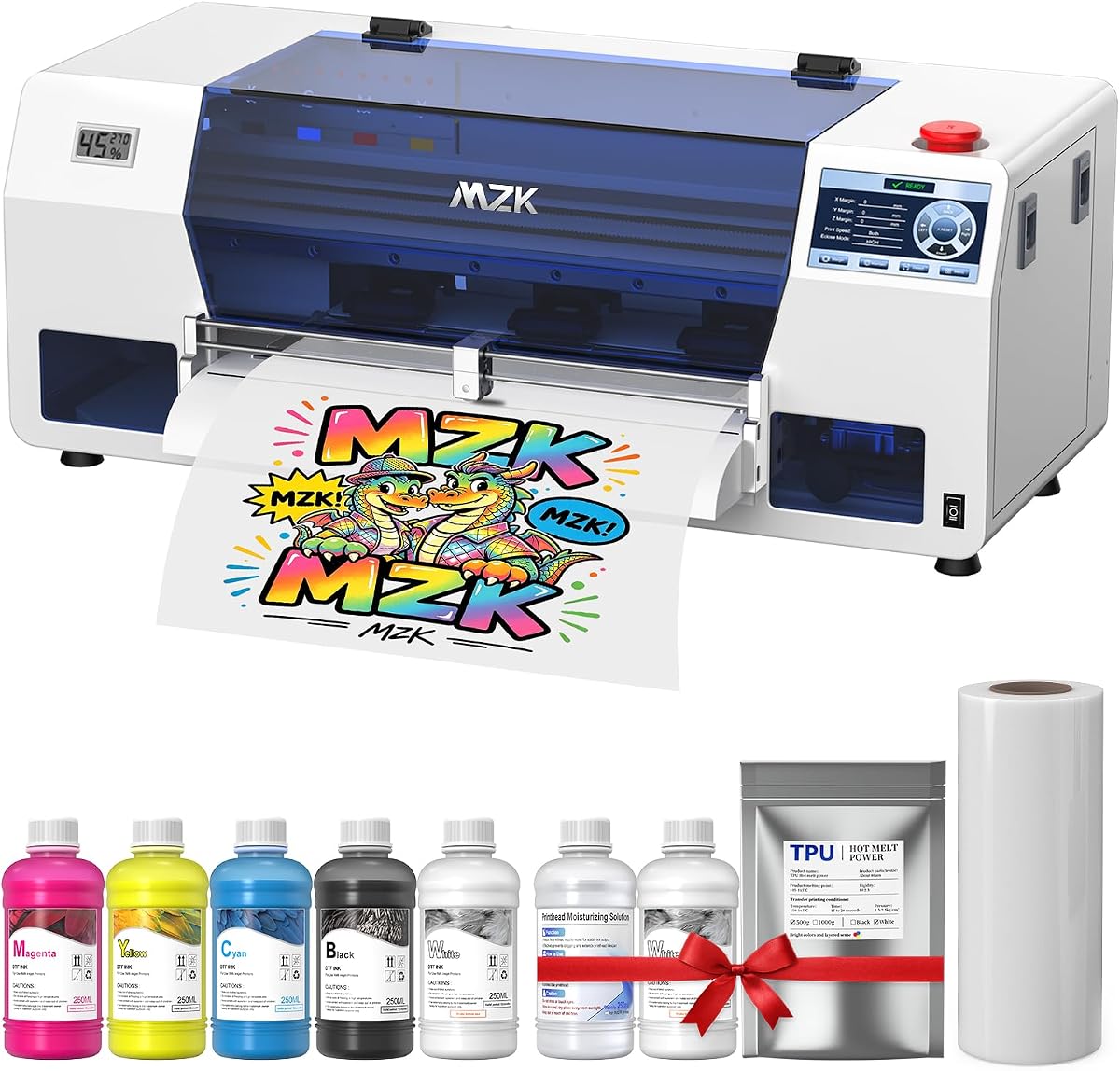
This A4 printer offers an affordable entry point into DTF printing with a double consumable bundle. It delivers ultra-clear 1440×1440 dpi resolution with vivid colors and smooth gradients. The built-in cutter saves film and streamlines your printing process significantly.
We may earn a commission when you buy through this link, at no additional cost to you.
The printer supports a wide range of applications from T-shirts to shoes and handicrafts. It includes an oven and double ink to help you get started without extra costs. However, it supports Windows systems only.
Regular maintenance with the moisturizing device is necessary if unused for more than three days. This prevents clogging and extends the life of the printhead. New users are encouraged to read the manual carefully.
It is a solid option for beginners with limited budget constraints. The versatility and included supplies make it easy to test your business ideas. If you use Windows, this is a practical starting point.
Receive double ink and powder with your purchase to reduce initial supply costs and immediate needs.
Achieve fine details and saturation with the high-resolution L800 print head technology.
We may earn a commission when you buy through this link, at no additional cost to you.
This bundle brings 13-inch DTF printing into a workflow designed for small custom apparel shops. It includes a curing oven so you can produce finished garments immediately. The vacuum platen keeps film flat to prevent strikes and protect components.
We may earn a commission when you buy through this link, at no additional cost to you.
High-fidelity color performance with strong white coverage ensures vivid prints on dark garments. Eligible replacement parts are provided at no additional cost during coverage. Lifetime technical assistance is available to keep your workflow running smoothly.
While the setup may take time to configure correctly, the controls remain simple for daily use. The vacuum system adds stability that improves print accuracy. This is a robust solution for those needing a turnkey setup.
It is ideal for businesses wanting an all-in-one solution for printing and curing. The support network ensures you are not left alone during critical setup phases. If you need efficiency, this bundle is strong.
Receive the printer and oven together to handle the entire transfer process from print to cure.
Vacuum platen technology reduces printhead strikes and extends the lifespan of your equipment.
We may earn a commission when you buy through this link, at no additional cost to you.
This printer features a detachable reel design capable of printing PET film up to 100m in length. It includes a new PET film cutting device to streamline daily operations and increase sales. The white ink circulation system prevents clogging caused by precipitation.
We may earn a commission when you buy through this link, at no additional cost to you.
It supports a wide range of fabrics including hats, jeans, and sweatshirts. The package contains everything you need including RIP software and tutorial videos. Engineers are available to help with installation and debugging upon receipt.
Large-scale production benefits from the roll and sheet feeding modes which improve efficiency. The air suction system allows smooth printing without paper jams. However, it requires a large workspace due to its size.
If you need capacity for high-volume orders, this machine is well-equipped. The included accessories make it ready for production out of the box. Just ensure your space accommodates the unit properly.
Handle long runs with the detachable reel capable of processing up to 100 meters of film.
Transfer patterns to diverse fabrics like denim and leather with reliable adhesive performance.
We may earn a commission when you buy through this link, at no additional cost to you.
This printer offers high-speed printing at two times the speed of L1800 models. You receive two years of free ink and powder starting from 2025 which significantly reduces supply costs. The intelligent timed anti-clogging cleaning helps maintain nozzle health automatically.
We may earn a commission when you buy through this link, at no additional cost to you.
The upgraded F1080 printhead supports a maximum resolution of 2880×1440 dpi for ultra-fine detail. An LED touchscreen allows you to operate essential functions directly without frequent computer operations. The motherboard ensures stable data processing for extended runs.
A dual ink monitoring system keeps you informed of low levels and potential waste overflow. While the initial cost is higher, the savings on ink make it economical long term. Windows compatibility is required for operation.
It is perfect for busy workshops needing efficiency and reduced supply expenses. The touchscreen interface simplifies maintenance tasks significantly. If speed and cost control are priorities, this model is excellent.
Print one A3-size film in just four minutes which is twice as fast as standard models.
Receive free ink and powder for two years to save over a thousand dollars on supplies.
We may earn a commission when you buy through this link, at no additional cost to you.
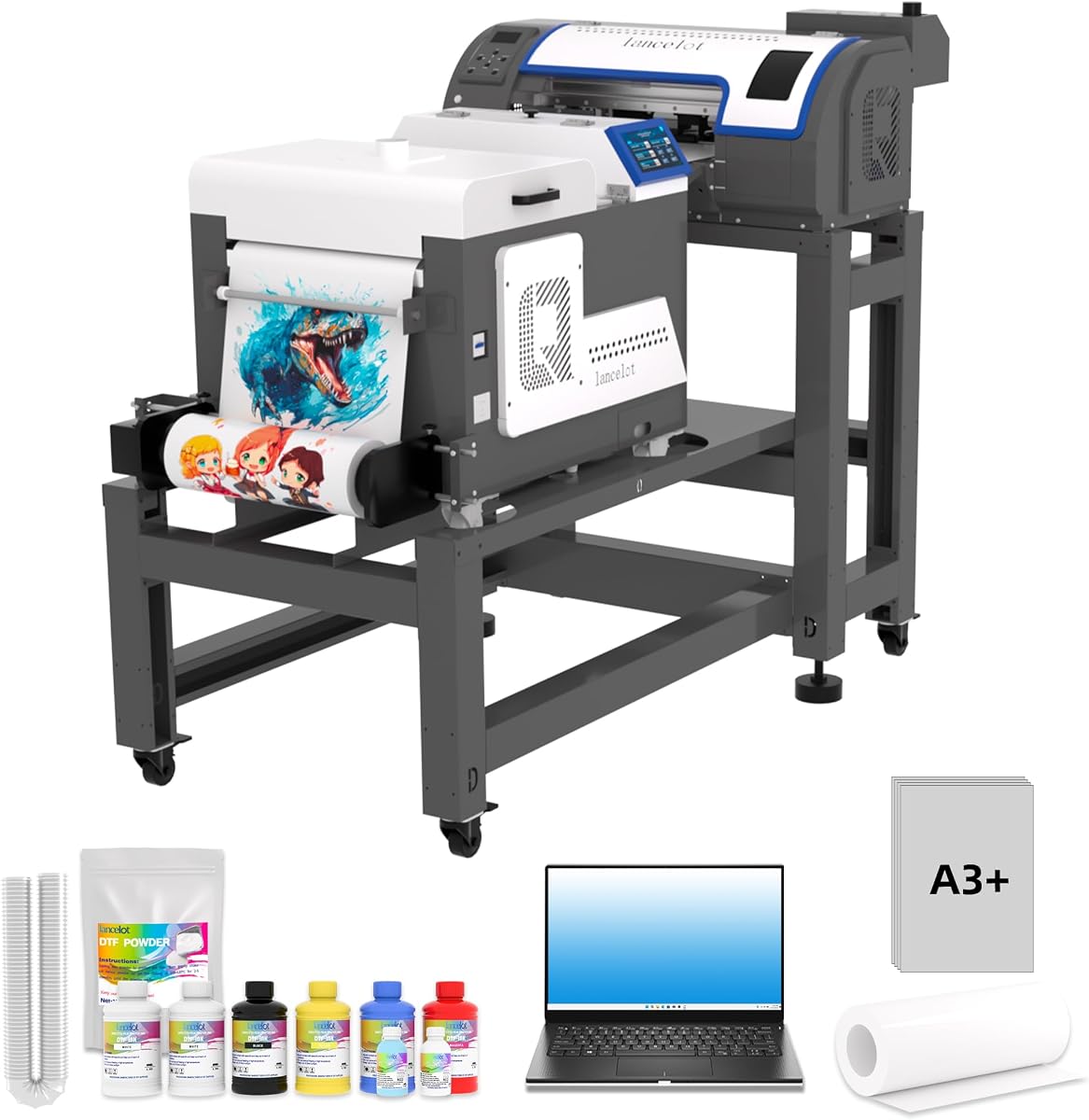
This bundle combines the A3+ DTF printer, powder shaker, dryer, mobile workstation, and laptop into one production station. Holiday Mode and auto-cleaning help maintain ink flow and limit settling after breaks. The XP600 printhead delivers up to 720×1440 dpi resolution.
We may earn a commission when you buy through this link, at no additional cost to you.
Roll or sheet film workflows handle individual designs and small batches effectively. The included Windows laptop with preloaded software simplifies file management for small businesses. This setup helps manage files and equipment in one dedicated area.
While the price is higher, the included accessories save you from buying separate units. The mobile workstation ensures organized workflow which improves efficiency. It is a complete solution for serious production needs.
If you want a professional studio setup with minimal additional purchases, this bundle is unmatched. The integration of hardware and software reduces workflow bottlenecks. For those needing a premium experience, this is ideal.
Receive all necessary tools including dryer and shaker to handle the full production process.
Organize files and equipment efficiently with the mobile workstation and preloaded laptop.
We may earn a commission when you buy through this link, at no additional cost to you.
This printer features two paper feeding modes: single-sheet and roll-fed to improve efficiency. It includes an adjustable air suction system which allows smooth printing without paper jams during batches. The oven included helps with curing transfers immediately.
We may earn a commission when you buy through this link, at no additional cost to you.
It uses a CMYK + white ink 6-channel configuration with a wide color coverage. Engineers are available 24/7 to deliver lifelong one-on-one technical assistance. This support ensures even novice users can operate the printer effortlessly.
The patterns printed are vivid and durable even after multiple washes. While it is smaller, it fits well for home DIY and office customization. The oven adds value by removing the need to buy one separately.
If you need versatility for small batches at home, this model is a good fit. The air suction system aids in stability for consistent results. For DIY projects, this offers a complete solution.
Switch between roll and sheet feeding to optimize your workflow for different print sizes.
Access lifelong one-on-one technical assistance to ensure you never get stuck with setup or operation.
We may earn a commission when you buy through this link, at no additional cost to you.
Choosing the right DTF printer requires evaluating several critical factors that impact your production speed, cost, and output quality.
Print resolution determines the clarity and detail of your designs. Look for machines with at least 1440 dpi to ensure sharp edges and smooth gradients on your custom shirts.
Higher resolution ensures professional results that customers will appreciate.
White ink is prone to settling and clogging if not stirred regularly. A reliable circulation system with automatic stirring prevents downtime and extends the lifespan of the printhead.
Ensure the printer has an automatic white ink circulation feature.
Consider the maximum width the printer can handle. An A3 or 13-inch width allows for printing larger designs or multiple smaller transfers on a single film efficiently.
Select a width that matches your typical order sizes.
Beyond the initial purchase, ink and powder costs add up over time. Calculate the cost per print to understand the true ownership expense of each model.
Look for bundles that include free ink or powder to reduce initial costs.
New printers often require setup assistance and troubleshooting. A brand that offers 24/7 technical support and a strong warranty ensures you can resolve issues quickly.
Check for available support channels before purchasing.
Some printers only work with Windows systems while others support macOS. Ensure the software and drivers are compatible with your current computer setup to avoid hardware upgrades.
Verify OS compatibility requirements for the specific model.
Automatic cleaning and auto-cleaning modes reduce manual maintenance tasks. Features like holiday mode help prevent clogs during periods of inactivity.
Prioritize models with automation to save time.
Bundles that include ovens, shakers, or laptops provide a complete solution. Check what is included to avoid buying missing accessories separately.
A full bundle simplifies your initial setup.
Begin by setting up the printer on a stable surface away from direct sunlight. Connect the power and computer properly and install the drivers as instructed.
Use the dedicated software to import your designs and adjust settings for your specific ink type. Run a nozzle check to ensure all printhead nozzles are functioning correctly before printing.
After printing, clean the printhead regularly to prevent ink drying. Store ink bottles in a cool place and run maintenance cycles even if unused for a few days.
Unlike DTG, DTF printers generally do not require pre-treatment for fabrics. However, some specific materials may benefit from a light treatment for optimal adhesion.
With proper maintenance and regular cleaning, a printhead can last 6 to 12 months depending on usage intensity. Avoid letting ink dry in the nozzles.
It is highly recommended to use the manufacturer-approved ink for best results. Third-party inks may void warranties or cause clogging issues.
Use the automated cleaning function in your software or a manual cleaning kit. Never force the printhead to move during cleaning to avoid damage.
Yes, properly cured DTF prints are durable and withstand many wash cycles. Ensure proper heat pressing temperatures to bond the transfer correctly.
Yes, a heat press is essential for transferring the design from the film to the garment. The oven in bundles helps cure the transfer before pressing.
We have reviewed ten models that range from budget-friendly options to premium bundles for serious production. Each offers unique strengths like high-speed printing or easy setup.
Prioritize models with reliable ink circulation and strong support to minimize downtime. The right choice depends on your volume needs and technical comfort.
Please check current pricing and availability before purchasing to ensure you get the best deal for your business.