
Epson LQ-590II
4.3Editor score
24-pin impact technology
584 characters per second
USB and parallel ports
Dot matrix printers remain essential for businesses needing carbon copies and rugged durability. These impact printers excel where laser models fail, offering reliable performance in demanding environments.
We evaluated ten leading models based on speed, connectivity, duty cycle, and print quality. Our comparison highlights key differences to help you select the right impact printer for your workflow.
Each pick details specific strengths and trade-offs to inform your decision. Prices and availability fluctuate frequently, so always check current listings before purchasing your next printer.
4.3Editor score
4.2Editor score

4.5Editor score
As an Amazon Associate we earn from qualifying purchases.
This side-by-side comparison evaluates all ten selected models to highlight their unique specifications and performance metrics for informed selection.



The Epson LQ-590II offers reliable performance for budget-conscious businesses needing high-volume impact printing. With a 4.3-star rating, it balances speed and affordability effectively for industrial use.
We may earn a commission when you buy through this link, at no additional cost to you.
Its 24-pin head delivers 584 characters per second, ensuring quick turnaround for invoices and delivery slips. The dual USB and parallel ports provide flexibility for legacy system integration.
While the noise level is typical for impact printers, the speed offsets downtime concerns. Users should expect standard dot matrix clarity rather than laser-grade sharpness for text.
This model is ideal for warehouses or logistics firms prioritizing function over aesthetics. Its robust build supports continuous operation without frequent maintenance interruptions.
The 584 cps speed ensures minimal delays during peak shipping or billing cycles.
Parallel and USB support allows seamless connection to older accounting or inventory software.
We may earn a commission when you buy through this link, at no additional cost to you.
This NT variant maintains the core speed of the LQ-590II while adding Energy Star certification. It suits offices prioritizing sustainability alongside performance for demanding workloads.
We may earn a commission when you buy through this link, at no additional cost to you.
The 584 cps output matches the standard model but includes serial ports for complex network setups. Energy savings accumulate over time, justifying the premium for long-term deployments.
Noise remains a factor but is managed through improved internal dampening. Users trade minor speed gains for reduced energy bills and regulatory compliance.
Best for government or corporate environments requiring green certifications. Its build quality ensures stability across years of continuous business-critical printing tasks.
Energy Star rating reduces power consumption without sacrificing operational speed or reliability.
Serial and parallel ports enable robust integration with specialized industrial control systems.
We may earn a commission when you buy through this link, at no additional cost to you.
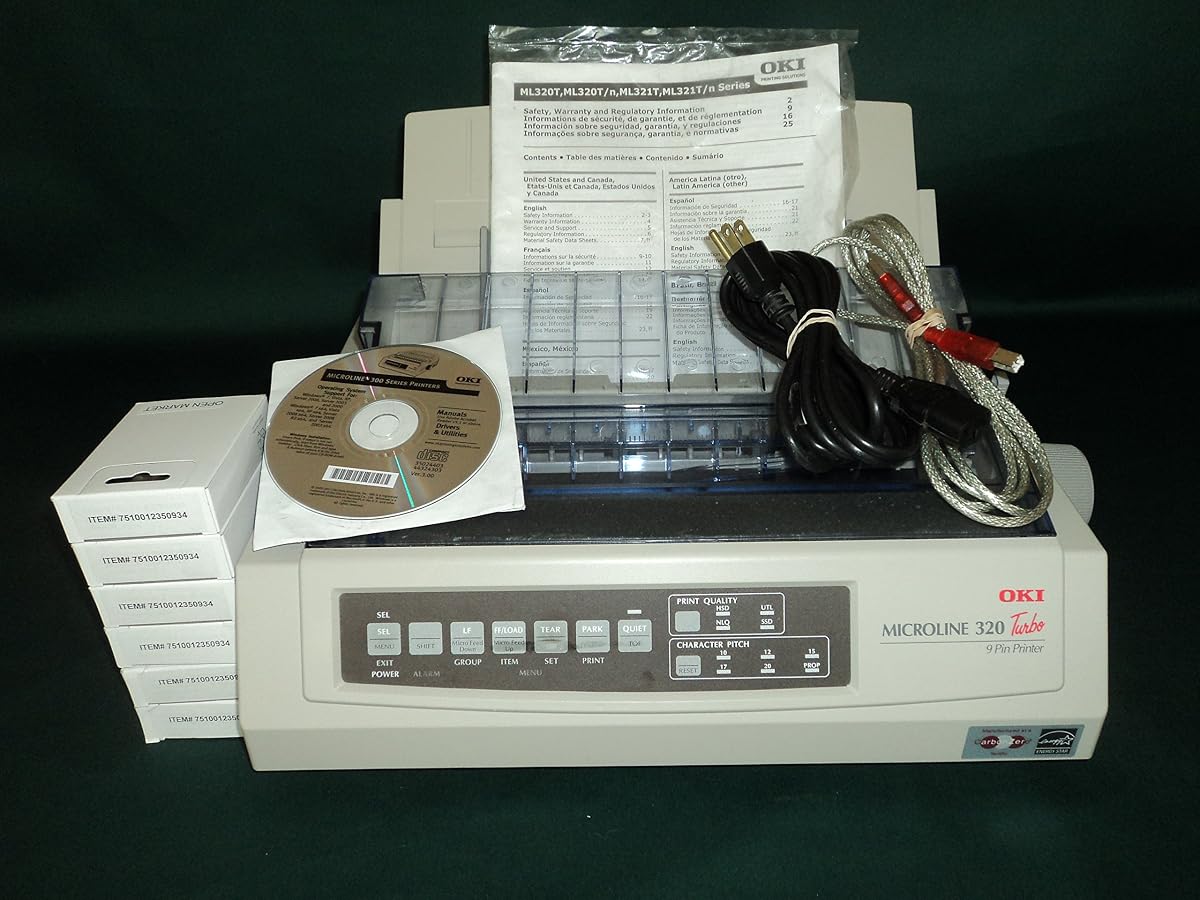
The Oki Microline 320 Turbo delivers robust performance with its SuperSpeed Draft mode for quick output. Its 4.7 rating highlights user satisfaction with reliability and ease of use.
We may earn a commission when you buy through this link, at no additional cost to you.
Zero-tear technology prevents jamming during high-volume runs. The rear push tractor simplifies loading multipart forms without tearing or misalignment issues.
While resolution stays standard for 9-pin heads, speed compensates for most business needs. Maintenance is minimal due to rugged internal components designed for longevity.
Perfect for small offices needing consistent invoice printing. Its compact footprint fits tight spaces while maintaining high throughput for daily tasks.
Prevents paper waste and jams by ensuring smooth feed during rapid printing cycles.
SuperSpeed mode prioritizes throughput for internal drafts or non-critical document generation.
We may earn a commission when you buy through this link, at no additional cost to you.
This model supports up to 20,000 pages monthly, making it ideal for heavy workloads. The 4.5 rating reflects consistent performance across various business environments.
We may earn a commission when you buy through this link, at no additional cost to you.
USB and parallel ports offer versatile connection options. Its 435 cps speed balances quality with throughput for invoices and shipping labels.
Noise levels are expected but manageable with ear protection in shared spaces. The 240 x 216 dpi ensures readable text even in fast draft modes.
Recommended for retail or warehouse teams needing steady, high-volume printing. Its energy efficiency reduces operational costs over extended periods.
20,000 page cycle supports continuous operation without overheating or breakdowns.
Standard ports ensure compatibility with both modern PCs and legacy systems.
We may earn a commission when you buy through this link, at no additional cost to you.
The 420 leads in speed with 570 cps and a 128KB memory buffer for complex jobs. Its Energy Star certification makes it suitable for eco-conscious high-volume users.
We may earn a commission when you buy through this link, at no additional cost to you.
A 24,000-page duty cycle supports continuous operation. USB and parallel ports ensure easy integration into existing office networks.
Cost is higher but justified by throughput and longevity. The memory buffer minimizes host computer dependency during large batch printing tasks.
Best for logistics hubs needing maximum output. Its reliability reduces downtime, ensuring critical documents are produced without interruption.
570 cps ensures minimal wait times for large batches of shipping manifests.
128KB buffer handles complex layouts without bogging down the host system.
We may earn a commission when you buy through this link, at no additional cost to you.
This unit boasts a perfect 5.0-star rating from users praising reliability. Serial support adds robust networking capabilities for older or specialized hardware.
We may earn a commission when you buy through this link, at no additional cost to you.
The 20,000-page duty cycle ensures stability. Standard 435 cps speed suits consistent office workflows without overwhelming budgets.
Noise is typical but acceptable for dedicated offices. Its simple design minimizes breakdown risks over years of heavy use.
Ideal for industrial settings needing guaranteed uptime. Users report fewer jams and maintenance issues compared to cheaper alternatives.
Perfect rating reflects minimal downtime and consistent output for demanding schedules.
Enables direct connection to legacy terminals or specialized manufacturing equipment.
We may earn a commission when you buy through this link, at no additional cost to you.
The LQ-2090II combines Energy Star efficiency with a powerful 24-pin head. It suits users prioritizing sustainability alongside consistent text quality.
We may earn a commission when you buy through this link, at no additional cost to you.
550 cps speed handles most business forms efficiently. However, the parallel-only connection limits flexibility in modern networked environments.
Lower ratings suggest potential reliability variability. Users must weigh energy benefits against potential connectivity constraints.
Best for standalone setups without network needs. Its design supports continuous output without excessive power draw.
Reduced power consumption lowers monthly costs in high-usage scenarios.
24-pin head provides sharper text than standard 9-pin competitors.
We may earn a commission when you buy through this link, at no additional cost to you.
This model supports up to six carbon copies, essential for multi-department forms. Multiple emulation modes ensure compatibility across different software platforms.
We may earn a commission when you buy through this link, at no additional cost to you.
Auto-park prevents paper waste during idle periods. The 5-inch per second feed rate maintains consistency without tearing sensitive sheets.
Speed is standard but adequate for most tasks. Users appreciate the ease of loading multipart stationery without manual adjustments.
Best for accounting departments needing multi-part forms. Its emulations simplify integration with diverse legacy software systems.
Supports up to six carbonless copies for immediate duplicate distribution.
Automatically parks paper to reduce waste when switching jobs.
We may earn a commission when you buy through this link, at no additional cost to you.
With a 4.8 rating, the 620 excels in precision and ease of use. Its versatile media loading supports a wide range of paper types.
We may earn a commission when you buy through this link, at no additional cost to you.
Users highlight reliable performance during critical tasks. The simplified loading mechanism reduces downtime for staff handling frequent changes.
Specs are vague but quality is implied by feedback. Sharp printing ensures legibility even in complex layouts.
Recommended for businesses prioritizing user experience. Its design minimizes physical strain during regular paper reloading.
Simplified loading reduces time spent switching between different paper formats.
Sharp output ensures clear text and barcodes for scanning.
We may earn a commission when you buy through this link, at no additional cost to you.
The LQ-590 offers basic impact printing for entry-level needs. Its USB interface ensures plug-and-play simplicity for modern computers.
We may earn a commission when you buy through this link, at no additional cost to you.
ESC/P and IBM emulation provide broad software support. While speed isn't highlighted, reliability meets average daily requirements.
Mixed reviews suggest variability in performance. Users should verify specific needs before committing to this model.
Best for small offices needing a simple backup. Its compact design fits easily on crowded desks.
USB interface allows quick installation without additional drivers or cards.
Broad emulation compatibility ensures work with most accounting packages.
We may earn a commission when you buy through this link, at no additional cost to you.
Selecting the right impact printer involves evaluating speed, durability, and connectivity to match your operational needs.
Speed impacts workflow efficiency. Look for models with at least 400 cps for moderate workloads.
Higher speeds reduce bottlenecks in busy environments.
Duty cycle defines pages per month capacity. Ensure the model exceeds your peak monthly volume.
Exceeding limits may cause premature wear or failure.
Check USB, serial, or parallel options based on your hardware. Modern networks benefit from USB.
Legacy systems may require serial or parallel ports for compatibility.
24-pin heads offer sharper text than 9-pin. Evaluate if draft or near-letter quality is needed.
Higher pins improve clarity for contracts or invoices.
Energy Star models save power costs over time. Ideal for 24/7 operations.
Lower consumption reduces operational expenses.
Impact printers are inherently noisy. Consider enclosed models if used in open offices.
High noise may require hearing protection.
Rugged designs reduce frequent part replacements. Look for user-friendly ribbon changers.
Lower maintenance saves labor costs.
Auto-feed and tractor systems simplify multipart printing. Zero-tear tech minimizes waste.
Smooth feeding prevents jams during critical runs.
Load paper carefully along the guides to prevent skewing. Ensure tractor pins align with perforations.
Replace ribbons when fading appears. Use manufacturer-recommended ribbons to maintain print quality.
Clean rollers periodically with a soft cloth. Remove dust to avoid paper jams and wear.
Dot matrix printers excel in durability and multipart form printing. They produce carbon copies easily and handle high volumes without overheating.
Yes, industries like logistics and healthcare still rely on them for continuous forms and robustness against harsh conditions.
Turn off the printer and use compressed air to remove debris. Wipe rollers with a damp cloth to ensure smooth paper feeding.
24-pin heads produce sharper text by striking the paper twice per column. 9-pin is faster but offers lower resolution.
Replace ribbons when output fades, typically after 2 to 5 million characters depending on usage intensity.
Yes, most support USB or require adapters for parallel ports. Drivers are available for current operating systems.
We highlighted top models like the Epson LQ-590II and OKI MICROLINE 420 for balanced performance.
Prioritize duty cycle and connectivity to ensure seamless integration into your workflow.
Always check current pricing before purchasing as rates may change.