
Macally Compact Wireless Keyboard
4.4Editor score
Simple plug and play setup
Compact layout without number pad
Includes wireless USB dongle
This guide compares the best compact editing keyboard options for creators, covering portability, key layout, and compatibility for efficient workflow across
Finding the right compact editing keyboard can transform your workflow by saving desk space while maintaining essential functionality. These devices are designed for professionals who need portability without sacrificing typing comfort or specialized shortcuts for creative tasks.
We evaluated ten top-rated models based on connectivity, build quality, key travel, and specific features like programmable keys or integrated dials. Our analysis focuses on how well each unit supports editing software and daily typing needs across different operating systems.
Each pick below highlights specific strengths and potential trade-offs to help you choose the best fit for your setup. Please note that availability and pricing may change frequently, so checking current listings is recommended before making a final decision.
4.4Editor score

4.4Editor score

4.7Editor score
The following comparison table provides a side-by-side look at key specifications for all ten products featured in this guide. Use this overview to quickly identify which model aligns with your specific connectivity needs and workspace constraints.



The Logitech MX Keys Mini stands out as a top choice for professionals seeking a premium compact editing keyboard. With a high rating and advanced features, it delivers a typing experience that balances portability with functionality.
We may earn a commission when you buy through this link, at no additional cost to you.
Its smart illumination system adjusts automatically to lighting conditions, ensuring visibility without draining the battery unnecessarily. The key shape is designed to cradle fingertips, reducing fatigue during long editing sessions or daily typing tasks.
While the price is higher than basic models, the build quality and battery longevity justify the investment. Some users might miss a number pad, but the compact layout saves significant desk space.
This keyboard is ideal for editors and writers who value comfort and reliable connectivity across multiple devices. It offers a polished experience that enhances workflow efficiency without compromising on essential features.
The backlighting lights up when hands approach and dims when not in use to conserve power effectively.
Switch seamlessly between up to three devices via Bluetooth Low Energy for a streamlined multi-computer setup.
We may earn a commission when you buy through this link, at no additional cost to you.
The Blackmagic Design Speed Editor is a specialized compact editing keyboard tailored for professional video editing workflows. It offers a unique set of shortcuts and a search dial that significantly speeds up the editing process in DaVinci Resolve.
We may earn a commission when you buy through this link, at no additional cost to you.
Its dedicated keys match common edit functions, allowing users to perform complex tasks without reaching for the mouse. The search dial provides intuitive navigation through footage, which is a distinct advantage over standard keyboards.
Although it comes with a high price tag, the included Studio license adds substantial value for those needing the software. It is not a general-purpose typing keyboard, but rather a tool optimized for specific creative tasks.
Video editors using DaVinci Resolve will find this device transformative for their daily workflow. While other models are better for general text, this one excels in its specific niche.
The built-in dial allows for precise navigation through video timelines without relying on trackpad gestures.
Included is an activation card for DaVinci Resolve Studio, making it a complete package for editors.
We may earn a commission when you buy through this link, at no additional cost to you.
The Macally Compact Wireless Keyboard offers an affordable entry point for those seeking a compact editing keyboard without overspending. It provides reliable connectivity and a slim design that fits well in various workspace environments.
We may earn a commission when you buy through this link, at no additional cost to you.
Its plug and play nature means no drivers are required, making it ready to use immediately upon unboxing. The lack of a number pad saves space, which is ideal for users who prioritize portability over numeric data entry.
While it lacks the premium features of higher-end models, it performs well for basic typing and navigation tasks. The wireless dongle ensures a stable connection without draining device batteries as Bluetooth might.
This is a great choice for students or home users needing a simple, functional keyboard. It balances cost and performance effectively for everyday computing needs.
Simply insert the USB dongle and the keyboard is ready to use without any software installation.
The slim profile makes it easy to slip into a laptop bag for travel or on-the-go work.
We may earn a commission when you buy through this link, at no additional cost to you.
The ProtoArc XK04 is designed for maximum portability, folding into a compact size that fits easily in a pocket. It includes a PU leather cover that protects the keys and adds a touch of premium style to the device.
We may earn a commission when you buy through this link, at no additional cost to you.
Its Bluetooth 5.1 connectivity ensures a stable connection with a range suitable for various setups. The keyboard can pair with multiple devices, allowing users to switch between phones and tablets seamlessly.
The foldable design does mean keycaps are slightly smaller than full-size keyboards, which may take some getting used to. However, the trade-off is well worth it for travelers who need physical typing on the go.
This keyboard is perfect for digital nomads who need a reliable typing solution in a small package. It balances functionality and portability better than many rivals in its class.
The integrated PU leather cover shields the keyboard from scratches and damage while adding style.
Dedicated keys allow you to switch between paired devices without needing to re-pair via settings.
We may earn a commission when you buy through this link, at no additional cost to you.
The Microsoft Designer Compact Keyboard features a sleek, low-profile design that complements modern workspaces. It is optimized for comfortable typing and allows for a closer mouse position to reduce arm strain.
We may earn a commission when you buy through this link, at no additional cost to you.
An expressive input key provides quick access to emojis and symbols, which is useful for content creators. The layout is optimized for speed and fluidity, making typing tasks more efficient throughout the day.
While it lacks advanced macro features, it offers solid performance for general productivity. The ability to connect to three devices simultaneously ensures versatility across different systems.
This keyboard is a good choice for office workers who prioritize aesthetics and comfort. It delivers a refined experience without unnecessary complexity.
A dedicated key offers rapid access to emojis and special symbols for creative expression.
The compact design allows your mouse to sit closer to your keyboard for better posture.
We may earn a commission when you buy through this link, at no additional cost to you.
The Logitech Pebble Keys 2 K380s offers a sustainable approach to compact editing with its use of recycled plastic. Its slim design and quiet typing experience make it a practical choice for shared workspaces.
We may earn a commission when you buy through this link, at no additional cost to you.
A standout feature is its impressive battery life, which can last up to three years on a single set of batteries. This reduces waste and maintenance frequency for users who prefer low-maintenance peripherals.
The Easy-Switch buttons allow for quick transitions between devices, ensuring seamless work across multiple screens. While it does not have backlighting, its design is intended for well-lit environments.
This model is ideal for environmentally conscious users who value efficiency and simplicity. It is a reliable tool for daily tasks without extra distractions.
Plastic parts include certified post-consumer recycled materials, reducing environmental impact.
Power-saving features allow the keyboard to run for years without needing battery replacement.
We may earn a commission when you buy through this link, at no additional cost to you.
The XPPen Mini Keydial ACK05 is a specialized shortcut keyboard that enhances productivity through programmable keys and a control dial. It is particularly useful for creators who need quick access to commands without cluttering their main keyboard.
We may earn a commission when you buy through this link, at no additional cost to you.
Its rotating dial allows for precise adjustments like zooming or brush size changes, which is a significant advantage for editing tasks. The anti-ghosting technology ensures all key presses are registered accurately during complex operations.
While the driver must be downloaded to unlock customization, the process is straightforward. This allows users to tailor shortcuts specifically to their most frequently used applications.
This tool is perfect for designers and video editors looking to speed up their workflow. It complements a standard keyboard by handling specific repetitive tasks efficiently.
The dial provides tactile feedback for precise control over zoom or canvas rotation.
Up to forty shortcuts can be assigned across four sets for versatile workflow options.
We may earn a commission when you buy through this link, at no additional cost to you.
The Logitech K250 offers a rare combination of compact size and a full number pad, making it suitable for data entry tasks. Its deep-profile keys provide a comfortable typing experience that reduces fatigue over time.
We may earn a commission when you buy through this link, at no additional cost to you.
Designed for durability, it features a spill-resistant design that protects against accidental liquid damage. The adjustable tilt legs allow users to customize the angle for optimal ergonomics.
While it lacks advanced features like backlighting, its simplicity is a benefit for those who just want reliable functionality. Battery life is impressive, requiring infrequent changes.
This keyboard is a solid choice for users who need numbers on the go without taking up a full desktop. It offers practical utility without unnecessary complexity.
Includes a full number pad in a compact footprint, ideal for finance or data entry.
Built with recycled plastics and spill-resistant design to withstand daily wear and tear.
We may earn a commission when you buy through this link, at no additional cost to you.
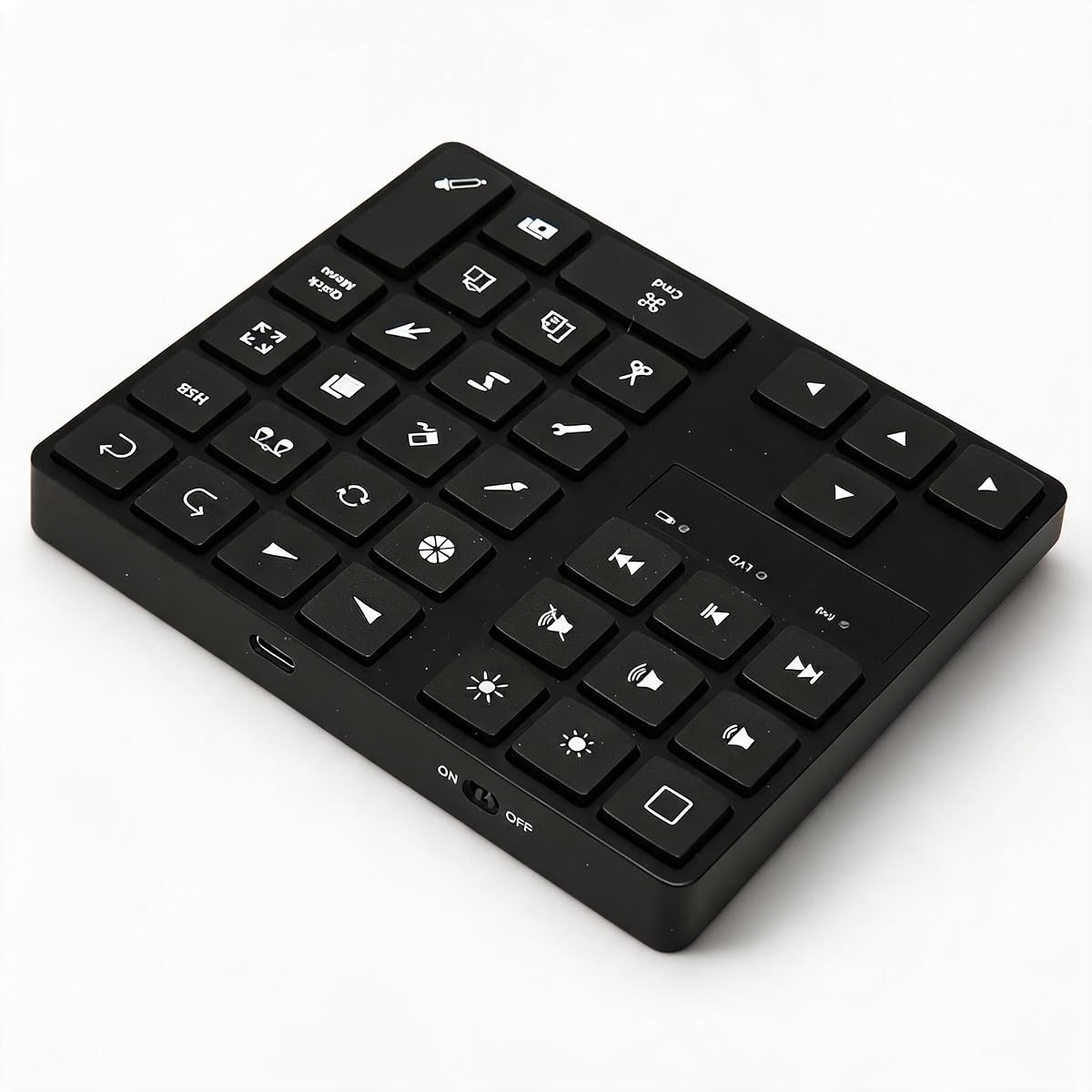
The One-Handed Ergonomic Keyboard is designed specifically for creators who need extensive shortcuts without reaching for a mouse. Its angled layout promotes a neutral wrist position to reduce strain during long design sessions.
We may earn a commission when you buy through this link, at no additional cost to you.
With 35 fully programmable shortcuts, users can automate repetitive tasks to accelerate their workflow. The wired connection ensures zero lag, providing immediate response for precise drawing or editing operations.
While the one-handed form factor may require adjustment for typists, it is highly effective for artists. Its versatility across operating systems ensures it fits into almost any creative setup.
This device is an excellent addition for illustrators and designers who want to optimize their workspace. It provides specialized functionality that standard keyboards cannot match.
The sculpted key well encourages a natural wrist posture to prevent fatigue during use.
Wired USB connection ensures consistent responsiveness for critical creative tasks.
We may earn a commission when you buy through this link, at no additional cost to you.
The Cherry Stream Wired Keyboard delivers a whisper-quiet typing experience, making it ideal for quiet environments. Its compact TKL design saves space while maintaining essential keys for productivity.
We may earn a commission when you buy through this link, at no additional cost to you.
High-quality SCissor technology ensures a precise pressure point for a satisfying feel without noise. The integrated metal plate provides stability, preventing the keyboard from shifting during intense typing.
While it lacks wireless capabilities, its reliability and simplicity are strong selling points. The abrasion-resistant lettering ensures keys remain readable for years of heavy use.
This keyboard is perfect for users who prefer a traditional wired setup and value silence. It offers a no-frills, dependable typing solution for daily tasks.
Whisper-quiet keys allow for typing without disturbing others in shared spaces.
Integrated metal plate and rubberized feet ensure the keyboard stays firmly in place.
We may earn a commission when you buy through this link, at no additional cost to you.
Selecting the right compact editing keyboard involves considering connectivity, layout, and specialized features to ensure it meets your specific workflow needs.
Consider whether you prefer Bluetooth, 2.4G wireless, or wired connections. Bluetooth offers flexibility but may use more battery, while wired ensures zero lag and stable power.
Choose the connection type that best supports your device setup and usage patterns.
Compact keyboards often lack number pads or function rows. Decide if you need those keys for data entry or if you prioritize space saving for creative work.
Ensure the layout aligns with your primary tasks and desk space limitations.
Battery-powered models vary from months to years on a single charge. Rechargeable units reduce waste but require periodic charging, whereas disposable batteries are easy to swap.
Prioritize long battery life if you need a device that requires minimal maintenance.
Some keyboards include programmable shortcuts or dials for creative workflows. These features can significantly speed up editing but may require driver software to configure.
Look for tools that match the specific software you use most frequently.
If you work on the go, foldable designs and lightweight builds are essential. Protective covers add durability but can increase weight slightly.
Balance weight and features to ensure the keyboard fits comfortably in your bag.
Materials like recycled plastics or metal plates contribute to longevity. Spill-resistant designs can protect against accidents in shared environments.
Invest in a durable model if you plan to use it daily over a long period.
Switching between multiple computers or tablets can be seamless with Easy-Switch buttons. This reduces the need to re-pair devices or switch cables manually.
Choose a model with multi-device support if you use more than one system regularly.
Ensure the keyboard supports Windows, macOS, or Linux as needed. Some models offer specific keys tailored for certain systems for better integration.
Check compatibility details to avoid functional limitations with your current OS.
Start by pairing your keyboard via Bluetooth or inserting the wireless dongle. Follow manufacturer instructions to enable power and ensure the connection is stable before typing.
Keep your workspace clean to prevent dust from accumulating between keys. Use a soft brush or compressed air to remove debris without damaging the switches.
For rechargeable models, charge fully before first use and avoid leaving it plugged in indefinitely. Store it in a protective case when traveling to prevent physical damage.
Yes, a compact keyboard can replace a full-size one for most editing tasks. Many models include essential shortcuts and ergonomic designs that improve efficiency. However, consider whether you need a number pad for data entry.
Most compact editing keyboards are designed to work with tablets via Bluetooth. Ensure the specific model supports your tablet's operating system for optimal functionality. Pairing is usually straightforward and stable.
Battery life varies from a few weeks to several years depending on the model. Rechargeable units often last weeks on a single charge while disposable models can last years with auto-sleep features.
Wireless compact keyboards are generally reliable for editing tasks. Modern Bluetooth and 2.4G connections offer stable performance with minimal latency. Wired options are available for users prioritizing zero lag.
Basic typing works without drivers, but advanced features like customization often require software. Check the product description to see if specific drivers are needed for full functionality.
Use compressed air to blow out dust from between keys. For surface cleaning, a slightly damp microfiber cloth works well without damaging the electronics. Avoid liquids near the battery compartment.
We have reviewed ten top compact editing keyboards that cater to different needs from budget-friendly options to specialized creative tools. Each model offers distinct advantages in terms of portability, features, and performance.
Prioritize factors like connectivity, key layout, and battery life based on your daily workflow. For video editors, specialized keyboards like the Speed Editor offer unmatched utility while general users may prefer the MX Keys Mini.
Remember to check current availability and specifications before purchasing to ensure the product meets your current requirements. These options provide excellent value and functionality for modern workspaces.