
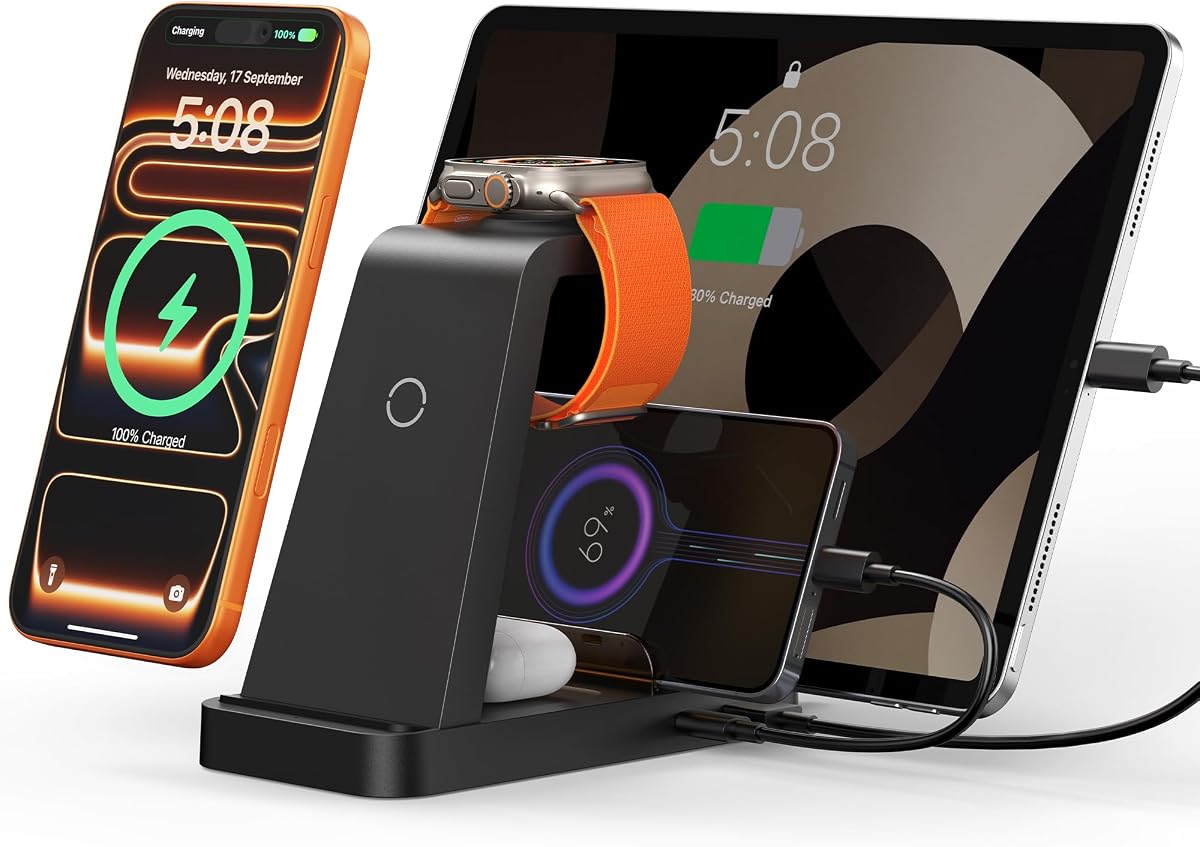
Anker MagSafe Charger Compatible, MagGo 3-in-1 Qi2 15W Charging Station
4.6Editor score
Ultra-fast 15W wireless power
Official Apple Watch certification
Adjustable angle up to 45 degrees
This guide compares the top charging dock for multiple Apple devices including wireless stands and multi-port hubs to help you organize your home office setup
Keeping your devices powered without cable clutter is essential for modern workspaces. A quality charging dock for multiple Apple devices consolidates power sources into one tidy station that protects your hardware and simplifies daily routines.
We evaluated ten top-rated models based on charging speed, build quality, and device compatibility. Each entry supports simultaneous power delivery while maintaining safety standards and offering flexible placement options for nightstands or desks.
Every selection highlights key strengths like foldable designs, GaN technology, and MagSafe alignment. Note that availability and features may shift, so always verify current specifications before purchasing your ideal charging solution.
4.6Editor score

4.2Editor score
4.3Editor score
The table below presents a side-by-side view of all ten models evaluated. Each row outlines core capabilities like port count, wireless support, and unique features to help you match a dock to your specific needs.


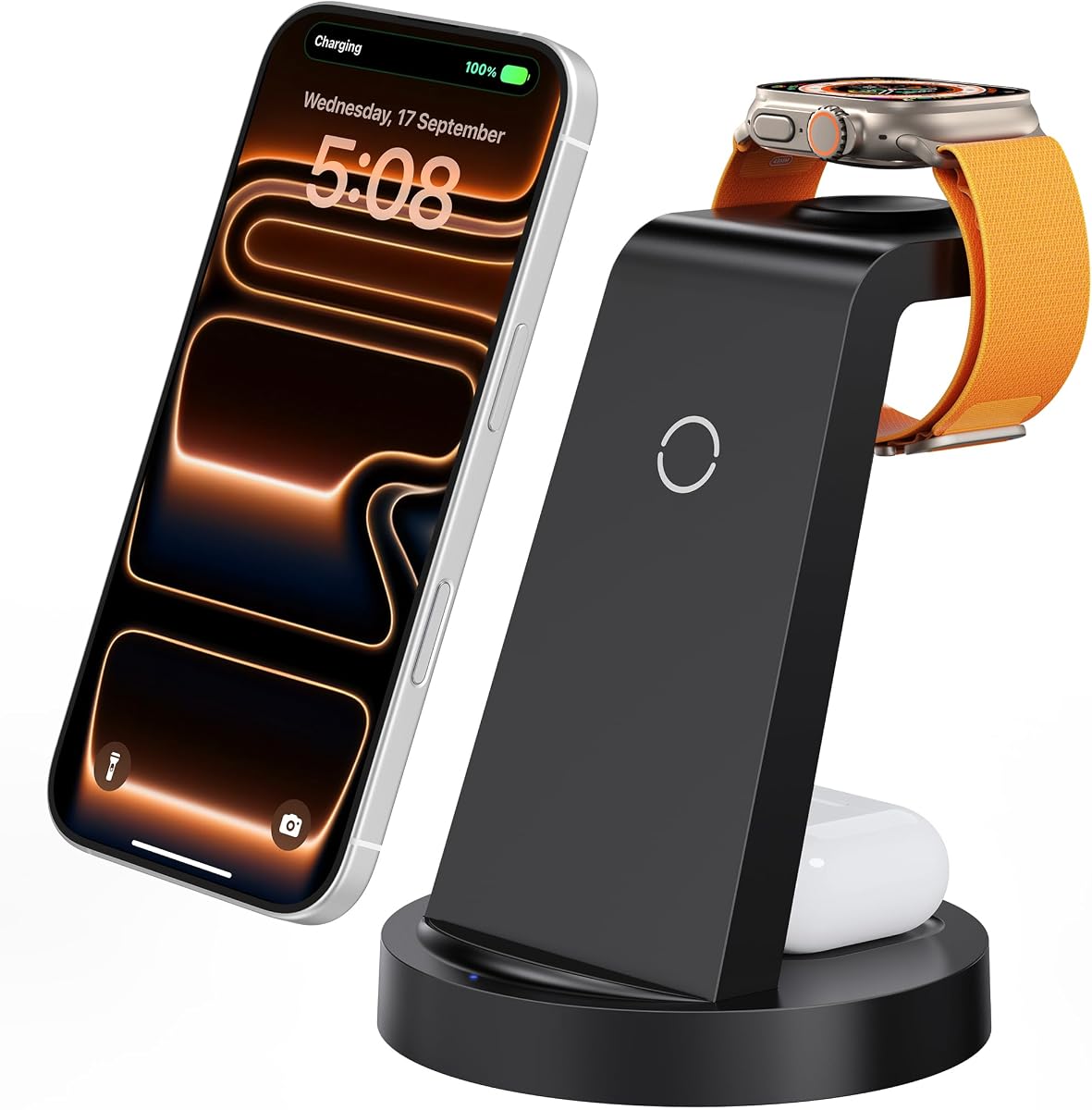


The GETPALS Wireless Charger iPhone Charging Station delivers a compact solution for families needing tidy power on nightstands. Its rating reflects reliable performance across multiple device types with clear status lights to keep users informed.
We may earn a commission when you buy through this link, at no additional cost to you.
This unit provides up to 7.5W for phones 3W for earbuds and 2.5W for watches ensuring efficient power delivery. The foldable build makes it easy to store in bags for travel while the non-slip base keeps phones secure during use.
Metal rings on phone cases or AirPods cases can interrupt charging so users should remove them before plugging in. Case thickness limits are reasonable but thicker protective gear might slow wireless power speeds slightly.
It suits households wanting a simple dock that handles iPhone Apple Watch and AirPods without clutter. Travelers will appreciate the lightweight portable design while desk users benefit from the safety features and clear visual feedback.
The lightweight foldable design slips into bags easily so users can take reliable charging power on trips without adding heavy adapters.
Multiple built-in protections including overcurrent and overheating safeguards help ensure devices charge safely even during overnight sessions.
We may earn a commission when you buy through this link, at no additional cost to you.
This five-in-one station targets users with many gadgets needing power at once. It delivers fast charging across five devices with included cables to reduce extra purchases right out of the box.
We may earn a commission when you buy through this link, at no additional cost to you.
The included 36W adapter supports quick recharging for phones and watches while USB and Type-C ports handle additional peripherals. Sixteen air vents keep internal temperatures stable even when all ports are in active use.
Users must remove phone cases to maintain charging speed which might annoy those who prefer keeping cases on. Cable organization relies on the provided gift cables so adding more requires separate purchases.
It works well for families wanting to power phones tablets and watches together. The safety certifications and cooling vents make it a reliable choice for busy households with varied device needs.
Power five devices simultaneously with dedicated wireless zones and wired ports so everyone charges at once without fighting for outlets.
Sixteen vents and FCC certification work together to keep the dock safe and cool even when fully loaded with devices.
We may earn a commission when you buy through this link, at no additional cost to you.
This 320W station targets power users needing massive outlet capacity. Ten ports cover everything from phones to laptops with six short cables included to start charging immediately upon setup.
We may earn a commission when you buy through this link, at no additional cost to you.
Two 65W USB-C ports can power laptops efficiently while 30W ports handle tablets and smartphones. The widened slots allow devices with thick cases to sit securely without removing protective gear.
The Apple Watch cable is not included so buyers must supply their own for that specific device. Eight cables add bulk on the desk surface which may require tidying to avoid tangling.
It suits offices or families with many electronics needing fast simultaneous power. The safety chips and durable ABS housing provide long-term reliability while the rubber pads protect desktop surfaces.
Dual 65W ports support MacBook Pro and Air charging without needing separate laptop power bricks.
Eight included short cables let users start charging all devices right away without searching for extra cords.
We may earn a commission when you buy through this link, at no additional cost to you.
This dock adds clock functionality to charging with automatic Bluetooth time sync. It supports Apple ecosystem devices while offering ambient lighting to enhance desk or nightstand aesthetics.
We may earn a commission when you buy through this link, at no additional cost to you.
The smart clock shows temperature and day of week alongside time sync via Bluetooth. Two wireless chargers plus wired ports support six devices simultaneously when using the included 30W adapter.
Samsung watch compatibility is absent so Android watch users should consider other docks. Centering AirPods is required for charging which might require slight adjustment during placement.
It suits users wanting a decorative dock that also tracks time. The lighting and sync features make it a useful bedside companion while keeping power needs tidy.
Automatic Bluetooth sync ensures your dock shows the correct time and temperature without manual setup.
Adjustable warm or cool lighting creates a welcoming ambiance while your devices charge overnight.
We may earn a commission when you buy through this link, at no additional cost to you.
This compact station handles three essential Apple devices with a soft blue indicator for nighttime use. It provides stable charging through a reliable adapter while detecting foreign objects to protect hardware.
We may earn a commission when you buy through this link, at no additional cost to you.
A dedicated 18W adapter ensures consistent power delivery across all three pads. The ABS housing dissipates heat effectively so users can leave it on nightstands without overheating concerns.
Non-MagSafe alignment means users must center phones properly each time they charge. Metal objects like credit cards can trigger foreign object detection pausing charging until removed.
It works well for minimalists wanting a single cord setup. The soft light and foreign detection make it suitable for bedside use where sleep comfort matters.
A soft blue LED shows charging status without harsh glare to ensure restful nights on your nightstand.
Built-in detection pauses charging when metal objects are nearby to prevent overheating or damage.
We may earn a commission when you buy through this link, at no additional cost to you.
This magnetic pad aligns iPhone 12 and newer automatically for precise charging. The foldable design converts to a stand in seconds so users can watch content while devices power up.
We may earn a commission when you buy through this link, at no additional cost to you.
A 180-degree foldable mat makes it easy to carry in bags for trips. The included 18W adapter supports fast charging while temperature and overvoltage protection keep usage safe.
It only supports AirPods with MagSafe cases and iPhone 12 or newer models. Older iPhones or AirPods without magnetic cases may not work with this dock.
Travelers and iPhone 12+ users will find this portable dock useful. The magnetic alignment and stand function make it ideal for hotels or temporary desk setups.
Magnetic suction locks iPhone in place so charging starts instantly without fiddling with positioning.
Transforms into a 180-degree stand so you can watch videos while your phone charges.
We may earn a commission when you buy through this link, at no additional cost to you.
This station targets users needing laptop power alongside mobile devices. Two 65W ports handle MacBook Pro and Air charging while three 30W and 20W ports support tablets and smartphones.
We may earn a commission when you buy through this link, at no additional cost to you.
GaN technology keeps heat low even when charging multiple devices. Wider slots let phones with thick cases sit securely without removing protective gear during power delivery.
No removable dividers mean organization relies on user cable management. Original cables included are required for best performance so damaged or uncertified cables may reduce charging speeds.
It suits offices wanting a single unit for many devices. The sturdy housing and included cables make it a practical choice for shared workspaces.
GaN technology allows compact power delivery with low heat even during extended use.
Wider raised slots ensure devices with thick cases fit securely while charging.
We may earn a commission when you buy through this link, at no additional cost to you.
This high-capacity dock supports thirteen devices at once using GaN 5 technology. Dual 100W ports power laptops while the integrated 3-in-1 wireless charger handles Apple devices.
We may earn a commission when you buy through this link, at no additional cost to you.
GaN 5 chip ensures efficient power delivery with over-temperature protection. Green LED indicators show proper charging then turn off to avoid light pollution overnight.
The USB-C port on the wireless stand does not deliver power so users should avoid plugging devices there. The large unit requires dedicated desktop space which may not suit small desks.
It fits power users needing maximum outlet consolidation. The safety chip and auto-off lights make it reliable for continuous heavy-use environments.
Charge laptops tablets and phones together without needing multiple power bricks.
Green LEDs indicate charging then turn off to avoid disturbing sleep at night.
We may earn a commission when you buy through this link, at no additional cost to you.
This dock offers official Apple Watch certification for optimized charging times. Full 15W wireless speeds ensure phones charge quickly while adjustable angles support StandBy mode in landscape.
We may earn a commission when you buy through this link, at no additional cost to you.
The compact design fits well on workspaces without taking excessive space. A 40W adapter ensures stable power delivery so devices charge efficiently from 0 to 100 percent quickly.
Premium pricing may be a barrier for budget buyers. Compatibility centers on Apple products so Android users should consider other options with broader support.
It suits Apple ecosystem users wanting reliable official support. The adjustable angle and compact build make it a refined choice for modern desks.
Official certification ensures fast safe charging optimized for Apple Watch battery health.
Adjust the angle up to 45 degrees for optimal StandBy mode viewing.
We may earn a commission when you buy through this link, at no additional cost to you.
This dock consolidates up to fifteen devices into one unit. The integrated 3-in-1 wireless charger handles Apple devices while eight USB-C ports support laptops and tablets.
We may earn a commission when you buy through this link, at no additional cost to you.
Third-gen GaN technology delivers dual 100W fast charging while staying cool. Extra-wide slots secure laptops and iPads even with thick protective cases without needing to remove them.
The unit requires a dedicated outlet which might be tight on crowded desks. The large footprint could dominate small workspaces requiring careful placement.
It suits home offices needing massive power capacity. The safety protections and minimalist design make it a practical solution for heavy-duty daily use.
Third-gen GaN III chipset keeps temperatures low even with many devices drawing power.
Slots measure 1.57 inches wide to hold laptops with thick cases securely.
We may earn a commission when you buy through this link, at no additional cost to you.
Selecting a dock requires evaluating port count power output and device compatibility. This section explains what features matter most when comparing multi-device charging stations.
Choose a dock with enough ports for all your devices. If you have many gadgets look for stations offering ten or more ports so you can power phones tablets and accessories together.
Match the dock to your device count so every item has a dedicated slot without needing extra adapters or outlets.
Wireless docks simplify setups by eliminating cables for phones and watches. Ensure the dock supports your iPhone model and Apple Watch series for seamless alignment.
Verify magnetic features like MagSafe or Qi2 if you want fast reliable alignment without fiddling with positioning.
Higher wattage ensures devices recharge quickly. Look for docks with adapters delivering at least 36W to handle multiple devices without slowing charging speeds.
Check PD port specs if you need to charge laptops. Dual 65W or higher ports support full laptop charging alongside mobile devices.
Durability matters for docks that stay on desks. Look for flame-retardant ABS housings and built-in heat vents to keep the unit cool during long sessions.
GaN technology helps maintain low temperatures while delivering high power so your devices stay safe from overheating.
Look for docks with FCC certification and built-in protections against over-voltage short circuits or foreign objects. These safeguards ensure your devices charge safely without risk.
Safety features like temperature control and foreign body detection help prevent accidental damage during overnight charging sessions.
Foldable or lightweight designs suit travelers who need charging on the go. Check if the dock includes magnetic alignment or stand modes to adapt to different settings.
Consider size and cable length. A compact dock saves desk space while extra-long cables help if outlets are not close to your workspace.
Place the dock on a flat dry surface away from heat sources. Ensure the USB-C or power adapter is connected securely to an outlet so devices charge without interruptions.
Center your devices on wireless pads and avoid metal rings that block signals. Check that phone cases do not exceed thickness limits to maintain efficient charging speeds.
Periodically wipe dust from the dock surface with a soft cloth. Inspect cables for damage and replace them if fraying occurs to keep power delivery safe.
Most docks include an adapter but some require separate purchases. Always check product details to ensure the included adapter meets total wattage requirements for all devices.
Many docks support cases up to 3 or 4 mm thick. Remove metal rings or magnetic accessories as they can block wireless charging alignment on the dock.
Some wireless docks include cables for phones but not for Apple Watch. Always verify the product list to see if a watch cable is included in the box.
Most multi-device docks support USB-C or USB-A for Android tablets or Kindles. Wireless zones may only work with Qi-compatible phones or AirPods though.
Smart docks detect full charges and switch to trickle mode or pause power to prevent battery damage. LEDs often change color or turn off once charging completes.
Yes most docks accept user-provided cables for USB ports. Use original cables where possible to maintain optimal charging speeds and safety.
The GETPALS Wireless Charger and Anker MagGo lead the list for reliability and features. Whether you need foldable designs or high-power options there is a dock for every setup.
Prioritize ports and safety certifications over extra bells and whistles. Choose a model that matches your device count and provides built-in protections to keep your gear safe.
Always verify current availability and product details before purchasing. Specifications may change so review the latest product listings to ensure the dock meets your needs.