
Brother HL-L2405W
4.1Editor score
Compact wireless design
Fast 30 ppm printing
Alexa compatible
This guide compares the top Brother laser printer models for home and office use, evaluating speed, connectivity, and reliability to help you choose the right
Finding the right Brother laser printer can transform your workspace efficiency. These devices offer crisp monochrome or vibrant color output with fast speeds and reliable connectivity options for any environment.
We analyzed ten top-rated models based on performance metrics, user feedback, and feature sets. Our comparison highlights connectivity options, paper handling capabilities, and overall value for different user needs.
Each pick details specific strengths and ideal use cases to guide your decision. Remember that availability and terms may shift, so verify current details before finalizing your purchase today.
4.1Editor score

4.1Editor score

4.1Editor score
The following table provides a side-by-side overview of key specifications across all ten models to help you quickly identify the best fit for your printing requirements.



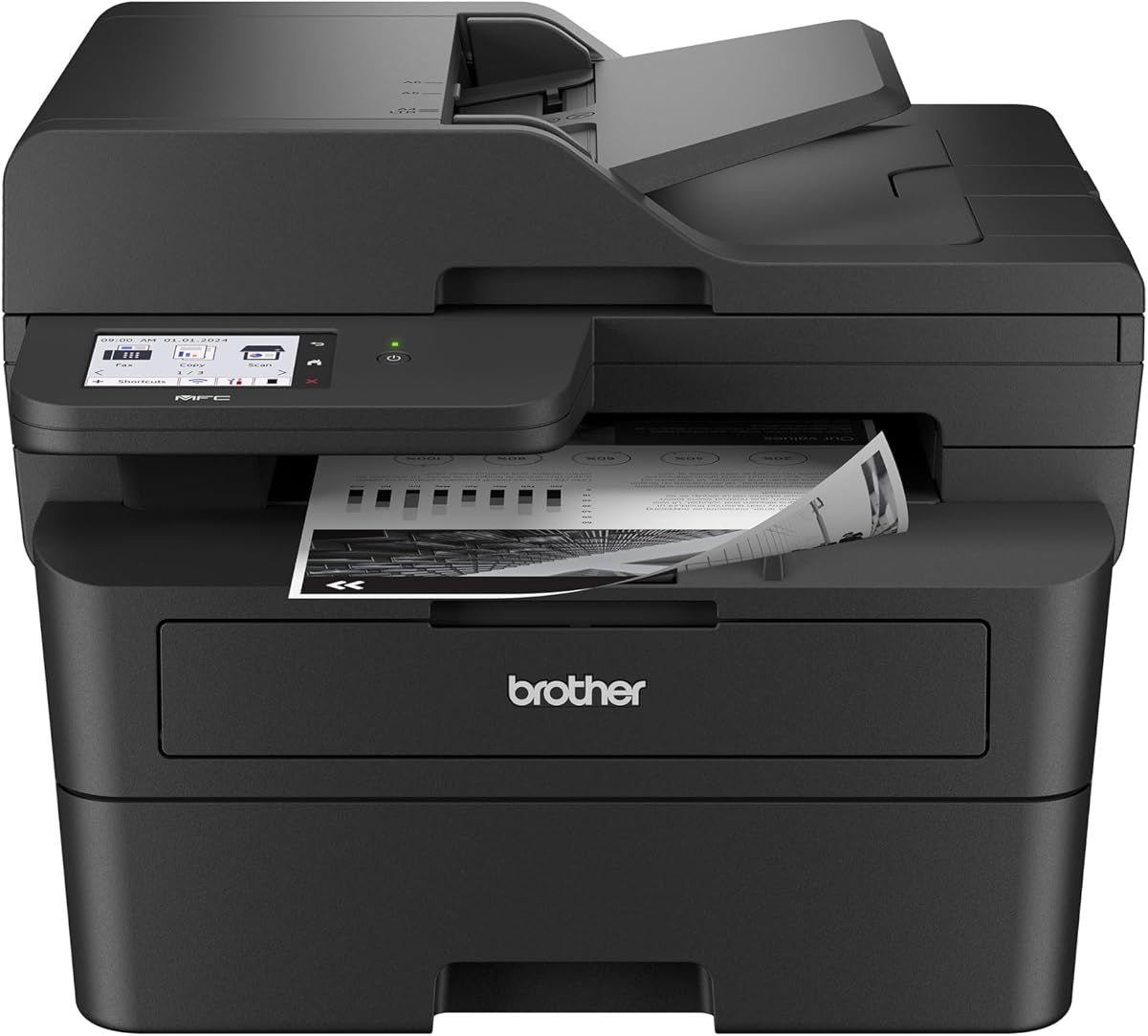


The Brother DCP-L2640DW stands out as a top performer for small businesses needing speed and versatility. With a solid rating and rapid print capabilities, it handles daily document loads efficiently.
We may earn a commission when you buy through this link, at no additional cost to you.
Its 36 ppm speed and 50-page auto document feeder make it ideal for multi-page tasks. The dual-band wireless and Ethernet options ensure stable connections across various network setups without hassle.
While it lacks a touchscreen interface, the mobile app compensates by offering remote management and toner tracking. This trade-off keeps the unit compact while maintaining essential functionality for most users.
This model is best for teams requiring reliable black and white output without compromising on speed. Its balanced feature set makes it a strong recommendation for home offices and small workgroups.
The integrated scanner and copier functions reduce clutter while maximizing workflow efficiency in tight spaces.
Use the Brother Mobile Connect app to monitor supplies and print from anywhere without direct computer access.
We may earn a commission when you buy through this link, at no additional cost to you.
The Brother HL-L2405W delivers essential laser performance at a budget-friendly cost. It is perfect for home users who need crisp text documents without complex features or high maintenance.
We may earn a commission when you buy through this link, at no additional cost to you.
With 30 ppm speeds and voice control via Alexa, it simplifies everyday printing tasks. The compact design fits easily on desks, making it a practical choice for small home offices.
Although it lacks automatic duplexing, the manual feed slot allows occasional double-sided prints when needed. This limitation helps keep costs down while still providing decent versatility for basic needs.
Ideal for students or solo professionals, this printer offers a low barrier to entry. Its straightforward operation and solid output quality ensure you get reliable results without breaking the bank.
Link with Alexa to initiate prints or check status using simple voice commands for hands-free convenience.
Enjoy a trial of the Refresh EZ Print Service to manage toner needs automatically and reduce running costs.
We may earn a commission when you buy through this link, at no additional cost to you.
The Brother HL-L2460DW combines speed with environmental considerations through automatic duplex printing. It is well-suited for teams that produce high volumes of double-sided documents regularly without manual intervention.
We may earn a commission when you buy through this link, at no additional cost to you.
Its 36 ppm rate ensures quick turnaround times for busy environments. The inclusion of Alexa support adds a layer of modern convenience for managing print jobs via voice commands effortlessly.
While it lacks a touchscreen, the standard tray and mobile connectivity cover most daily needs. This balance of features offers strong value for users prioritizing speed and paper savings over complex interfaces.
Buy this model if you need reliable monochrome output with double-sided capabilities built-in. It strikes a great balance between performance and simplicity for growing home offices and small businesses.
Automatic duplex reduces paper consumption by half for drafts and internal documents, saving costs over time.
Connect seamlessly via dual-band wireless to ensure stable printing from laptops and mobile devices simultaneously.
We may earn a commission when you buy through this link, at no additional cost to you.
The Brother MFC-L2820DW brings essential office functions together in a sleek monochrome package. Its touchscreen interface and cloud capabilities make it a robust choice for small offices needing fax and scanning.
We may earn a commission when you buy through this link, at no additional cost to you.
Users can scan directly to apps like Google Drive or Dropbox, streamlining document management. The 2.7-inch touchscreen provides intuitive navigation, reducing the learning curve for new team members significantly.
While it is pricier than single-function units, the inclusion of fax and copier features justifies the investment. This comprehensive setup eliminates the need for separate devices, saving desk space and wiring complexity.
Choose this model if your workflow involves sending faxes or managing physical documents regularly. It is an excellent upgrade for businesses looking to centralize communication tools efficiently and effectively.
The responsive display simplifies setup and daily operation, allowing quick access to advanced scanning features.
Direct scan-to-cloud options keep digital files organized without needing a PC connected to the device.
We may earn a commission when you buy through this link, at no additional cost to you.
The Brother HL-L3220CDW offers professional color capabilities without breaking the bank. It is designed for home offices that occasionally need vibrant graphics or color charts alongside standard text documents.
We may earn a commission when you buy through this link, at no additional cost to you.
With speeds up to 19 ppm, it handles moderate volumes well. The 250-sheet tray minimizes refills, and duplex printing helps manage paper usage effectively for everyday business correspondence.
While color toner costs can add up over time, the convenience of on-demand color output often justifies the expense. It avoids the need to outsource marketing materials or reports to external print shops.
This model fits users needing occasional color prints for presentations or client reports. Its wireless features ensure easy access for multiple users sharing a single color resource in a small workspace.
Delivers sharp color graphics that enhance professional presentations and marketing materials significantly.
Connects easily to various devices, allowing smooth workflow for mixed device environments without hassle.
We may earn a commission when you buy through this link, at no additional cost to you.
The Brother HL-L2480DW earns high marks for balancing features and price in a compact design. It is an excellent choice for users needing print, scan, and copy functions without the complexity of fax.
We may earn a commission when you buy through this link, at no additional cost to you.
Its 2.7-inch touchscreen simplifies navigation, making it accessible even for less tech-savvy users. The 36 ppm speed ensures productivity remains high even during busy periods requiring quick document processing.
While it lacks fax capabilities, most modern workflows rely on email or digital transmission. This omission helps keep the unit affordable while still offering robust scanning and copying functionality for general use.
Highly recommended for small offices needing an efficient all-in-one solution. Its strong user ratings reflect consistent reliability and ease of use in daily operational tasks.
The touchscreen interface reduces confusion and speeds up common tasks like scanning multiple pages quickly.
Designed to save space, this unit fits comfortably on smaller desks without sacrificing performance or capacity.
We may earn a commission when you buy through this link, at no additional cost to you.
The Brother MFC-L2900DW targets small businesses needing professional-grade performance with advanced document handling. Its 3.5-inch touchscreen and single-pass scanning offer significant efficiency gains for high-volume users.
We may earn a commission when you buy through this link, at no additional cost to you.
With a 50-page ADF and rapid processing times, it handles large batches with ease. The energy-efficient design reduces power consumption during sleep modes, contributing to lower operational costs over the device's lifespan.
While it occupies more space than compact models, the productivity gains justify the footprint. The large interface provides better visibility for settings, ensuring fewer errors during complex scanning or copying tasks.
This unit is ideal for growing teams prioritizing speed and reliability. Its comprehensive feature set ensures you can handle diverse document workflows without needing additional hardware investments.
The enhanced fuser design cuts electricity use significantly compared to previous standard models in this category.
Scan double-sided documents in one pass, doubling throughput for heavy file processing environments.
We may earn a commission when you buy through this link, at no additional cost to you.
The Brother HL-6210DW is a powerhouse designed for high-volume professional environments. With an impressive 50 ppm speed, it ensures that heavy printing backlogs are cleared quickly and efficiently.
We may earn a commission when you buy through this link, at no additional cost to you.
Its robust paper handling and ultra-high-yield toner options significantly reduce operational costs. The Triple Layer Security features provide peace of mind for sensitive business data transmitted over network connections.
While the initial investment is higher, the long-term savings and speed make it a smart choice for enterprises. It is built to handle rigorous daily use without compromising on output quality or reliability.
Opt for this model if speed and security are top priorities for your organization. It stands out as a top-tier choice for demanding workflows that cannot afford downtime.
Protect sensitive documents with advanced security protocols designed to prevent unauthorized access and transmission risks.
Massive paper trays minimize interruptions for refills, keeping your team focused on work rather than maintenance.
We may earn a commission when you buy through this link, at no additional cost to you.
The Brother MFC-L3720CDW combines color laser technology with comprehensive office functions in one unit. It is perfect for businesses needing color outputs for marketing alongside fax and copy capabilities.
We may earn a commission when you buy through this link, at no additional cost to you.
A 3.5-inch color touchscreen allows for customizable shortcuts to streamline workflows. The mobile command center app lets you manage prints remotely, ensuring flexibility even when away from the physical device.
While it requires more desk space than mono models, the versatility justifies the footprint. The integration of fax and scanner functions saves the need for separate hardware, simplifying office setups significantly.
This model is best for offices needing full-color output and legacy fax support. It balances robust features with modern connectivity, making it a strong option for diverse professional needs.
Create personalized shortcuts on the display to access frequent tasks without navigating deep menus repeatedly.
Keep operations smooth by monitoring printer status and managing jobs directly from your mobile device.
We may earn a commission when you buy through this link, at no additional cost to you.
The Brother Work Smart 1360 offers a cost-effective inkjet solution for light home office use. It is ideal for users who need basic color capabilities without the higher upfront cost of laser technology.
We may earn a commission when you buy through this link, at no additional cost to you.
With a compact footprint and cloud app connections, it fits well in small spaces like home desks. The 1.8-inch display makes navigation straightforward, allowing quick access to print or scan tasks.
While inkjet technology may be slower than laser options, it suffices for casual document printing. The ability to print photos and color graphics at home adds value for diverse personal or home business needs.
Consider this model if you print infrequently and need color versatility on a budget. It provides essential features like duplex printing and cloud scanning in a user-friendly, space-saving design.
Designed for small spaces, this unit avoids clutter while delivering essential color printing capabilities.
Seamlessly connect to Google Drive and Dropbox to print documents stored in the cloud directly.
We may earn a commission when you buy through this link, at no additional cost to you.
Selecting the right model depends on your specific volume needs and desired features. This guide breaks down the key factors to consider before making your final decision.
Speed is critical for productivity. Look for models offering 30 ppm or higher if you handle large batches daily to minimize wait times.
Higher speeds ensure your workflow remains uninterrupted during peak usage periods.
Ensure the printer supports dual-band wireless, Ethernet, or both. Modern offices often require stable connections for multiple devices accessing the machine.
Choose models with robust connectivity to avoid bottlenecks in your network environment.
Look for a 250-sheet or higher paper tray to reduce refill frequency. Some models offer automatic duplexing to save paper and time on double-sided prints.
Adequate paper capacity keeps operations smooth without constant manual intervention.
Decide if you need scanning, copying, or fax capabilities built-in. All-in-one units save space but may cost more than single-function printers.
Select an MFP only if you regularly use these additional functions to justify the investment.
A touchscreen simplifies navigation and configuration. It is especially useful for managing settings or scanning to cloud services quickly.
Units with intuitive displays reduce training time for new users significantly.
Evaluate toner yield and subscription options. Higher yield cartridges or subscription services can lower long-term costs for frequent users.
Plan for ongoing costs to ensure the total cost of ownership fits your budget.
Measure your available space before buying. Compact models are great for home desks, while high-volume models require more room.
Ensure the unit fits comfortably without restricting other workspace elements.
For business environments, look for advanced security like secure print or encryption. This protects sensitive documents from unauthorized access.
Prioritize security features if your business handles confidential client data regularly.
Always use genuine or high-quality compatible toner to ensure consistent output and protect the internal drum. Avoid shaking cartridges excessively to prevent leaks or uneven distribution.
Keep the printer in a cool, dry place away from direct sunlight. Dust can accumulate over time, so use the cleaning brush provided to maintain optimal performance.
Regularly update firmware through the mobile app or computer interface. This ensures you have access to the latest security patches and feature improvements.
Yes, most Brother models listed support macOS drivers and mobile apps. You can download the latest drivers from the official website or use AirPrint for easy wireless printing.
The TN830XL is an ultra-high-yield version that prints more pages per cartridge than the standard TN830. It offers better value for high-volume users needing fewer replacements.
Download the Brother Mobile Connect app on your device. Ensure the printer is connected to the same Wi-Fi network and follow the on-screen prompts to pair them.
Many models allow Scan-to-Email features if configured through the web interface. Set up your SMTP server details once to enable sending scans directly to recipients.
Models with a duplex ADF can scan both sides of a document automatically. Check the specifications for single-pass scanning to confirm this capability before purchasing.
The printer will display a low toner message when levels drop. Some models continue printing at reduced quality for a while before stopping completely until replaced.
Most models come with a standard one-year limited warranty covering hardware defects. Extended plans are often available for purchase to cover accidental damage or longer periods.
While third-party cartridges work, Brother recommends Genuine Toner for optimal performance. Using non-genuine supplies may void your warranty or affect print quality.
Our top picks cover a wide range of needs from compact home use to heavy-duty business environments. The HL-L2405W is perfect for budgets, while the HL-6210DW excels in high-speed professional settings.
When deciding, prioritize speed and connectivity based on your daily volume. A touchscreen can greatly enhance usability if you manage complex workflows regularly throughout the day.
Check current availability and specific features before finalizing your purchase. Technology evolves quickly, so verifying the latest specs ensures you get the right tool for your workflow today.