
ASUS RT-AX1800S
4.3Editor score
WiFi 6 support
AiProtection security
Easy setup
This guide compares the top ASUS WiFi routers for 2026, evaluating performance, security, and features to help you choose the right model for your network.
Finding the right wireless router is crucial for a stable home network. ASUS offers a wide range of models catering to different needs and budgets. Their devices are known for robust security and advanced features like AiMesh.
We compared ten top-rated ASUS routers based on speed, coverage, and user feedback. This list includes options from budget-friendly picks to high-end gaming systems. Each model brings unique capabilities to modern connectivity.
Every pick highlights key strengths and ideal use cases for different users. Prices fluctuate often so check current listings before buying. This guide helps you navigate the complex world of wireless networking easily.
4.3Editor score

4.5Editor score

4.3Editor score
The following table provides a side-by-side view of all ten selected models. It highlights key specifications like speed ratings and unique features to simplify your decision process.
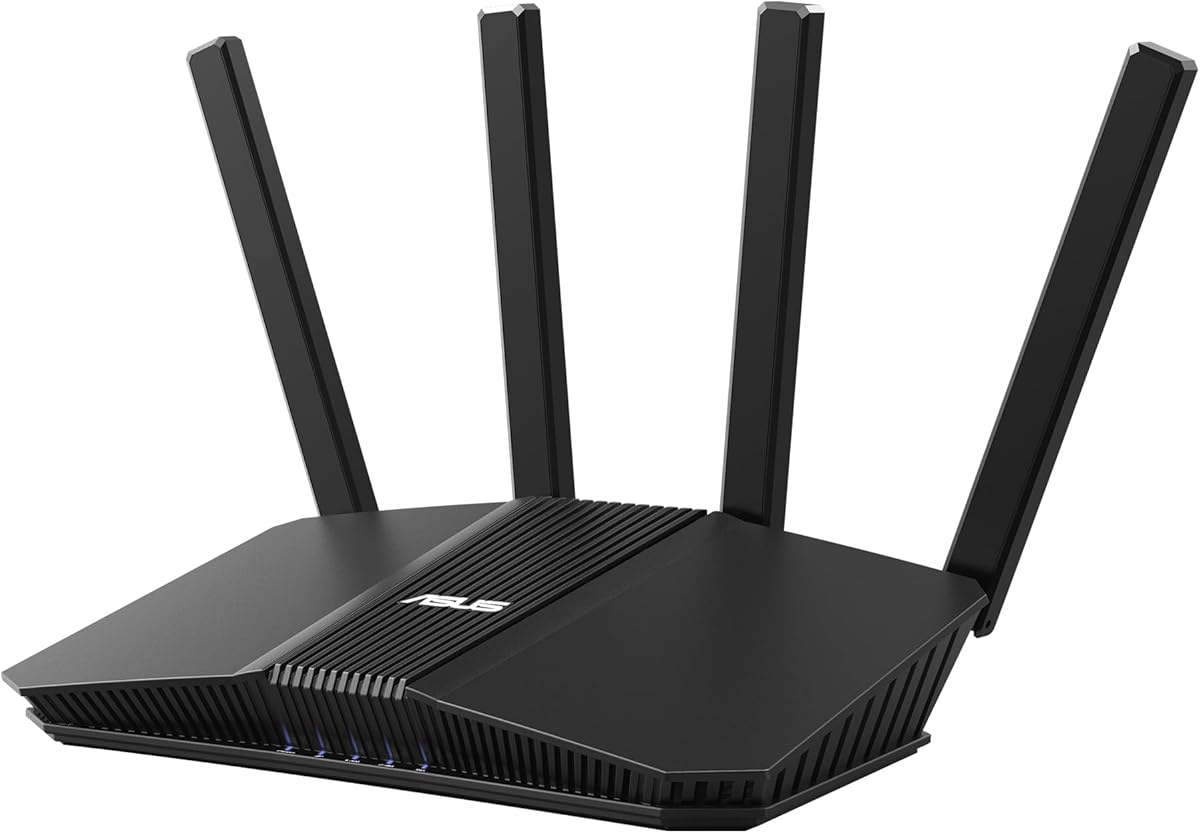

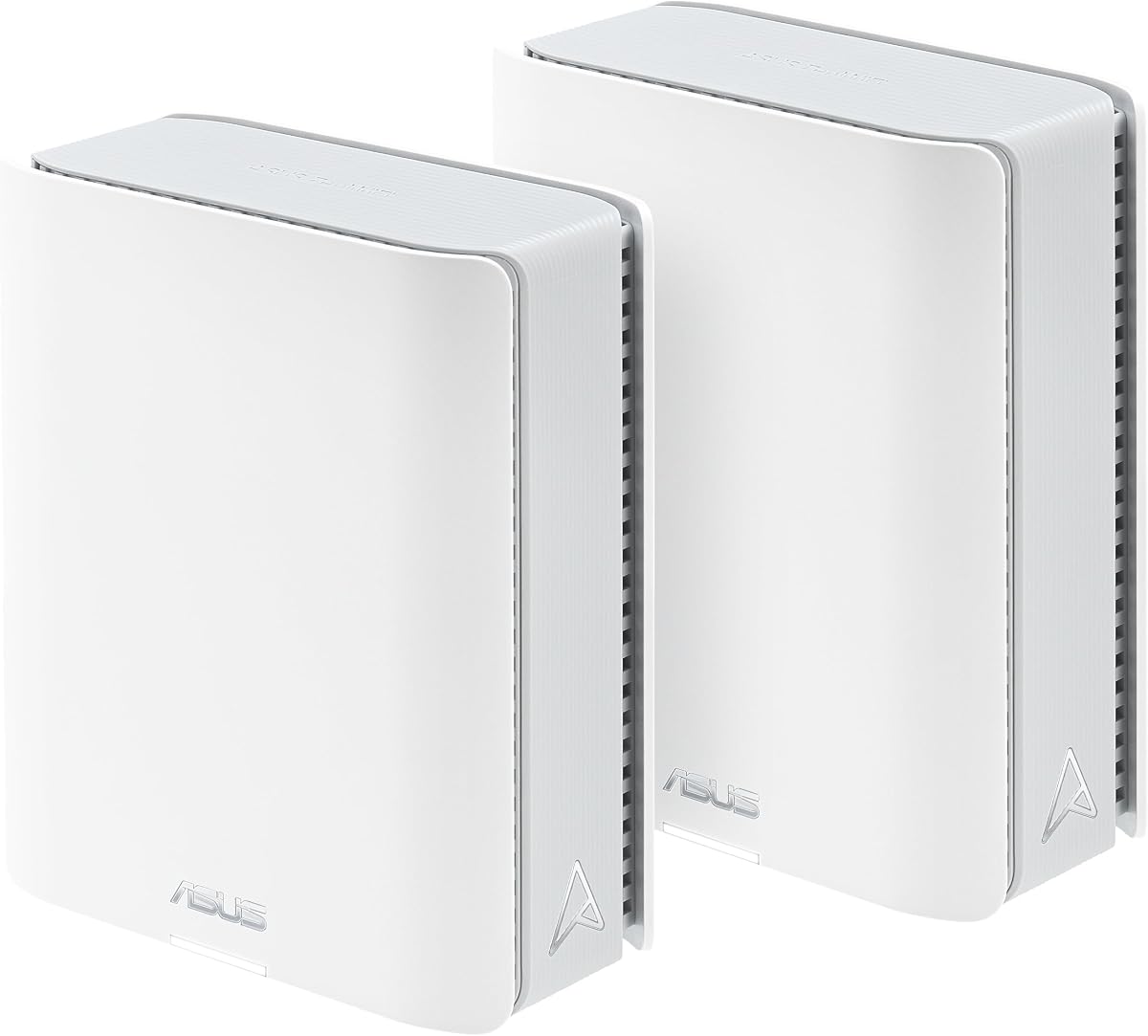



The ASUS RT-AX1800S is a solid entry point for WiFi 6 users. It holds a 4.3 rating and offers essential modern networking features at a budget-friendly price. Its standout quality lies in providing robust security without a subscription fee.
We may earn a commission when you buy through this link, at no additional cost to you.
Key strengths include AiProtection Classic powered by Trend Micro and support for MU-MIMO technology. The router manages multiple devices efficiently using OFDMA. This makes it ideal for families with several connected gadgets needing stable connections.
Trade-offs involve limited port speeds and lack of high-end gaming features. However these are acceptable for average users who prioritize security and reliability over raw speed. It works well as a standalone unit or part of an AiMesh system.
This router is perfect for small to medium homes needing reliable internet. If you want solid protection and modern standards without breaking the bank this model is highly recommended for your network needs.
AiProtection Classic blocks malicious sites and infected devices automatically using Trend Micro technology.
OFDMA and MU-MIMO technology allow the router to communicate with multiple devices simultaneously without lag.
We may earn a commission when you buy through this link, at no additional cost to you.
The RT-BE58U brings WiFi 7 technology to the mass market with impressive speed ratings. It achieves 3.6 Gbps using 4096-QAM which increases transmission speed significantly. This model is designed for users wanting future-proof connectivity.
We may earn a commission when you buy through this link, at no additional cost to you.
Its strengths include Multi-link operation for stable connections and Smart Home Master for IoT management. You can establish up to three SSIDs easily to segregate devices. The security suite offers commercial-grade protection with Trend Micro.
Downsides include a higher price tag and the need for WiFi 7 compatible clients to see full benefits. However the AI WAN detection and mobile tethering options add significant versatility for always-on internet.
Ideal for tech enthusiasts and smart homes needing high capacity. If you want the latest standards and robust management tools this router delivers exceptional value for advanced users.
WiFi 7 standards and 4096-QAM ensure your network remains fast as new devices arrive.
Smart Home Master allows easy setup of three SSIDs specifically for IoT devices.
We may earn a commission when you buy through this link, at no additional cost to you.
This flagship model delivers unmatched performance with 30Gbps throughput using WiFi 7. It features dual 10G ports and quad 2.5G ports for massive wired connectivity. It stands out for serious gamers and power users needing maximum bandwidth.
We may earn a commission when you buy through this link, at no additional cost to you.
Key strengths include Triple-Level Game Acceleration that optimizes traffic to game servers. The external dual-feeding antennas boost coverage significantly. The 320MHz channels in the 6GHz band provide incredible capacity for large networks.
Trade-offs are mostly financial as this is a top-tier investment. It might be overkill for basic browsing but essential for multi-device streaming and gaming. The mesh support ensures whole home coverage without compromises.
Buy this if you need the absolute best performance available today. It is the ultimate choice for gaming setups and demanding home offices that cannot tolerate any lag or slowdowns.
Triple-Level Game Acceleration boosts PC gaming traffic every step from your port to the server.
Cutting-edge external dual-feeding antennas provide high efficiency and enhanced signal strength.
We may earn a commission when you buy through this link, at no additional cost to you.
The RT-BE92U balances high performance with practical features for modern homes. It reaches speeds of 9700 Mbps using 320MHz channels and 4096-QAM. This device is suited for users wanting powerful connectivity without the flagship price.
We may earn a commission when you buy through this link, at no additional cost to you.
Strengths include versatile WAN options and Smart Home Master for network management. You can easily set up three SSIDs for IoT or guests. The AiProtection Pro ensures your family stays safe online with subscription-free security.
Trade-offs involve complexity in setup compared to basic routers. However the AI WAN detection ensures reliable internet even during outages. It is a robust choice for tech-savvy households.
This router is ideal for homes needing high throughput and reliable security. If you want a strong balance of speed and features without paying premium gaming prices choose this model.
AI WAN detection and USB tethering help establish always-on internet connections easily.
Smart Home Master makes it easy to manage IoT devices with separate SSIDs.
We may earn a commission when you buy through this link, at no additional cost to you.
The ZenWiFi BT10 is a two-pack system designed to cover up to 6000 square feet. It uses WiFi 7 to deliver speeds up to 18 Gbps. This system is perfect for large homes where a single router cannot reach every room.
We may earn a commission when you buy through this link, at no additional cost to you.
Key strengths include Ultimate AiMesh powered by AI for robust backhaul connections. You get dual 10G ports for ultrahigh-speed wired backhaul. The eight internal antennas eliminate dead zones effectively in all directions.
Trade-offs include the high price and some users reporting initial setup issues. However once configured it provides seamless connectivity. The Smart Home Master simplifies network segmentation for family members.
Buy this if you need whole-home coverage without dead zones. It is the ultimate solution for large properties where speed and reliability must remain consistent across every single room.
Ten high-power front-end modules eliminate WiFi dead zones in all directions.
Ultimate AiMesh delivers a feature-rich whole-home network that scales effortlessly.
We may earn a commission when you buy through this link, at no additional cost to you.
The RT-AX82U is a renewed option offering high performance for gaming households. It delivers speeds up to 5400 Mbps and supports 160MHz channels. Its Mobile Game Mode minimizes lag for mobile players easily.
We may earn a commission when you buy through this link, at no additional cost to you.
Strengths include Aura RGB lighting for aesthetic customization and AiMesh support for expansion. The commercial-grade AiProtection Pro keeps your home safe for free. It is a great value for those wanting gaming features.
Trade-offs involve the renewed status which may have cosmetic wear. However it functions like new and includes a warranty. This makes it an affordable entry into WiFi 6 gaming.
Ideal for gamers on a budget who want style and speed. If you want dedicated mobile gaming tools and customizable aesthetics this renewed model offers excellent value.
Mobile Game Mode minimizes lag and latency for mobile gaming with a simple tap.
Feature ASUS Aura RGB lighting effects that you can choose to align with specific modes.
We may earn a commission when you buy through this link, at no additional cost to you.
The ZenWiFi BT8 offers a single-pack solution for medium homes needing WiFi 7. It delivers 14 Gbps speeds with tri-band connectivity. It is designed to eliminate dead zones with AI-powered mesh technology.
We may earn a commission when you buy through this link, at no additional cost to you.
Key strengths include seven internal antennas and eight front-end modules. These ensure seamless whole home WiFi when combined with other ASUS routers. The setup process is streamlined with Smart Home Master for IoT.
Trade-offs are mostly cost related compared to older standards. But the future-proof 6GHz band makes it a smart investment. It handles parental controls and VPNs easily on multiple devices.
Buy this if you need a reliable and scalable mesh node. It is perfect for expanding an existing network or starting a secure whole home system.
AI-powered Smart AiMesh boosts coverage up to 3000 sq ft with easy extendibility.
24/7 end-to-end protection with commercial-grade AiProtection Pro keeps networks secure.
We may earn a commission when you buy through this link, at no additional cost to you.
The RT-AX3000 is a top-rated router offering next-gen WiFi 6 technology. It boasts 3000 Mbps total speed and supports 160MHz channels. Its high user rating reflects reliability and consistent performance in real-world use.
We may earn a commission when you buy through this link, at no additional cost to you.
Key strengths include Adaptive QoS which prioritizes gaming and streaming traffic. AiMesh technology lets you establish a stronger mesh system with other units. AiProtection Pro provides commercial-grade network security for family protection.
Trade-offs involve standard Gigabit LAN ports which may limit wired speeds. But wireless performance is exceptional for most users. The USB 3.0 port adds flexible storage sharing options.
This router is ideal for families wanting top overall performance. If you want a balance of speed, security, and smart features this model is highly recommended.
Adaptive QoS prioritizes critical traffic like gaming and streaming automatically.
Next-gen WiFi 6 technology provides up to 2.7x faster speed than previous generations.
We may earn a commission when you buy through this link, at no additional cost to you.
The AC1900 is a classic dual-band router known for consistent performance and reliability. It delivers up to 1900 Mbps using 802.11ac standards. Its high rating remains strong among users who value stability.
We may earn a commission when you buy through this link, at no additional cost to you.
Strengths include a 1GHz dual-core CPU for smart multitasking and separate lanes for Wi-Fi and USB data. It features five Gigabit LAN ports which is rare in modern routers. Setup is effortless via the web-based interface.
Trade-offs involve the older AC standard compared to newer WiFi 6 options. But it handles daily streaming and browsing effortlessly. AiProtection provides multi-stage protection against vulnerabilities and data theft.
Ideal for users seeking a dependable router without complex features. If you need multiple wired connections and proven stability this model remains a trustworthy choice for many.
1GHz dual-core CPU enables smart multitasking by dedicating separate lanes for Wi-Fi and USB.
Monitor and manage your network with ease from your mobile device using the intuitive app.
We may earn a commission when you buy through this link, at no additional cost to you.
The ExpertWiFi EBR63 is built specifically for business environments needing secure networks. It offers up to five SSIDs to separate and prioritize devices. It is ideal for offices that need strict network segmentation.
We may earn a commission when you buy through this link, at no additional cost to you.
Key strengths include a customizable guest portal and enterprise-grade security. The USB port acts as a backup WAN for reliable internet. Setup is easy via the ASUS ExpertWiFi app.
Trade-offs involve features that may be unnecessary for a simple home. But it ensures robust protection and VLAN support. The commercial-grade security keeps client data safe from threats.
Buy this if you run a small office or business. It offers the specialized tools needed for secure, reliable, and manageable network operations in professional settings.
Customize the guest portal type and templates to fit your business style easily.
Backup WAN via USB port maintains reliable internet even if the main connection fails.
We may earn a commission when you buy through this link, at no additional cost to you.
Choosing the right router depends on your specific needs and environment. Consider these factors to ensure you get the best performance for your money.
WiFi 7 is the latest offering the fastest speeds and lowest latency. WiFi 6 and WiFi 6E are also strong options for most households. Older WiFi 5 models may suffice for basic browsing but lack modern efficiency.
Look for WiFi 6 or newer to ensure future-proof connectivity and better handling of multiple devices.
Larger homes require routers with more antennas or mesh systems. Some models cover up to 6000 sq ft when paired correctly. Single unit routers often struggle beyond 3000 sq ft.
Measure your space and choose a model rated for that coverage area to avoid dead zones.
Gigabit ports are standard but 2.5G or 10G ports offer faster wired connections. Ensure you have enough ports for smart TVs or desktop PCs. USB ports allow file sharing or backup 4G LTE connections.
Check port counts and speeds to match your wired devices for optimal performance.
ASUS offers AiProtection Pro powered by Trend Micro for most models. This blocks malicious sites and infected devices without a subscription. Parental controls allow you to manage family internet usage effectively.
Prioritize models with free commercial-grade security to keep your home network safe online.
Gamers should look for Game Acceleration features that prioritize traffic. Some models have dedicated mobile game modes to reduce lag. QoS settings help ensure streaming or gaming gets priority over downloads.
Select a gaming router if you experience lag or need consistent low latency performance.
AiMesh allows you to add nodes later for whole-home coverage. This is cheaper than buying a dedicated mesh system. It ensures seamless handover between nodes as you move around.
Choose routers compatible with AiMesh if you plan to expand your network coverage later.
ASUS offers intuitive apps and web interfaces for management. Look for models with clear instructions and quick setup wizards. Guest portals and IoT management should be easy to configure without technical knowledge.
Prioritize models with user-friendly apps if you want a hassle-free network experience.
Budget models offer basic speed while premium ones provide gaming tools or mesh. Balance your needs against what you are willing to spend. A high-end router may be overkill for a small apartment.
Compare feature lists carefully to ensure you pay only for what you actually need.
Connect the router to your modem via the WAN port and power it on. Use the ASUS Router app to scan the QR code for quick setup. Follow the on-screen instructions to create your WiFi name and password.
Position the router in a central location away from metal objects or thick walls. This ensures maximum signal coverage. Keep antennas vertical and adjust them if possible for better range.
Regularly check for firmware updates in the app to stay secure. Avoid overloading the network with too many unsecured devices. Use strong passwords for guest networks to protect your main connection.
WiFi 7 offers faster speeds and lower latency but requires compatible devices to see benefits. If you plan to keep your router for many years it is a smart investment. However WiFi 6 still handles most current needs well.
Yes many ASUS routers support AiMesh to create a seamless whole-home network. You can pair a new router with an existing compatible one. This avoids dead zones without requiring a full system replacement.
ASUS routers work with any standard broadband service like cable or fiber. You just connect them to your modem or ONT via the WAN port. Ensure your modem is in bridge mode for best performance.
It is a built-in security suite powered by Trend Micro that blocks threats. It protects devices on your network without needing a separate subscription. It scans for malware and blocks malicious websites automatically.
Open the ASUS Router app and navigate to the Parental Control section. You can set schedules and block categories for specific devices or profiles. It helps manage family internet usage easily.
160MHz bandwidth allows for faster data transfer speeds on compatible devices. It doubles the channel width compared to standard 80MHz setups. This reduces latency and increases throughput for supported laptops and phones.
Yes the ASUS Router app lets you manage settings from anywhere. You can reboot the router or check connected devices remotely. Some business models offer cloud management for even more control.
These are standalone routers so you need a modem from your ISP. The router connects to the modem to create your local network. Some combo units exist but dedicated routers usually perform better.
ASUS offers a wide range of routers covering every need from budget to premium. The RT-AX3000 stands out as a top overall pick while the RT-BE98 Pro leads in high-end gaming.
Prioritize security and mesh compatibility when making your decision. These features ensure your network stays safe and scalable for future growth and device needs.
Prices fluctuate often so check current listings before buying. Ensure you verify compatibility with your existing modem and devices for a smooth upgrade.