
Redragon BM4195 AI Wireless Optical
3.9Editor score
5 DPI levels
Type-C fast charging
Multi-mode connectivity
Explore the top AI Smart Wireless Mouse options for productivity and voice typing. This guide compares features, accuracy, and connectivity for office work.
The modern workplace demands tools that streamline workflows and reduce physical strain. An AI Smart Wireless Mouse offers voice typing, translation, and automation features that transform how you interact with your computer. These devices go beyond simple cursor control to become productivity hubs designed for efficiency.
We evaluated ten leading models based on voice recognition accuracy, connectivity options, battery life, and software capabilities. Each product was assessed for its ability to handle multilingual tasks, ergonomic comfort during long sessions, and seamless integration with Windows and macOS systems for diverse users.
Each pick highlights specific strengths like silent clicks, detachable designs, or advanced AI assistants. Note that prices and availability change frequently, so verify current details before purchasing. Our goal is to help you find the right tool for your specific workflow needs today.
3.9Editor score

4.1Editor score

5.0Editor score
This table provides a side-by-side overview of all ten models. Compare key specifications like battery capacity, connectivity modes, and special AI features to find the best fit for your specific usage scenario and budget requirements.


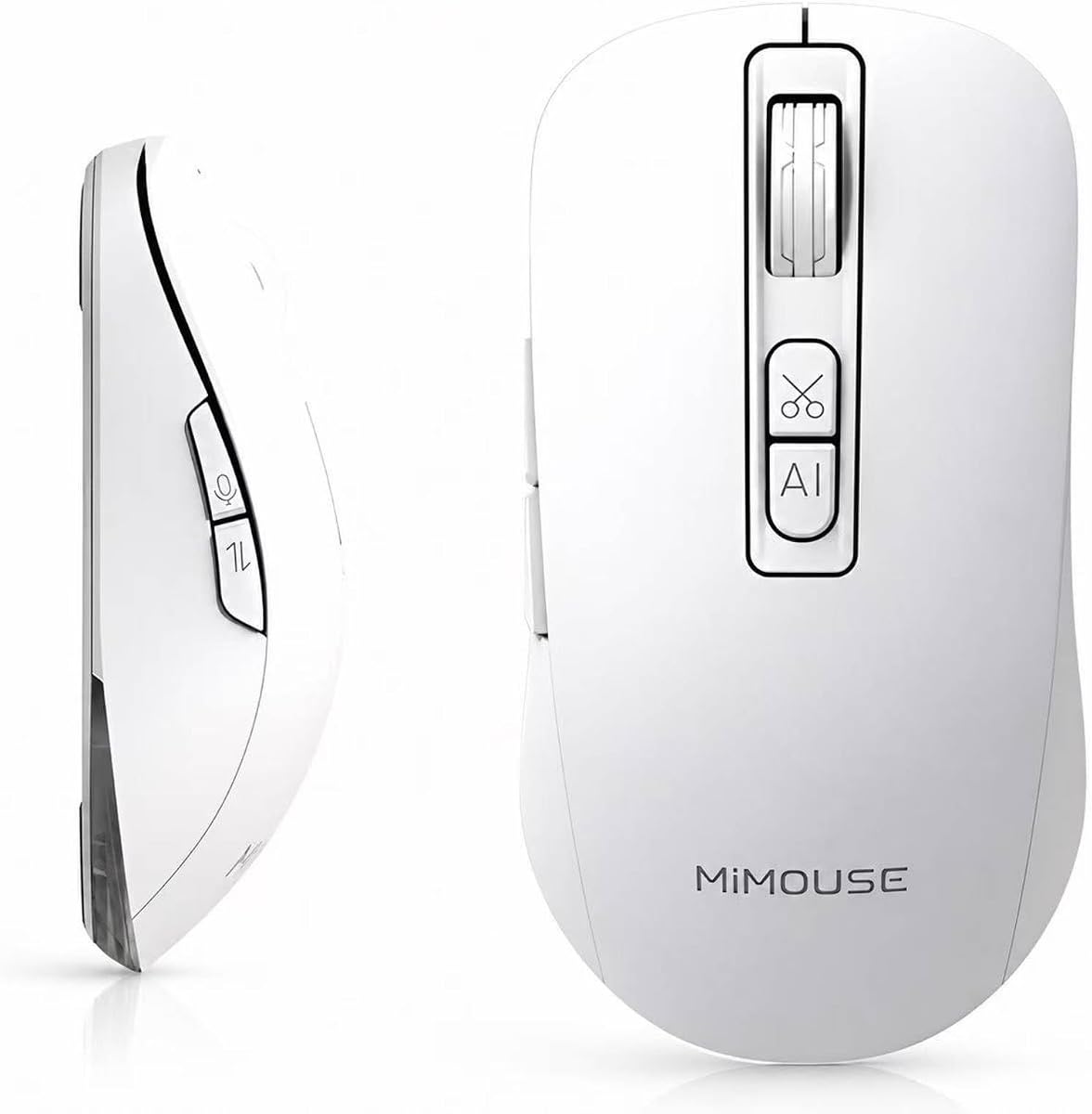


This model stands out as a top choice for users seeking comprehensive AI features without sacrificing privacy. With a 4.1 rating from verified users, it delivers reliable performance for voice typing and transcription tasks across various languages. The combination of ergonomic design and advanced AI tools makes it a strong contender for office environments.
We may earn a commission when you buy through this link, at no additional cost to you.
The standout feature is its ability to process AI tasks locally rather than relying on cloud storage. This ensures your voice records and text files remain private while still accessing powerful tools like chatbots and document summaries. The 600mAh battery provides long-lasting use, and the silent clicks keep noise levels low in shared spaces.
While the feature set is impressive, it does require downloading the specific app to unlock full functionality. Users should be prepared for a brief setup period to pair devices and configure voice commands. Additionally, some advanced translation features need specific settings enabled which might confuse new users initially.
Ideal for students, writers, and professionals who need fast dictation and multilingual support. The robust battery life ensures you can work all day without frequent recharging. If you prioritize data privacy alongside productivity tools, this mouse offers the best balance of features and security in its class.
Unlike many competitors, this device processes AI tasks directly on your computer to ensure sensitive data never leaves your system. This is crucial for professionals handling confidential documents or students working on proprietary research projects.
Beyond simple voice typing, the mouse includes tools for generating PPTs, writing scripts, and even creating code snippets. This multifaceted approach turns the mouse into a true productivity hub rather than just a pointing device.
We may earn a commission when you buy through this link, at no additional cost to you.
For users on a tight budget, this mouse offers a compelling entry point into the world of AI-enabled peripherals. While its rating is modest at 3.9, it provides the core voice typing functionality without breaking the bank. The hardware is solid and features a standard ergonomic shape that fits most hands comfortably.
We may earn a commission when you buy through this link, at no additional cost to you.
The multi-mode connectivity is a significant advantage allowing you to switch between desktops, tablets, and laptops seamlessly. With a 500mAh battery and Type-C fast charging, you won't spend much time waiting for power. The software supports customization which lets you assign specific functions to keys for efficient workflow management.
The main trade-off is that voice recognition accuracy may not match premium models in noisy environments. Users might need to speak clearly and hold the mouse closer to the mouth for best results. Additionally, the need to download software to activate AI functions adds a step to the initial setup process.
This device is perfect for students or casual users who want to try voice typing without a large investment. It works well for basic document creation and simple translations. If you need a secondary mouse for home or a backup for office work, this model delivers essential features at an unbeatable price.
This model brings voice typing and translation to a much lower price tier than competitors. It is an excellent choice for those who want to test AI productivity tools before committing to expensive hardware.
Supporting 2.4G and dual Bluetooth modes ensures compatibility with a wide range of devices. You can easily move between different operating systems without needing multiple receivers or pairing struggles.
We may earn a commission when you buy through this link, at no additional cost to you.
This product redefines what an AI mouse can be by integrating presentation tools into its design. With a perfect 5.0 rating, users appreciate its versatility for both standard office tasks and dynamic presentations. The magnetic detachment feature allows it to transform from a mouse to a handheld clicker instantly.
We may earn a commission when you buy through this link, at no additional cost to you.
The battery life is exceptional at up to twenty days on a single charge which reduces the anxiety of recharging during business trips. The lightweight build at just seventy grams ensures it sits comfortably in a laptop bag. Built-in tools like laser pointers and air mouse modes make remote meetings more engaging and interactive.
While the innovation is clear, the price is higher than standard voice mice. The detachable mechanism might feel less robust to some users compared to solid-body designs. However, the convenience of having multiple tools in one device often justifies the investment for frequent travelers or speakers.
Ideal for professionals who lead meetings frequently or travel often for work. The ability to switch modes seamlessly means you can carry fewer devices while still accessing all necessary tools. If you value portability and presentation capabilities alongside voice typing, this is the ultimate smart mouse choice.
The host detaches from the base to function as a standalone air mouse or clicker. This modularity reduces desk clutter and allows for flexible usage scenarios during presentations or remote collaboration sessions.
With a massive twenty-day battery life this mouse outperforms most competitors. It is designed for busy professionals who cannot afford interruptions for charging and need reliable performance over extended periods without a cable.
We may earn a commission when you buy through this link, at no additional cost to you.
This model specializes in breaking language barriers with support for over two hundred languages. It is an excellent tool for international teams or travelers who need real-time translation during meetings. The high recognition accuracy ensures that even complex phrases are transcribed correctly for seamless communication.
We may earn a commission when you buy through this link, at no additional cost to you.
A unique feature is the battery display screen on the mouse itself providing a clear visual of remaining power. This eliminates the guesswork of battery levels and helps manage usage during long sessions. The offline processing mode ensures that your voice data remains secure even when you are offline.
The setup involves downloading a custom app which might take some time to configure properly. While the feature set is robust, navigating the various tools can be overwhelming for first-time users. It is a powerful device but requires a learning curve to fully utilize its capabilities.
Perfect for global businesses or students studying languages. The ability to translate and type simultaneously speeds up cross-border collaboration significantly. If you often communicate in multiple languages or need precise translation tools without extra software this mouse is a valuable investment.
With support for more than two hundred languages this device facilitates global communication. The real-time translation feature ensures that language differences do not hinder productivity or understanding in professional settings.
The dedicated display on the mouse shows battery levels at a glance. This practical feature helps you avoid unexpected power loss during critical tasks and allows for better battery management planning.
We may earn a commission when you buy through this link, at no additional cost to you.
This option focuses on comfort and usability making it a great choice for those who spend hours at their desk. The ergonomic shape reduces strain on the hand and wrist which is essential for prolonged use. Combined with a quiet click mechanism it creates a peaceful environment for focused work.
We may earn a commission when you buy through this link, at no additional cost to you.
Connectivity is reliable with Bluetooth 5.0 ensuring a stable connection across devices. The rechargeable battery ensures you are always ready to work without constant replacements. While it offers standard AI features like typing and translation the focus remains on solid hardware quality and smooth operation.
Users should note that the AI capabilities are somewhat basic compared to more specialized models. It handles routine tasks well but may lack advanced generative AI features. Additionally software download is required to access the full range of customization options for the keys.
Ideal for office workers who prioritize comfort and reliability over advanced AI. The quiet clicks are particularly useful in libraries or shared offices where noise is a concern. If you need a comfortable daily driver for typing and basic voice commands this mouse serves that purpose well.
The ergonomic shape is designed to support the natural curve of your hand. This design choice minimizes fatigue during long work sessions and helps maintain productivity throughout the day without discomfort.
With a silent click mechanism this mouse does not disturb others around you. It is an excellent choice for open offices or quiet spaces where noise levels need to be kept to a minimum.
We may earn a commission when you buy through this link, at no additional cost to you.
Logitech continues to set standards in peripheral reliability with this model. While it may not have as many specialized AI features as others its overall performance and battery life are unmatched. The high rating reflects user satisfaction with its durability and consistent daily operation.
We may earn a commission when you buy through this link, at no additional cost to you.
The battery life extends up to twenty-four months which means you rarely need to change batteries. The Logi Bolt USB receiver ensures a secure connection especially in crowded office environments. It supports multi-device pairing allowing you to switch between computers effortlessly without manual re-pairing.
The reliance on AA batteries might be a downside for some eco-conscious users compared to USB-C rechargeable models. AI features are more standard compared to specialized voice mice but it integrates well with Logitech options software. It is a safe choice for general productivity rather than advanced automation.
Recommended for professionals who need a reliable tool for long-term use. If you prefer established brands and long battery life over flashy AI features this is a top choice. It suits users who value simplicity and consistency in their daily workflow.
With a battery life reaching two years this mouse reduces maintenance needs significantly. It is ideal for users who prefer not to deal with frequent charging or battery replacements for daily tasks.
The ability to pair with multiple devices makes it easy to switch between work and personal computers. This flexibility enhances productivity for users who manage several systems throughout their day.
We may earn a commission when you buy through this link, at no additional cost to you.
This model stands out visually with RGB lighting that adds a stylish touch to your workspace. Beyond looks it offers solid performance with silent clicks and local AI processing for privacy. It is a great option for users who want a modern look combined with practical voice typing features.
We may earn a commission when you buy through this link, at no additional cost to you.
The responsive upgrades ensure smooth tracking for high DPI needs suitable for design work. Privacy is maintained through local processing which keeps your data secure on your device. The silent clicks make it suitable for shared spaces where noise is a concern during work hours.
The lighting might be a distraction for those seeking a minimalist setup and can be turned off to save power. Software setup is needed to customize lighting and AI features which might take a few minutes. Overall it balances aesthetics with functionality well for a broad range of users.
Ideal for creative professionals or students who appreciate design aesthetics. If you want a mouse that looks modern and handles voice tasks efficiently this is a strong contender. It serves well for both professional tasks and personal customization.
The RGB features allow you to personalize your setup to match your desk aesthetic. Lighting effects can be adjusted or turned off depending on your preference for style or battery efficiency.
With responsive upgrades this mouse supports high DPI settings for precise cursor control. This is beneficial for detailed design work or tasks requiring accurate mouse movement and control.
We may earn a commission when you buy through this link, at no additional cost to you.
This device connects to multiple AI platforms giving you flexibility in which engine powers your work. With OCR and audio transcription capabilities it handles complex document processing tasks efficiently. The battery life supports extended use which is great for travel or long workdays without interruption.
We may earn a commission when you buy through this link, at no additional cost to you.
The integration with multiple AI engines means you can choose different tools for different tasks like coding or writing. It supports OCR so you can extract text from images directly making digitization much easier. The ergonomic design ensures comfort even when using heavy features for extended periods.
It is heavier than basic mice which might be an issue for users who prefer ultra-light weight. Reliance on software platforms means you need internet access for some features. However the power of combining multiple AI tools in one mouse makes it a strong productivity tool.
Perfect for researchers or content creators who need diverse AI capabilities. If you work with various document types and want a central tool for all AI needs this mouse offers versatility. It is a great choice for complex workflows.
The platform supports multiple AI models so you can access different strengths for various tasks. This flexibility allows users to choose the best tool for generating content or analyzing data without switching apps.
Optical character recognition allows you to scan text from images directly into your documents. This feature saves time when digitizing physical notes or extracting data from screenshots.
We may earn a commission when you buy through this link, at no additional cost to you.
This model is designed to bridge the gap between laptops and tablets making it ideal for hybrid setups. It features triple connectivity which allows seamless switching between desktops and iPads. The ability to generate PPTs via voice adds a valuable layer of convenience for presentations.
We may earn a commission when you buy through this link, at no additional cost to you.
Real-time transcription ensures meeting notes are captured accurately without manual typing. The lightweight design ensures it is portable enough for travel and commuting. Users appreciate the summarization tools that help condense long texts into concise notes quickly.
Some advanced features might require specific setups on mobile devices which can be tricky. The interface may be optimized for desktop usage so mobile users should expect basic functionality. Overall it provides a solid range of tools for cross-device workflows and tasks.
Recommended for users who split their work between tablets and computers. If you need a unified tool for transcription and presentation creation across devices this is a strong candidate. It simplifies the workflow for remote work scenarios.
The triple connectivity modes allow seamless switching between desktops laptops and tablets. This flexibility is essential for modern workers who manage multiple screens and devices simultaneously.
Built-in tools help generate presentations directly through voice commands. This feature is valuable for educators and business professionals who need to create slides quickly on the fly.
We may earn a commission when you buy through this link, at no additional cost to you.
This model simplifies the AI mouse experience for users who want core functionality without complexity. It focuses on voice typing and basic translation tasks that are easy to use. The silent clicks ensure that it remains quiet during meetings or focused work sessions in shared environments.
We may earn a commission when you buy through this link, at no additional cost to you.
Language support is broad which makes it useful for international communication and basic translation needs. The rechargeable design ensures you do not need to buy batteries constantly. Charging is fast and ensures minimal downtime when power runs low during work hours.
It lacks advanced generative AI features which might limit heavy users. For basic dictation and text summarization however it performs reliably and simply. The straightforward setup means you can start using it almost immediately after pairing with your device.
Best for users who need a simple and reliable tool for dictation. If you want a straightforward voice typing mouse without complex setups this fits well. It is a practical choice for daily communication tasks and casual work.
The interface is designed to be intuitive so users do not need to read complex manuals. This simplicity ensures that you can focus on writing rather than configuring settings before you start typing.
While not as advanced as other models it offers standard translation support. This is sufficient for quick messages and emails where you need to communicate across language barriers simply and effectively.
We may earn a commission when you buy through this link, at no additional cost to you.
Selecting the right AI mouse depends on your specific workflow needs and environment. Consider these factors to ensure you choose a device that enhances productivity without introducing unnecessary complexity.
Voice typing accuracy is the most critical factor as it determines how well the device captures your speech. Look for models that claim high accuracy rates and support multiple languages if you work internationally. In noisy environments, a mouse with better mic isolation will perform more reliably.
Prioritize models with high accuracy claims and multilingual support to ensure seamless transcription during meetings or drafting.
Check if the mouse supports multiple connection types like Bluetooth and USB receivers. If you switch between devices often, dual Bluetooth support allows easy switching without re-pairing. A reliable wireless connection ensures no lag during critical tasks.
Choose a mouse with multi-device support to streamline transitions between your computer and tablet.
Battery life directly impacts how often you need to interrupt your work. Some mice offer months of use on one charge while others need daily recharging. Look for Type-C charging for faster power-ups if you are always on the move.
Opt for longer battery life and fast charging features to minimize downtime during busy workdays.
Since these devices process sensitive data, consider how your information is handled. Local processing models keep voice and text data on your device rather than sending it to the cloud. This is vital for professionals handling confidential or proprietary information.
Ensure the mouse offers local processing options if privacy is a top concern for your work.
The software required to run AI features must be compatible with your operating system. Some mice need specific apps to unlock voice commands while others work out of the box. Verify compatibility with Windows or macOS before purchasing.
Verify software compatibility with your OS to avoid setup issues when using AI features.
You will spend significant time holding the mouse so comfort is key. Look for ergonomic shapes that support the natural curve of your hand. Silent clicks are also beneficial if you work in shared spaces or quiet offices.
Choose ergonomic designs and silent clicks to reduce strain and noise during long sessions.
Different mice offer various AI capabilities from simple typing to complex task automation. Some include tools for generating PPTs or writing code which can save time. Decide if you need these advanced features or just basic voice-to-text conversion.
Match the feature set to your workflow to ensure the AI tools genuinely help you.
If you travel often, weight and size matter for your bag. Lightweight mice are easier to carry and take up less space. Some models offer detachable designs which reduce clutter in your travel kit.
Select lightweight or detachable designs if you move between workspaces frequently.
To get started connect the mouse to your device using Bluetooth or the USB receiver. Download the dedicated app if required to unlock AI features and customize key assignments. Follow on-screen instructions to pair the device and grant necessary permissions for voice access.
For best voice results hold the mouse close to your mouth and speak clearly in a quiet room. Avoid background noise to ensure the microphone picks up your words accurately. Use the dedicated voice button to activate transcription and wait for the text to appear.
Maintain the device by keeping it clean with a soft dry cloth. Charge the battery regularly and store it in a dry place when not in use. Update the software occasionally to ensure security patches and feature improvements are applied.
Not all features require internet connection. Some models process data locally on your computer which means you can use voice typing and translation without internet. However, some advanced AI tools like cloud-based summaries might need a connection. Check the product specs for local processing options.
Many models support tablets through Bluetooth but functionality may vary. Ensure the mouse connects to your tablet's Bluetooth settings before purchase. Some features like app-specific AI tools might not be fully supported on mobile OSs. Always check compatibility lists on the product page.
Response times vary by model and connection speed. High-performance mice offer near-zero latency meaning text appears instantly as you speak. For offline models, this is faster than cloud-based ones. Real-time feedback helps you catch mistakes early during typing.
Most AI mice support macOS but specific software might be needed. Look for compatibility labels for Mac in the product description. Some features work seamlessly on Mac while others might have limited functionality. Always verify system requirements before purchasing for Apple devices.
Yes many models support multiple languages for voice typing. You can switch between languages to meet or translation requirements. Always check the number of supported languages before buying to ensure it fits your needs. Language support varies significantly between different brands.
Most mice offer low battery indicators so you know when to recharge. Some models allow you to continue working in limited modes even with low battery. Always charge the device overnight to avoid interruptions during important meetings. Carry a cable for emergencies if possible.
We have reviewed ten distinct models ranging from budget options to premium tools. The Redragon BM4195 offers a great entry point while the Cheerdots2 provides unique versatility for presentations. For those seeking privacy, the Ai Mouse with Voice Typing and ChatGPT Assistant is a top pick.
When deciding prioritize features that match your daily tasks. If you need long battery life look for USB-C fast charging or AA battery models. For professionals, privacy and local processing are critical considerations to ensure data security.
Always check current availability and details before finalizing your purchase. Prices and features may update so verify the latest specs on the product pages. With the right AI mouse you can transform your daily workflow and save valuable time on repetitive tasks.