
SANSUI 34-Inch Curved Gaming Monitor
4.4Editor score
200Hz Refresh Rate
AI Blue Light Reduction
UWQHD Resolution
AI ready monitors are transforming how we interact with digital content by integrating intelligent features directly into the display hardware. These devices go beyond simple image rendering to offer dynamic adjustments that enhance clarity and comfort throughout the day.
We have carefully evaluated ten standout models from leading manufacturers to determine which ones deliver the most value. Our analysis focuses on resolution, smart connectivity, AI driven image processing, and overall ergonomic design to ensure a comprehensive comparison.
Each pick in this list highlights specific strengths such as gaming performance or creative work capabilities. Please note that availability and specific configurations may shift over time so always verify current details before making your final purchase decision.
4.4Editor score

4.2Editor score

4.3Editor score
As an Amazon Associate we earn from qualifying purchases.
This side by side comparison breaks down the key specifications and smart capabilities of each model to help you find the perfect match for your specific workflow and entertainment needs.



This Samsung monitor stands out as a versatile centerpiece for modern workspaces and living rooms. It holds a solid rating from users who appreciate the seamless integration of smart TV capabilities directly into the display hardware.
We may earn a commission when you buy through this link, at no additional cost to you.
The core strength lies in its Vision AI which adapts picture quality based on what you are viewing. This ensures documents remain clear and games look rich. The Active Voice Amplifier further enhances the experience by filtering background noise to prioritize dialogue.
While it excels in smart features it does not target competitive gaming with extreme refresh rates. However the convenience of accessing streaming apps and smart home controls directly from the screen outweighs this trade-off for most casual users.
It is ideal for anyone looking to simplify their desk setup while enjoying high quality entertainment. The combination of visual optimization and connectivity options makes it a strong contender in the AI ready monitor category.
Vision AI adjusts the image settings automatically to match your content type for optimal viewing.
You can manage smart home devices and stream content without needing a connected computer.
We may earn a commission when you buy through this link, at no additional cost to you.
The LG 27UP850K-W is a robust choice for professionals who need reliable color reproduction and connectivity. Users praise its ability to handle complex workflows with ease thanks to its high resolution and wide color gamut.
We may earn a commission when you buy through this link, at no additional cost to you.
Its 95% DCI-P3 coverage ensures that creative projects look true to life. The USB-C port delivering up to 90W allows you to power and charge laptops while reducing cable clutter on your desk significantly.
Although it lacks advanced AI driven image processing found in other models its hardware performance remains consistent. The HDR support adds depth to media consumption making it suitable for both work and leisure activities.
If you prioritize color fidelity and connectivity over smart features this monitor delivers exceptional value. It remains a top recommendation for design professionals needing a dependable display for daily tasks.
The wide color gamut ensures accurate visuals for professional editing and design work.
High wattage USB-C allows a single cable to handle data video and power for laptops.
We may earn a commission when you buy through this link, at no additional cost to you.
This expansive monitor offers a unique blend of productivity and visual immersion. With a 40 inch curved screen it provides ample space for multitasking while maintaining sharp text and image clarity.
We may earn a commission when you buy through this link, at no additional cost to you.
The Thunderbolt 5 support is a standout feature allowing for rapid data transfers and high power charging. This makes it an excellent dock replacement for powerful laptops or workstations that require extensive connectivity.
While the size may be prohibitive for smaller desks the productivity gains are significant. The HDR10+ ensures that media looks vibrant and detailed enhancing the viewing experience during breaks or entertainment.
It is best suited for professionals who need a massive workspace without sacrificing image quality. The combination of resolution and bandwidth makes it a premium option for heavy duty computing tasks.
Thunderbolt 5 ensures your devices can transfer data and charge without bottlenecks.
The curvature wraps around your field of view for a more engaging visual experience.
We may earn a commission when you buy through this link, at no additional cost to you.
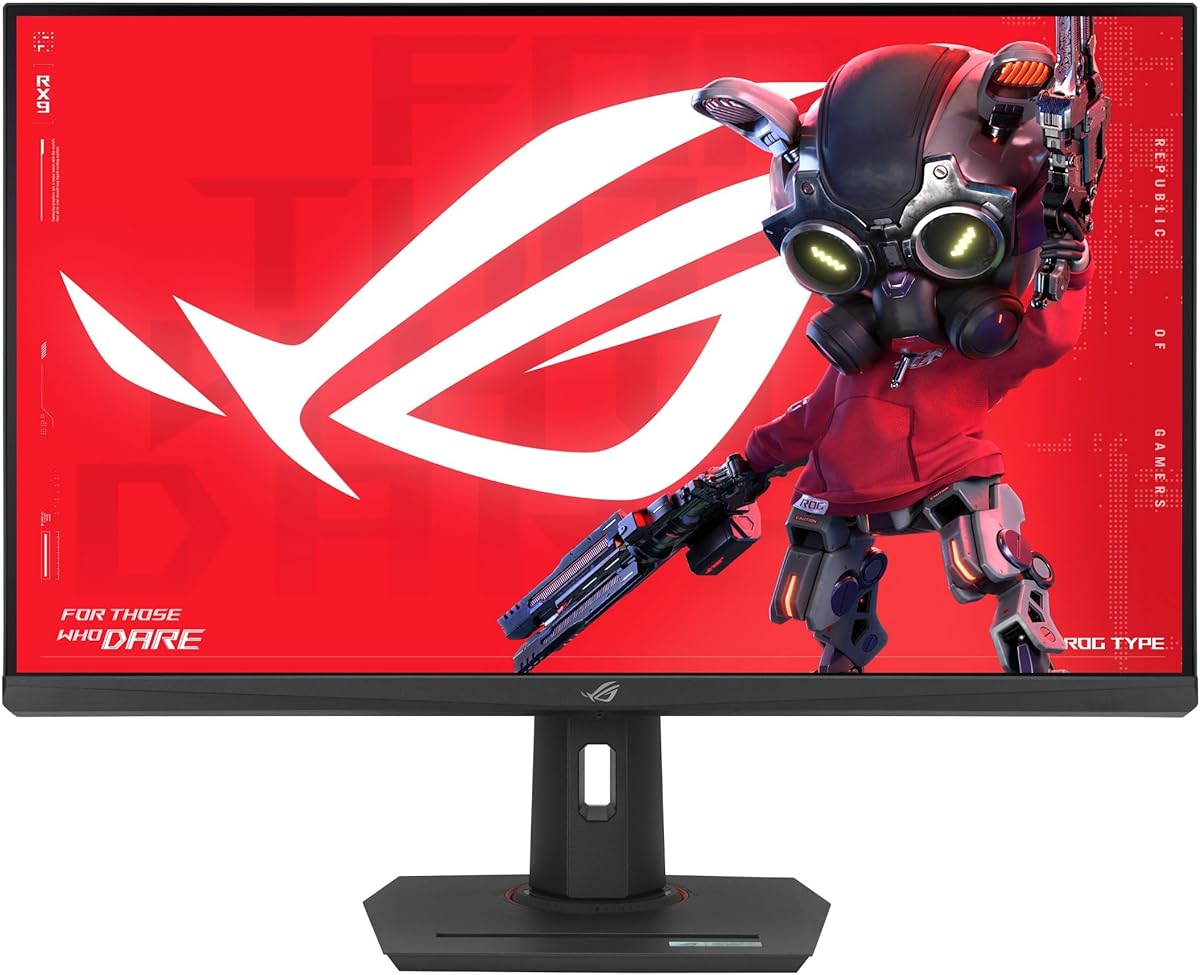
This gaming monitor bridges the gap between high fidelity visuals and competitive performance. It allows users to switch between a crisp 4K resolution and a smoother higher refresh rate mode effortlessly.
We may earn a commission when you buy through this link, at no additional cost to you.
The ROG Gaming A.I technology provides intelligent features that enhance gameplay. Users report that the fast response time significantly reduces motion blur making fast paced games look smoother and more responsive.
Although the price reflects its high end specifications the performance justifies the investment for serious gamers. The inclusion of Adobe Creative Cloud access adds value for those who also create content.
It is a top pick for gamers who want one screen to handle both creative work and high frame rate gaming. The ability to toggle modes without changing settings makes it very user friendly.
Switch between high resolution and high speed seamlessly to suit any application.
AI features optimize game visuals and responsiveness for an immersive experience.
We may earn a commission when you buy through this link, at no additional cost to you.
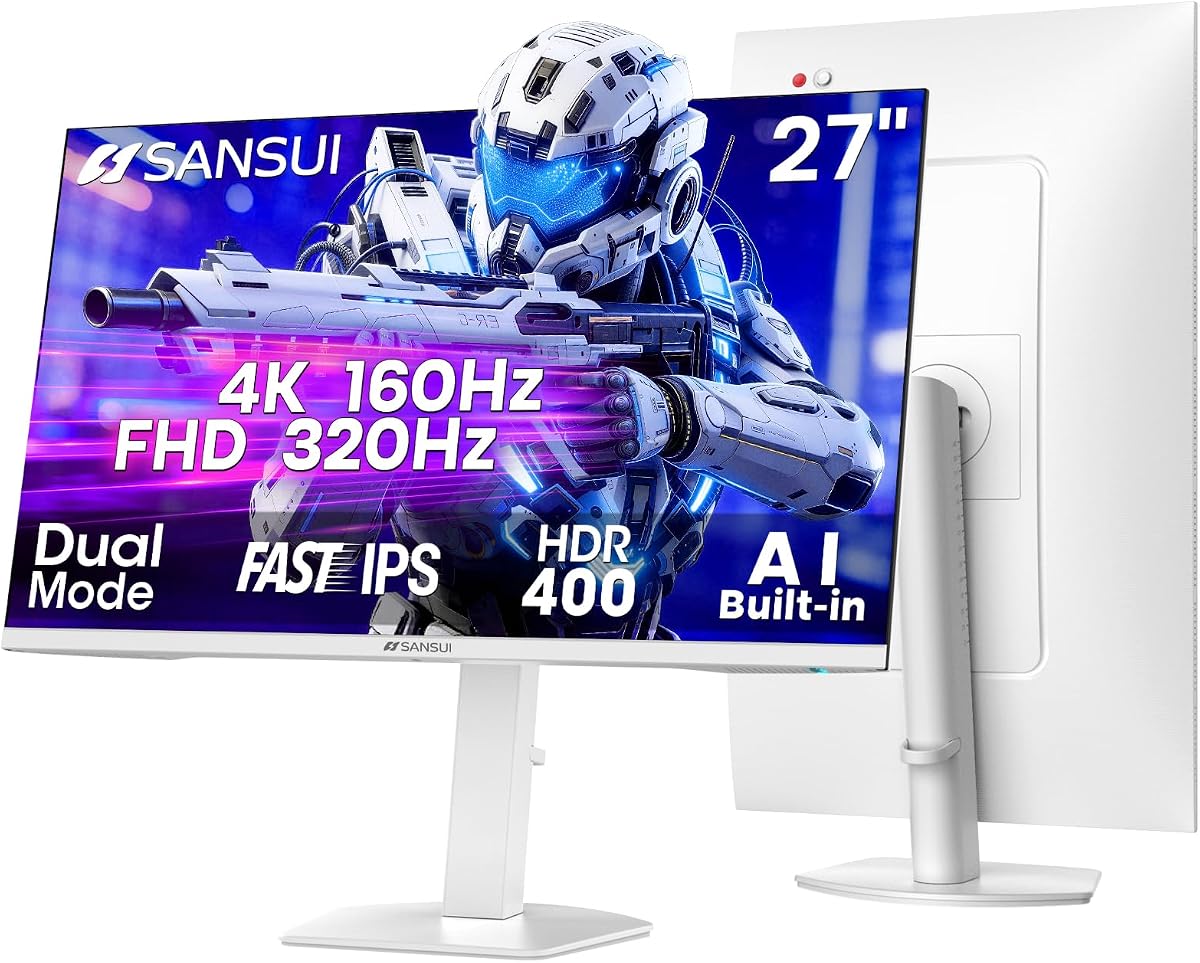
This monitor offers impressive specifications for its price point particularly for budget conscious gamers. It allows switching between 4K for media and FHD for ultra smooth gaming performance.
We may earn a commission when you buy through this link, at no additional cost to you.
The AI Crosshair feature is a unique addition that helps players focus on targets more easily. Combined with the 320Hz refresh rate in FHD mode it delivers a fluid experience in competitive titles.
While the AI capabilities are not as advanced as premium models they provide a noticeable edge in usability. The ergonomic stand ensures that you can position the screen comfortably during long sessions.
It is an excellent choice for those seeking high performance without breaking the bank. The combination of speed and utility makes it a strong contender in the mid range gaming market.
AI Crosshair tools assist players in maintaining focus during intense matches.
Ultra high refresh rates in FHD mode ensure maximum motion clarity for gamers.
We may earn a commission when you buy through this link, at no additional cost to you.
This ultrawide monitor brings a premium feel to budget friendly setups. The large curved screen provides an immersive viewing experience that is hard to replicate with standard aspect ratios.
We may earn a commission when you buy through this link, at no additional cost to you.
Users appreciate the AI blue light reduction which helps reduce eye strain during long sessions. The 200Hz refresh rate ensures that motion remains smooth and clear across the wide display area.
Although it lacks some of the complex smart features of higher end models it delivers solid performance where it counts. The curvature enhances depth perception making it suitable for both work and gaming.
It is ideal for users who want a large screen without a massive price tag. The combination of resolution and refresh rate offers a compelling value proposition for entry level enthusiasts.
AI blue light reduction helps minimize strain during extended periods of use.
The curved wide screen wraps around your vision for a captivating display.
We may earn a commission when you buy through this link, at no additional cost to you.
This Dell monitor focuses on reliability and visual comfort for daily use. It is a favorite among office workers who need a crisp display that remains easy on the eyes.
We may earn a commission when you buy through this link, at no additional cost to you.
The ComfortView Plus technology reduces harmful blue light emissions without distorting colors. This ensures that you can work for extended periods without experiencing the fatigue often associated with traditional screens.
While it lacks specific AI driven optimizations its hardware performance is consistent and reliable. The re-engineered sound system provides a surprising level of audio detail for built-in speakers.
It is a solid choice for professionals who prioritize stability and visual clarity. The premium aesthetic and dependable performance make it a safe investment for any workspace.
ComfortView Plus lowers blue light to protect eyes during long work days.
Re-engineered speakers provide detailed sound without needing external speakers.
We may earn a commission when you buy through this link, at no additional cost to you.
This model enhances media consumption through advanced upscaling technology that boosts lower resolution content. It is perfect for living rooms or secondary workspaces where connectivity is key.
We may earn a commission when you buy through this link, at no additional cost to you.
The AI processor ensures that even standard definition streams look sharper on the 4K screen. Users appreciate the included camera which integrates seamlessly for video calls without extra peripherals.
While it requires a network connection to function as a smart device the convenience it offers is significant. The solar remote adds an eco-friendly touch that reduces the need for disposable batteries.
It is ideal for households that want a display that works as a smart hub. The balance of media features and productivity tools makes it a versatile addition to any room.
AI upscaling turns lower resolution content into near 4K clarity on screen.
The solar powered remote reduces waste and ensures you never run out of power.
We may earn a commission when you buy through this link, at no additional cost to you.
This LG monitor brings smart capabilities to a standard desktop setup. It is designed for users who want to reduce hardware clutter by using the display as a computing hub.
We may earn a commission when you buy through this link, at no additional cost to you.
Dynamic tone mapping optimizes visuals by adjusting brightness and contrast automatically. This ensures that movies and games look their best without manual tweaking during use.
The Remote PC feature allows you to access your main workstation from home or a laptop. This flexibility makes it a strong tool for hybrid work environments that need reliability.
It is a great fit for those who value versatility and streaming options. The integration of smart features into a professional design makes it suitable for both home and office.
Access your main PC remotely to work from anywhere with ease.
Smart sensors adjust brightness to match your lighting conditions instantly.
We may earn a commission when you buy through this link, at no additional cost to you.
This monitor is built for gamers who demand speed and fluidity. The 180Hz refresh rate ensures that fast moving action remains crisp and clear throughout gameplay.
We may earn a commission when you buy through this link, at no additional cost to you.
ASUS Fast IPS technology delivers sharp visuals with minimal ghosting. This makes it ideal for competitive shooters where every millisecond counts for reaction time.
The USB-C hub allows you to connect peripherals directly to the monitor. This reduces cable clutter and keeps your desk organized while maintaining performance standards.
It is a top choice for serious gamers who prioritize frame rates. The inclusion of creative software adds unexpected value for those who also edit content.
180Hz refresh rate ensures smooth motion in fast-paced competitive games.
USB-C hub simplifies wiring by connecting devices directly to the monitor.
We may earn a commission when you buy through this link, at no additional cost to you.
Selecting the right monitor requires understanding how AI features enhance your specific tasks. This guide covers the essential factors to consider before making your purchase.
Resolution defines how sharp your text and images appear on the screen. Higher resolutions like 4K offer more workspace and detail which is crucial for creative work and viewing high definition media.
Always choose a resolution that matches your computer's capabilities to ensure smooth performance without lag.
Advanced monitors use AI to adjust contrast and brightness dynamically. This feature helps maintain visual comfort during long sessions by adapting to the content you are viewing.
Look for terms like AI Optimizer or Dynamic Tone Mapping when comparing models for visual quality.
The refresh rate determines how many frames the screen updates per second. Higher rates like 144Hz or 180Hz are vital for gaming to reduce motion blur and screen tearing.
If you play competitive games prioritize a high refresh rate to gain a smooth visual advantage.
Some monitors include operating systems that allow streaming without a computer. This reduces clutter and allows you to use the screen as a standalone device for entertainment.
Check for compatibility with your preferred streaming apps to ensure the smart features are useful to you.
Versatile ports like USB-C with power delivery simplify your desk setup. A single cable can often handle data video and charging for your laptop simultaneously.
Ensure the monitor has enough inputs to connect all your devices without needing extra docks.
A sturdy stand with adjustable height and tilt is essential for long term comfort. Proper positioning reduces neck strain and helps maintain good posture while working.
Invest in a monitor with full adjustability to customize the viewing angle for your specific desk.
Built-in speakers vary widely in quality across different models. Some offer active voice amplification which filters out background noise to make dialogue clearer.
If you rely on monitor audio look for models with enhanced sound technology for better fidelity.
Security features like secure boot or privacy modes protect your data from unauthorized access. These are important if you use the monitor for sensitive work or banking.
Check for security certifications such as Knox to ensure your data remains protected.
To get the most out of your AI features ensure you connect your monitor via HDMI or USB-C to a compatible source. This allows the system to recognize and utilize all available smart capabilities effectively.
Clean the screen with a soft microfiber cloth to avoid scratching the delicate surface. Avoid using harsh chemicals or sprays directly on the display as they can damage the anti-glare coating.
Regularly check for firmware updates provided by the manufacturer to keep performance optimized. Updating software ensures that new AI features and security patches are available for your device.
An AI ready monitor uses built-in processors to enhance image quality or audio without external tools. This includes features like automatic brightness adjustment, background noise filtering, or upscaling video content for better clarity.
No you do not need a powerful PC for the smart features to work. Many models can function independently with built-in apps and do not require a computer connection for streaming or basic operations.
Yes many of these monitors offer high color accuracy suitable for design. Look for models with wide color gamuts and HDR support to ensure your creative projects look true to life.
Most monitors allow you to adjust settings like brightness and contrast within the menu. While some AI features are automatic you can usually fine-tune them to suit your specific visual preferences.
Most models include built-in speakers though quality varies. Some higher end options feature advanced audio processing to ensure clear sound without needing external speakers.
Use a USB-C or HDMI cable to connect your laptop to the monitor. This ensures a stable connection for data transfer and video display while enabling smart features if supported.
We have reviewed ten exceptional models that bring intelligence and versatility to your desk. Whether you need a smart hub for streaming or a high speed display for gaming there is an option for every user.
Prioritize features like resolution and refresh rate based on your primary use case. AI capabilities can enhance your experience but core hardware specifications remain the foundation of a good display.
Always check current stock and details before purchasing to ensure you get the latest version of these innovative monitors. Making an informed choice will ensure you enjoy your new screen for years to come.