
Acer Aspire 16 AI Copilot+ PC
4.2Editor score
Snapdragon X processor
120Hz WUXGA display
Wi-Fi 7 connectivity
Artificial intelligence is reshaping how we interact with computing devices, and laptops with dedicated Neural Processing Units are leading the charge. These machines handle complex tasks locally, ensuring privacy and speed without relying on cloud servers.
We evaluated ten standout models based on their NPU capabilities, overall performance, display quality, and battery life. Our analysis focuses on real-world usability for professionals, creators, and students seeking the next generation of computing power.
Each pick highlights unique strengths, from budget-friendly options to high-end workstations. While prices fluctuate frequently, our guide ensures you find a reliable machine that matches your specific workflow and budget requirements for the future.
4.2Editor score

5.0Editor score

5.0Editor score
As an Amazon Associate we earn from qualifying purchases.
This side-by-side comparison highlights the core specifications and key strengths of each model to help you quickly identify the best fit for your specific requirements.



The ASUS Vivobook S16 stands out as a top contender for those seeking a balance between performance and visual fidelity. With a perfect five-star rating, this Copilot+ PC leverages the AMD Ryzen AI 9 465 processor to deliver smooth intelligent performance for everyday computing tasks.
We may earn a commission when you buy through this link, at no additional cost to you.
Its standout feature is the 16-inch 16:10 WUXGA OLED display, which offers deep contrast and vivid detail. The 50 TOPS NPU ensures that AI workloads like writing, organizing, and searching run seamlessly on-device, keeping your data private while enhancing productivity without cloud dependency.
While the device is incredibly slim at 0.7 inches and weighs just 3.75 lbs, the 70Wh battery supports up to 23 hours of use. However, users should note that actual battery life can vary based on usage patterns, and the premium OLED screen may require frequent cleaning.
This laptop is ideal for professionals and students who prioritize visual quality and efficient AI assistance in a portable package. If you need a machine that feels powerful yet refined for work and entertainment, the Vivobook S16 is a highly recommended choice.
The narrow-border design enhances the screen's spacious feel, creating a more engaging and visually rich experience for work, study, or entertainment.
With up to 50 NPU TOPS, writing, organizing, searching, and creative work all feel effortless, giving you intelligent assistance wherever your day takes you.
We may earn a commission when you buy through this link, at no additional cost to you.
The Acer Aspire 16 AI offers an accessible entry point into the world of next-gen AI computing. Powered by the Snapdragon X processor, this Copilot+ PC delivers best-in-class performance and power efficiency at a competitive price point.
We may earn a commission when you buy through this link, at no additional cost to you.
It harnesses the Qualcomm AI Engine with a Hexagon NPU providing 45 TOPS of power. This enables transformative experiences for creativity and productivity assistants, while the 16-inch 120Hz WUXGA display ensures sharp detail and vibrant visuals for your content.
Although the 512GB PCIe Gen 4 SSD is fast, it might require external storage for heavy users. Additionally, battery life estimates are based on specific tests, so real-world usage might differ depending on your workload intensity.
This laptop is perfect for students or professionals needing reliable AI features without breaking the bank. If you want a versatile machine with modern connectivity and smooth processing for daily tasks, the Aspire 16 AI is a smart choice.
Redefine your laptop experience with the Snapdragon X integrated GPU and NPU optimized for processing across CPU, GPU, and NPU workloads.
Enjoy stunning clarity, rich 100% sRGB colors, and sharp detail on the 16-inch 120Hz display acting as a panoramic playground for entertainment.
We may earn a commission when you buy through this link, at no additional cost to you.
The ASUS Zenbook A16 represents the pinnacle of portable AI performance with its Snapdragon X2 Elite Extreme processor. Featuring up to 80 NPU TOPS, this device is designed for users who demand rapid fluid performance for heavy multitasking and creative work.
We may earn a commission when you buy through this link, at no additional cost to you.
Its 16-inch ASUS Lumina 3K 120Hz OLED touchscreen delivers cinematic home-theater experience with peak brightness up to 1100 nits. Combined with 48GB of high-speed RAM, apps remain smooth and responsive, letting you switch tasks without slowdowns anywhere.
Despite its power, it remains beautifully light at 2.87 lbs and 0.65 inches thin. The only trade-off is the premium price point, but for professionals needing enterprise-grade features and top-tier AI speed, the investment is justified.
If you are looking for the most advanced NPU capabilities in a sleek package, this Zenbook is unmatched. It is ideal for creatives and executives who value visual clarity, speed, and modern design in their daily drivers.
Take your productivity further with the Snapdragon X2 Elite Extreme processor delivering fast fluid performance for multitasking and everyday demands.
Enjoy ultra-vivid detail and up to 1100 nits peak brightness on the 16-inch OLED touchscreen with six super-linear speakers for immersive sound.
We may earn a commission when you buy through this link, at no additional cost to you.
The Acer Aspire 14 AI brings new AI experiences to productivity and security through a powerful combination of CPU GPU and NPU. Equipped with an Intel Core Ultra 7 processor Series 2, it handles any task with ease and responsiveness.
We may earn a commission when you buy through this link, at no additional cost to you.
It features a 14-inch WUXGA 1920 x 1200 display that offers vibrant detail for entertainment and artistic creativity. Intelligent AI solutions like AcerSense streamline settings and optimize your video presence, making it an intuitive choice for everyday users.
While the all-day battery life is a significant highlight, users should be aware that AI features like Recall vary by market. This laptop balances power and portability effectively, though the screen is standard compared to OLED alternatives.
This model suits professionals who need a reliable, lightweight workhorse with solid AI capabilities. If you prioritize battery endurance and seamless multitasking in a sleek 14-inch form factor, the Aspire 14 AI delivers great value.
This combo delivers the speed and responsiveness to handle any task with ease along with all-day battery life of up to 22 hours.
Streamline settings, optimize your video presence, and elevate communication all with intuitive AI that is easy to use and enhances productivity seamlessly.
We may earn a commission when you buy through this link, at no additional cost to you.
The NIMO 16 AI Laptop is built for serious development tasks with a flagship AMD Ryzen AI Max+ 395 processor featuring 16 Zen 5 cores. It delivers desktop-grade multi-threaded computing power for heavy compiler tasks and complex engineering simulation.
We may earn a commission when you buy through this link, at no additional cost to you.
Its revolutionary 128GB high-speed unified memory eliminates traditional GPU VRAM bottlenecks. This allows AI developers to run massive local LLMs and 8K video timelines seamlessly without incurring cloud monthly fees or waiting for processing.
However, the weight and bulk of such a powerful machine might affect portability for frequent travelers. Also, the high price means it is a specialized investment rather than a general consumer device.
This laptop is best for developers or researchers working with large datasets and local AI models. If you need high-bandwidth memory and robust cooling for sustained performance, the NIMO 16 offers a unique and powerful solution.
Packed with up to 128GB high-bandwidth unified memory. Eliminates traditional GPU VRAM bottlenecks enabling AI developers to run massive local LLMs seamlessly.
Equipped with a native lossless Oculink port for high-speed desktop eGPU expansion alongside dual M.2 PCIe 4.0 SSD slots for storage expansion.
We may earn a commission when you buy through this link, at no additional cost to you.
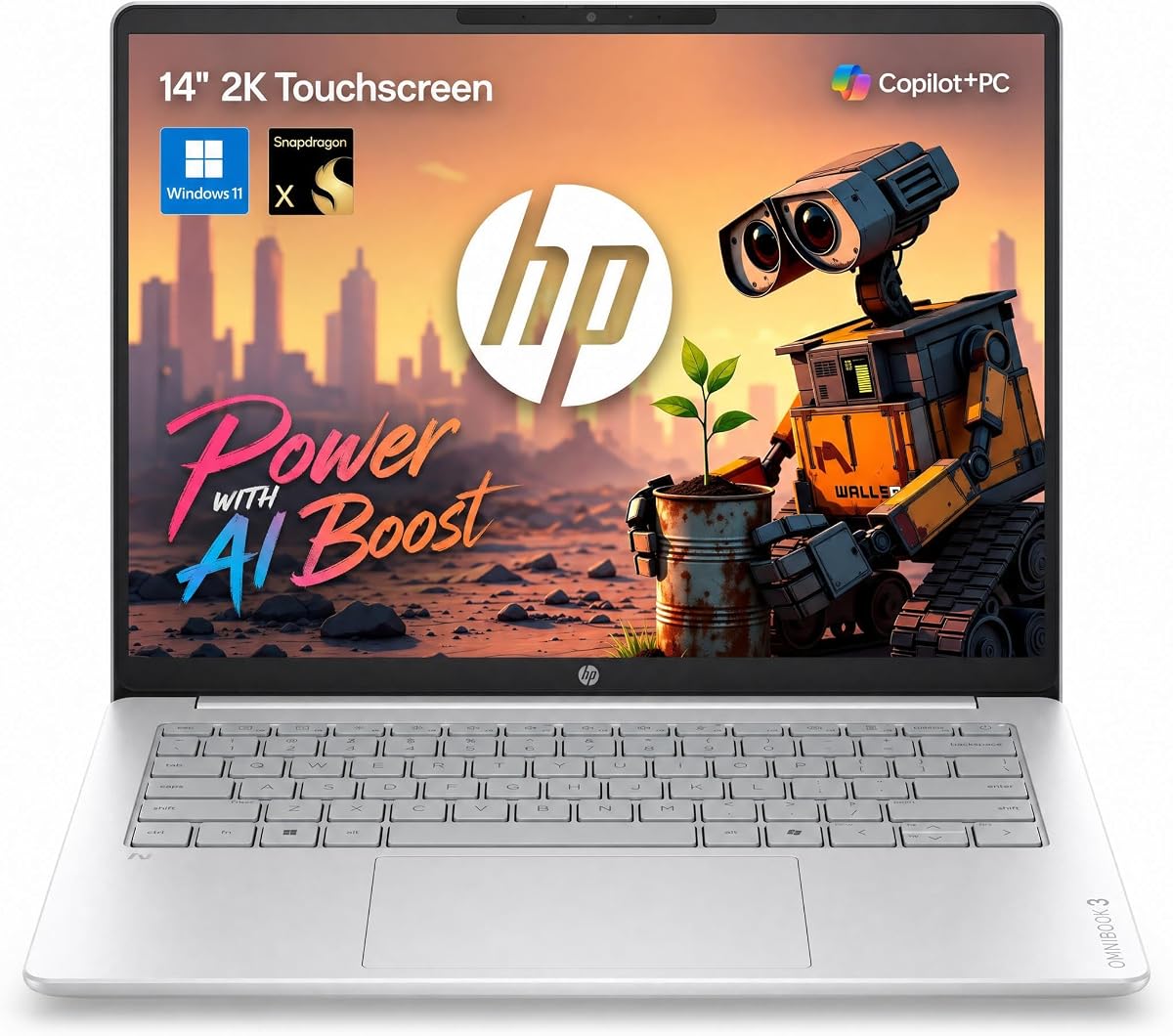
The HP OmniBook 3 14 delivers lightning-fast responsiveness for intelligent tasks like real-time summaries and generative content creation locally. Powered by the Snapdragon X processor and a dedicated 45 TOPS NPU, it handles complex AI workloads efficiently.
We may earn a commission when you buy through this link, at no additional cost to you.
Its 2K IPS touchscreen display maximizes vertical workspace with an 88% screen-to-body ratio, housed in an ultra-lightweight chassis weighing only 3.13 lbs. This makes it ideal for effortless portability during long commutes or travel.
While the battery life is exceptional at up to 30 hours of video playback, the screen brightness is moderate compared to high-end OLED options. Additionally, users should verify app compatibility with Snapdragon architectures before purchase.
This laptop is perfect for users who prioritize battery efficiency and mobility. If you need a machine that can last through a long workday without charging and handles AI features smoothly, the OmniBook 3 14 is a strong contender.
The 3-cell 60Wh lithium-ion polymer battery delivers up to 30 hours of local video playback on a single charge for extended usage.
Features Wi-Fi 6E, Bluetooth 5.3, and a 1080p FHD IR camera with a physical privacy shutter supporting Windows Hello for secure access.
We may earn a commission when you buy through this link, at no additional cost to you.
The NIMO 17.3 Copilot+ is designed for forward-thinking creators and professionals who need a spacious workspace. Powered by the AMD Ryzen AI 9 HX 370, it handles local AI workloads, complex coding, and seamless multitasking with ease.
We may earn a commission when you buy through this link, at no additional cost to you.
It features console-grade visuals via AMD Radeon 890M graphics and a massive 17.3-inch Full HD display. The 180-degree hinge allows you to share blueprints or mockups easily with colleagues during meetings or group study sessions.
While the expanded screen real estate is great for productivity, the laptop weighs under 4.6 lbs which is heavier than average. Also, the 1080p resolution is standard but might lack the sharpness of higher-pixel displays.
This machine suits users who prioritize screen size and expandability over portability. If you need a desktop replacement with powerful AI capabilities and room for growth, the 17.3-inch NIMO laptop is a solid choice.
Built with dual DDR5 SO-DIMM slots supporting max 64GB and dual M.2 PCIe 4.0 SSD slots for large-capacity storage expansion.
Maximize your productivity on 17.3-inch Full HD EDP widescreen display offering a cinematic view for split-screen multitasking.
We may earn a commission when you buy through this link, at no additional cost to you.
The HP Omnibook 16 is built for power users needing massive space for 4K videos and AI datasets. Featuring an AMD Ryzen AI 7 processor with a 50 TOPS NPU, it ensures seamless AI workloads and exceptional speed for heavy multitasking.
We may earn a commission when you buy through this link, at no additional cost to you.
Its 16-inch 2K IPS Touch Display offers crystal-clear detail with FreeSync for fluid visuals. Combined with 32GB of DDR5 RAM and 2TB storage, this device acts as an elite Windows 11 laptop touchscreen workstation for demanding tasks.
While the configuration is impressive for enterprise work, the battery life is average compared to some competitors. Users focused on cloud or battery longevity might need to keep a charger handy during long sessions.
This laptop is ideal for business professionals or content creators who need reliable performance and secure OS features. If you require high RAM and storage for large projects, the Omnibook 16 delivers robust capabilities.
Built on the latest 4nm Zen 5 architecture delivering exceptional speed for heavy multitasking and ensuring future-ready workstation performance.
Features Windows 11 Pro with enterprise-grade security and AI-powered Windows Studio Effects for premium collaboration and secure sign-ins.
We may earn a commission when you buy through this link, at no additional cost to you.
The Dell 16 Plus offers professional productivity in a new modern design with built-in AI chips. Powered by the Intel Core Ultra 9 processor, it reaches unstoppable productivity with a sleek modular design for enhanced durability.
We may earn a commission when you buy through this link, at no additional cost to you.
It features a 16.0-inch 16:10 FHD+ Touch Display with ComfortView. The Intel Arc 140V GPU is ideal for AI-accelerated digital content creation and video editing, while the NPU supports up to 48 TOPS for studio effects.
Although the FHD+ resolution is standard, the ComfortView display reduces harmful blue light for extended viewing. However, the Home OS limit might require an upgrade for advanced business features compared to Pro versions.
This laptop is suited for business users needing IT-grade security and reliable stability. If you are part of an IT-managed team or want a durable machine with solid AI acceleration, the Dell 16 Plus is a good replacement.
Reach unstoppable productivity with Intel Core Ultra 9 processor and a sleek modular design for enhanced durability and reliable stability.
The Arc 140V GPU is ideal for AI-accelerated digital content creation and video editing with creation apps like Adobe suite.
We may earn a commission when you buy through this link, at no additional cost to you.
The HP 16 inch AI Laptop offers next-level computing with the Intel Ultra 7 Core 255U processor featuring a dedicated Intel AI Boost NPU. This ensures smart multitasking and efficiency for a seamless and responsive user experience.
We may earn a commission when you buy through this link, at no additional cost to you.
It features a stunning 16-inch 2K resolution IPS touchscreen with a golden 16:10 aspect ratio for more vertical viewing space. The micro-edge design provides an impressive 88 percent screen to body ratio for immersive navigation.
While the connectivity is future-proof with Wi-Fi 7 and multiple ports, the 41 Wh battery might not last a full workday without charging. This limits its utility for long sessions away from a power outlet.
This laptop is best for mobile professionals who need modern connectivity and AI efficiency. If you prioritize a bright touchscreen and fast wireless speeds over extreme battery life, the HP 16 inch is a solid choice.
Experience next level computing with the dedicated Intel AI Boost NPU for smart multitasking and efficiency in every task.
Stay connected at the highest speeds with cutting edge Wi-Fi 7 and Bluetooth 6.0 wireless technology providing ultra stable access.
We may earn a commission when you buy through this link, at no additional cost to you.
When selecting an AI laptop, understanding the technical specifications and practical requirements is essential. This guide breaks down the key factors you need to evaluate.
The Neural Processing Unit is the heart of AI computing in these laptops. Look for models with at least 45 TOPS of NPU power to ensure smooth local AI task processing like Recall or Studio Effects.
Modern processors like Intel Core Ultra, AMD Ryzen AI, and Snapdragon X Series are designed specifically for AI workloads. Choose the one that fits your ecosystem and app compatibility needs.
AI tasks consume significant memory. Aim for at least 16GB of RAM for basic tasks, but consider 32GB or more if you plan to run complex local LLMs or heavy multitasking workflows.
A high-resolution display with good brightness is vital for creative and professional work. Look for OLED or IPS panels with at least 1080p resolution and a color-accurate profile for your needs.
Since AI features can be power-intensive, check the claimed battery life. Fast charging capabilities are a bonus, ensuring you get quick power boosts during travel or busy workdays.
Ensure the laptop has the necessary ports like USB-C, HDMI, and SD card readers. Wi-Fi 7 support is becoming standard and offers faster speeds for cloud syncing and large transfers.
For those on the go, weight and thickness matter. A lightweight aluminum chassis provides durability without sacrificing portability for daily commuting or business trips.
Copilot+ PCs offer unique AI features like Recall and enhanced Windows search. Ensure your preferred model supports the OS version and region availability for these advanced tools.
To maximize your AI laptop's performance, keep the operating system and drivers updated to ensure all NPU features are enabled correctly.
A Neural Processing Unit is a specialized microprocessor designed to accelerate AI algorithms. It handles tasks like voice recognition, image analysis, and smart assistants more efficiently than a standard CPU or GPU.
For basic tasks like web browsing or word processing, an NPU is not strictly necessary. However, it enhances performance for AI-driven features like photo editing and real-time translation.
Most traditional software runs fine on NPU laptops, but new AI features require specific OS versions. Ensure your applications are updated to leverage the NPU capabilities fully.
Prices vary widely depending on specs, ranging from budget-friendly options to premium workstations. Generally, you can expect to pay a premium for the latest NPU technology.
Many modern laptops have soldered RAM that cannot be upgraded. Always check the product specifications for upgradeability before purchasing to ensure future-proofing.
AI tasks can consume more power, but efficient NPUs help manage energy consumption. Using AI features moderately ensures balanced battery life throughout your workday.
We have reviewed ten powerful models ranging from the ASUS Vivobook S16 to the NIMO 17.3. Each offers unique strengths tailored to different workflows and budgets.