
YOOPAI 3D Printer Enclosure
4.4Editor score
Built-in LED light strip included
Temperature humidity monitoring system
Fireproof dustproof safety materials
Compatible with Ender 3 series
Five minute easy installation process
This guide compares the top 3D printer enclosures for ABS printing, evaluating ventilation, insulation, and safety features for optimal print quality and
Enclosing your 3D printer is essential for successful ABS printing. It maintains stable temperatures and prevents warping while containing harmful fumes and odors generated during the process.
We reviewed ten top-rated enclosures based on size, ventilation systems, insulation quality, and safety features. Each product was evaluated for compatibility with popular printers and ease of assembly for home use.
Every pick highlights key features and real-world performance. Please note that product availability and pricing may change over time, so verify details before purchasing your next enclosure.
4.4Editor score

4.8Editor score
4.5Editor score
This comparison table provides a side-by-side overview of all ten enclosures, highlighting their dimensions, compatibility, safety features, and unique selling points to help you choose the right fit.


This enclosure stands out for its generous dimensions and versatile design. It earns a top rating for supporting multiple printers and offering robust thermal control.
We may earn a commission when you buy through this link, at no additional cost to you.
The dual side opening allows for flexible placement of large or multiple printers. Its thermal insulation layer maintains consistent heat, reducing warping and improving ABS print quality.
While highly effective, the ventilation kit is not included in the box, requiring an additional purchase. The large footprint may not suit smaller workspaces.
Best for users needing capacity for large format printers or multiple units. Its professional features justify the investment for serious ABS printing applications.
The specialized warming layer ensures a stable ambient temperature. This reduces bed warping and layer cracking significantly during ABS printing sessions.
Two 4-inch exhaust ports allow flexible ventilation setup. You can route exhaust hoses to match your room layout efficiently.
We may earn a commission when you buy through this link, at no additional cost to you.
This budget-friendly enclosure offers essential features for Ender 3 users. It balances cost and functionality with built-in LED lighting and monitoring tools.
We may earn a commission when you buy through this link, at no additional cost to you.
Its monitoring system tracks temperature and humidity in real time. This helps optimize conditions for ABS while the fireproof materials ensure safety during operation.
Compatibility is restricted mainly to Ender 3 variants, limiting broader use. Standard dimensions may not fit larger printers without careful measurement.
Ideal for hobbyists with Ender 3 printers on a budget. It provides solid protection and monitoring without the premium price tag.
The built-in LED strip illuminates the printing area. You can monitor progress easily even in low light conditions.
Consistent temperature reduces material clogs and jams. This enhances printing speed and efficiency for better results.
We may earn a commission when you buy through this link, at no additional cost to you.
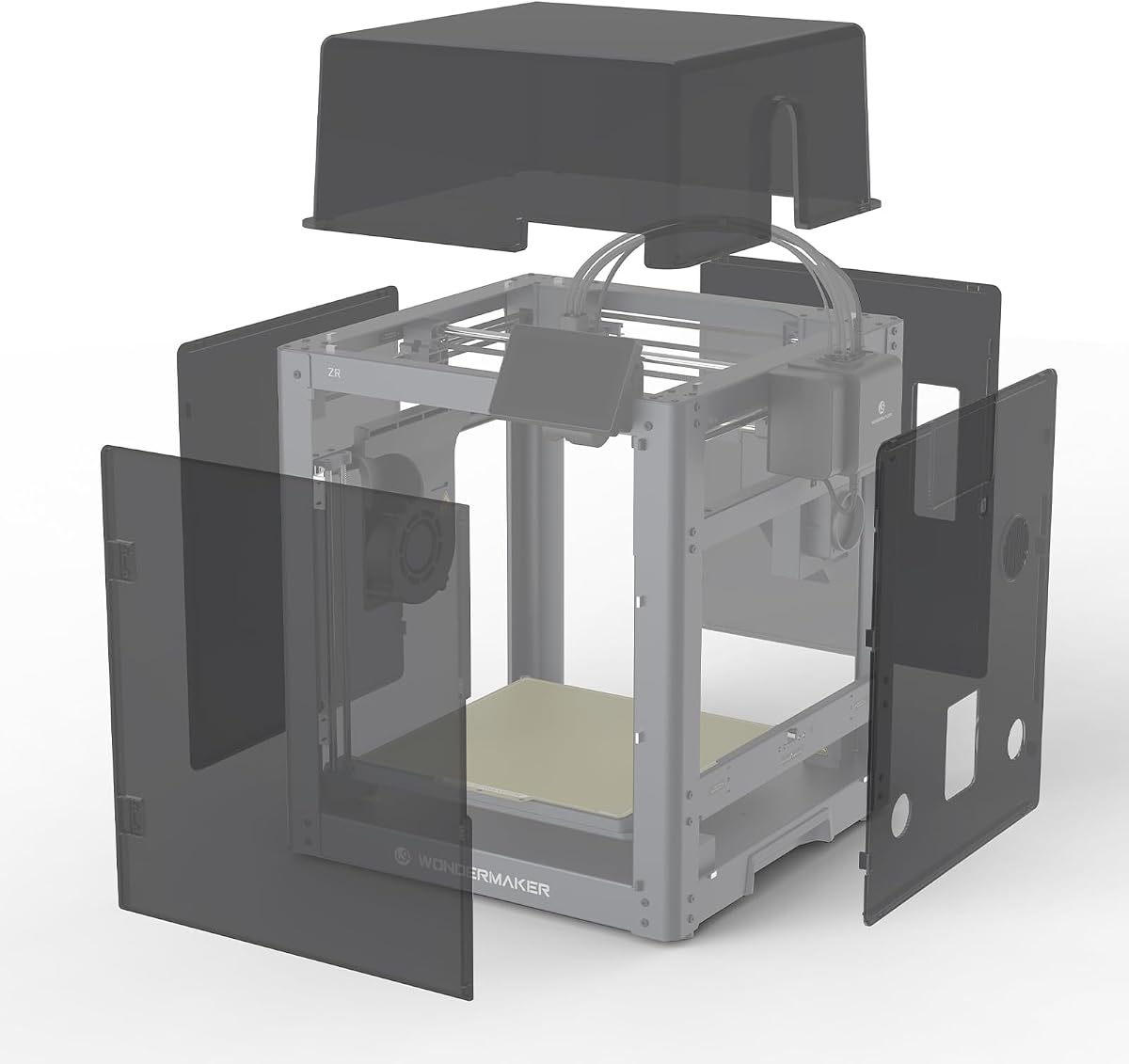
A premium choice tailored specifically for the SainSmart ZR printer. It delivers professional-grade filtration and temperature control for high-performance filaments like ABS.
We may earn a commission when you buy through this link, at no additional cost to you.
The built-in filtration fan actively removes odors and fine particles. This keeps the workspace cleaner and safer for home studios or classrooms.
Its custom fit limits compatibility to the ZR model alone. The price is higher, but the specialized features justify the cost.
Best for SainSmart ZR users seeking top-tier air quality and stability. It offers convenience and safety unmatched by generic alternatives.
The high-efficiency filter module removes airborne particles. Your workspace stays cleaner and healthier during long prints.
Silent Mode reduces noise levels to 46 dB. This creates a calmer workspace for focused productivity.
We may earn a commission when you buy through this link, at no additional cost to you.
This enclosure uniquely supports both resin and FDM printing needs. Its UV block window prevents premature resin curing while allowing visibility.
We may earn a commission when you buy through this link, at no additional cost to you.
The 12V fan system features adjustable speed for customized airflow. The stainless steel frame ensures durability and a longer lifetime compared to iron.
Users must print an adapter to replace the steel fan bracket, adding effort. It fits only smaller printers like LCD models or wash machines.
Great for users needing dual-use capabilities for resin and plastic. The UV protection makes it a standout for resin-safe enclosures.
The UV block window protects resin prints from harmful rays. You can monitor progress safely without curing risks.
Adjustable speed control manages airflow for your needs. Three-layer filtration absorbs dust and harmful gases effectively.
We may earn a commission when you buy through this link, at no additional cost to you.
Designed specifically for the Bambu Lab A1 with AMS Lite, this enclosure optimizes performance for that machine. It maintains stable temperature and humidity safely.
We may earn a commission when you buy through this link, at no additional cost to you.
The internal temperature stays under 40°C to protect the motherboard. Transparent windows and LED strips ensure visibility without compromising safety.
It is limited to A1 Combo models with AMS Lite installed. No active ventilation is provided, requiring external solutions for fume management.
Perfect for A1 owners needing reliable protection and visibility. It balances safety and convenience for daily printing sessions.
Internal temperature stays safe for the electronics. This risk of motherboard damage during long prints is eliminated.
Large transparent windows and LED lights allow monitoring. You can spot issues quickly without opening the cover.
We may earn a commission when you buy through this link, at no additional cost to you.
This all-in-one kit includes everything needed for fume extraction and thermal stability. It simplifies setup with a tested 180 CFM fan and LED lighting.
We may earn a commission when you buy through this link, at no additional cost to you.
The insulation lining raises internal temperatures by 5 to 15°C. This improves filament flow and reduces warping, especially in cold weather.
Y-axis travel must stay under 370 mm to fit properly. The size is medium, balancing capacity with room efficiency.
Ideal for users wanting a plug-and-play solution. It removes the guesswork of choosing compatible fans and insulation.
Airtight zippers and gaskets contain odors effectively. The 180 CFM system refreshes air ten times per minute.
Long-term use lowers humidity passively. This helps store filament inside safely while preventing moisture damage.
We may earn a commission when you buy through this link, at no additional cost to you.
This enclosure brings personalization to the ABS printing experience. Its DIY style allows matching your workspace aesthetics while ensuring safety.
We may earn a commission when you buy through this link, at no additional cost to you.
Constant temperature support unlocks high-performance filaments like ABS and PC. Noise and odor reduction make it suitable for office or home use.
It is restricted to AD5M printers without ventilation included. Users must plan for external exhaust solutions if needed.
Great for AD5M users wanting style and function. It turns protection into a personalized feature of your workspace.
Color and material can be tailored to your needs. Express your unique style while protecting your printer.
Maintains stable internal temperatures for ABS and PC. This ensures high-quality prints and material consistency.
We may earn a commission when you buy through this link, at no additional cost to you.
Tailored for the Adventurer 5M, this kit optimizes heat dissipation and stability. It ensures high-quality prints for temperature-sensitive materials like PC.
We may earn a commission when you buy through this link, at no additional cost to you.
Noise is reduced from 65 dB to 55 dB significantly. This creates a quieter environment ideal for shared spaces and home offices.
It supports only the A5M without additional versatility. DIY customization is available but limited compared to broader enclosures.
Best for A5M owners needing reliable protection. It balances safety and performance for demanding filament types.
Enclosure design blocks motor and fan noise. The reduced levels make printing less intrusive in quiet spaces.
Optimized temperature maintenance supports ASA and PC. This reduces failure risks and improves print consistency.
We may earn a commission when you buy through this link, at no additional cost to you.
This enclosure supports the Bambu A1 with AMS Lite, offering active ventilation out of the box. It maintains a clean environment and stable temperatures for reliable prints.
We may earn a commission when you buy through this link, at no additional cost to you.
The 8025 fan quickly removes smoke and dust effectively. Bright LED lighting ensures visibility during operation even in dim rooms.
It requires AMS Lite to fit properly and height may be limited. Standard models without AMS will not accommodate the spools.
Ideal for A1 Combo users seeking active ventilation. It combines safety features with practical visibility for daily use.
Built-in fan extracts smoke and dust efficiently. This reduces health risks and keeps the workspace clean.
LED system provides clear visibility during prints. Monitor progress easily without opening the enclosure.
We may earn a commission when you buy through this link, at no additional cost to you.
Designed for the Sovol SV08, this metal and glass enclosure preserves its aesthetic while adding protection. It reduces noise and helps maintain stable temperatures.
We may earn a commission when you buy through this link, at no additional cost to you.
The open design allows heat dissipation for PLA prints. Dust screens and exhaust fans help manage odors during ABS sessions.
Being open limits absolute containment compared to sealed tents. Compatibility is strict to the SV08 without other models.
Perfect for SV08 users wanting structural protection. It enhances stability without sacrificing the printer's design appeal.
Open design supports heat dissipation for PLA. This helps maintain print quality and avoid overheating.
Dust screen and exhaust fan manage debris and smells. This keeps the environment cleaner during operation.
We may earn a commission when you buy through this link, at no additional cost to you.
Choosing the right enclosure involves balancing size, ventilation, and thermal properties. This guide outlines the critical factors to consider for successful ABS printing.
Always measure your printer's total dimensions including the spool holder. An enclosure that is too small may restrict motion or require modifications.
Check manufacturer specifications carefully. Even small differences in height or depth can affect fit.
Look for thermal insulation layers that maintain consistent internal temperatures. ABS prints require stable heat to prevent warping and layer separation.
A good enclosure should raise ambient temperature by 5 to 15 degrees for optimal results.
Effective fume extraction is vital for ABS printing. Ensure the enclosure includes ports for exhaust fans and optional filtration kits.
Sealed designs with airtight zippers prevent odors from escaping into the room effectively.
Choose fire-resistant materials to protect against heat and electrical hazards. Safety features should include stable structures that prevent accidental tipping.
Sturdy construction ensures long-term use without compromising protection.
Enclosed designs block fan and motor noise significantly. This creates a quieter workspace and reduces disturbance in shared spaces.
Look for thick fabrics that absorb vibration and sound waves.
Transparent or UV-filtered windows allow monitoring without opening the cover. Integrated LED lights improve visibility for detailed inspection.
Bright lighting helps identify issues like filament jams or layer shifts.
Quick installation saves time and effort during setup. Modular frames and simple connections make moving the enclosure easier.
Aest and tool-free assembly is ideal for flexible workspaces.
Consider what accessories are included with the price. Kits with fans and lights offer better value than basic covers.
Investing in quality saves money on replacements and repairs over time.
Before first use, assemble the frame carefully and ensure all joints are secure. Place the enclosure on a level surface to maintain stability during printing.
Set up your ventilation fan and exhaust hose to route fumes safely. Verify zippers are fully closed to maximize heat retention and odor isolation.
Clean the fabric and filters regularly to prevent dust buildup. Check seals for wear periodically to maintain optimal performance.
Yes, active ventilation is recommended to remove harmful fumes. An exhaust fan prevents harmful gases from accumulating inside your workspace.
Some enclosures support both with UV-blocking windows. Ensure proper filtration is used for resin fumes to protect your health.
Measure the port size and buy a matching exhaust fan and hose. Secure connections tightly to prevent leaks and odor escape.
It maintains heat through insulation but does not heat actively. You may need to adjust settings if the environment is very cold.
Only if temperatures exceed safe limits. Choose models with temperature limits to prevent overheating risks during long prints.
Filters should be replaced monthly or after heavy use. Dirty filters reduce airflow and fail to capture odors effectively.
These ten enclosures offer reliable solutions for ABS printing across different budgets and needs. The top picks provide balanced performance for thermal control and safety.
Prioritize ventilation and insulation to ensure consistent print quality. Match the dimensions carefully to your printer model for optimal results.
Remember that prices and availability change frequently. Verify current stock and specifications before finalizing your purchase for success.