
ASUS ProArt PA32QCV
3.9Editor score
Factory calibrated color
Dual Thunderbolt 4 ports
MacBook color matching
Finding the right display for creative work or gaming demands exceptional clarity. A 32 inch 6K monitor provides the pixel density needed for detailed editing and immersive visuals.
We compared ten leading models based on panel technology, connectivity options, and color performance. This guide helps you identify which monitor fits your specific workflow requirements.
Each pick highlights unique strengths and potential trade-offs for different users. Please note that pricing and availability can change frequently on retailer sites.
3.9Editor score

3.8Editor score

3.7Editor score
As an Amazon Associate we earn from qualifying purchases.
This side-by-side comparison highlights key specifications across all ten models to help you make an informed decision based on your specific needs.


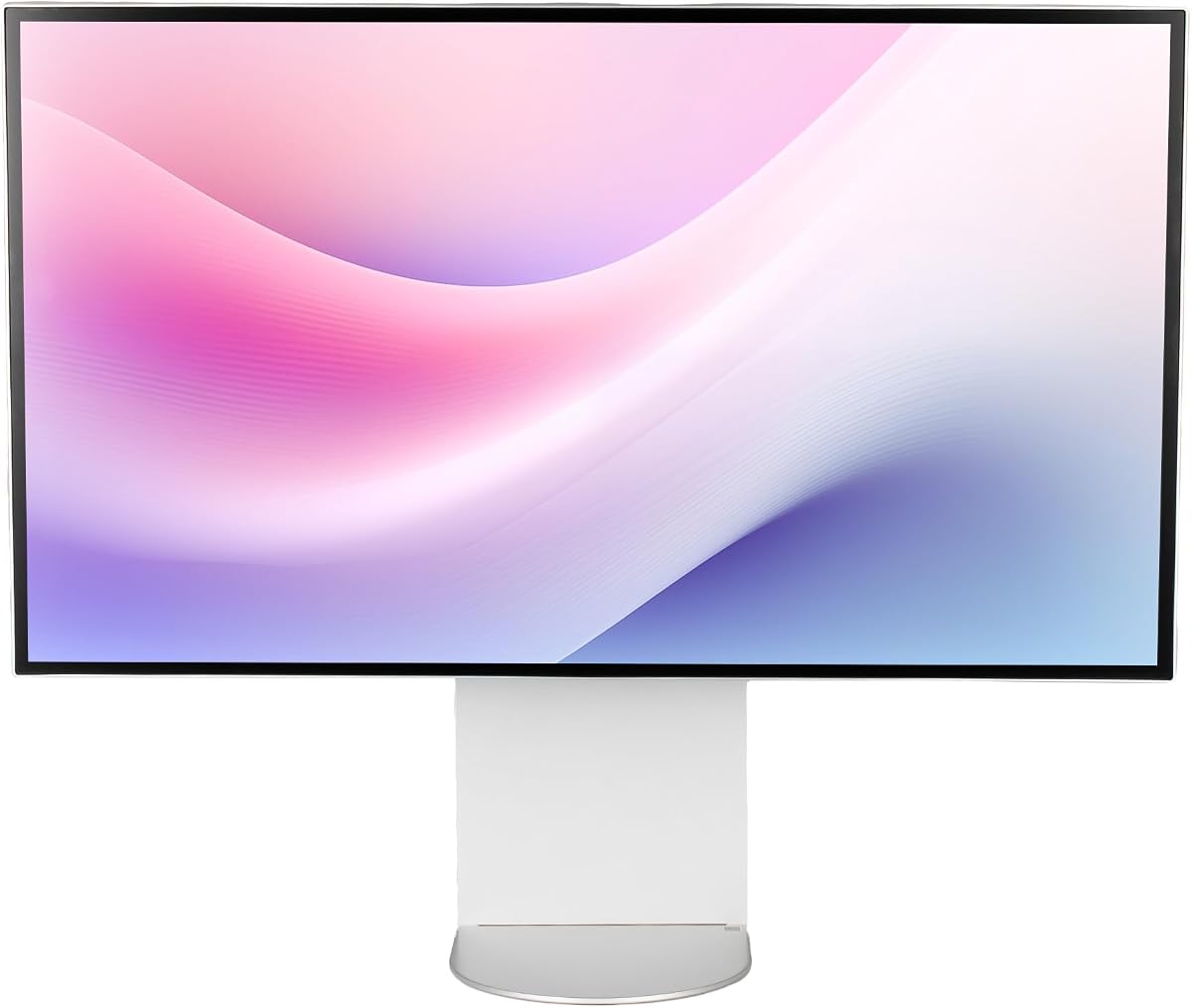
This LG UltraFine evo represents the cutting edge of professional display technology with its world first Thunderbolt 5 connectivity. It delivers immense pixel density and exceptional color fidelity for demanding creative workflows.
We may earn a commission when you buy through this link, at no additional cost to you.
The Nano IPS Black panel provides deeper blacks and richer shadows compared to standard IPS screens. Its 224 PPI ensures text and details remain razor sharp during intensive editing tasks.
While excellent, the 60Hz refresh rate limits its suitability for high speed gaming. Additionally, the premium price may be prohibitive for casual users seeking basic high resolution display options.
This monitor is ideal for professional creatives needing precise color and seamless Mac compatibility. It stands out as a top choice for those investing in next generation workstation displays.
Thunderbolt 5 allows ultra fast data transfer speeds significantly faster than previous generations ensuring efficient workflow.
Up to 99.5% Adobe RGB coverage ensures accurate color reproduction for professional print and digital media projects.
We may earn a commission when you buy through this link, at no additional cost to you.
The ASUS ProArt PA32QCV is designed for professionals requiring reliable color accuracy and seamless integration with Apple ecosystems. It offers a robust set of features for creative workstations.
We may earn a commission when you buy through this link, at no additional cost to you.
Its Calman Verified factory calibration ensures Delta E less than two out of the box saving time on manual adjustments. The dedicated MacBook color matching preset enhances workflow consistency for Mac users.
This monitor is not optimized for high refresh rate gaming which limits its versatility for mixed use cases. The premium price point might be a barrier for hobbyists or casual users.
Creative professionals will appreciate the wide color gamut and ergonomic adjustments. It is a strong choice for studios needing reliable performance and consistent color standards.
Factory calibration and Calman verification provide excellent Delta E values ensuring precise color representation right out of the box.
Dual Thunderbolt 4 ports support daisy chaining and 96W power delivery making it a central hub for your devices.
We may earn a commission when you buy through this link, at no additional cost to you.
The Samsung Odyssey G8 brings high resolution gaming to the 32 inch 6K space with impressive refresh rate capabilities. It balances visual clarity with smooth motion handling for competitive play.
We may earn a commission when you buy through this link, at no additional cost to you.
Its Dual Mode feature allows switching between 6K at 165Hz for visuals and 3K at 330Hz for extreme speed. This flexibility caters to both content creation and intense gaming sessions effectively.
Color accuracy is good but may not meet strict professional standards compared to dedicated creative monitors. It is optimized for gaming which might not suit pure productivity users seeking strict color fidelity.
Gamers will find the fast IPS panel and sync technologies appealing for immersive experiences. It offers a unique value proposition for those needing high resolution and high refresh rates combined.
Switch between high resolution and high refresh rates seamlessly to suit different tasks from editing to fast paced gaming.
Fast IPS technology ensures quick response times reducing motion blur and ghosting during rapid screen movements.
We may earn a commission when you buy through this link, at no additional cost to you.
This Dell UltraSharp monitor focuses on delivering maximum productivity and dependability for office environments. It supports high resolution output suitable for multitasking and detailed document work.
We may earn a commission when you buy through this link, at no additional cost to you.
With USB Type-C support it allows quick data transmission and convenient connectivity for modern laptops. The 450 Nit brightness ensures content remains visible even in well lit office areas.
It lacks the advanced color features found in premium creative monitors which may limit its appeal to designers. Its lower rating suggests potential inconsistencies in quality or user experience compared to competitors.
Business users needing a reliable 6K display for general tasks will find this suitable. It provides solid performance without specialized features that increase cost.
Designed for maximum productivity it offers a large workspace with 6K resolution reducing the need for constant scrolling.
USB Type-C port ensures high data transfer rates making it easy to connect modern peripherals quickly.
We may earn a commission when you buy through this link, at no additional cost to you.
This bundle version of the LG UltraFine evo comes with essential accessories like cable ties and a cleaning kit enhancing the user experience. It retains the core professional features of the standard model with added convenience.
We may earn a commission when you buy through this link, at no additional cost to you.
Built in KVM functionality allows control of two connected computers using one keyboard and mouse increasing efficiency in multi system setups. This feature is highly valued by power users managing multiple machines.
The higher price point reflects the bundle contents which might not be necessary for all buyers. Its 60Hz refresh rate is standard for professional work but not ideal for gaming enthusiasts.
Professionals seeking a complete package out of the box will appreciate this option. The high customer rating indicates strong satisfaction with its performance and reliability.
Control two computers seamlessly with a single set of peripherals improving workflow efficiency across different systems.
Accessories like cleaning kits and cable ties provide extra value for maintaining and organizing your workstation setup.
We may earn a commission when you buy through this link, at no additional cost to you.
The G32X Minimalist offers a sleek design with a focus on usability and clear visuals. Its high brightness and wide viewing angles make it suitable for various environments.
We may earn a commission when you buy through this link, at no additional cost to you.
Equipped with a 100W high-speed port it can charge laptops while streaming video offering versatile connectivity options. The universal mount compatibility provides flexibility for custom setups with third party arms.
As a newer or niche brand it may lack the extensive support infrastructure of major manufacturers. Specific professional color calibration features might not be as robust as dedicated studio monitors.
Users looking for a clean aesthetic and solid performance will find this appealing. It is a strong contender for those prioritizing design and general high resolution usage.
500-Nit brightness ensures vivid highlights and balanced visuals even in brighter environments.
Universal mount compatibility allows integration with various monitor arms for customized ergonomic positioning.
We may earn a commission when you buy through this link, at no additional cost to you.
This G32P model features a distinctive honeycomb design and glossy finish aimed at enhancing visual impact. It provides high resolution output suitable for media consumption and creative tasks.
We may earn a commission when you buy through this link, at no additional cost to you.
The built-in honeycomb cooling system helps maintain performance during extended use. Universal mount compatibility allows users to choose their preferred stand or arm solution independently.
A glossy screen can be prone to reflections which might affect visibility in bright rooms. The absence of a stand in the package requires additional purchase or existing hardware.
Design conscious users who want a unique look may favor this monitor. It balances performance with aesthetic appeal for specific user preferences.
Honeycomb cooling design helps dissipate heat effectively ensuring stable performance during long sessions.
Glossy finish enhances color vibrancy and contrast for an immersive viewing experience in controlled lighting.
We may earn a commission when you buy through this link, at no additional cost to you.
This Dell bundle includes essential cables and an extended protection plan offering peace of mind for business users. It provides the same core functionality as the standard model with added security.
We may earn a commission when you buy through this link, at no additional cost to you.
The inclusion of Thunderbolt 4 and DisplayPort cables simplifies setup immediately after purchase. A two year premium service plan ensures support against potential hardware failures or issues.
The price is higher than the base unit which may not justify the value for all buyers. Its basic feature set remains focused on productivity rather than specialized creative capabilities.
Organizations looking for reliable hardware with warranty coverage will find this package convenient. It reduces setup time and provides financial protection for enterprise environments.
All necessary connectivity cables are included reducing the need for additional purchases during initial setup.
A two year service plan covers potential hardware issues providing long term reliability for business use.
We may earn a commission when you buy through this link, at no additional cost to you.
The ALOGIC Clarity Touch stands out as the worlds first 6K touchscreen monitor offering a unique digital canvas for artists and designers. It supports intuitive multitouch controls and pressure sensitive stylus input.
We may earn a commission when you buy through this link, at no additional cost to you.
Factory calibrated color gamuts with low Delta E ensure accurate representation for professional work. The included Fold Stand allows the monitor to be positioned flat like a drawing tablet enhancing versatility.
The high price reflects its unique niche capabilities which may not be essential for general users. Its specialized nature limits broader appeal to those specifically requiring direct touch interaction on large screens.
Digital artists and architects will find this an exceptional tool for direct creation. It bridges the gap between traditional drawing tablets and large desktop displays effectively.
Direct touch control allows intuitive navigation and drawing making complex tasks more natural and efficient.
Included active stylus provides 4096 levels of pressure sensitivity enabling detailed sketching and annotation.
We may earn a commission when you buy through this link, at no additional cost to you.
This standard LG Ultrafine model provides a reliable 6K display suitable for general creative and professional tasks. It features typical ergonomics and connectivity options expected from this product line.
We may earn a commission when you buy through this link, at no additional cost to you.
With HDR 600 support it delivers decent contrast and brightness levels for varied content viewing. The adjustable stand allows for tilt and height modifications to suit user preferences.
Lacking some of the advanced connectivity of the Thunderbolt 5 versions it may feel less future-proof. Its mid-tier rating suggests acceptable performance without standout features compared to premium options.
Users needing a straightforward 6K monitor without extra frills will find this adequate. It offers consistent performance at a standard price point for everyday use.
Height and tilt adjustments ensure comfortable viewing angles during long working hours reducing strain.
HDR 600 support improves contrast making highlights and shadows more distinct across different content types.
We may earn a commission when you buy through this link, at no additional cost to you.
Selecting the right monitor involves evaluating panel type, connectivity, color accuracy, and intended use case to ensure compatibility with your needs.
Nano IPS Black offers better contrast than standard IPS while OLED provides perfect blacks but may burn in over time. Choose based on your priority for color versus deep blacks.
Prioritize panels that match your content creation needs ensuring high viewing angles and consistent color across the screen.
Thunderbolt 5 and 4 allow high data transfer and power delivery reducing cable clutter. HDMI 2.1 and DisplayPort 2.1 are also essential for connecting various devices.
Ensure the monitor supports your laptop or desktop ports to enable seamless charging and data transfer without adapters.
Look for factory calibration and wide gamut coverage like 99% Adobe RGB or DCI-P3 for professional work. Delta E below 2 indicates superior color precision out of the box.
Check for calibration software compatibility and presets that match your specific output media requirements.
60Hz is standard for productivity and creative editing while higher rates like 165Hz benefit gaming. Consider if you need high refresh for smooth motion or if static accuracy is enough.
Dual mode monitors allow switching between resolutions and refresh rates offering flexibility for varied tasks.
Adjustable stands with tilt swivel and pivot help maintain a comfortable posture during long sessions. VESA mount compatibility provides options to use third party arms if needed.
Look for height adjustment to position the screen correctly and reduce neck strain.
Displays with higher nit ratings like 500 or more remain visible in bright rooms. HDR 600 certification ensures better contrast and dynamic range for media consumption.
Verify brightness levels to avoid eye strain when working in well lit environments.
Touchscreen models enable direct interaction and are useful for artists using stylus support. Ensure the touch layer does not compromise color accuracy or viewing angles.
Consider if touch functionality is necessary for your workflow or if it adds cost without benefit.
Premium models with advanced features come at a higher cost so balance budget with required capabilities. Extended warranties or protection packs add security especially for business use.
Compare bundle options to see if included cables or accessories justify the extra expense.
Always allow the monitor to stabilize after power up before starting critical color work to ensure thermal consistency.
Use proper cleaning kits and soft microfiber cloths to avoid damaging the delicate anti-glare coatings on the screen.
Adjust brightness and color settings according to your room lighting to reduce eye strain during long sessions.
Yes, they provide immense pixel density allowing multiple windows open side by side without sacrificing clarity. This productivity boost is essential for video editors designers and programmers.
Most modern monitors support macOS via Thunderbolt or USB-C enabling full resolution and power delivery. Ensure the monitor has compatible ports for seamless integration.
Yes, you need a powerful GPU that supports DisplayPort 2.1 or Thunderbolt 5 to drive 6K resolution effectively. Older cards may struggle with performance at this resolution.
For productivity and creative work 60Hz is generally sufficient. Gamers or users needing ultra smooth motion may prefer higher refresh rates if available.
Use professional hardware calibrators or rely on factory calibration presets if accurate. Software tools help maintain consistent color over time.
Thunderbolt 5 offers faster data transfer and power delivery allowing one cable solution for video power and peripherals. It ensures future-proofing for new devices.
Some models like the Samsung Odyssey G8 offer high refresh rates for gaming but most are optimized for creative work. Check refresh rates before buying for gaming use.
The LG UltraFine evo ASUS ProArt and Samsung G8 lead the pack with unique strengths for different users and use cases.
Prioritize color accuracy and connectivity based on whether you focus on creative work or high performance gaming.
Always check current pricing and stock before purchasing as availability and costs can fluctuate over time.