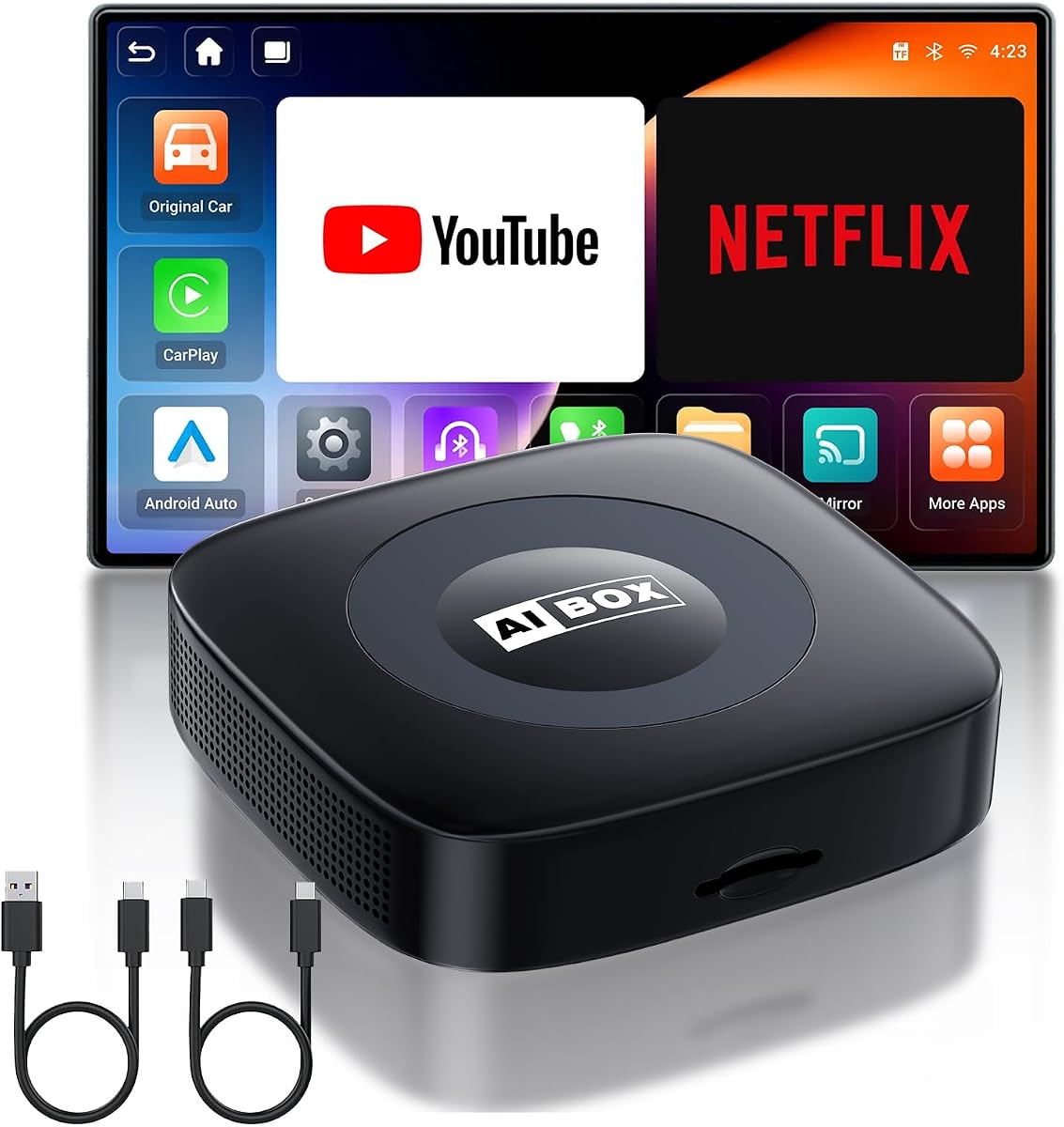
AI Box Carplay 2026 Upgraded
5.0Editor score
Compact size
Fast stable connection
2GB RAM 16GB ROM
This guide compares the top 10 Carplay Box with Google Play devices for wired cars, covering AI features, streaming apps, and connectivity options for modern
Modern drivers seek seamless integration between their smartphones and vehicle infotainment systems. A Carplay Box with Google Play transforms factory wired setups into wireless smart hubs, offering access to endless apps and media without constant phone tethering.
We evaluated ten leading models based on connectivity stability, operating system flexibility, and entertainment capabilities. Our analysis focuses on how each device handles multitasking, video streaming, and AI assistance while maintaining safety and ease of use.
Each selection highlights specific strengths such as budget-friendly pricing, premium hardware, or advanced AI integration. Please note that availability and pricing may vary over time, so verify current details before making your final purchase decision.
5.0Editor score

4.7Editor score

5.0Editor score
The following table provides a side-by-side comparison of the top ten models available this month. Each entry highlights core specifications to help you quickly identify the device that matches your specific vehicle and feature requirements.


This AI Box Wireless CarPlay Adapter stands out as a top choice for drivers wanting full Android freedom. With a 4.7 rating, it offers a complete system that lets you download apps directly on your car screen.
We may earn a commission when you buy through this link, at no additional cost to you.
The standout feature is the built-in Play Store, allowing you to install TikTok, YouTube, and more without needing your phone. It connects wirelessly to your factory wired CarPlay system with simple one-time pairing.
While video playback is restricted to parking mode for safety, this limitation ensures compliance with local laws. The device maintains a clean interface and supports screen mirroring for additional content sharing.
Ideal for daily commuters seeking flexibility, this adapter transforms your vehicle into a smart hub. It balances ease of use with powerful app access, making it a reliable long-term upgrade.
With full Google Play Store access, you can install any Android app compatible with your car screen, expanding functionality beyond standard navigation and music.
The adapter connects via Bluetooth and auto-recalls your phone every time you start the engine, ensuring you never fumble with cables during your morning drive.
We may earn a commission when you buy through this link, at no additional cost to you.
The Wireless Android Auto Carplay Adapter delivers premium performance with an 8-Core Qualcomm platform and Android 13 OS. It achieves a perfect 5.0 rating by combining raw power with intelligent AI integration for a superior driving experience.
We may earn a commission when you buy through this link, at no additional cost to you.
Key strengths include the ScenePilot ecosystem, which adds voice assistance, trip logging, and smart accessory control. The option to insert a SIM card means you can access online apps and navigation even without a phone hotspot.
Privacy features like Bluetooth Lock and TrackHU help manage shared vehicle usage securely. While the price is higher than average, the hardware quality and unique AI capabilities justify the investment for tech-savvy users.
This device is perfect for drivers who want a standalone smart car hub without relying on their phone. It offers extensive customization and robust processing for smooth multitasking on the road.
The ScenePilot ecosystem blends voice assistance, accessory control, and trip logging into one dashboard, keeping you informed and secure on every ride.
With built-in 4G LTE support via a nano SIM card, you can stay online for navigation and streaming even when your phone is out of range.
We may earn a commission when you buy through this link, at no additional cost to you.
This model proves you do not need to spend a fortune for quality performance. With a 5.0 rating, it offers WiFi 6 speeds and Android 13 OS at a budget-friendly price point suitable for many drivers.
We may earn a commission when you buy through this link, at no additional cost to you.
The compact body reduces clutter while the H618 Quad-Core chip ensures stable performance for streaming and navigation. It supports both CarPlay and Android Auto, making it versatile for households with mixed phone types.
Storage is modest at 16GB ROM but sufficient for essential apps and cached data. The TF card slot helps expand offline playback options when mobile data is unavailable or slow.
For cost-conscious buyers seeking reliability, this adapter is an excellent choice. It delivers modern wireless convenience and app access without the complexity or expense of premium models.
Equipped with 5.8GHz WiFi 6, this adapter provides faster transmission and stronger signal strength for uninterrupted streaming during your drives.
Seamlessly switch between Apple CarPlay and Android Auto, ensuring all family members can use their preferred phone features on the car screen.
We may earn a commission when you buy through this link, at no additional cost to you.
This adapter offers a reliable balance of performance and build quality for everyday drivers. It features Dual-Band WiFi to minimize interference and an aluminum body that dissipates heat effectively during long sessions.
We may earn a commission when you buy through this link, at no additional cost to you.
Built-in apps like Netflix and YouTube allow for easy entertainment when parked. The device automatically connects to your phone upon starting the engine, ensuring a seamless experience every time.
OTA updates ensure you always have the latest features and app versions without manual downloads. This keeps the system running smoothly and extends its useful lifespan over time.
Recommended for users seeking durability and simple wireless connectivity, this model stands out for its thermal management. It is a solid investment for consistent streaming and navigation performance.
Built with premium aluminum alloy, the device withstands extreme temperatures and outlasts plastic alternatives for long-term durability.
Dual-Band WiFi ensures stable operation of CarPlay navigation and music streaming simultaneously without interference or dropouts.
We may earn a commission when you buy through this link, at no additional cost to you.
This adapter introduces Gemini AI to turn your car into a smart assistant. With 4GB RAM and 32GB storage, it handles complex tasks and heavy apps better than entry-level competitors.
We may earn a commission when you buy through this link, at no additional cost to you.
Gemini allows hands-free voice queries for road trip planning and smart home control. The HDMI output offers flexible options for connecting external displays in the rear of the vehicle.
Users should clear cached data periodically to maintain performance stability. Despite a lower rating, the hardware specs provide a foundation for a powerful entertainment experience.
Ideal for families needing smart features and robust memory, this model offers unique voice capabilities. It bridges the gap between navigation and home automation seamlessly.
Ask Gemini to plan multi-stop road trips or find gas stations along your route, keeping your eyes on the road and hands on the wheel.
Connect to external monitors or headrest displays to share content with passengers in the back seat while driving remains focused.
We may earn a commission when you buy through this link, at no additional cost to you.
This upgraded model brings high-speed connectivity to the table with 5G WiFi support. Its perfect rating reflects smooth streaming and reliable daily performance for users needing fast data transfer.
We may earn a commission when you buy through this link, at no additional cost to you.
Bluetooth 5.0 ensures quick pairing and stable connections for calls and music. The HDMI port allows for connecting projectors or larger screens for entertainment when parked.
The compact design fits neatly in the vehicle, while the housing supports heat dissipation during long use. It balances high tech features with a user-friendly setup process.
Recommended for those prioritizing speed and reliability, this adapter ensures uninterrupted media streaming. It is a strong contender for modern drivers seeking quick connectivity.
Equipped with 5G WiFi, this box provides fast pairing and stable transmission for daily use and smooth playback for entertainment.
The HDMI connection supports video playback on external screens, making it useful for camping or outdoor movie nights.
We may earn a commission when you buy through this link, at no additional cost to you.
This adapter supports both wireless CarPlay and Android Auto with ease. It offers built-in streaming apps and a TF card slot for offline media, making it a versatile choice for mixed device households.
We may earn a commission when you buy through this link, at no additional cost to you.
The 4.2GHz processor guarantees lag-free streaming and mirroring for an optimal driving experience. Users appreciate the easy setup that takes just 10 to 15 seconds to connect.
Note that you cannot run CarPlay and streaming simultaneously on this device. While internal storage is modest, the expandable TF card option helps overcome this limitation.
Ideal for families with multiple phones, this adapter simplifies switching between operating systems. It delivers a stable experience with essential entertainment features for daily drives.
Free your hands by switching seamlessly between CarPlay and Android Auto, allowing different family members to use their preferred systems.
Use the built-in TF card slot to play videos or music offline when there is no WiFi or hotspot available.
We may earn a commission when you buy through this link, at no additional cost to you.
This model delivers refined power with an 8-core processor and generous storage. Android 13 OS ensures modern app compatibility and smooth performance for demanding tasks and multitasking.
We may earn a commission when you buy through this link, at no additional cost to you.
Support for SIM card insertion provides network access independent of your phone hotspot. This allows for reliable downloading and streaming even in areas with weak mobile signals.
Integration with voice input and Bluetooth music enhances safety by keeping hands free. The large storage capacity means you can install many apps without worrying about space.
For users wanting independent connectivity and raw performance, this adapter is a strong choice. It transforms wired setups into wireless hubs with advanced capabilities and features.
With 4G RAM and 64G ROM, this box provides ample space for your essential apps and offline content.
Supports SIM card insertion to provide network access for devices, enabling online features without phone tethering.
We may earn a commission when you buy through this link, at no additional cost to you.
This adapter combines Gemini AI with media features for a cohesive family experience. It offers hands-free interactions and offline playback options to keep everyone entertained safely and effectively.
We may earn a commission when you buy through this link, at no additional cost to you.
Gemini allows you to ask questions and set reminders hands-free. The HD media output lets you connect rear headrest displays so passengers can watch movies without distraction.
Dual-Band WiFi ensures stable connections for both navigation and streaming. The box supports offline files via USB, ensuring entertainment continues even in rural areas with no signal.
Recommended for families needing smart tools and flexible media options, this device simplifies daily trips. It balances entertainment with safety features for all passengers.
Plug the HD Media port into a rear headrest display so kids watch their own movie in the back while you drive.
Dual-Band WiFi eliminates lag and buffering, allowing you to run CarPlay navigation and built-in apps simultaneously.
We may earn a commission when you buy through this link, at no additional cost to you.
This device offers a simple solution for streaming without complex setups. It provides built-in Netflix and YouTube apps along with a TF card slot for offline media storage.
We may earn a commission when you buy through this link, at no additional cost to you.
The auto-connect feature means you plug it in and it recognizes your phone within seconds. It supports switching between CarPlay and Android Auto easily for different users.
While it does not support downloading extra apps, its primary function is reliable playback. Users appreciate the straightforward approach for basic entertainment needs on the road.
Recommended for budget buyers needing simple streaming, this model covers essential functions well. It is an effective choice for those who only need standard apps.
Use the microSD card to play videos or music offline when there is no WiFi or hotspot available.
The adapter supports multiple modes and lets you switch seamlessly between CarPlay and Android Auto without reinstalling software.
We may earn a commission when you buy through this link, at no additional cost to you.
Selecting the right adapter requires understanding key technical aspects and how they impact your daily driving. This guide breaks down the factors to consider for an optimal purchase.
Check the Android version running on the device, as newer versions ensure better app compatibility and security. Android 13 is currently recommended for modern apps and smoother performance.
Prioritize devices with up-to-date OS versions for longevity and fewer compatibility issues.
RAM determines how smoothly the device handles multitasking, such as switching between maps and music. Storage affects how many apps and offline files you can keep on the device.
Look for at least 2GB RAM and 16GB storage, with higher specs for complex usage.
WiFi speed and Bluetooth version are critical for stable streaming and reliable phone pairing. Dual-band or 5G WiFi reduces interference compared to older single-band standards.
Select a model with modern connectivity features to avoid buffering and connection drops.
Many devices restrict video playback to parked mode for safety compliance. Ensure you understand these limitations before purchasing if you need media access while moving.
Check legal restrictions and device settings regarding video viewing during operation.
Support for TF cards or USB drives allows you to play content without relying on mobile data. This is useful for areas with poor signal or long road trips.
Ensure the device has a card slot or USB port for offline storage options.
Build materials like aluminum help dissipate heat better than plastic, preventing overheating during extended use. Heat management extends the device lifespan and ensures stable performance.
Choose a device with durable materials for better thermal management.
Confirm your vehicle has a factory wired CarPlay system, as these devices do not work with wireless CarPlay or Tesla interfaces. Verifying car settings is crucial before buying.
Check your car's settings to ensure wired CarPlay is enabled.
A good warranty provides protection against hardware failures and ensures access to technical help. Look for vendors offering at least a 24-month support period.
Prioritize brands with clear support policies and responsive service teams.
Connect the device to your car's USB port and ensure your car is in accessory mode. The system will power on and display its startup interface on your vehicle screen.
Pair the device with your smartphone via Bluetooth settings. This process takes roughly 30 seconds and establishes a stable link for data and voice commands.
Keep the device cool and clean to maintain performance. Avoid blocking ventilation slots and periodically check for firmware updates to ensure optimal functionality.
Most devices restrict video playback to parked mode for safety reasons. This compliance ensures you focus on the road. Always check local laws and device settings before viewing.
A SIM card is optional for some models. If your car or phone provides a stable hotspot, you can use that instead. SIM support is useful in areas with weak mobile signals.
No, these adapters are designed for factory wired CarPlay systems. Tesla interfaces are not compatible with these hardware units. Check your car settings before purchasing.
You can install apps directly through the Google Play Store or pre-loaded options. Ensure you are connected to a network to download data. The process is similar to installing apps on a phone.
Yes, most devices support switching between CarPlay and Android Auto. This allows flexibility for mixed households. Check model specifics for seamless transitions between systems.
Yes, most models support offline playback via USB or TF card. Load your media onto a card to access it without internet. This is ideal for remote areas with poor signal.
Overheating may cause shutdowns or reduced performance. Ensure the device is placed in a ventilated area away from direct sunlight. Aluminum builds handle heat better than plastic alternatives.
Screen mirroring is available on specific devices but not all. Check the product details to confirm if this feature is supported before purchase.
The ten options reviewed offer diverse solutions from basic streaming to advanced AI integration. Your needs dictate whether a budget-friendly device or a premium model with LTE support suits you best.
Prioritize stability and compatibility when selecting your adapter. Ensure your vehicle meets the factory wired requirements and that you are comfortable with offline playback restrictions.
Always verify current pricing and availability before finalizing your purchase. Technology updates frequently so checking the latest details ensures you make the smartest choice.