
19V 65W Power Cord for Asus Monitor VS248H-P VG248QE VX238H MX279H ROG PG278Q
4.6Editor score
Fits popular VS VG and ROG series
Certified for safety against shorts
Stable power prevents screen flickering
This guide compares the top 10 ASUS monitor power cord replacements for reliability and compatibility. Find the perfect adapter to restore your display quickly
Finding a reliable ASUS monitor power cord replacement is essential when your original adapter fails or gets damaged. These power supplies ensure stable voltage delivery to prevent screen flickering and hardware damage over time. Choosing the right adapter depends on matching voltage output and connector size precisely with your specific monitor model specifications.
We compared ten highly rated power adapters based on compatibility lists, safety certifications, and user feedback. Our analysis focuses on units that support common ASUS series like VG VX and ROG Swift monitors. Each product offers distinct cable lengths and wattage capabilities to suit various home office and gaming setup requirements effectively.
Each pick below highlights key features including connector dimensions and input voltage ranges for global use. You will see detailed pros and cons to help you weigh trade-offs between price and performance. Please note that prices change frequently so check current listings before making your final purchase decision online.
4.6Editor score

4.8Editor score

4.6Editor score
This side-by-side comparison shows key specifications for all ten power adapters reviewed in this guide. You can quickly see which units match your monitor model and what features each offers for reliable power delivery.


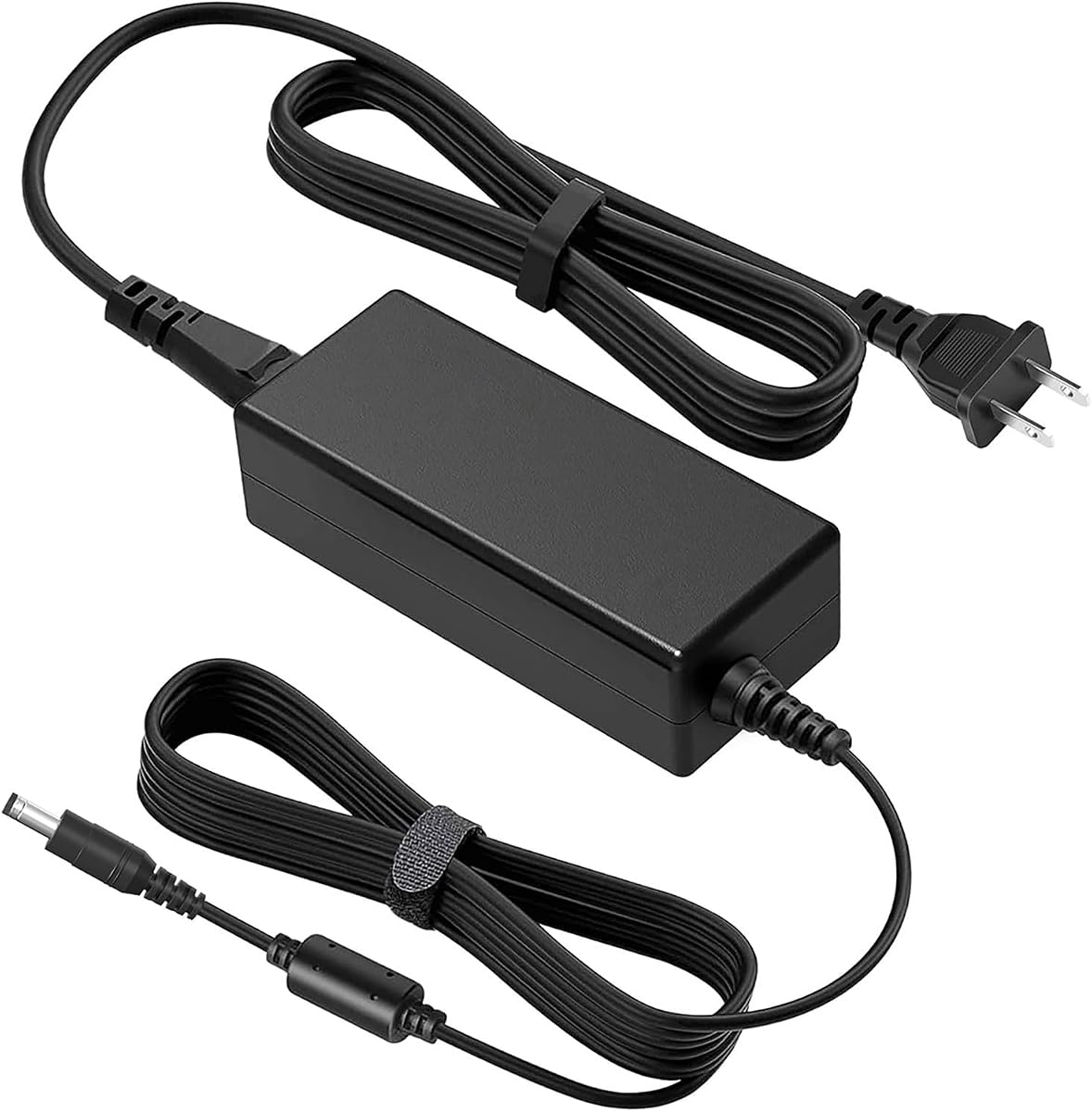


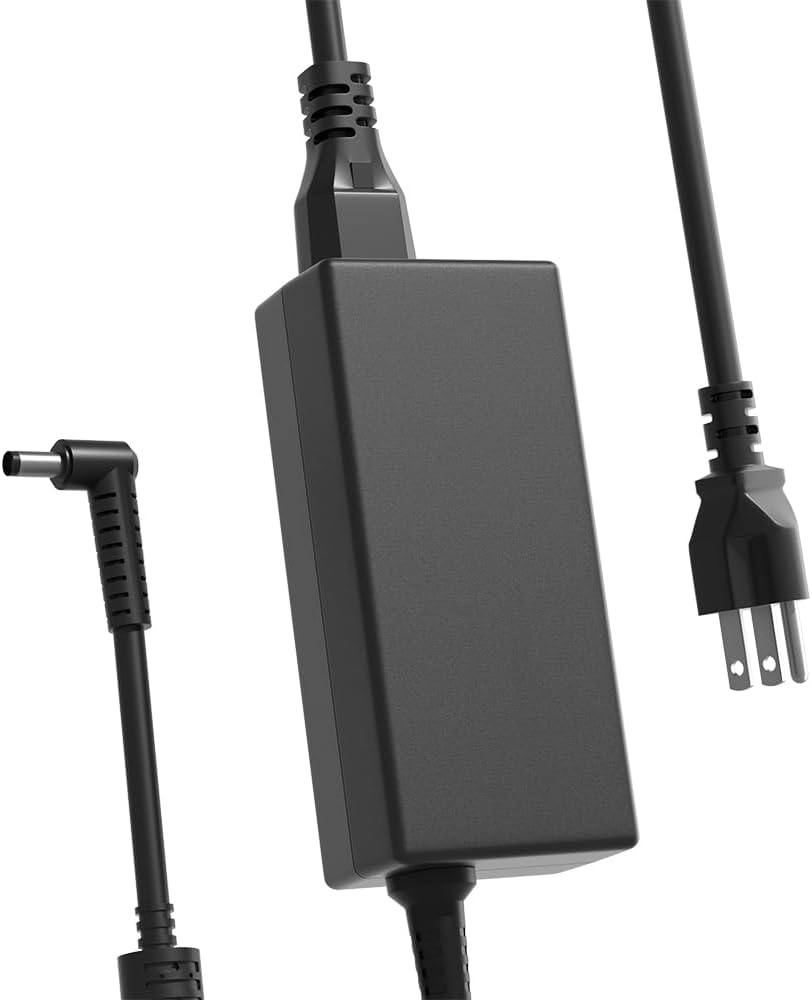

This power adapter stands out as the top choice for users needing a robust replacement for their ASUS monitor. It carries a strong 4.8 star rating reflecting user satisfaction with its consistent performance. The high wattage ensures even demanding gaming monitors receive stable power without voltage drops during peak loads.
We may earn a commission when you buy through this link, at no additional cost to you.
Its compatibility spans a vast array of ASUS series including VG VX and MS models. The 90W output capacity is higher than many standard adapters which helps prevent overheating under load. Users report that it restores power instantly to screens that were previously unresponsive due to adapter failure.
While the price is slightly higher than basic cords the added headroom in power delivery justifies the cost. The unit is somewhat bulkier than slim designs which might affect cable routing in tight desks. However for most users the reliability outweighs minor size differences significantly.
This adapter is ideal for owners of high refresh rate gaming monitors that demand stable power. If you own a VG248QG or similar model this replacement offers peace of mind and consistent display performance. We recommend it as the primary option for most ASUS monitor users seeking longevity.
The 90W output provides extra headroom for high performance monitors ensuring stable operation under load.
Compatibility with dozens of models across multiple series makes finding a match simple for most users.
We may earn a commission when you buy through this link, at no additional cost to you.
This standard AC power cord is a versatile solution for monitors with external power bricks. It earns a 4.7 star rating from users who appreciate its durability and universal fit. The five foot length is suitable for most desk setups near standard wall outlets.
We may earn a commission when you buy through this link, at no additional cost to you.
Its universal three-prong design works with many electronics including monitors laptops and printers. The heavy-duty eighteen AWG gauge ensures it can handle typical power loads without fraying or overheating. Molded ends protect the connection points from stress and wear over years of use.
The main limitation is that it only replaces the wall-to-brick connection not the internal DC cord. It is not suitable for monitors that have internal power supplies requiring a specific DC adapter. For those with external adapters this cable is a reliable and cost effective fix.
Buyers looking for a simple replacement for the wall cable should find this highly satisfactory. It is best for standard office monitors that use a detachable power brick. Keep in mind it requires the monitor to have a standard IEC inlet connector.
Works with a wide range of devices including monitors and computers using standard IEC power inputs.
Features heavy-duty gauge wire and molded plugs for long-lasting reliable performance.
We may earn a commission when you buy through this link, at no additional cost to you.
This power adapter offers a strong balance of affordability and performance for common ASUS monitors. It holds a 4.6 star rating based on successful replacements across numerous user setups. The six five watt output is sufficient for many standard LCD and LED screens.
We may earn a commission when you buy through this link, at no additional cost to you.
Its design targets popular models like the VS248H and VG248QE ensuring a reliable fit for many users. Safety certifications like CE and FCC indicate built-in protection against short circuits and voltage spikes. Users note that it restores stable power to screens that were flickering due to adapter failure.
The unit is not compatible with monitors requiring 12V power or smaller four millimeter tips. You must verify the port size on your monitor before purchasing to avoid return hassles. This restriction ensures buyers understand the specific compatibility requirements clearly.
For those seeking a cost effective solution for standard models this adapter is highly recommended. It works well for home office setups needing a reliable replacement without breaking the budget. Always double check your monitor specifications before ordering to ensure a perfect fit.
Delivers solid 65W power output at a budget friendly price point for most users.
Built-in protection circuits and industry certifications ensure safe reliable charging daily.
We may earn a commission when you buy through this link, at no additional cost to you.
This power adapter is designed to replace standard units for many mid range ASUS monitors. It boasts a strong 4.8 star rating indicating high reliability in real world use. The six five watt capacity supports both office and gaming displays effectively.
We may earn a commission when you buy through this link, at no additional cost to you.
It features robust protection circuitry to prevent overheating and short circuits which enhances longevity. The connector size matches most standard ASUS ports ensuring a snug secure connection. Users report that it stabilizes power for high refresh gaming monitors without flickering issues.
The only notable trade-off is that users must confirm the tip size matches their model exactly. If the monitor requires a different tip the unit will not fit properly. This is a common constraint for third party adapters that must be considered.
Buyers seeking a reliable adapter for gaming setups will find this unit highly suitable. It is best for those with models like the VG248QE or PG278Q needing consistent voltage. Always check your port size before purchase to ensure compatibility with your monitor.
Advanced circuitry prevents short circuits and overheating for safer daily charging.
Consistent power output ensures stable performance for demanding gaming monitors.
We may earn a commission when you buy through this link, at no additional cost to you.
This power adapter stands out for its longer cable length which aids flexibility in setup. It carries a 4.4 star rating reflecting solid performance across various user scenarios. The nine foot total length helps reach outlets behind desks or in tight corners easily.
We may earn a commission when you buy through this link, at no additional cost to you.
It supports a broad list of models from the 22 to 32 inch range. The smart chip inside ensures stable power delivery even under high brightness or refresh settings. Users appreciate the extra length for managing cables without needing a separate extension cord.
The longer cord can sometimes tangle or take up more space than shorter alternatives. This may be a consideration for very clean minimalist desk setups. However for functionality it provides significant advantages in placement and organization.
If your outlet is far from your monitor this adapter offers a practical solution. It is ideal for users who need extra reach to place the adapter conveniently without extending the cord. This feature makes it a top choice for complex desk arrangements.
Nine foot total length allows flexible placement behind desks without extra extension cords.
Built-in chip ensures stable power delivery for high performance displays.
We may earn a commission when you buy through this link, at no additional cost to you.
This adapter is well suited for Tuf Gaming monitors and similar standard models. It has a strong 4.6 star rating reflecting consistent performance across many users. The global voltage input allows use in various regions without a voltage converter.
We may earn a commission when you buy through this link, at no additional cost to you.
It matches the standard connector size for most ASUS units ensuring a secure fit. Users report reliable power restoration for models like the VG248QG and PG278Q. The included AC cable adds value making it a complete replacement solution right out of the box.
The unit may not work with monitors requiring 12V power or different tip sizes. Verification of your monitor port is essential to ensure compatibility before purchase. This precaution prevents issues with incompatible hardware configurations.
For owners of Tuf or standard series monitors this adapter offers a dependable replacement. It is best for those seeking a complete kit with necessary cables included. Always check your monitor specifications to confirm the voltage and connector requirements.
Includes both AC adapter and power cable for a full ready to use solution.
Supports input from 100 to 240 volts for use worldwide without converters.
We may earn a commission when you buy through this link, at no additional cost to you.
This adapter is a solid choice for replacing power supplies in many standard ASUS monitors. It holds a 4.5 star rating based on consistent performance reports from users. The six five watt output is standard for many office and light gaming displays.
We may earn a commission when you buy through this link, at no additional cost to you.
It covers a broad range of models including Tuf Gaming and traditional series. The design is straightforward without extra features but delivers stable power effectively. Users find it reliable for restoring screen functionality after adapter failure or loss.
The limitation remains that it only fits specific connector sizes and voltage requirements. It will not work with monitors needing 12V or smaller tips. Checking your device specifications ensures you order the correct replacement for your specific model.
For general users needing a dependable replacement this adapter provides good value. It is best for those who prioritize stability and compatibility over extra features. Always verify voltage and connector size before purchasing to avoid return issues.
Steady performance for standard models ensuring reliable screen operation after failure.
Supports a wide variety of common ASUS monitor models across different series.
We may earn a commission when you buy through this link, at no additional cost to you.
This power adapter emphasizes durability and safety with high quality construction materials. It earns a 4.6 star rating from users who value reliability and long-term performance. The design includes features that adapt to device temperature for safer charging.
We may earn a commission when you buy through this link, at no additional cost to you.
It is made with flame retardant materials to reduce fire risks during use. The adjustable chip helps manage heat and power delivery effectively. Users appreciate these safety elements as they ensure protection for their sensitive monitors.
As with most adapters verification of the connector size is necessary before purchase. The unit will not fit models with 12V requirements or different tip dimensions. This ensures buyers understand the specific limitations clearly.
For those concerned with safety and durability this unit is a strong option. It is best for users who want extra protection features in their power supply. Always check your port specifications to ensure a perfect fit with your monitor.
Flame retardant materials and built-in chip adjust power to prevent overheating and risks.
High quality construction ensures long-lasting reliable performance for daily use.
We may earn a commission when you buy through this link, at no additional cost to you.
This adapter offers versatility by supporting both ASUS and HP monitors effectively. It has a 4.4 star rating indicating solid performance across compatible models. The design is lightweight making it easy to move or store in a bag.
We may earn a commission when you buy through this link, at no additional cost to you.
Its output matches many standard office monitors ensuring stable power without flickering. Users find it practical for multi-monitor setups or as a spare adapter. The compact size helps with cable management in tight spaces.
The unit does not support 12V models or USB-C ports which is a key limitation. You must verify the connector size and voltage on your specific monitor before buying. This ensures the adapter fits properly and safely.
If you need a portable or lightweight option for office work this adapter is suitable. It is best for those needing a reliable spare or replacement for standard monitors. Always check your monitor requirements to confirm compatibility before purchase.
Lightweight design makes it easy to move or pack for travel and spare use.
Supports both ASUS and HP monitors for versatile use in mixed environments.
We may earn a commission when you buy through this link, at no additional cost to you.
This charger is designed with premium features like a longer cable and copper core. It holds a 4.6 star rating reflecting user appreciation for these added benefits. The eight foot cable provides significant flexibility for routing behind desks or cabinets.
We may earn a commission when you buy through this link, at no additional cost to you.
The pure copper wire core ensures efficient power delivery and lower heat generation. It also features CE and FCC certifications for enhanced safety during daily use. Users find it robust for powering high performance gaming monitors consistently.
The longer cord can sometimes be difficult to manage in very tight spaces. This trade-off is accepted by many users for the flexibility it provides. The higher price reflects the premium materials and extra length included in the package.
For those needing flexibility and premium materials this unit is an excellent choice. It is best for users with desks where the outlet is far away. Always verify your monitor specs to ensure a perfect fit with your setup.
Eight foot cable gives you extra reach to place the adapter where you need it.
Pure copper wire ensures efficient power delivery and less heat during use.
We may earn a commission when you buy through this link, at no additional cost to you.
Choosing the right power cord replacement requires attention to key technical details. This section outlines the factors you should consider to ensure compatibility and safety for your monitor.
Voltage is the most critical factor when selecting a replacement power adapter. Your monitor requires a specific voltage such as 19V to function correctly. Using a higher voltage can damage the screen while a lower one may not turn it on. Always check the label on the original adapter or the monitor back to confirm the required voltage before purchasing.
Ensure the new adapter output matches the required voltage exactly for safe operation.
The physical connector tip must match the port on your monitor precisely. Common sizes include 5.5×2.5mm but some models use 4.0mm or other variants. A mismatched tip will not fit and can cause poor contact or physical damage. Use a caliper or compare with the original tip to verify the diameter and pin size.
Confirm the connector dimensions with your original adapter to ensure a secure fit.
Wattage indicates the maximum power the adapter can deliver to the monitor. Choosing a unit with equal or higher wattage than your original ensures stable power. A higher wattage adapter will not overload the monitor as it draws only what it needs. Low wattage units may overheat or fail during high brightness usage.
Select an adapter with equal or higher wattage than your original power supply.
The length of the power cord affects how you route cables behind your desk. Standard lengths are often around five feet but longer options up to nine feet exist. If your outlet is far from the monitor a longer cable eliminates the need for an extension. Shorter cables offer cleaner setups but limit placement flexibility.
Choose a cable length that fits your desk layout to avoid tangles and extra cords.
Safety certifications indicate the adapter meets standards for electrical protection. Look for marks like CE FCC or RoHS on the product packaging or description. These certifications ensure protection against short circuits over voltage and overheating. Certified adapters reduce fire risks and protect your monitor from damage.
Prioritize adapters with recognized safety certifications to ensure safe operation.
The materials used in the adapter casing and wiring impact longevity and safety. Flame retardant plastics and pure copper cores help manage heat and resist fire. Molded plugs protect the connection points from wear and bending. Avoid units that feel cheap or have exposed wiring as they may fail prematurely.
Choose units with durable materials like flame retardant casing for longer life.
Manufacturers often provide lists of monitor models their adapters support. Review these lists to see if your specific model is included. Compatibility lists reduce the risk of ordering an incompatible unit. Look for series like VG VX or ROG to ensure your model is covered.
Check the product compatibility list to confirm your monitor model is supported.
A warranty offers protection if the adapter fails within a certain period. Sellers often provide return windows so you can test the unit without risk. A good warranty indicates confidence in the product quality. Always check return policies to avoid being stuck with an incompatible or faulty unit.
Look for sellers offering warranties or clear return policies to protect your purchase.
When connecting the new power cord ensure both ends are fully seated. Plug the DC tip firmly into the monitor port until it sits flush without wobble. Connect the AC end to a working wall outlet before turning on the monitor.
Avoid running the cord under rugs or heavy objects that can crush the wire. Pinched insulation can lead to short circuits or exposed wiring over time. Route the cable along the back of your desk to keep it clear of foot traffic.
Unplug the adapter during thunderstorms or long periods of non use. Lightning can spike voltage through the outlet and damage the adapter or monitor. For storage coil the cord loosely to prevent internal wire breakage from tight bends.
Yes you can use an adapter with higher wattage as long as the voltage and connector size match. The monitor will only draw the current it needs so a higher wattage unit will not cause damage. This often results in cooler operation and longer adapter lifespan.
If your monitor requires 12V you must find an adapter specifically rated for that voltage. Using a 19V adapter on a 12V monitor can permanently damage the internal circuitry. Always check the label on the original adapter for the correct voltage output.
Check the label on your original adapter or the back of the monitor for the connector size. You can also measure the tip diameter with a caliper to confirm dimensions. Most standard models use 5.5×2.5mm but newer units may differ slightly.
Some warmth is normal during operation but excessive heat indicates a mismatch or poor quality. Ensure the wattage and voltage match your monitor requirements exactly. If the unit remains very hot turn it off and inspect the connections for safety.
Most replacements include both the AC power cable and the main adapter unit. Some listings may sell them separately so check the product details carefully. A complete kit ensures you have everything needed to power your monitor.
You can use an adapter with other brands if the voltage connector and wattage match exactly. Many monitors use the same 19V standard but connector sizes vary between manufacturers. Verify all specs before using an adapter with non ASUS monitors.
We reviewed ten reliable power adapters for ASUS monitors highlighting their unique features. The top picks offer a balance of compatibility safety and performance for most users. Choosing the right unit ensures your display remains stable and functional.
When selecting a replacement prioritize matching voltage and connector size to avoid damage. Consider cable length and safety certifications to suit your desk layout and security needs. These factors ensure long-term reliability and safe operation.
Prices and availability change frequently so check current listings before finalizing your order. This guide helps you identify the best option for your specific monitor model. Stay informed and ensure a smooth replacement process for your setup.