
Scan Translator Pen
4.0Editor score
Online and offline translation modes
Built in camera for photo scan
Lightweight portable build quality
Supports 142 languages
Finding the right assistive technology can transform how students and adults approach text. A quality dyslexia reading pen scans printed words and reads them aloud instantly. These devices support comprehension and reduce cognitive load during study sessions.
We evaluated ten leading models based on scanning speed, language support, and ease of use. Our analysis focuses on OCR accuracy, text-to-speech quality, and portability. Each product offers unique features tailored to different learning environments and needs.
Every review highlights core strengths and potential limitations to guide your decision. Prices and availability fluctuate frequently on major retail platforms. Always verify current stock and shipping options before finalizing your purchase online today.
4.0Editor score

4.0Editor score

3.9Editor score
As an Amazon Associate we earn from qualifying purchases.
This table compares all ten models side by side to highlight key specifications and capabilities for your review.

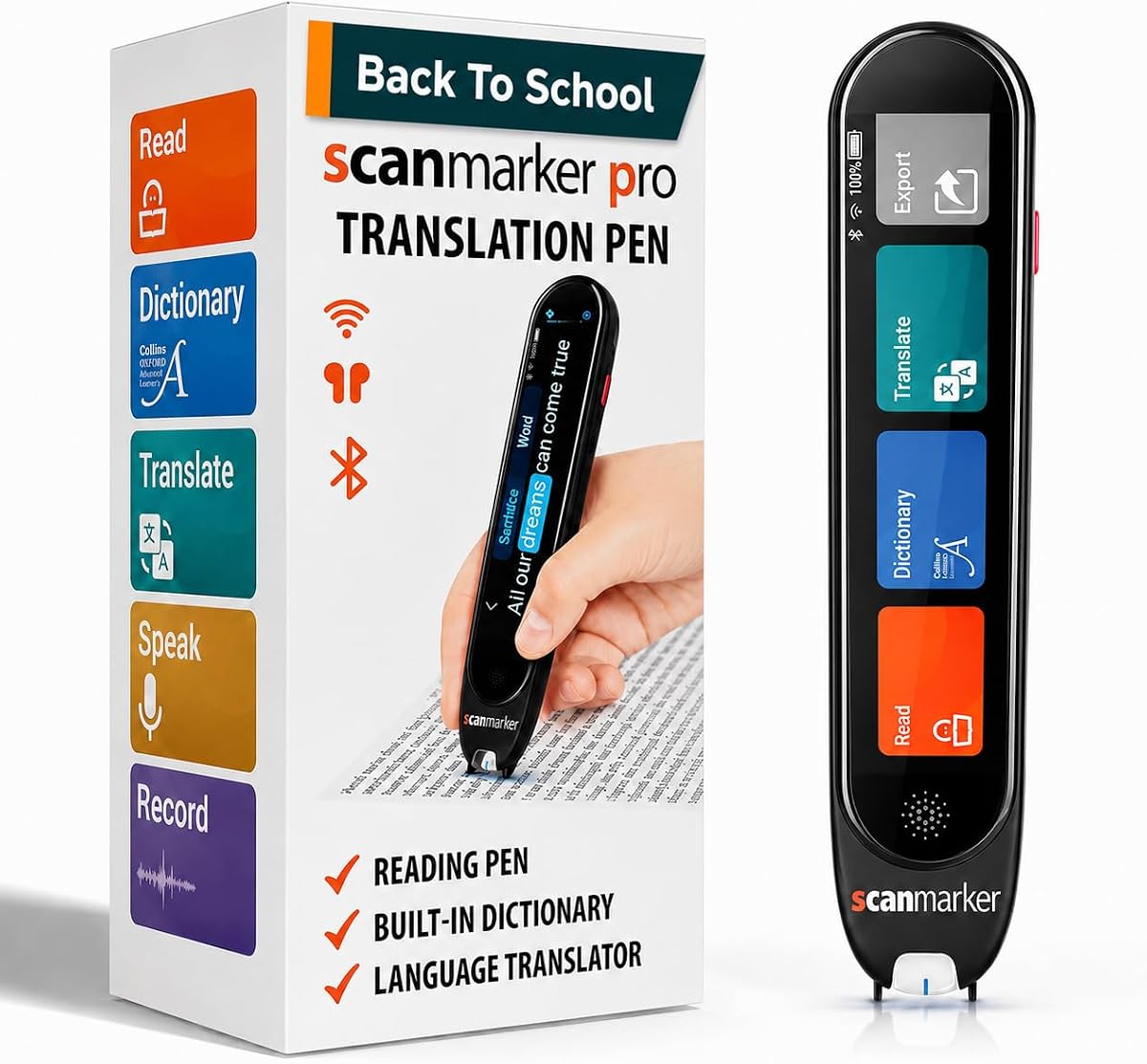
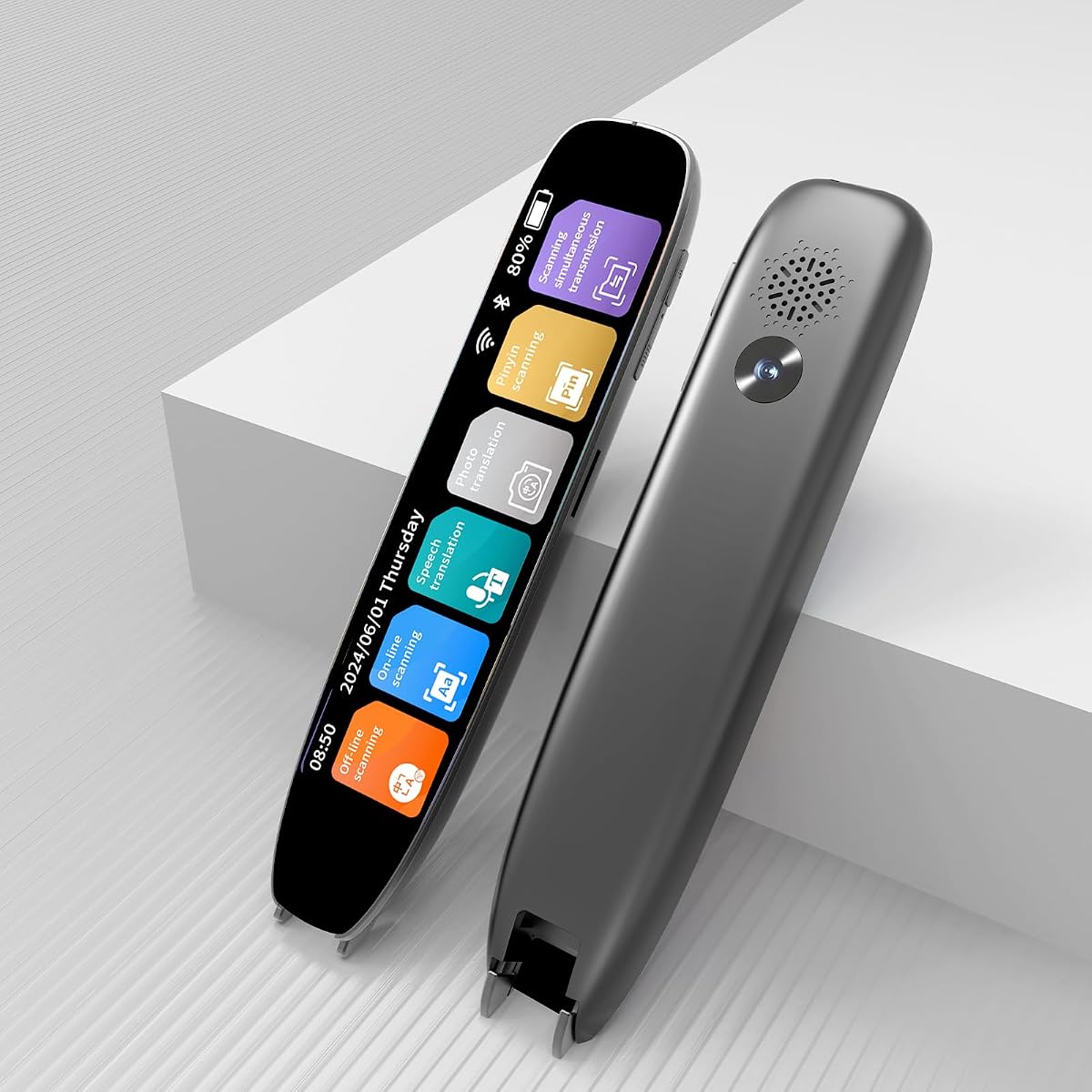
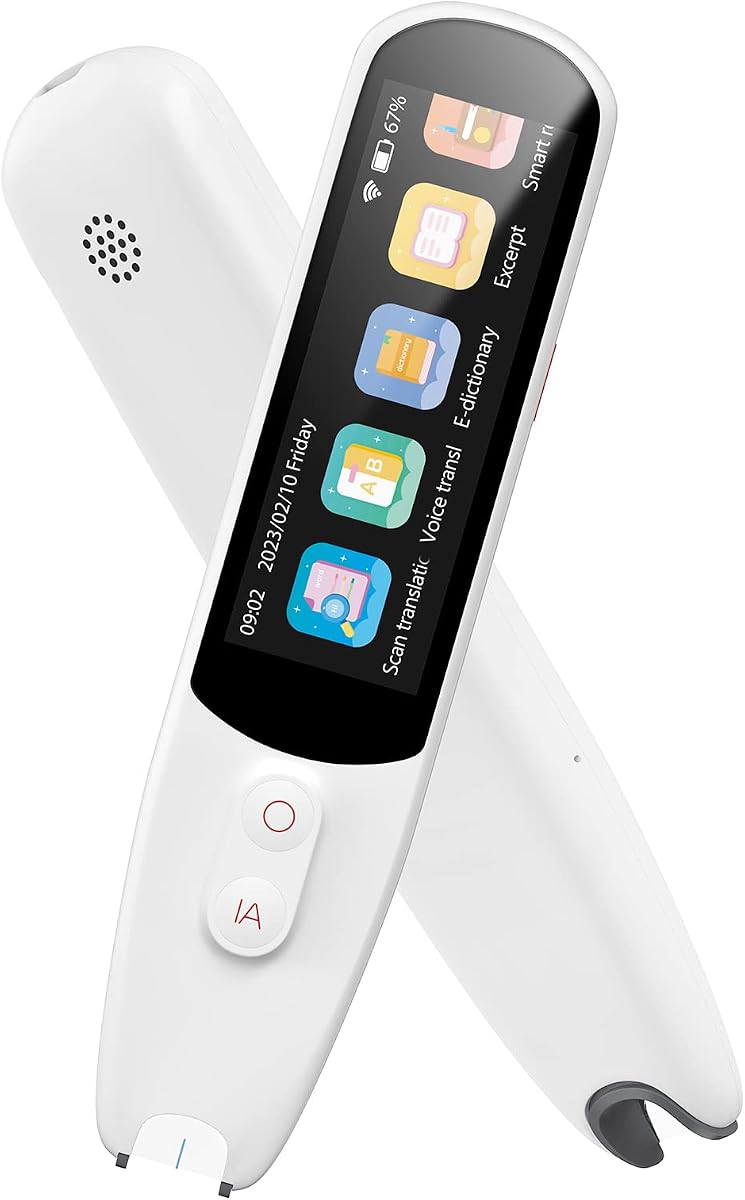


The Scanmarker Pal stands out as a versatile tool for users needing immediate text access. It scans printed words and reads them aloud with clear audio. This model supports over one hundred languages making it ideal for global learners.
We may earn a commission when you buy through this link, at no additional cost to you.
Its OCR technology captures text from books and documents efficiently. The highlighting feature helps users follow along visually while listening. This dual sensory input is crucial for overcoming reading barriers effectively during study.
While the device is compact, it requires periodic charging for continuous use. Some users may find the screen size small for extensive note taking. However, its portability makes up for these minor limitations significantly.
Students and professionals seeking a reliable assistive device should consider this pen. It balances price and performance well for daily educational needs. The language support adds significant value for multilingual environments too.
The text to speech function allows users to hear words immediately after scanning. This reduces the mental effort required to decode text visually during reading.
Supporting over one hundred languages ensures the tool works for travelers and international students. Offline modes are available for major languages to ensure connectivity anywhere.
We may earn a commission when you buy through this link, at no additional cost to you.
This model features a larger touch screen that simplifies navigation for users. The display helps view translated text clearly without squinting. It supports one hundred twelve languages with fast translation capabilities.
We may earn a commission when you buy through this link, at no additional cost to you.
The inclusion of a reputable dictionary enhances vocabulary building significantly. Users can look up word definitions directly after scanning. This is particularly useful for students expanding their language skills independently.
Left handed users benefit from the reverse scanning setting feature. It accommodates different holding styles comfortably without fatigue. However, the unit is slightly heavier than the most portable options.
Ideal for classroom use where interaction with text is frequent. The recording function also helps capture lectures alongside text scans. It is a strong contender for academic environments requiring detailed notes.
The large touch screen allows for intuitive control over settings and playback. This reduces friction when trying to access specific features during study.
Having a built in dictionary reduces the need for external apps. It streamlines the research process for students analyzing complex texts.
We may earn a commission when you buy through this link, at no additional cost to you.
Affordability makes this device accessible for schools and families on a budget. It scans text and reads it aloud effectively without extra costs. The language count is impressive for this price tier.
We may earn a commission when you buy through this link, at no additional cost to you.
Bluetooth connectivity allows for private listening in quiet environments. Users can connect headphones to hear text without disturbing others. This is valuable for shared study spaces like libraries.
The lack of a display means navigation is audio focused. While efficient, it may require practice for new users. However, the core functions remain intuitive once learned quickly.
Best suited for users prioritizing function over high end features. It delivers essential assistive support reliably at a low cost. Great for entry level needs in education.
This model provides core reading support without a premium price tag. It ensures more students can access assistive technology for learning.
Offline modes ensure translations work in areas with poor connectivity. This reliability is essential for travelers using the device abroad.
We may earn a commission when you buy through this link, at no additional cost to you.
This standalone unit operates independently without needing a connected phone. Users can scan and read directly on the device screen. It offers a self contained solution for daily tasks.
We may earn a commission when you buy through this link, at no additional cost to you.
The built in dictionary supports vocabulary expansion during reading. Users can look up words instantly to understand context. This feature is vital for language learners building literacy.
Smart note taking allows capturing memos directly on the device. It simplifies organizing information without external apps. However, the lack of cloud sync limits long term accessibility.
Recommended for users who prefer a simplified device ecosystem. It removes dependencies on other technology for basic functions. Reliable for focused reading support needs.
Operating independently means fewer points of failure during use. It ensures reading support is available even if a phone is unavailable.
Immediate access to word definitions helps learners understand text better. This integration supports reading comprehension directly during scanning.
We may earn a commission when you buy through this link, at no additional cost to you.
This pen combines text reading with a functional voice recorder. Students can capture lectures alongside scanned text notes. It streamlines note taking by merging audio and visual data.
We may earn a commission when you buy through this link, at no additional cost to you.
Text extraction allows users to save key phrases for later. This feature helps in reviewing important details from documents. It supports efficient information management for professionals.
The device syncs data to phones for editing and storage. This ensures notes are not lost after use. However, scanning speed may vary depending on lighting conditions.
Ideal for professionals and students needing dual audio and text capture. It enhances meeting efficiency by recording and scanning simultaneously. A practical tool for dynamic environments.
Recording voice while scanning text provides a comprehensive review record. This ensures that both content and tone are captured.
Syncing data to mobile devices allows for easy organization. It makes finding specific notes much simpler later.
We may earn a commission when you buy through this link, at no additional cost to you.
Adjustable playback speed allows users to match the pace of their comprehension. This is essential for users who process auditory information at different rates. It customizes the reading experience effectively.
We may earn a commission when you buy through this link, at no additional cost to you.
The noise reduction feature improves audio clarity during recording. It ensures lectures are heard clearly even in busy rooms. This is beneficial for capturing detailed classroom instructions.
Offline translation ensures functionality without internet access. Users can rely on the device anywhere. However, the overall build quality may feel less robust than higher rated models.
Best for students needing control over audio speed. It adapts to individual learning needs well. A solid choice for classroom note taking tasks.
Adjusting speed helps users catch every word clearly during reading. This reduces stress during comprehension tasks.
Converting scans to editable notes saves time for study. It makes preparing for exams more efficient.
We may earn a commission when you buy through this link, at no additional cost to you.
This pen integrates AI tools to assist with homework directly. Users can check answers and get explanations instantly. It acts as a comprehensive study companion.
We may earn a commission when you buy through this link, at no additional cost to you.
A special font design reduces visual stress during reading. This supports users with specific visual processing needs. It enhances readability significantly for dyslexic students.
Six reading levels allow the device to grow with the user. It accommodates different proficiency levels effectively. However, the interface can be complex for new users.
Ideal for students needing advanced academic assistance. The AI features provide substantial value beyond basic scanning. A top choice for intensive learning support.
Instant feedback on homework questions supports independent study. It helps students understand concepts better without waiting for teachers.
Special fonts and levels ensure text is accessible. This customization reduces cognitive load during long reading sessions.
We may earn a commission when you buy through this link, at no additional cost to you.
The built in camera enables quick photo translation. Users can capture complex layouts instantly without scanning. This saves time during travel or document review.
We may earn a commission when you buy through this link, at no additional cost to you.
Text excerpt tools allow saving key details from documents. It helps users focus on essential information. This is useful for business travelers and students alike.
Its lightweight design makes it easy to carry anywhere. It fits comfortably in pockets without bulk. However, hardware features are basic compared to premium models.
Best for users prioritizing camera functions. It offers a versatile way to interact with text. A practical tool for travelers and casual learners.
Using a camera to translate is faster than manual scanning. It allows for quick interactions with visual text.
Excerpting text helps users focus on what matters. It supports efficient learning and work management.
We may earn a commission when you buy through this link, at no additional cost to you.
This device features a high resolution camera for complex layouts. It handles images and non standard text well. Users can decode tricky text scenarios with ease.
We may earn a commission when you buy through this link, at no additional cost to you.
Sync to mobile allows direct editing of scanned files. This saves time during study and office work. It streamlines note taking efficiently.
Voice recording is integrated for meeting capture. It ensures no information is missed during discussions. However, battery life may need frequent charging.
Ideal for users needing high quality visual text capture. It supports versatile use in professional and academic settings. Strong value for camera focused needs.
A 5MP camera ensures clear scans of non standard layouts. It captures text details accurately.
Syncing to phones makes sharing notes fast. It simplifies document organization.
We may earn a commission when you buy through this link, at no additional cost to you.
This pen supports left handed users with a specific mode. It accommodates different holding habits effectively. Comfort and ergonomics are key here.
We may earn a commission when you buy through this link, at no additional cost to you.
Classroom recording helps students capture lectures accurately. It ensures key content is not missed. This is essential for independent review and study.
Offline modes support ten major languages reliably. It ensures functionality in remote areas. However, it lacks advanced AI capabilities.
Best for users needing ergonomic support and recording. It is a practical tool for daily classroom use. A solid choice for basic assistive needs.
Left hand mode reduces fatigue for non right handed users. It makes scanning more comfortable.
Recording lectures helps review content later easily. It supports better learning retention.
We may earn a commission when you buy through this link, at no additional cost to you.
Selecting the right tool requires understanding key features that impact learning outcomes. This guide outlines factors to consider for your specific needs.
Look for high precision OCR that captures text accurately from various surfaces. Ensure it handles different fonts and paper qualities smoothly. Poor scanning can lead to errors in text to speech conversion.
Prioritize models with proven accuracy for your intended materials.
Verify the number of supported languages to match your study or travel needs. Offline capabilities are crucial for areas without internet access. Ensure major languages you use are included in offline mode.
Choose a device that supports your specific language requirements comprehensively.
Clear audio is essential for text to speech effectiveness. Check if the device supports Bluetooth headphones for private listening. Adjustable speed settings help users match their comprehension pace.
Select models with robust audio features to reduce cognitive load.
A lightweight design ensures the device fits in a pocket or bag. Consider ergonomics if you scan frequently throughout the day. Long battery life is necessary for continuous use.
Prioritize models that fit comfortably in your daily routine.
Look for extras like voice recording, note taking, or dictionaries. These features can streamline study workflows. Ensure they are easy to access without interrupting reading.
Evaluate if these extras justify the cost for your needs.
Check if the device syncs with your phone or computer. Some models need apps for data transfer while others work standalone. Decide if you prefer standalone use or synced ecosystems.
Ensure compatibility with your existing tech setup for seamless use.
Interface complexity can impact adoption. Simple navigation helps users focus on reading rather than device controls. Screen size and clarity also matter for viewing translations.
Test the interface if possible before purchase to ensure usability.
Reliable customer service and warranty coverage protect your investment. Look for brands that offer support for technical issues. Long term reliability is key for educational tools.
Choose reputable brands with clear support policies.
To get started, charge the device fully before first use. Power it on and navigate through settings to select your preferred language. Test the scanning function on a sample page to ensure accuracy.
During use, hold the pen steady against the text line. Move smoothly to ensure the sensor captures all characters. Adjust the reading speed using the interface if it feels too fast.
Maintain the device by keeping the lens clean and free of dust. Store it in a protective case when not in use. Update software when available to ensure optimal performance.
Yes, many models operate standalone without needing a connected phone. They can scan and read text directly on the device. However, some advanced features like cloud sync may require mobile pairing.
Most pens are designed for printed text on paper. Some high end models can read digital screens but performance varies. Check the specific product description to confirm screen compatibility.
Accuracy depends on OCR quality and speech synthesis technology. High end models offer more natural sounding voices. Always test sample text to ensure clarity before purchasing.
Yes, many models are tailored for students with adjustable reading levels. They are designed to be user friendly for younger users. Look for durable builds and simple interfaces for children.
Many devices support offline translation for major languages. This is crucial for use in areas without internet. Always verify which languages are available offline before buying.
Some models include voice recording features alongside text scanning. This allows capturing audio notes alongside scanned text. Check the product specifications to confirm recording capabilities.
We reviewed ten top models ranging from budget options to premium AI powered devices. Each offers unique strengths for different learning environments and user preferences. The Scanmarker Pal stands out for its balance of performance and ease of use.
When choosing, prioritize features that match your daily reading and translation needs. Consider language support and portability to ensure the device fits your lifestyle. Accessibility features like left hand modes are also vital for comfort.
Remember that prices and availability change frequently online. Verify current stock and warranty details before making your final decision. Investing in the right assistive tool can greatly enhance learning efficiency.