
msi Gaming GeForce GT 1030 4GB DDR4
4.5Editor score
Compact Low Profile Form
4GB DDR4 Memory
HDMI 2.0b Output
This guide compares the top 10 graphics cards compatible with Dell Optiplex systems to help you choose the right GPU for your specific workstation needs.
Finding the right graphics card for your Dell Optiplex can be tricky due to size and power constraints. This guide helps you navigate the options available for small form factor systems.
We compared ten top-rated GPUs based on compatibility, performance, and professional features. Each product was selected for its ability to fit inside Optiplex cases while delivering reliable output.
Each pick shows key specs and ideal use cases to match your workflow. Keep in mind that availability and pricing can change frequently so check current listings before buying.
4.5Editor score

4.7Editor score
4.6Editor score
This side-by-side comparison highlights the key specifications and capabilities of each graphics card to help you make an informed decision for your Optiplex upgrade.


This card is designed for professional workflows needing reliable performance in compact systems. It holds a strong rating among users who value stability and efficient power usage.
We may earn a commission when you buy through this link, at no additional cost to you.
Powered by the Nvidia Ampere architecture, it delivers solid compute power for modeling and AI tasks. The single-slot low profile design ensures it fits easily into Dell Optiplex cases.
While it supports modern interfaces like PCIe 4.0, the memory size is limited to 4GB. This is acceptable for most professional applications but may limit heavy multitasking.
Buy this if you need a certified professional card for CAD or video editing without compromising case space. It balances performance and efficiency well for business environments.
The card is optimized for software used in professional settings ensuring stability and speed for complex rendering tasks.
With only 50W power consumption it runs cool and does not require extra power connectors making installation straightforward.
We may earn a commission when you buy through this link, at no additional cost to you.
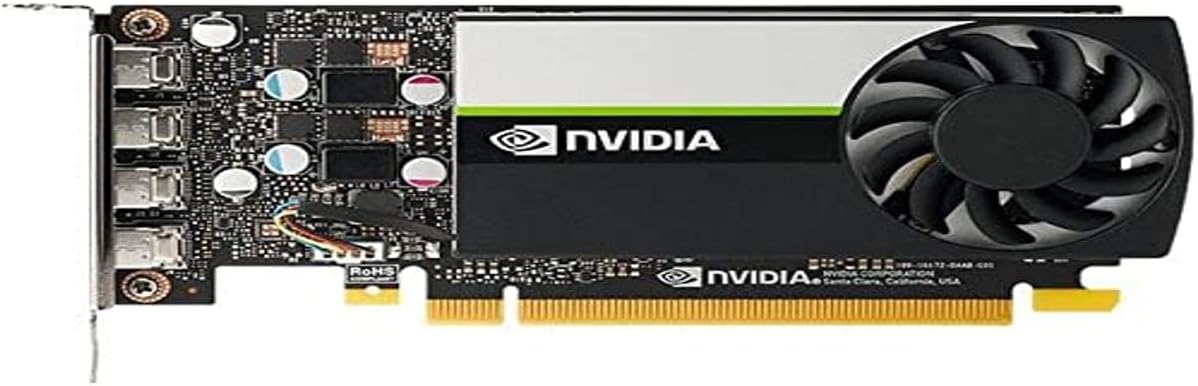
The T600 is built to handle demanding professional tasks with stability and speed. It offers excellent performance for users needing multi-display support in a compact form.
We may earn a commission when you buy through this link, at no additional cost to you.
Based on the Turing architecture it provides double the performance of previous generations. Its support for DisplayPort 1.4 allows for high-resolution displays without strain.
While powerful it may not fit every slim case without checking clearance. Some users report needing minor adjustments for installation in very tight spaces.
Ideal for designers and engineers needing reliable graphics acceleration. It balances performance and compatibility well for most business workstations.
Supports up to four 5K displays making it perfect for creative professionals needing expansive visual workspaces.
Dedicated engines for H.264 and HEVC playback ensure smooth video editing without taxing the main GPU pipeline.
We may earn a commission when you buy through this link, at no additional cost to you.
This card brings modern gaming features to small form factor PCs without sacrificing much performance. Its slim design makes it a perfect fit for Optiplex cases needing more graphical power.
We may earn a commission when you buy through this link, at no additional cost to you.
Built with the Ampere architecture it includes AI-specialized Tensor Cores for speed boosts in games. The 6GB GDDR6 memory ensures smooth multitasking and rendering tasks.
While it supports 8K resolution output the cooler is basic and might run warmer under load. Ensure your case has adequate airflow before installing this model.
Buy this if you want to play modern games on an Optiplex without buying a new system. It is a cost-effective way to upgrade a mini PC for entertainment.
Integrated Tensor Cores enable DLSS technology providing better frame rates while maintaining high image quality in supported titles.
HDMI 2.1 and DisplayPort 1.4a offer flexible connections for modern monitors and TVs without needing adapters.
We may earn a commission when you buy through this link, at no additional cost to you.
This GPU offers a solid balance of performance and cooling for small systems needing reliable graphics power. It has a high user rating for stability and build quality.
We may earn a commission when you buy through this link, at no additional cost to you.
The Axial-tech fan design ensures better airflow and dust resistance which helps maintain performance over time. OC mode gives extra speed for demanding applications and games.
It is slightly larger than low-profile cards so verify case clearance before purchasing. The dual fans can be loud when under heavy load which may disturb quiet office environments.
Choose this for a durable upgrade that handles gaming and creative work well. It is a great choice for users prioritizing cooling and longevity in their system.
The dual fan setup pushes more air across the heatsink keeping temperatures lower even during extended usage sessions.
Second-generation RT cores provide realistic lighting effects in supported games and applications for a better visual experience.
We may earn a commission when you buy through this link, at no additional cost to you.
This card is designed for users needing basic graphics capabilities in a small form factor PC. It fits most Optiplex cases without requiring power adapters or major case modifications.
We may earn a commission when you buy through this link, at no additional cost to you.
It uses DDR4 memory which is cost-effective but slower than GDDR6 found in newer models. This makes it suitable for light tasks and older games rather than heavy rendering.
While it offers good value for money it lacks advanced features like ray tracing or AI upscaling. This trade-off is acceptable for budget-conscious users upgrading basic display output.
Buy this if you need to add HDMI output or light gaming to an older Optiplex. It is the most economical solution for improving visual performance without overspending.
The low profile design and passive cooling needs make installation very easy without complex configuration or extra cables.
Includes both HDMI and DisplayPort outputs allowing for dual screen setups useful for productivity and multitasking.
We may earn a commission when you buy through this link, at no additional cost to you.
This card brings reliable gaming and computing power to systems with limited space. It offers strong performance for the price and fits well in many small form factor cases.
We may earn a commission when you buy through this link, at no additional cost to you.
With 6GB of GDDR6 memory it handles modern titles and multitasking efficiently. The WINDFORCE cooling system ensures stable temperatures during extended usage sessions.
Installation might require checking the case dimensions carefully as it is not as slim as low-profile options. Ensure there is enough room for the fans to breathe properly.
Ideal for users wanting a balance of performance and cost without compromising on memory. It is a solid upgrade for anyone needing more graphical power in their Optiplex.
The dual fan setup pushes air more efficiently across the heatsink to prevent thermal throttling during intensive workloads.
With 6GB of GDDR6 memory this card manages textures and data faster than older cards with lower capacity.
We may earn a commission when you buy through this link, at no additional cost to you.
This card is built to fit into the tightest chassis while delivering solid gaming performance. It is designed specifically for small form factor systems needing low-profile capabilities.
We may earn a commission when you buy through this link, at no additional cost to you.
Featuring 6GB of GDDR6 memory it ensures smooth gameplay even with high texture settings. The boost clock speed helps maintain consistent performance during gaming sessions.
While powerful the single fan design may struggle with heat in poorly ventilated cases. Ensure your system has good airflow to keep temperatures in check.
Buy this if you have a strict space limit but need strong graphics power. It is an excellent match for Optiplex users seeking a compact gaming upgrade.
The low profile bracket ensures it fits into compact cases without blocking other components or requiring extra clearance.
With 6GB GDDR6 memory this card handles data-intensive tasks faster than older graphics solutions.
We may earn a commission when you buy through this link, at no additional cost to you.
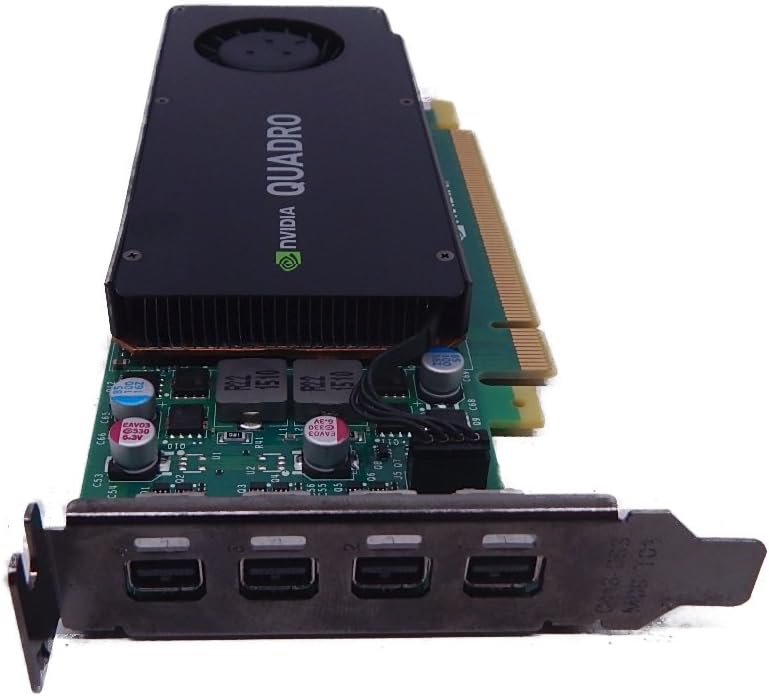
This card is a professional-grade solution designed for reliability and stability in business environments. It offers low profile compatibility and is ideal for users needing ISV certification.
We may earn a commission when you buy through this link, at no additional cost to you.
While it uses older PCIe 2.0 it still provides adequate speed for most professional applications. The four Mini DisplayPort connectors support multiple high-resolution displays for productivity.
It may not perform well with modern gaming or heavy rendering due to aging architecture. However for basic CAD and office work it remains a reliable and durable choice.
Buy this if you need a certified professional card on a tight budget. It fits well in small cases and provides the stability required for business workflows.
Certified for major design applications ensures minimal crashes and maximum uptime for critical business projects.
Four Mini DisplayPort outputs allow for expansive workspace setups without needing additional hardware or adapters.
We may earn a commission when you buy through this link, at no additional cost to you.
This card is one of the most powerful low-profile professional solutions available. It provides the memory and stability required for demanding professional applications in a small form factor.
We may earn a commission when you buy through this link, at no additional cost to you.
Its Pascal architecture ensures compatibility with professional software and reliable operation. The low profile design fits perfectly into most Optiplex cases without requiring extra power connections.
While not designed for gaming it excels at CAD and visualization tasks. Older architecture means it may struggle with the latest rendering engines compared to newer RTX models.
Buy this if you need professional-grade reliability and ISV certification. It is a strong choice for small workstations needing stable graphics output for business tasks.
Extensive ISV certification ensures that major professional applications run smoothly without unexpected crashes or errors.
The low profile design allows installation in compact cases where full-sized cards simply will not fit properly.
We may earn a commission when you buy through this link, at no additional cost to you.
This card is a professional-grade option built for reliability in older systems requiring specific display connections. It is suitable for users needing DVI output in a small form factor PC.
We may earn a commission when you buy through this link, at no additional cost to you.
Its architecture ensures stability for professional applications though it lacks the speed of newer models. The inclusion of a DVI port helps compatibility with legacy monitors and projectors.
While reliable it does not offer modern features like HDMI 2.1 or advanced power management. This makes it a specialized choice rather than a general-purpose upgrade for most users.
Buy this if you specifically need DVI output or are upgrading an older Optiplex with legacy displays. It offers a solid professional solution for specific niche requirements.
The DVI output allows connection to older monitors and projectors that do not support modern digital interfaces.
Designed for stability in professional workflows ensuring consistent performance for critical business applications.
We may earn a commission when you buy through this link, at no additional cost to you.
Choosing the right GPU for your Optiplex requires careful attention to case size power limits and software needs.
Optiplex models come in different sizes so measuring the available space is critical before buying a new graphics card.
Check if the card is low profile and single slot to ensure it fits without blocking other components.
Many Optiplex units have limited power wattage so ensure the GPU does not need extra power connectors.
Look for cards with low wattage requirements to avoid overloading the existing power supply.
Professional workloads like CAD and video editing benefit from ISV certified cards while gaming needs modern architecture.
Choose a card that matches your primary workload to get the best performance and compatibility.
Check that the card has the required connectors like HDMI or DisplayPort for your monitor setup.
Multi-monitor users should ensure the card supports multiple high-resolution displays simultaneously.
Larger memory helps with heavy tasks but DDR6 is generally preferred over DDR4 for better speed and efficiency.
Select enough memory for your workload but remember that system RAM and GPU memory work differently.
Small cases can trap heat so choose cards with good cooling designs to prevent thermal throttling.
Ensure your case has proper airflow vents to maintain stable operating temperatures.
Balance your needs with what you can afford since high-end cards may not offer noticeable benefits for basic tasks.
Set a realistic budget to find the best value without overspending on unused features.
A longer warranty period offers peace of mind and protection against defects during normal usage.
Check the manufacturer support policies before buying to ensure easy service if needed.
Install the card carefully by aligning it with the PCIe slot and securing it with the bracket screw.
Update the graphics drivers from the manufacturer website to ensure full compatibility and performance.
Clean dust from the vents regularly to prevent overheating and extend the card lifespan.
Not all GPUs fit because Optiplex cases are often compact. You must choose a low-profile card that fits your specific model dimensions.
Most low-profile GPUs do not need extra power connectors and work with the standard Optiplex power supply. Check wattage limits before buying.
Yes but only specific models like the RTX 3050 series are suitable. Professional cards may not support modern gaming features effectively.
Visit the NVIDIA or manufacturer website to download the latest drivers. This ensures compatibility with your OS and software applications.
The PNY RTX A400 or T600 are excellent choices due to their professional certification and stability in design software.
Yes most of these cards support multiple displays. Check the specific output ports to ensure they match your monitor connections.
This guide reviewed ten compatible cards for Optiplex systems ranging from professional solutions to gaming upgrades.
Prioritize case dimensions and power limits when selecting a GPU to ensure it works with your specific model.
Always check current availability and compatibility before purchasing to get the best fit for your needs.