
Apple 2025 MacBook Pro Laptop
4.7Editor score
Apple M5 Chip with 10 Core CPU
16GB Unified Memory
14.2-inch Liquid Retina XDR Display
Finding the right machine for video editing requires careful consideration of processing power and graphics capabilities. Adobe Premiere Pro demands high performance to handle timeline playback and complex effects smoothly without lag.
We evaluated ten distinct models ranging from mobile workstations to consumer laptops. Our analysis focused on CPU cores, GPU VRAM, RAM capacity, and display fidelity to ensure each pick meets professional editing standards.
Each entry highlights specific strengths and trade-offs for different budgets and needs. Prices fluctuate frequently so check current listings before purchasing to secure the best deal available at this time.
4.7Editor score

4.4Editor score

5.0Editor score
As an Amazon Associate we earn from qualifying purchases.
This side-by-side comparison details the core specifications of each selected laptop to help you make an informed decision based on your specific editing requirements and budget constraints.




The Dell Precision 7680 stands out as a top-tier workstation designed for demanding creative professionals. With a rating of 4.4 stars, it delivers exceptional performance for Adobe Premiere Pro tasks.
We may earn a commission when you buy through this link, at no additional cost to you.
Its Intel Core i9-13950HX processor provides the raw power needed for smooth 4K timeline playback. The 32GB DDR5 CAMM RAM ensures rapid data access during complex editing sessions.
While the price reflects its high-end capabilities, the stability offered by ISV certification justifies the investment for enterprise users. The thermal design manages heat effectively under load.
Editors seeking a reliable machine for daily professional work will find this laptop an excellent long-term partner. It balances portability with desktop-class performance.
The 24-core processor handles multiple video streams and effects without dropping frames during preview.
ISV certification ensures compatibility with Adobe applications reducing the risk of crashes or glitches.
We may earn a commission when you buy through this link, at no additional cost to you.
Apple's 2025 MacBook Pro with M5 chip offers a premium experience for creative professionals. It holds a strong 4.7 rating for its efficiency and display quality.
We may earn a commission when you buy through this link, at no additional cost to you.
The unified memory architecture allows the CPU and GPU to share data seamlessly speeding up rendering times in Premiere Pro. The Liquid Retina XDR display provides accurate color reproduction essential for grading.
Although the price is steep, the all-day battery life and silent fan operation make it ideal for mobile editors. The integration with other Apple devices enhances workflow continuity.
Users prioritizing screen quality and portability will appreciate this machine. It remains a top choice for those invested in the Apple ecosystem.
The XDR panel delivers up to 1600 nits brightness ensuring HDR content looks stunning.
The M5 chip handles AI-enhanced tasks quickly without draining the battery rapidly.
We may earn a commission when you buy through this link, at no additional cost to you.
The HP 17 Laptop offers an accessible entry point for beginners editing video. Its 5.0 rating suggests high satisfaction among users seeking value.
We may earn a commission when you buy through this link, at no additional cost to you.
Despite the budget price, it includes a large 17.3-inch display which provides ample space for timelines and bins. The Ryzen 5 processor handles basic editing tasks reasonably well.
However, the 8GB RAM may limit performance with complex projects. Upgrading storage or RAM later could improve usability significantly for more demanding work.
This model is perfect for students or hobbyists starting their journey in video editing. It balances cost with essential features needed for basic workflow.
The expansive screen allows for comfortable arrangement of panels without needing external monitors.
At this price point, getting a modern processor and DDR5 RAM is a significant advantage.
We may earn a commission when you buy through this link, at no additional cost to you.
This renewed Dell Precision 3581 provides solid workstation features at a competitive price. It lacks a standard rating but offers technical specifications suited for editing.
We may earn a commission when you buy through this link, at no additional cost to you.
The Core i7-13800H processor ensures smooth multitasking while the RTX A500 GPU accelerates video rendering. 32GB RAM allows for running multiple applications alongside Premiere Pro.
Users should note that it comes as a renewed product with limited warranty compared to new units. The display is standard FHD without high brightness or color accuracy claims.
It serves well for users needing robust performance without the highest budget. The hardware specs support serious editing work efficiently.
Choosing a renewed unit allows access to professional specs without the premium price tag.
The dedicated graphics card enables hardware encoding and decoding for faster exports.
We may earn a commission when you buy through this link, at no additional cost to you.
The Dell Precision 7780 is a mobile workstation designed for heavy rendering tasks. Its 128GB RAM ensures it handles 8K footage or complex effects with ease.
We may earn a commission when you buy through this link, at no additional cost to you.
With the Core i9-13950HX and RTX ADA 3500, this machine pushes professional limits. The large 17.3-inch screen offers generous workspace for complex timelines and bins.
The price point is high but justified for enterprise clients needing maximum reliability. The system is robust and built to withstand demanding daily usage.
Editors working on large scale projects will find this configuration unmatched. It prioritizes raw performance over portability.
128GB RAM allows loading multiple massive projects simultaneously without swapping.
The Ada generation GPU offers certified stability for long render sessions.
We may earn a commission when you buy through this link, at no additional cost to you.
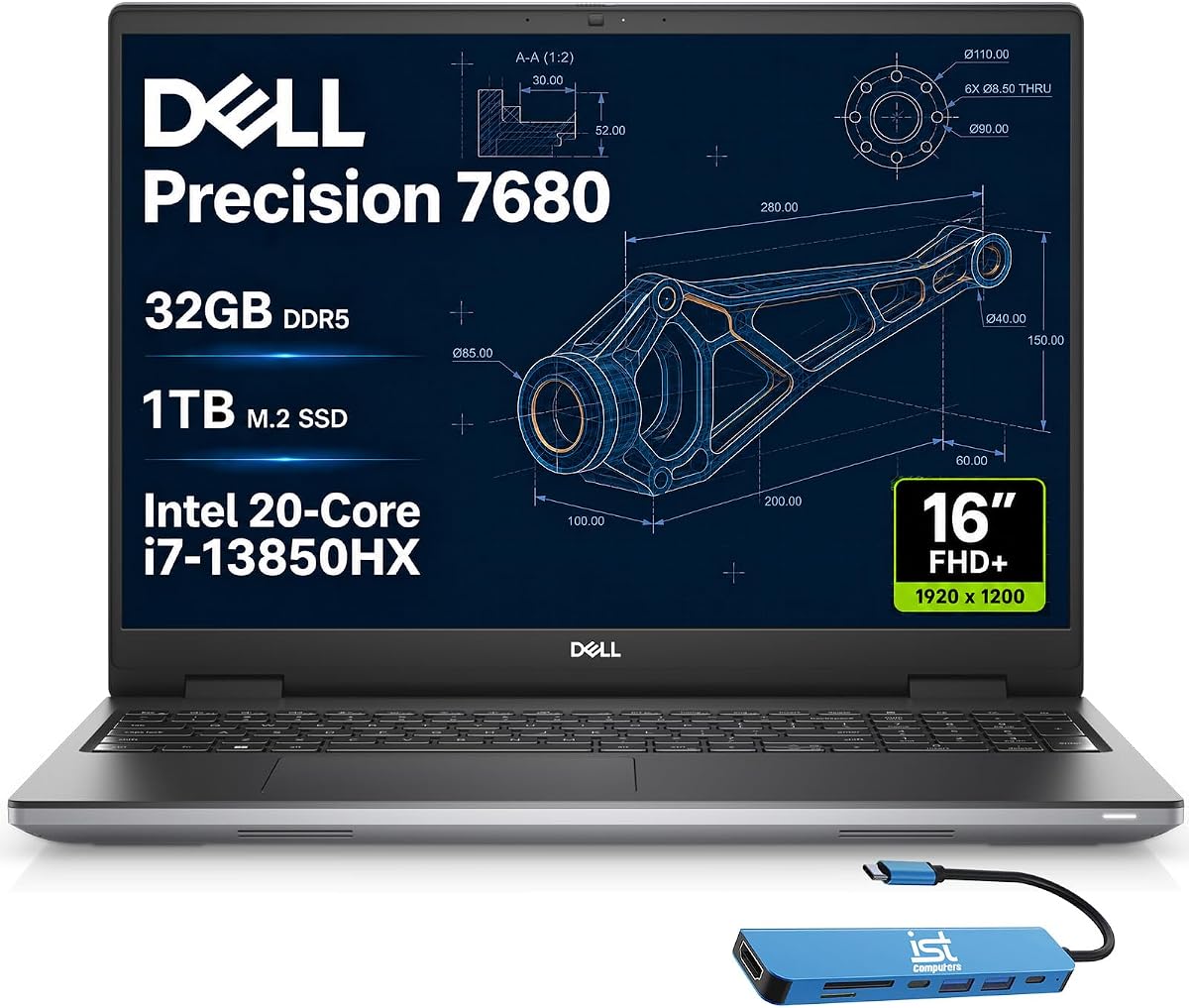
This model features an i7 variant of the 7680 series offering strong performance. Its 4.3 rating reflects reliable handling of creative software.
We may earn a commission when you buy through this link, at no additional cost to you.
The 20-core i7 processor provides ample power for rendering while 32GB RAM supports multitasking. The 16-inch FHD+ display delivers sharp visuals for accurate editing.
It is a solid middle ground between cost and capability. Users looking for workstation durability without the i9 price tag may prefer this option.
It is recommended for professionals needing consistent performance in the field.
The HX series processor offers desktop-level speeds in a portable chassis.
ISV certification ensures smooth operation with Adobe Premiere Pro.
We may earn a commission when you buy through this link, at no additional cost to you.
This configuration adds 64GB RAM and 2TB storage to the standard 7680 chassis. It is ideal for users needing local storage for large media files.
We may earn a commission when you buy through this link, at no additional cost to you.
The RTX 1000 GPU provides basic acceleration suitable for many video tasks. Dell Pro Support Plus adds value by offering onsite service and priority support.
With 64GB RAM, memory bottlenecks are eliminated for most workflows. The increased storage capacity reduces the need for external drives during editing.
It is a practical choice for editors handling many large projects. The support package ensures minimal downtime.
2TB NVMe allows storing extensive footage libraries directly on the system.
Pro Plus support provides onsite technical assistance for hardware issues.
We may earn a commission when you buy through this link, at no additional cost to you.
This older model remains popular for its affordability and workstation features. It holds a 4.5 rating for value among budget conscious buyers.
We may earn a commission when you buy through this link, at no additional cost to you.
The Core i7-10850H provides decent performance for 1080p editing. 32GB RAM ensures smooth operation even with multiple applications open.
Users should expect slower performance compared to newer generations but it handles basic tasks well. The renewed status allows access to enterprise specs at a lower cost.
It is suitable for students or small teams needing reliable editing tools. It prioritizes value over raw speed.
This model offers 32GB RAM which is rare at this price point.
Its compact design makes it easier to transport to client sites.
We may earn a commission when you buy through this link, at no additional cost to you.
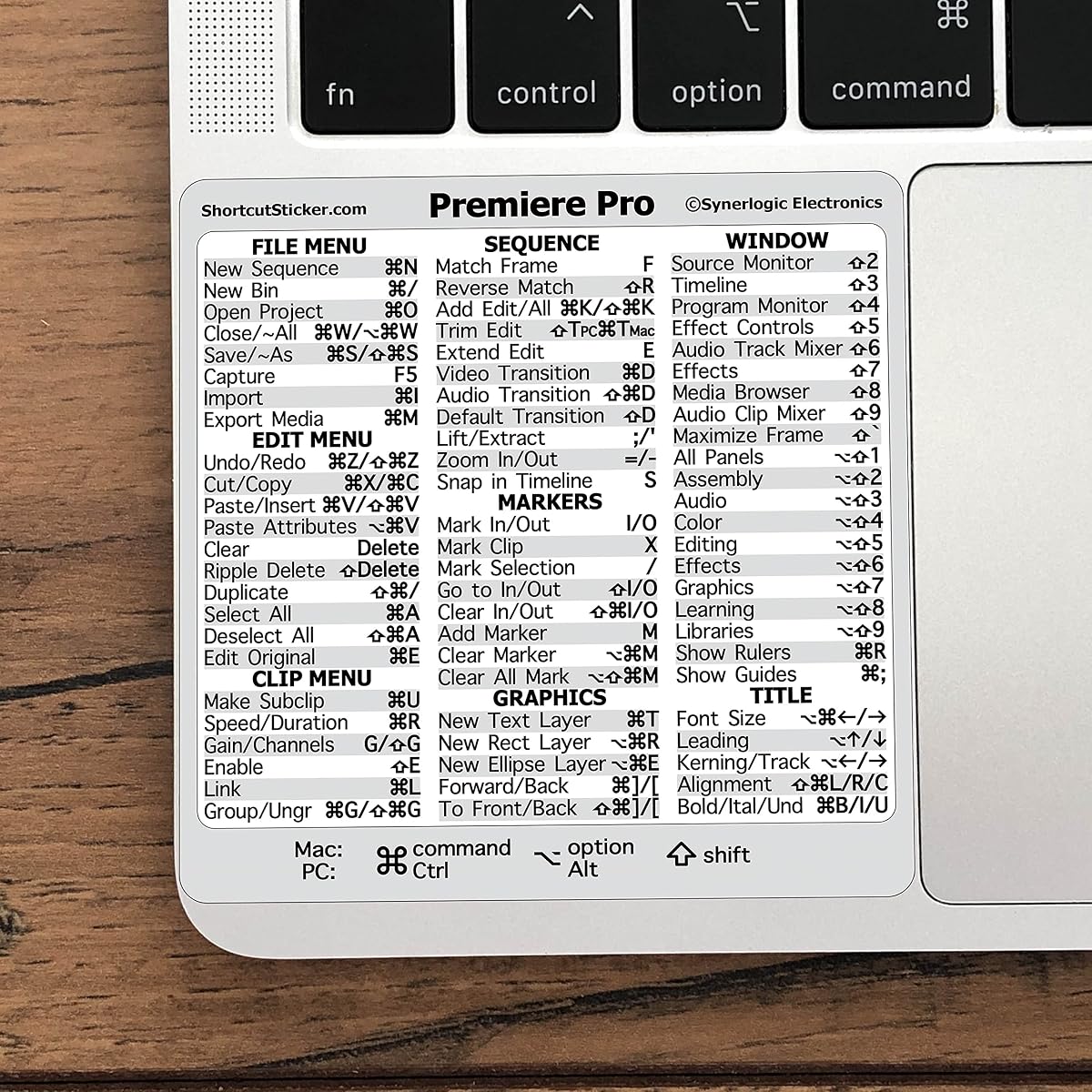
This keyboard sticker helps editors learn essential shortcuts quickly. It has a 4.6 rating for utility among users wanting to speed up editing.
We may earn a commission when you buy through this link, at no additional cost to you.
It is designed to fit most keyboards and provides clear labels for key commands. Learning shortcuts drastically reduces time spent navigating menus.
While it does not provide computing power, it enhances productivity significantly. It is a practical tool for teams training new staff.
Editors looking to refine their skills will find it invaluable. It is an affordable investment in workflow efficiency.
Visual cues help memorize commands faster than reading documentation.
For the price, it saves hours of training time for new editors.
We may earn a commission when you buy through this link, at no additional cost to you.
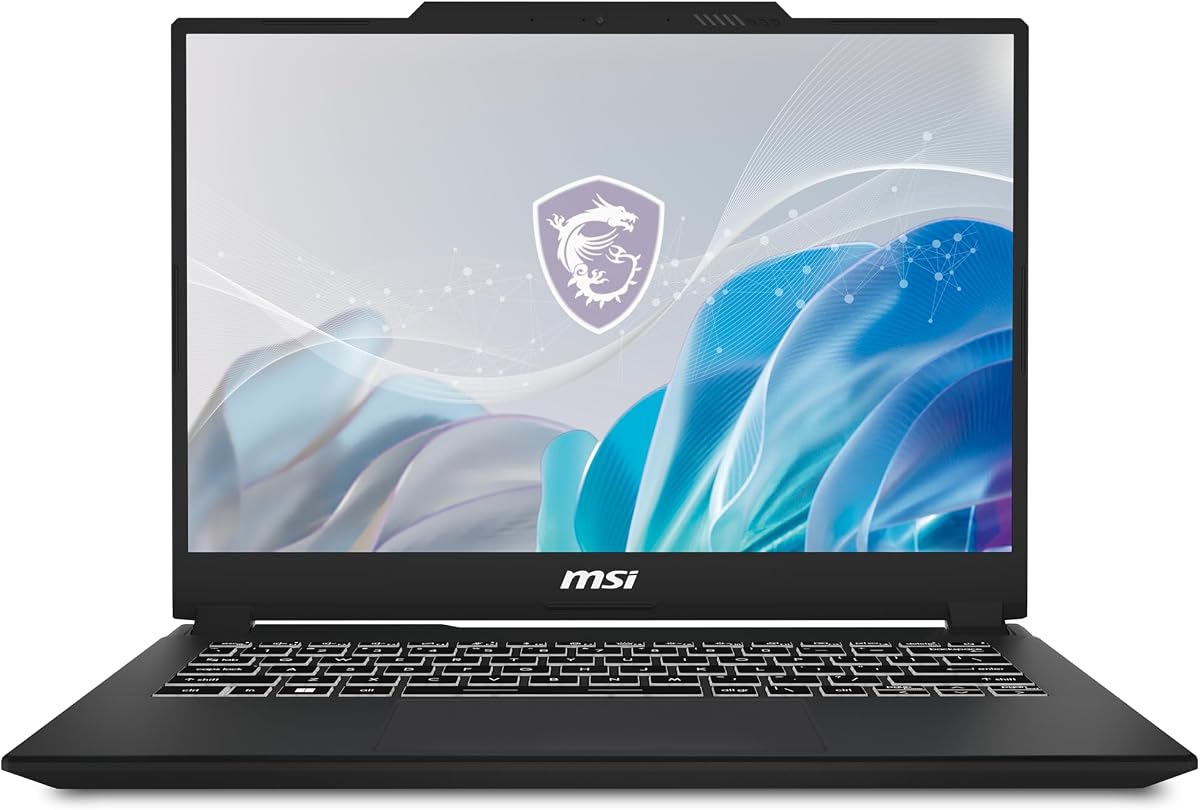
The MSI Creator M14 balances portability and performance. With a 4.7 rating it appeals to creators needing a lightweight machine.
We may earn a commission when you buy through this link, at no additional cost to you.
The 2.8K display offers rich colors essential for grading. The RTX 4050 GPU supports ray tracing and hardware acceleration for video tasks.
However, 16GB RAM might be limiting for very large projects. Upgrading storage is possible but memory is fixed on some configurations.
It is ideal for editors who travel frequently and need quality visuals. The chassis design prioritizes thinness while maintaining performance.
The 2.8K resolution provides sharp detail for frame accurate editing.
Cooler Boost technology keeps the system cool during long renders.
We may earn a commission when you buy through this link, at no additional cost to you.
Choosing the right laptop for video editing requires balancing performance needs with portability and budget. This guide outlines key factors to consider.
The processor handles timeline playback and rendering. Look for multi-core performance like Intel Core i7/i9 or AMD Ryzen 7/9.
Aim for at least 8 cores for smooth editing of high-resolution footage without lag.
RAM determines how many apps you can run simultaneously. 16GB is minimum but 32GB is recommended for professional work.
More RAM allows handling complex projects and large buffers without slowdowns.
A dedicated graphics card speeds up rendering and effects. NVIDIA RTX cards offer excellent CUDA support for Premiere Pro.
Look for models with at least 6GB VRAM to handle color grading smoothly.
Accurate color reproduction is vital for video grading. Look for high color gamut and brightness specifications.
A display with at least 100% sRGB coverage ensures your edits look correct on other screens.
Fast storage prevents lag when importing or exporting large files. PCIe NVMe SSDs are standard for professional systems.
Ensure the laptop has at least 1TB storage or expandable slots for media files.
Ports like USB-C and HDMI allow connecting external monitors and drives. Ensure the model has enough ports for your setup.
Thunderbolt support enables fast data transfer to external storage drives.
Efficient cooling prevents throttling during long rendering tasks. Workstations often have better thermal systems than thin laptops.
Look for reviews mentioning noise and heat under sustained loads.
Keep your system updated with the latest drivers and OS patches. This ensures compatibility with the latest software features and security.
Regularly clear cache files and temp media generated by Premiere Pro. This frees up storage space and maintains system performance over time.
Use a cooling pad for thin laptops during long rendering sessions. Good airflow prevents overheating and prolongs the hardware lifespan.
While 16GB is the minimum requirement, 32GB is recommended for smooth editing of 4K footage. More RAM helps prevent crashes during complex timeline rendering.
Yes, a dedicated GPU significantly speeds up rendering and playback. Integrated graphics may struggle with high-resolution clips and effects.
A 16-inch or larger screen provides enough space for panels and bins. External monitors can supplement smaller laptops for a better workflow.
Both perform well depending on the specific model. Macs offer efficiency while Windows laptops provide more configuration options.
With proper care and regular updates, a quality laptop can serve well for 3 to 5 years. Battery health degrades over time but replacements are available.
Renewed laptops often offer better value if tested properly. Check warranty details and return policies before purchasing used units.
We reviewed ten models ranging from budget to premium to suit various needs. The Dell Precision 7680 and Apple MacBook Pro stood out as top performers.
Prioritize CPU power and RAM capacity to ensure long term usability. A good display will improve the accuracy of your color grading work.
Prices change frequently so check current listings before finalizing your purchase. Invest in a machine that balances performance with your specific workflow needs.