
Acer Chromebook Plus Spin 714
Intel Core Ultra 5 Processor
120Hz High Refresh Display
Thunderbolt 4 Connectivity
Chromebooks have evolved significantly with the integration of advanced artificial intelligence tools directly into the operating system. Modern devices now offer seamless access to generative AI features that enhance productivity and creativity without requiring complex setups. These laptops provide a streamlined experience for users who want intelligent assistance built right into their daily workflow.
We compared ten leading models based on processor performance, memory capacity, and specific AI capabilities like Google Gemini integration. Our analysis focuses on how well each device handles AI-driven tasks such as text generation, image editing, and voice assistance. The list covers a range of options from budget-friendly student laptops to premium productivity machines.
Each pick highlights unique strengths whether it is battery life, display quality, or specific AI tool access included with the purchase. Readers will find detailed breakdowns of specifications and real-world usability for various scenarios. Please note that prices and availability can change frequently so checking current listings is recommended before making a final decision.

4.9Editor score
5.0Editor score
As an Amazon Associate we earn from qualifying purchases.
This side-by-side comparison provides a quick overview of the key specifications and features for all ten selected Chromebooks. Use this table to instantly identify which device matches your specific needs for AI performance and portability.


The Acer Chromebook Plus 514 stands out as the top choice for users seeking robust AI capabilities in a standard laptop form factor. With a rating of 4.9 it delivers exceptional performance for daily tasks enhanced by deep Google AI integration. This device offers a seamless blend of hardware power and software intelligence making it ideal for students and professionals alike.
We may earn a commission when you buy through this link, at no additional cost to you.
Its standout feature is the included Google AI Pro subscription which grants access to advanced Gemini tools and extensive cloud storage. The Intel Core i3-1315U processor ensures smooth multitasking while the 14-inch WUXGA touch display provides crisp visuals for creative work. Users benefit from Wi-Fi 7 connectivity ensuring fast and reliable internet access for AI dependent applications.
While the price point is higher than basic models the value proposition is strong due to the bundled services and hardware quality. The storage capacity is modest at 256GB but cloud integration mitigates this limitation for most users. Battery life claims of up to 17 hours may vary but still offer excellent portability for all-day use without charging.
This Chromebook is best suited for those who prioritize AI features and display quality in their workflow. Whether for research writing or media consumption the combination of speed and intelligent tools makes it a versatile partner. We recommend this model for anyone ready to invest in a premium Chrome OS experience.
In summary the Acer Chromebook Plus 514 delivers on its promise of being the best of Google in a laptop. It balances performance and AI utility effectively ensuring that users can leverage modern tools without compromising on hardware quality. The inclusion of 5TB storage further cements its position as a top-tier choice in this category.
The bundled Google AI Pro allows users to utilize advanced Gemini features directly within Gmail and Docs for enhanced productivity.
A 14-inch WUXGA touch screen combined with Wi-Fi 7 ensures clear visuals and rapid data transfer for cloud based AI tasks.
We may earn a commission when you buy through this link, at no additional cost to you.
The ASUS Chromebook Plus CX34 offers a compelling entry point for those looking to access Google AI tools without a premium price tag. Rated at 3.8 it provides essential features like AI assisted writing and photo editing capabilities. This model is designed to deliver double the speed and memory compared to older Chromebooks in its class.
We may earn a commission when you buy through this link, at no additional cost to you.
Key strengths include the generous 12 months of Google One AI Premium plan which covers Gemini Advanced and cloud storage. The Intel Core i3-1215U processor handles everyday tasks efficiently while the UFS storage ensures quick boot times and app launches. Its 14-inch display is functional though it lacks the higher resolution of more expensive options.
On the downside the user rating suggests some inconsistency in quality or satisfaction compared to top tier rivals. The display resolution is standard HD which may not suit detailed creative work but is adequate for general use. Users should verify availability of the AI plan offer as it is time limited and subject to terms.
This laptop is ideal for students or casual users who need basic AI assistance for writing and browsing. It balances cost and features well providing a decent foundation for cloud based workflows. If you prioritize value and core AI features over display quality this is a worthy consideration.
Ultimately the ASUS Chromebook Plus CX34 proves that AI integration does not require a high-end device. While it may not have the polish of premium models it gets the job done for productivity tasks. The inclusion of advanced Google tools at this price point makes it a strong contender in the budget sector.
Offering 12 months of Google One AI Premium makes this device an attractive option for budget conscious buyers seeking advanced features.
The UFS storage and 8GB RAM combination ensures a responsive experience for standard web applications and productivity suites.
We may earn a commission when you buy through this link, at no additional cost to you.
The Acer Chromebook Plus 515 distinguishes itself with a larger 15.6-inch display which is beneficial for multitasking and media consumption. With a rating of 4.3 it offers a reliable experience for users needing more screen real estate for AI driven work. The device runs on a modern Intel processor ensuring smooth performance for daily applications.
We may earn a commission when you buy through this link, at no additional cost to you.
Its primary advantage is the expansive touch display that allows for intuitive interaction with content and AI tools. Users gain access to 12 months of Google AI Pro enabling advanced features like handwriting conversion and text simplification. The inclusion of Wi-Fi 6E ensures future-proof connectivity speeds for cloud based operations and file transfers.
Trade-offs include a slightly heavier build which may reduce portability for travelers seeking a laptop. Battery life is rated up to 10 hours which is good but not exceptional compared to some rivals. However the larger screen compensates for these factors by providing a more immersive workspace for productivity.
This model is perfect for students or professionals who work primarily at a desk but need occasional mobility. The larger format supports split-screen workflows effectively making it easier to manage documents while using AI assistants. It is a balanced choice for those prioritizing screen size over ultra-light portability.
In conclusion the Acer Chromebook Plus 515 delivers a robust platform for AI enhanced computing with a focus on screen size. It supports creative and analytical tasks well through its responsive touch interface and ample processing power. Users looking for a larger viewing area in the Chromebook ecosystem will find this model highly suitable.
The 15.6-inch display provides ample room for open windows and AI tools side by side for efficient multitasking.
Wi-Fi 6E support ensures stable and fast internet connections necessary for real-time AI processing and cloud syncing.
We may earn a commission when you buy through this link, at no additional cost to you.
The Acer Chromebook Plus Spin 714 represents the premium tier of AI capable Chromebooks with advanced hardware features. While user ratings are limited the technical specifications suggest high performance for demanding tasks. It features the Intel Core Ultra 5 processor which includes a dedicated AI engine for efficient local processing.
We may earn a commission when you buy through this link, at no additional cost to you.
Standout features include a 120Hz high refresh display that provides smooth visuals for creative work and gaming. The Thunderbolt 4 ports allow for rapid data transfer and connection to external displays or docks enhancing workflow flexibility. Users can switch between laptop and tablet modes utilizing the versatile hinge for varied usage scenarios.
The main trade-off is the higher cost which might not be justified for basic users. Additionally as a newer model there may be limited long-term user feedback available currently. However for those needing high performance and premium connectivity options this device offers significant value through its hardware capabilities.
This laptop is best suited for power users who require fast processing speeds and versatile connectivity. The dedicated AI engine ensures that intelligent tasks run smoothly without draining battery unnecessarily. If you need a device that can handle professional workloads with style this is a top contender.
In summary the Spin 714 sets a high bar for what a Chromebook can achieve with advanced silicon. It combines speed versatility and premium design to create a device that supports both productivity and entertainment. Those seeking the best hardware experience in the Chrome OS ecosystem should consider this model carefully.
The dedicated AI engine in the Intel Core Ultra 5 processor enhances local processing for responsive AI features.
A 120Hz refresh rate ensures smooth scrolling and animations improving the overall user experience during interactions.
We may earn a commission when you buy through this link, at no additional cost to you.
This version of the Acer Chromebook Plus 514 offers double the storage of the base model with 512GB of space. Rated at 4.3 it provides a reliable platform for users who need more local storage for files and apps. The device maintains the AI features standard to the Plus line making it a practical choice for daily work.
We may earn a commission when you buy through this link, at no additional cost to you.
The inclusion of 512GB SSD ensures that users have ample space for offline work and large downloads. Coupled with Google AI Pro the laptop supports creative workflows like image editing and video creation efficiently. Durability is highlighted by MIL-STD military standards which suggests resilience against drops and harsh conditions.
Performance trade-offs exist as the N355 processor is less powerful than the 13th Gen Core options. This may impact heavy multitasking but is generally sufficient for web based tasks and AI applications. The storage capacity is a major plus offsetting the processor limitations for many users prioritizing space over raw speed.
Ideal for students and professionals who store significant local files this device balances capacity and cost well. The AI tools enhance productivity without needing additional subscriptions making it a good value proposition. If you need extra storage without paying for cloud extensions this model is highly recommended.
Ultimately the Acer Chromebook Plus 514 with 512GB storage solves a common pain point for Chromebook users. It maintains the expected quality of the Plus series while offering enhanced capacity for offline needs. This makes it a smart buy for those who value data retention and local access.
Double the local storage allows users to keep more projects and media locally without relying on cloud drives.
Military standard certification provides peace of mind for users who travel or use the device in varied environments.
We may earn a commission when you buy through this link, at no additional cost to you.
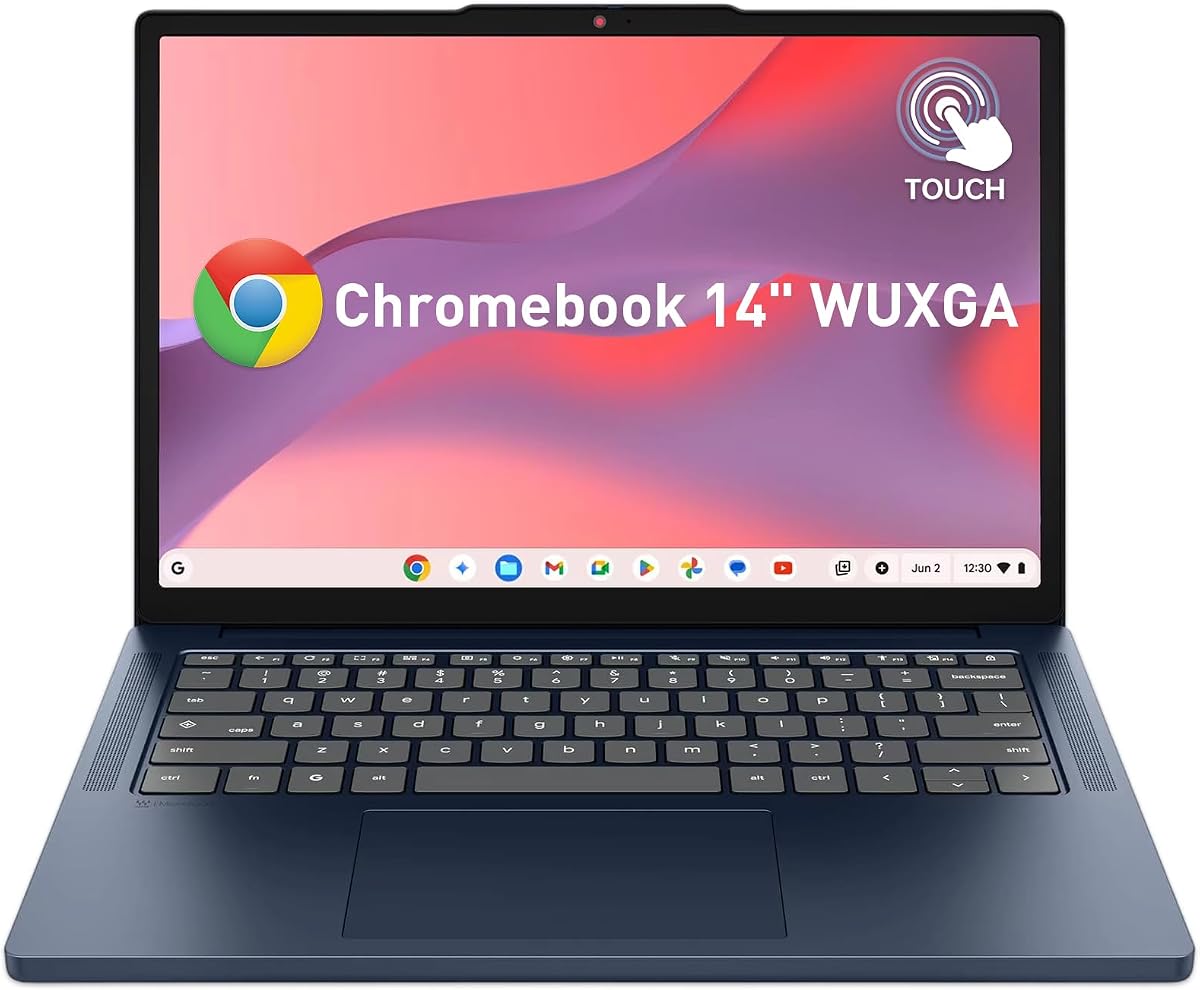
The Lenovo Chromebook 14 WUXGA stands out with a perfect 5.0 rating making it an ideal budget option for students. Its 14-inch WUXGA touchscreen offers excellent visual quality for the price point ensuring clear viewing during lessons. The device is lightweight and portable designed specifically for campus portability and all-day use.
We may earn a commission when you buy through this link, at no additional cost to you.
Key strengths include a long-lasting battery and fast charging capabilities that support busy schedules. The MediaTek processor provides sufficient power for web browsing and streaming while keeping costs down. Users benefit from a vivid display that enhances digital textbooks and media playback for an engaging experience.
The main limitation is the 64GB storage and 4GB RAM which may limit heavy multitasking. However for typical educational tasks and AI web apps this is often adequate. Users should rely on cloud storage to manage file space effectively given the local constraints of the device.
This laptop is perfect for students who need a reliable and affordable machine for online classes. It provides essential AI tools and a great display without the high cost of premium models. If you need a dependable companion for school and basic productivity this is a strong choice.
In conclusion the Lenovo Chromebook 14 WUXGA delivers exceptional value for budget conscious buyers. It balances a high rating with functional features that meet the needs of most students. Those looking for an affordable way to access modern Chrome OS features will find this device highly satisfactory.
Designed for students with a lightweight build and long battery life this device fits seamlessly into campus life.
A 14-inch WUXGA screen provides sharp visuals at a budget price enhancing reading and media consumption experiences.
We may earn a commission when you buy through this link, at no additional cost to you.
This Acer Chromebook Plus 514 provides another variant with ample storage and essential AI capabilities. Rated at 4.3 it offers a reliable option for users needing a mix of performance and storage capacity. The device is designed to be thin and durable making it suitable for on-the-go productivity tasks.
We may earn a commission when you buy through this link, at no additional cost to you.
The 512GB SSD allows for significant local file storage which is useful for media and offline documents. AI tools like Gemini help streamline creative drafting and organizing tasks efficiently. Features like a backlit keyboard and fast charging enhance usability in low light conditions and reduce downtime.
The disclosure mentions it may be a resealed system which is common for refurbished or upgraded units. While this does not affect functionality directly it is worth noting for those preferring brand new seals. Performance remains consistent with other Plus models ensuring smooth daily operations.
Ideal for remote workers and students needing reliable portability this model handles multiple tabs well. The inclusion of AI tools without extra cost adds value for productivity focused users. If you need a balanced device with good storage and AI features this is a practical option to consider.
Ultimately the Acer Chromebook Plus 514 remains a strong player in the mid-range category. It provides a versatile experience for both work and study with solid hardware specs. Users seeking a dependable Chromebook with generous storage will find this configuration highly beneficial.
With 512GB of local space users can store more applications and files directly on the device without worrying about space.
A backlit keyboard and fast charging tech ensure the device remains useful in varied lighting and time sensitive situations.
We may earn a commission when you buy through this link, at no additional cost to you.
The Acer Chromebook Plus 514 variant offers a straightforward configuration with ample storage and standard AI tools. Rated at 4.0 it provides a reliable experience for basic computing needs. The device includes essential features like Wi-Fi 6E and a high-resolution touch display for a modern workflow.
We may earn a commission when you buy through this link, at no additional cost to you.
Key benefits include the 512GB SSD which reduces reliance on cloud storage for many users. The 14-inch display with 1200p resolution ensures sharp text and images for reading and media. While the processor is entry-level it handles web apps and productivity tools effectively for daily use.
Limitations include an average user rating which may indicate typical build quality without standout features. Performance is adequate but not designed for heavy professional tasks. However for general users seeking a simple and capable machine this model meets most needs without complication.
This laptop is best for home users or students who need a secondary device for browsing and writing. The inclusion of Google AI features enhances writing and search tasks without additional cost. If you prioritize storage and screen quality over raw speed this is a solid daily driver.
In summary the Acer Chromebook Plus 514 delivers a balanced package for general use. It provides the necessary tools for modern web-based work with a focus on practicality. Users seeking a no-frills Chromebook with good specs will find it a dependable choice.
A 14-inch WUXGA screen and 512GB SSD offer a comfortable visual and storage experience for standard computing tasks.
Wi-Fi 6E ensures fast internet speeds necessary for streaming and cloud synchronization during daily activities.
We may earn a commission when you buy through this link, at no additional cost to you.
This Acer Chromebook Plus 514 variant features an AMD Ryzen processor and offers strong battery life. Rated at 4.5 it provides a durable and efficient platform for daily tasks. The device includes AI enhanced video call tools which improve clarity and background blur during meetings.
We may earn a commission when you buy through this link, at no additional cost to you.
Its standout feature is the 12-hour battery life potential making it excellent for all-day travel or study. The AMD processor handles multitasking well ensuring smooth performance for typical applications. Users also benefit from a water-resistant keyboard which protects against accidental spills during use.
Trade-offs include lower local storage at 128GB which may require reliance on cloud services. While sufficient for basic users heavy media storage might need external solutions. The steel gray finish offers a professional aesthetic though it is standard for the Plus line.
Ideal for travelers and remote workers needing long battery life this model is a strong contender. The AI video tools enhance professional communication and productivity significantly. If you need a reliable laptop that lasts through a full work day this is an excellent option.
In conclusion the Acer Chromebook Plus 514 with AMD Ryzen delivers on durability and endurance. It supports AI features effectively while providing a solid hardware foundation. Users prioritizing battery life and call quality will find this device particularly satisfying.
Up to 12 hours of battery life ensures the device stays powered through long meetings or study sessions without interruption.
Military grade durability and a water-resistant keyboard protect the device from everyday accidents and harsh conditions.
We may earn a commission when you buy through this link, at no additional cost to you.
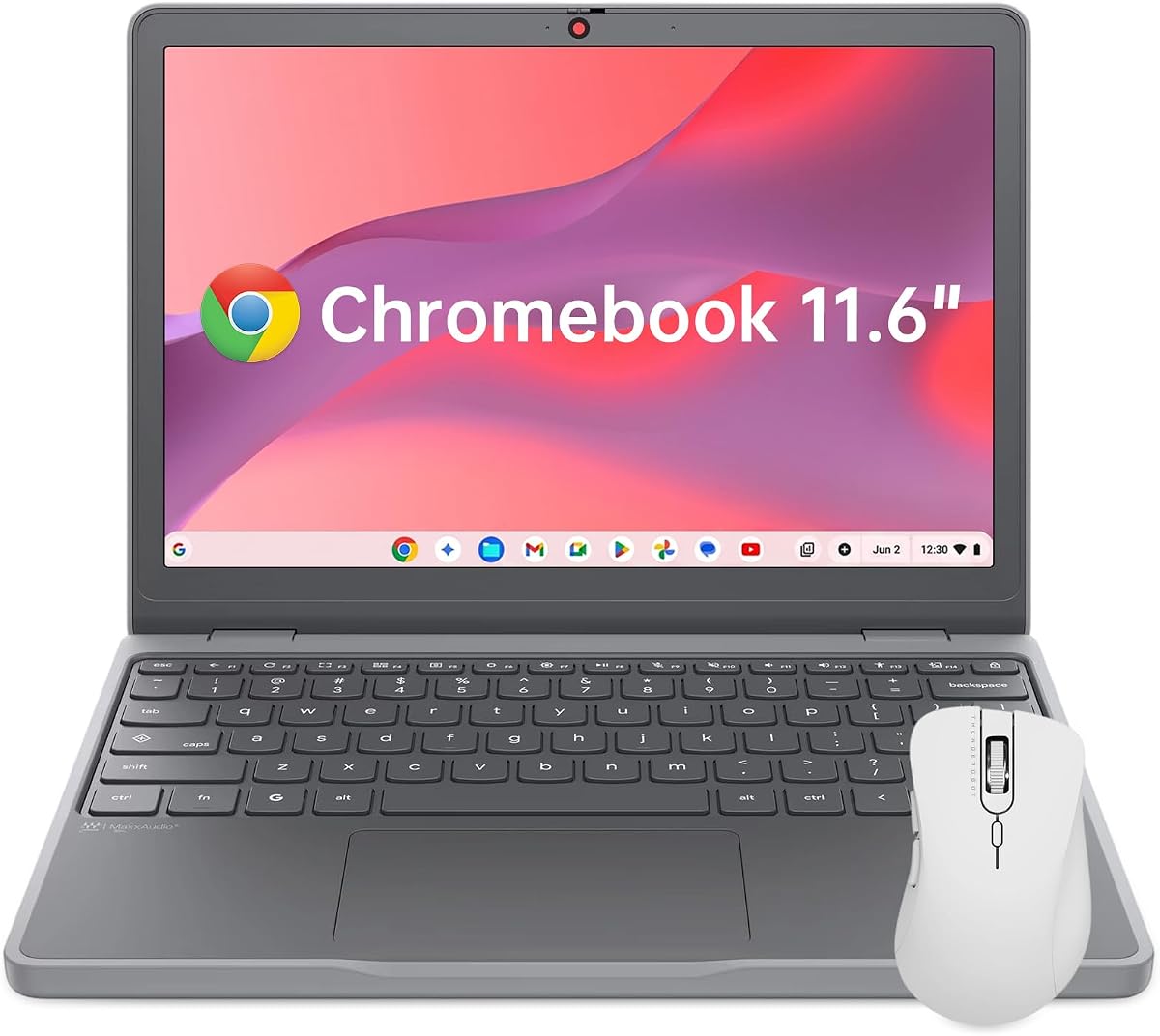
The Lenovo Chromebook 11.6 is the most portable option on this list weighing under 3 pounds. Rated at 4.4 it is perfect for travel and quick tasks where size matters most. The device is rugged with MIL-SPEC durability ensuring it can handle the bumps of daily commuting.
We may earn a commission when you buy through this link, at no additional cost to you.
Key features include a compact design that fits easily into backpacks and a privacy shutter for webcam security. While the screen is smaller it remains bright enough for standard viewing and reading. Fast charging ensures minimal downtime for users on the go needing a quick boost.
The main limitation is the 11.6-inch display which may feel small for extensive document work or browsing. Performance is basic suitable for web browsing and light productivity but not heavy tasks. However for those prioritizing portability above all else it remains a unique choice.
This model is best for travelers or students who need a secondary machine for notes and browsing. It offers robust security features and durability for those who move frequently. If your priority is size and weight this device offers a compelling solution for on-the-go use.
In summary the Lenovo Chromebook 11.6 excels in portability and durability. It provides essential computing capabilities in a small package suitable for frequent travelers. Users seeking a compact companion for light tasks will find it highly practical and reliable.
Weighing just 2.69 lbs this device slips into any backpack making it ideal for travel and daily commuting.
MIL-SPEC rugged testing ensures the device can withstand drops and wear making it durable for active use.
We may earn a commission when you buy through this link, at no additional cost to you.
Selecting the right Chromebook for AI integration requires considering several key factors beyond basic specifications. This guide outlines the essential aspects to evaluate ensuring you choose a device that meets your needs.
The processor is the heart of your Chromebook and determines how efficiently it handles AI tasks. Modern models use Intel Core i3 or Core Ultra chips which offer dedicated AI engines for faster local processing. Look for at least an 8-core CPU to ensure smooth multitasking and responsive AI tools.
Prioritize devices with Intel Core Ultra or newer generation chips for the best AI integration capabilities.
Random Access Memory (RAM) is critical for running multiple apps and AI tools simultaneously without lag. Most recommendations suggest at least 8GB of LPDDR5 RAM for comfortable performance in 2026. This capacity ensures that your device can handle large browser tabs and background processes smoothly.
Choose a model with 8GB RAM to maintain speed when using multiple AI applications at once.
Local storage affects how much you can keep offline and impacts boot times. SSD storage is faster than UFS and 256GB is a good baseline for most users. However if you work with large files locally aim for 512GB to reduce dependency on cloud syncing for productivity.
Select at least 256GB SSD storage for a balanced experience between speed and file capacity.
A high-quality display is essential for AI assisted creative work and comfortable viewing. Look for resolutions of at least 1920×1200 (WUXGA) with touch capabilities for better interaction. Brightness and anti-glare coatings also play a role in usability during different lighting conditions.
Opt for a 14-inch WUXGA touchscreen display for clear visuals and responsive touch controls.
Fast connectivity ensures that cloud-based AI tools perform optimally. Wi-Fi 6E or Wi-Fi 7 support provides the latest standards for speed and stability. Additionally having USB-C Thunderbolt ports allows for rapid data transfer and connecting external monitors for expanded workspaces.
Ensure your device supports Wi-Fi 6E or higher for reliable fast internet connections.
Many Chromebook Plus models come with a trial of Google AI Pro which includes advanced Gemini features. Check if the purchase includes 12 months of this service to maximize the AI benefits without extra cost. This subscription provides 5TB of storage and access to tools like NotebookLM.
Verify the inclusion of Google AI Pro benefits to get the most out of your investment.
Long battery life is crucial for students and professionals working away from outlets. Most quality Chromebooks offer between 10 to 17 hours of real-world usage depending on workload. A device with efficient power management allows you to work for a full day without interruption.
Look for a battery rating of at least 10 hours to ensure portability throughout the day.
Build quality affects the longevity of the device especially for students or travelers. MIL-STD-810H certification indicates the device can withstand drops and harsh conditions. A water-resistant keyboard and rugged frame further enhance reliability in varied environments.
Choose a device with MIL-STD certification for extra peace of mind regarding durability.
Protect your screen and touchpad with a soft cloth to avoid scratches and ensure smooth interaction. Regularly clear browser cache and unused extensions to keep the system running efficiently over time.
Yes modern Chromebooks are excellent for AI tasks especially those with Google AI Pro included. They offer seamless integration of tools like Gemini for writing and image editing directly in the browser.
While not strictly necessary a higher-end processor like Intel Core Ultra enhances local AI processing speed. Most modern Intel i3 processors handle standard AI tools effectively for daily use.
At least 8GB of RAM is recommended to handle AI tools and multiple applications smoothly. This ensures that your device remains responsive even when running background AI tasks.
Google AI Pro is a subscription service included with some Plus Chromebooks that offers advanced Gemini features and storage. It provides tools for summarizing text generating images and cloud file management.
Most advanced AI features require an internet connection to function correctly. However some basic tools and offline apps can work without Wi-Fi but with limited capabilities.
The Acer Chromebook Plus 514 and Spin 714 are top choices due to their powerful processors and included AI Pro subscriptions. These models offer the most comprehensive AI experience on Chrome OS.
Remember that technology evolves quickly so checking current listings and availability is always recommended before purchasing. Prioritize the features that matter most to you such as battery life storage or AI tool access.