
Ozeino Wireless Gaming Headset for PS5, PC, Switch| Lossless Audio-40H Batt
4.2Editor score
2.4GHz wireless with under 30ms latency
50mm drivers for accurate sound
Dual input with Bluetooth and USB
Discover the top 10 Mac gaming headsets for 2026. We compare audio quality, comfort, wireless connectivity, and microphone clarity to help you choose the
Finding the right audio gear for your Mac is essential for immersive gaming. A great headset delivers clear sound, comfortable fit, and reliable connectivity. These factors ensure you stay focused and engaged during long gaming sessions without distraction.
We evaluated ten top gaming headsets compatible with Mac systems. Our analysis covers audio drivers, battery life, microphone quality, and build durability. Each product offers unique strengths tailored to different gaming preferences and budgets.
Each pick highlights key features, pros, and cons to simplify your choice. Ratings reflect user feedback and performance metrics. Prices and availability may change over time, so verify current details before purchasing your new gaming headset.
4.2Editor score

4.4Editor score
4.2Editor score
This comparison table lists all ten headsets side by side. You can quickly see their main specs, connectivity types, and key features to decide which fits your setup best.


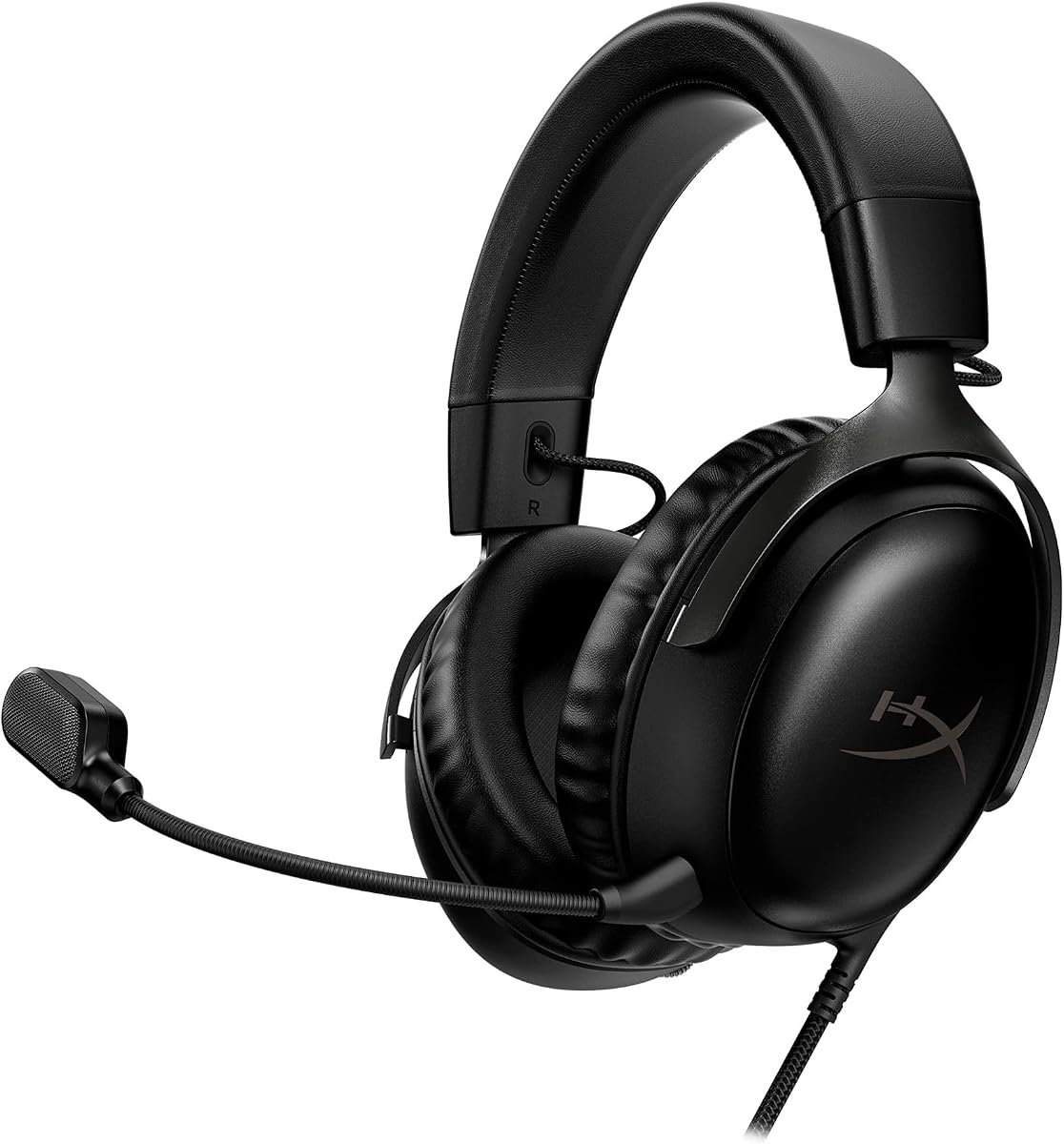
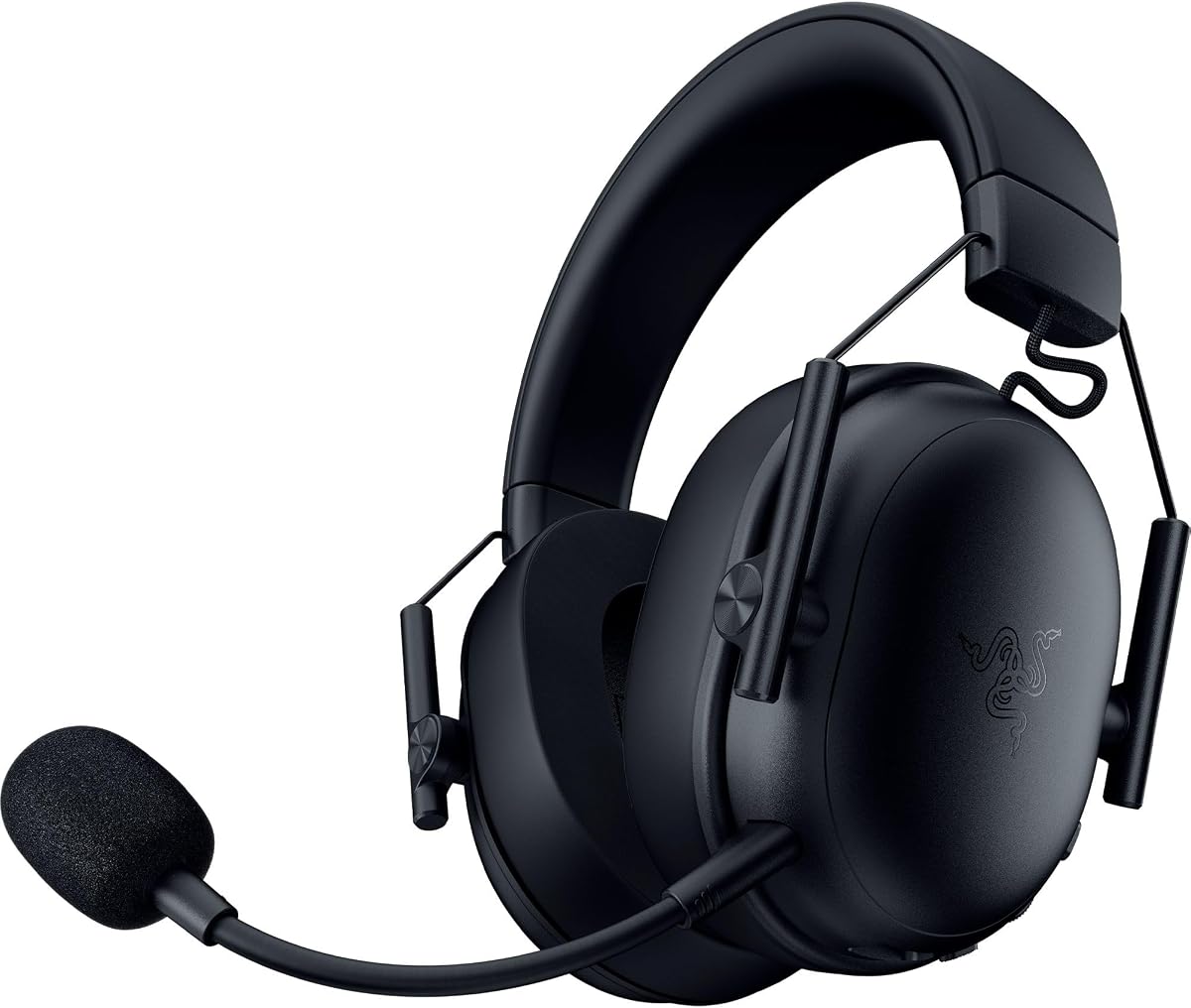


This wired headset offers reliable performance for Mac gamers needing consistent audio without latency issues. It holds a strong user rating for comfort and sound quality.
We may earn a commission when you buy through this link, at no additional cost to you.
The TRIFORCE 40mm drivers deliver clear highs, mids, and lows for immersive gameplay. The HyperClear Cardioid mic ensures voice chat clarity. Its convertible Type-C and Type-A cable works seamlessly across Mac and other devices.
Since it is wired, you avoid battery concerns but sacrifice some portability. The memory foam cushions are plush and comfortable for hours of use.
Ideal for Mac users who prioritize audio fidelity and comfort over wireless freedom. Choose this if you play mostly at a fixed desk setup.
The TRIFORCE design separates frequencies for precise sound reproduction during intense gaming.
USB-C and Type-A cables ensure compatibility with modern Macs and older hardware.
We may earn a commission when you buy through this link, at no additional cost to you.
This headset offers excellent value for Mac users wanting wireless freedom without breaking the bank. It combines solid battery life with versatile connectivity options.
We may earn a commission when you buy through this link, at no additional cost to you.
It features 7.1 surround sound for spatial awareness and a 100-hour battery in Bluetooth mode. The retractable noise-canceling mic keeps voice clear during multiplayer. USB-C and 2.4GHz dongles ensure smooth Mac integration.
Build quality is decent for the price but not premium. It lacks Xbox compatibility and uses passive isolation instead of active noise cancelling.
Perfect for budget-conscious gamers needing reliable performance and long playtimes. Choose this if versatility and battery life are top priorities.
Enjoy uninterrupted gaming sessions with up to 100 hours of playtime.
Switch between wireless dongle, Bluetooth, and wired 3.5mm for any device.
We may earn a commission when you buy through this link, at no additional cost to you.
This model is a strong wired option for Mac users who want reliable connectivity. Its audio drivers provide a rich listening experience for gaming.
We may earn a commission when you buy through this link, at no additional cost to you.
The TRIFORCE drivers ensure dynamic sound with clear positional audio. The HyperClear mic reduces background noise for crisp chat. Memory foam cushions offer comfort during extended play.
Its wired nature means no charging needed but limits mobility slightly. The USB cable converts easily for various devices including Macs.
Ideal for competitive gamers preferring zero latency and consistent performance. Choose this if wired stability is more important than wireless convenience.
Patented drivers deliver detailed sound for better in-game awareness.
Retractable mic protects the capsule and allows quick adjustments.
We may earn a commission when you buy through this link, at no additional cost to you.
HyperX Cloud III brings trusted comfort and durable build quality to Mac users. It delivers immersive audio via angled drivers for accurate sound placement.
We may earn a commission when you buy through this link, at no additional cost to you.
Angled 53mm drivers focus sound directly into the ear. The noise-cancelling mic ensures clear communication. Memory foam cushions are soft and supportive for long sessions.
Its aluminum frame is resilient but adds weight. Since it is wired, you avoid battery worries but have limited portability.
Great for gamers who prioritize comfort and durability in a wired setup. Pick this if you play at a desk most of the time.
Angled drivers align with natural ear position for optimized audio.
Flexible aluminum frame withstands travel and daily use.
We may earn a commission when you buy through this link, at no additional cost to you.
This wireless headset balances performance and comfort for Mac gaming. Its lightweight design and optimized drivers deliver crisp sound for competitive play.
We may earn a commission when you buy through this link, at no additional cost to you.
Gen-2 50mm drivers enhance clarity and bass. HyperSpeed wireless ensures sync with gameplay. The detachable mic allows easy removal for calls or music.
Its lighter build may feel less premium but offers long comfort. Battery life is decent but not the longest available.
Best for players valuing speed and comfort over extended battery. Choose this for fast-paced games needing precision.
Upgraded drivers provide better soundstage and positional accuracy.
2.4GHz connection maintains low latency for synchronized sound.
We may earn a commission when you buy through this link, at no additional cost to you.
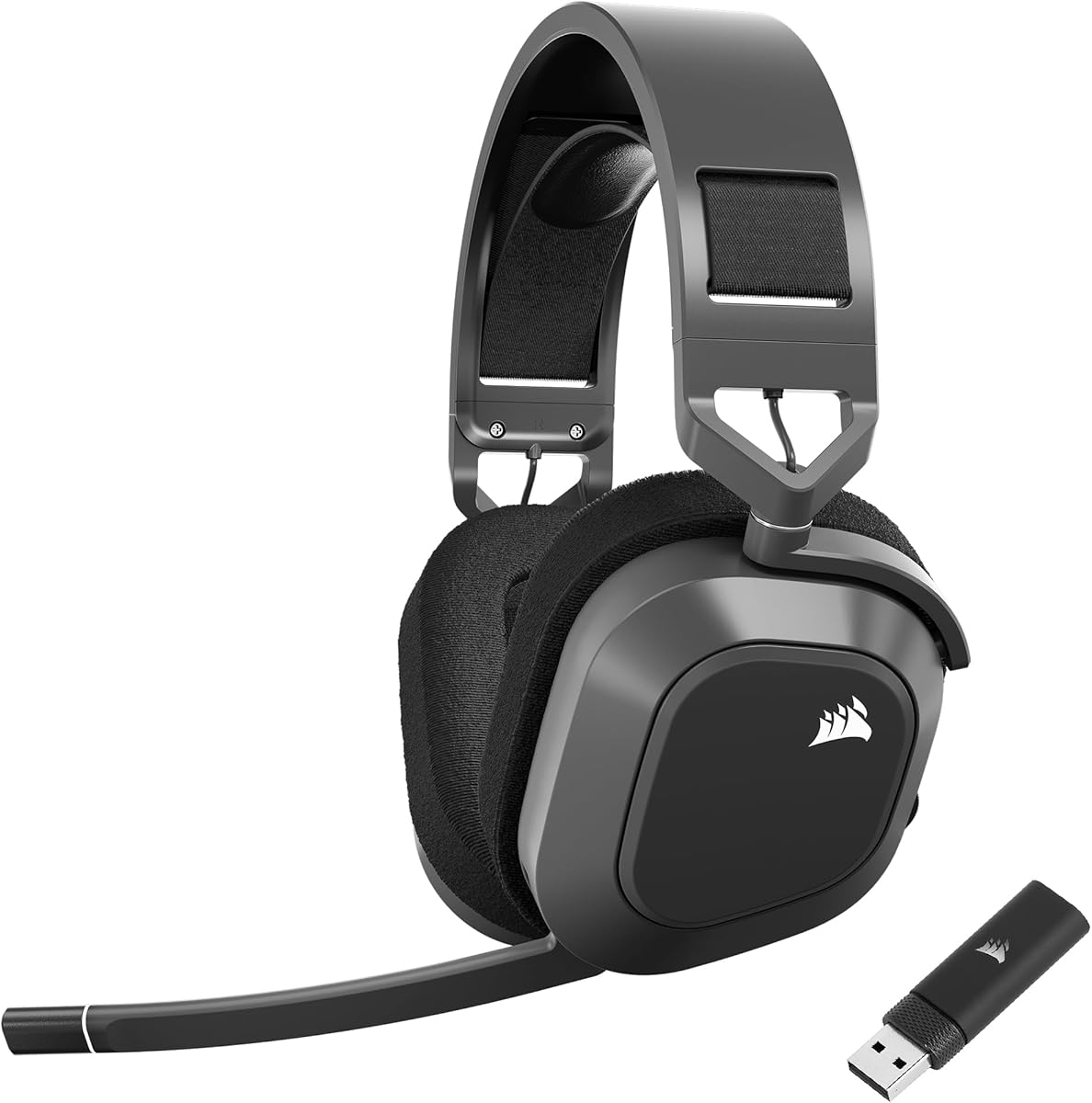
The HS80 RGB brings iconic Corsair design to Mac with immersive wireless audio. It features robust drivers and durable build quality.
We may earn a commission when you buy through this link, at no additional cost to you.
SLIPSTREAM wireless offers low latency for precise gameplay. Custom 50mm drivers deliver rich sound details. The omni-directional mic captures voice clearly with flip-up mute.
While Dolby Atmos works best on PC, Mac users still enjoy solid stereo. It is slightly heavier but remains comfortable for long sessions.
Ideal for Mac users wanting quality wireless audio and style. Choose this if you value audio clarity and durability.
High-density drivers produce detailed audio across all frequencies.
SLIPSTREAM technology keeps audio synchronized with visuals.
We may earn a commission when you buy through this link, at no additional cost to you.
This white variant offers the same reliable performance as the black model with a fresh design. It excels in comfort and build quality.
We may earn a commission when you buy through this link, at no additional cost to you.
Angled 53mm drivers provide optimal sound. Memory foam cushions wrapped in leatherette offer plush comfort. A metal frame ensures resilience against travel or drops.
Its inline volume and mic controls simplify adjustments. Since it is wired, battery concerns are nonexistent but mobility is reduced.
Perfect for those wanting a stylish and comfortable wired headset. Select this for long gaming sessions and durable build.
Soft leatherette and memory foam create a secure plush fit.
Quick audio and mute buttons on the earcup for easy access.
We may earn a commission when you buy through this link, at no additional cost to you.
Barracuda X Chroma offers versatile dual wireless for Mac and mobile. It balances portability with gaming performance.
We may earn a commission when you buy through this link, at no additional cost to you.
Dual wireless allows seamless switching between devices. TRIFORCE drivers deliver clear audio. The detachable mic makes it travel-friendly.
Its lightweight build suits commuting but lacks Xbox support. Battery life is excellent with RGB off.
Best for users needing multi-device connectivity. Choose this if you switch between gaming and work frequently.
Switch quickly between PC and phone without re-pairing.
285g ergonomic design suits daily commutes and gaming.
We may earn a commission when you buy through this link, at no additional cost to you.
This headset delivers solid low-latency audio for Mac gamers on a budget. It provides reliable connectivity without breaking the bank.
We may earn a commission when you buy through this link, at no additional cost to you.
Its 2.4GHz USB offers under 30ms delay for smooth gameplay. 50mm drivers produce clear sound for footsteps and voice. Controls are user-friendly and quick to access.
Bluetooth requires an adapter on Mac, which is a trade-off. Build quality is functional but not premium.
Great for casual gamers prioritizing value. Choose this for entry-level wireless gaming.
USB dongle ensures lag-free audio crucial for competitive play.
Intuitive buttons handle volume, mute, and calls easily.
We may earn a commission when you buy through this link, at no additional cost to you.
HS80 MAX blends wireless and Bluetooth for versatile Mac gaming and daily use. It stands out with exceptional battery longevity.
We may earn a commission when you buy through this link, at no additional cost to you.
Low-latency 2.4GHz ensures smooth audio while Bluetooth supports mobile. The floating headband and memory foam provide all-day comfort.
It is pricier and heavier but offers unmatched convenience and endurance. RGB can be turned off to save battery.
Perfect for power users needing extended battery and comfort. Choose this for top-tier multi-device flexibility.
Switch between gaming wireless and Bluetooth for all devices.
Up to 130 hours ensures you rarely need to recharge.
We may earn a commission when you buy through this link, at no additional cost to you.
Choosing the right headset requires understanding how each feature impacts performance and comfort on Mac systems.
Mac users should look for compatibility via USB-C or 3.5mm jacks. Wireless headsets using USB-C dongles or Bluetooth offer freedom but may need adapters for Bluetooth. Wired options guarantee zero latency and no battery worries.
Choose wireless for mobility or wired for competitive stability.
Drivers range from 40mm to 53mm. Larger drivers often provide better bass and soundstage. Look for custom-tuned drivers that emphasize clarity and positional cues crucial for competitive gaming.
Prioritize drivers with wide frequency response for immersive audio.
Clear communication is vital. Noise-canceling or cardioid mics reduce background noise. Retractable or detachable mics add flexibility when not in use.
Ensure the mic has LED mute indicators for clarity.
Memory foam cushions and adjustable headbands reduce fatigue. Aluminum or metal frames enhance durability. Lightweight designs suit long sessions better.
Test fit if possible or check weight and cushion materials.
Wireless headsets vary from 20 to over 100 hours. Longer battery life means fewer interruptions. Some models support simultaneous charging and use.
Select based on your typical session length.
Virtual 7.1 surround enhances directional awareness. Some headsets rely on software for surround, others hardware. Check Mac compatibility for surround features.
Virtual surround helps hear enemy positions better.
RGB lighting adds style but drains battery. Inline controls offer quick volume adjustment. Multi-platform compatibility ensures future-proofing.
Weigh aesthetic features against battery impact.
Budget options may lack premium materials but offer solid audio. Premium models deliver build and features. Identify which features matter most to your needs.
Balance cost against longevity and comfort.
Connect via USB-C dongle or plug directly into the audio jack. For Bluetooth, pair via System Preferences under Bluetooth settings. Ensure firmware updates are installed for best compatibility.
Adjust earcups and headband for a snug fit. Keep the mic close to your mouth without touching it. Use mute buttons to control voice chat visibility.
Store in a dry place. Clean ear pads with a soft cloth. Avoid exposing the headset to extreme heat or humidity. Charge fully before long trips.
Most listed headsets support Mac via USB or 3.5mm. Check specific compatibility notes. Some Bluetooth headsets need adapters. Ensure firmware updates.
Yes, via USB dongle. Bluetooth may require an adapter. Ensure the dongle supports your Mac model. Wired options avoid this issue.
Many models support PS5, PS4, and Switch. Xbox support is limited. Check product details for console specifics.
Battery life ranges from 40 to over 100 hours depending on settings. RGB lighting reduces battery life. Keep charged for best performance.
Many models include inline volume wheels or buttons. Check specific models. Some rely on system volume controls.
Cardioid or noise-canceling mics are best for clear voice. Retractable mics protect the capsule. Look for LED indicators.
Wireless offers mobility but wired ensures zero latency. Choose based on your play style. Wired is preferred for competitive gaming.
Some require companion apps for virtual surround. Others work out of the box. Check Mac software compatibility.
The top picks cover diverse needs from budget-friendly wireless to premium comfort. Each offers distinct strengths for immersive Mac gaming.
Prioritize connection type, comfort, and battery life based on your setup. Match features to your gaming habits for best satisfaction.
Prices and availability change regularly. Verify current details before purchase to ensure the best deal.