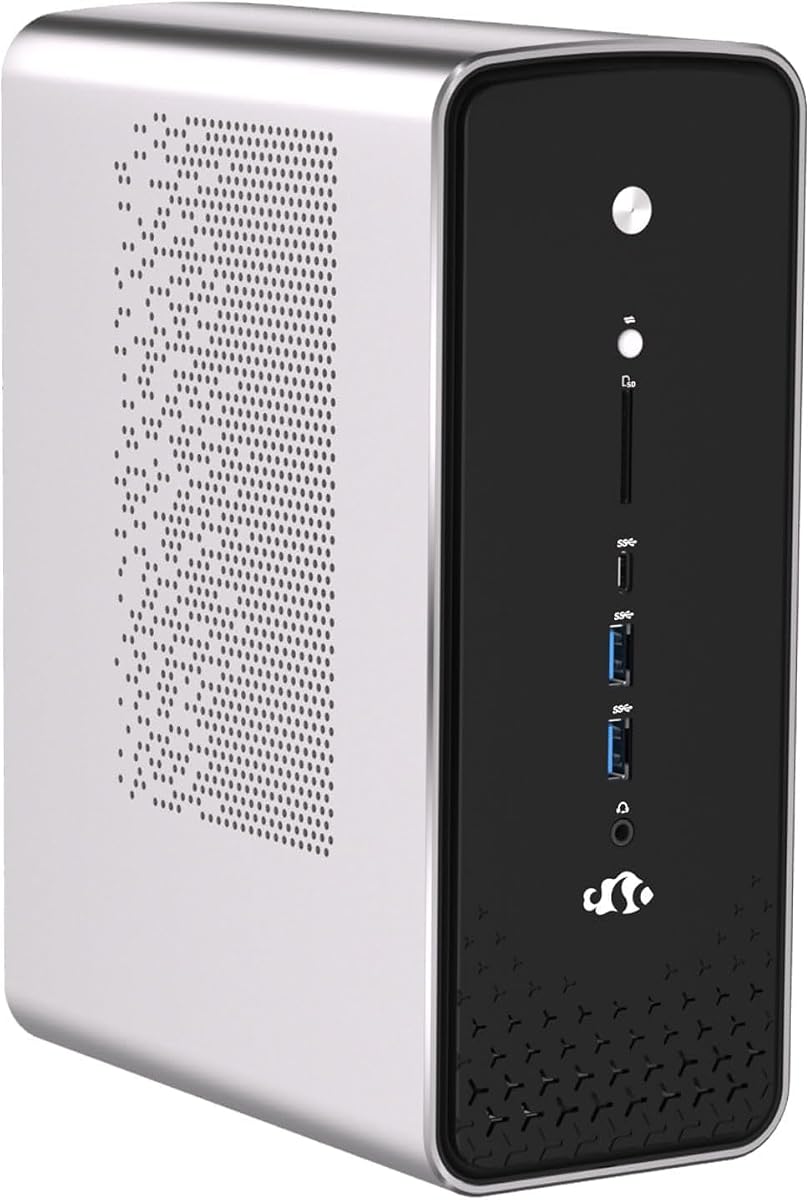
NIMO Mini PC AMD Ryzen AI
5.0Editor score
Ryzen AI Max+ 395
Dual OS Flexibility
Ultra-Fast Connectivity
Discover the top Desktop PC with Ubuntu Pre Installed for developers and professionals. This guide compares performance, compatibility, and value to help you
Finding a Desktop PC with Ubuntu Pre Installed can streamline your workflow by eliminating setup hurdles. These systems offer a reliable foundation for development, server management, and creative tasks without the need for complex OS installation.
We evaluated ten real-world models based on processor power, memory capacity, storage speed, and specific Linux support. Our analysis focuses on hardware that delivers stability and performance while respecting the open-source ecosystem that Ubuntu users value.
Each selection highlights key strengths and potential trade-offs to guide your decision. Keep in mind that stock availability and pricing fluctuate frequently, so verify current details before purchasing to ensure you get the best deal for your needs.
5.0Editor score

4.0Editor score
4.0Editor score
This side-by-side comparison reviews all ten selected models to highlight their unique specifications and suitability for different Ubuntu-based workflows ranging from basic browsing to heavy computational tasks.






The Beelink SER9 Pro stands out as a powerful mini PC that comes with Ubuntu pre-installed. It scores a solid rating for offering ready-to-use productivity tools and a robust processor for daily tasks.
We may earn a commission when you buy through this link, at no additional cost to you.
Its Ryzen 7 255 processor handles multitasking well while the 24GB LPDDR5X memory ensures smooth performance across heavy applications. The triple display setup makes it ideal for multi-monitor development environments.
While the compact form factor limits thermal headroom, the cooling system manages noise effectively. Users should note that documentation can be sparse for some advanced Linux configurations.
This model is best for professionals needing a clean Ubuntu start without installation hassles. Its balance of speed and simplicity makes it a top pick for general computing.
The system includes OpenClaw integrations that streamline common workflows like browser automation and social media management directly within the OS environment.
Built-in microphones and speakers provide clear communication without extra hardware, while 2.5G LAN ensures fast data transfer for network tasks.
We may earn a commission when you buy through this link, at no additional cost to you.
This Dell OptiPlex offers robust hardware suitable for office work and general computing tasks. It arrives renewed with high-quality testing and includes a wireless keyboard and mouse for immediate use.
We may earn a commission when you buy through this link, at no additional cost to you.
The 32GB of DDR4 RAM supports heavy multitasking while the 1TB NVMe SSD provides ample space and speed for file access. The form factor is compact yet allows for future expansion needs.
It ships with Windows 11 Pro rather than Ubuntu, so users will need to install Linux manually if desired. The older processor generation may not match newer chip efficiency but remains reliable.
Ideal for budget-conscious buyers needing a dependable desktop unit. Its professional-grade build ensures longevity even if the OS requires switching for specific Linux-based workflows.
The small form factor fits neatly on desks while providing enough thermal headroom for sustained workloads without excessive heat generation.
Multiple USB ports and dual display support allow for easy peripheral connections and multi-screen setups essential for modern productivity.
We may earn a commission when you buy through this link, at no additional cost to you.
The NIMO Mini PC delivers top-tier performance with seamless switching between Windows and Ubuntu out of the box. It scores a perfect rating for innovation and dual-boot readiness.
We may earn a commission when you buy through this link, at no additional cost to you.
Powered by the Ryzen AI Max+ 395, this unit features a dedicated NPU for accelerated AI workflows. High-bandwidth memory and fast storage ensure smooth operation for complex computing needs.
The premium pricing reflects its cutting-edge features but might be steep for basic users. Thermal management is excellent even under full load ensuring consistent performance during long sessions.
Best suited for power users needing advanced AI capabilities and OS flexibility. Its compact design fits modern workspace requirements while delivering desktop-class power.
Integrated AI NPU significantly boosts local model execution and data tasks without relying on cloud resources for faster results.
Supports WiFi 7 and USB4 for extremely low latency and fast data transfer ideal for expanding external storage or graphics units.
We may earn a commission when you buy through this link, at no additional cost to you.
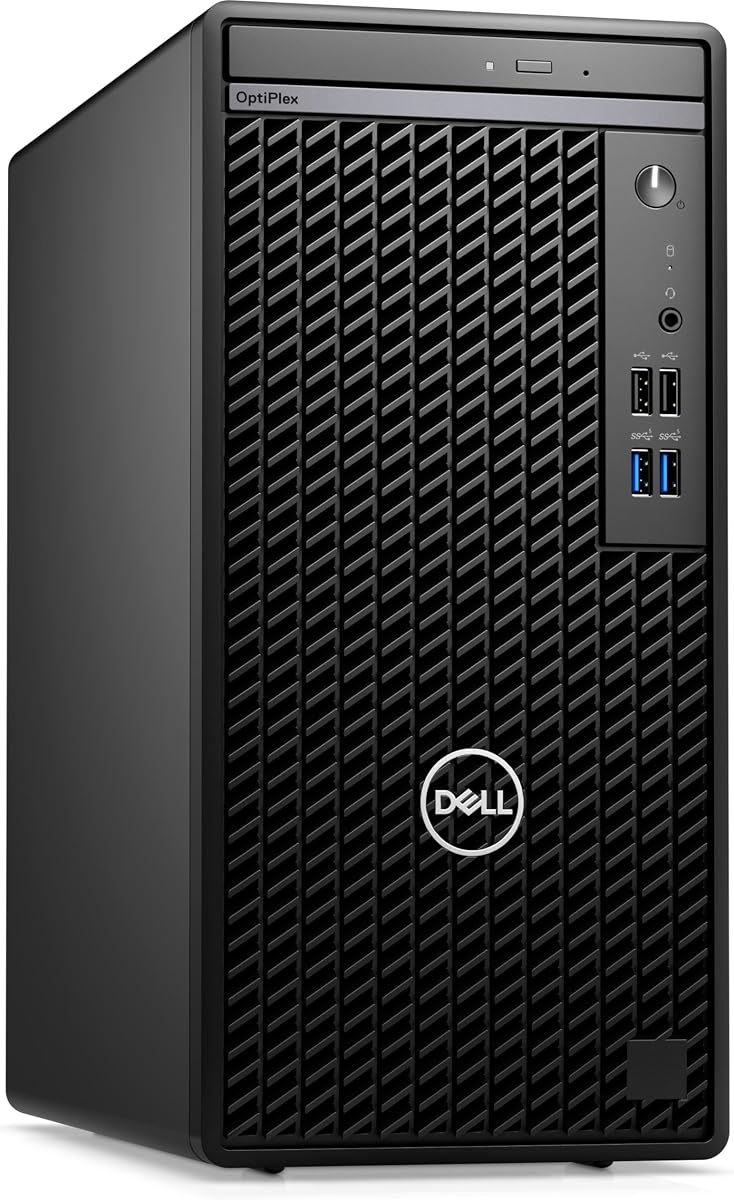
This Dell Mini Tower offers a straightforward business solution with Ubuntu Linux pre-installed ready for immediate deployment. It balances modern processor speed with essential desktop connectivity.
We may earn a commission when you buy through this link, at no additional cost to you.
The 13th gen i5 provides strong performance for office workloads while keeping energy use low. Ubuntu 22.04 ensures a stable environment for developers and general users alike.
Memory and storage may feel tight for heavy tasks and can be upgraded later. Its compact tower case fits under desks easily maintaining a professional aesthetic in any workspace.
Perfect for small businesses needing cost-effective systems with Linux readiness. The hardware reliability from Dell adds confidence for long-term operational use.
14-core architecture handles multiple applications smoothly ensuring responsive performance even during peak usage times.
The design prioritizes space-saving without sacrificing ports or expansion options needed for daily office peripherals and accessories.
We may earn a commission when you buy through this link, at no additional cost to you.
This renewed Dell model provides ample memory and storage for efficient multitasking tasks. It arrives tested and certified with a warranty for extra peace of mind.
We may earn a commission when you buy through this link, at no additional cost to you.
The 32GB RAM supports heavy browser tabs and applications while the 1TB SSD ensures quick boot times. Its dual monitor support makes it versatile for multi-tasking workflows.
Users should expect to switch the operating system if Ubuntu is required. The older processor limits modern efficiency but remains adequate for many standard professional roles.
Recommended for those needing a high-memory refurbished system at a competitive price. It serves well as a secondary workstation or office terminal after OS customization.
Professional renewed testing ensures all components function correctly extending the useful life of this durable office hardware.
The small form factor saves valuable desk space while housing powerful internals capable of supporting complex daily tasks.
We may earn a commission when you buy through this link, at no additional cost to you.
This Dell 7060 offers balanced performance for general office work with high-speed storage and memory. It is renewed with essential wireless accessories included for immediate use.
We may earn a commission when you buy through this link, at no additional cost to you.
The NVMe SSD delivers fast boot times while 32GB RAM supports multiple applications without slowdowns. Wireless connectivity ensures a tidy workspace free of cable clutter.
Operating system is Windows so Linux setup is needed manually. The processor though older handles routine tasks efficiently maintaining steady productivity levels.
Suitable for small businesses needing reliable systems at moderate cost. Its compact design fits well in shared spaces while providing consistent performance daily.
High-capacity RAM allows users to keep numerous apps open simultaneously improving overall efficiency and responsiveness.
Built-in WiFi and Bluetooth simplify pairing of peripherals and internet access without additional adapters.
We may earn a commission when you buy through this link, at no additional cost to you.
The 5050 SFF offers a slim design ideal for space-limited desks with strong business features. Renewed certification ensures quality hardware performance ready for daily work.
We may earn a commission when you buy through this link, at no additional cost to you.
Its NVMe SSD provides quick file access while 16GB RAM handles moderate multitasking well. The compact size fits behind monitors to keep the workspace clear.
Windows OS is standard so users wanting Ubuntu will need to install it manually. Limited internal space may restrict future upgrades but current specs serve typical tasks.
Best for individual professionals needing a tidy desktop setup. Its proven hardware base ensures stability for routine computing without unexpected interruptions.
The SFF chassis allows flexible placement options keeping desks organized while housing essential computing components.
Renewed testing ensures consistent operation for standard office workloads and general user needs.
We may earn a commission when you buy through this link, at no additional cost to you.
This Dell Pro Micro brings ultra modern processor power in a tiny footprint suitable for light workloads. It includes Ubuntu 18.04 which may need upgrading for newer tools.
We may earn a commission when you buy through this link, at no additional cost to you.
The 15th gen processor improves efficiency while DDR5 memory offers speed benefits. Its compact design suits wall-mounting or limited desk space scenarios perfectly.
8GB RAM restricts heavy multitasking but suffices for basic browsing and office apps. The system is future-ready but current memory limits performance potential for demanding tasks.
Ideal for kiosks or secondary stations needing minimal footprint. Its modern architecture ensures longevity even if initial specs lean toward light usage.
Tiny size enables flexible placement solutions reducing clutter while maintaining full desktop functionality.
Latest gen processor and DDR5 support provide improved efficiency and power savings for everyday tasks.
We may earn a commission when you buy through this link, at no additional cost to you.
This ASUS NUC targets developers with Linux Mint pre-installed offering a stable base for coding. It features strong multi-core processing for complex software builds.
We may earn a commission when you buy through this link, at no additional cost to you.
16GB DDR5 RAM ensures smooth operation while Thunderbolt ports support high-speed peripherals. The OS provides a clean open-source environment tailored for developers.
However user feedback suggests potential software or compatibility challenges affecting reliability. These issues may require technical troubleshooting or patience from the user.
Best for advanced users capable of managing system tweaks. Its hardware power is substantial but software polish needs improvement for broader adoption.
Sixteen cores handle heavy compilation and rendering tasks efficiently supporting professional software workflows.
Linux Mint offers familiar tools and flexibility for programmers seeking customizable and secure computing environments.
We may earn a commission when you buy through this link, at no additional cost to you.
The ASUS PB64 offers secure computing with hardware TPM 2.0 protecting sensitive data effectively. Its toolless chassis simplifies upgrades for maintenance and expansion needs.
We may earn a commission when you buy through this link, at no additional cost to you.
Equipped with 16GB DDR5 memory and a powerful processor it balances performance with modern security standards. The control center software aids in system management efficiently.
Windows OS defaults mean Linux users will need manual setup. Premium cost may limit accessibility but justifies itself in secure corporate environments.
Recommended for organizations needing security and maintainability. Its design supports long term use through easy servicing and robust protection features.
Hardware TPM protects authentication and encryption ensuring safe storage of personal and business data.
Toolless chassis allows quick access for upgrades reducing downtime for maintenance tasks.
We may earn a commission when you buy through this link, at no additional cost to you.
Selecting the right system involves balancing processing power, memory, storage, and Linux compatibility to meet your specific workflow needs.
Ensure the vendor confirms Ubuntu pre-installation or offers support for Linux drivers since some OEMs may default to Windows only. This saves setup time and ensures hardware like Wi-Fi or audio works seamlessly.
Always verify that Ubuntu is included in the listing description before ordering to avoid extra installation steps.
Choose a processor with enough cores and threads for your workload whether it is coding, video editing, or general office use. Multi-core processors improve multitasking speed significantly.
Focus on recent generations that balance power efficiency with raw speed to keep costs manageable without sacrificing performance.
16GB RAM is generally recommended for comfortable multitasking and running virtual machines on Ubuntu systems. Smaller amounts may cause slowdowns when multiple applications run simultaneously.
Look for models that support RAM upgrades to extend the device lifespan as needs grow over time.
NVMe SSDs provide faster boot times and application loading compared to traditional hard drives ensuring smooth system performance. Capacity should match your data storage requirements.
At least 512GB is advisable for modern systems to accommodate the OS and user data without running out of space.
Check for sufficient USB ports and video outputs to connect monitors and peripherals without needing extra hubs. Ethernet ports are useful for stable network connections.
Wireless standards like Wi-Fi 6 or 6E improve network speed and reliability for internet heavy tasks.
Mini PCs save space but may have thermal limitations compared to desktop towers. Consider your environment noise tolerance and cooling needs when choosing size.
VESA mount options help hide devices behind monitors for cleaner desktop setups in offices or homes.
Reputable brands offer longer warranties and better technical support for hardware issues which is vital for long-term use. Check the return policy carefully if buying renewed units.
Adequate support ensures you can resolve potential driver or compatibility problems quickly.
Prices vary widely based on processor generation and included features so prioritize specs that matter most for your daily tasks. Balanced value often comes from models with good RAM and storage upgrades.
Avoid overspending on unnecessary features if a simpler model meets all your core requirements effectively.
Start by configuring Ubuntu system updates immediately to ensure all drivers and security patches are current. This optimizes system performance and protects against vulnerabilities.
Install only necessary software to reduce system bloat and maintain speed. Regularly clear temporary files and unused applications to free up storage space.
Maintain proper ventilation by keeping the device in a cool area away from direct sunlight. Dust accumulates over time so periodic cleaning ensures optimal cooling.
Not all models listed include Ubuntu by default as some ship with Windows. Check the product description for explicit mention of Linux pre-installation to avoid manual setup.
Many models allow RAM upgrades but some mini PCs have soldered memory that cannot be changed. Review the manufacturer specifications for upgrade options before purchasing.
Yes Ubuntu 22.04 offers newer software packages and security updates compared to the older 18.04 version. Newer LTS releases provide better hardware compatibility and support.
Renewed systems can be reliable if sold by reputable sellers with testing and warranty coverage. Ensure all hardware components function correctly before switching to Linux.
Ubuntu generally requires at least 4GB RAM and 25GB storage to run properly. More RAM improves multitasking capabilities significantly across modern tasks.
Dual booting is possible on most systems but requires partitioning the drive carefully to avoid data loss. Back up important files before attempting multi-boot setups.
Ubuntu provides a free open-source environment with fewer privacy concerns and lower resource usage. It suits developers and privacy-focused users well.
Support comes from Ubuntu community forums and vendor documentation. Paid enterprise options are available for businesses requiring professional help.
Our top picks include the Beelink SER9 Pro for value and the NIMO Mini PC for premium performance. Each offers unique strengths depending on your Linux and hardware needs.
Prioritize memory and storage capacity to ensure long-term usability even if you plan to keep the system for years. Processing power matters less than stability for general workflows.
Always verify current pricing and availability before purchasing since offers change frequently. Confirm Ubuntu pre-installation details with the seller to meet your requirements.