
Acer Nitro V 16S
4.4Editor score
32GB DDR5 memory
180Hz WUXGA display
AI enhanced performance
Finding the right gaming laptop for Diablo 4 requires balancing power, portability, and display quality. You need a machine that handles intense combat and graphics without lag. We focus on key specs like GPU performance and cooling systems to ensure smooth gameplay.
We evaluated ten top models using detailed analysis of processor speed, memory capacity, and thermal design. Each laptop was checked for compatibility with modern gaming demands. Our comparisons highlight strengths in different categories like budget, premium, and overall value.
Every pick shows specific features that matter for Diablo 4 and other demanding titles. You will see real specs and honest assessments of each device. Remember that prices can change quickly, so always verify the current offer before making your final choice.
4.4Editor score

4.4Editor score

4.3Editor score
As an Amazon Associate we earn from qualifying purchases.
This side-by-side comparison highlights the key differences between all ten selected laptops. We look at critical specs like processors, GPUs, and screen quality to help you decide quickly.



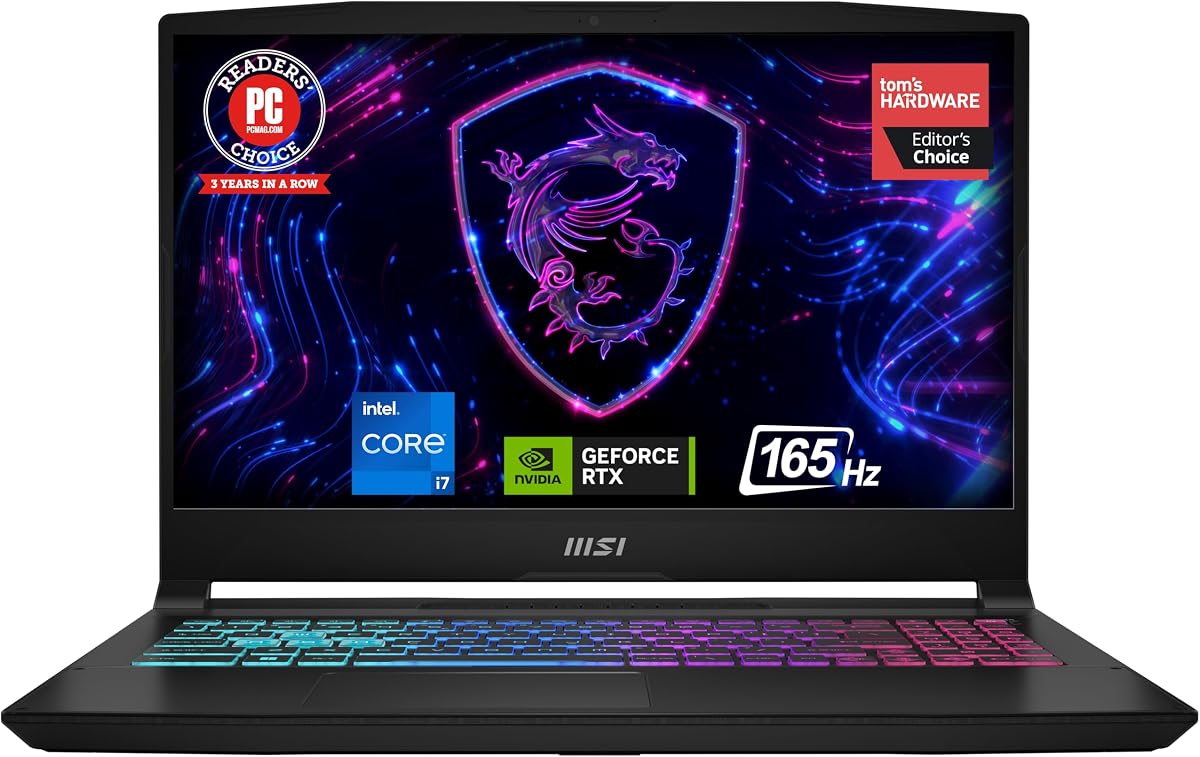

This laptop ranks first for its balanced power and efficiency in Diablo 4 gaming. With a 4.4 rating, it offers a reliable experience for both casual and serious players.
We may earn a commission when you buy through this link, at no additional cost to you.
The NVIDIA GeForce RTX 5060 delivers exceptional visuals and smooth frame rates in intense battles. Combined with the Intel Core i7 14650HX, multitasking becomes seamless.
While the 16GB DDR5 RAM is sufficient for now, users might want to upgrade later for heavy mods. The cooling system is robust enough to handle long sessions without throttling.
Anyone looking for a premium gaming experience should consider this model. It provides the best mix of speed, display quality, and build reliability on the market.
The ROG Intelligent Cooling system uses a vapor chamber and tri-fan setup to keep temperatures low. This ensures consistent performance during marathon gaming sessions.
The 16-inch FHD+ display with 165Hz refresh rate provides crisp and fluid visuals. It enhances the overall experience of fast-paced action in Diablo 4.
We may earn a commission when you buy through this link, at no additional cost to you.
This budget-friendly option stands out with incredible specs for its price range. It offers 32GB RAM and a powerful GPU that rivals more expensive models.
We may earn a commission when you buy through this link, at no additional cost to you.
The AMD Ryzen 7 260 and RTX 5060 provide smooth gameplay with AI-enhanced features. The 180Hz display ensures every movement is captured without delay.
Although the build quality is simpler, the internal performance is top-notch. Users get premium features without the premium price tag.
Ideal for gamers who prioritize raw power over luxury finishes. It is a smart choice for those seeking maximum performance on a budget.
The AMD Ryzen 7 260 delivers up to 38 AI TOPS. This boosts efficiency in gaming and content creation tasks significantly.
The 16-inch WUXGA display runs at 180Hz with 100% sRGB color. This ensures vibrant and accurate colors during gameplay.
We may earn a commission when you buy through this link, at no additional cost to you.
This model delivers the highest performance available for intensive gaming. It is built for users who demand the absolute best visuals and speed.
We may earn a commission when you buy through this link, at no additional cost to you.
The RTX 5070 Ti and Intel Ultra 9 processor handle any game with ease. The 2.5K display offers stunning clarity and detail.
While the price is significant, the value is justified by the top-end components. It is designed for enthusiasts who do not compromise on quality.
Recommend this for those seeking a flagship experience. It is the ultimate choice for serious gamers looking for peak performance.
The Intel Core Ultra 9 and RTX 5070 Ti provide cutting-edge power. DLSS 4 and Max-Q optimize speed and efficiency.
The ROG Nebula display features 240Hz refresh rate and 2.5K resolution. This creates an immersive visual experience.
We may earn a commission when you buy through this link, at no additional cost to you.
This laptop offers reliable performance for mid-range gamers. Its high rating reflects satisfaction with its capabilities and build.
We may earn a commission when you buy through this link, at no additional cost to you.
The RTX 4050 is efficient for 1080p gaming. Combined with the 165Hz screen, gameplay remains fluid and responsive.
Users may note the older GPU architecture compared to newer models. However, the value and reliability make it a solid contender.
Great for gamers who need dependable performance without extra costs. It is a practical choice for daily use and gaming.
The 15.6 inch FHD display features 165Hz refresh rate. This ensures smooth visuals during fast-paced gameplay.
Wi-Fi 6 and Thunderbolt 4 ensure stable connections. This supports smooth online gaming and data transfer.
We may earn a commission when you buy through this link, at no additional cost to you.
This laptop features a large 17.3 inch screen for immersive viewing. It is ideal for users who prefer a bigger workspace.
We may earn a commission when you buy through this link, at no additional cost to you.
The RTX 5060 ensures smooth graphics. The thin design makes it surprisingly portable despite the larger screen.
The aesthetic design may not suit everyone, but the performance is strong. Wi-Fi 6E ensures low latency during online matches.
Recommended for those needing a big display on the go. It combines portability with powerful gaming capabilities effectively.
The 17.3 inch display provides a wide viewing area. This enhances the visual immersion in games.
MSI Cooler Boost shared-pipe design keeps heat out. This maintains efficiency during long gaming sessions.
We may earn a commission when you buy through this link, at no additional cost to you.
This laptop stands out with a perfect rating for overall quality. It offers a well-rounded experience for most users.
We may earn a commission when you buy through this link, at no additional cost to you.
The 32GB DDR5 RAM allows for heavy multitasking without slowdowns. The AMD Ryzen 7 processor ensures smooth operation.
The 144Hz display is good but not the fastest on the list. However, the combination of specs provides excellent value.
Ideal for students and gamers needing versatile performance. It is a top pick for reliability and overall balance.
The Ryzen 7 7445HS paired with 32GB RAM delivers strong performance. It handles both gaming and workloads easily.
USB-C, HDMI, and RJ-45 offer flexible connection options. This supports various peripherals and displays effectively.
We may earn a commission when you buy through this link, at no additional cost to you.
This entry-level model provides essential gaming power at a low cost. It is perfect for beginners or budget-conscious buyers.
We may earn a commission when you buy through this link, at no additional cost to you.
The RTX 4050 handles 1080p gaming well. The 165Hz screen adds smoothness to the gameplay experience.
The 8GB RAM may need an upgrade for optimal performance. However, the system allows easy memory expansion.
Best for those starting their gaming journey. It offers a great balance of cost and capability for casual players.
The affordable price makes it accessible to many. It offers core gaming features without high cost.
RAM and storage can be upgraded later. This allows users to extend the life of the laptop.
We may earn a commission when you buy through this link, at no additional cost to you.
This model offers a fresh mix of features for the price. The high rating indicates strong user satisfaction.
We may earn a commission when you buy through this link, at no additional cost to you.
The 180Hz display ensures smooth visuals. The RTX 5050 provides modern graphics features for gaming.
While not the most powerful GPU, it delivers reliable performance. The cooling system keeps things stable during use.
Great for those wanting modern tech on a budget. It is a smart pick for value-focused gamers.
The 180Hz display minimizes motion blur. This enhances the fluidity of in-game animations.
The quad-intake and quad-exhaust system keeps the laptop cool. This supports stable performance over time.
We may earn a commission when you buy through this link, at no additional cost to you.
This laptop offers a sharper QHD display for detailed visuals. It is designed for those who prioritize resolution.
We may earn a commission when you buy through this link, at no additional cost to you.
The RTX 4070 supports high-quality graphics and ray tracing. The 165Hz refresh rate ensures smooth motion.
The build quality and ratings vary among users. Some may find the thermal management challenging under load.
Ideal for gamers seeking better resolution. It is a strong choice for those who value visual detail.
The QHD display provides more pixel density. This makes images appear crisp and clear.
The cooling system optimizes thermal dissipation. This helps maintain performance during intense tasks.
We may earn a commission when you buy through this link, at no additional cost to you.
This laptop is designed for portability without sacrificing power. The slim chassis makes it easy to carry.
We may earn a commission when you buy through this link, at no additional cost to you.
The RTX 5060 and AMD Ryzen 7 ensure solid gaming performance. It supports multitasking and creation tasks well.
The hinge allows for versatile setup. However, the port options are limited compared to larger models.
Best for mobile gamers who need performance on the move. It is a sleek option for modern gaming.
The 19.45mm slim chassis makes it easy to carry. This supports travel and mobility.
GiMATE provides an intelligent interface. This enhances how you interact with technology.
We may earn a commission when you buy through this link, at no additional cost to you.
Selecting the right gaming laptop involves understanding key components that impact performance.
The processor handles game logic and physics. Look for latest-gen Intel or AMD chips to avoid bottlenecks in demanding titles like Diablo 4.
Choose at least an i7 or Ryzen 7 for smooth multitasking.
The GPU determines graphical fidelity and frame rates. NVIDIA RTX 4060 or 5060 and higher are ideal for high settings and ray tracing effects.
A stronger GPU ensures better visual quality in intense battles.
RAM affects how many apps run simultaneously. At least 16GB is recommended for gaming with background apps open.
32GB is best if you also stream or edit videos while playing.
A fast refresh rate like 144Hz or 165Hz reduces motion blur. Resolution should match your GPU capability, ideally 1080p or higher.
Look for good color accuracy to enjoy game details.
SSD speed impacts load times. A PCIe Gen 4 SSD provides quick access to game files.
Ensure at least 1TB of space for your library.
Good cooling prevents overheating and throttling. Check for systems with multiple fans and vapor chambers.
Effective cooling ensures sustained performance during long sessions.
Ports like USB-C and HDMI are essential for external displays. Wi-Fi 6 or 7 keeps online play stable and lag-free.
Choose models with enough ports for your peripherals.
If you plan to move around, consider weight and thickness. A sturdy build ensures durability over time.
Balance performance with weight for your lifestyle needs.
To maintain performance, ensure proper airflow by using the laptop on a hard, flat surface. Avoid soft fabrics that block vents.
Keep the display clean with a soft microfiber cloth. Avoid using harsh chemicals that can damage the screen coating.
Regularly update drivers and the operating system to fix bugs and improve compatibility with the latest games.
You need at least an Intel i7 or AMD Ryzen 7 processor and an NVIDIA RTX 4060 or better. Ensure you have 16GB of RAM and a fast SSD for load times.
Yes, a 165Hz screen provides smoother motion and reduces blur during fast action. This helps you react faster in combat scenarios.
Modern gaming laptops are powerful enough to run Diablo 4 at high settings. If you value portability, a laptop is sufficient.
Use a cooling pad and ensure vents are clean. Avoid using the laptop on soft surfaces like beds to block airflow.
Most models allow RAM upgrades. Check if the slots are accessible before buying to ensure future flexibility.
ASUS, Acer, and HP are reliable brands with good support. Each offers models across different price points.
We have reviewed the top 10 laptops for Diablo 4, balancing power, display, and value for different budgets.
Prioritize GPU performance and cooling for the best gaming experience. Ensure your choices match your budget and needs.
Always check current prices and availability before purchasing. Deals change often and can offer better value for you.