
SSK Portable SSD 1TB
4.5Editor score
1050MB/s read speeds
Lightweight aluminum case
SLC caching technology
This guide compares the top External SSD for MacBook Neo models based on speed, durability, and compatibility to help you choose the right storage solution
Finding the right external storage is crucial for MacBook Neo users who need reliable speed and portability. These drives offer fast transfer rates and rugged designs to protect your valuable data on the go.
We evaluated ten top-rated portable SSDs focusing on real-world performance, build quality, and Mac compatibility. Our analysis includes detailed specs and user feedback to ensure you make an informed decision for your workflow.
Each pick highlights unique strengths like encryption, drop resistance, or blazing fast speeds. Please note that prices fluctuate frequently so check the latest deals before purchasing your new external drive.
4.5Editor score

4.6Editor score

4.6Editor score
The following table provides a side-by-side comparison of all ten featured drives highlighting their key specifications and standout features for quick reference.






The Samsung T9 Portable SSD 1TB stands out as the top choice for users needing extreme speed. It boasts a 4.6 rating and delivers sustained read write speeds up to 2000MB/s making it ideal for heavy workflows.
We may earn a commission when you buy through this link, at no additional cost to you.
Its dynamic thermal guard ensures the drive stays cool during prolonged use preventing slowdowns. The advanced thermal solution controls heat effectively even in demanding scenarios like video editing or large file transfers.
While it commands a premium price it offers longevity and stability. Users might find the need for USB 3.2 Gen 2×2 ports limits compatibility with older devices but the performance gain is significant for modern systems.
This drive is perfect for professionals who prioritize speed and reliability. If you need a fast external SSD for MacBook Neo that handles intensive tasks easily the T9 is a powerful investment.
The dynamic thermal guard technology maintains optimal temperatures during heavy use ensuring consistent speeds without overheating issues.
Samsung Magician software provides firmware updates encryption and drive health monitoring for added peace of mind.
We may earn a commission when you buy through this link, at no additional cost to you.
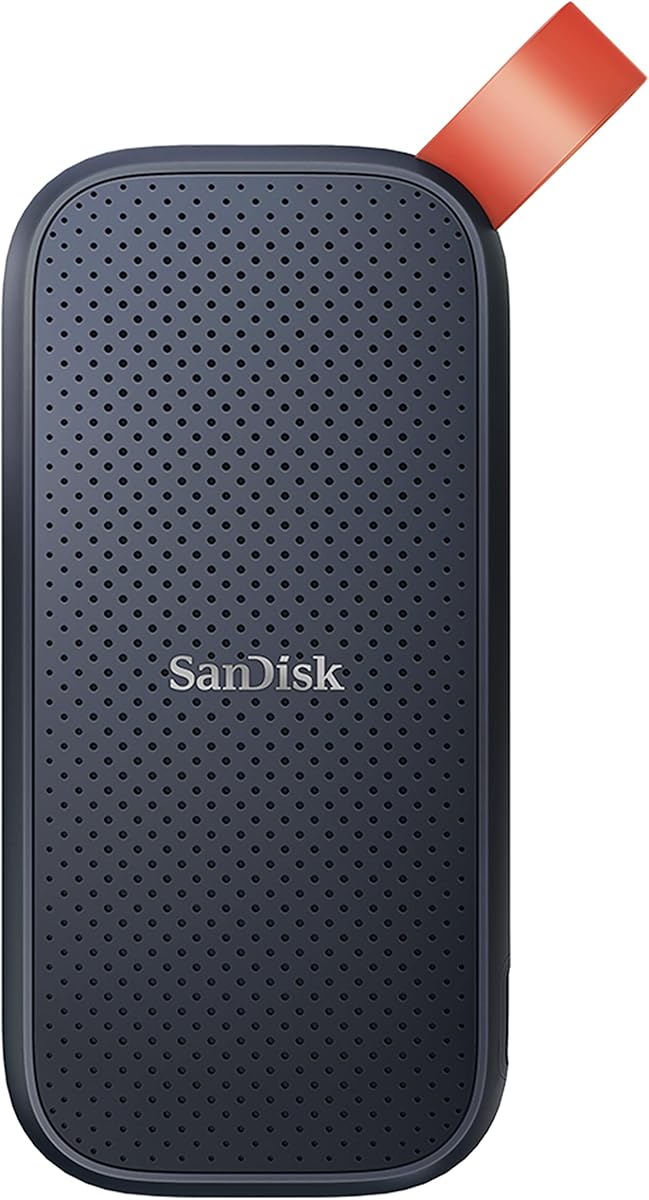
The SSK Portable SSD 1TB offers incredible value for budget conscious buyers. With a 4.5 rating it provides read speeds up to 1050MB/s and write speeds up to 1000MB/s suitable for everyday tasks.
We may earn a commission when you buy through this link, at no additional cost to you.
Its aluminum case aids heat dissipation and it weighs just 36.6 grams making it highly portable. The included USB-C and USB-A cables ensure connectivity across various devices without extra purchases.
Users should note that capacity may appear different on Windows due to binary calculations but this does not affect physical storage. While durable it may not offer the same ruggedness as premium models.
This drive is ideal for students or casual users needing extra space. If you want an affordable external SSD for MacBook Neo with solid performance the SSK is a smart choice.
SLC caching allocates part of the drive for high speed transfers maintaining performance within the cache capacity.
Both USB-C and USB-A cables are included allowing seamless connection to Macs PCs and mobile devices.
We may earn a commission when you buy through this link, at no additional cost to you.
The Sandisk 2TB Extreme Portable SSD is a top tier option for those needing massive storage. It features a 4.6 rating and offers read speeds up to 1050MB/s alongside robust protection features for peace of mind.
We may earn a commission when you buy through this link, at no additional cost to you.
Its IP65 rating and 3 meter drop protection make it rugged enough for tough environments. The 256-bit AES hardware encryption keeps private content secure while the carabiner loop aids secure attachment.
While the price is higher the 2TB capacity justifies the cost for heavy users. Firmware updates ensure optimal performance but may require manual intervention which could inconvenience some users.
This drive is perfect for adventurers and professionals needing reliable storage. If you need a premium external SSD for MacBook Neo that handles abuse the Extreme Portable is excellent.
With IP65 rating and 3 meter drop protection this drive withstands water dust and falls effectively.
256-bit AES hardware encryption ensures your sensitive files remain private and protected from unauthorized access.
We may earn a commission when you buy through this link, at no additional cost to you.
The Lexar ES3 1TB Silver is designed for users who value aesthetics and portability. It holds a 4.4 rating and delivers read speeds up to 1050MB/s with a slim 10.5mm profile.
We may earn a commission when you buy through this link, at no additional cost to you.
Weighing only 42 grams it fits easily in pockets making it great for daily carries. DataShield encryption software protects files ensuring your data remains secure during transit.
It supports iPhone 17 series but not older models which might limit some users. Also lack of MagSafe is noted. These trade-offs are acceptable for those prioritizing a sleek form factor.
This drive suits users who want a stylish external SSD for MacBook Neo. If portability and design are key the Lexar ES3 offers a compelling balance of speed and look.
At only 10.5mm thick and 42g it is smaller than a card and fits effortlessly in any pocket.
Lexar DataShield provides 256-bit AES encryption to safeguard your files from unauthorized access.
We may earn a commission when you buy through this link, at no additional cost to you.
The Samsung T7 Portable SSD 1TB is renowned for its reliability and user satisfaction. It holds a 4.7 rating and delivers read speeds up to 1050MB/s with NVMe technology for fast file access.
We may earn a commission when you buy through this link, at no additional cost to you.
Its aluminum unibody construction ensures durability and heat dissipation. It offers shock resistance up to 6 feet making it tough enough for travel and daily handling without worry.
While it does not match Gen 2×2 speeds it remains versatile for most users. Color choices are limited but the performance consistency makes up for this minor limitation significantly.
This drive is ideal for anyone needing a dependable external SSD for MacBook Neo. If reliability and proven performance matter the T7 remains a top recommendation across industries.
The aluminum construction provides a sturdy feel and helps dissipate heat during active use.
Drop protection up to 6 feet ensures the drive can withstand accidental falls during travel.
We may earn a commission when you buy through this link, at no additional cost to you.
The Sandisk 1TB Portable SSD offers straightforward storage for basic needs. With a 4.5 rating it provides read speeds up to 800MB/s which is sufficient for many standard file transfer tasks.
We may earn a commission when you buy through this link, at no additional cost to you.
Its 2 meter drop protection ensures durability and the rubber hook allows easy securement to bags. This simplicity makes it ideal for users who just need backup without complex features.
Speeds are lower than newer models and it is an older variant. These factors are acceptable if budget and reliability are your main priorities for external storage solutions.
This drive is great for casual users seeking an external SSD for MacBook Neo. If you want no-fuss storage with solid durability the Sandisk 1TB Portable is a practical choice.
The tough rubber hook lets you attach the drive to your belt loop or backpack securely.
Up to two-meter drop protection means this durable drive can take a beating during travel.
We may earn a commission when you buy through this link, at no additional cost to you.
The Lexar 2TB ES3 External SSD provides expansive storage for large file collections. It has a 4.5 rating and offers read speeds up to 1050MB/s with write speeds up to 1000MB/s.
We may earn a commission when you buy through this link, at no additional cost to you.
Built-in graphite sheets conduct heat away keeping the drive cool during transfers. Its 2 meter drop resistance ensures durability for everyday use and office environments.
The price reflects the 2TB capacity and it is heavier than 1TB models. These are acceptable trade-offs for users needing significant storage space without relying on cloud solutions.
This drive suits professionals needing an external SSD for MacBook Neo with high capacity. If you need to store vast media libraries the Lexar 2TB ES3 is a reliable workhorse.
Double layer graphite sheets quickly conduct heat ensuring the drive stays cool during blazing fast transfers.
Super-fast backups and instant storage expansion allow you to grow your workspace easily.
We may earn a commission when you buy through this link, at no additional cost to you.
The Lexar D70E 1TB Dual Drive External SSD simplifies connectivity with its unique design. It boasts a 4.7 rating and offers read speeds up to 2000MB/s via USB-C and 1000MB/s via USB-A.
We may earn a commission when you buy through this link, at no additional cost to you.
Its cable-free design with dual connectors allows seamless backups across Mac PC tablets and mobile devices. The Lexar App enables automatic photo and video backups for convenience.
The metal housing and integrated lanyard loop add protection and portability. While the setup might take getting used to the ease of use is worth the effort.
This drive is ideal for users needing a versatile external SSD for MacBook Neo. If you want easy cross-device file transfers without extra cables the D70E is a unique solution.
Dual USB-C and USB-A connectors allow direct seamless backups across Mac PC tablets and mobile devices.
The Lexar App can automatically backup photos and videos for convenient use and data safety.
We may earn a commission when you buy through this link, at no additional cost to you.
The Sandisk 1TB Extreme PRO Portable SSD delivers fast performance even as an older model. It holds a 4.5 rating and offers read speeds up to 2000MB/s with a tough aluminum chassis.
We may earn a commission when you buy through this link, at no additional cost to you.
IP65 rating and 3 meter drop protection ensure it survives tough environments. The 256-bit AES encryption protects your data while the Memory Zone app helps manage files.
Being an old model it may be harder to find and requires manual app downloads. These are minor issues given the speed and ruggedness it offers to users.
This drive is great for speed-focused users needing an external SSD for MacBook Neo. If you want fast transfers and protection at a lower price point the Extreme PRO is solid.
A forged aluminum chassis acts as a heatsink to deliver higher sustained speeds in a portable drive.
IP65 water and dust resistance keeps the drive safe from environmental hazards during outdoor use.
We may earn a commission when you buy through this link, at no additional cost to you.
The Western Digital My Passport SSD 1TB prioritizes security and reliability for data storage. It has a 4.5 rating and offers read speeds up to 1050MB/s with write speeds up to 1000MB/s.
We may earn a commission when you buy through this link, at no additional cost to you.
Password enabled 256-bit AES hardware encryption ensures your data is private. It is shock and vibration resistant with drop resistance up to 6.5 feet for safe handling.
While it is mid-range in price it offers excellent protection features. It might be slightly heavier than others but the security features justify the added weight for many users.
This drive is perfect for those needing a secure external SSD for MacBook Neo. If data protection is a priority the My Passport offers a reliable solution for sensitive files.
Password enabled 256-bit AES hardware encryption protects your files from unauthorized access effectively.
Drop resistant up to 6.5 feet ensures the drive survives accidental falls during everyday use.
We may earn a commission when you buy through this link, at no additional cost to you.
Selecting the right external SSD involves evaluating speed, capacity, durability, and compatibility to match your workflow.
Look for drives with USB 3.2 Gen 2 or Gen 2×2 interfaces to ensure fast read write speeds. Models offering 1050MB/s or higher are ideal for video editing and large file transfers.
Prioritize higher speeds if you work with 4K videos or frequent large data moves.
Choose storage capacity based on your data volume. 1TB is suitable for general use while 2TB or more is better for media libraries or extensive project files.
Consider future growth and budget when selecting the size of your external drive.
Rugged drives with IP ratings and drop protection offer peace of mind for travelers. Look for models rated for at least 2 to 3 meters of drop resistance.
Invest in rugged builds if you work outdoors or transport the drive frequently.
Data security is crucial for sensitive files. Choose drives with hardware encryption or software tools that support password protection.
Ensure the encryption method aligns with your security requirements before purchasing.
Verify that the drive supports macOS without requiring extra software. Most modern SSDs work plug-and-play but some may need firmware updates for full functionality.
Check compatibility with other devices like phones or consoles if you need cross-platform use.
Lightweight and slim designs are easier to carry daily. Look for drives under 50 grams and thin profiles if portability is a top priority.
A compact design ensures the drive fits in your pocket or bag easily.
Ensure the drive comes with the necessary cables including USB-C to USB-C. Dual connector options add flexibility for connecting to older devices.
Check included accessories to avoid buying extra adapters later.
Some drives include software for backup or file management. Check if the tools are user-friendly and supported on macOS.
Use built-in software to automate backups and maintain drive health over time.
Connect the drive to your MacBook Neo using the provided USB-C cable and wait for it to mount. Ensure your system software is updated for optimal compatibility.
Safely eject the drive before unplugging it to prevent data corruption. Use the Finder eject option instead of physically removing the cable while in use.
Store the drive in a cool dry place when not in use to maintain performance. Avoid exposing it to extreme temperatures or physical shocks during storage.
Most modern SSDs work plug-and-play with MacBook Neo as long as they support USB-C. Some may require firmware updates or adapters for older systems but current models are compatible.
If you run out of internal storage or need faster data transfer speeds an external SSD is highly recommended. It helps manage large files without relying on cloud storage.
Yes high-speed SSDs with read speeds over 1000MB/s are ideal for video editing. They allow seamless playback and rendering of 4K footage without lag.
Use drives with hardware encryption or enable software encryption tools. Regularly backing up critical files to multiple locations ensures added security and redundancy.
Gen 2×2 offers double the bandwidth of Gen 2 allowing faster transfer speeds. Ensure your MacBook supports the higher standard to take full advantage of Gen 2×2 drives.
Most SSDs last several years with normal use. Factors like write cycles and operating temperature affect longevity but proper care can extend their lifespan significantly.
We highlighted top options like the Samsung T9 for speed and the SSK for budget value. Each pick offers unique strengths to fit different user needs and preferences.
Prioritize speed and durability if you work professionally or travel often. Otherwise focus on capacity and price for general storage and backup needs.
Always check current prices and deals before making a purchase. Prices change frequently so ensuring you get the best value for your new external drive.