
Frameo Digital Picture Frame 10.1 Inch
4.6Editor score
Affordable price point
Non-WiFi support
Large storage capacity
Digital picture frames offer a wonderful way to keep grandparents connected with family members regardless of distance. These devices display a rotating slideshow of photos and videos, bringing memories to life right on the living room mantel. Choosing the right model involves considering screen size, connectivity options, and user-friendly interfaces tailored for seniors.
We have evaluated ten leading digital photo frames available on the market today to find the best options for elderly users. Our comparison focuses on setup simplicity, app reliability, storage capacity, and display quality. We also examined how easily family members can share content remotely without requiring technical expertise from the recipient.
Each pick in this list highlights specific strengths such as large touchscreens, secure sharing apps, or non-WiFi transfer methods. We include detailed reviews and a comprehensive buying guide to help you navigate the features that matter most. Please note that prices and availability are subject to change over time.
4.6Editor score
4.7Editor score

4.7Editor score
As an Amazon Associate we earn from qualifying purchases.
The following table provides a side-by-side comparison of all ten digital picture frames reviewed in this guide. It highlights key specifications such as screen size, storage capacity, and unique features to help you quickly identify the model that best fits your needs and budget.


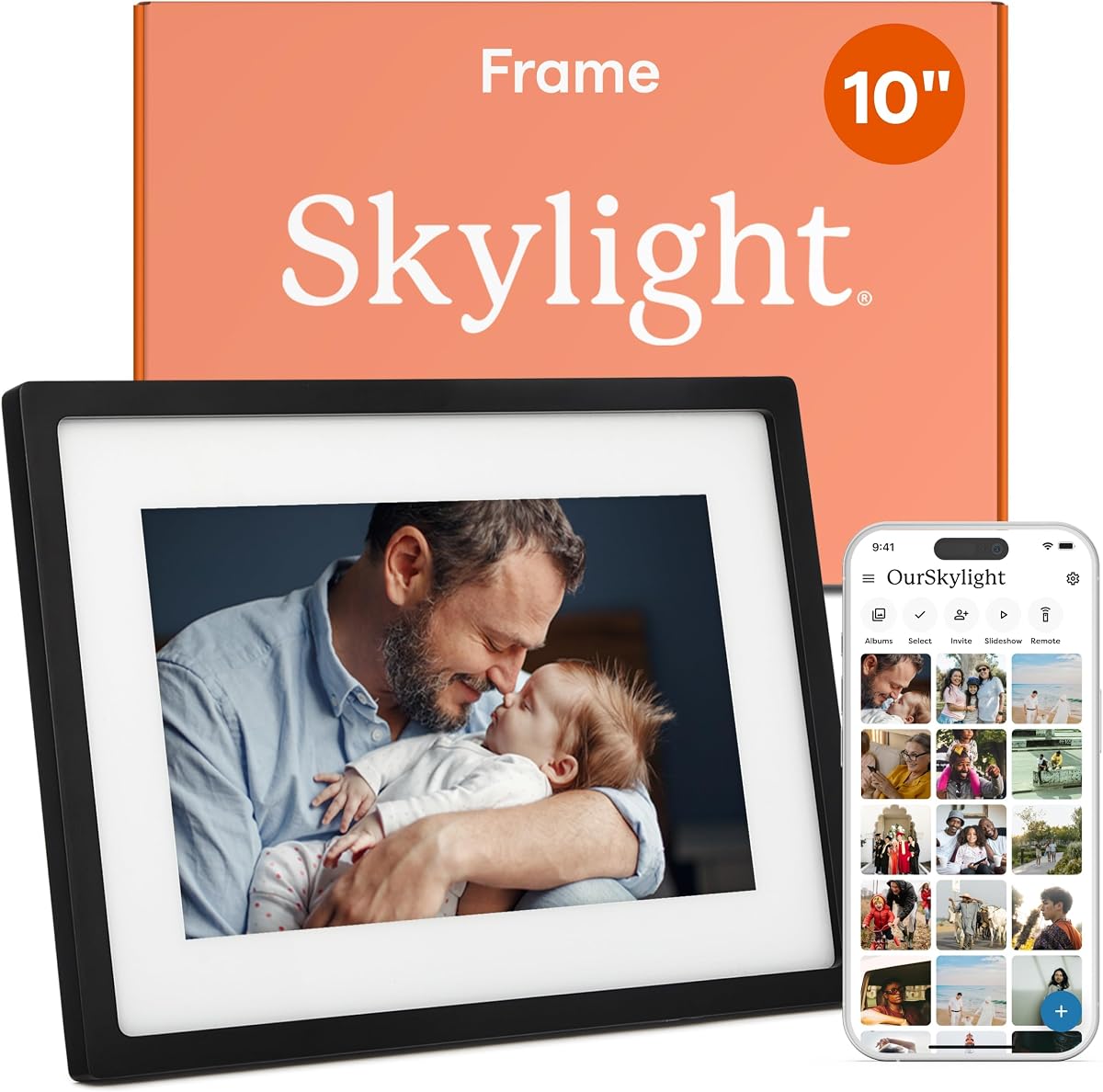
The Skylight Digital Picture Frame stands out as a top choice for grandparents due to its exceptional ease of use. With a rating of 4.7 stars it has garnered praise for its plug and play design that requires minimal technical knowledge to operate effectively.
We may earn a commission when you buy through this link, at no additional cost to you.
Its standout feature is the dedicated email address that allows family members to send photos directly to the frame without needing a smartphone app. This eliminates the confusion often associated with downloading and managing multiple applications for older users who prefer simplicity.
While the lack of a USB port means you cannot transfer photos via physical drives the cloud based storage ensures that memories are backed up and accessible from anywhere. The frame is designed to be always on and updates automatically when new photos arrive via email or app.
We recommend the Skylight Frame for anyone who wants a reliable and straightforward way to share memories with elderly relatives. It bridges the digital divide effectively by turning complex sharing processes into simple email exchanges that anyone can understand and appreciate.
Setting up the frame takes minutes as you simply plug it in and connect to Wi-Fi. The device then generates a unique email address that you can share with family members for instant photo delivery.
The Gift Mode allows you to preload the frame with photos before giving it to your loved one. This ensures the frame is ready to use immediately upon unboxing without requiring any initial setup steps.
We may earn a commission when you buy through this link, at no additional cost to you.
The Frameo Digital Picture Frame 10.1 Inch offers excellent value for families looking for an affordable yet capable digital display. Its 4.6 rating reflects high satisfaction among users who appreciate its balance of features and cost effectiveness.
We may earn a commission when you buy through this link, at no additional cost to you.
One of its key strengths is the ability to support non-WiFi transmission via SD cards or USB drives. This option is particularly useful for seniors who may find Wi-Fi setup challenging or who prefer physical methods of transferring photos from computers.
The frame includes 32GB of built-in memory which can store over fifty thousand photos ensuring there is plenty of space for cherished memories. The touchscreen interface allows for easy navigation and photo selection without requiring complex menus or remote controls.
For budget-conscious buyers this frame provides a reliable way to keep grandparents connected with family updates. The combination of flexible sharing methods and a high quality display makes it a strong contender in the affordable segment of the digital frame market.
Users can choose between the Frameo app for remote sharing or physical media for local uploads. This flexibility ensures that the frame can adapt to different technical comfort levels within the family.
The frame features an embossed design that adds a touch of elegance to any room. It comes with a magnetic stand that allows for easy switching between landscape and portrait orientations.
We may earn a commission when you buy through this link, at no additional cost to you.
The Aura Digital HD Picture Frame is designed for those who want a premium experience with superior build quality and features. With a rating of 4.7 stars it is frequently recommended by experts for its refined design and user-centric functionality.
We may earn a commission when you buy through this link, at no additional cost to you.
This frame stands out due to its unlimited cloud storage policy which means users never have to worry about deleting old photos to make room for new ones. The storage is completely free without any hidden subscription fees or monthly charges for the service.
The display is calibrated for exceptional color accuracy and brightness making photos look vibrant and lifelike in any lighting condition. It also supports iOS Live Photos and short video clips with sound adding a dynamic element to the memory sharing experience.
If you are looking for a high-end gift that conveys thoughtfulness and care the Aura Frame is an excellent choice. Its elegant packaging and seamless setup process make it a standout product that delivers both functionality and aesthetic appeal for modern homes.
The Aura app integrates with iCloud and Google Photos allowing family members to share photos directly from their existing photo libraries. This reduces friction and encourages more frequent sharing of daily moments.
Built-in sensors adjust the screen brightness based on ambient light conditions. This feature protects the eyes and ensures the display is never too bright or too dim regardless of the time of day.
We may earn a commission when you buy through this link, at no additional cost to you.
The 64GB 15.6 Frameo Frame offers a large viewing area that makes it easy for grandparents to see photos without straining their eyes. Its 4.5 rating indicates that users appreciate the generous screen size and the high quality of the display panel.
We may earn a commission when you buy through this link, at no additional cost to you.
With 64GB of built-in memory this frame can store approximately one hundred thousand photos providing ample space for extensive photo collections. The IPS Full HD display ensures that colors are vivid and that the image remains clear from various viewing angles.
The touchscreen interface allows for intuitive navigation making it simple to switch between photos or change settings. Additionally the frame supports video playback with sound which adds an interactive element to the display of memories beyond still images.
This model is ideal for families with a large number of photos or those who want a central display piece in a living room. The large size and high capacity make it a practical choice for keeping family memories front and center every day.
The frame includes a built-in speaker allowing videos to be played with audio. This feature brings memories to life by adding sound to moving pictures shared by family members.
While 64GB is substantial the frame also supports SD cards and USB drives for further expansion. This ensures you never run out of space even if you collect years of photos.
We may earn a commission when you buy through this link, at no additional cost to you.
The Frameo 15.6 Large Display combines a large screen with a competitive price point making it a strong option for families on a budget. Its 4.5 rating reflects consistent performance and a user experience that meets the needs of most households.
We may earn a commission when you buy through this link, at no additional cost to you.
This frame features a 1920×1080 pixel resolution which provides sharp and detailed images. The large size ensures that photos are easily visible even from a distance or when multiple people are viewing them together in a social setting.
The React feature allows recipients to send emojis back to the sender providing a simple way to express appreciation or emotion without needing a keyboard. This interactive element adds a layer of communication that enhances the connection between family members.
We recommend this frame for those who want a large display without paying a premium price. It is well suited for living rooms or bedrooms where a larger screen can make a significant visual impact on daily viewing.
The sleep mode feature allows the frame to automatically turn off during set hours to save energy. This is useful for preventing light pollution in bedrooms and reducing electricity costs.
The frame automatically detects orientation and adjusts photos accordingly. This ensures that vertical photos remain upright and horizontal photos fill the screen correctly without manual intervention.
We may earn a commission when you buy through this link, at no additional cost to you.
The AEEZO Digital Picture Frame incorporates several smart features that enhance the viewing experience for users. With a rating of 4.6 stars it is appreciated for its responsive screen and intelligent adjustments to light conditions.
We may earn a commission when you buy through this link, at no additional cost to you.
A notable feature is the built-in light sensor which automatically adjusts the screen brightness based on the ambient light level. This helps to reduce eye strain and ensures the image looks good whether the room is dim or brightly lit.
The frame includes a gravity sensor that auto-adjusts the photo orientation when the device is rotated. This ensures that photos are always displayed correctly without the user needing to manually edit or rotate them before sending.
This frame is a great choice for families who want a touch of automation in their digital display. The combination of smart adjustments and easy-to-use features makes it a reliable tool for sharing memories with older adults.
The automatic brightness control adapts to the environment to ensure the screen is never too bright. This feature is particularly helpful for nighttime viewing when glare can be an issue.
Users can enable a display that shows the current time and weather conditions. This turns the frame into a functional home accessory that provides useful daily information.
We may earn a commission when you buy through this link, at no additional cost to you.
The FRAMEO 10.1 Smart Frame offers unique layout options that allow for creative display of multiple photos at once. Its 4.6 rating highlights the satisfaction users feel with its flexible viewing modes and interactive features.
We may earn a commission when you buy through this link, at no additional cost to you.
One standout function is the collage mode which can display up to six photos simultaneously in various layouts. This allows family members to see a collection of memories from a specific trip or event in a single view.
The integrated calendar syncs with popular services like Google and Outlook to show daily schedules alongside photos. This feature helps keep grandparents organized and connected to family activities while enjoying their visual memories.
This frame is recommended for those who want more than just a simple slideshow. The ability to organize photos into custom albums on the device adds a layer of control and personalization that many users find valuable.
The collage mode allows for creative arrangements of multiple images. This is ideal for showcasing groups or events where multiple photos tell a better story than a single image.
Syncing the calendar helps the frame serve as a family organizer. It displays important dates and appointments ensuring that no important event is forgotten.
We may earn a commission when you buy through this link, at no additional cost to you.
The Flyruit Frameo 15.6 Frame is a powerful device designed to deliver a high-quality visual experience for seniors. Its 4.7 rating is a testament to its ability to display memories with clarity and ease of use.
We may earn a commission when you buy through this link, at no additional cost to you.
With a 15.6 inch Full HD display this frame offers a large canvas for photos which is particularly beneficial for those with vision impairments. The large size makes it easy to see faces and details without needing to squint.
The Greeting mode allows users to send themed pictures for special occasions like birthdays. This feature adds a personal touch to the sharing process and helps celebrate milestones directly on the device.
We suggest this model for families who prioritize screen size and display quality. The combination of a large touchscreen and high resolution ensures that every photo looks its best and remains visible from across the room.
The Greeting mode provides themed visuals for holidays and birthdays. This turns the frame into a dynamic display that acknowledges special dates automatically.
For those without reliable internet access the frame supports USB and SD card transfers. This ensures that the device can still function as a digital album without a network connection.
We may earn a commission when you buy through this link, at no additional cost to you.
This model currently lacks detailed product information in our database. We recommend checking the official product page on Amazon for the latest specifications and user reviews before making a purchase decision.
We may earn a commission when you buy through this link, at no additional cost to you.
When considering an unknown model it is important to verify the seller's reputation and return policies. Reading recent customer feedback can provide insight into the reliability and quality of the device.
Ensure that the product includes a clear warranty and customer support contact information. This provides peace of mind and protection against potential defects or issues that may arise during use.
We advise proceeding with caution and prioritizing models with transparent specifications and verified customer reviews. This approach ensures that you select a product that meets your needs and offers reliable performance.
Always check the product description and user manuals available on the seller's page. This helps confirm that the device includes the necessary features for your intended use.
Confirm that the manufacturer or seller offers responsive support. This is crucial for resolving any setup or technical issues that may occur.
We may earn a commission when you buy through this link, at no additional cost to you.
This product entry does not have verified details at this time. We suggest reviewing the Amazon listing directly to ensure you have the most current information regarding specifications and user ratings.
We may earn a commission when you buy through this link, at no additional cost to you.
It is important to be cautious when purchasing electronics with limited public information. Look for clear descriptions of the screen size, connectivity options, and any included accessories before buying.
Verify that the seller offers a reasonable return window in case the product does not meet your expectations. This provides flexibility and protection if the device is not suitable for your grandparents' needs.
We recommend choosing models with well-documented features and positive customer reviews to ensure a satisfactory experience. This helps avoid potential issues with connectivity or ease of use.
Investigate user reviews on the product page to gauge real-world performance. This helps identify any common issues or strengths that may not be apparent from the description alone.
Choose products from sellers with high ratings and a history of reliable shipping. This ensures that your purchase arrives in good condition and on time.
We may earn a commission when you buy through this link, at no additional cost to you.
Selecting the right digital picture frame for grandparents involves evaluating several key factors to ensure ease of use and satisfaction.
The size of the screen determines how easily grandparents can see the photos. Larger screens such as 10 inches or more are generally preferred as they make faces and details more visible without straining the eyes.
Look for a resolution of at least 1280×800 pixels to ensure that images remain sharp and clear. A higher resolution contributes to a better visual experience and makes the frame look more like a traditional photo display.
Grandparents often prefer devices that are simple to operate without complex menus or technical steps. A frame that requires minimal setup and has an intuitive interface will reduce frustration and increase daily usage.
Consider models that offer plug-and-play functionality or dedicated email sharing to avoid the need for app downloads. This simplifies the process of receiving photos from family members significantly.
Wi-Fi connectivity is essential for remote sharing but some users may find it challenging to set up. Ensure the frame supports the required Wi-Fi bands and offers alternative methods like USB or SD card transfers for physical photo loading.
A frame that allows non-WiFi transmission can be a lifesaver for those who do not have a stable internet connection. This flexibility ensures that the device remains usable regardless of technical constraints.
Storage determines how many photos can be held on the device without needing deletion. Aim for frames with at least 32GB of internal memory to accommodate a large collection of memories over time.
Frames that support external storage via SD cards or USB drives provide additional flexibility for storing more images. This ensures that you never run out of space as you continue to collect photos from family events.
The app used for sharing photos should be user-friendly and available on both iOS and Android devices. A reliable app ensures that family members can send photos instantly and that updates reach the frame without delays.
Look for features like emoji reactions or automatic rotation that add interactive elements to the sharing experience. These features help maintain a two-way connection between grandparents and their family members.
High-quality IPS panels provide better viewing angles and color accuracy which are important for a realistic photo experience. A screen that looks good from multiple angles ensures that everyone in the room can see the images clearly.
Automatic brightness adjustment based on ambient light helps protect eyes and ensures the display is always visible. This feature adds comfort and usability especially when the frame is viewed in varying lighting conditions.
While the initial price is important consider whether the frame requires any ongoing subscription fees for storage or app features. Frames with free unlimited storage are often more cost-effective in the long run.
Set a realistic budget that balances necessary features with affordability. It is better to invest in a reliable model that meets all your needs than to choose a cheaper option that may lack essential functions.
Adequate customer support and a clear warranty provide peace of mind in case of technical issues. Look for frames that come with a year or more of warranty coverage and responsive support channels.
Reading reviews about customer service can help you gauge how well the company stands behind its products. This ensures that any potential problems are resolved quickly and without hassle.
Start by placing the frame on a stable surface near a power outlet where it can be viewed comfortably. Connect it to your home Wi-Fi network following the on-screen instructions or using the provided manual for guidance.
Install the corresponding app on your smartphone and create an account to begin sharing photos. Invite other family members to the frame's network so they can also send images and videos directly to the device.
Regularly clean the screen with a soft dry cloth to remove dust and fingerprints. Avoid using harsh chemicals or spraying liquid directly on the frame to prevent damage to the display and internal components.
Not all digital frames require a subscription. Many models like Skylight and Aura offer free unlimited cloud storage. However some brands may charge a fee for additional storage or premium features so check the product details carefully.
Yes some frames support non-WiFi uploads via SD cards or USB drives. This is useful if your grandparents do not have a stable internet connection or prefer using physical storage methods to load their memories.
Most frames use a dedicated app or email sharing method. Download the app from the app store log in and link the frame to your account. Alternatively send photos to the unique email address provided by the frame to have them appear automatically.
The photos already stored on the frame will continue to display in a slideshow mode. However new photos sent via the app or email will not appear until the connection is restored and the frame can sync with the server.
Yes most modern frames allow unlimited family members to send photos. You can invite friends and family to the app or share the email address so everyone can contribute to the memory collection regularly.
Many digital frames support short video clips with sound. Depending on the model you may be able to upload videos via the app or through physical storage like USB drives for a more dynamic memory experience.
Most frames feature screens with adjustable brightness and auto-sensors. This allows the display to adapt to ambient light conditions ensuring photos remain visible during the day and are not too bright at night.
Frames designed for seniors often have simple interfaces. If the touchscreen is challenging consider a model that relies on buttons or remote controls. The key is to choose a frame that matches their comfort level with technology.
Choosing the right digital picture frame for grandparents is about balancing ease of use with functionality. The Skylight Frame offers simplicity for email sharing while the Frameo models provide flexible storage and sharing options.
Consider the specific needs of your family members such as screen size and connectivity requirements. A frame that matches their technical comfort level will ensure they enjoy the gift and stay connected with their loved ones.
Prices and availability may change so check the current details on the product pages before making a purchase. We hope this guide helps you find a meaningful gift that keeps family memories close at hand.