
Motorola MT7711 (24X8) Cable Modem-Two Phone Ports Router
4.0Editor score
Combines modem router and voice ports
AC1900 dual band Wi-Fi included
Certified for Comcast Xfinity service
This guide compares the best cable modems with phone ports for Xfinity and other providers, helping you find reliable voice and internet gear for your home.
Finding a reliable cable modem with phone support is essential for households that depend on both high-speed internet and traditional voice services. These devices integrate voice ports directly into the modem, eliminating the need for separate hardware and simplifying your home network setup significantly.
We evaluated top models based on compatibility, speed capabilities, voice features, and overall performance. Our analysis focuses on DOCSIS standards, channel bonding, and provider certifications to ensure you select a unit that matches your specific internet plan and voice service needs effectively.
Each pick highlights key strengths like multi-gig support or bundled router features. Prices and availability change frequently, so always verify current details on the product page before purchasing. This guide helps you make an informed decision for your connectivity and voice requirements today.
4.0Editor score

4.0Editor score

4.0Editor score
The following table provides a side-by-side comparison of all ten top-rated cable modems with phone support. This overview highlights key specifications and capabilities to help you quickly identify the right model for your specific internet and voice needs.


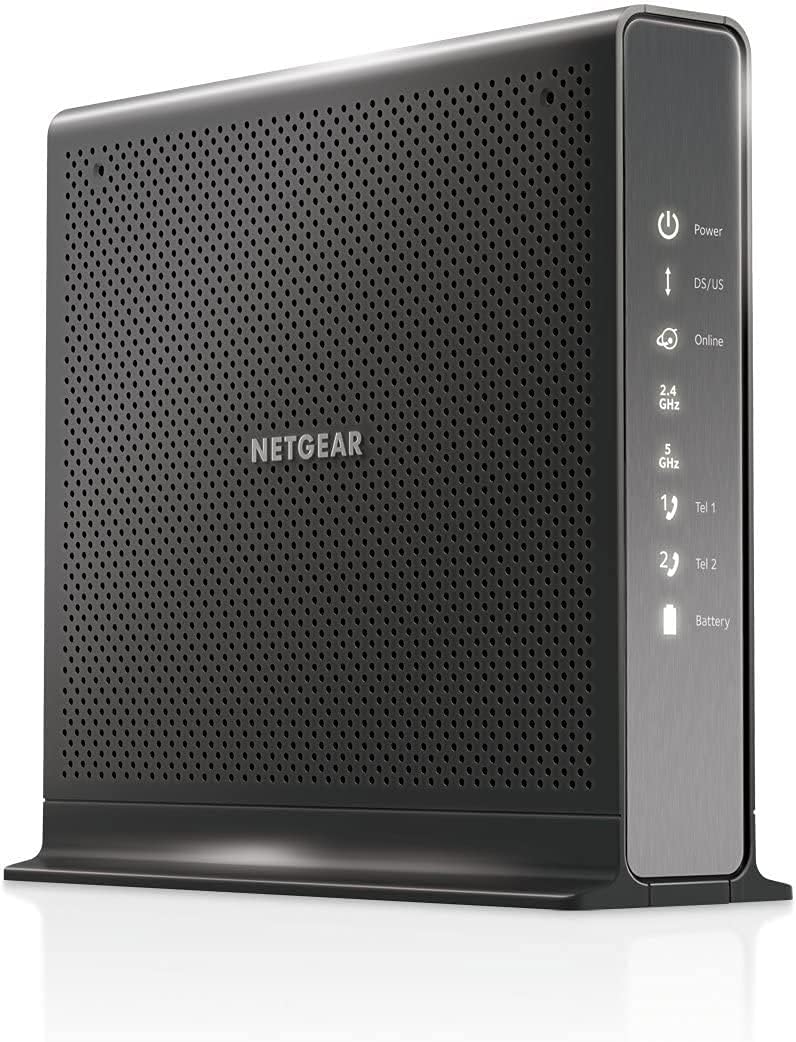


The NETGEAR CM2050V stands out as the premier choice for users seeking a cable modem with phone capabilities. Certified specifically for Xfinity Voice and Internet plans, it supports speeds up to 2.5Gbps. This model ensures your home remains ready for the fastest available cable speeds while maintaining reliable telephone service.
We may earn a commission when you buy through this link, at no additional cost to you.
Its built-in voice ports support up to two telephone lines with enhanced features like caller ID and conference calling. The modem connects to any standard Wi-Fi router via a 2.5Gbps Ethernet port. This flexibility allows you to pair it with a high-end router for a powerful whole-home network.
One trade-off is that it does not include a built-in router, requiring you to own or buy a separate device. However, this separation often provides better performance since you can choose a router tailored to your specific needs. The investment pays off through reduced rental fees and superior speed potential.
This modem is ideal for Xfinity customers on high-speed plans who need voice service without extra hardware. It offers a stable, high-performance base for your network. For those seeking the best balance of speed and voice reliability, this model is the top recommendation.
With a dedicated 2.5Gbps Ethernet port, this modem unlocks the full potential of your provider's fastest internet tiers.
The two built-in phone ports allow for direct connection of landline devices, simplifying your setup and reducing clutter.
We may earn a commission when you buy through this link, at no additional cost to you.
The NETGEAR CAX30 combines a high-performance cable modem with a Wi-Fi 6 router in one sleek device. It supports DOCSIS 3.1 and provides wireless speeds up to 2.7Gbps. While it lacks voice ports, it is an excellent choice for households prioritizing wireless connectivity over traditional phone service.
We may earn a commission when you buy through this link, at no additional cost to you.
Its dual-band AX2700 router covers up to 2000 square feet and handles 25+ connected devices efficiently. The modem is certified for Xfinity, Spectrum, and Cox plans up to 1Gbps. Setup is simplified via the Nighthawk app, which allows remote network management and device prioritization.
The primary limitation is the absence of integrated voice support, making it unsuitable for users needing a landline. However, the convenience of a -in-one design often outweighs this for modern users relying on mobile VoIP. It delivers robust performance for streaming and gaming.
This device is perfect for users who want a powerful modem and router without separate units. It simplifies your home office setup while maximizing wireless speeds. If you do not require physical phone lines, the CAX30 offers a compelling all-in-one solution.
Dual-band AX2700 Wi-Fi ensures smooth streaming and low latency across all your connected devices simultaneously.
Compatible with major providers like Xfinity, Spectrum, and Cox, making it a versatile choice for many users.
We may earn a commission when you buy through this link, at no additional cost to you.
The Motorola MT7711 offers an affordable all-in-one solution for Xfinity subscribers needing voice and internet. It combines a DOCSIS 3.0 modem, AC1900 Wi-Fi router, and two voice ports in one compact unit. This makes it an excellent budget-friendly alternative to monthly rental fees.
We may earn a commission when you buy through this link, at no additional cost to you.
It is approved for Comcast Xfinity and supports internet speeds up to 400 Mbps. The integrated router provides wired and wireless connectivity to multiple devices. Users can save significantly over time by eliminating monthly equipment rental charges while retaining essential telephone service.
The main limitation is that it uses DOCSIS 3.0, which limits maximum speed potential compared to newer 3.1 models. Also, purchasing a renewed unit means the physical condition might vary. However, for standard speed plans, its performance remains reliable and consistent for daily use.
This modem is ideal for cost-conscious users on Xfinity plans under 400 Mbps who want a complete setup. It simplifies your network by combining three devices into one. For budget-focused buyers needing voice support, this renewed unit provides strong value.
By combining a modem, router, and voice gateway, this unit reduces cable clutter and simplifies your home setup.
Eliminating monthly rental fees can save you over $150 per year, quickly offsetting the initial purchase cost.
We may earn a commission when you buy through this link, at no additional cost to you.
The ARRIS T25 is a streamlined modem built specifically for Xfinity Internet and Voice plans. It leverages DOCSIS 3.1 technology to support speeds up to 800 Mbps. With two 1Gbps Ethernet ports, it connects directly to a computer and a router, offering flexibility for wired devices.
We may earn a commission when you buy through this link, at no additional cost to you.
This modem includes two phone ports for Xfinity Voice service. It allows for features like caller ID and 3-way calling without additional hardware. The device is designed for easy activation using the SURFboard Central app. This ensures a smooth transition from rental units to owned equipment.
While it lacks multiple Ethernet ports compared to some rivals, it meets the needs of most users. The focus is on delivering reliable 3.1 performance at a competitive price. For Xfinity subscribers on mid-tier plans, it provides the perfect balance of features.
This modem is best suited for Xfinity customers wanting 3.1 efficiency without premium pricing. It delivers stable voice and internet connectivity for daily tasks. If you need a simple, effective voice modem for Xfinity, the T25 is a solid choice.
Support for 3.1 ensures lower latency and better efficiency compared to older 3.0 standards.
Built-in telephone ports provide seamless integration with Xfinity Voice services for home landline needs.
We may earn a commission when you buy through this link, at no additional cost to you.
The NETGEAR C7000 is a versatile combo unit combining a DOCSIS 3.0 modem with an AC1900 Wi-Fi router. It supports internet plans up to 800 Mbps and works with major providers like Xfinity and Cox. While it lacks voice ports, it offers excellent wireless coverage for homes.
We may earn a commission when you buy through this link, at no additional cost to you.
It features four Gigabit Ethernet ports for wired devices and one USB port for storage or printers. The router supports beamforming+ to improve range and reduce dead spots. This combination ensures that streaming and gaming remain smooth even when multiple devices are connected.
Users needing voice service should look elsewhere, as this model does not support telephone lines. However, for internet-only households, it provides strong performance and savings over rentals. The Nighthawk app further enhances usability with remote network management.
This unit is ideal for users seeking a reliable all-in-one solution for high-speed internet. It balances cost, performance, and features effectively. If you do not need phone lines, the C7000 is a trusted option for stable connectivity.
By combining modem and router, this unit reduces hardware clutter and simplifies home network management.
Multiple Ethernet and USB ports allow for easy connection of various wired devices alongside Wi-Fi.
We may earn a commission when you buy through this link, at no additional cost to you.
The NETGEAR CM1150V is a premium modem designed for Xfinity Internet and Voice plans up to 800 Mbps. It uses DOCSIS 3.1 for faster, more efficient data transfer. With four Gigabit Ethernet ports and support for two phone lines, it offers extensive connectivity for wired devices and landlines.
We may earn a commission when you buy through this link, at no additional cost to you.
It supports link aggregation to combine two 1G ports for faster wired speeds. This modem is compatible with any Wi-Fi router, allowing you to choose a high-performance unit for wireless needs. The built-in voice features support caller ID and conference calling seamlessly.
While it does not include a router, this separation ensures you can upgrade your Wi-Fi independently. The four Ethernet ports allow multiple devices to connect directly. It is an ideal choice for users needing both high-speed wired access and telephone services.
This modem is perfect for power users on Xfinity plans needing advanced features. It provides flexibility for router choice and robust wired connections. For those prioritizing performance and voice reliability, the CM1150V stands out as a top premium option.
Four Gigabit ports plus link aggregation support provide exceptional wired connectivity for multiple high-speed devices.
Support for 3.1 technology ensures better latency and efficiency than older standards, preparing for future upgrades.
We may earn a commission when you buy through this link, at no additional cost to you.
The NETGEAR CM3000 is a high-performance modem targeting users on Xfinity, Cox, or Spectrum plans. It supports speeds up to 2.5Gbps download and 1Gbps upload using DOCSIS 3.1. Although it lacks voice ports, it delivers unmatched speed for internet-only households seeking maximum bandwidth.
We may earn a commission when you buy through this link, at no additional cost to you.
It includes a 2.5Gbps Ethernet port and supports link aggregation for up to 2Gbps wired speeds. Active Queue Management ensures stable performance during peak hours. This modem is ideal for heavy gamers and 4K streamers needing minimal lag and consistent speeds.
Without voice support, this unit is strictly for internet usage. However, its performance capabilities are among the best available. Pairing it with a quality Wi-Fi 6 or 7 router creates a complete home network capable of handling the most demanding online activities.
This modem is best for users needing raw internet speed and stability. It provides future-proof connectivity for gigabit plans. If you do not require landline phone service, the CM3000 delivers premium performance for modern digital needs.
Up to 2.5Gbps downloads unlock the potential of gigabit internet plans for faster downloads and streaming.
Link aggregation and a dedicated 2.5G port ensure wired devices get the maximum possible connection speed.
We may earn a commission when you buy through this link, at no additional cost to you.
The NETGEAR C7100V is a comprehensive all-in-one device combining modem, router, and voice gateway. It supports Xfinity Internet and Voice plans up to 600 Mbps. With two phone lines and AC1900 Wi-Fi, it simplifies home networking for families needing both internet and landline services.
We may earn a commission when you buy through this link, at no additional cost to you.
It includes two USB ports for connecting external storage or printers. The built-in router ensures wireless coverage throughout your home without extra devices. This unit eliminates the need for separate hardware, streamlining your setup and reducing monthly rental costs.
The limitation is its reliance on DOCSIS 3.0, which caps speeds below those of newer 3.1 modems. However, for most households under 600 Mbps, performance remains consistent. It is a convenient solution for users wanting a single unit for all needs.
This device is ideal for Xfinity customers needing voice and internet in one box. It simplifies your setup while providing reliable wireless coverage. If you prefer a single device for home services, the C7100V is a well-rounded option.
Combining modem, router, and voice in one unit reduces cable clutter and simplifies daily network management.
Two built-in phone ports support essential calling features like caller ID and 3-way conferencing for home use.
We may earn a commission when you buy through this link, at no additional cost to you.
The NETGEAR CM500V is a reliable modem tailored for Xfinity Internet and Voice plans up to 300 Mbps. It includes two phone lines for landline service and supports basic DOCSIS 3.0 connectivity. This model offers an affordable alternative to monthly rental fees for budget-conscious households.
We may earn a commission when you buy through this link, at no additional cost to you.
It connects via a single Gigabit Ethernet port to your router. This modem is compact and easy to install. It supports voice features like caller ID and conference calling. For users on slower plans, it delivers stable internet and phone service without unnecessary features.
The single Ethernet port limits wired device connections, requiring a router for multiple devices. Additionally, speed is capped at 300 Mbps. However, for basic users, this constraint is rarely an issue. It saves money while maintaining essential service quality.
This modem is ideal for entry-level users needing a cost-effective voice solution. It works well for basic browsing and home phone needs. If you want to cut rental fees without spending much, the CM500V is a solid choice.
Purchasing this modem can save significant annual rental fees, quickly paying for itself over time.
Built-in telephone ports provide reliable calling capabilities, ensuring seamless landline service at home.
We may earn a commission when you buy through this link, at no additional cost to you.
The ARRIS SVG2482AC is a 3-in-1 device combining a DOCSIS 3.0 modem, AC1750 Wi-Fi router, and Xfinity telephone service. It supports speeds up to 600 Mbps and is compatible with Comcast Xfinity only. This model is ideal for users needing a complete home network setup in one box.
We may earn a commission when you buy through this link, at no additional cost to you.
It features 24 downstream and 8 upstream channels for efficient data transfer. The built-in router provides concurrent dual-band Wi-Fi for multiple devices. Users can connect wired devices via four Gigabit Ethernet ports. This integration simplifies cabling and network management significantly.
The main drawback is that it does not support Xfinity home security without a specific Comcast router. Also, purchasing a renewed unit may involve wear. However, for Xfinity users, this device provides a cost-effective way to own a full service unit.
This modem is perfect for those needing internet and phone in one device. It offers substantial savings over rental fees. If you are an Xfinity subscriber on a budget, the SVG2482AC provides a comprehensive and functional solution.
By integrating modem, router, and telephone, this unit offers a complete solution for home connectivity needs.
24×8 channel bonding ensures stable speeds and reliable performance for typical home internet usage.
We may earn a commission when you buy through this link, at no additional cost to you.
Choosing the right cable modem with phone capabilities requires understanding several technical and service-related factors. These devices must match your internet provider, support your required speeds, and include reliable voice features for home use.
The most critical factor is verifying that the modem is certified for your specific internet provider. Many modems are designed exclusively for Xfinity, while others support multiple providers like Spectrum or Cox. Always check the product specifications to ensure it supports both your internet plan and voice service.
Choosing a modem certified for your provider prevents activation issues and ensures stable voice functionality.
DOCSIS technology determines the maximum speed and efficiency of your connection. DOCSIS 3.1 is the current standard and offers better performance than 3.0, especially on higher-speed plans. If you subscribe to speeds above 400 Mbps, a 3.1 modem is necessary to fully utilize your internet tier.
Selecting a modem with the correct DOCSIS standard ensures your internet speeds match your plan's potential.
Not all modems with phone support offer the same features. Most include two ports for telephone lines, supporting features like caller ID and 3-way calling. Ensure the modem supports the exact number of lines you need. Some models may require additional battery backups for power outage calling.
Confirm the modem supports your required number of voice lines and features to avoid compatibility issues.
Ethernet ports allow you to connect wired devices directly to the modem. Look for models with multiple Gigabit Ethernet ports if you have multiple PCs or consoles. Some premium modems support link aggregation, combining ports for faster wired speeds. This is useful for high-performance needs.
Ensure the modem has enough Ethernet ports to accommodate your wired devices without needing extra switches.
Some devices combine a modem and router, while others are modems only. If you need voice service, a standalone modem often offers better value and flexibility. You can choose a router that matches your specific Wi-Fi needs. Bundled units may save space but lack upgrade flexibility.
Decide whether you need a separate router for better Wi-Fi performance or prefer an all-in-one unit.
While modems have an upfront cost, they can save significant money over time by eliminating monthly rental fees. Compare the purchase price against your provider's rental fees to calculate potential savings. Renewed units can further reduce costs if you are on a strict budget.
Purchasing your own modem is often more cost-effective than paying monthly rental fees in the long run.
Selecting a modem with advanced features like DOCSIS 3.1 ensures it remains compatible with future internet upgrades. This prevents the need for frequent hardware replacements. Consider your current needs and potential future changes in internet speed when making your decision.
Investing in a modem with higher capabilities protects your purchase against future service upgrades.
Most modern modems offer simple setup via apps or web interfaces. Ensure the device supports easy activation through your provider. Look for models with automatic firmware updates to maintain security and performance. Proper maintenance ensures your modem remains reliable over time.
Choose a modem with user-friendly setup and maintenance features to minimize technical effort.
Begin by connecting the coaxial cable securely to the modem and your wall outlet. Plug the power cord into the modem and a wall outlet, then allow the device to boot up fully. Once the lights stabilize, connect your computer or router via Ethernet to complete the internet setup.
For voice functionality, plug your telephone into one of the built-in phone ports. Configure call features through your provider's portal or app if necessary. Ensure you test outgoing and incoming calls to confirm the voice service is active and working correctly.
Regularly check the modem for updates to maintain performance and security. If you experience connection drops, restart the device by unplugging it for thirty seconds. Keep the modem in a well-ventilated area to prevent overheating and ensure optimal performance over time.
No, cable modems with phone ports are typically certified for specific providers. Most support only Xfinity or Comcast voice services. Always verify compatibility before purchasing to ensure it works with your specific internet and telephone plan.
Most voice modems require a separate router for Wi-Fi. Bundled units exist but are less flexible. Check if your chosen modem includes a router; otherwise, plan to connect a separate device for wireless internet.
Owning a modem eliminates monthly rental fees, often saving $10 to $15 per month. Over a year, this adds up to over $100 in savings. The upfront cost of the modem is quickly recovered through these monthly reductions.
Most voice modems stop working during power outages unless a battery backup is connected. Some models support optional backup batteries that allow calls for several hours. Without one, your phone service will be inactive until power is restored.
DOCSIS 3.1 primarily improves internet speed and latency, but it ensures stable performance during high usage. While voice itself doesn't require 3.1, a stable internet connection is vital for Voice over IP features. It future-proofs your setup for better overall performance.
Renewed modems often function perfectly for voice and internet services. Ensure the unit is certified by the manufacturer and comes with a warranty. Most users find renewed units a cost-effective option without sacrificing essential functionality.
Activation usually involves registering the modem MAC address on your provider's website. Follow their specific instructions or use their mobile app for activation. Ensure your voice service is linked to the new modem address to maintain your telephone line.
Yes, you can usually keep your existing phone number when switching to a new modem. The provider transfers your voice account details to the new hardware. Ensure you coordinate the switch properly to avoid service interruptions during the transition.
We have reviewed ten top cable modems with phone support to help you find the ideal device for your needs. Each model offers distinct advantages, from high-speed DOCSIS 3.1 capabilities to budget-friendly all-in-one solutions.
When choosing, prioritize your provider compatibility and required internet speeds. Ensure the voice features meet your household needs and consider whether you prefer a standalone modem or a combined unit for simplicity.
Always verify current availability and pricing on the product pages before purchasing. Prices may change, and models may vary by region. Selecting the right modem today ensures reliable internet and voice service for your home.