
18.5 Digital Signage Display
3.8Editor score
700 Nits Commercial Brightness
Built-in Lifetime Free CMS
USB Plug-and-Play Support
Digital menu displays have revolutionized how businesses present information to customers. From restaurants to retail stores, these screens offer dynamic content that engages visitors and streamlines operations. Choosing the right device requires understanding key features like brightness, connectivity, and ease of management.
This guide compares ten top-rated digital signage solutions available today. We evaluated each product based on display quality, operating system capabilities, and content management flexibility. Our analysis helps you find a screen that fits your specific business needs and budget constraints.
Each pick highlights unique strengths and potential limitations for various environments. Whether you need a compact countertop unit or a large wall-mounted screen, this list covers diverse options. Please note that product availability and specifications may change over time.
3.8Editor score
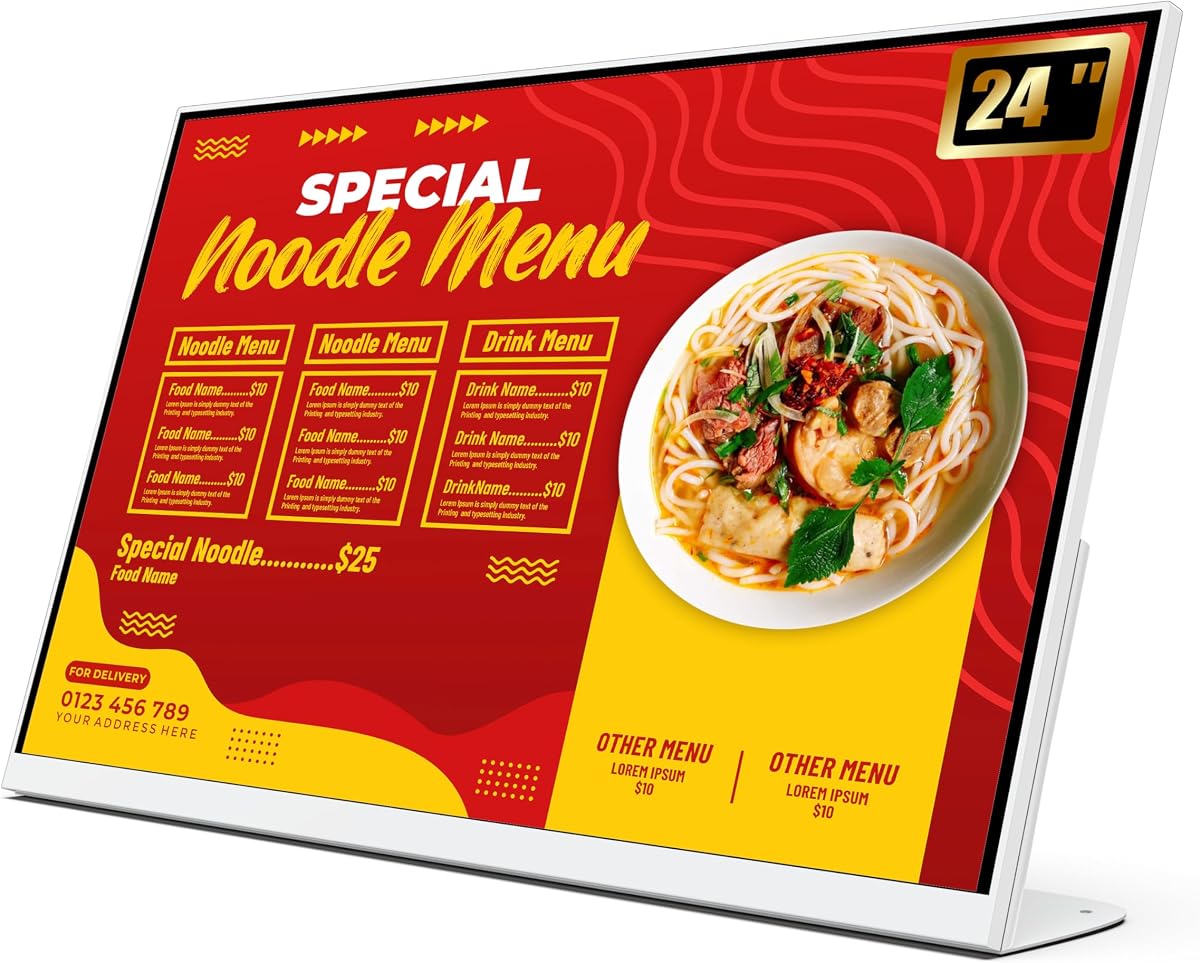
5.0Editor score

3.4Editor score
As an Amazon Associate we earn from qualifying purchases.
The following table provides a side-by-side comparison of all ten digital menu displays reviewed in this guide. Each entry lists key specifications to help you quickly identify the model that best suits your operational requirements and physical space.




This 24-inch digital menu board stands out as a top choice for businesses seeking high-quality visual communication. Its Full HD resolution ensures that menu items and promotions appear crisp and inviting to customers. The device is designed for continuous operation, making it ideal for busy retail environments.
We may earn a commission when you buy through this link, at no additional cost to you.
The Android system integrated into this unit allows for easy app installation and centralized content management. Users can update menus and promotions remotely without needing on-site computer operation. This flexibility significantly reduces the time and effort required to keep content current and relevant for visitors.
While the display offers excellent color accuracy and viewing angles, it does not include touchscreen capabilities for direct customer interaction. Additionally, relying on network connectivity for remote updates means a stable internet connection is necessary for optimal performance. These trade-offs are generally acceptable given the overall value and functionality provided.
Businesses looking for a reliable, straightforward digital signage solution will find this model highly suitable. It is particularly effective for milk tea shops and restaurants that need clear, easily updatable menu displays. The combination of hardware quality and software features makes it a strong recommendation for commercial use.
For those prioritizing ease of use and robust content management, this device delivers on both fronts. Its commercial-grade build ensures longevity even in high-traffic areas. The ability to schedule content and manage multiple screens from a central location enhances operational efficiency significantly.
The 1080P resolution provides sharp images and true colors that attract customer attention effectively.
Remote updates via Android and CMS streamline the process of changing menu items and promotions.
We may earn a commission when you buy through this link, at no additional cost to you.
This compact digital signage display offers an accessible entry point for small businesses wanting to digitize their menus. The 18.5-inch size fits well on countertops and reception desks without occupying excessive space. Its brightness level ensures visibility in typical indoor lighting conditions found in cafes and retail stores.
We may earn a commission when you buy through this link, at no additional cost to you.
A key advantage is the inclusion of a lifetime free Content Management System that allows for remote control via various devices. Users can upload content and manage playlists using a PC, tablet, or smartphone. This feature simplifies maintenance and reduces the need for specialized IT knowledge among staff.
The display resolution is limited to 720P which may appear less sharp compared to higher-end models when viewed up close. Additionally, the remote management capabilities are functional but less advanced than some competitors offering more sophisticated scheduling tools. Despite these limitations, it remains a strong value option.
Small shop owners or those on a tight budget will appreciate the balance of features and cost provided by this unit. It serves well as a digital countertop display for coffee shops or salons. The sturdy stand and warranty support add confidence to the purchase decision.
Investing in this display allows businesses to move away from printed signs quickly and affordably. The Android operating system provides a stable foundation for daily operations. While not the most high-end option, it meets the core needs of digital menu presentation effectively.
Designed for 24/7 business use without breaking the bank with essential features included.
Cloud CMS allows updates from any location using common devices like phones or tablets.
We may earn a commission when you buy through this link, at no additional cost to you.
The MWE 32-inch display is ideal for businesses needing a larger screen that can be moved between locations. Its foldable design with built-in wheels makes it convenient for temporary setups at trade shows or events. The IPS panel ensures consistent color and brightness across a wide viewing angle for passersby.
We may earn a commission when you buy through this link, at no additional cost to you.
Content management is streamlined through an auto media player feature that supports loop playback without manual intervention. This ensures that promotional messages or menu items remain visible continuously. The system also supports timed power settings to align with business hours and save energy.
While the unit is portable, it still requires significant floor space compared to countertop models. Setting up the stand and managing the wheels might take a few minutes each time it is moved. These physical considerations should be weighed against the benefits of a larger display area.
Retail stores or hotel lobbies looking to maximize visual impact will find this screen highly effective. The combination of size and mobility offers versatility that fixed installations cannot match. It is particularly useful for displaying high-resolution images or videos in busy environments.
The manufacturer provides professional technical support which adds reliability for business-critical installations. Customers can rest assured that assistance is available if issues arise with the hardware or software. This level of service is valuable for maintaining uninterrupted operations.
Built-in wheels allow easy repositioning for different events or promotional needs.
Auto playback features ensure content runs smoothly without constant staff supervision.
We may earn a commission when you buy through this link, at no additional cost to you.
This device is a media player designed to work with existing HD televisions rather than a standalone screen. It delivers high-quality 4K content and offers an extensive library of videos for users to utilize. This approach allows businesses to repurpose older TVs into digital signage solutions cost-effectively.
We may earn a commission when you buy through this link, at no additional cost to you.
The free plan includes essential features like tech support and the ability to add up to 50 slides per box. Users can create content using templates and manage it through a mobile app on the go. This flexibility is ideal for small teams needing to update menus or promotions quickly.
Upgrading to full features requires a premium plan which may increase overall costs over time. Additionally, purchasing a compatible TV separately adds to the initial investment and setup complexity. These factors need to be considered when comparing total cost of ownership against all-in-one units.
Businesses that already have large displays on hand will find this player a strategic upgrade path. It transforms static screens into dynamic information sources with minimal hardware changes. The robust connectivity options ensure compatibility with various existing setups.
For organizations needing creative control over screen layouts, this player provides significant customization tools. The ability to divide screens into zones for different content types enhances engagement. It is a versatile choice for tech-savvy users comfortable managing software updates.
Turns standard TVs into digital signage without buying a new dedicated display unit.
Template builder and mobile app simplify the process of designing promotional materials.
We may earn a commission when you buy through this link, at no additional cost to you.
This tabletop display is designed for environments where space is at a premium and close interaction is needed. The 10.1-inch touchscreen allows customers or staff to browse information directly without additional peripherals. It fits neatly on reception desks or counter corners without obstructing workflow.
We may earn a commission when you buy through this link, at no additional cost to you.
Managing content is straightforward through simple update methods that do not require complex operating processes. Users can control menu pages and notices efficiently. The WiFi connectivity ensures that updates can be pushed remotely without needing physical access to the device.
The small screen size means it is best suited for detailed information rather than broad advertising. Touch functionality may require calibration or maintenance over time depending on usage frequency. These factors limit its effectiveness for high-traffic areas needing strong visual impact.
Ideal for salon service areas or small cafe tables, this unit provides a modern touch to customer service. It works well as an information board where clients can check details directly. The compact design helps maintain a clean and organized counter appearance.
For businesses needing an interactive element without a full kiosk, this is a practical solution. The Android system ensures compatibility with various apps and formats. It balances functionality with space efficiency effectively for specific use cases.
Compact structure keeps screens accessible without cluttering busy countertops or desks.
Touch panel allows easy navigation for customers seeking information at close range.
We may earn a commission when you buy through this link, at no additional cost to you.
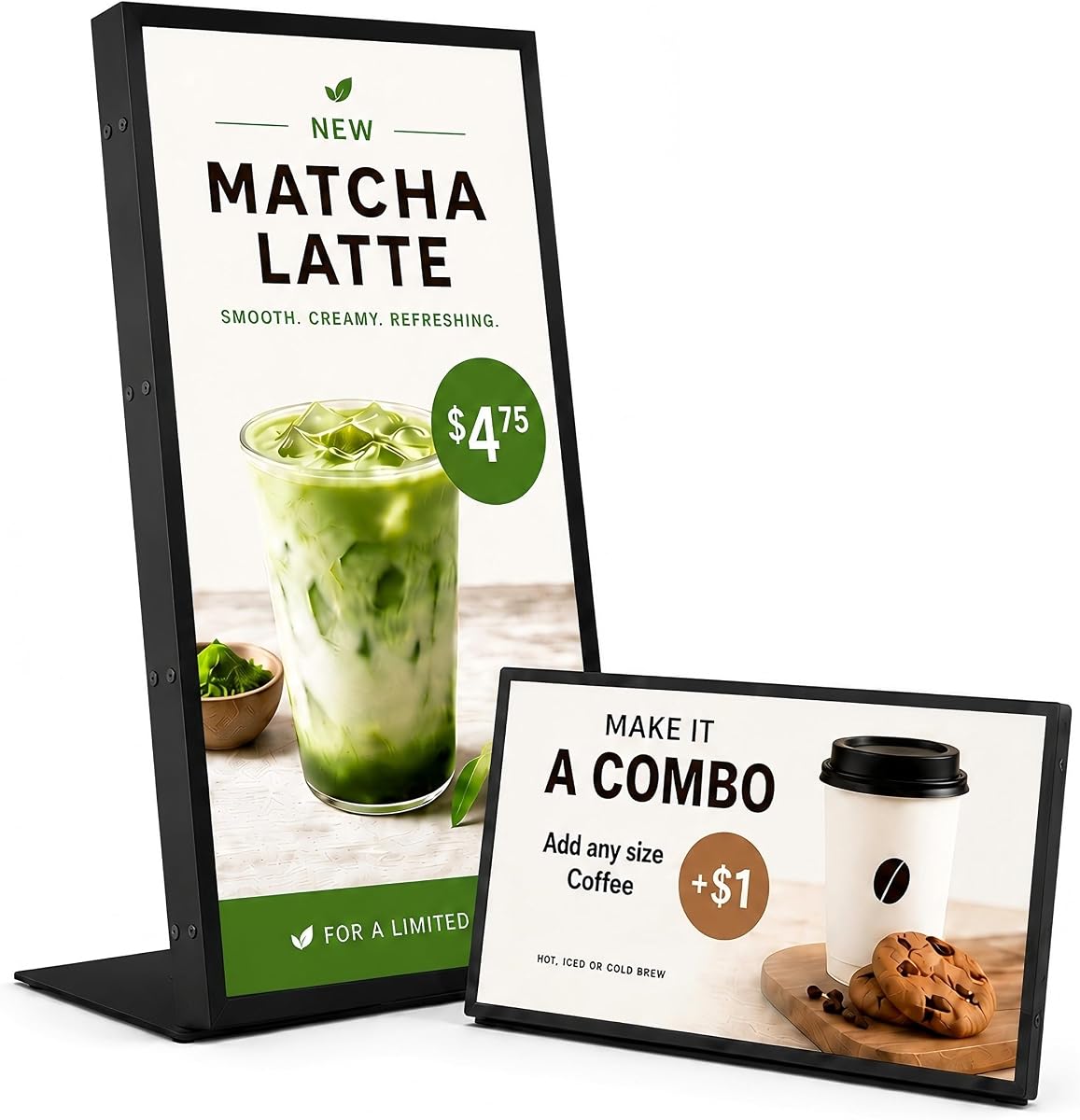
This countertop model is built specifically for high-traffic commercial environments where durability is paramount. The tempered glass front panel and metal housing protect the screen from accidental bumps and spills. It is designed to be placed near checkout areas to engage customers during transactions.
We may earn a commission when you buy through this link, at no additional cost to you.
The display supports both landscape and portrait orientations allowing flexibility in how information is presented. A 700-nit brightness ensures content remains visible even in brightly lit indoor spaces. Content can be managed remotely via a CMS platform for quick updates to prices or promotions.
While the build quality is excellent, the device does not include touchscreen capabilities which limits direct customer interaction. It relies on staff to update content rather than user input. This distinction makes it more of a display tool than an interactive kiosk.
Businesses like bakeries or retail counters will benefit from the sturdy design and clear visibility. The stable countertop stands ensure the unit remains secure during busy hours. The inclusion of a three-year warranty with replacement support adds significant value for commercial buyers.
This unit excels in delivering reliable, long-term performance in demanding settings. The metal construction resists wear and tear better than plastic alternatives. It provides a professional look that enhances the overall customer experience at service points.
Metal housing and tempered glass withstand the rigors of daily commercial use effectively.
700-nit brightness ensures menu details are readable from a close distance.
We may earn a commission when you buy through this link, at no additional cost to you.
This premium unit is designed for large-scale installations where maximum visual impact is required. The 50-inch screen with 4K resolution offers crystal clear visuals suitable for high-definition video and detailed graphics. Its high brightness level ensures content stands out even in well-lit commercial spaces.
We may earn a commission when you buy through this link, at no additional cost to you.
The ultra-thin bezel design allows for seamless wall mounting and professional appearance. Multiple units can be tiled together to create a large video wall without distracting gaps. The system supports dividing the screen into multiple zones for different content streams simultaneously.
Installation requires substantial wall space and careful planning to accommodate the large dimensions. The higher power consumption compared to smaller units may impact energy budgets over time. These considerations are necessary when scaling up for large venues or main dining areas.
For flagship stores or large restaurants needing to capture attention from afar, this screen delivers unmatched quality. The Android-based system ensures broad connectivity with diverse devices for content playback. It sets a high standard for commercial display capabilities.
Investing in this model signals a commitment to premium quality and customer experience. The durability and performance features justify the higher price point for serious businesses. It remains a top choice for those prioritizing visual excellence above all else.
4K UHD resolution delivers sharp and detailed visuals for high-end advertising.
Ultra-narrow bezels enable seamless wall installations with minimal visual gaps.
We may earn a commission when you buy through this link, at no additional cost to you.
This mid-size display offers a balance between compact units and large wall screens suitable for various commercial needs. The 29-inch screen fits well in offices or small retail spaces where visibility is important without being overwhelming. Its brightness ensures content remains legible in normal indoor lighting conditions.
We may earn a commission when you buy through this link, at no additional cost to you.
The all-metal chassis provides robust protection for the internal components and screen. This construction choice enhances durability and stability over long-term use. The device supports smart management software that allows remote scheduling and content updates efficiently.
User ratings indicate some potential challenges with the software interface or initial setup process. Businesses may need to invest time in learning the system to maximize its features. These early hurdles can be overcome with patience and proper documentation.
Ideal for office bulletin boards or small cafe menus, this unit offers versatility in application. The multi-screen design capability allows for displaying multiple types of information simultaneously. It is a practical choice for environments needing reliable standard display performance.
The inclusion of high brightness and durable materials makes it suitable for busy commercial settings. Businesses looking for a mid-range option with solid build quality will find value here. The smart features support modern content management workflows effectively.
All-metal construction ensures longevity and resistance to daily wear and tear.
Multi-zone support allows simultaneous presentation of videos and text feeds.
We may earn a commission when you buy through this link, at no additional cost to you.
This media player is focused on simplifying content creation and cloud management for business users. It supports 4K resolution ensuring high-quality output on compatible displays. The setup process is designed to be quick requiring no prior technical experience from the user.
We may earn a commission when you buy through this link, at no additional cost to you.
A standout feature is the built-in Canvas Menu Designer that allows users to create professional-looking menus without design skills. Additional tools like the AI Image Enhancer help optimize images for better display quality. These features reduce the barrier to entry for small business owners.
Since it is a player only, users must provide their own monitor or TV for display. This flexibility can be cost-effective but adds complexity to the overall setup. Ratings suggest there may be occasional software stability issues to consider.
For teams needing to upload and schedule content remotely, this solution offers significant convenience. The ability to manage screens from anywhere ensures menus stay current without physical access. It is particularly useful for franchises managing multiple locations.
The inclusion of free features makes it accessible for those starting out with digital signage. The AI tools provide value by enhancing image quality automatically. It serves as a powerful backend for visual communication when paired with the right hardware.
Canvas Designer enables quick menu creation without needing professional design software.
Cloud control allows schedule changes from any location with internet access.
We may earn a commission when you buy through this link, at no additional cost to you.
This media player is engineered for reliability and performance in demanding digital signage environments. Its high-performance CPU ensures smooth playback even with complex content or multiple files. The generous RAM capacity supports multitasking without lagging during operations.
We may earn a commission when you buy through this link, at no additional cost to you.
Local storage cache is designed to prevent playback interruptions by keeping content readily available on the device. This feature ensures continuity even if network connectivity is temporarily lost. It is supported by a watchdog function that helps maintain system stability over time.
Users need to source their own display hardware which adds to the initial planning phase. The setup involves configuring cloud services and connections which may require technical familiarity. These requirements make it better suited for tech-aware environments.
For businesses prioritizing uptime and smooth content delivery, this player provides a solid technical foundation. It integrates well with popular cloud signage services for centralized management. The robust hardware ensures the device can handle long hours of operation effectively.
The combination of speed and reliability makes it a strong candidate for professional installations. Businesses needing consistent performance across multiple devices will appreciate the stability. It delivers a high standard of technical capability for commercial digital displays.
Quad-core processor and 4GB RAM ensure smooth operation during complex tasks.
Local cache prevents interruptions keeping content visible even during network issues.
We may earn a commission when you buy through this link, at no additional cost to you.
Selecting the right digital menu display involves evaluating several critical factors to ensure your investment meets business needs.
The physical size of the screen determines visibility from a distance. Larger screens like 50 inches are ideal for open dining areas while smaller 10 to 24 inch units work well on countertops. Resolution impacts how sharp text and images appear. Full HD 1080P is standard but 4K offers superior clarity for detailed menus.
Choose a size that fits your space without obstructing views and select a resolution that matches your content quality needs.
Brightness measured in nits determines how well the screen is seen in different lighting conditions. For indoor counters a 700 nit rating is usually sufficient. If your space has strong sunlight near windows a higher brightness like 1000 nits helps maintain readability. Higher brightness also ensures contrast remains clear.
Prioritize higher brightness levels for well-lit environments to ensure your menu remains readable at all times.
Most modern units run on Android systems which offer flexibility for app installation and updates. Connectivity options like HDMI USB and Ethernet determine how you transfer content. WiFi is essential for remote management and cloud CMS platforms. Ensure the device supports the ports your existing infrastructure uses.
Look for Android-based systems with diverse connectivity ports to guarantee seamless integration and easy content updates.
A CMS allows you to schedule and update menus remotely without physical access. Some plans are free while others charge premium fees. Check if the system supports playlists and screen zoning to display different content at different times. Ease of use is crucial for staff who may not be tech-savvy.
Select a CMS that offers remote control and simple interface to streamline menu changes and promotional updates efficiently.
Commercial environments require devices built to last with metal housing and tempered glass protections. Look for units rated for 24/7 operation to ensure stability during long hours. A sturdy stand is important for countertop models to prevent tipping. Warranty length also indicates manufacturer confidence in product quality.
Choose models with robust materials and strong warranty support to minimize maintenance needs and ensure longevity in busy areas.
Consider whether the unit is portable or requires permanent wall mounting. Portable units with wheels are useful for trade shows but need floor space. Wall mounts save counter space but require secure installation. Evaluate the power requirements and ensure outlets are accessible near the desired placement spot.
Plan your placement carefully and verify power access to avoid installation hurdles after the purchase.
Begin by securely mounting the display on a stable surface or wall. Ensure all cables are connected firmly to power and network sources. Turn on the device and follow the on-screen setup wizard to connect to your local WiFi or Ethernet network.
Once connected, log in to your Content Management System via a browser on your PC. Upload your menu images and videos using the drag-and-drop interface. Create playlists that schedule content to play at specific times during the business day to maximize engagement.
Regularly clean the screen with a soft microfiber cloth to remove fingerprints and dust. Avoid using harsh chemicals that might damage the coating on the display. Check for software updates periodically to maintain security and performance efficiency over the long term.
Yes you can use most smart TVs with a media player device to create a digital menu. You will need an HDMI connection and internet access to manage content remotely. This is a cost-effective way to repurpose existing hardware for signage needs.
For indoor environments like cafes and retail stores a brightness of 700 nits is typically sufficient. This level ensures the screen is visible without causing glare. In brighter rooms near windows consider units with 1000 nits for better clarity.
Not necessarily if you use USB playback or local storage caching. However remote content management via a CMS relies on internet access. It is best to have a stable connection for real-time menu updates.
Updating content at least weekly keeps customer engagement high. Frequent updates allow you to highlight promotions or seasonal items effectively. Most systems make this easy with drag-and-drop scheduling features.
Yes LED displays consume significantly less power than lighting up printed menus. They also eliminate the waste associated with printing and disposing of paper signs. Over time this reduces both energy and operational costs.
Yes most cloud-based CMS platforms allow centralized management of multiple screens. You can send updates to specific groups or all devices at once. This saves time when managing large chains or multiple locations.
The 24 Inch Desktop Digital Menu Board emerges as the top overall choice due to its balance of resolution and content management features. It serves most businesses looking for a reliable and clear display solution. The 18.5 model offers a great budget-friendly alternative for smaller setups.
Consider your specific environment when choosing size and brightness. High-traffic areas benefit from durable metal casings while open spaces need larger screens. Always prioritize a system that allows easy remote updates to keep content fresh.
Remember to verify current product specifications and availability before purchasing as models change. The options listed here provide a strong starting point for upgrading your business communication. Investing in the right display enhances customer engagement significantly.