
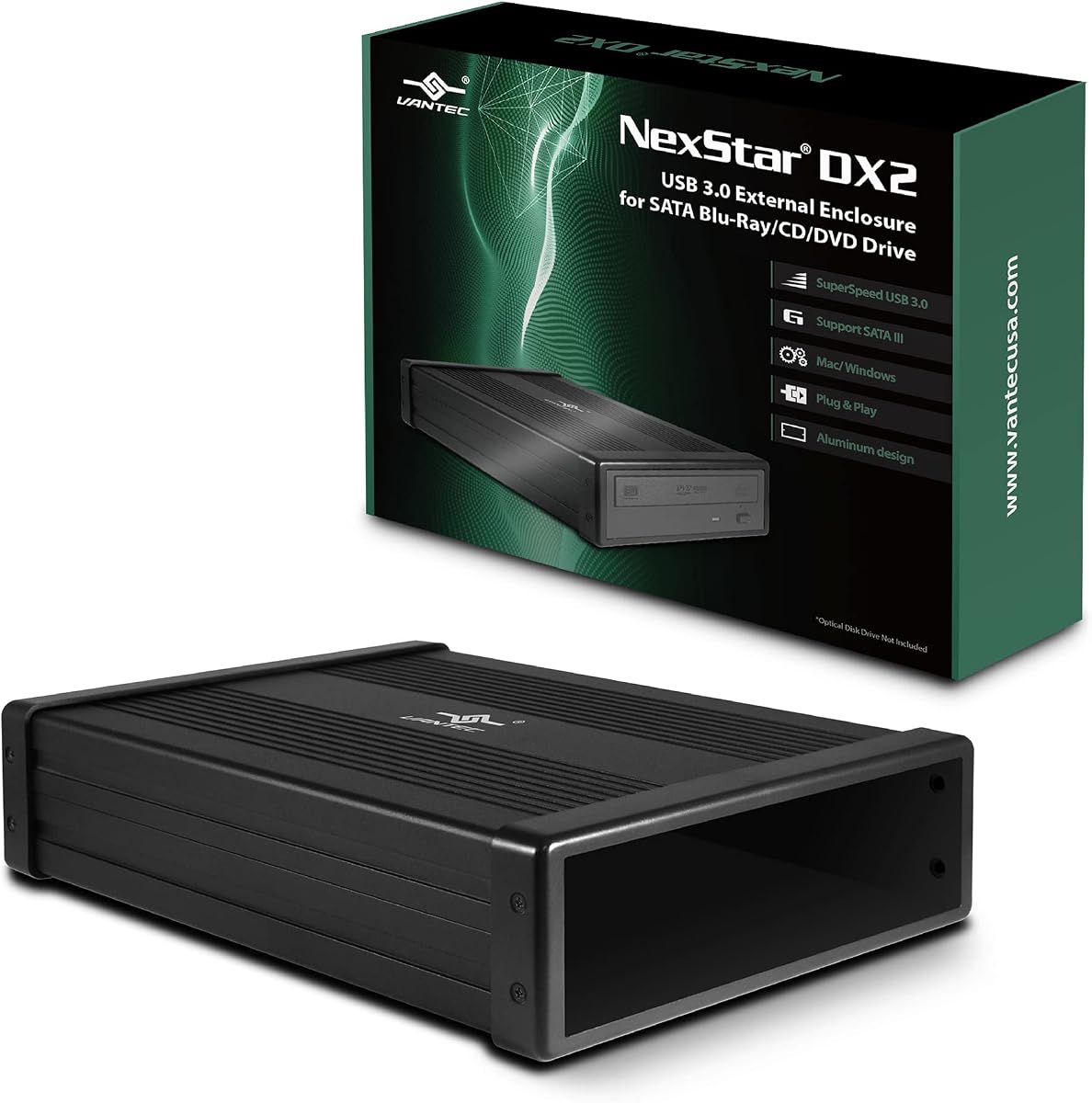
Vantec CB-ST00U3 NexStar Adapter
4.6Editor score
Compact and lightweight design
Supports UASP for speed
Anti-slip mat included
External optical drive enclosures transform internal drives into portable tools for accessing discs on modern computers. These devices enable users to read and write data on CDs, DVDs, and Blu-ray discs without needing built-in hardware. A good enclosure ensures stable connections, efficient heat dissipation, and compatibility with various operating systems.
We evaluated ten models based on build quality, interface speed, and ease of installation. Each option supports specific drive sizes ranging from slim laptop units to standard desktop formats. Our analysis focuses on real-world performance metrics and user-friendly features that enhance daily utility.
Each pick highlights unique strengths for different user needs and budget constraints. Readers can find detailed specifications and practical advice for selecting the right unit. Prices and availability change frequently, so verifying current details on product pages is recommended before purchase.
4.6Editor score
4.6Editor score

4.8Editor score
As an Amazon Associate we earn from qualifying purchases.
The following table provides a side-by-side overview of key specifications and features for each model. This comparison helps identify which unit best matches specific drive types and connectivity requirements.


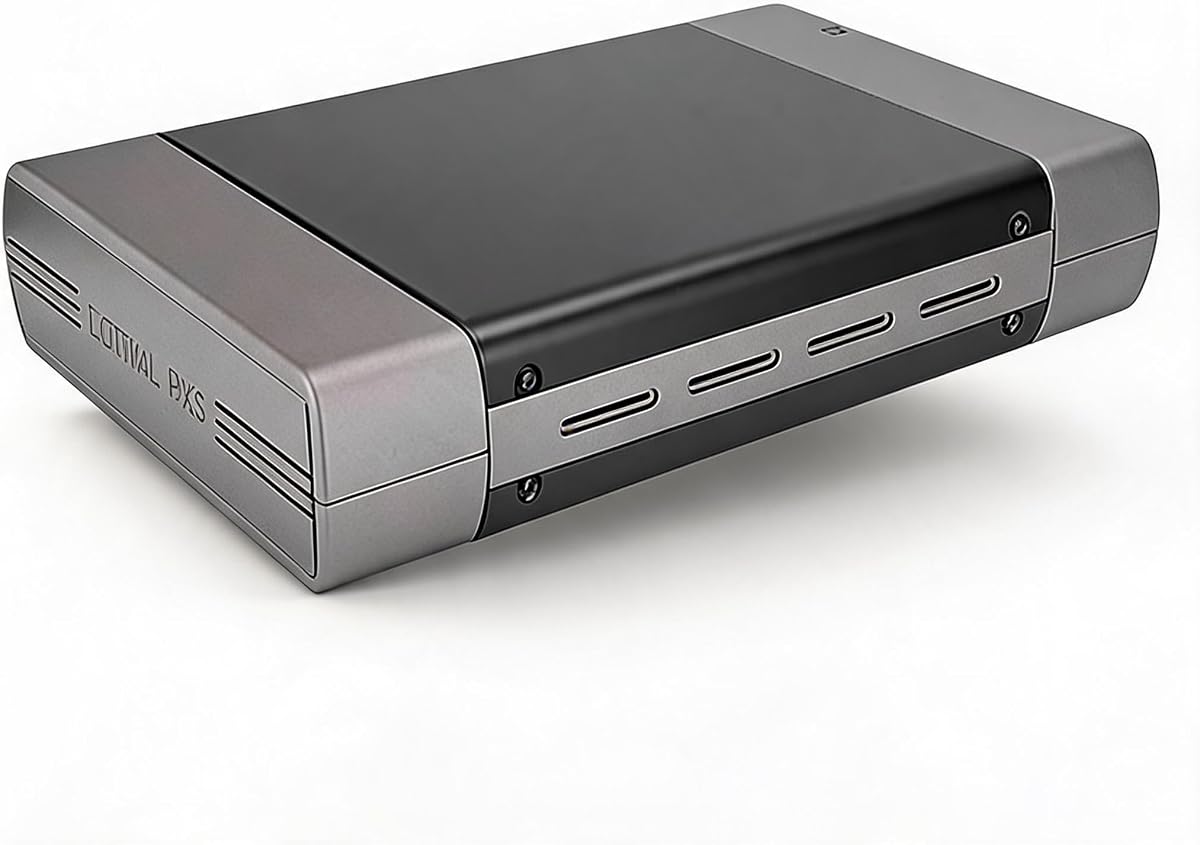


The NexStar DX2 stands out as a versatile solution for transforming internal SATA optical drives into portable external units. It supports standard 5.25 inch formats and adapts to any drive depth. This makes it ideal for users needing reliable optical access on modern hardware.
We may earn a commission when you buy through this link, at no additional cost to you.
Its hot-swappable USB 3.0 interface ensures smooth data transfer without requiring system restarts. The aluminum alloy casing reduces noise and vibration significantly during operation. Users appreciate the included power supply that handles various optical drive requirements.
While designed for larger formats, it offers optional mounting for storage drives. Installation is straightforward with provided tools and instructions. The main trade-off is its size, which is standard for 5.25 inch units but not compact for portability.
This enclosure is perfect for home labs or office setups needing durable optical access. It balances performance and durability for frequent use. Buyers should ensure their optical drive uses a SATA interface for compatibility.
The flexible internal cable and adjustable design allow compatibility with any depth optical drive up to 185mm.
USB 3.0 speeds deliver five gigabit transfers while the aluminum case manages heat effectively during long sessions.
We may earn a commission when you buy through this link, at no additional cost to you.
This model offers strong compatibility with standard 5.25 inch optical drives. It includes both USB-A and Type-C connectors for modern flexibility. The enclosure supports drives without side screws, increasing its versatility for older models.
We may earn a commission when you buy through this link, at no additional cost to you.
Installation is simplified with provided guides and tools. The aluminum casing helps maintain stable operation under load. Users can transfer files quickly thanks to the USB 3.0 interface speed.
The enclosure lacks support for legacy IDE interfaces, which limits some use cases. However, it meets most SATA needs effectively. The lack of detailed screw alignment instructions can be a hurdle for first-time users.
It suits users needing reliable external optical access with modern ports. It is a strong competitor for desktop setups. Verify drive dimensions before purchasing to ensure a perfect fit.
Dual USB ports allow connection to both legacy and newer computers without extra adapters.
The aluminum build reduces heat buildup and keeps vibration low during intensive read operations.
We may earn a commission when you buy through this link, at no additional cost to you.
The Zunate enclosure specializes in slim 9mm optical drives common in laptops. It offers a plug-and-play experience without requiring external power sources. This makes it highly convenient for on-the-go media access.
We may earn a commission when you buy through this link, at no additional cost to you.
Its design features an integrated Type-C and USB 3.0 cable that folds into the case. This reduces clutter and loss of cables during travel. The brushed material adds a stylish touch to the compact form.
While great for portability, it is not built for heavy desktop use. The slim profile may be less robust than larger models. Users should handle it carefully to avoid internal component damage.
This is the ideal choice for laptop owners needing spare optical access. It simplifies converting old internal drives into portable tools. Confirm your drive thickness matches 9mm before buying.
The foldable cable and slim body fit easily into laptop bags for mobile work.
A woven data cable minimizes signal loss ensuring stable transfers at five gigabit speeds.
We may earn a commission when you buy through this link, at no additional cost to you.
The JOTEC enclosure delivers high-end performance with a premium aluminum alloy build. It supports both USB 3.0 and Type-C connections for maximum flexibility. The design prioritizes stable operation with non-slip feet and ventilation.
We may earn a commission when you buy through this link, at no additional cost to you.
Its power-saving sleep mode helps maintain efficiency during long disc reading sessions. Users benefit from included cables that work across different computer types. The enclosure handles various disc formats from CD to DVD seamlessly.
The focus on 9.5mm drives limits its use for wider units. Users must confirm interface compatibility to avoid mismatches. However, it offers reliable performance for laptop-style optical drives.
This unit is best for professionals needing robust portable optical access. The build quality ensures longevity and quiet operation. It is a premium option for quality-conscious buyers.
The aluminum alloy case dissipates heat effectively preventing overheating during extended use.
Two distinct cables allow use with both USB-A and Type-C ports without adapters.
We may earn a commission when you buy through this link, at no additional cost to you.
This enclosure provides broad compatibility for both 12.7mm and 9.5mm SATA drives. It uses the INIC3609 chipset for efficient power management and stable performance. The dual interface support ensures fast data transfer speeds.
We may earn a commission when you buy through this link, at no additional cost to you.
It works across a wide range of operating systems including Windows and Linux. The plug-and-play design simplifies setup for non-technical users. Its compact design fits well in travel bags or desk drawers.
The average rating suggests some variability in individual experiences. Users should ensure proper installation to avoid connection issues. It is a budget-friendly option for basic optical needs.
Ideal for users seeking flexible drive support without premium costs. It offers good performance for standard tasks. Check drive dimensions to confirm fit before purchase.
The INIC3609 chipset enables automatic sleep modes that save power during idle times.
Compatible with Linux and older Windows versions for wide software integration.
We may earn a commission when you buy through this link, at no additional cost to you.
The Vantec CB-ST00U3 is an affordable adapter that converts SATA optical drives to USB. It supports UASP for faster data processing on compatible systems. The compact design makes it easy to store when not in use.
We may earn a commission when you buy through this link, at no additional cost to you.
An included anti-slip mat helps protect drives and reduce noise. Users appreciate the hot-swappable feature that allows quick device changes. It is a simple solution for accessing legacy optical media.
Some users need a stronger power adapter if drives consume more power. It lacks the premium build of higher-end models. However, it performs well for standard read-write tasks.
This adapter is great for budget-conscious users needing reliable connectivity. It provides essential features without extra cost. Verify power requirements before connecting older high-power drives.
Support for UASP ensures faster transfers than standard USB protocols on modern systems.
The anti-slip mat dampens vibration and protects your optical drive during operation.
We may earn a commission when you buy through this link, at no additional cost to you.
This model provides stable connectivity for standard 5.25 inch optical drives. It includes an AC power adapter to ensure consistent performance. The aluminum housing protects the drive from physical damage.
We may earn a commission when you buy through this link, at no additional cost to you.
The setup kit includes all necessary screws and cables for easy installation. Users benefit from a straightforward plug-and-play experience. It is suitable for home office or study environments.
The USB 2.0 interface limits data transfer speeds compared to newer standards. It is less ideal for fast file transfers or large disc images. However, it suffices for reading media or installing software.
It is a practical choice for stationary desktop setups. Users prioritizing stability over speed will find it effective. Verify drive size compatibility to avoid issues.
An included AC adapter guarantees stable operation even for power-intensive optical drives.
The aluminum housing shields the drive from bumps and scratches during use.
We may earn a commission when you buy through this link, at no additional cost to you.
The Bewinner enclosure offers a portable solution for 9.5mm optical drives. It features a detachable panel for easy installation of internal drives. The included woven cable enhances stability during data transfers.
We may earn a commission when you buy through this link, at no additional cost to you.
An eject key helps prevent discs from getting stuck. The slim profile fits easily into bags for mobile use. Its scratch-resistant finish keeps the look clean over time.
It is compatible with a wide range of older and newer systems. The five gigabit speed ensures efficient performance. The design lacks a power adapter which can be a limitation for some drives.
This unit is excellent for travelers needing lightweight optical access. Its simple setup appeals to non-experts. Confirm drive thickness before purchase to ensure compatibility.
The detachable design and lightweight material make it easy to carry anywhere.
A woven cable minimizes signal loss for consistent five gigabit transfer rates.
We may earn a commission when you buy through this link, at no additional cost to you.
This enclosure is designed specifically for 9mm laptop optical drives. It converts internal drives into portable external units efficiently. The detachable cable ensures convenient storage during transport.
We may earn a commission when you buy through this link, at no additional cost to you.
Support for both USB 3.0 and Type-C provides broad device compatibility. The woven data cable minimizes interference for reliable performance. It is easy to install with the included front panel.
It does not support thicker desktop drives which limits versatility. Users must be comfortable with simple installation steps. However, it delivers consistent performance for its target size.
Perfect for laptop users upgrading to USB optical access. It is a solid choice for portability and speed. Check drive thickness to confirm fit.
Both USB 3.0 and Type-C ports ensure compatibility with modern and legacy computers.
The built-in anti-interference cable maintains stable five gigabit transfer rates.
We may earn a commission when you buy through this link, at no additional cost to you.
This unit simplifies the process of converting internal drives to external ones. It uses a tool-free design for quick swapping of components. The integrated cables fold neatly to maintain a clean workspace.
We may earn a commission when you buy through this link, at no additional cost to you.
It supports 12.7mm drives which are common in many laptops. The dedicated eject key prevents discs from getting stuck during use. The brushed finish resists scratches and fingerprints well.
The lack of support for slim 9mm drives limits its scope. Installation requires careful alignment but is straightforward. The compact profile makes it suitable for travel.
It is a practical choice for users needing fast optical access. The easy setup is ideal for non-technical users. Confirm drive thickness to ensure compatibility.
Slide the drive in and snap the cover without screws for rapid setup.
Fold-away cables keep surfaces organized and prevent cable tangling.
We may earn a commission when you buy through this link, at no additional cost to you.
Selecting the right enclosure depends on several key factors including drive size, connectivity, and build quality.
Enclosures are typically designed for specific drive dimensions such as 9mm, 9.5mm, 12.7mm, or 5.25 inches. Confirm your optical drive thickness before purchasing to ensure a proper fit and avoid connection issues.
Check the product specifications for supported dimensions and verify your drive model matches these requirements.
USB 3.0 and Type-C provide faster data transfer speeds compared to USB 2.0. Look for models with both connectors for maximum flexibility across different devices.
Prioritize USB 3.0 for better performance when reading or writing large disc images.
Some slim enclosures draw power directly from USB while others require external AC adapters. Desktop drives usually need separate power supplies for stable operation.
Ensure your setup can support the power requirements of your chosen enclosure to prevent read errors.
Aluminum enclosures offer better heat dissipation and durability compared to plastic. Look for non-slip feet and ventilated designs to maintain stable operation.
Invest in a sturdy case to protect your optical drive from physical damage and heat stress.
Tool-free designs simplify the process of converting internal drives into external units. Verify if the enclosure includes necessary mounting hardware and cables.
Choose models with clear instructions to save time during initial setup.
Most modern enclosures support Windows and macOS, but Linux compatibility can vary. Check that the driverless design works with your specific OS version.
Verify plug-and-play functionality before purchasing to ensure seamless integration.
Integrated and foldable cables help reduce clutter and prevent loss. Woven cables are generally more durable and resistant to signal interference.
Look for designs that store cables neatly to keep your workspace organized.
Established brands often provide better reliability and customer support for optical enclosures. Read user reviews to assess real-world performance and durability.
Choose vendors with positive feedback on product quality and return policies.
Install your optical drive by matching the SATA connectors and aligning screws or locking mechanisms. Ensure all connections are secure before closing the enclosure panel to prevent accidental disconnection.
Connect the enclosure to your computer using the provided USB or Type-C cable. Wait for the system to recognize the device automatically before inserting discs or accessing files.
Keep the enclosure clean and avoid exposing it to extreme heat or moisture. Use soft cloths to wipe dust and store it in a protective case when traveling to extend its lifespan.
No, enclosures are designed for specific drive sizes and interfaces. Verify your drive dimensions (like 9mm or 5.25 inches) and ensure it uses a SATA connection for compatibility.
Slim 9mm drives usually work with USB power, but 5.25 inch desktop drives often require an AC adapter. Check the product specs to confirm power needs before use.
Most modern models use tool-free designs with clear instructions. If you need to align screws, watch the included video guides to ensure proper fit.
Most support Windows 10 and macOS. Linux compatibility varies by chipset. Verify driverless support for your specific OS before purchasing.
Check cable connections and try different USB ports. Some drives require external power or BIOS enablement. Ensure the enclosure matches your drive dimensions.
Use a microfiber cloth to clean surfaces gently and store it in a protective bag. The aluminum models are more scratch resistant than plastic ones.
The NexStar DX2 leads in versatility with its universal depth support and durable build. For portability, the Zunate or Bewinner models offer excellent compact solutions for laptop drives.
Prioritize interface speed and power compatibility based on your specific usage needs. Desktop setups benefit from robust power options while travelers should focus on lightweight designs.
Always confirm current specifications and compatibility details before purchasing since drive formats vary widely. Prices may fluctuate so checking live availability is always recommended.