
Lexar E31 64GB USB 3.2 Gen 1 Flash Drive
4.6Editor score
High-speed metal build
Compact keyring loop design
Widely compatible with devices
This guide compares the top ten Lexar USB Flash Drive options for speed, durability, and compatibility to help you find the perfect portable storage solution
Finding reliable portable storage is essential for modern computing needs. Lexar USB Flash Drive options provide fast transfer speeds and robust security features for diverse users seeking efficient data management.
We evaluated ten top models based on transfer performance, build quality, and connector versatility. Each entry offers unique strengths for different workflows ranging from basic file sharing to high-speed media backups.
Each pick highlights key specs, pros, and cons to guide your decision. Prices and availability vary by retailer and change frequently so verify current terms before purchasing your preferred model online.
4.6Editor score

4.5Editor score

4.6Editor score
This comparison table lists all ten models side by side with key specifications. Review the read speeds connector types and unique features to identify which drive matches your specific workflow requirements.


This Lexar USB Flash Drive combines speed and reliability. With a 4.5 rating, the S80 delivers up to 150MB/s read speeds. It stands out with its robust security and durable build.
We may earn a commission when you buy through this link, at no additional cost to you.
The S80 excels in performance. Its USB 3.2 Gen 1 interface ensures rapid file transfers compared to older USB 2.0 models. The retractable design protects the connector effectively. This prevents accidental damage.
While it costs more than budget options, the speed justifies the price. The 256-bit AES encryption adds valuable protection. If speed and data safety are priorities, this trade-off is acceptable.
Buy this if you need a reliable daily drive. It suits professionals transferring large files frequently. The warranty adds peace of mind for critical data storage tasks.
Experience swift transfers with up to 150MB/s read speeds that significantly outpace standard USB 2.0 drives.
Protect sensitive information with advanced security software featuring 256-bit AES encryption for private files.
We may earn a commission when you buy through this link, at no additional cost to you.
The D50E is a top-tier Lexar USB Flash Drive. Rated 4.6, it offers up to 400MB/s read speeds. This makes it ideal for heavy media workflows needing maximum performance.
We may earn a commission when you buy through this link, at no additional cost to you.
Its dual USB-A and USB-C connectors provide unmatched flexibility. You can connect to PCs and modern smartphones directly. The Lexar App adds easy mobile backup for photos. This convenience is rare in standard drives.
The high price reflects its premium performance. Mobile app features are basic but useful for quick backups. For professional users, the speed and dual ports justify the investment.
Choose this if you need top speed and versatility. It fits users working across Mac, PC, and mobile devices. The metal housing ensures it survives daily rigorous transport.
Dual USB-A and USB-C connectors allow seamless file transfer between computers and mobile devices without adapters.
Achieve transfer speeds up to 400MB/s for rapid backups of large video files and datasets.
We may earn a commission when you buy through this link, at no additional cost to you.
The E31 offers great value in the Lexar USB Flash Drive line. With a 4.6 rating, it provides reliable up to 100MB/s transfers. It is perfect for everyday file transport needs.
We may earn a commission when you buy through this link, at no additional cost to you.
Its metal build offers surprising durability at this price point. The keyring loop ensures you never lose it. It connects easily to laptops and TVs without extra software.
It lacks encryption features and holds only 64GB. For basic documents and media, this is sufficient. The affordable price makes it a smart pick for students or casual users.
Buy this for daily tasks and student needs. It works well for quick file sharing. The warranty covers unexpected issues for two years.
Its lightweight design with an integrated keyring loop ensures you can attach it to keys for instant access.
Constructed with a sleek all-metal housing to protect your files from the stress of daily use.
We may earn a commission when you buy through this link, at no additional cost to you.
This Lexar USB Flash Drive bridges USB-A and USB-C worlds. Rated 4.3, it offers up to 100MB/s transfers. The swivel design protects connectors without caps.
We may earn a commission when you buy through this link, at no additional cost to you.
The 360-degree swivel allows easy switching. It includes 256-bit AES encryption for security. The metal casing protects it against everyday wear and tear effectively.
Swivel parts may wear faster than retractable ones. Speed is average but fine for documents. It suits users needing compatibility without buying adapters.
Select this for versatile device support. It works with laptops and phones easily. The encryption keeps files safe during transit.
Dual connectors eliminate the need for extra adapters when moving data between USB-A and USB-C devices.
Secure sensitive data with advanced security software that provides 256-bit AES encryption for your files.
We may earn a commission when you buy through this link, at no additional cost to you.
The TwistTurn2 is a classic Lexar USB Flash Drive option. Rated 4.6, it provides a pack of three for sharing. It is simple to use and reliable.
We may earn a commission when you buy through this link, at no additional cost to you.
The twist mechanism protects the USB connector effectively. It works with most older systems too. The pack is ideal for schools or small offices.
USB 2.0 is slow for large video files. However, for documents it is adequate. The multiple drives ensure you always have a backup.
Buy this for basic shared needs. It suits schools or casual home users. The simple design ensures no caps are lost.
The hinged jacket rotates to reveal the USB interface protecting it from dust without the need for a cap.
Plug-and-play design enables immediate use right out of the box on compatible computers and systems.
We may earn a commission when you buy through this link, at no additional cost to you.
This Lexar USB Flash Drive holds significant data in a small package. Rated 4.6, it features up to 130MB/s read speeds. It offers 256GB for large libraries.
We may earn a commission when you buy through this link, at no additional cost to you.
Its swivel design protects connectors while switching ports. Lexar DataShield provides secure file storage. The metal housing keeps it stylish and durable.
Swivel joints may wear over time with heavy use. For bulk storage, the capacity is excellent. It suits users needing more than 128GB.
Choose this for large file storage needs. It fits video editors or travelers. The dual connectors ensure compatibility across devices.
Dual USB Type-C and USB Type-A ports provide compatibility with a wide range of modern and legacy devices.
Transfer your files with high-speed USB 3.2 Gen 1 performance for quick access to your stored data.
We may earn a commission when you buy through this link, at no additional cost to you.
This Lexar USB Flash Drive set offers variety and ease. Rated 4.7, it includes five drives in different colors. The sliding cover protects the connector well.
We may earn a commission when you buy through this link, at no additional cost to you.
The assortment helps you color-code files easily. The sliding cover ensures protection without caps. It works with most PC and Mac systems out of the box.
USB 2.0 is slow for modern large files. The 32GB limit is small for media. However, for text documents it is perfect.
Buy this for basic sharing tasks. It suits classrooms or small teams. The different colors help organize files simply.
The sliding cover helps protect the USB connector from damage and dust while keeping it ready for use.
Save and transfer photos music and video files with ease using this simple portable storage solution.
We may earn a commission when you buy through this link, at no additional cost to you.
This Lexar USB Flash Drive balances speed and cost. Rated 4.4, it offers up to 150MB/s read speeds. Its DataShield security adds great value.
We may earn a commission when you buy through this link, at no additional cost to you.
The design is sleek and durable for daily use. Lexar DataShield protects your sensitive files effectively. It is fully compatible with most modern Mac systems.
It lacks an explicit cap for port protection. The warranty is shorter than S80. However, the speed and security make it a solid choice.
Select this for balanced daily use. It fits professionals needing speed and safety. The protection is vital for important documents.
This drive is as stylish as it is durable ensuring your files are protected while maintaining a professional look.
Protect your files with Lexar DataShield encryption and ensure your data remains secure from unauthorized access.
We may earn a commission when you buy through this link, at no additional cost to you.
This Lexar USB Flash Drive is great for keychains. Rated 4.6, it offers reliable up to 100MB/s speeds. Its metal build is sturdy and professional.
We may earn a commission when you buy through this link, at no additional cost to you.
The keyring loop ensures you never lose it. It plugs easily into any USB port. This is ideal for quick data access.
Capacity is limited to 64GB. There is no protective cap. However, its compact nature makes it highly portable.
Choose this for daily essential access. It suits professionals on the move. The durability ensures it lasts through transport.
The integrated keyring loop allows you to attach the drive to your keys so you never forget your data.
Constructed with a durable metal build this drive stands up to the rigors of daily use and travel.
We may earn a commission when you buy through this link, at no additional cost to you.
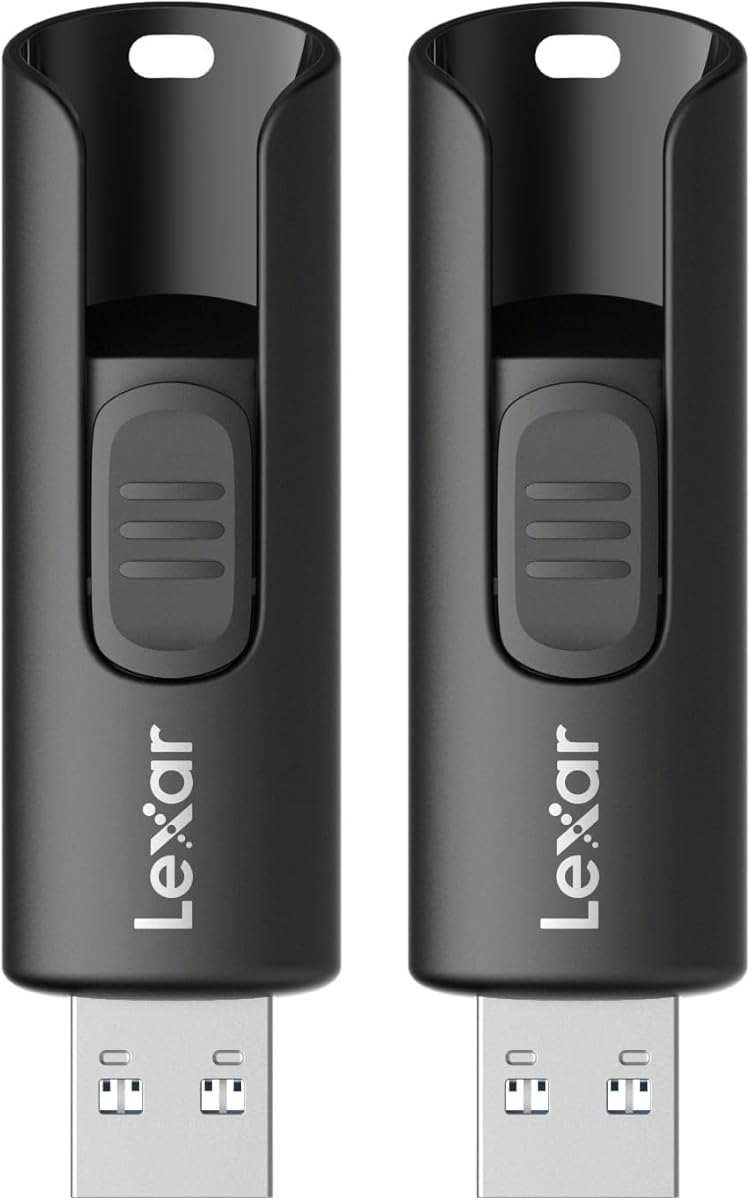
This Lexar USB Flash Drive set is highly rated. Rated 4.8, it offers three black drives. The sliding cover keeps the connector safe.
We may earn a commission when you buy through this link, at no additional cost to you.
The simple design ensures easy use on PCs. Sliding covers prevent dust entry effectively. It is perfect for basic file transfers.
USB 2.0 is not for large media. The 32GB capacity limits video storage. However, for documents it is sufficient.
Buy this for basic office needs. It suits schools or home users. The warranty covers two years of use.
This drive makes portable storage simple by allowing you to save and share photos videos and documents easily.
The sliding cover helps protect the connector from dust and damage while keeping the drive ready for use.
We may earn a commission when you buy through this link, at no additional cost to you.
Choosing the right Lexar USB Flash Drive depends on your specific storage needs. Consider capacity, transfer speeds, and connector types to find the perfect match for your devices.
Storage capacity determines how many files you can carry. Options range from 32GB to 1TB. Choose higher capacity if you handle large media files or datasets.
Select a capacity that matches your typical file sizes. For documents 32GB is enough. For video choose 256GB or higher.
Transfer speed impacts how fast you can copy files. USB 3.2 Gen 1 drives offer up to 150MB/s. USB 2.0 are slower but cheaper.
Look for 3.2 models if speed matters. For documents standard speeds are acceptable. Avoid 2.0 for video files.
Connector type ensures compatibility with your devices. USB-A works with most laptops. USB-C is needed for modern phones.
Select dual port drives if you switch devices often. This avoids needing extra adapters during travel.
Security features protect sensitive data during transit. Lexar DataShield and AES encryption are available on some models.
Prioritize encrypted drives for confidential files. This ensures your data remains private during transport.
Build quality affects durability during transport. Metal housings are more durable than plastic. Retractable or swivel designs protect connectors.
Choose metal models for daily use. This ensures the drive survives drops and rough handling.
Warranty coverage provides peace of mind. Most models offer two to three-year warranties. Check terms before purchase.
Prioritize longer warranties for critical tasks. This covers manufacturing defects effectively.
Portability matters if you carry the drive daily. Compact sizes and keychain loops improve convenience.
Select slim models for pocket use. This reduces bulk in your bag or pocket.
Operating system support ensures immediate usability. Most Lexar drives work with Windows and Mac out of the box.
Verify macOS compatibility for Apple users. This avoids driver installation issues.
Plug the drive into any USB port to begin transferring files. It will appear as a removable storage device on your computer. Drag and drop files to store them.
Eject the drive properly before unplugging to avoid data loss. Right-click the drive icon and choose eject. This ensures all files are written safely.
Store the drive in a cool, dry place. Avoid exposing it to extreme heat or moisture. Regularly backup your files to a safe location.
Yes, most Lexar USB Flash Drives are compatible with Mac systems. They work out of the box without needing special drivers. This ensures immediate plug-and-play use for Apple users.
USB 3.2 offers faster transfer speeds compared to USB 2.0. It transfers data up to ten times faster than standard USB 2.0 drives. This makes it ideal for larger files like videos.
Lexar DataShield allows you to create a password-protected safe on the drive. You can easily install the software to encrypt your files. This protects your sensitive data from unauthorized access.
Yes, models with USB-C connectors work directly with Android and iOS devices. You can back up photos and videos wirelessly using the Lexar App. This provides seamless mobile storage without adapters.
Most Lexar USB Flash Drives come with a limited warranty ranging from two to three years. This covers manufacturing defects. Always check the product details for specific terms.
These drives last many years with proper care. The durability depends on usage and handling. Store them in a dry place to extend their lifespan.
Yes, you can store video files on these drives. Ensure you choose a model with enough capacity like 256GB or 512GB. Higher capacities allow for larger video libraries.
It is generally safe to leave the drive plugged in. However, eject it before unplugging to avoid data corruption. Always use the eject function properly.
The top picks include the S80 for speed, the D50E for premium dual connectivity, and the E31 for budget value. Each offers unique strengths for different user needs.
Prioritize speed if you handle large files. Choose security for confidential data. Select dual ports for mobile compatibility.
Remember that prices and availability change frequently. Verify current terms before purchasing your preferred model online.