
Keyboard Case for Fire Max 11 inch
4.5Editor score
7 color backlight included
Long battery life claimed
Affordable price point
This comprehensive guide compares the top 10 keyboard cases for the Amazon Fire Max 11 tablet, evaluating features like backlighting, trackpads, and protection.
Finding the right keyboard case for your Fire Max 11 can transform your tablet into a powerful productivity tool. These accessories offer typing comfort, protection, and often extra features like stylus holders or backlighting for versatile use.
We compared ten top-rated models based on build quality, typing experience, connectivity options, and overall value. Our analysis focuses on real-world usability, compatibility accuracy, and additional features that enhance your daily workflow with the device.
Each selection below highlights key strengths and potential trade-offs to help you choose the perfect match for your needs. Keep in mind that availability and pricing can change frequently, so verify current details before making your final purchase decision.
4.5Editor score

4.6Editor score
4.6Editor score
The following table provides a side-by-side comparison of all ten keyboard cases, highlighting their unique specifications and key features to help you make an informed decision quickly.
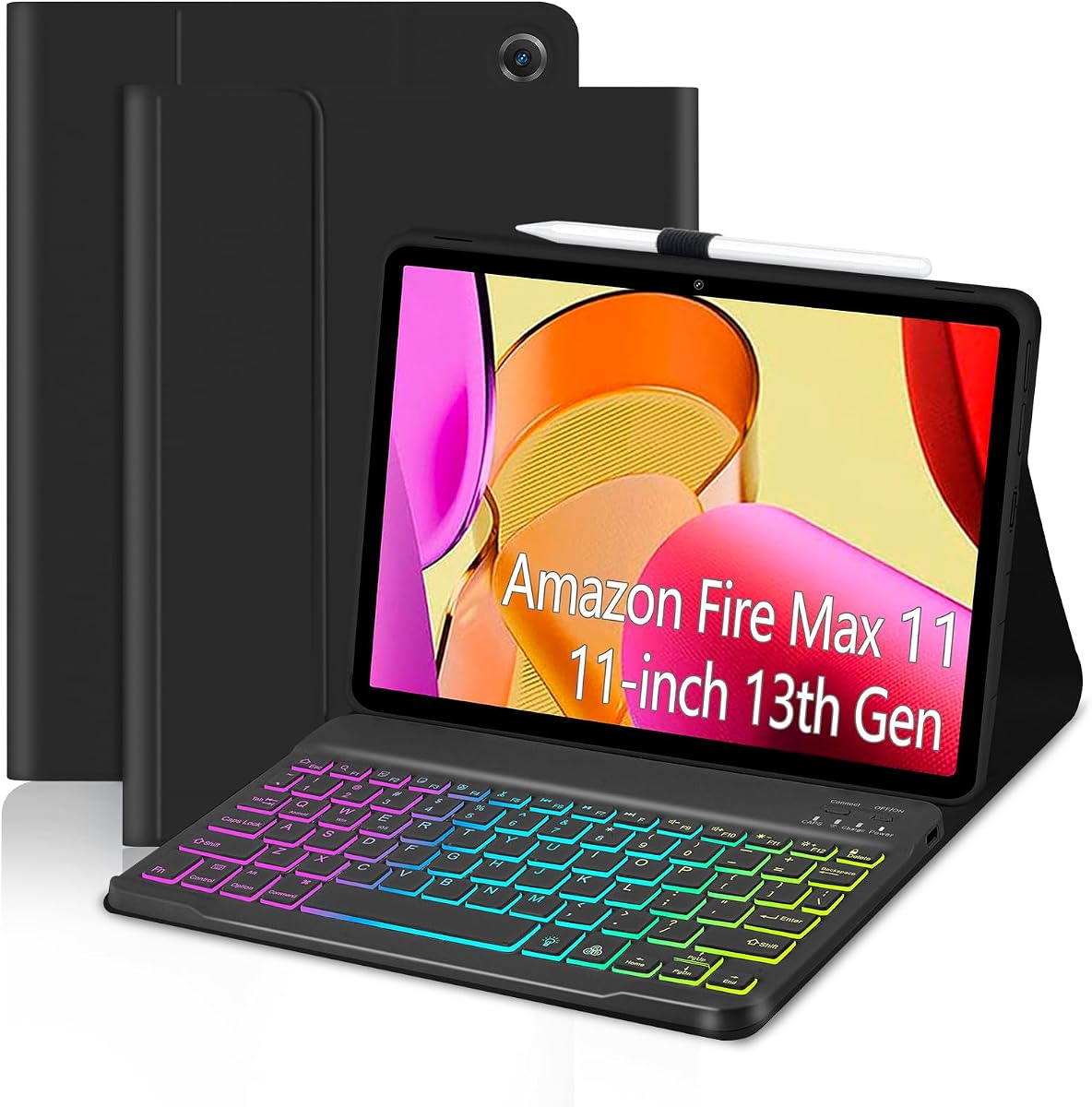


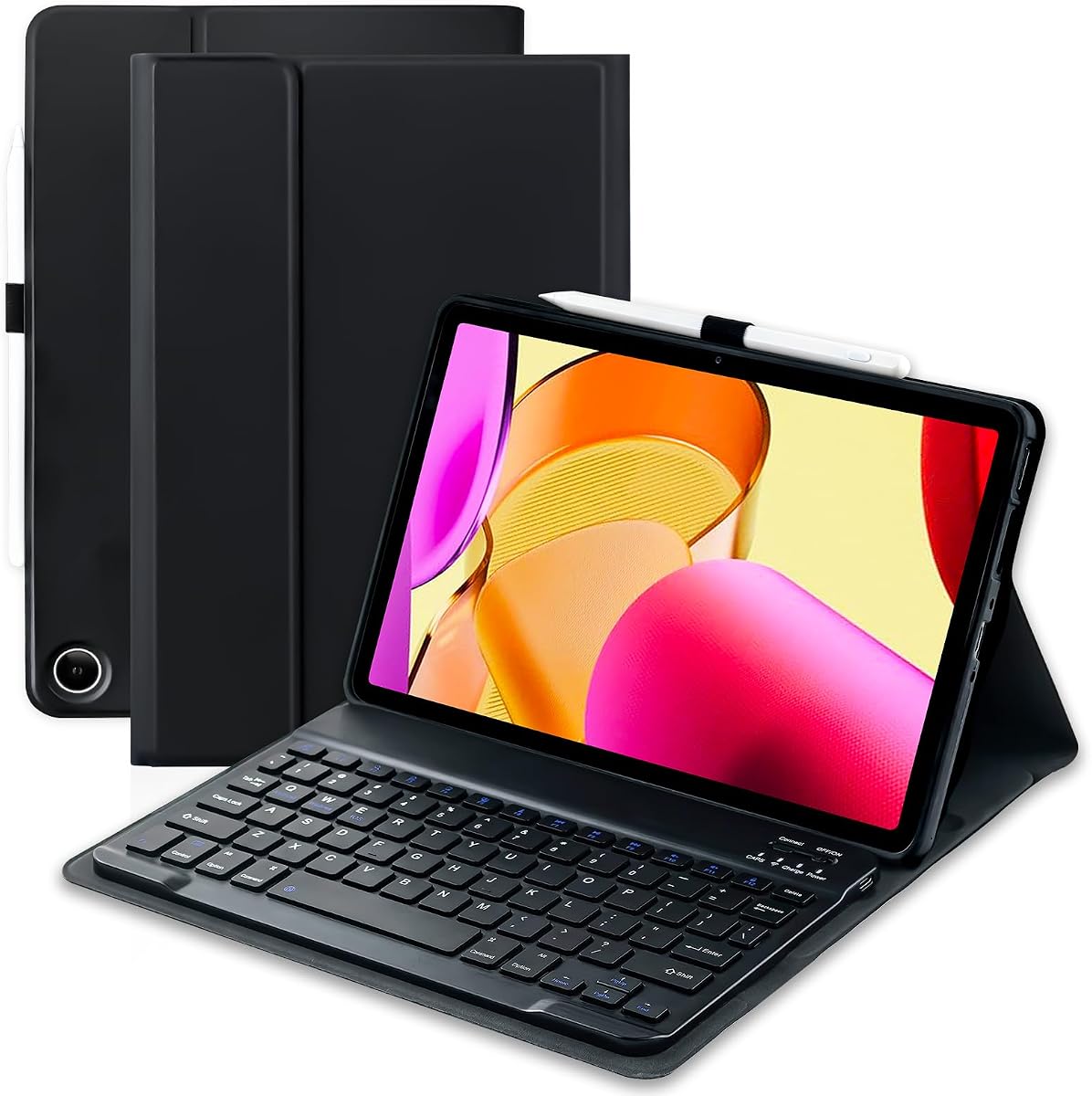


This keyboard case is a strong contender for the overall best choice for Fire Max 11 owners. It offers a robust typing experience combined with a visually appealing rainbow backlight that enhances usability in low-light environments. The magnetic detachable design ensures seamless integration with the tablet.
We may earn a commission when you buy through this link, at no additional cost to you.
Key strengths include the precise cutouts for all ports and buttons, ensuring full functionality without hindrance. The honeycomb inner design aids heat dissipation, which helps maintain optimal tablet performance during extended typing sessions. The PU leather exterior provides a premium look while protecting against scratches.
While it excels in many areas, it lacks a built-in trackpad, which some users might prefer for mouse-like navigation. Additionally, the typing noise is slightly noticeable in very quiet settings. However, these trade-offs are minimal compared to the overall value and protection offered.
This case is ideal for users who prioritize typing comfort and aesthetic appeal. It suits students or professionals who need a reliable accessory for daily tasks. For those wanting a complete laptop replacement, the lack of a trackpad is a consideration, but it remains a top recommendation.
The rainbow backlight feature offers seven adjustable colors, allowing you to customize your typing environment to suit your mood or lighting conditions.
The 360-degree protection ensures your tablet is safe from accidental drops, with a soft TPU inner shell providing extra cushioning.
We may earn a commission when you buy through this link, at no additional cost to you.
The MePadKey case stands out for its budget-friendly price while still offering essential features like a built-in touchpad. This makes it an attractive option for users seeking a full laptop-like experience without a high cost. The rechargeable keyboard ensures you won't be burdened by constant battery changes.
We may earn a commission when you buy through this link, at no additional cost to you.
Its main advantage is the touchpad, which adds a layer of convenience for navigation, especially when browsing or managing documents. The rainbow backlight adds a touch of style, and the detachable design offers flexibility in how you use the tablet. The anti-slip grooves keep the tablet secure.
However, the touchpad performance may not be as smooth as a dedicated mouse, and the typing feel is inconsistent compared to higher-end models. The build quality is decent but not premium. These factors are acceptable given the price point, making it a solid entry-level choice.
This case is best suited for casual users or those on a tight budget. If you need basic functionality and don't require high-precision navigation, it serves its purpose well. For heavy productivity tasks, you might find the limitations noticeable, but it's a great value overall.
The included touchpad supports multi-finger gestures, allowing you to navigate your tablet efficiently without needing an external mouse.
You can detach the keyboard and adjust the viewing angles to find the most comfortable position for reading or watching videos.
We may earn a commission when you buy through this link, at no additional cost to you.
The TUNKARMOR case offers a premium experience with the inclusion of a Bluetooth mouse, elevating it beyond standard keyboard cases. This combination provides a true desktop-like setup, making it ideal for users who demand high productivity. The magnetic keyboard attaches securely, ensuring stability while typing.
We may earn a commission when you buy through this link, at no additional cost to you.
The auto sleep/wake function adds convenience, helping to preserve battery life by waking the tablet when opened and putting it to sleep when closed. The honeycomb grid pattern in the inner layer provides cushioning and helps prevent overheating. The case is designed to turn your tablet into a mini laptop quickly.
The main drawbacks are the higher price compared to basic models and the need to pair the mouse separately, which adds a step to setup. The typing experience is good but not exceptional. These issues are minor considering the added functionality and robust protection it offers.
This case is perfect for professionals or power users who need a complete workstation on the go. If you frequently work on documents or spreadsheets, the extra mouse functionality is a significant plus. For casual users, it might be overkill, but it delivers on performance and protection.
With both a keyboard and a Bluetooth mouse included, this case provides all the tools needed for efficient document editing and navigation.
The honeycomb inner design not only cushions the tablet but also improves heat dissipation, ensuring your device runs cooler during use.
We may earn a commission when you buy through this link, at no additional cost to you.
This official Amazon keyboard case is a top-rated option that integrates seamlessly with the Fire Max 11. The built-in trackpad and pogo pin connection eliminate the need for charging, providing a hassle-free experience. It is designed specifically for this tablet model, ensuring a perfect fit.
We may earn a commission when you buy through this link, at no additional cost to you.
The trackpad allows for smooth navigation, supporting gestures like pinch-to-zoom and two-finger scrolling. With 15 shortcut keys and customizable options, typing is faster and more efficient. The design is lightweight and portable, making it easy to carry on-the-go. The auto wake function adds convenience.
On the downside, it lacks the customization found in third-party options, and the higher price point may be a deterrent for budget-conscious users. The keyboard layout is fixed, offering fewer adjustments. However, the reliability and quality make it a strong contender for those who value official accessories.
This case is recommended for users who prioritize quality and convenience over cost. It is ideal for everyday use where a reliable typing experience and trackpad are essential. If you are willing to invest in a premium accessory, this case delivers consistent performance and durability.
Designed specifically for the Fire Max 11, this case ensures all features and ports are accessible without any compromise in functionality.
The integrated trackpad supports multi-touch gestures, allowing you to navigate apps and documents with precision and ease.
We may earn a commission when you buy through this link, at no additional cost to you.
This case offers a unique 3-Zone rainbow backlight feature that adds a distinctive visual appeal to your typing setup. It includes a Bluetooth mouse and a pen holder, making it a comprehensive accessory for productivity tasks. The magnetic detachable keyboard allows for flexible positioning.
We may earn a commission when you buy through this link, at no additional cost to you.
The build quality is robust, with full edge coverage and a honeycomb inner pattern that aids in heat dissipation. The auto sleep/wake function helps conserve battery life. With anti-slip slots, you can adjust the viewing angle for various activities like reading or drawing.
The lighting control can be complex to master, and the overall design might feel slightly bulky compared to sleeker models. The mouse requires pairing, adding a step to setup. Despite these minor issues, the case provides excellent value for the range of features it includes.
This case is suitable for users who want a feature-rich accessory at a reasonable price. It works well for multitasking and creative work thanks to the included mouse and pen holder. If you appreciate a unique aesthetic and extra functionality, this is a strong option.
The 3-Zone rainbow backlight allows you to customize the lighting on your keyboard, enhancing both aesthetics and low-light usability.
Included accessories like a Bluetooth mouse and pen holder make this case a complete solution for diverse tablet usage scenarios.
We may earn a commission when you buy through this link, at no additional cost to you.
This case is an excellent choice for budget-conscious users seeking a stylish and functional keyboard accessory. The 7-color backlight adds a touch of elegance, and the long battery life ensures you can use it for extended periods without recharging. The magnetic attachment makes it easy to use.
We may earn a commission when you buy through this link, at no additional cost to you.
The honeycomb inner design provides protection and helps with heat dissipation. It includes a pen holder for your stylus, making it convenient for note-taking. The multi-angle view options allow you to adjust the tablet for comfortable reading or typing.
The build is relatively thin, which might not offer the same level of rugged protection as heavier cases. It also lacks advanced features like a trackpad or mouse inclusion. However, for basic typing and protection, it performs admirably and is easy to set up.
This case is perfect for casual users who need a simple and affordable solution. It is ideal for those who mainly use their tablet for media consumption and light typing. If you are looking for a cost-effective way to enhance your tablet experience, this is a great pick.
With up to 90 hours of battery life on a single charge, this keyboard ensures you can work or play without frequent interruptions for recharging.
The 7-color backlight not only looks great but also enhances visibility in low-light environments, making typing more comfortable.
We may earn a commission when you buy through this link, at no additional cost to you.
Another version of the official Amazon keyboard case, this model emphasizes sustainability with recycled plastics in its construction. It retains the popular integrated trackpad and pogo pin connection, offering a reliable and efficient typing experience. The customizable shortcuts enhance productivity.
We may earn a commission when you buy through this link, at no additional cost to you.
The trackpad supports gestures for easy navigation, and the lightweight design makes it portable. The magnetic attach ensures quick installation. It is designed for the 13th generation tablet, guaranteeing compatibility and a snug fit. The auto wake feature adds convenience for daily use.
The lack of backlighting may be a drawback for those who type in dark environments. It also has fewer customization options compared to third-party rivals. However, the quality and eco-friendly approach make it a responsible choice for environmentally conscious buyers.
This case is best for users who prefer official accessories and value sustainability. It is suitable for professional settings where a clean, functional look is preferred. If you want a reliable trackpad and don't need extra lighting, this model delivers excellent performance.
Made with 35% post-consumer recycled plastics, this case offers high performance while reducing environmental impact through sustainable manufacturing.
The integrated trackpad allows for precise cursor control and gesture support, making it easier to navigate apps and documents seamlessly.
We may earn a commission when you buy through this link, at no additional cost to you.
This case features a convenient Type-C charging port for the keyboard, ensuring easy power management. The multi-function keys on the top row provide quick access to common actions, boosting efficiency. The pen holder keeps your stylus secure and within reach.
We may earn a commission when you buy through this link, at no additional cost to you.
The magnetic adsorption ensures the keyboard stays attached to the case securely. The anti-slip grooves allow for multiple viewing angles, adapting to different needs. The honeycomb design helps with heat dissipation, which is beneficial for longer usage sessions. Protection is solid against drops and scratches.
Typing feel is average, lacking the tactile feedback of more premium options. It also does not include a trackpad, which may limit navigation for some users. Despite this, it is a functional and practical accessory at a competitive price point.
This case is a good fit for users who need a reliable keyboard without extra features. It is well-suited for general productivity and media consumption. If you want a simple and effective solution, this case offers a balanced mix of performance and affordability.
The built-in Type-C charging port allows you to charge the keyboard quickly and conveniently, ensuring it is always ready for use.
Multi-function keys on the top row give you quick access to essential tasks like volume control and media playback without navigating menus.
We may earn a commission when you buy through this link, at no additional cost to you.
This EAMPANG case is similar to the first model but in a blue color variant. It features a 7-color rainbow backlight that adds style to your typing. The magnetic detachable design allows for flexibility, and the pen holder keeps your stylus handy. The slim design is easy to carry.
We may earn a commission when you buy through this link, at no additional cost to you.
The protection offered is decent, with a PU leather exterior and TPU inner shell. The honeycomb inner shell aids heat dissipation. However, user ratings are lower than other models, indicating potential issues with build quality or durability. The backlight is functional but may not be as bright as others.
The main drawbacks include a lower user rating compared to similar products, which may signal inconsistency. Typing quality is acceptable but not exceptional. For those who prefer blue color, it is an option, but other models might offer better reliability.
This case is suitable for users who want a specific color option and basic features. It works well for light typing and media consumption. If you are concerned about long-term durability, consider alternatives with higher ratings. For casual use, it is a decent choice.
The blue color variant offers a unique look while maintaining the functional benefits of the original model, making it a personalized choice for users.
The 7-color backlight enhances visibility in low-light conditions, allowing you to type comfortably even in dim environments.
We may earn a commission when you buy through this link, at no additional cost to you.
This keyboard case is a strong value proposition with a premium vegan leather cover and quiet keys for comfortable typing. It includes a stylus pen holder for convenient storage. The battery life is impressive, lasting up to 70 hours on a single charge. Shortcuts are included for efficiency.
We may earn a commission when you buy through this link, at no additional cost to you.
The magnetic attachment ensures the keyboard is secure, and the multi-view angles allow for flexible use. The auto sleep/wake function helps conserve battery. The build quality is good, with full protection against scratches and drops. It is designed to turn your tablet into a mini laptop.
The absence of a trackpad means you may rely on touch controls or an external mouse for navigation. Setup requires Bluetooth pairing, which adds a step. Despite these limitations, the overall package offers excellent value for the price. It is a practical choice for many users.
This case is ideal for users looking for a balance of style and function. It is great for light productivity tasks and media consumption. If you want a sleek design and long battery life without breaking the bank, this case is a strong recommendation for value seekers.
The high-quality vegan leather exterior gives your tablet a sophisticated look while providing durable protection against daily wear and tear.
With up to 70 hours of continuous use on a single charge, this keyboard ensures you can work or play without frequent recharging interruptions.
We may earn a commission when you buy through this link, at no additional cost to you.
Selecting the right keyboard case involves considering factors like connectivity, features, and build quality to ensure it meets your specific needs.
Ensure the case is explicitly designed for the Fire Max 11 (13th Generation). Many models are specific to this release, so verify before buying to avoid fit issues.
Check the product description carefully to confirm compatibility with your exact tablet model.
Decide between magnetic detachable keyboards or fixed options. Detachable keyboards offer flexibility, allowing you to use the tablet as a standalone device.
Magnetic attachments ensure stability while typing and easy removal when needed.
Many cases feature rainbow backlighting for low-light typing. Look for adjustable brightness or color options if you need customizable lighting.
Backlighting enhances visibility and aesthetics, making it easier to type in darker environments.
Some models include a built-in trackpad or Bluetooth mouse, adding a laptop-like experience. This is useful for navigation without touch controls.
If you prefer mouse-like precision, prioritize cases with integrated navigation features.
Look for materials like PU leather and TPU inner shells for durability. Honeycomb designs help with heat dissipation, protecting the tablet from overheating.
A sturdy build ensures long-term protection against drops and scratches.
Consider the battery capacity and charging method. USB-C charging is convenient, and longer battery life reduces the need for frequent recharges.
Check the estimated usage hours to ensure it fits your daily routine.
If you use a stylus, a built-in pen holder keeps it secure and within reach. This prevents loss and makes note-taking more convenient.
Verify that the holder accommodates your specific stylus model.
Prices vary based on features. Budget options may lack advanced features like trackpads or backlighting, while premium models offer more functionality.
Determine your budget and prioritize the features that matter most for your use case.
To install the keyboard case, align the tablet with the magnetic attachment and ensure it clicks into place securely. The auto wake function should activate the screen upon opening.
For the keyboard, use the USB-C charging cable to power it up. Pair via Bluetooth if required, and adjust brightness or backlight settings using the shortcut keys provided.
Clean the case with a soft, dry cloth to remove dust. Avoid harsh chemicals on the leather or keyboard keys. Store the case in a cool, dry place when not in use.
No, most keyboard cases are designed specifically for the Fire Max 11 13th Generation (2023 release). Older models have different dimensions, so compatibility is not guaranteed. Always check the product details before purchasing.
Only specific models include a built-in trackpad. Some use magnetic Bluetooth keyboards without one, so verify the specifications if you need trackpad functionality for navigation.
Many keyboards use a USB-C charging port, while some connect via pogo pins to the tablet. Check the product description to determine the charging method for your specific model.
Yes, most models feature a magnetic detachable keyboard, allowing you to remove it for standalone tablet use. This offers flexibility between typing and media consumption.
Many cases include adjustable backlighting with multiple colors or brightness settings. Use the function keys to cycle through colors or adjust intensity as needed.
Cases offer protection against scratches and minor drops, but they are not waterproof. The TPU or PU leather helps shield the tablet, but avoid exposing it to moisture.
Battery life varies by model but can range from 50 to 90 hours on a single charge. Charging time is typically around 2-3 hours via USB-C.
Yes, most cases include a holder for the stylus but do not come with one. Check the package contents to confirm what accessories are included.
The top picks in this guide offer a range of options from budget-friendly choices to premium models with advanced features. Each case provides protection and typing functionality suited to different needs.
Prioritize features like trackpads or backlighting if you require enhanced productivity. For basic needs, simpler and more affordable cases may suffice for your daily use.
Prices and availability change often, so verify current details before purchasing. This guide aims to help you find a reliable accessory that enhances your Fire Max 11 experience.