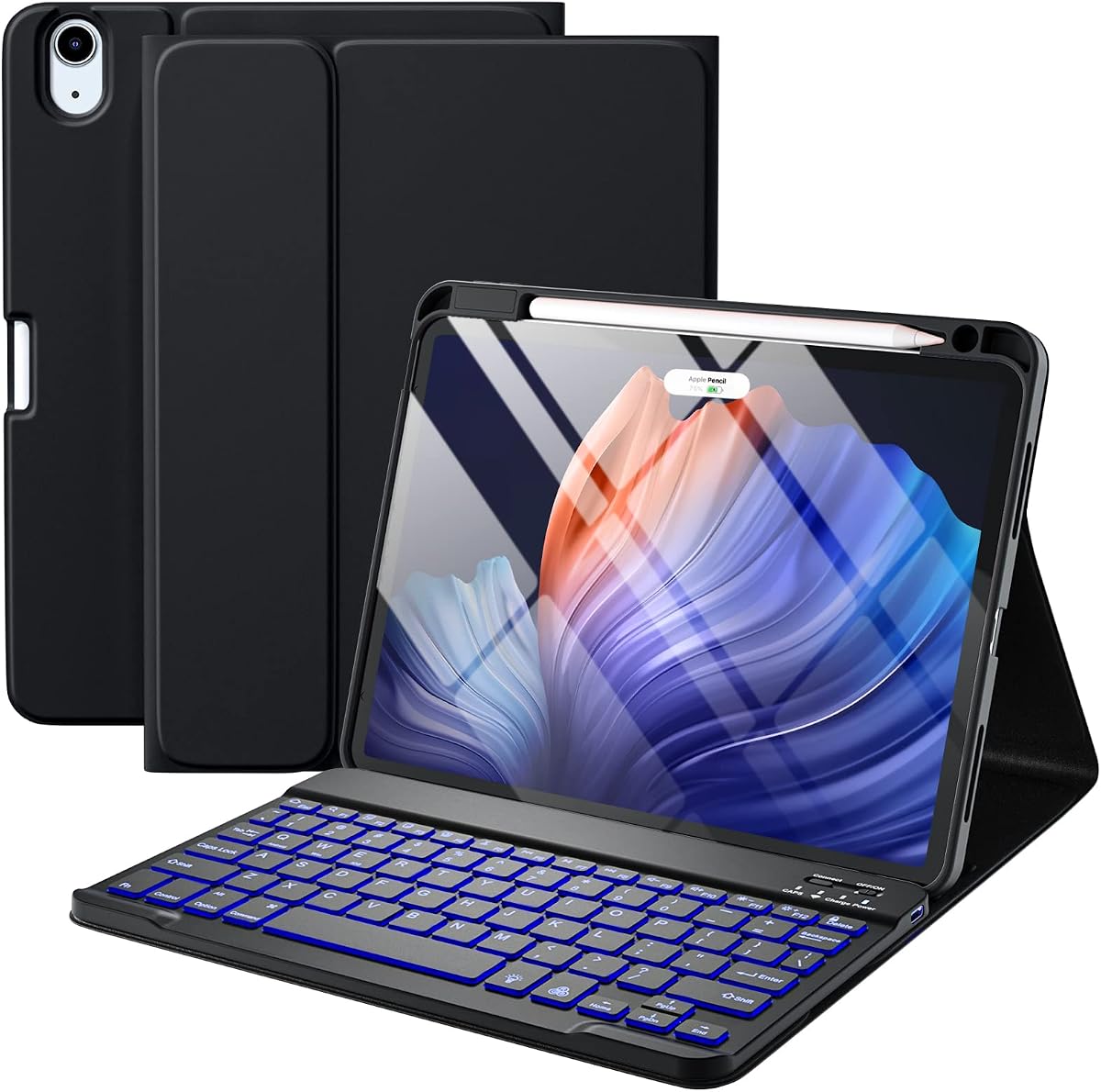
Harvopu for iPad Air 11 Inch & Air 5th 4th Generation Case with Keyboard
4.3Editor score
Detachable Backlit Keyboard
Adjustable Viewing Angle
Support Charging Pencil Holder
Compare the top 10 iPad Air Folio Case with Keyboard models for 2026. We review features, compatibility, trackpads, and protection to help you choose.
Finding the right iPad Air Folio Case with Keyboard transforms your tablet into a powerful workstation. These accessories combine protection with typing comfort and precise navigation features for productivity.
Our team analyzed ten top-rated models based on build quality, compatibility, trackpad performance, and typing experience. We evaluated each product to highlight strengths and weaknesses for your needs.
Each pick includes detailed specs, pros, cons, and real-world usage insights. Prices and availability change frequently, so verify current details on Amazon before making your final purchase decision today.
4.3Editor score

4.5Editor score

4.5Editor score
This side-by-side comparison highlights key specifications and unique features across all ten models. Use this table to quickly identify which iPad Air Folio Case with Keyboard fits your specific workflow and device.


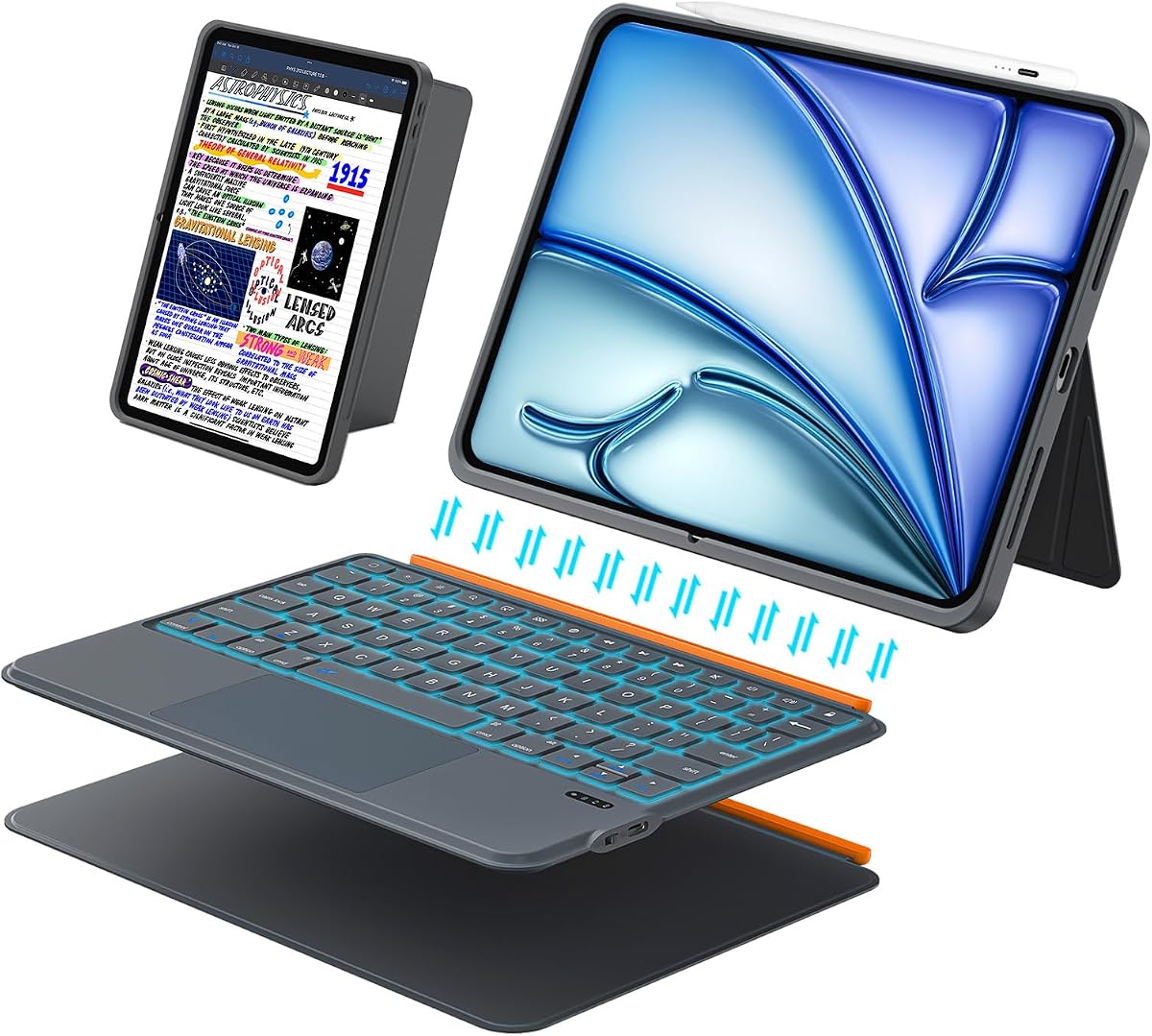


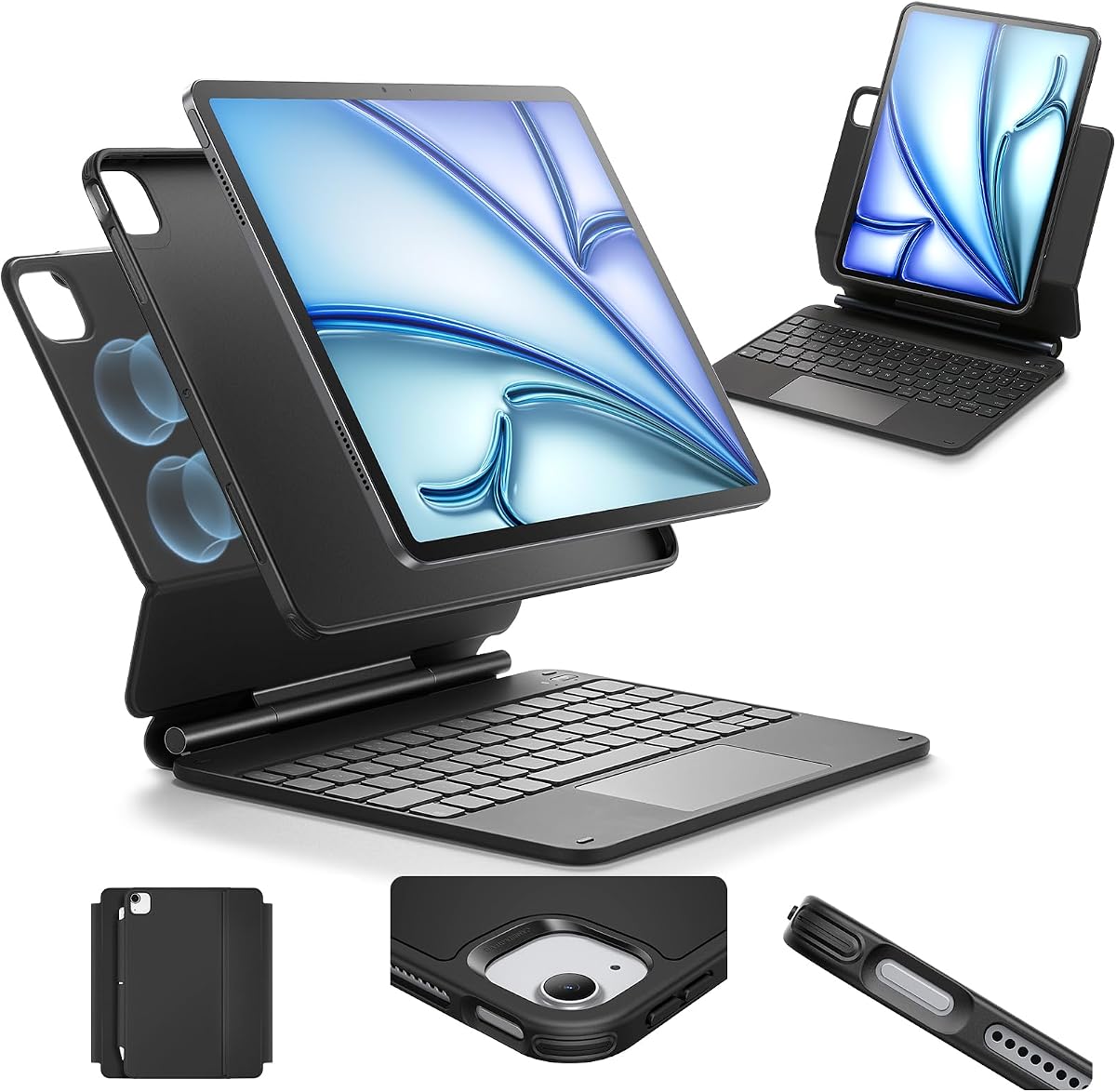
The Logitech Flip Folio Keyboard Case leads this comparison with exceptional features and robust protection for the iPad Air. Its high-precision trackpad and backlit keys offer a near-laptop experience that stands out among competitors.
We may earn a commission when you buy through this link, at no additional cost to you.
Typing is comfortable thanks to large, well-spaced keys with a full row of iPadOS shortcuts. The adjustable kickstand supports four versatile use modes, allowing you to type, sketch, view, or read with ease.
While the price is higher than some options, the military-grade drop protection and seamless Smart Connector pairing justify the investment for professionals needing reliability and productivity features daily.
If you need a durable, feature-rich Folio Case with Keyboard for daily work tasks, this model provides the best overall balance of performance, protection, and usability for the iPad Air.
The high-precision trackpad supports multi-touch gestures like swipe, pinch, and scroll for faster navigation without lifting fingers from the keyboard.
Four use modes including type, sketch, view, and read ensure you can adapt the case to any task without needing extra accessories.
We may earn a commission when you buy through this link, at no additional cost to you.
The Harvopu Case with Keyboard offers an affordable entry point into premium Folio Case with Keyboard features. Its detachable keyboard and backlit design provide flexibility and convenience without a steep price tag.
We may earn a commission when you buy through this link, at no additional cost to you.
With a 400mAh battery and USB-C charging, you get long standby time and fast recharging. The keyboard supports 7-color breathing backlight, making it easy to type in low-light environments at night.
The adjustable viewing angle and anti-slip grooves ensure stability during use, while the built-in pencil holder charges your Apple Pencil directly without removing the case for added convenience daily.
For budget-conscious buyers seeking versatile features and compatibility across multiple iPad Air generations, this case delivers excellent value and solid functionality for everyday productivity needs.
The magnetic detachable keyboard lets you quickly switch between typing and tablet mode, offering flexibility for different tasks on the go.
Customize typing with 7 colors and three brightness levels to suit any lighting condition, enhancing comfort during extended work sessions.
We may earn a commission when you buy through this link, at no additional cost to you.
The Apple Magic Keyboard sets the standard for premium Folio Case with Keyboard accessories with its sleek design and seamless integration. It offers a true laptop-like experience tailored for the iPad Air ecosystem.
We may earn a commission when you buy through this link, at no additional cost to you.
Its floating cantilever design allows smooth, adjustable viewing angles, while the physical keycaps with scissor mechanism ensure comfortable typing. The built-in trackpad and 14-key function row enhance navigation and shortcut access.
With USB-C pass-through charging, you can power your iPad without disconnecting the keyboard. Though expensive, the quality and functionality make it ideal for users seeking top-tier protection and performance.
If you prioritize premium materials, ergonomic design, and flawless compatibility with your iPad Air, this Magic Keyboard delivers unmatched quality and a superior typing experience for professionals.
The two-cantilever hinge provides smooth, adjustable viewing angles that reduce neck strain during long work sessions.
No pairing or charging is required as it powers directly through the Smart Connector, ensuring uninterrupted workflow at all times.
We may earn a commission when you buy through this link, at no additional cost to you.
The ESR Ultra-Light Case with Keyboard focuses on portability without sacrificing functionality. Its slim, lightweight profile makes it ideal for users who prioritize carrying ease and travel convenience daily.
We may earn a commission when you buy through this link, at no additional cost to you.
The magnetic detachable design allows seamless switching between work and leisure modes. An extra-large precision trackpad offers 65% more surface area, ensuring smooth and responsive navigation for multitasking.
While it lacks a backlight, the two viewing angles cater to typing and sketching. The durable cover with reinforced corners provides reliable protection while maintaining a sleek and minimal appearance.
For travelers and commuters seeking a slim, portable Folio Case with Keyboard that balances weight and performance, this ESR model delivers practicality and efficiency on the go.
At just 6.9 mm thick and lightweight, it fits effortlessly into daily routines without adding bulk to your bag or commute.
The larger trackpad supports intuitive gestures like three-finger scroll, enhancing navigation speed and control during productivity tasks.
We may earn a commission when you buy through this link, at no additional cost to you.
The Magic-Style Magnetic Keyboard Case offers extensive compatibility across multiple iPad Air and Pro generations. Its magnetic stand transforms your tablet into a laptop-like device in seconds for efficient workflows.
We may earn a commission when you buy through this link, at no additional cost to you.
With a multi-touch trackpad supporting iPadOS shortcuts, you can edit documents and browse the web quickly. The backlit keys and 750mAh battery ensure comfortable typing day and night on a single charge.
The synthetic vegan leather case provides enhanced protection from drops and scratches, making it ideal for varied environments. While the model list is long, it covers most iPad Air and Pro users.
If you need broad compatibility and a magnetic stand with solid features, this case delivers reliable protection and productivity tools for multiple iPad models seamlessly.
Compatible with iPad Air 11-inch M4/M3/M2 and multiple iPad Pro generations, making it versatile for users upgrading devices.
Built-in trackpad and shortcut keys streamline navigation and editing, enhancing efficiency for professional and casual users alike.
We may earn a commission when you buy through this link, at no additional cost to you.
This iPad Air 11 inch Case with Keyboard supports a wide range of models including Air, Pro, and iPad A16. Its versatile compatibility ensures users can find a fit for their specific device easily.
We may earn a commission when you buy through this link, at no additional cost to you.
The modular magnetic design allows seamless switching between work and leisure. With a larger precision trackpad and Bluetooth 5.3, navigation is smooth and connection is stable for productivity tasks.
The 160° adjustable stand supports both portrait and landscape modes, offering flexibility for typing or watching media. The skin-friendly PU leather provides full protection while remaining comfortable to touch daily.
For users seeking broad compatibility and flexible viewing options, this case balances performance and versatility with reliable features and a comfortable typing experience.
Quick-pair Bluetooth 5.3 ensures a stable, lag-free connection for seamless workflow without interruptions during use.
Supports both vertical and horizontal placement with a 160° adjustable stand for versatile viewing during work or media consumption.
We may earn a commission when you buy through this link, at no additional cost to you.
The Apple Smart Keyboard Folio renewed offers a cost-effective way to access premium Apple accessories. It transforms your iPad into a functional workstation with a full-size keyboard and protective cover design.
We may earn a commission when you buy through this link, at no additional cost to you.
Doubles as cover and folds into a stand, providing versatility for typing and viewing. No charging or pairing is required, making it a plug-and-play solution for users who prefer simplicity and reliability daily.
While it lacks a trackpad, the smart connector ensures instant connection. The renewed condition provides savings without compromising essential functionality for those focused on typing and screen protection.
For users seeking an affordable, no-fuss Apple Folio Case with Keyboard option, this renewed Smart Keyboard delivers essential typing and protection features at a lower price.
No charging or pairing is required as it connects through the Smart Connector, ensuring instant use without battery concerns.
Folds into a stand for optimal viewing angles, balancing portability with functionality in a slim and light design.
We may earn a commission when you buy through this link, at no additional cost to you.
The Logitech Folio Touch renewed offers premium Folio Case with Keyboard features at a reduced price. With trackpad, backlit keys, and military-grade drop protection, it retains high-quality functionality from the original model.
We may earn a commission when you buy through this link, at no additional cost to you.
Four versatile use modes adapt to typing, sketching, viewing, or reading. The adjustable kickstand with a 40° range ensures comfort for various tasks without needing extra accessories during daily work.
Though renewed, it maintains strong magnetic latching and smart connector pairing. The case includes space for Apple Pencil storage, adding utility for creatives and professionals needing protection on the go.
If you want Logitech premium features without full retail cost, this renewed Folio Touch provides reliable protection and productivity tools for iPad Air users seeking value.
Renewed condition offers a cost-effective entry into premium Logitech Folio Case with Keyboard features with verified functionality and build quality.
Includes space to store or magnetically attach Apple Pencil, providing convenience and protection during creative work sessions.
We may earn a commission when you buy through this link, at no additional cost to you.
The Harvopu Keyboard Case brings color and precision to productivity tasks. With a 7-color backlit keyboard and multi-touch trackpad, it offers customization and navigation that enhance user experience daily.
We may earn a commission when you buy through this link, at no additional cost to you.
The magnetic detachable keyboard ensures stability while typing yet allows quick removal for tablet mode. Adjustable viewing angles let you find the perfect position for typing, videos, or drawing comfortably.
Precise cutouts provide seamless access to ports and features without removing the case. The Bluetooth pairing is quick, though the condition may vary slightly depending on the unit purchased.
For those wanting colorful backlighting and flexible magnetic design in an affordable Folio Case with Keyboard, this Harvopu model delivers practical features and comfort for everyday use.
Seven vibrant backlight colors let you personalize your setup and typing experience to suit your style or environment.
All ports, buttons, and cameras remain accessible without removing the case, ensuring full functionality during use.
We may earn a commission when you buy through this link, at no additional cost to you.
The ESR Multi-Mode Magnetic Stand transforms your iPad into a portable productivity machine. Its quick-set magnetic stand ensures optimal angles for typing or browsing without extra effort during work sessions.
We may earn a commission when you buy through this link, at no additional cost to you.
Multiple view modes include raised screen view for posture, portrait for FaceTime, and detached case for hands-on access. The extended multi-touch trackpad supports precise navigation for editing and browsing.
While not the most feature-rich option, its versatility in stand modes and reliable magnetic connection make it a practical choice for users needing adaptable viewing positions on the go.
If you prioritize flexible viewing modes and a quick magnetic setup in a Folio Case with Keyboard, this ESR model delivers practical productivity tools for daily work.
Raised screen view, portrait, and detached modes cater to different tasks like typing, FaceTime, or media consumption.
An ultra-sensitive extended trackpad uses every millimeter for precise navigation, enhancing control and efficiency across apps.
We may earn a commission when you buy through this link, at no additional cost to you.
Choosing the best iPad Air Folio Case with Keyboard requires considering compatibility, typing experience, and protection features to match your workflow and device.
Verify the case matches your exact iPad Air generation and model number. Many cases support multiple models including Air 4th, 5th, and 11-inch variants, but incompatibility can prevent proper fit and function.
Check the model number starting with A on your tablet before ordering to ensure full feature support and alignment.
A built-in multi-touch trackpad enhances navigation and productivity, supporting gestures like swipe, pinch, and scroll. Look for larger trackpads for more comfortable use across extended sessions.
Choose models with precise tracking and gesture support for seamless multitasking and editing.
Backlit keys improve typing comfort in low-light conditions. Some cases offer adjustable brightness or multiple color options, adding versatility for night work or creative environments.
Prioritize models with adjustable or customizable backlight if you often work in dim settings.
Options include Smart Connector, Bluetooth, or magnetic pairing. Smart Connector models power directly from iPad and don't require charging, whereas Bluetooth models need separate batteries.
Decide between seamless Smart Connector integration or flexible Bluetooth connectivity based on your power and pairing preferences.
Flexible viewing angles improve ergonomics and reduce strain. Look for cases with multiple stand positions or adjustable kickstands for typing, viewing, or sketching comfortably.
Ensure the stand supports your preferred workflow angles to maximize comfort during use.
Durable materials like PU leather or reinforced corners protect against drops and scratches. Some cases offer military-grade drop protection for added security.
Select materials that balance protection with weight to suit your daily carry needs.
Cases with pencil holders allow storing or charging Apple Pencil directly. This convenience keeps your stylus accessible and charged without extra accessories.
Prioritize models with pencil support if you use Apple Pencil frequently for drawing or note-taking.
Lightweight designs are essential for travel and daily carry. Evaluate thickness and weight to ensure the case doesn't turn your iPad into a cumbersome device.
Choose slim and lightweight options if portability is a top priority for your workflow.
Attach the case to your iPad Air carefully, ensuring all ports and buttons align with cutouts for proper access and fit.
Use magnetic or Smart Connector pairing to connect the keyboard, checking for firm attachment to avoid slipping during typing.
Clean the keyboard and case regularly with a soft, lint-free cloth to remove dust and maintain optimal performance and longevity.
Most cases support specific generations like Air 4th, 5th, and 11-inch models. Always check compatibility details for your exact model number to ensure proper fit and functionality.
No, only select models include a built-in trackpad. Check product specifications carefully if a trackpad is essential for your productivity needs.
Enable Bluetooth on your iPad, turn on the keyboard, and select it from available devices. Most models reconnect automatically once paired.
Yes, many cases support USB-C pass-through charging, allowing you to power the iPad without removing the keyboard or cover.
Many cases include holders or magnetic attachments for Apple Pencil charging and storage, but verify compatibility with your Pencil generation.
Use a soft, lint-free cloth or a gentle brush to remove dust. Avoid liquids or harsh cleaners that might damage the keys or case.
The top picks like the Logitech Flip Folio and Apple Magic Keyboard offer premium features for serious productivity needs and daily professional work.
Consider what matters most—compatibility, backlighting, or trackpad features—before choosing a model to ensure the case matches your usage style.
Prices and availability change frequently so verify current details on Amazon before buying to secure the best deal available now.